Why Is It So Hard to Turn a Complete Script Into Usable Multi-Page Comics With a Basic AI Image Generator?
2026-08-13

What Are the Four Failure Layers Between a Finished Script and a Finished Comic Page?
A basic AI image generator fails at multi-page comics because a comic page is not a stack of images — it is a coordinated system with four distinct layers, and general-purpose generators only address one of them. Tools like Adobe Firefly, Midjourney, and DALL·E produce excellent individual illustrations, but each generation starts from scratch with no memory of the last one, no model of the page as a unit, and no understanding of reading flow. Purpose-built comic tools — Jenova's Comic Creator, Dashtoon, ComicsMaker, Anifusion, and Adobe Firefly Boards — close some of these gaps but not all of them.
The four layers where script-to-page breaks down:
✅ Character identity drift — diffusion models rebuild the character from your prompt on every generation, so faces and outfits mutate within 3–10 images ✅ Page-level composition — generators output rectangles, not panel grids with gutters, bleeds, and a reading path ✅ Script parsing — a script's beats, camera directions, and dialogue must be translated into panel counts and shot types, which is an editorial decision, not an image task ✅ Lettering and print prep — speech balloons, tail placement, and CMYK-safe margins live entirely outside image generation
Understanding which layer is failing in your workflow is the difference between a fixable problem and an endless regeneration loop.
Why Do AI Characters Change Faces Between Panel 3 and Panel 4?
Diffusion models generate each image from scratch with no memory of previous outputs, so without a persistent visual anchor, the model reconstructs your character from prompt text alone — and small textual ambiguities cascade into face and outfit drift. Testing documented by TaleAtelier's character consistency guide found that drift becomes visible within 3 to 10 generations using prompt-only methods.
This is the single most-cited failure in practitioner reports. A creator on
and summarized the earlier state of the tooling bluntly: "Characters changed, environments drifted, and every page needed manual editing." A thread on reports the same pattern with Midjourney and DALL·E — "the inability to have the same or even similar characters throughout."Five documented techniques, ranked by consistency-versus-setup tradeoff:
| Technique | Consistency | Setup Time | Cost |
|---|---|---|---|
| Master prompt (text only) | Low (~65%) | 0 min | $0 |
| Character sheet as image input | Medium | ~30 min | $0–$15/mo |
Model-native reference (Nano Banana, Midjourney --cref) | Medium-high | ~5 min | Free–paid tier |
| Job-scoped tracking (comic-specific tools) | High | ~2 min | ~$10–$20/mo |
| Custom LoRA training | Very high | 2–4 hrs | $5–$50 per run |
The honest ceiling matters: TaleAtelier's testing frames AI character consistency as roughly 80% visual similarity across panels — not 100%. Multi-page comics amplify this, because a reader flipping between page 4 and page 40 will notice what a single-image viewer never would.
Practical fix — build a character reference sheet before generating a single panel:
- Create a single-page sheet with front, three-quarter, side, and back views, plus an expression grid and a labeled primary outfit.
- Crop to one character per sheet — multi-character sheets cause Midjourney to blend identities.
- In Midjourney, append
--cref [url] --cw 50. Weight 100 locks face, clothing, and pose (too rigid for scene variety); weight 50 locks face and hair identity only, which is the recommended default for sequential work. - Test across five different scenes before committing to a full script. If the face drifts, refine the sheet. If the outfit drifts, add the wardrobe strip.
What Does a Page Actually Require That a Single Image Does Not?
A comic page is a designed reading surface with a controlled eye path, not a container for illustrations. Comic artist Bill Koeb describes the working process in Visual Arts Passage as beginning with thumbnails — "small, quickly made drawings with very few marks to explore where the face is, how much we can see, what angle I'm going to use, how it's going to be lit, and the overall value structure of the image."
None of those decisions are image-generation decisions. They are page-architecture decisions made before any final art exists. A basic generator has no thumbnail stage, so it skips straight to rendering with no plan for how the panels will sit together.
Page-level variables a generator cannot see:
- 📐 Panel size hierarchy — a climax panel should dominate; a beat panel should shrink. Uniform outputs flatten the emotional rhythm.
- ➡️ Eye path and gutter width — Western comics read Z-pattern, manga reads right-to-left. Panel placement enforces this; a folder of images does not.
- 🎨 Cross-panel value structure — a page needs a coherent light-to-dark distribution so the reader's eye lands where you want it.
- 📄 The page turn — the last panel before a turn carries a hook. Generators have no concept of where the page break falls.
Independent creator Daniel Wieser makes the structural argument in a Medium essay: "AI creates new bottlenecks instead of removing all bottlenecks. AI often moves difficulty elsewhere." He specifically flags that print bleed areas and panel placement affect output in ways image generation does not touch.
How Does the Script-to-Panel Translation Step Actually Break?
The translation step breaks because a script and a panel breakdown are different documents, and the generator receives only the script. A prose or screenplay-format script describes what happens; a panel breakdown decides how many panels each beat gets and which shot type carries it. Skipping that intermediate document is why so many script-to-comic attempts produce panels that render the words literally while missing the storytelling.
Koeb catalogs the shot-type vocabulary the breakdown draws on:
- Establishing shot — sets location and stakes. "It brings us to the place where events are about to unfold."
- Close-up — Koeb notes it "needn't be limited to showing the face of a character," citing "a tensed hand reaching toward the unknown."
- Medium shot — character mid-action, often used to open in motion.
- Abstract or symbolic panel — Koeb points to Black Orchid by Neil Gaiman and Dave McKean, which opens with a white panel holding a small amount of pink watercolor, unresolved until the page turn.
A basic generator handed the line "she realizes he lied" will render a woman looking surprised. It will not decide whether that beat is a silent three-panel escalation, a single tight close-up on her hands, or a wide shot that isolates her in the frame.
Academic work confirms this is a structural gap, not a prompting gap. A collaborative comic generation study published on arXiv by researchers at North Carolina State University notes that narrative idioms "are rarely incorporated into AI-driven comic generation," and that in most generative systems "authors have limited flexibility in the creative process." Their prototype had to explicitly encode Neil Cohn's Visual Narrative Grammar — the Establisher / Initial / Prolongation / Peak / Release structure — as a separate system layer, because the image model had no access to it.
The same paper documents an honest limitation of their own approach: separating visual layers for editability "reduces scene and character interaction, limiting cohesive artwork and rich actions." Every architecture in this space trades something.
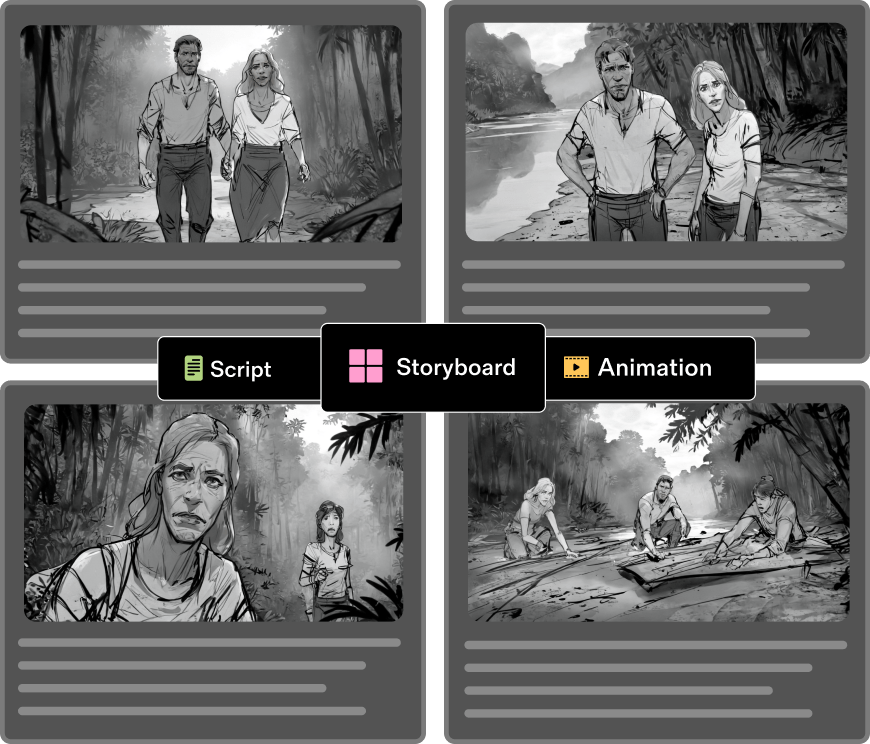
How Do the Main Tool Categories Compare on Multi-Page Script Work?
Comparing across the six dimensions that actually determine whether a script becomes a usable multi-page comic — script parsing, character consistency, page layout control, lettering, multi-page continuity, and export.
| Dimension | Adobe Firefly | Midjourney | Dashtoon | ComicsMaker | Jenova Comic Creator |
|---|---|---|---|---|---|
| Script → panel breakdown | Manual — prompt per panel | Manual — prompt per panel | Panel-oriented workflow | Panel-oriented workflow | Conversational breakdown from full script |
| Character consistency | Image-to-image reference; upload sketch or earlier panel | --cref + --cw weight tuning | Character consistency on free tier | Reusable character designs across panels | Persistent cross-session character tracking |
| Page layout control | Firefly Boards for arranging panels into strips | None — outputs single images | Built-in panel templates | Built-in panel workflow | Layout planning as part of the conversation |
| Lettering / balloons | Add dialogue and captions in Boards | Not supported | Supported | Supported | Guidance and composition; no native balloon renderer |
| Multi-page continuity | Board-level; no cross-session memory | None | Publishing-oriented | Panel and page oriented | Unlimited history — style and cast persist across sessions |
| Export | JPEG/PNG up to 2000×2000; 1080p MP4 | Standard image export | Locked to Dashtoon Reader on free tier | Standard export | Standard image export |
| Pricing | Free tier available | Subscription | Free tier: 100 images/day | Subscription | Free tier; Plus $20/mo at 30× free usage |
| Best for | Single strips, style exploration, commercially-safe training data | Highest art quality per panel; artist-driven workflows | Webtoon-format publishing | Character-driven multi-panel work | Script-to-page planning with persistent story memory |
Honest limitations across the board:
- Adobe Firefly publishes strong commercial-safety credentials — trained on licensed and public domain content — but caps export at 2000×2000 pixels, below standard print comic resolution, and pushes layout work into Firefly Boards or Photoshop.
- Midjourney produces the highest per-panel art quality of the general generators, but has zero page-layout or lettering functionality and requires the reference-sheet discipline described above.
- Dashtoon's free tier is generous at 100 images/day but locks output to Dashtoon Reader publishing.
- Jenova's Comic Creator handles script breakdown, style locking, and cross-session continuity — but it has no native speech-balloon renderer or print bleed/CMYK prep, so final lettering and print files still route through Clip Studio Paint, Photoshop, or Affinity Publisher. It is a planning-and-generation partner, not a full DTP replacement.
A creator posting in
who runs "a couple of short web comics and one longer thing I'm slow grinding through" reports settling on three tools rather than one — which is the realistic pattern for anyone working past a single strip.How Do You Actually Get a Full Script Onto Multiple Pages Without Fighting the Tool?
The workflow that works inserts two documents between the script and the generator: a locked character reference and a page-by-page panel breakdown. Skipping either is what produces the endless-regeneration loop.
Step 1 — Lock the cast before generating any panel. Build one reference sheet per character. Generate that character in five unrelated scenes. If the face holds, proceed; if not, refine the sheet or move up a technique tier.
Step 2 — Write the breakdown as a separate document. For each script page, specify panel count, shot type per panel, and which character carries the frame. This is where you decide that a three-line exchange gets four panels, not one.
Step 3 — Generate panel by panel, not page by page. Basic generators cannot compose a page. Generate individual panels at consistent aspect ratios matched to your breakdown.
Step 4 — Composite in a page tool. Clip Studio Paint, Affinity Publisher, or Firefly Boards. This is where gutters, bleed, and reading order get enforced.
Step 5 — Letter last. Balloons placed before layout is locked will need to move.
Using a script-aware agent for steps 2–3. With Jenova's Comic Creator, the breakdown happens conversationally rather than as a separate manual document. Paste the script and describe the target format:
"Here's my 12-page script. Break it into a page-by-page panel breakdown — panel count and shot type per beat — for a Western-format print comic, 6×9 trim. Flag any page where I've packed in too much dialogue for the panel count."
Then lock the visual identity before generating:
"Lock these three characters and this art style for the whole project. Reference them by name in every future panel request — I don't want to re-describe them each time."
The persistent memory is what changes the economics here: on page 40 you can say "same style, same cast, page 40 panel 2" rather than rebuilding a 200-word prompt. If you're producing vertical-scroll content instead, Webtoon Creator applies the same breakdown logic to scroll rhythm and episode hooks, and Manga Creator handles right-to-left flow and screentone conventions.
For a Midjourney-centered workflow, the equivalent step 2 happens in a text tool, then panels generate with --cref [sheet_url] --cw 50 appended to every prompt, with the sheet URL held constant across the entire book.
What Do Working Comic Professionals Say About AI in the Script-to-Page Pipeline?
The consensus among practitioners is that AI has compressed the illustration bottleneck without touching the editorial and page-design bottlenecks — which means the difficulty relocated rather than disappeared.
"The mistake almost everyone makes is treating the script as a prompt. A script is a set of instructions for a human collaborator who already knows what a page is. When you hand it to an image model, you've removed the person who was silently doing the breakdown, the shot selection, the page-turn placement, and the eye-path design. The model doesn't know it's supposed to be doing that work, so it renders the words and hands you back a folder of pictures."
"What we consistently see in production is that consistency work front-loads. Teams that spend an afternoon building character reference sheets and a panel breakdown before generating anything finish a 20-page book faster than teams that start generating on page one and try to fix drift downstream. The regeneration loop is where projects die — not the initial generation. And the honest number to plan around is roughly 80% character similarity, not 100%. Budget for a cleanup pass."
"The other thing worth saying plainly: no current AI tool handles print prep. Bleed, trim, CMYK conversion, and balloon placement at final resolution are still a desktop-publishing job. Anyone promising script-to-print-ready-PDF is overselling. Script-to-composited-page is achievable today. The last mile isn't."
— Jenova Product Team, 9 years building creative AI workflow tooling
Is the Character Drift Problem Actually Getting Solved?
Character consistency is improving fast at the model level, but multi-page continuity — holding a cast stable across 40+ pages produced over weeks — remains substantially unsolved by general-purpose generators. The gap between single-panel consistency and book-length consistency is where most projects still break.
What has genuinely improved as of 2026:
- Model-native reference systems now deliver near-zero-shot character conditioning. Google's Gemini 2.5 Flash Image ("Nano Banana") shipped reference-image conditioning that TaleAtelier's testing rates above Midjourney's free trial, DALL·E 3, and un-LoRA'd Stable Diffusion for identity holding.
- Purpose-built tools now advertise character tracking across long page counts — ComicPad markets consistency "across 4 to 400 panels".
- Character LoRA training has dropped to $5–$50 per run and 2–4 hours, making it viable for serious series work at 100+ images per character.
What remains unsolved:
- Extreme angles. Reference conditioning degrades sharply on overhead and low-angle shots — precisely the dynamic angles comics rely on for action sequences.
- Ensemble scenes. With three or more characters in frame, identities bleed between characters. This is the documented failure mode behind blended-face results.
- Micro-detail wardrobe. Specific jewelry patterns, embroidery, and insignia drift even when faces hold — the "same character, subtly different jacket" problem.
- Page-level anything. ComicsAI's 2026 generator comparison notes across tools that "multi-panel consistency is not guaranteed" and "fine control over page layout can be limited."
The trajectory suggests panel-level generation is close to solved and page-level composition is the next real frontier. For now, the practical answer is architectural: use a general generator for art quality, a purpose-built tool for cast and breakdown continuity, and a page-layout application for the page itself. The difficulty was never that AI can't draw — it's that a comic page is three separate problems wearing one trench coat.
References
- ComicsAI — AI Comic Generator Comparison 2026
- Daniel Wieser, Medium — "AI Makes Images" Does Not Mean "Making Comics Is Easy"
- ComicPad — How to Create Consistent Comic Characters with AI
- ComicPad — Consistent Character AI Generator
- Visual Arts Passage — Comics & Sequential Art: Designing Your First Panel (Bill Koeb)
- arXiv — Collaborative Comic Generation: Integrating Visual Narrative Theories with AI Models
- Adobe — Free AI Comic Generator (Firefly)
- ComicsMaker — AI Comic Generator
- Anifusion — Best AI Comic Generator Tools 2026 Compared