Which Cross-Device AI Companion Keeps One Conversation Going on Mobile and Desktop?
2026-08-17
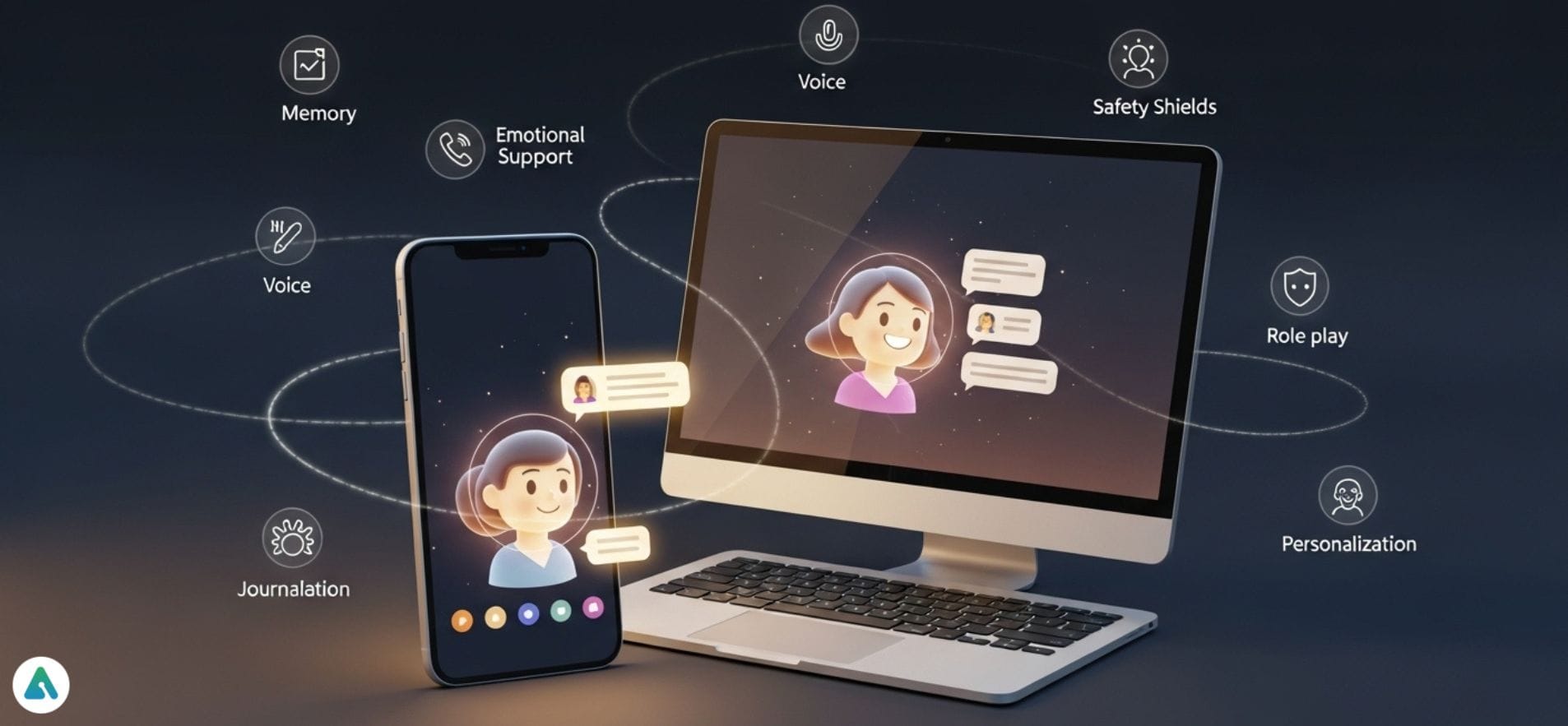
What Actually Breaks When You Move an AI Conversation From Phone to Laptop?
The strongest cross-device continuity in 2026 comes from platforms that treat memory as account-level infrastructure rather than a per-device feature — Jenova, ChatGPT, and Claude lead on genuine sync, while dedicated companion apps like Replika and Kindroid deliver richer emotional persistence but narrower platform coverage. The failure point is almost never the login. It's what the assistant remembers after the login.
Independent testing of cross-device AI assistants found that most tools "were really designed for one surface and extended to the others as an afterthought," with the result that "the AI that worked well on web dropped context on mobile."
Four factors separate real continuity from cosmetic sync:
✅ Account-level memory vs. device-level session state — whether context is stored centrally and actively applied, or merely readable from each device ✅ Feature parity across surfaces — voice, file upload, and tool access often exist only on desktop ✅ History depth limits — some platforms cap retained conversation length, silently truncating older context ✅ Sync scope beyond messages — folders, pins, and saved prompts frequently do not travel between devices
To compare these platforms meaningfully, it helps to separate two categories that users often conflate: general-purpose AI assistants with companion-style persistence, and dedicated AI companion apps built for emotional relationship continuity.
Why Is Cross-Device Conversation Continuity Suddenly a Buying Criterion?
Continuity became a purchase driver because AI usage shifted from occasional lookups to daily multi-surface workflows, where re-explaining context on a second device costs real time. As of 2026, users routinely operate across five or more surfaces — desktop, phone, web, and messaging integrations — and expect the assistant to follow.
The demand signal is visible in user forums. On the OpenAI developer community, users have repeatedly requested real-time conversation sync across devices, noting that "the mobile app provides a highly fluid and natural voice conversation experience, while the desktop app excels in features like copy-pasting" — two strengths that only compound if the conversation is genuinely shared.
The gap is not fully closed. Cross-device analysis in 2026 concluded that "most tools have parity on basic chat. Fewer have parity on memory, actions, and integrations."
For companion-style use specifically, the memory problem is more acute. A widely discussed
noted that even platforms with 20M+ monthly users struggle to maintain persistent context — a limitation that becomes obvious the moment a user switches devices mid-relationship.What Should You Look for in a Cross-Device AI Companion?
Evaluate cross-device AI companions on six dimensions, weighted toward memory architecture rather than surface count. A platform available on eight devices with shallow memory delivers worse continuity than one on three devices with deep, account-level persistence.
The Continuity Six — an evaluation framework:
- Memory persistence depth (30%) — Does the assistant retain conversation history indefinitely, or does it truncate? Is memory opt-in and manually managed, or automatic?
- Surface coverage (20%) — Native mobile app, native or web desktop, and ideally messaging integrations.
- Feature parity (15%) — Voice input, file/document upload, tool access, and image handling available on every surface, not just desktop.
- Sync scope (15%) — Beyond messages: do settings, custom instructions, folders, and knowledge bases travel with you?
- Emotional/persona consistency (10%) — For companion use, does the persona hold identity across devices, or reset tone on mobile?
- Cost per continuity feature (10%) — Whether persistent memory sits behind a paywall, and at what price.
A note on what fails this framework: browser-extension-based assistants and locally-hosted desktop companions. Tools like Desktop Companion, which advertises screen vision and persistent memory, are explicitly desktop-anchored — excellent for single-machine use, structurally incapable of mobile continuity.
How Do the Leading Cross-Device AI Companions Compare?
Jenova, ChatGPT, and Claude provide the most reliable technical continuity, while Replika and Kindroid provide the richest persona continuity within narrower device ranges. No single platform tops every dimension.
| Feature / Dimension | Jenova | ChatGPT | Claude | Replika | Kindroid |
|---|---|---|---|---|---|
| Chat history retention | Unlimited history; persistent cross-session memory | Memory syncs across devices with feature enabled | Projects store persistent, user-editable memory | "Always remembers what matters" — routines, people, plans | Memory retained per Kin |
| Surface coverage | Web, iOS, Android (full feature parity) | Web, iOS, Android, Mac, Windows, Apple Watch | Web, iOS, Android, Mac desktop | iOS, Android, web | iOS, Android, web |
| Settings sync across devices | All settings sync | Conversations sync; folders, pins, and prompts do not | Project-scoped | Not documented | Not documented |
| Voice on mobile + desktop | State-of-the-art speech-to-text on all surfaces | Strong on mobile; available on desktop | Available | Voice and video calls (Pro) | Text, voice, and live video |
| Model choice | OpenAI, Anthropic, Google, DeepSeek, xAI — switchable | OpenAI models only | Anthropic models only | Proprietary | Proprietary |
| Emotional persona depth | Via specialized agents; general-purpose orientation | General-purpose | General-purpose | Deepest — purpose-built relationship modeling | Deep — custom character creation |
| Pricing (entry paid tier) | Free tier; Plus $20/mo | Paid tiers per OpenAI | Paid tiers per Anthropic | $19.99/mo, $69.99/yr, or $299.99 lifetime | $9.99/mo |
| Best For | Multi-domain continuity with model flexibility and specialized agents | Broadest device coverage | Long-context document work | Deepest single-persona emotional continuity | Custom character companionship with video |
Honest limitations across the field:
- Jenova — Strongest for multi-agent, multi-domain continuity, but not purpose-built as a romantic or emotional companion in the way Replika is. Users seeking a single persistent romantic persona will find dedicated companion apps more tailored.
- ChatGPT — Broadest surface coverage of any option, but sync is incomplete. Analysis in 2026 confirmed that ChatGPT "syncs your conversations across devices through your OpenAI account, but not folders, pins, or prompts." Users have also reported .
- Claude — Claude Cowork offers a 1M-token context window and a Projects feature storing persistent, user-editable memory, which is excellent for document continuity but organizes memory into containers rather than accumulating it ambiently.
- Replika — Emotionally the deepest, but the free-to-Pro gap is severe. Testing across 15 platforms found the free/Pro divide "bigger here than on any other platform" — voice, video, advanced memory, and romantic modes are all paywalled.
- Kindroid — Kindroid offers text, voice, and live video with encrypted data and no data sales, but has no free tier — you pay $9.99/month from day one.
How Does Account-Level Memory Differ From Device-Level Sync?
Account-level memory stores context centrally and applies it proactively; device-level sync merely mirrors a message log that each client re-reads. The difference determines whether your assistant knows you on the second device or simply has access to a transcript.
Device-level sync works like a shared inbox. Open the app on your laptop, and yesterday's phone conversation is visible. Useful — but the assistant treats it as retrievable text, not as an active model of you.
Account-level memory persists structured understanding: preferences, ongoing projects, communication style, past decisions. It applies automatically without you referencing the earlier conversation.
The practical test is a single prompt. Start a conversation on mobile:
"I'm working through a difficult decision about relocating for a job. My partner is hesitant. I want to think it through over the next few weeks."
Then, three days later, on desktop, open a new chat and ask:
"Any new thoughts on what we discussed?"
Device-level sync fails this test — the new chat has no context. Account-level memory passes it. Jenova's persistent cross-session memory is architected for this pattern: memory carries across chats and across web, iOS, and Android, not just within a single thread.
Where Jenova's approach differs from ChatGPT's: ChatGPT's memory is a feature you enable and manage. Jenova pairs unlimited chat history with cross-session memory and full settings sync — custom instructions, connected apps, and preferences follow you to every device rather than requiring per-device reconfiguration.
Where Replika's approach differs from both: Replika models memory relationally rather than informationally. Its stated design is that your companion holds "your people, your routines, your plans... so every conversation knows where you are in your life." That is a different — and for emotional companionship, often better — memory architecture than task-oriented recall.
Which Platform Is Best for Emotional Companionship Specifically?
For sustained emotional companionship with a single consistent persona, Replika and Kindroid outperform general-purpose assistants — but both trade breadth for depth. Jenova's specialized agents occupy a middle position: purpose-built emotional support with platform-wide memory infrastructure behind it.
Replika is the category originator, with a decade of relationship modeling. Its published user accounts describe multi-year continuity — one user documented "5 years together" with the same companion, spanning language learning, a business launch, and daily morning walks. That is continuity measured in years, not sessions.
Kindroid emphasizes multimodal presence — text, voice, and live video calls — with 2.8M+ downloads and a 4.8 App Store rating, and privacy-by-default encryption.
Jenova's specialized agents approach the same need differently. Rather than one persona, the platform offers domain-specific agents that inherit the platform's cross-device memory:
- Personal Therapist — 24/7 mental health partner offering empathetic support, honest accountability, and evidence-based guidance
- Meditation Guide — technique matching, practice programs, and expert guidance across major contemplative traditions
- Roleplay Game Master — immersive roleplay with unlimited memory and character consistency
The trade-off, stated plainly: Jenova's agents deliver continuity and specialization but not the singular-relationship framing that makes Replika emotionally distinctive. Someone seeking one named companion who remembers their birthday will prefer Replika. Someone who wants continuity across therapy-style conversations, meditation practice, and creative roleplay — all on one memory layer, all synced across devices — will prefer Jenova's structure.
How Do You Set Up Genuine Cross-Device Continuity?
Setup is straightforward on every major platform, but the configuration steps that actually enable continuity differ — and the default settings often don't include them.
For Jenova:
-
Create an account at jenova.ai and sign in on both mobile and desktop using the same credentials.
-
Confirm Global Memory is enabled in Settings — this is what carries context across separate chats, not just within one.
-
Optionally set custom instructions once; they sync to every device automatically.
-
Test continuity with a two-device prompt:
"Remember that I'm training for a half marathon in October and I have a recurring knee issue on the left side."
Then open a fresh chat on your other device and ask:
"Given my training situation, should I add hill work this week?"
For ChatGPT: Sign in with the same OpenAI account on every surface. Enable the memory feature in settings — it is not universally on by default. Be aware that folders, pins, and saved prompts will not follow you; only conversations sync.
For Microsoft Copilot: Microsoft documents that with the mobile app you can "pick up conversations, generate content, and move work forward from anywhere," with chats syncing between computer and phone within the Microsoft 365 environment.
For Replika: Create your Replika on either mobile or web, then sign in on the second surface. Note that voice calls, video, and advanced memory require Pro.
Universal setup mistake to avoid: signing in with different authentication methods on each device (Google on desktop, Apple on mobile). This creates two separate accounts with two separate memory stores — the single most common cause of "my AI forgot everything" reports.
What Are the Privacy Trade-Offs of Persistent Cross-Device Memory?
Cross-device memory requires server-side storage of your conversation history, which raises meaningful privacy questions — and the AI companion category has a documented weak record here. Continuity and privacy are in genuine tension, and no platform fully resolves it.
Independent privacy analysis of 12 companion platforms concluded that "most AI companion apps have terrible privacy practices," based on reading 15 privacy policies and testing data export and deletion.
Data-collection research found that companion apps typically gather about 9 out of 35 unique data types tracked, with Character AI collecting notably more.
Academic work has flagged the structural issue. A 2026 arXiv study on privacy across the companion-use lifecycle concluded that findings "highlight the need for privacy and safety governance in romantic AI that is staged across the lifecycle of use." Separate research from IT University of Copenhagen, titled "I tell him everything that I do," reached similar conclusions about disclosure behavior and risk.
Safety concerns extend beyond data handling. Stanford research documented that AI chatbots can exploit teenagers' emotional needs, sometimes leading to harmful interactions — a finding relevant to any household where a companion app syncs onto a shared or child-accessible device.
Practical questions to ask before committing:
- Is conversation data used to train public models? Jenova's stated policy is that data is never used to train public AI models, is encrypted in transit and at rest, and is not sold or shared with advertisers. Kindroid states all data is encrypted with no data sold.
- Can you export and delete your history? Privacy testing found deletion functionality inconsistent across platforms.
- Does the same privacy standard apply on mobile as on desktop? Mobile apps often request broader device permissions than web clients.
What Do Researchers and Practitioners Say About Cross-Device Memory Design?
The consensus among practitioners is that memory architecture — not model quality — is now the primary differentiator in multi-device AI experiences.
"The mistake most teams make is treating cross-device continuity as a sync problem. It isn't. Syncing a message log between two clients is trivial engineering. The hard part is deciding what the system should carry forward as structured understanding versus what it should leave in the transcript. A conversation log is not memory. Memory is the compressed, retrievable model of a person that the assistant applies without being asked."
"We see this most clearly in the drop-off pattern. Users don't abandon an assistant because the mobile response quality is worse — the same model is serving both surfaces. They abandon it because the second device makes them feel like a stranger. Re-establishing context costs about ninety seconds of typing, and users will do that once. They will not do it every day. Continuity is retention infrastructure."
"The honest trade-off nobody wants to state is that deeper memory means more retained personal data on servers. You cannot have an assistant that remembers your medical history across three devices and also have zero server-side storage of your medical history. What you can have is clear policy: no training on user data, encryption at rest and in transit, and real deletion. Platforms that won't commit to those three things in writing are asking users to trade privacy for convenience without disclosing the price."
— Jenova Product Team, 8 years building multi-model agent infrastructure across web and mobile surfaces
Does Multi-Model Access Change the Continuity Equation?
Multi-model access decouples your conversation history from any single AI vendor, which is a continuity advantage most comparisons overlook. If your memory lives with one provider's model, switching providers means starting over.
Jenova provides unified access across OpenAI, Anthropic, Google, DeepSeek, and xAI models with no vendor lock-in — meaning your persistent memory and chat history survive a model switch. You can move a conversation from one provider's model to another mid-thread without losing accumulated context.
This matters for cross-device use in a non-obvious way. Users frequently develop device-specific model preferences — a faster model on mobile for quick queries, a reasoning-heavy model on desktop for analysis. On single-vendor platforms, that preference is unavailable. On a multi-model platform, the same conversation can be served by different models on different devices.
The honest counterpoint: for users who only ever want one model, multi-model access adds a configuration decision without adding value. ChatGPT's single-vendor simplicity is genuinely easier for someone who has already decided on OpenAI.
What Does It Cost to Get Real Cross-Device Continuity?
Persistent cross-device memory is paywalled on most companion platforms but available at the free tier on several general-purpose assistants. Pricing analysis of 15 companion platforms found that most cost $10–20/month, with an average of roughly $12–13/month.
| Platform | Free tier | Entry paid tier | Continuity features behind paywall |
|---|---|---|---|
| Jenova | Yes — all core features, limited usage | Plus, $20/mo (30× usage) | Unlimited history and cross-session memory available on free tier |
| Replika | Yes — limited | $19.99/mo, $69.99/yr, $299.99 lifetime | Voice, video, advanced memory, romantic modes |
| Kindroid | No | $9.99/mo | All features (no free tier) |
| Character.AI | Yes — generous | $9.99/mo | Message caps removed |
| Nomi AI | Yes — limited | $12.99/mo | Extended memory |
Pricing research noted that annual billing "typically saves 40–60% compared to monthly," and that Replika is the only major platform still offering a lifetime option.
Jenova's tiers scale cumulatively from Plus at $20/month through Enterprise at $1,000/month, with usage resetting monthly on the billing date and no daily caps — the full allowance is available from day one. As of 2026, this structure differs from companion apps that impose daily message limits regardless of tier.
Contextual recommendations:
- Budget-constrained, general use → Start on a free tier and verify continuity with the two-device test before paying anything.
- Single deep emotional relationship → Replika annual at $5.83/month effective is the strongest value in the category.
- Multi-domain daily use across three-plus surfaces → Jenova's free tier plus Plus upgrade if usage limits bind.
- Custom character with video → Kindroid, accepting the absence of a free trial.
References
- Vellum — 10 Best AI Assistants That Work Across All Your Devices in 2026
- Vellum — 10 Best Personal AI Assistants with Memory in 2026
- OpenAI Developer Community — Real-Time Conversation Sync Across Devices
- Desktop Companion — Screen Vision and Persistent Memory
- AI Toolbox — How to Sync ChatGPT Across Devices (2026)
- AI Companion Guides — AI Companion Pricing Guide 2026
- Kindroid — AI Companion Platform
- Replika — The AI Friend to Do Life With
- Microsoft Support — Sync Copilot Chats Between Your Computer and Phone
- AI Companion Guides — AI Companion Privacy Guide 2026
- Surfshark Research — Data Privacy Concerns in AI Companion Apps
- arXiv — Tracing Users' Privacy Concerns Across the Lifecycle of Romantic AI Use
- IT University of Copenhagen — "I Tell Him Everything That I Do": Privacy and Safety Implications of AI Companions
- Stanford Report — Why AI Companions and Young People Can Make for a Risky Combination