Which AI Creative Writing Tool Is Best for the Full Workflow From Idea to Revision?
2026-08-08
What Is the Best AI Creative Writing Tool for the Full Workflow?
For writers who need a single tool that carries a project from first spark through final revision, Jenova's Writing Assistant is the strongest general-purpose option because it maintains persistent memory across sessions and gives you access to multiple frontier models within one workspace — meaning your outline, voice, and revision notes stay live from week one to week twelve. For long-form fiction specifically, Novelcrafter and Sudowrite are the two most credible purpose-built alternatives, each optimized for a different half of the workflow.
The critical distinction most comparison articles miss: no AI tool is equally strong at all four stages. Ideation, outlining, drafting, and revision demand fundamentally different capabilities, and tools that excel at one often underperform at another.
✅ Persistent project memory — the single biggest differentiator, since a tool that forgets your outline by chapter nine is not a full-workflow tool ✅ Structural planning support — codex/wiki systems or outline scaffolding that survive across sessions ✅ Model flexibility — different stages benefit from different models; drafting and critique are not the same task ✅ Revision as a first-class function — most AI writing tools are generation-heavy and revision-light ✅ Voice preservation — the ability to sound like you, not like a language model
To compare these tools meaningfully, it helps to first establish what "the full workflow" actually requires — because the four stages place very different demands on an AI collaborator.
What Are the Four Stages of the Creative Writing Workflow?
The creative writing workflow moves through prewriting (ideation), drafting, revising, and editing — and each stage requires a distinct kind of cognitive support, which is exactly why single-purpose AI tools fail at end-to-end use.
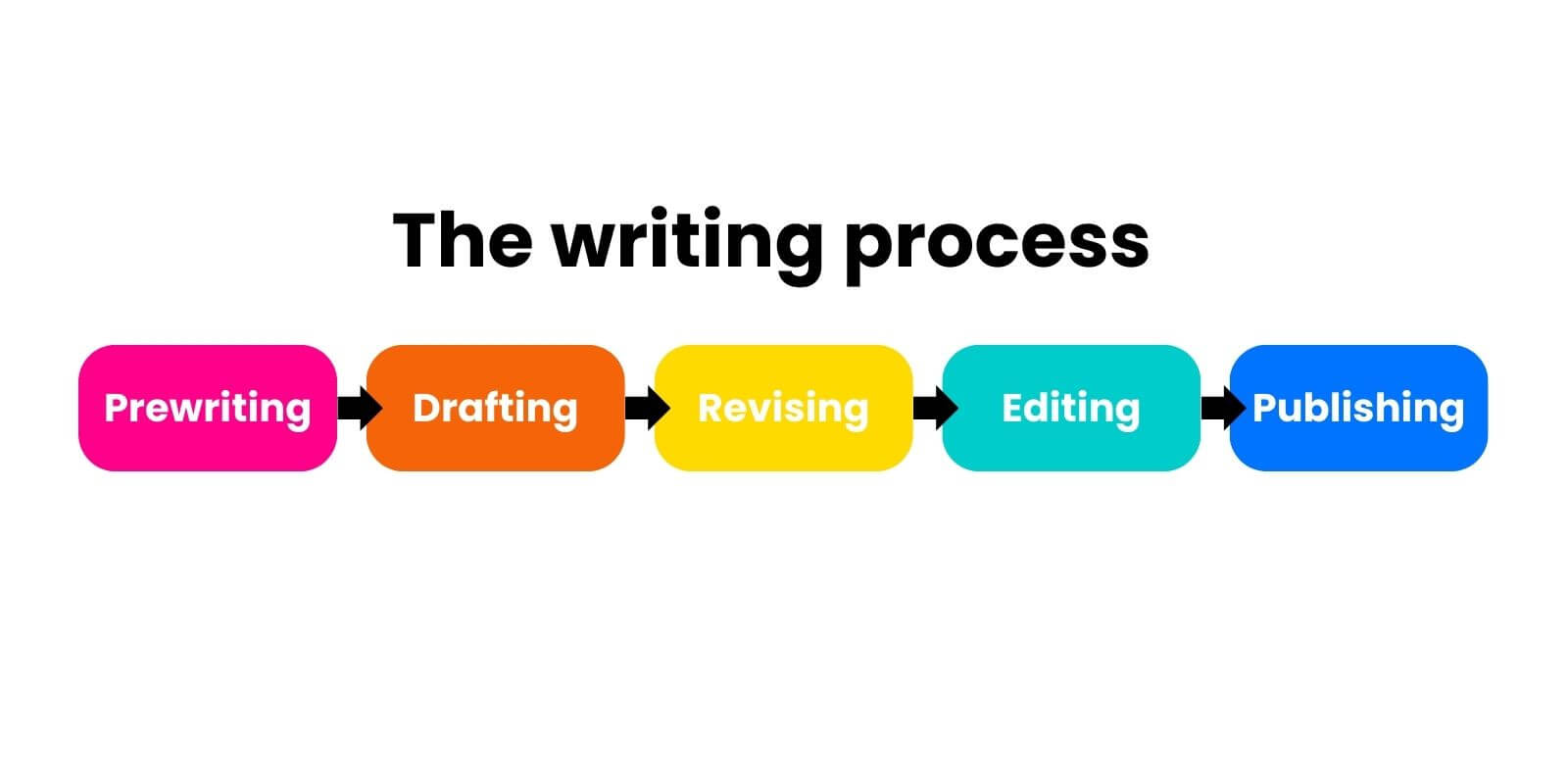
The standard writing process model breaks the work into five stages: prewriting, drafting, revising, editing, and publishing. The middle three are where AI tools compete most directly.
The distinction between revising and editing is the one writers most often collapse — and the one that most often exposes a tool's limitations:

| Stage | What It Requires | What Breaks Without Tool Support |
|---|---|---|
| Ideation | Divergent generation, premise pressure-testing, "what if" expansion | Generic, trope-heavy output that all sounds the same |
| Outlining | Structural logic, causality tracking, pacing awareness | Outlines that collapse in the middle act |
| Drafting | Voice consistency, scene-level continuity, momentum | Character drift, contradicted established facts |
| Revising | Global structural assessment, plot-hole detection, thematic coherence | Line-level polish applied to a structurally broken draft |
| Editing | Word choice, sentence rhythm, tone calibration, clarity | Flat, homogenized prose |
The revision gap is the workflow's weakest link. As Writers.com defines it, revising "looks at the global and structural changes needed in the text" — plot, character, and style as recurring structural elements — while editing "looks at granular decisions made within the text," including word choice, sentence structure, and clarity. Most AI writing tools are built to generate text, not to interrogate structure. A tool that can produce 2,000 words in thirty seconds but cannot tell you that your protagonist's motivation contradicts Chapter 4 is a drafting tool, not a workflow tool.
How Are Writers Actually Using AI Across the Writing Process?
Writers overwhelmingly use AI for research, brainstorming, and outlining — not for producing publishable prose, and the gap between those two use cases is enormous.
The most detailed available data comes from a study commissioned by Gotham Ghostwriters and Bernoff.com, covering 1,481 working writers including 291 fiction authors. Its findings reframe what "AI writing tool" actually means in practice:
Among all writers surveyed, 61% reported using AI tools, which they say increase their productivity by an average of 31% — but only 7% have published AI-generated text. Among fiction authors specifically, 42% use AI at least sometimes, and only 11% use it to create publishable text.
A separate BookBub survey of 1,229 authors found a near-even split — about 45% currently use generative AI while 48% do not and do not plan to. Among users, the top applications were revealing:
- 81% use it to conduct research — the single most common use case
- Creating marketing materials and outlining or plotting ranked next
- 85% of AI-using authors use ChatGPT, followed by Claude (54%) and ProWritingAid (50%)
The Gotham/Bernoff data adds granularity on fiction specifically: the most popular AI tasks for fiction authors are brainstorming, search, and finding the right words or phrases — all prewriting and line-editing functions, sitting at opposite ends of the workflow with the draft itself largely untouched.
📊 What This Means for Tool Selection
The practical implication is counterintuitive. If most writers use AI heavily at the ideation and word-choice ends of the process but sparingly in the drafting middle, then a tool's real value lies in structural intelligence and continuity memory, not raw generation speed. Yet most AI writing tools market themselves on words-per-minute.
One author quoted in the BookBub survey described the pattern precisely:
"I've always believed writing is what happens once you have a draft. You just get to the draft stage faster."
Note also that 74% of AI-using authors do not disclose their AI use to readers, and ethical concerns dominate the non-user camp — 84% of non-users cite ethics as their primary reason, most commonly training data provenance. This is genuine context for any tool decision, not a footnote.
What Should You Look for in an AI Creative Writing Tool?
Evaluate full-workflow AI writing tools across six dimensions — and weight them according to which stage of the process gives you the most trouble, not which features look most impressive in a demo.
Here is the framework used to assess every tool in this article:
1. 🧠 Cross-session memory depth Can the tool recall your project — characters, world rules, established plot points, stylistic decisions — without you re-pasting context every session? This is the load-bearing capability for anything longer than a short story. A tool with no persistent memory is a drafting assistant, not a workflow tool.
2. 🗂️ Structural planning architecture Does the tool offer a dedicated system for tracking story elements (a codex, wiki, story bible, or knowledge base), or does planning live in chat scrollback where it degrades?
3. 🔀 Model flexibility Can you switch between models mid-project? Different models have measurably different strengths — some produce more distinctive prose, others reason more reliably about structure. Locking into one model locks you into its weaknesses.
4. ✂️ Revision-specific capability Can the tool perform structural critique — identifying plot holes, pacing failures, motivation inconsistencies — or does it only do line-level polish? This is where most tools quietly fail.
5. 🎙️ Voice preservation Does output sound like you, or like generic AI prose? This is the most frequently cited complaint from writers who abandoned AI tools, with BookBub respondents repeatedly describing AI output as "too bland."
6. 💰 Cost-to-workflow-coverage ratio Are you paying for one stage or all four? Tools that cover a single stage well often require stacking with others, which multiplies both cost and friction.
Weighting guidance by writer profile:
| Your Situation | Weight Most Heavily |
|---|---|
| Writing a novel or series | Memory depth + structural planning |
| Short fiction, essays, poetry | Voice preservation + revision capability |
| Multi-format writing (fiction + nonfiction + marketing) | Model flexibility + workflow coverage |
| Stuck at the drafting stage specifically | Voice preservation + drafting momentum |
| Sitting on a finished messy draft | Revision capability above everything else |
How Do the Leading AI Creative Writing Tools Compare?
Novelcrafter is strongest for structural planning and long-series continuity, Sudowrite is strongest for drafting momentum and prose generation, and Jenova's Writing Assistant is strongest for cross-format workflow coverage with model flexibility. General-purpose assistants like ChatGPT and Claude remain the most-used tools by raw adoption but require the writer to supply their own structure.
Here is the reference comparison across the six evaluation dimensions:
| Dimension | Jenova Writing Assistant | Novelcrafter | Sudowrite | ChatGPT / Claude |
|---|---|---|---|---|
| Cross-session memory | Persistent memory across all sessions; attachable knowledge bases | Codex wiki persists across books in a series | Story Bible tracks lore and characters | Varies; project/chat-scoped, no cross-project continuity by default |
| Structural planning | Knowledge base + document attachment; no fiction-specific codex UI | Purpose-built Codex with automatic entity linking and multiple planning modes | Story Bible with structured fiction fields | None built in — you build your own |
| Model flexibility | Multi-provider access (OpenAI, Anthropic, Google, DeepSeek, xAI) in one workspace | Bring-your-own-key; connects to 300+ models via OpenRouter, plus local models via LM Studio/Ollama | Includes proprietary Muse model tuned for creative prose | Single-vendor per platform |
| Revision capability | Editorial critique across structure and line level; adapts to any format | Planning modes designed to surface plot holes and inconsistencies early | Generation-forward; revision tools present but secondary | Strong analytical critique if prompted well |
| Voice preservation | Explicitly designed to match your voice across formats | Depends entirely on connected model | Muse model marketed for fiction-native prose | Depends on prompting discipline |
| Workflow coverage | Ideation → outline → draft → revise, across fiction and non-fiction | Ideation → outline → draft → review, fiction-focused | Ideation → draft, fiction-focused | All stages, but unstructured |
| Pricing | Free tier available; paid plans from $20/mo with 30× free usage | Subscription; AI costs separate via your own API key | Subscription tiers | ChatGPT/Claude subscription tiers |
| Best For | Writers working across multiple formats who want one persistent workspace | Novelists and series writers who need rigorous world continuity | Fiction writers who get stuck drafting and want momentum | Writers who prefer building their own system from scratch |
🗂️ Novelcrafter — Structural Rigor
Novelcrafter's defining feature is the Codex, a wiki that, per Novelcrafter's own description, "automatically keeps track and links" characters, places, and lore, and is designed to be "integral for brainstorming, writing and reviewing." Critically, the Codex can be shared across books in a series — a genuine differentiator for anyone writing more than one book in a world.
Its other structural advantage: multiple planning modes intended to help writers "pinpoint issues early." It also offers total model freedom, connecting to OpenAI, Anthropic, Google, Meta, Mistral, OpenRouter's 300+ models, and locally-run models via LM Studio or Ollama.
Limitations: The bring-your-own-key model means AI usage costs sit outside your subscription and are harder to predict. The tool is fiction-specific — if your writing life includes essays, scripts, or client work, Novelcrafter won't serve those. And the depth of the Codex system carries a real learning curve; it rewards setup investment, which is friction if you write in short bursts.
✍️ Sudowrite — Drafting Momentum
Sudowrite is consistently the most-recommended AI tool among fiction writers in review roundups. A Nerdynav review tested across three stories concluded that "Sudowrite is the best AI writing tool for fiction," citing its Muse model for creative prose and the Story Bible for lore consistency. Creativindie's tested roundup similarly noted that "Sudowrite is the leading recommendation among fiction writers."
The head-to-head framing that emerged from independent comparison is useful: one analysis characterized the split as "Sudowrite is trying to be a guided creative partner. Novelcrafter is trying to be a powerful system for serious writers."
Limitations: Sudowrite's center of gravity is generation, not structural revision. Its less-structured environment is a strength for writers who find rigid systems stifling and a weakness for anyone managing a multi-book continuity problem. It is also fiction-only.
🧰 Jenova Writing Assistant — Cross-Format Workflow
Jenova's Writing Assistant is positioned differently from the two above: it is a bespoke writing partner that adapts to any format, audience, and domain, with editorial instincts available on demand rather than a fiction-specific production system. Its workflow advantages are structural rather than genre-specific:
- Persistent cross-session memory means the tool retains your project context, preferences, and past work without re-briefing
- Unlimited chat history — an underrated revision asset, since your earlier drafting decisions remain retrievable
- Attachable documents and knowledge bases let you ground the assistant in your own style samples, series bible, or research notes
- Multi-model access across OpenAI, Anthropic, Google, DeepSeek, and xAI within a single workspace, so you can draft with one model and critique with another
Honest limitations: Jenova's Writing Assistant does not offer a fiction-specific codex UI with automatic entity linking the way Novelcrafter does — world-building structure lives in attached knowledge bases and conversation rather than a dedicated wiki interface. It also has no manuscript-management layer for scene reordering or chapter-level organization, so novelists who want a full writing environment will still want a dedicated manuscript tool alongside it. It is a writing collaborator, not a book production suite.
How Do You Move From Idea to Outline With an AI Tool?
The most effective ideation workflow is pressure-testing rather than generating — asking the AI to interrogate your premise produces far better material than asking it to invent one from scratch.
This maps directly to the survey data: brainstorming, not text generation, is the top fiction use case. The reason is that AI-generated premises tend toward the statistical center of a genre, while AI-generated objections to your premise surface real weaknesses.
With Jenova's Writing Assistant:
- Open the assistant at jenova.ai/a/writing-assistant
- State your premise and ask for interrogation rather than expansion:
"Here's my premise: a marine biologist discovers her research station's AI has been falsifying data for two years. Don't give me more ideas — instead, list the six most obvious ways this premise has already been done, and then identify what's structurally unresolved in my version."
- Once the premise holds, request a causal outline:
"Build a three-act outline where every beat is caused by the previous one. Flag any beat where the causality is weak. Use my earlier note about her being complicit in the falsification."
- Attach the outline as a knowledge base document so it persists into drafting sessions.
With Novelcrafter: Ideation runs through the Codex first — you populate character, place, and lore entries, and the system automatically cross-links them. Planning modes then let you view the story from different structural angles to surface gaps. The setup cost is higher but the resulting structure is more durable across a long project.
With Sudowrite: Ideation flows through Story Bible fields, with the Muse model generating expansions from your seed material. The workflow is faster to start and less structured to maintain.
The Outline Test
Before drafting, run this diagnostic on any AI-generated outline regardless of tool: ask the AI to explain the causal link between every consecutive pair of beats. If it can only produce "and then," rather than "therefore" or "but," the outline will collapse in the middle act. This single check catches more structural problems than any generation feature will solve.
How Should You Use AI During Drafting Without Losing Your Voice?
Use AI as a friction-remover during drafting rather than a text-producer — the writers who report the best outcomes use it to unstick themselves, then write the actual prose.
This is the strongest signal in the author survey data. Only 7% of all writers and 11% of fiction authors use AI to create publishable text, while 63% use it to generate text they then edit further. The BookBub comments describe a consistent pattern — one author noted the AI's "suggestions are rarely usable on their own but will lead me in a different direction I hadn't considered before."
Practical drafting patterns that preserve voice:
- Directional prompting, not text requests. Ask "what are three things that could happen in this scene that I'm not seeing?" rather than "write this scene."
- Voice anchoring. Attach 2,000–3,000 words of your own strongest prose as a reference document before any generation request. This is where Jenova's document attachment and Novelcrafter's Codex both earn their keep.
- Continuity queries. Instead of generating, interrogate: "In Chapter 3 I established that Ren refuses to use the elevator. Does anything in Chapters 4–7 contradict that?" Persistent memory makes this possible; stateless tools cannot answer it.
- Never accept a paragraph unedited. The 63%-generate/7%-publish gap in the survey data is not a gap in tool capability — it is a working method.
Jenova's Writing Assistant is explicitly built around producing "polished output that sounds like you," with editorial collaboration available when you want it rather than imposed by default. Sudowrite's Muse model takes the opposite approach — a model tuned specifically for fiction prose, which produces stronger raw output but a more distinctly "Muse" voice that requires deliberate revision to reclaim.
What Does AI-Assisted Revision Actually Look Like?
AI-assisted revision works when you separate structural revision from line editing into two distinct passes — running them together produces polished sentences inside a broken structure.
This is the stage where tool choice matters most and where the fewest tools compete seriously.
Pass 1: Structural Revision
Global changes to plot, character arc, pacing, and thematic coherence. Per the Writers.com framework, revision "considers the ideas in the text and how they're structured as a whole," including "recurring elements structuring the text, such as plot, character, and style."
Effective structural revision prompts:
"Read the attached draft. Don't fix anything. Instead, map the protagonist's motivation in each chapter and flag every point where the stated motivation doesn't explain the action taken."
"Identify the three slowest sections of this draft and explain specifically what makes each one slow — is it low stakes, redundant information, or absent conflict?"
"What promise does the opening chapter make to the reader, and does the ending fulfill it? Quote the specific lines that establish and resolve it."
Novelcrafter's planning modes are designed for exactly this — surfacing plot holes and world inconsistencies "early - and later on." Jenova's Writing Assistant handles it through direct editorial critique with the full draft attached, benefiting from persistent memory of your earlier structural decisions.
Pass 2: Line Editing
Only after structure is settled. This is granular work: word choice, sentence structure, clarity, mood, and tone. Notably, 50% of AI-using authors report using ProWritingAid — a dedicated line-level tool — alongside their general AI assistant, which suggests most writers already stack tools at this stage rather than expecting one to do everything.
The rule that makes this work: never let an AI perform structural and line revision in the same pass. When asked to "improve" a draft, models default to sentence-level smoothing because it produces visible immediate change. You have to explicitly forbid it.
What Do Writing Professionals Say About AI in the Creative Workflow?
The consensus among writers who use AI productively is that its value concentrates at the edges of the process — before the draft and after it — not in the draft itself.
"The data tells a story most tool marketing ignores. When 61% of working writers use AI but only 7% publish AI-generated text, that's not underutilization — that's writers correctly identifying where the technology actually helps. It helps you figure out what to write and it helps you see what you've written. It does not help you write it. Any tool positioned primarily around generation speed is optimizing for the one stage where writers trust it least."
"The capability that separates a genuine workflow tool from a drafting toy is memory. A novel is a continuity problem before it's a prose problem — you're tracking hundreds of established facts across months of work. A tool that can't tell you whether Chapter 12 contradicts Chapter 3 isn't participating in your workflow, it's just producing text next to it. That's why we built persistent cross-session memory as a foundation rather than a feature."
"The most common failure we see is writers running revision and editing as one operation. They upload a structurally broken draft, ask the AI to improve it, and get back the same broken structure with better sentences — which is worse, because now it's harder to see what's wrong. Structure first, always. Make the AI diagnose before it prescribes."
— Jenova Product Team, 6 years building AI writing and editorial workflows
Which AI Writing Tool Should You Choose for Your Situation?
The right tool depends on which stage of the workflow currently costs you the most time — there is no universal answer, and stacking two tools is often more effective than forcing one to cover everything.
| If You Are... | Recommended Approach | Why |
|---|---|---|
| Writing a multi-book series with heavy worldbuilding | Novelcrafter as primary | Codex sharing across books is not replicated elsewhere |
| Stuck at drafting on a single novel | Sudowrite as primary | Muse model and momentum tools target exactly this failure point |
| Writing across fiction, essays, and professional work | Jenova Writing Assistant as primary | Format-agnostic with persistent memory across all projects |
| Sitting on a finished messy draft | Jenova Writing Assistant or Novelcrafter planning modes | Both prioritize structural diagnosis over generation |
| Budget-constrained and testing the waters | Jenova free tier or ChatGPT | Test the workflow before committing to a subscription |
| Ethically opposed to current training practices | None of the above | A legitimate position held by 48% of surveyed authors |
On stacking: The 50% ProWritingAid adoption rate among AI-using authors is instructive. Most working writers use a general AI assistant for ideation and structural work, plus a dedicated line-editing tool for the final pass. Expecting one subscription to cover all five stages is usually the more expensive path.
Access details: Jenova's Writing Assistant is available at jenova.ai/a/writing-assistant. The free tier includes all core features with limited usage; paid plans begin at $20/month with 30× the free allowance and custom model selection. Novelcrafter operates on a subscription plus your own AI provider key. Sudowrite runs on tiered subscriptions with AI usage included. As of 2026, pricing across all three is subject to change — verify current rates directly.
What Are the Real Limitations of AI in Creative Writing?
Every AI creative writing tool shares three unresolved limitations, and no current product solves them: hallucination risk, voice homogenization, and unresolved training-data ethics.
Factual reliability. Per the Gotham/Bernoff study, nine out of ten writers reported concern about factual errors introduced by AI — including heavy users. For fiction this matters most in research-dependent work: historical settings, technical procedures, medical detail. Verify independently.
Voice homogenization. The single most consistent complaint from writers who abandoned AI tools, with survey respondents describing output as "too bland" and expressing concern about "bland and boring AI-generated slop." Voice anchoring with your own writing samples mitigates this; it does not eliminate it.
Training data provenance. Among authors who do not use AI, 84% cite ethics as the primary reason, most commonly that tools were trained on copyrighted material without compensation. Among fiction authors who don't use AI, 100% believe it is unfair to train AI tools on their work. This is unresolved across every tool in this comparison.
Market context. More than half of UK novelists surveyed believe AI is likely to end up entirely replacing their work, and nearly half of freelance writers in the Gotham/Bernoff study reported reduced demand attributable to AI. Whatever tool you choose, this is the landscape you're choosing it within.
On data handling specifically: Jenova states that user data is never used to train public AI models and is encrypted in transit and at rest. Novelcrafter's bring-your-own-key architecture means your data handling is governed by whichever model provider you connect — including fully local models via Ollama or LM Studio, the most privacy-controlled option available among these tools.
If you're working on a longer project and want a writing partner that holds your outline, voice, and revision notes across sessions, the Writing Assistant is built for exactly that kind of sustained collaboration.