What Is the Best AI Concept Art Generator for Visual Development?
2026-08-28
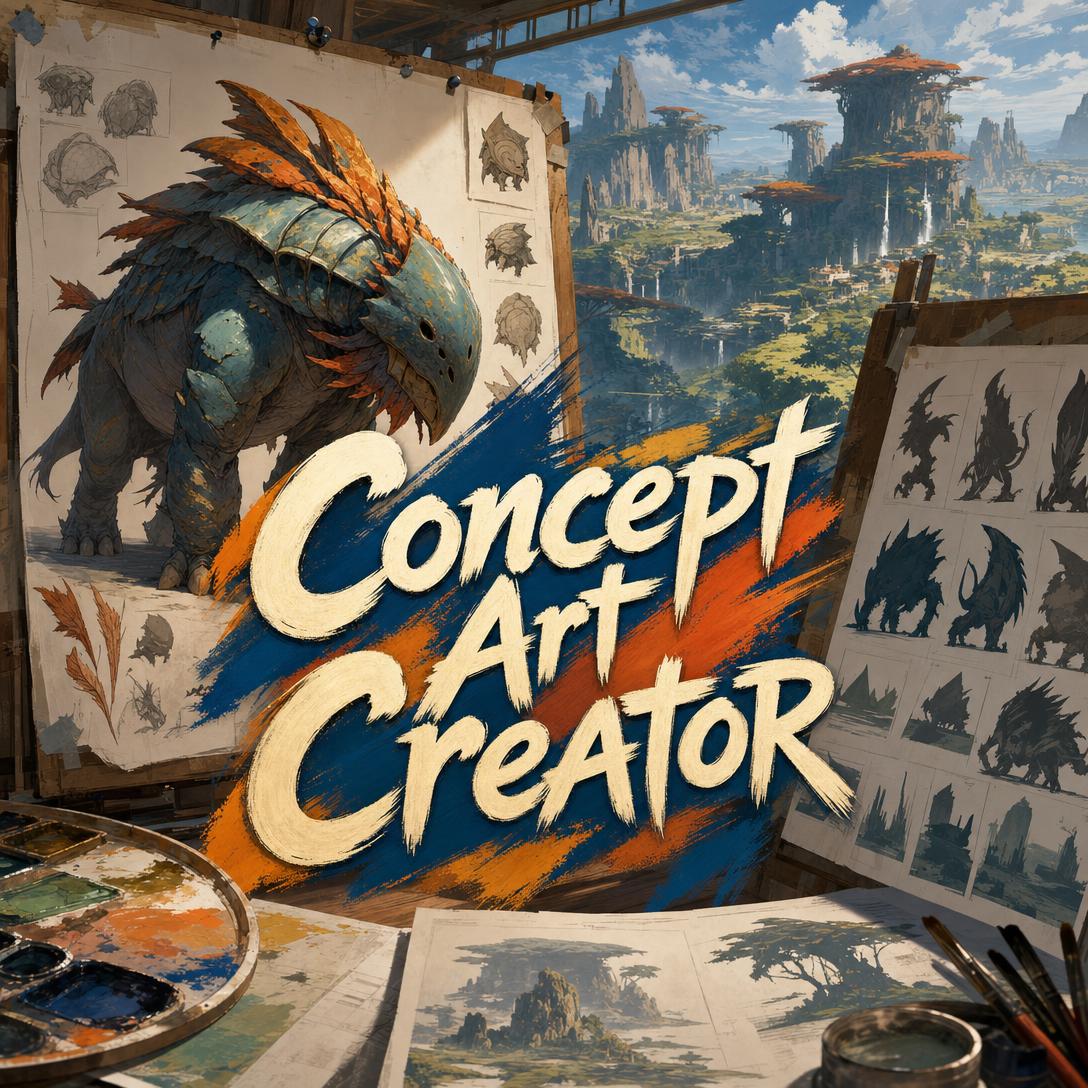
How Do AI Concept Art Generators Compare on Design Intent Versus Surface Polish?
For production-minded visual development in 2026, Jenova's Concept Art Creator is strongest when the job is intentional design — characters, creatures, environments, vehicles, and props that have to communicate to a pipeline — while Midjourney remains the usual pick for purely artistic exploration and Adobe Firefly is the safer fit for teams that need commercially licensed outputs inside Creative Cloud.
Pretty pictures and production concepts are not the same deliverable. A concept that cannot be identified from its silhouette, that mixes every shape language at once, or that leaves a modeler guessing about articulation and materials has failed as concept art, even if it looks impressive as an illustration.
Key factors that separate effective AI concept art from generic fantasy renders:
✅ Silhouette readability — the design should still be identifiable when blacked out ✅ Form language — curves, blocks, and angles should carry meaning before surface detail appears ✅ Value structure — the image should still read in grayscale, not depend on color alone ✅ Design narrative — wear, construction, and proportion should imply history and function ✅ Production utility — the piece should answer questions for modelers, texture artists, and art directors, not just look finished
To compare these generators meaningfully, it helps to judge them as visual-development partners, not as poster machines.
Why Is AI Visual Development Becoming Standard in Games and Film?
Studios and independents are adopting AI image generators because concept art sits at the most expensive bottleneck in pre-production: turning a verbal world into images that lock look, mood, and design before 3D, animation, or level work begins. Visual development sets tone, lighting, palettes, and style before assets are built, so faster iteration at this stage compounds across the rest of the pipeline.
The concept art pipeline is a structured path from early sketches to production-ready visual specifications. AI compresses the early end of that path — blue-sky exploration, color keys, and variant rounds — from days to minutes. That is useful only if someone is still making design decisions.
Demand has also shifted because general-purpose generators are now good enough to flood a mood board. CNET's 2026 reviews treat artistic range, editing control, commercial policy, and prompt adherence as separate strengths rather than one “best model” score. Concept teams feel that split immediately: one tool paints beautifully, another stays legally cautious, another follows a long brief.
The unresolved pressure is authorship and reuse. MIT CSAIL research published in 2026 found that as training sets grow, individual training images often cannot be shown to have caused a given output — a finding with direct implications for credit, licensing, and how studios document AI-assisted art. Teams still need a human art director who can defend every shape.
What Should You Look for in an AI Concept Art Generator?
You should evaluate an AI concept art generator on whether it can hold a design decision across a world, not on whether a single image looks like a finished illustration. The useful test is production readiness, not novelty.
This article uses a six-part Production Readiness Stack. Reviewers at studios already apply most of these checks by instinct; naming them makes tool comparisons less fuzzy.
- Silhouette readability — Character design teaching treats silhouette as the largest and most important shape, the one that must work before costume detail exists.
- Form language discipline — one dominant shape family with a controlled accent, not a collage of curves, boxes, and spikes.
- Value structure — clear light/dark separation so hierarchy survives thumbnailing and desaturation.
- Design narrative — construction, wear, and proportion that imply culture, use, and history.
- Functional plausibility — locomotion, structure, or mechanical systems that could work inside the world's rules.
- Production utility — clarity for downstream artists, plus honest limits on turnarounds, callouts, and multi-view sheets.
Universal silhouette practice exists because clarity is a communication problem, not a style preference. Concept artists also lean on proportion, overlap, design line, silhouette, and shading as a compact problem-solving set. An AI that cannot talk in those terms will keep optimizing for texture and drama.
Secondary checks still matter: commercial licensing, editing controls, speed, and whether the tool remembers yesterday's faction colors. Those are constraints. They should not outrank whether the design actually reads.
How Do Jenova, Midjourney, Adobe Firefly, and Stable Diffusion Handle Concept Art Work?
Jenova's Concept Art Creator is built around design direction and world consistency; Midjourney is strongest as an artistic exploration engine; Adobe Firefly is strongest when commercial safety and Photoshop-context editing matter; Stable Diffusion and FLUX are strongest when a technical user needs maximum control. None of them replaces an art director.
As of 2026, independent roundups split the market by job rather than by a single quality crown. That is the right frame for concept art, because a color key, a hero turnaround, and a weapon callout are different jobs.
| Feature / Dimension | Midjourney | Jenova Concept Art Creator | Adobe Firefly | Stable Diffusion / FLUX |
|---|---|---|---|---|
| Design direction | Prompt-driven; strong aesthetic defaults | Structured art direction across form, materials, mood, and purpose | Style and aspect presets; best when matching an existing photo | Deep control via models, hosts, and parameters |
| Production communication | Illustration-first; limited pipeline notes | Design rationale with each piece; flags weak deliverable types | Strongest inside Creative Cloud editing | High control; the artist must impose pipeline structure |
| World consistency | Style references and parameters; no persistent project bible | Persistent art direction and design inventory across sessions | Local context matching in Generative Fill | Custom models can lock a look; memory depends on the host |
| Commercial posture | Commercial rights on paid plans; studio lawsuits ongoing in 2026 | User data not used to train public models | Trained on licensed Adobe Stock and public-domain work; positioned as commercially safe | License varies by model and how you access it |
| Pricing (as of 2026) | From $10/month for roughly 200 images | Free tier; Plus at $20/month with 30× usage | From about $10/month, or $9.99 for 2,000 Firefly credits | Stability AI from $10/month; FLUX pricing varies by host |
| Best for | Mood, key art, and high-variance exploration | Intentional design across a world or production brief | Adobe-based teams that need commercially cautious outputs | Technical users who want open models and fine control |
Midjourney
Midjourney remains one of the most visually appealing generators for creative work, with strong textures, color, and unexpected compositions. That makes it effective for blue-sky key art and “what if this world felt like this” rounds.
The limitations are structural, not just aesthetic. Generated images are public by default unless you pay for stealth, and Disney, Universal, and Warner Bros. have sued over generations of protected characters. It is also a weaker match when you need ultrarealistic reference or tightly specified mechanical parts.
Jenova Concept Art Creator
Concept Art Creator treats every request as a design problem: what the subject is, what it is for, which shape family should dominate, and how the piece will be used downstream. It covers environments, characters, creatures, vehicles, props, architecture, costumes, and key art, and it can critique uploaded work instead of only generating new images.
Its honest limits are the same class of limits that affect most generators. Orthographic turnarounds and densely labeled callout sheets are unreliable. Expression sheets vary in cross-image consistency. It does not replace 3D modeling, technical drafting, animation, or photo retouching.
Adobe Firefly
Adobe Firefly is trained on Adobe Stock, openly licensed material, and public-domain content, which is why Adobe markets it as commercially safe. For concept teams already in Photoshop, Generative Fill and Generative Expand are often more useful than a blank text-to-image box, because they match local lighting and depth.
The trade-off is look and range. CNET notes that Firefly struggles with photorealistic images, and Zapier's testing found it less convincing as a pure text-to-image model than as a photo-integrated editor. Licensed training data reduces some legal risk; it can also pull results toward a safer, more stock-like center.
Stable Diffusion and FLUX
Stable Diffusion remains the open-source baseline, with fast generation and extensive editing when accessed through Stability AI. FLUX, from Black Forest Labs, is now the usual recommendation for users who want open models with stronger prompt-based editing.
The cost is operational. Availability, safety filters, and licenses change with the host. These tools reward people who already think in seeds, LoRAs, and control nets. They do not, by themselves, impose silhouette checks or faction-wide form language.
ChatGPT image generation is a fifth option for writers who already work in that chat. It is easy, and prompt adherence can be strong, but advanced editing is limited and generation is slower than diffusion tools. For a dedicated concept pipeline, it is usually a sketch pad, not the art department.
How Does Form Language Change Character, Creature, and Environment Design?
Form language changes the read of a design before any texture or lore text is added, because viewers parse big shapes faster than details. Circles and curves tend to feel organic and approachable; squares feel stable and industrial; triangles feel aggressive, fast, or unsafe.
That is not an AI trick. It is basic visual hierarchy, the same family of ideas covered in academic design-fundament guides. Concept work goes wrong when a prompt asks for “epic dark fantasy armor” and the model returns every cliché at once: spikes, filigree, glowing runes, and a cape, with no dominant shape.
A more reliable method is dominant-plus-accent. A heroic figure can be square-dominant with triangular gauntlets if you want “reliable, but dangerous.” A friendly creature that includes one sharp, wrong element can signal infection or corruption. Assigning a shape family to a faction — then repeating it in architecture, weapons, and clothing — does more for world cohesion than repeating a color overlay.
Category still changes the priority. Environments need scale markers and a history of use. Creatures need a locomotion story. Vehicles need visible systems: intakes, articulation, operator placement. Props have a tiny detail budget, so two distinguishing features beat twenty. Concept Art Creator is built to switch that thinking by subject; general image generators will not unless the brief forces them to.
If the project is only original characters for fiction or roleplay, Character Creator may be the better adjacent option. Full visual development — cities, mechs, costumes, and key frames together — still belongs in a concept-art workflow.
Which Concept Art Deliverables Can AI Produce Reliably in 2026?
AI is reliable for concept paintings, key art, color keys, exploration variants, and material studies, and still weak for orthographic turnarounds, dense annotation sheets, and perfectly consistent multi-view character Bibles. Treating every generator as a full art department hides that split.
Concept art is pre-production visual work that defines characters, environments, and props. In AAA character pipelines, the concept is a visual specification: silhouette, proportions, materials, and construction notes before sculpting starts. A beautiful three-quarter hero shot can still be a poor spec.
In practice, the high-confidence deliverables are single-frame designs:
- Polished concept paintings for characters, creatures, environments, and vehicles
- Cinematic key art for tone and pitch
- Color keys and mood paintings where atmosphere matters more than hardware
- Distinct exploration variants — different silhouettes and form languages, not ten crops of one idea
- Close-up material studies (patina, chitin, riveted plate, weathered plaster)
The low-confidence deliverables are the ones production actually begs for later: front/side/back turnarounds, callout sheets with readable labels, and expression or pose sheets that match exactly across images. Concept Art Creator is explicit about that gap. Midjourney and Firefly will still give you an image; they will not warn you that the modeler cannot use it.
Out-of-scope work should move to dedicated tools. Graphic identity is a different craft from concept design. Shot-by-shot continuity after the look is locked is closer to Storyboard Artist than to a concept painter. Game systems, documentation, and feature scope sit with a Game Designer Assistant, which can sit beside concept work without replacing it.
How Do You Brief an AI Concept Artist for Exploration Versus Production?
You get better AI concept art by deciding whether you are exploring directions or specifying an approved one, then writing briefs that name purpose, form language, materials, and downstream use. Genre labels alone produce genre defaults.
For Concept Art Creator, a production-minded start looks like this:
- Open the agent at jenova.ai/a/concept-art-creator.
- State the world, the subject's job, and the pipeline need in one message.
- Ask for distinct directions if you do not have a lock yet; ask for a precise revision if you do.
A strong exploration brief:
"This is a reef-born sentinel for a drowned Minoan-inspired city. I need three genuinely different creature directions for a game pitch: one armored and territorial, one ceremonial and almost human, one ecological and camouflaged. Curve-dominant forms with sharp coral accents. Materials should feel grown — living coral, barnacle bronze, translucent membrane — not monster-suit rubber. Painterly, not CG. 3:4 full body."
A strong refinement brief describes the change, not the whole image again:
"Keep this sentinel's silhouette, coral crown, and palette. Shorten the forelimbs so the walk cycle would be seal-like rather than bipedal. Reduce the extra spikes on the shoulders — they fight the square mass of the torso. Preserve everything else."
On Midjourney, the same split still applies, but you have to impose it. Zapier's prompting guidance is to specify style, aesthetic, dimensions, and must-have elements, then refine. Use variation when you are exploring; use precise edits when a direction is approved. Do not keep rerolling a finished illustration if the silhouette was the actual problem.
On Adobe Firefly, start from a plate when you can. A blocked-in grayscale thumbnail or a location photo, then Generative Fill, often beats a long cinematic prompt. That workflow matches how Firefly is meant to sit inside Photoshop rather than replace it.
If the user is an enthusiast, ask for world and purpose, then generate. If the user already speaks in value structure and material reads, skip the primer and argue like a peer. Expertise shows up in the brief; the tool should not make someone fill out a level form first.
Jenova pricing is usage-tiered rather than per-image in the Midjourney sense: a free tier with limited usage, then Plus at $20/month for 30× that allowance, with higher tiers above that. Usage resets monthly and is not doled out as a daily cap. That matters for world-building sessions, which burn many images while a look is still unstable.
What Do Concept Art Directors Say About AI in Visual Development?
Concept leads tend to welcome AI for volume and variation, then reject it when the images cannot survive a silhouette pass, a grayscale pass, or a modeler asking how the thing is built. The interesting argument in 2026 is not whether AI belongs in visual development. It is which layer of the job AI is actually doing.
"Most generators are scored on how striking the frame is. Production concept art is scored on whether the design still works when you squint. If the blacked-out shape is generic, the materials are vague, and the costume would not move at the joints, you do not have a concept. You have a still from a trailer that was never made."
"The teams that stall are usually the ones generating the most. Two hundred images with no locked form language is not exploration; it is postponement. Lock a dominant shape family, a material palette, and a lighting rule, then force every later piece — the gate, the rifle, the crowd extra — to obey those rules. Volume only helps after that lock exists."
"There is also a deliverable mismatch people avoid saying out loud. AI is already useful for mood paintings and hero shots. It is still a poor orthographic artist and a worse callout-sheet layout tool. Budget human time for the specification documents. Spend machine time on the questions those documents are answering."
— Jenova Product Team, 8 years in AI agent design and visual development workflows
That view lines up with how professional concept and vis-dev services still sell the full path from early concept to in-game assets. AI changes the cost of the first pass. It does not remove the need for a design authority.
How Does Cross-Session Memory Affect World-Building Consistency?
Cross-session memory affects world-building by turning isolated pretty images into a repeatable visual system: the same form language, materials, and cultural rules can follow a project from the first gate to the last costume. Generators without memory ask you to re-explain the world every session, which is how palettes and silhouettes drift.
This is the practical difference between a chat that makes pictures and a concept artist assigned to a show. Once a coastal citadel is approved, the next request should not invent a new culture. It should design the harbor crane, the officer's cuirass, and the night-time key art inside the same rules. Concept Art Creator is set up to keep those decisions — genre blend, materials, lighting, faction logic — available for later pieces, and to generate each asset as a separate image rather than a collage.
General tools can approximate this with style references, custom models, or a carefully maintained prompt library. Firefly can match the lighting of a plate you are already editing. FLUX users can train or select a look. Those methods work, and they reward discipline. They still put the burden of the world bible on the user.
Memory does not fix weak design. If the first approved piece is a generic hooded assassin, later “consistent” pieces will be consistently generic. The sequence that works is: explore far apart, choose one direction, then refuse to reopen silhouette and materials unless the story changes.
For anyone learning the craft itself, a beginner-oriented concept art overview is still worth reading beside any generator. Process-focused concept design teaching keeps the emphasis on planning and composition, which AI will not supply on its own.
The market will keep releasing stronger models. Side-by-side prompt arenas already make that obvious. The selection question for visual development is narrower: which system helps you make a design that can be built, not just a frame that can be posted.
References
- Zapier — The 8 best AI image generators in 2026 (Midjourney, Firefly, ChatGPT, FLUX pricing and use cases)
- Adobe — Firefly vs Midjourney (training data, commercial-safety positioning, Creative Cloud workflow)
- Oliver Karstel Creative Agency — Concept art and the 3D animation pipeline
- MAGES Institute — From idea to production: the concept art pipeline explained
- CNET — Best AI image generators of 2026 (reviews, pricing, commercial and policy notes)
- MIT News — When AI art has no author: generated images often can't be traced to training data (2026)
- Visual Arts Passage — Principles of character design (silhouette as primary shape)
- Cristina Teaching Art — Silhouette principle and visual clarity
- ArtStation — Design principles in concept art and design (PODSS)
- UC Berkeley Library — Design fundamentals: elements and principles
- Morphic — Concept art as pre-production visual exploration
- Nasty Rodent — Character concept art as specification in AAA 3D pipelines
- Keywords Studios — Concept art and visual development services
- CLIP STUDIO PAINT — Beginner's guide to concept art
- Experience Points — Chris Doretz, Principles of Concept Design