Visual Novel Localization AI: Japanese-to-English Script Translation
2026-10-23
Japanese-English Translator helps visual novel developers, fan translators, and readers turn Japanese scripts into natural English. Paste in dialogue, narration, or choice text, and it returns readable drafts that keep the character's voice. It also works in reverse when you're bringing an English VN to Japanese readers. Visual novels are almost entirely text, so translation decides whether a story reaches a global audience. As of October 2026, AI handles first-pass translation well enough that a solo developer can draft a full route in days instead of waiting months for a quote.
- ✅ Translates Japanese → English and English → Japanese automatically, with no language toggling
- ✅ Handles conversational dialogue, inner monologue, and branching choice text
- ✅ Gives you fast first drafts that human editors can polish instead of writing from scratch
- ✅ Works on web and mobile, so you can review lines anywhere
Speed alone doesn't make a good localization. A visual novel succeeds or fails on tone, characterization, and cultural nuance, which is where most machine translation falls short. To see why, it helps to look at what makes VN localization uniquely demanding and where AI fits into a workflow that still respects the craft.
Quick Answer: What Is Visual Novel Localization AI?
Visual novel localization AI is software that translates and adapts a visual novel's script, character dialogue, and interface text into another language, producing draft translations in minutes that human editors then refine for tone and cultural fit.
Key capabilities:
- Japanese ↔ English script translation with Japanese-English Translator
- Preserving character voice, including speech quirks, politeness levels, and emotional register
- Drafting branching route text, choice prompts, and UI strings in bulk
- Speeding up editing and localization QA by giving reviewers a complete draft to work from
The Problem: Visual Novels Are the Hardest Games to Translate Cheaply
Most action games can ship with a few thousand translated strings. Visual novels are different. Reading is the gameplay, so the script often runs longer than a full-length novel, split across multiple routes and endings. The audience for that text is increasingly global:
Simplified Chinese overtook English as the most-used language on Steam in 2024 — Keywords Studios, citing Valve data presented at GDC 2025
~$184 billion — Global video game software and services revenue in 2024, per Newzoo
But localizing a narrative-heavy game is frustratingly difficult:
- Branching complexity: Lionbridge notes that modern games with branching narratives create context-dependent translation problems that need specialized review.
- Character voice drift: Japanese marks personality through sentence endings, pronouns (ore, boku, watashi), and politeness levels that have no direct English equivalent.
- Cost barriers for small teams: Professional translation is priced per word, and VN word counts are enormous.
- Raw machine translation breaks immersion: Researchers studying game localization emphasize that effective localisation preserves immersion and aligns with local conventions, not just linguistic accuracy.
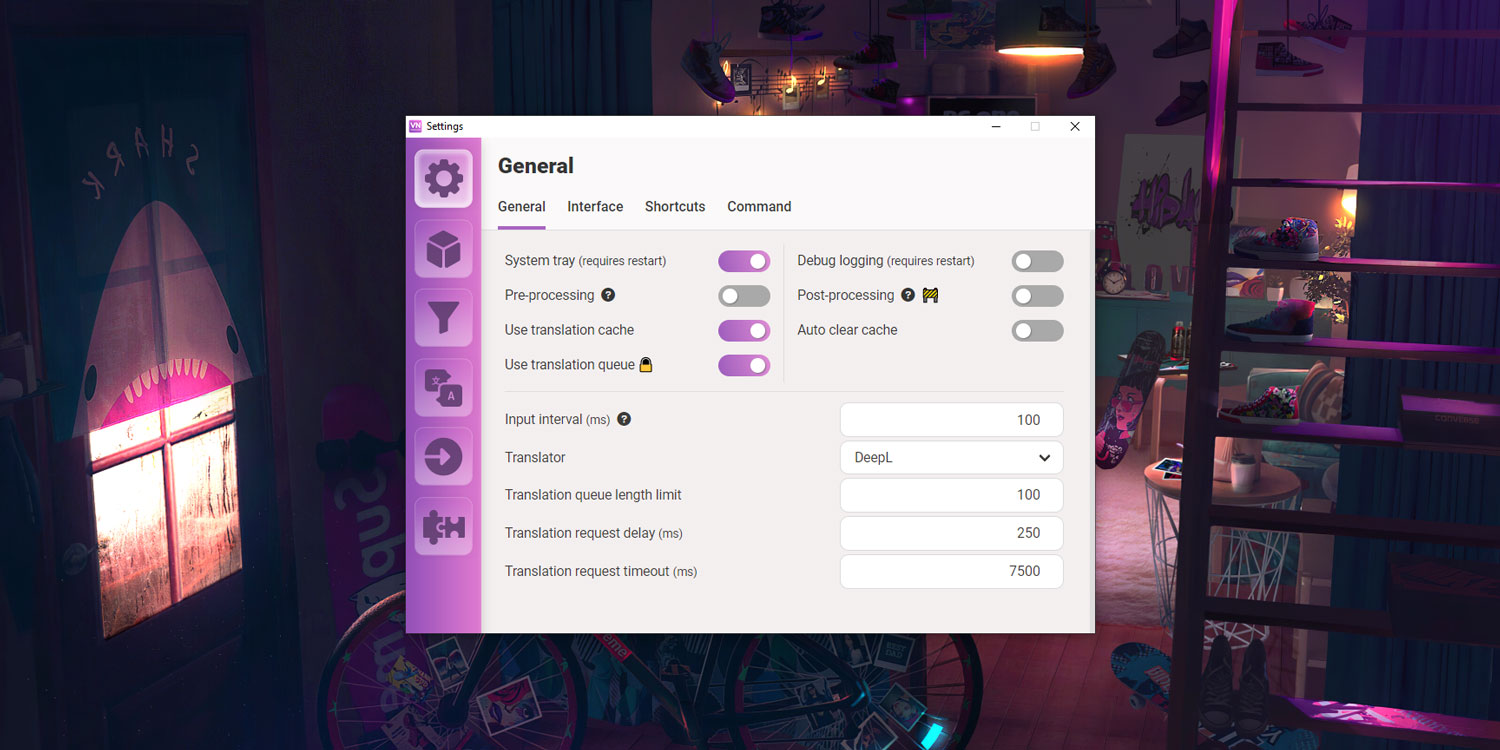
Real-time hook tools like the one pictured above pipe on-screen text through engines such as DeepL. They're useful for reading, but they translate line by line with no awareness of who is speaking or why. This is exactly what Japanese-English Translator was built for.
Why Japanese-English Translator Works for Visual Novels
Japanese-English Translator uses a large language model rather than a phrase-by-phrase engine. You can give it surrounding lines, character notes, and tone instructions in plain language, and it adjusts its output. For a VN, that is the difference between a line that's technically correct and a line that sounds like the character.
Gridly's analysis of AI in game localization found that general-purpose LLMs excel at understanding context and maintaining conversational tone. Neural MT engines offer reliable baselines but typically need more post-editing for creative content.
Up to 80% faster and 2–4× cheaper — AI-augmented game localization compared with pure human workflows
| Traditional Approach | Japanese-English Translator |
|---|---|
| Wait weeks for a freelance quote and schedule | Draft a full scene the moment you paste it in |
| Per-word rates that scale with huge VN scripts | First-pass drafts that shrink paid editing hours |
| Line-by-line MT hooks with no context | Context-aware output guided by your character notes |
| Separate tools for each language direction | Automatic Japanese ↔ English detection |
Character Voice That Survives Translation
Tell the translator who's speaking, and it carries that personality into English. A tsundere's flustered denials, a butler's stiff formality, and a delinquent's rough slang stay distinct instead of flattening into one neutral voice.
"Translate this line from a tsundere heroine. Keep her defensive, embarrassed tone: 「べ、別にあんたのために作ったんじゃないんだからね!」"
Honorifics and Politeness on Your Terms
Fan communities argue endlessly over whether to keep -san and -senpai. You decide the house style, and the AI follows it consistently.
"Translate this scene and keep Japanese honorifics. Render the teacher's keigo as formal but warm English."
Bidirectional for Global Releases
English-language indie VNs aimed at Japan get the same treatment in reverse. The translator detects the input language automatically, so you don't need to change any settings.
A realistic limitation: the AI translates text you provide. It doesn't extract strings from engine files or repack builds, and it can't replace a native-speaking LQA pass before release.
Related Agents You'll Also Find Useful
If localization is one part of a bigger VN project, these agents fit naturally alongside the translator.
Game Designer Assistant If you're also planning routes, flags, or affinity systems, this agent covers game design across every genre and regional market.
- Brainstorm branching structures and endings
- Analyze systems and write design documentation
- Get regional market insight before choosing languages
Creative Fiction Writer When a translated line is accurate but lifeless, a fiction-focused editor helps you rewrite prose so it reads like native English storytelling.
- Polish narration and inner monologue
- Get editorial feedback on pacing and dialogue
- Build out lore and worldbuilding for new routes
Korean-English Translator Korean is a strong market for story-driven games. This agent handles Korean ↔ English for your next language.
- Automatic Korean ↔ English translation
- Useful for store pages and patch notes
- Pairs with an English master script
Try Japanese-English Translator free — no credit card required.
How to Localize a Visual Novel With AI
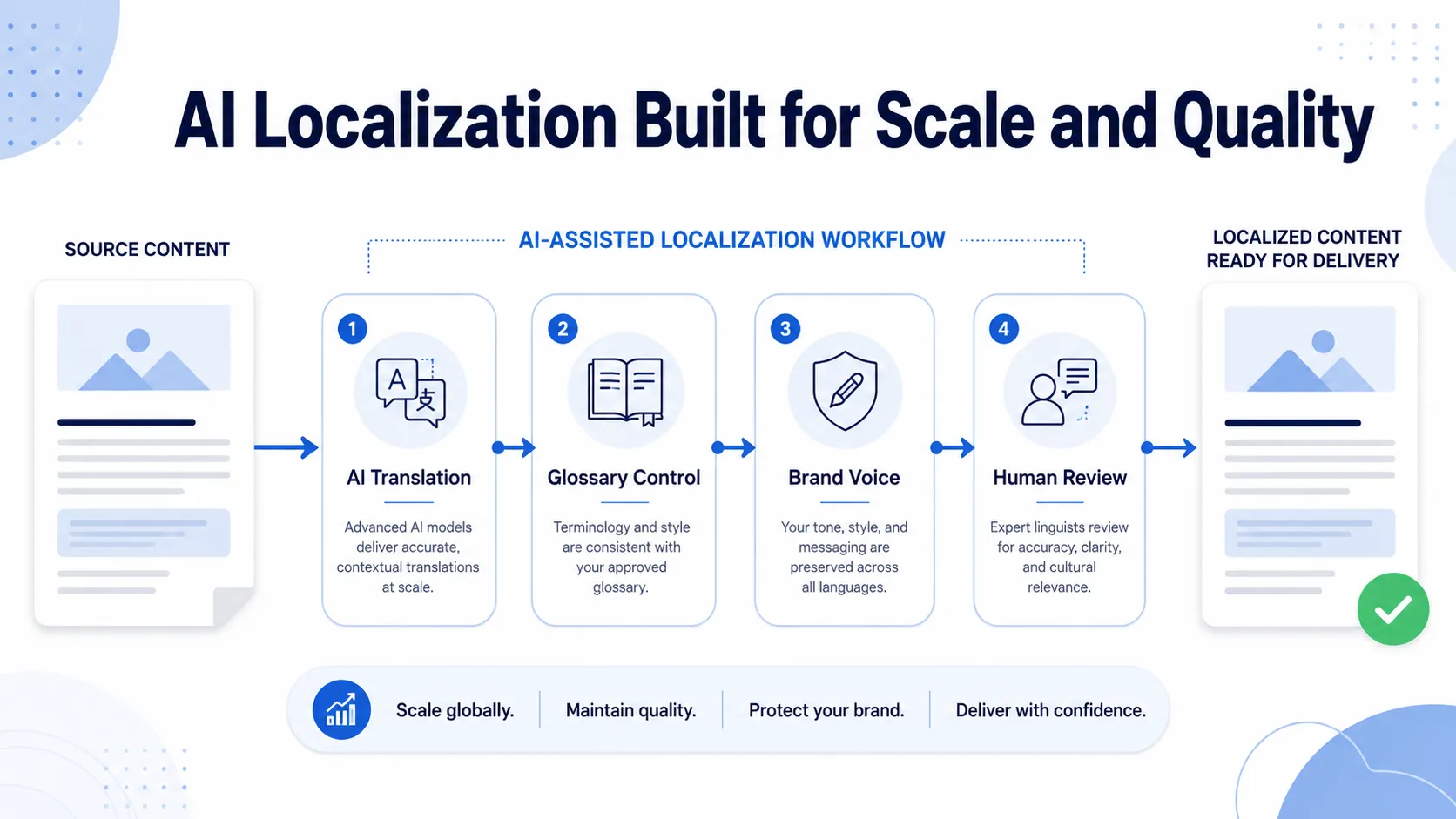
The workflow above maps well onto VN localization: AI drafts, glossary and voice rules enforce consistency, and humans sign off.
Step 1: Export Your Script and Build a Character Sheet
Pull dialogue from your engine (Ren'Py .rpy files, KiriKiri scenario scripts, or TyranoBuilder projects) into plain text. Write a short sheet listing each character's personality, pronoun use, and catchphrases. Gridly recommends character-specific guidance with example lines, since it is the most reliable way to keep voices consistent.
Step 2: Set Your Glossary and Style Rules
Decide how you'll handle names, honorifics, invented terms, and spell names before translating a single line. Give these rules to the AI at the start of each session.
"Glossary: 魔導書 = Grimoire, 先輩 = keep as 'senpai.' Use American spelling. Here's the character sheet: [paste]."
Step 3: Translate Scene by Scene
Paste one scene at a time into the Japanese-English Translator so the AI sees the full conversational context. Choice text should go in with the lines that lead into it, which keeps options from reading out of place.
"Translate this scene from Route B. Haruto is speaking to Mio after the festival. The final three lines are player choices."
Step 4: Edit, Then Run Localization QA
Read the drafts in-engine, not in a spreadsheet. Keywords Studios warns that underestimating LQA is the most common reason localization projects produce poor results. Native-speaking reviewers should check tone, text overflow in dialogue boxes, and cultural references.
Step 5: Reinsert and Patch
Put the approved text back into your script files and test every branch. For post-launch updates, translate only the new or changed lines and run the same review pass.
Results & Use Cases
📖 Solo Developer Shipping an English Release
Scenario: A doujin developer has finished a Japanese romance VN with three routes and wants an English Steam release.
Traditional Approach: Commission a freelance translator, wait through weeks of scheduling, and pay per-word rates that may exceed the game's entire budget.
Japanese-English Translator: The developer drafts every route in days, then hires an English editor for a much smaller polishing pass.
- Paid hours shift from translation to editing
- Character sheets keep each heroine's voice distinct
- The English build can go live alongside the original instead of years later
🎮 Fan Translator Untangling a Difficult Route
Scenario: A fan translation group hits a route full of wordplay and archaic phrasing.
Traditional Approach: Hours of dictionary lookups and forum threads per line.
Japanese-English Translator: The team asks for two or three alternative renderings with notes on the pun, then picks the one that fits.
- Faster decisions on ambiguous lines
- Consistent terminology across contributors
- More time spent on creative adaptation
📱 Proofreading on the Go
Scenario: An editor reviews translated scenes during a daily commute.
Traditional Approach: Waiting until back at a desk to check a questionable line.
The translator on mobile: The editor pastes a suspect line from their phone, compares the AI's alternative, and flags the fix immediately.
- Review queues keep moving between work sessions
- Same experience on web, iOS, and Android
🌏 Expanding Beyond English
Scenario: After a successful English launch, a studio considers Korean.
Traditional Approach: Commission a new full-cost translation from scratch.
AI-assisted approach: The team drafts the store page and patch notes with Korean-English Translator, then budgets native review for the main script. Lionbridge reports that AI assistance is making tier-2 and tier-3 languages economically viable.
- Lower cost to test a new market
- English master script serves as a reference
Frequently Asked Questions
Can AI translate visual novels accurately?
AI produces strong first drafts for dialogue and narration, especially when you give it character context and a glossary. It still struggles with humor, puns, and culturally specific references. Gridly notes that one major RPG drew criticism for translations that felt awkward to Western players. Treat AI output as a draft, and have a fluent human edit before release.
Is Japanese-English Translator free to use?
Yes, you can start on Jenova's free tier, which includes all core features with limited monthly usage. Long VN scripts may need a paid plan. Plus starts at $20/month with 30× the free usage, and higher tiers scale further for full-game projects. Usage resets monthly with no daily caps. Try Japanese-English Translator on a single scene first to judge the output quality.
How is AI localization different from DeepL hook tools for visual novels?
Hook tools translate on-screen text one line at a time as you play. That's convenient for reading but blind to context. An LLM-based translator accepts surrounding dialogue, speaker notes, and style rules, so it can maintain character voice and consistent terminology. For a polished release, context-aware translation followed by human editing is the more reliable approach.
Do I still need human translators and LQA?
Yes. Keywords Studios stresses that AI output entering a shipped game without human review carries real reputational and compliance risk, including rejection by regional content reviewers. AI cuts drafting time. Native-speaking editors and LQA testers make sure the result reads naturally and displays correctly in your text boxes.
Does visual novel localization AI work on mobile?
Yes. Jenova's translators offer the same features on web, iOS, and Android, with settings synced across devices. That makes it practical to review lines, compare alternatives, or translate short scenes away from your desk. Final editing and in-engine testing are still best done on a computer with your build running.
Conclusion
Visual novels have always faced a hard trade-off: huge scripts and deep characterization on one side, professional translation budgets that small teams can't afford on the other. Visual novel localization AI changes that. You can draft entire routes quickly and keep character voices consistent with a character sheet and glossary, then spend your budget on the human editing and LQA that make a translation feel authored.
For Japanese-to-English VN translation, and English-to-Japanese releases, the workflow is simple: export, set your rules, translate scene by scene, then review. Try Japanese-English Translator now on your next scene. Explore more at Jenova.
For Developers: Japanese-English Translator is available programmatically via the Jenova API, so you can build Japanese ↔ English script translation into your localization pipeline with a single API call. Full documentation →