Russian-English Translator AI: Instant Bidirectional Translation
2026-08-28
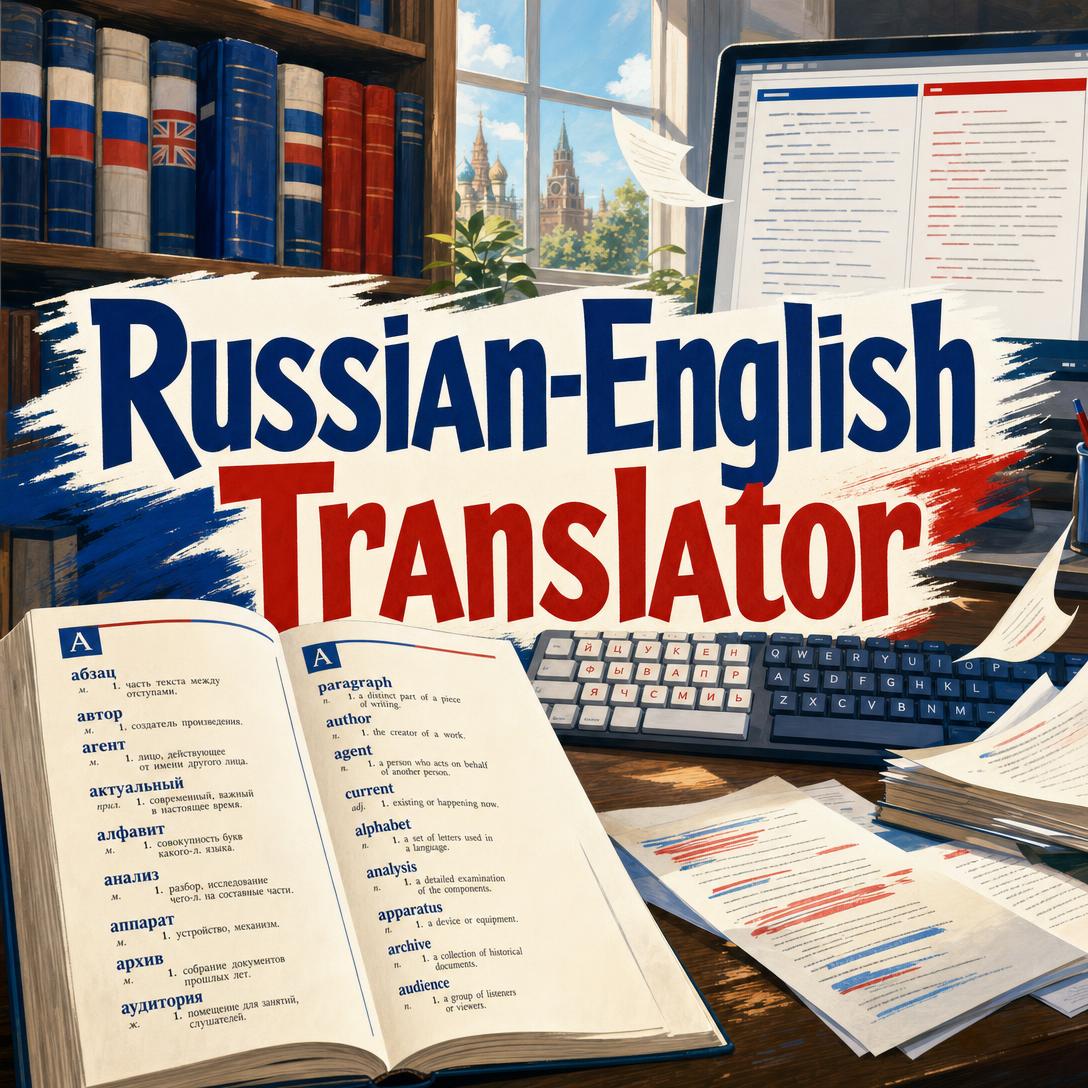
Russian-English Translator helps you move meaning between Russian and English in seconds by detecting the source language, producing a natural translation, and then translating that result back as an independent check. While generic tools often flatten idioms, mix up formality, or leave you wondering whether the output actually says what you meant, this AI returns a clean two-part result you can verify on the spot.
✅ Automatic detection — English in, Russian out, and the reverse, with no settings to toggle ✅ Conversational default that shifts into a formal register for legal, academic, and professional text ✅ Independent back-translation so you can catch drift before you send, publish, or submit ✅ Free to start on web, iOS, and Android, with no credit card required
Getting a usable Russian-English translation is harder than swapping vocabulary. The two languages do not share an alphabet, a case system, or the same habits around politeness — and a single wrong ending or a literal idiom can change the entire message. To understand why that gap still slows business, research, and travel, it helps to look at what typically goes wrong.
Quick Answer: What Is Russian-English Translator?
Russian-English Translator is a bidirectional AI translator that detects Russian or English automatically and returns a natural translation plus an independent back-translation. You paste text; it handles direction, tone, and a second-pass check.
Key capabilities:
- Instant Russian-to-English and English-to-Russian conversion with automatic language detection
- Colloquial, conversational output by default, with a formal register for professional, legal, academic, and technical content
- Standard localized forms for names and brands, plus unchanged numbers, symbols, and emoji
- Formal вы unless the source uses ты, so politeness level survives the jump between languages
- A two-block result: the translation, then a fresh back-translation you can compare against your original intent
Why Russian-to-English Translation Breaks So Easily
More than 250 million people speak Russian across Eastern Europe and Russia, and the language remains central to energy, metals, science, and diplomacy. Demand is not theoretical. Russia’s English proficiency is low enough that localization is often a prerequisite for doing business at all.
3% — Share of Russia’s population reported to speak fluent English
That mismatch shows up in contracts, support tickets, research drafts, and the messages people send from airport terminals. Paying a human linguist is still the right call for certified filings, but it is slow and expensive for everyday volume.
$20–$100 per page — Typical cost of certified translation for immigration and other official documents
$65.5 billion — Projected size of the language services market in 2026
The global document translation market was already valued at about $59.5 billion in 2024. Speed tools exist, yet Russian-English remains one of the pairs where a “close enough” draft can still be wrong. But getting a faithful rendering is frustratingly difficult:
- Grammar does not map cleanly. Russian is highly inflected, with a six-case system that encodes subject, object, possession, and more in word endings. English leans on word order and prepositions. A translator that follows Russian word order too literally produces stiff, sometimes unreadable English.
- Idioms and culture refuse a one-to-one swap. PoliLingua notes that держать в ежовых рукавицах is not “keep someone in hedgehog mittens” — it means keeping a tight rein on them. Words such as тоска carry a weight no single English noun fully covers.
- False friends punish haste. Магазин looks like “magazine” and means “shop.” A rushed machine pass will happily print the wrong one.
- Register and address are easy to get rude — or oddly stiff. Russian distinguishes formal вы from informal ты. English “you” hides that choice, so the translator has to recover it from context. Legal, medical, and technical terms add another failure point if the tool stays stuck in casual chat-speak.
- Layout and length surprise teams localizing websites. Russian can expand English copy by around 15%, which breaks buttons, emails, and UI strings that were never designed for Cyrillic.
Academic researchers feel a different version of the same pressure. As of 2022, 95.9% of the 28 million references in Web of Science were in English, so Russian-language work often has to cross that barrier before it is cited. This is exactly what this AI translator was built for: fast, natural bidirectional drafts you can check before they leave your desk.
Why Russian-English Translator
This bidirectional translator treats every message as text to convert — no setup wizard, no “detect language” dropdown, no follow-up questions. You paste English or Russian (or a mix dominated by one of them) and receive two blocks: the translation, then a back-translation produced independently of your original wording. That second block is the practical difference. You see not only what the tool wrote, but how that writing reads when it comes home.
User studies on machine-translation workflows have found that post-editing can be 52.9% faster than translating from scratch. A translator that already performs a reverse pass gives you a head start on that review instead of leaving you to reconstruct meaning from a single opaque paragraph.
| Traditional Approach | This AI Translator |
|---|---|
| Toggle language direction, then hope the engine guessed right | Automatic detection of Russian or English, including mixed input |
| Literal idiom output that confuses a native reader | Natural, colloquial default with localized names and brands |
| One-shot draft with no way to verify meaning | Independent back-translation under a horizontal rule |
| Casual “you” in a contract, or stiff вы in a text to a friend | Formal вы unless the source uses ты; formal register for legal, academic, and technical content |
| Hours and $20–$100 per page for certified human work | Instant drafts for everyday mail, chat, research notes, and travel — free to start |
It is not a substitute for a certified linguist on USCIS packets, sworn court filings, or sealed contracts. Those still need a human stamp. For the volume that surrounds those documents — the emails, captions, abstracts, menus, and Slack threads — a specialized pair translator is the faster path.
Automatic detection, both directions
You do not tell it which way to go. English input becomes Russian. Russian input becomes English. If a sentence mixes both, the dominant language drives the direction. Numbers, emoji, and symbols pass through unchanged, so a price, a date, or a 👍 does not get “translated” into nonsense.
Register that matches the room
Everyday chat stays conversational. When the content is clearly legal, academic, technical, or professional, the output shifts into a formal register. Proper nouns and brand names use their standard localized forms rather than a homemade transliteration. That is the difference between a message a colleague might actually send and a draft that sounds like a phrasebook.
Back-translation you can read in one glance
Every reply is exactly two text blocks separated by a horizontal rule: the translation, then a fresh rendering back into the original language. There are no labels, no commentary, and no extra formatting. You compare the second block with what you meant to say. If the sense holds, you copy the first block and move on.
"The quarterly report shows a 15% increase in revenue"
A typical result looks like a natural Russian sentence about quarterly revenue growth, then an English back-translation such as “The quarterly report indicates a 15% rise in earnings.” You immediately see that the meaning survived, even if the wording shifted — which is what good translation does.
How It Works: From Paste to Verified Translation
Step 1: Paste the text you need converted Open the AI translator on the web or on your phone and type or paste the source. Treat it like a dedicated conversion box: greetings, questions, and commands are all translated, not answered. That focus is the point.
"I need to reschedule the meeting"
Step 2: Let it detect the language and choose a register You do not set Russian → English or English → Russian. Informal chat stays informal. A contract clause, abstract, or technical note is rendered more formally. If you wrote ты, the Russian side stays on ты; otherwise it defaults to вы.
"Где находится вокзал?"
Step 3: Read the translation, then the back-translation The first block is what you send or publish. The second block is an independent trip back into your original language. Read it the way you would read a colleague’s paraphrase. If it still means what you intended, the first block is ready.
"Please find the signed contract attached for your review."
Step 4: Adjust the source if the tone is off Because the tool mirrors the formality of what you give it, you can steer the result without menus. Tighten a casual draft into professional English, or add ты, and the next pass will follow. Copy the primary translation into your email, listing, or chat.
If you are using translation as a bridge while you actually learn the language, Learn Russian Through Roleplay turns the same vocabulary into lived practice — scenes, memory, and conversation rather than one-off conversions. The two jobs are different: one moves meaning now; the other builds the skill so you need the converter less often.
Try the translator free — no credit card required.
Russian-English Translation Use Cases
💼 Client Email and Contract Drafts
Scenario: A product manager in London needs to confirm a delivery window with a supplier in Yekaterinburg. The thread mixes dates, SKUs, and a polite request to move Friday’s shipment.
Traditional Approach: Wait for a bilingual colleague, or spend 20 minutes rewriting a generic machine draft so it does not sound rude — and still not know whether вы landed correctly.
Dedicated Russian-English translation: Paste the English paragraph, scan the Russian, then read the English back-translation. If “move the delivery to Friday” comes back as a reschedule rather than a cancellation, you send with confidence.
- Formal register for professional mail without sounding robotic
- Numbers and product codes left intact
- Fast enough to use inside a live email thread
If the English still needs a sharper subject line or a cleaner ask after you translate, Writing Assistant can polish the source in your voice before you run it through again — useful when the Russian side will be judged as much on tone as on accuracy.
📊 Research Notes, Abstracts, and Citations
Scenario: A graduate student has a methods paragraph in Russian and needs a working English version for a lab meeting, plus the reverse when commenting on an English preprint.
Traditional Approach: Hand the paragraph to a paid linguist and wait, or accept a stiff machine draft that mangles aspect and technical nouns. With English dominating indexes such as Web of Science, the cost of a muddy abstract is real.
This translator: Drop in the Russian methods text, take the English block for the meeting, and use the back-translation to confirm that “analysis” did not quietly become “examination of equipment.” Then reverse the direction for comments you want to leave in Russian.
- Academic and technical content triggers a more formal register
- Independent reverse pass catches terminology drift early
- Suitable for notes and drafts; still pair with a specialist for journal-of-record submissions
Russian speakers who want those English drafts to become their own writing, not a permanent crutch, can practice the same academic scenarios with Learn English Through Roleplay — seminar Q&A, office hours, and conference small talk rather than isolated sentences.
📱 Menus, Tickets, and Chat on the Train
Scenario: You are in a Moscow subway car, staring at a SMS from the landlord and a screenshot of a café specials board you already typed out. You need “Is the kitchen still open?” in Russian that a waiter will actually understand, not a textbook line.
Traditional Approach: Juggle a browser translator, a keyboard that will not stay on Cyrillic, and a result you cannot check because you do not read the output.
On mobile: Type or paste into the same translator you use at the desk. The conversational default fits street and service Russian. The back-translation tells you whether you asked if the kitchen is open or whether you accidentally reserved a table for 15.
- Works in a phone browser and native apps, with the same two-block format
- Colloquial tone for travel, housing, and everyday errands
- Emoji and prices pass through, so a menu line keeps its ₽ and its 🔥
Keep it in your home screen folder next to maps. The 30 seconds between stops is enough for one verified sentence.
FAQ: Russian-English Translator AI
Is Russian-English Translator free?
Yes. You can use this translator on the free plan with all core translation features and a monthly usage cap. Paid plans start at $20/month for substantially more volume, with higher tiers if you translate all day for work. There is no credit card required to try it, and usage resets each billing cycle rather than trickling out as a daily ration.
How is this different from a generic machine translator?
Most general engines give you a single pass and leave verification to you. This product is built only for Russian and English, auto-detects direction, matches formality (including вы vs. ты), and always returns an independent back-translation. You are not configuring a 100-language widget. You are running a pair specialist that shows you how its own output reads when it comes home.
Can it handle legal, academic, or technical Russian?
It shifts into a formal register when the source is clearly professional, legal, academic, or technical, and it keeps numbers and symbols intact. That is appropriate for drafts, internal notes, and correspondence. It is not a certified translation and should not be filed with USCIS, courts, or regulators as an official rendering. For those packets, use a human certified translator; use this AI for everything around them.
Does Russian-English Translator work on mobile?
Yes. The same translator runs on the web, iOS, and Android with feature parity, so a phrase you start on a laptop is the same product you open on the train. There is no separate “lite” mobile mode. Type or paste, read both blocks, and copy the first one into Messages, WhatsApp, or mail.
How does the back-translation actually work?
The first block is the translation into the target language. Under a horizontal rule, the second block translates that result back into the original language as a new rendering — not a copy of your input. If you wrote “reschedule the meeting” and the return trip says “move the meeting,” the meaning held. If it comes back as “cancel the meeting,” you rewrite before you send.
Is the translation accurate enough to send without a review?
For chat, travel, email drafts, and study notes, the two-block format is designed so a one-minute read is the review. Idioms, humor, and highly specialized terminology still deserve a native pair of eyes, and official filings need certification. Used that way — draft and check, rather than blind send — it is a reliable everyday instrument for the Russian-English pair.
Conclusion
Russian and English do not fail at the dictionary. They fail at case endings, politeness, idioms, and the quiet question every sender asks: did that come across? Human certified translation remains the right tool for immigration packets and signed legal instruments. For the rest of the day — the supplier email, the abstract, the landlord text — you need a bidirectional Russian-English translator that is fast, natural, and checkable.
Russian-English Translator detects the language, matches the register, and hands you a back-translation so you can verify meaning before anyone else reads it. Paste a sentence. Read both blocks. Send the first one when the second one still sounds like you.
Try it now, then explore more at Jenova.
For Developers: Russian-English Translator is available programmatically via the Jenova API — integrate bidirectional Russian-English translation with back-translation verification into your application with a single API call. Full documentation →