Roleplay Scene Generator: AI That Plays the Scene With You
2026-09-13
Roleplay Game Master helps you generate a full roleplay scene—place, blocking, NPC intent, and a turn you can answer—then stays inside that scene until you leave. While random tools spit out a premise and stop, this AI provides a playable beat with atmosphere, character voice, and a reason to act.
✅ Scene-level output: location, sensory detail, stakes, and opening lines ✅ Dialogue that invites a reply instead of a synopsis ✅ Persistent memory so taverns, secrets, and last-session choices survive ✅ Any format—solo RP, TTRPG boxed text, visual-novel choices, or writing rehearsal
In September 2026, players and writers are asking for scenes they can inhabit, not outlines they still have to stage. To understand why a dedicated roleplay scene generator matters, look at what most tools still fail to deliver after the first line of dialogue.
Quick Answer: What Is a Roleplay Scene Generator?
A roleplay scene generator is an AI tool that turns a premise into a playable scene—setting, characters, stakes, and a next beat—rather than a one-line prompt. Roleplay Game Master then continues that scene in character.
Key capabilities:
- Custom scenes for fantasy, sci-fi, slice-of-life, mystery, and original worlds
- NPC voices, secrets, and power dynamics that do not collapse mid-exchange
- Choice-worthy moments (what you say next actually changes the room)
- Prompt-to-play workflow: generate the scene, then stay in it in the same chat
Why Most Generated “Scenes” Are Still Just Premises
Demand for playable worlds is not a niche. One market tracker values the AI roleplay chatbot market at about $1.20 billion in 2026, with a long runway through the next decade. Tabletop is moving in the same direction: researchers project the tabletop RPG market to grow at an 8.7% CAGR from 2025 to 2033. At Gen Con 2025, Dungeons & Dragons alone accounted for 1,247 scheduled events—players still show up for scenes, not just rulebooks.
Writers are using AI as a rehearsal room too. An Authors Guild survey found that 23 percent of writers already use generative AI in their process; among that group, 29 percent use it to brainstorm plot ideas and characters. On the model-usage side, reporting on OpenRouter’s State of Open Models study found that roleplay—not coding—consumed the most tokens among open-source model users.
But getting a scene you can actually play is still frustratingly difficult:
- Generators confuse a premise (“you meet in a tavern”) with a scene (who wants what, who is listening, what happens if you wait)
- Generic chatbots summarize, list “ideas,” or break character the moment the conversation gets specific
- Visual-novel-style choice moments are rare; you get a monologue instead of a fork
- Continuity—names, injuries, clocks, who overheard whom—still lives in your notes
A premise is not blocking, stakes, or a turn
“The party plans a dungeon crawl” is a situation. A scene needs spatial detail (maps on the table, who is pointing, who is silent), a disagreement, and a beat that forces a decision. Most generators stop at the situation and leave the staging to you.
Choice-less dialogue is a lecture
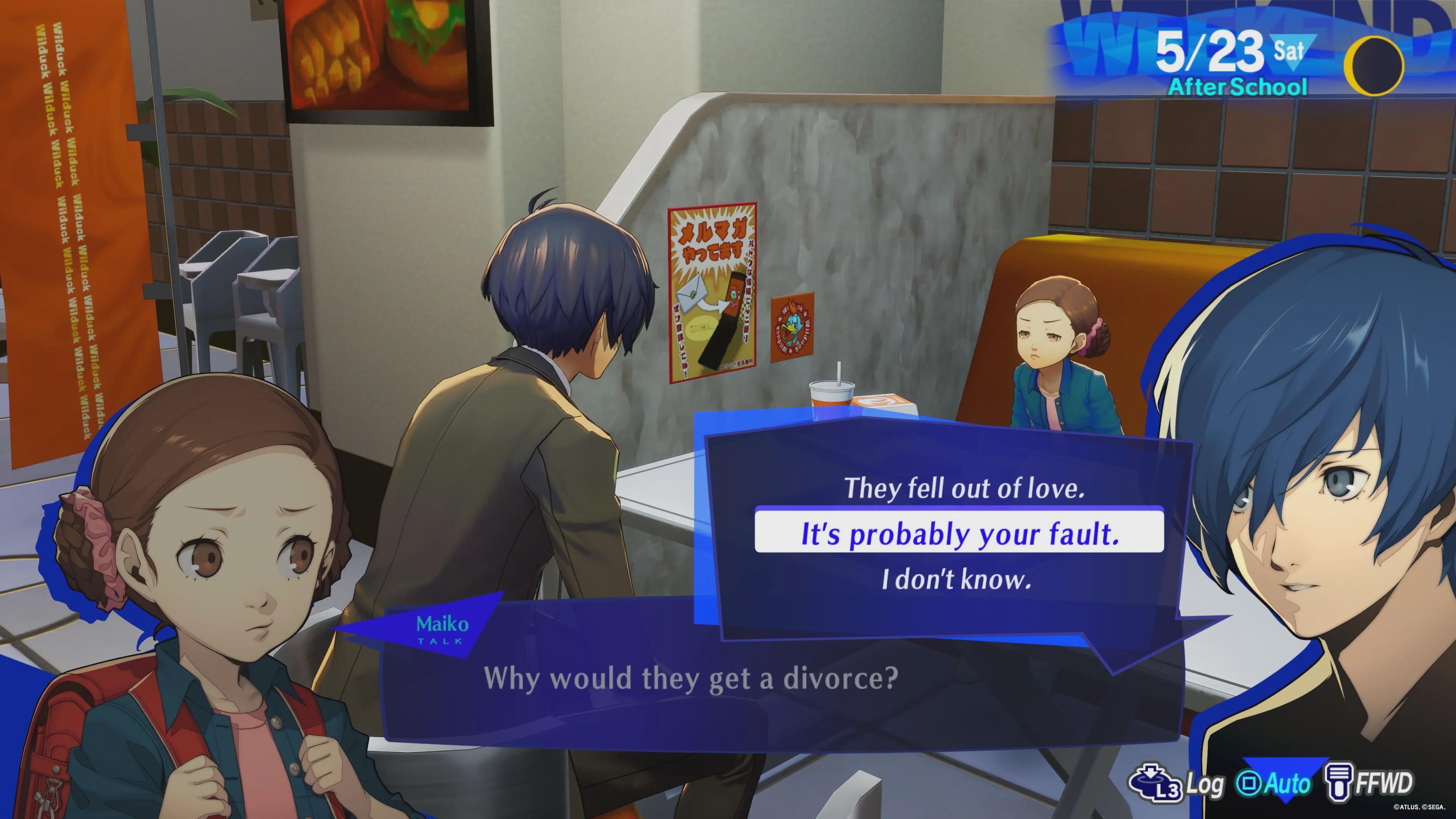
The diner screenshot above is a reminder of what players recognize as a scene: a specific room, a specific relationship, and lines you can accept, reject, or dodge. When an AI dumps three paragraphs of NPC speech with no opening for your character, it is writing at you, not playing with you.
Out-of-character replies kill the room
Researchers training roleplay-specific models have treated out-of-character (OOC) replies as a clearly detectable failure—the bartender who suddenly sounds like a help desk. That break is what makes a generated “scene” unusable for solo RP, play-by-post, or GM prep.
Continuity is still unpaid labor
Without memory, every session starts with a recap tax. You re-explain the innkeeper, the forged manifest, the kid at the diner booth. A real roleplay scene generator has to carry those facts so the next scene can start in media res.
This is exactly what Roleplay Game Master was built for.
Why Roleplay Game Master
Roleplay Game Master is not a bank of canned openers. It is a standalone AI scene partner: you name the world, the POV, and the tone, and it writes a scene you can enter—then keeps playing it with you.
It treats the generated text as the opening move, not the finished product. Ask for a diner confession, a candlelit planning session, or a locked-room standoff, and you get sensory detail, NPC wants, and a clear turn. Continue talking, and the same thread holds.
| Traditional Approach | Roleplay Game Master |
|---|---|
| One-line premises and random encounter blurbs | Full scenes with place, voices, and a next beat |
| You invent blocking and NPC goals yourself | Playable staging in the first reply |
| Choice-less monologues | Dialogue that waits for your move |
| Continuity in a separate wiki | Persistent memory across sessions |
| Desktop-only idea dumps | Same scene on phone, tablet, and web |
Generate the room, then stay in it
You can ask for a cold open, a quiet two-hander, a dungeon threshold, or a political breakfast. The difference is what happens next: the AI remains in narration-plus-dialogue, speaks as NPCs, and waits instead of dumping a bullet list of “possible plots.”
"Generate a slice-of-life roleplay scene in a late-night diner. I am a high-school student. Second person. Give me three in-character dialogue options after the NPC asks why my parents are splitting up. Do not summarize."
Hold voice when the scene gets specific
Long scenes fail when the rival captain, the customs officer, or the child across the booth all collapse into the same assistant register. This AI is built to keep diction, secrets, and power dynamics consistent—even when you jump two days, switch POV, or introduce a lie.
"Continue as the tavern rogue pointing at the floor plan. She will not admit the east stair is trapped unless I notice the scratch marks. Stay in scene. No OOC."
Carry campaigns, not isolated sketches
Because conversation history and preferences persist, you can leave a planning table mid-argument and resume later without re-explaining the party, the curse, or who paid for the drinks. That is the practical upgrade over a generator that resets every refresh.
Any genre, any intensity, any format
Fantasy sandbox, slow-burn contemporary, hard sci-fi, mystery, comedy, or original lore—you set the boundaries. Use it for solo RP, GM boxed text, play-by-post openers, visual-novel-style choice scenes, or as a rehearsal room before you lock the beat into a script or comic page.
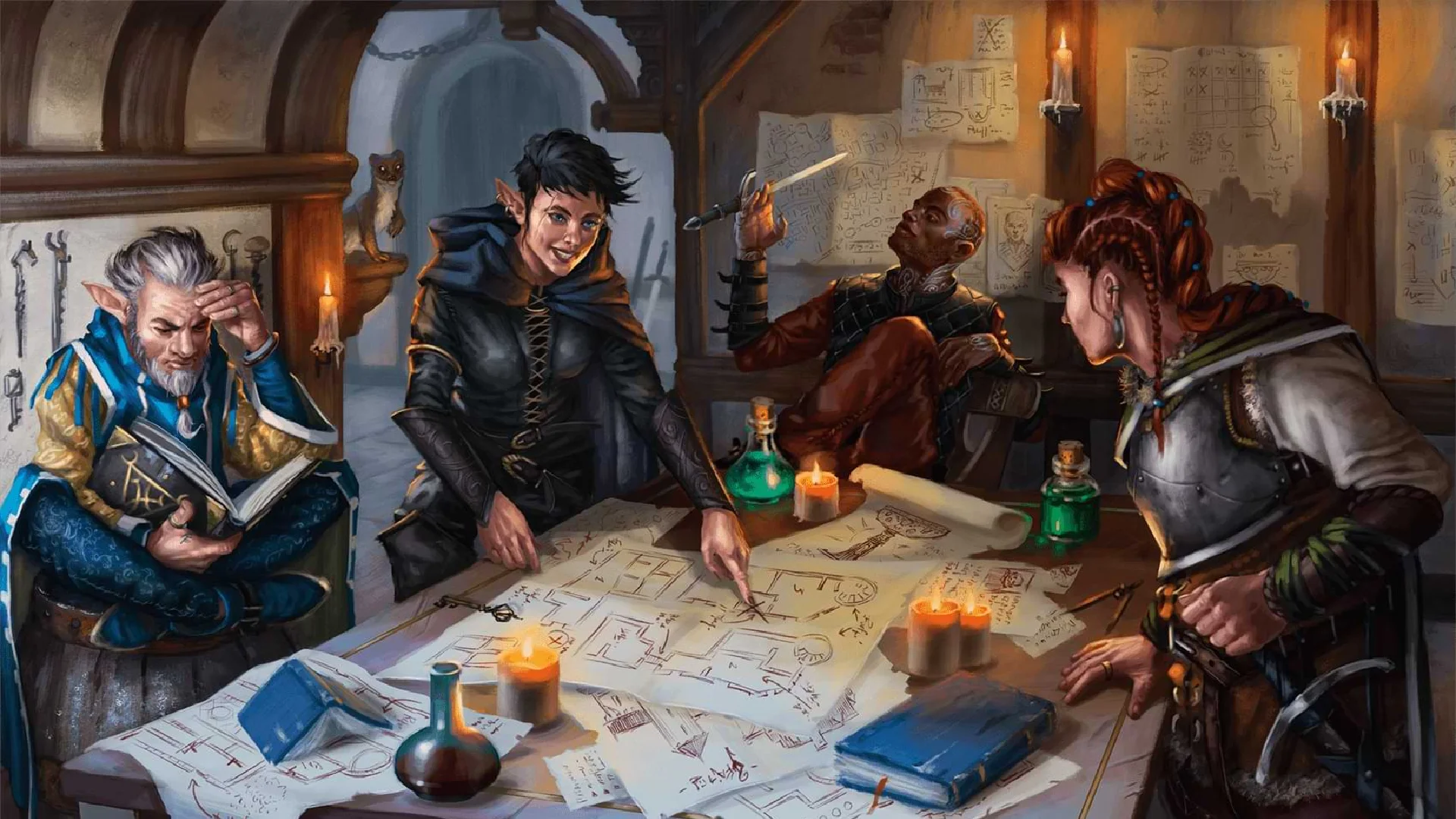
A table like the one above is what a scene generator should be able to run, not just describe: maps, conflicting expertise, a fighter checking her blade, a wizard who has already decided. The tool’s job is to put you in that room with a turn to take.
Related Agents You'll Also Find Useful
If you generate roleplay scenes as part of a larger creative or practice workflow, these agents sit naturally next to the GM chair.
Film Screenwriter
If a generated diner argument or interrogation wants to become a scripted sequence, Film Screenwriter turns improvisation into structure, action lines, and dialogue that still sounds like the characters you just played.
- Scene-to-outline and beat-sheet support
- Dialogue passes that preserve voice
- Revision from concept through draft
Comic Creator
Roleplay that needs to live in panels needs acting and page-turns, not just prose. Comic Creator helps you translate a generated RP scene into sequential art, layouts, and issue-length structure.
- Dynamic layouts for confrontations and quiet two-shots
- Consistent character acting across pages
- Adaptation of RP dialogue into comic-native speech
Learn English Through Roleplay
If the “scene” is also language practice, immersive English roleplay puts idioms and grammar inside the moment instead of a worksheet. Same creative range, with the extra job of making the conversation teachable.
- Scenario-based speaking and writing practice
- Grammar and idiom feedback in context
- Any setting—from café small talk to high-fantasy quests
Try Roleplay Game Master free — no credit card required.
How to Generate a Roleplay Scene You Can Play
Step 1: Name the room and the turn
Open the AI game master and state genre, POV, tone, and what you will play. “Give me a fantasy scene” is weaker than a constrained cold open.
"Solo dark-fantasy RP. I play a disgraced cartographer. Second person. Open at a tavern planning table at midnight. The fighter wants the front gate; I know the sewer is safer. Give me a scene I can answer in character."
Step 2: Sharpen conflict, not scenery
If the first pass is pretty but inert, ask for a secret, a time pressure, or an NPC who wants the opposite of what you want. Treat the generator as iterative.
"Keep the table, but the wizard has already sold our route to the city watch. Raise the stakes without starting combat. Wait for my line."
Step 3: Play the scene instead of outlining it
Reply in character. Ask the AI to stay in narration-plus-dialogue, to offer two or three dialogue choices, or to portray only NPCs. This is where a roleplay scene generator becomes a session.
"I put my finger on the sewer hatch and lie that the gate is warded. Stay in scene. Do not OOC-explain who is bluffing."
Step 4: Lock the facts before you close
Pin names, injuries, debts, clocks, and who overheard what. On return, say “continue from the holding room” rather than pasting a recap. Memory is what makes generated scenes reusable.
"Remember: I gave a false name, the officer kept my maps, and the bell tower rings at midnight. Next scene starts in the holding room."
Step 5: Lift the good beats into other work
A confrontation can become TTRPG boxed text, a comic page, or a screenplay sequence. The generator’s job is playable material; your job is to decide where that material goes.
Results & Use Cases
🎭 Solo campaign scenes without a human GM
Scenario: You want a weekly dark-fantasy campaign, but your group cannot meet, and random generators only give you “you meet in a tavern.”
Traditional Approach: Roll on a plot table, write your own boxed text, and keep a wiki so you do not contradict last week’s lore.
This AI scene partner: You generate a planning-table hook, play the argument about the sewer versus the gate, and resume next week with names and consequences intact.
- Playable first replies instead of one-line AUs
- NPC voices that do not collapse into assistant-speak
- Continuity without a separate notes app for every beat
🎬 Turning a diner two-hander into a scripted scene
Scenario: A generated late-night booth conversation—awkward, specific, choice-driven—is strong enough to become a short-film sequence.
Traditional Approach: Re-type the improvisation into screenplay format by hand, then discover the scene has no midpoint turn.
Film Screenwriter: You paste the RP transcript and ask for a beat sheet, camera-minded action lines, and a dialogue pass that keeps both voices.
- Faster path from play to page
- Structural checks the GM chat is not trying to do
- A clean handoff from improvisation to craft
📱 Mobile one-shot on a commute
Scenario: You have twelve minutes on the train and want a complete meet-cute, dungeon threshold, or diner choice scene you can finish before your stop.
Traditional Approach: Screenshot a random prompt and never get to play it.
This AI on iOS or Android: Dictate the genre, generate the scene, and reply by voice or thumb. Settings sync, so you can continue the same thread on desktop later.
- Full feature parity with the web app
- Speech-to-text for in-character replies
- Short sessions that still remember the thread
📚 Language practice inside the scene
Scenario: You are fluent enough to chat, but textbook drills bore you, and you want idioms attached to a moment you actually lived.
Traditional Approach: Scripted textbook dialogues that never surprise you.
Learn English Through Roleplay: Generate a market-day argument or a spaceship customs scene, then play it until the vocabulary is attached to something you said.
- Grammar in context, not in isolation
- Same creative range as leisure RP
- Memorable scenes instead of flashcards
Industry context makes these workflows less niche than they look. Separate forecasts still put tabletop RPGs on a path toward multi-billion-dollar scale by 2033, and convention calendars show players filling rooms for D&D, Pathfinder, and dozens of other systems. People are already paying for worlds. A better scene is the cheapest way into one.
FAQ
What is a roleplay scene generator?
A roleplay scene generator is a tool that creates a playable dramatic unit—setting, characters, conflict, and a next beat—rather than a one-sentence prompt. Simple versions randomize a premise. An AI version, such as Roleplay Game Master, builds a custom scene from your genre and constraints, then continues it with you instead of stopping at the first line.
Is a roleplay scene generator free to use?
Yes. There is a free tier with all core features and limited monthly usage—no credit card required. Paid plans increase usage (Plus starts at $20/month) if you run long campaigns or multiple characters. Usage resets each billing cycle, and the same agent is available on web, iOS, and Android.
How is this different from a roleplay prompt generator?
A prompt generator gives you a starter. A scene generator gives you the room: blocking, NPC wants, sensory detail, and a turn. You can still begin with a short description; the difference is whether the tool stops there or lets you play the diner booth, the tavern table, or the airlock.
Can I use this for D&D and other TTRPG prep?
Yes. Ask for cold opens, rumor tables in prose form, NPC voices, dungeon approaches, or “what does the tavern know?” scenes. Keep rules-light narrative play at the table, or steal the boxed text and run dice with your group. It will not replace your rulebooks; it will replace the blank page before session one.
Does a roleplay scene generator work on mobile?
Yes. Roleplay Game Master runs with feature parity on iOS and Android, including speech-to-text for in-character replies. Start a scene on your phone, continue on desktop, and keep the same memory. That is the practical answer if you write play-by-post or solo RP in spare minutes.
Will the AI stay in character during a long scene?
Staying in character is the design goal—narration, NPC dialogue, and secrets held until you earn them. You can reinforce it with instructions such as “no OOC,” “wait for my action,” or “offer three dialogue choices.” If a reply drifts, a one-line correction usually snaps the scene back. For script polish after the RP, Film Screenwriter is the better tool; for the live scene, keep the GM in the GM seat.
Conclusion
A roleplay scene generator should do more than shuffle a premise. The old pattern—click, screenshot, invent the blocking yourself—leaves you with a hook and no partner. Roleplay Game Master writes the room for your characters, plays it with you, and remembers who lied, who listened, and what is still on the table.
If you need a one-shot for tonight, a campaign that survives until next week, or a spark you will later turn into comic pages or a screenplay, start with a specific scene and stay in the fiction. Try it now, then explore more at Jenova.
For Developers: Roleplay Game Master is available programmatically via the Jenova API — integrate persistent, character-consistent roleplay scenes into your application with a single API call. Full documentation →