Professional AI Assistant: How AI Agents Transform Productivity in 2026
2026-01-08
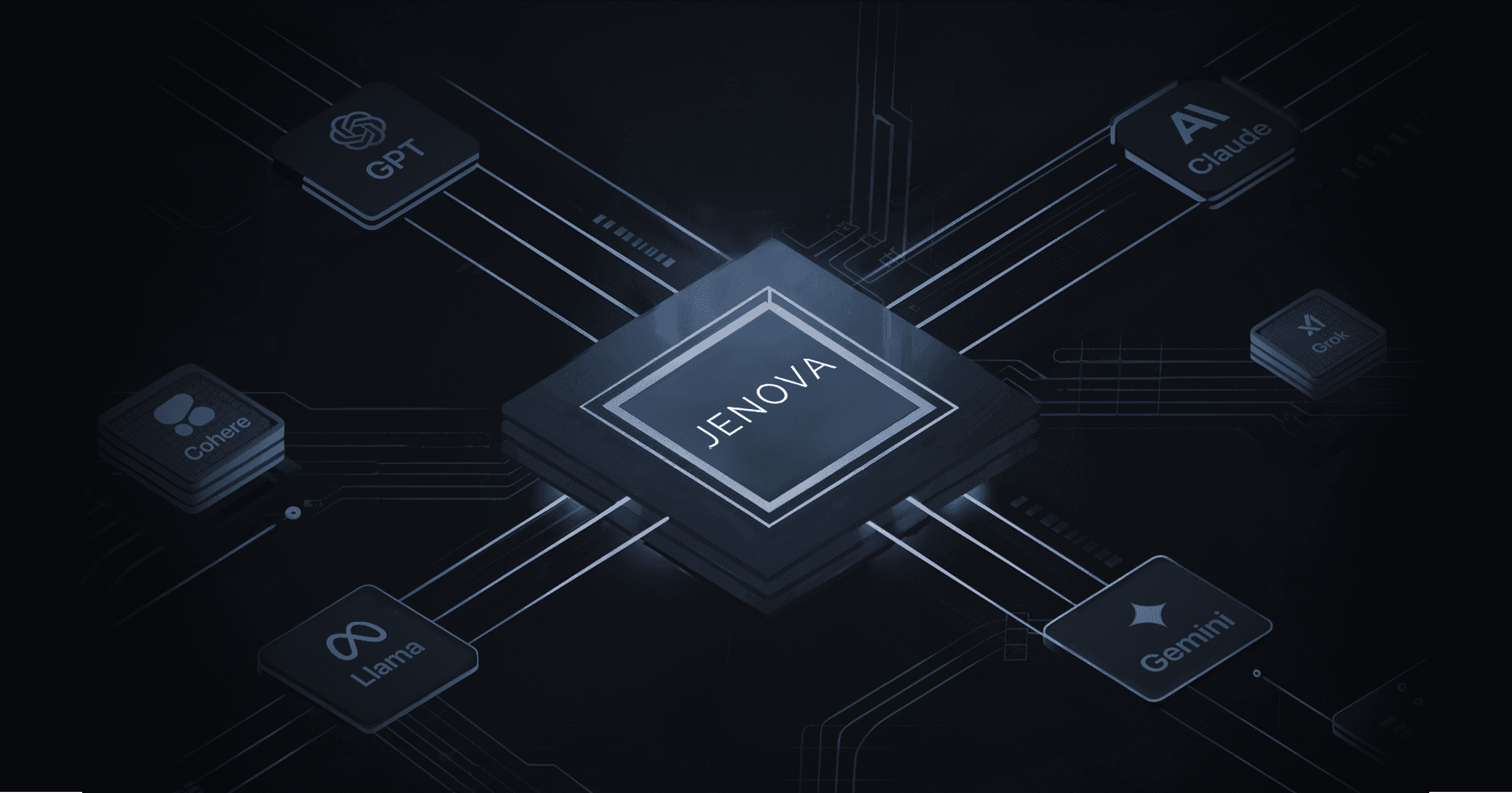
The modern workplace runs on AI. With 91% of employees reporting their organizations now use at least one AI tool, the question is no longer whether to adopt a professional AI assistant—it's which one delivers real results. Jenova offers a unified platform where professionals access GPT-5.2, Claude Opus 4.5, Gemini 3 Pro, and Grok 4.1 through specialized AI agents designed for specific workflows, from research and writing to financial analysis and customer service.
What sets a professional AI assistant apart in 2026:
- Multi-model access eliminating vendor lock-in
- Specialized agents with deep domain expertise
- Unlimited conversation memory across sessions
- Direct integration with business tools via MCP protocol
The productivity gains are substantial. Research shows AI-assisted professionals complete tasks 25-56% faster than those working without AI support, while McKinsey projects $4.4 trillion in added productivity growth potential from corporate AI use cases.
Quick Answer: What Is a Professional AI Assistant?
A professional AI assistant is an AI-powered tool designed to handle complex workplace tasks—research, analysis, writing, scheduling, and decision support—with domain-specific expertise that goes beyond basic chatbot functionality.
- Multi-model platforms like Jenova provide access to leading AI models (GPT-5.2, Claude Opus 4.5, Gemini 3 Pro) through one interface
- Specialized agents offer deep expertise in specific domains: Business Co-Pilot for strategy, Academic Research Assistant for literature review
- Tool integrations connect directly to Gmail, Google Calendar, Notion, and other business applications
- Persistent memory remembers context across conversations, eliminating repetitive explanations
The Problem: Why Traditional AI Tools Fall Short
The gap between AI potential and actual business results remains significant. While 92% of companies plan to increase AI investments, only 1% of leaders consider their organizations "mature" in AI deployment.
Fragmented Tool Ecosystems
Professionals juggle multiple AI subscriptions—one for writing, another for research, a third for data analysis. Each tool operates in isolation:
"78% of professionals bring their preferred AI tools to work, regardless of company policy"
— CompanionLink, AI in the Workplace Statistics 2026
This "shadow AI" creates security vulnerabilities, inconsistent outputs, and wasted subscription costs.
Context Amnesia
Standard chatbots forget everything between sessions. A professional working on a multi-week project must re-explain context, preferences, and prior decisions every time they open a new conversation. This friction erodes the productivity gains AI promises.
Generic Responses for Specialized Work
A general-purpose chatbot treats a legal brief the same as a marketing email. Professionals in finance, healthcare, law, and research need AI that understands domain-specific terminology, compliance requirements, and best practices—not one-size-fits-all responses.
Model Lock-In
Different AI models excel at different tasks. GPT-5.2 handles creative writing differently than Claude Opus 4.5 handles analytical reasoning. Professionals locked into a single model sacrifice performance for convenience.
Integration Gaps
"The biggest barrier to success is leadership... only 1% of leaders call their companies 'mature' on the deployment spectrum"
— McKinsey, AI in the Workplace 2025
AI tools that can't connect to existing workflows—email, calendars, document storage, CRM systems—create more work, not less.
The Jenova Solution: Professional AI Assistants That Actually Work
Jenova addresses each of these pain points through a fundamentally different approach to professional AI assistance.
| Traditional AI Tools | Jenova AI Platform |
|---|---|
| Single model, single vendor | GPT-5.2, Claude Opus 4.5, Gemini 3 Pro, Grok 4.1 |
| Generic chatbot responses | Specialized agents with domain expertise |
| Conversation resets each session | Unlimited memory across all interactions |
| Copy-paste between applications | Direct MCP integrations with Gmail, Calendar, Notion, Drive |
| One tool for all tasks | Purpose-built agents for specific workflows |
Multi-Model Architecture
The platform routes queries to the optimal model for each task. Complex reasoning goes to Claude Opus 4.5. Creative generation leverages GPT-5.2. Fast, cost-effective tasks use Gemini 3 Flash. Users can also manually select models based on preference.
Specialized AI Agents
Rather than prompting a generic AI, professionals work with agents pre-configured for specific domains. The Fundamental Stock Analyst understands SEC filings, earnings calls, and valuation methodologies. The LSAT Tutor knows logical reasoning patterns and trap answer structures. Each agent combines the right model, custom instructions, and relevant knowledge bases.
Persistent Global Memory
Jenova remembers user preferences, project context, and prior conversations across sessions. A professional working with the Business Co-Pilot doesn't re-explain their company's business model every conversation—the agent already knows.
MCP Tool Integrations
The Model Context Protocol enables AI agents to interact directly with external applications:
- Gmail & Google Calendar: Schedule meetings, draft emails, manage inbox
- Google Drive & Notion: Access and organize documents
- Google Search & Scholar: Real-time research without leaving the conversation
- YouTube & Reddit: Search discussions and video content
Specialized AI Agents for Professional Work
Jenova's agent library spans multiple professional domains. Here are agents particularly relevant for workplace productivity:
Business & Strategy
Business Co-Pilot
Strategic partner for founders and executives handling business planning, financial modeling, and operational decisions. Integrates with spreadsheets and document tools for real-time analysis.
- Business plan development and review
- Financial model creation and scenario analysis
- Competitive analysis and market research
- Operational workflow optimization
E-Commerce Business Partner
Expert guidance for online sellers covering product research, listing optimization, and PPC campaign management across major marketplaces.
Research & Analysis
Academic Research Assistant
Elite research partner for literature discovery, citation management, and manuscript preparation. Connects to Google Scholar for real-time paper searches.
- Systematic literature reviews
- Research gap identification
- Citation formatting and bibliography management
- Manuscript structure and editing
Fundamental Stock Analyst
Deep equity research covering earnings analysis, valuation modeling, and SEC filing interpretation for investment professionals.
Technical Stock Analyst
Chart pattern recognition, market structure analysis, and momentum indicators for traders.
Productivity & Communication
Personal Secretary
AI personal assistant managing calendar, email, travel arrangements, and daily logistics through direct tool integrations.
- Meeting scheduling and conflict resolution
- Email drafting and inbox management
- Travel planning and itinerary creation
- Task prioritization and reminders
Interview Coach
Comprehensive interview preparation covering behavioral, case, technical, and executive interview formats with mock practice sessions.
Document Generation
PDF Doc Generator
Professional PDF creation with adaptive design for reports, proposals, and presentations.
Word Doc Generator
Formatted Word documents ready for editing and collaboration.
How It Works: From Query to Completed Task
Step 1: Select or Create an Agent
Choose from Jenova's library of specialized agents or create a custom agent with specific instructions, knowledge bases, and tool connections.
Step 2: Connect Your Tools
Link Gmail, Google Calendar, Drive, Notion, or other applications through the Apps panel. The agent can now read and write to these systems directly.
Step 3: Describe Your Task
Explain what you need in natural language. The agent understands context from prior conversations and applies domain expertise automatically.
Step 4: Review and Execute
For simple tasks, the agent completes work immediately. For complex workflows, it breaks tasks into steps, shows its reasoning, and asks for confirmation before taking actions like sending emails or scheduling meetings.
Step 5: Iterate and Refine
Provide feedback, request changes, or ask follow-up questions. The agent remembers this interaction for future sessions.
Real-World Use Cases
📊 Financial Analysis
Scenario: An investment analyst needs to evaluate a company's quarterly earnings.
Traditional Approach: Download the 10-Q filing, manually extract key metrics, open a spreadsheet, calculate ratios, search for competitor data, compile findings into a memo.
With Fundamental Stock Analyst: "Analyze NVIDIA's Q3 2025 earnings. Compare gross margins to AMD and Intel. Flag any guidance changes from last quarter." The agent retrieves filings, calculates metrics, searches for competitor data, and generates a structured analysis—all in one conversation.
💼 Executive Scheduling
Scenario: A busy executive needs to coordinate a board meeting across multiple time zones.
Traditional Approach: Email back and forth with attendees, manually check calendar conflicts, find available slots, send calendar invites, book a conference room or video link.
With Personal Secretary: "Schedule a 90-minute board meeting next week. Attendees are in New York, London, and Singapore. We need video conferencing." The agent checks calendars, identifies optimal times across zones, drafts the invite, and sends it upon approval.
📱 Mobile Research
Scenario: A consultant traveling between client meetings needs to quickly research an industry trend.
Traditional Approach: Open browser, search multiple sources, switch between tabs, take notes, try to synthesize findings while distracted.
With Academic Research Assistant on mobile: "What are the latest studies on AI adoption in healthcare? Focus on diagnostic applications." The agent searches Google Scholar, summarizes key findings, and provides citations—all accessible from the Jenova mobile app.
📝 Content Creation
Scenario: A marketing manager needs to produce a detailed industry report.
Traditional Approach: Research statistics, outline structure, draft sections, find supporting data, edit for consistency, format for publication.
With Creative Fiction Writer (adaptable for non-fiction): "Create a 3,000-word report on sustainable packaging trends in CPG. Include market size data, key players, and regulatory outlook." The agent researches current data, structures the report, and generates polished prose ready for review.
FAQ
What makes a professional AI assistant different from ChatGPT?
Professional AI assistants like those on Jenova offer specialized domain expertise, persistent memory across sessions, direct tool integrations, and access to multiple AI models. While ChatGPT is a general-purpose chatbot, Jenova's agents are pre-configured for specific workflows—the CFA Tutor understands exam structure and curriculum, the Immigration & Visa Consultant knows visa categories and requirements.
How much does Jenova cost?
Jenova offers a free tier with core features and limited daily usage. Paid plans start at $20/month (Plus) with 20× usage and custom model selection, scaling to Pro ($100/month) and Max ($200/month) for higher usage limits and priority support. Visit www.jenova.ai for current pricing.
Is my data secure on Jenova?
Yes. Jenova encrypts data in transit and at rest. User data is never used for model training and is not sold to advertisers. The platform is built for professional use with enterprise-grade security practices.
Can I create my own AI agents?
Absolutely. Jenova allows users to create custom AI agents with specific instructions, knowledge bases, and tool connections. This is useful for organizations wanting agents tailored to their internal processes, terminology, or compliance requirements.
Which AI models are available?
Jenova provides unified access to GPT-5.2, Claude Opus 4.5, Gemini 3 Pro, Grok 4.1, and other leading models. Users can select models manually or let the platform route queries to the optimal model for each task.
Does Jenova work on mobile?
Yes. Jenova offers iOS and Android apps with full functionality, allowing professionals to access their AI agents and conversation history from anywhere.
Conclusion
The professional AI assistant landscape has matured beyond simple chatbots. With 45% of U.S. employees now using AI at work and research showing 3.5 hours saved per week on average, the productivity case is clear. The question is choosing a platform that delivers on AI's promise without the fragmentation, context loss, and integration headaches of traditional tools.
Jenova brings together multi-model access, specialized agents like the Business Co-Pilot and Academic Research Assistant, persistent memory, and direct tool integrations into a single platform designed for professional work. Whether you're analyzing financial data, managing executive schedules, or conducting research, the right AI assistant transforms how you work.
Explore the platform at www.jenova.ai.