NPC Schedule Generator: AI Daily Routines for Living Worlds
2026-09-10
Game Designer Assistant helps you generate NPC schedules by turning jobs, locations, weather, and calendar rules into daily routines you can actually ship. While most living worlds still lean on brittle spreadsheets and one-off time slots, this AI produces occupancy maps, shop hours, interrupt rules, and festival overrides that design and engineering can share. As of September 2026, players judge a town by whether the blacksmith is at the anvil when the clock says he should be. It also drafts weekday versus weekend variants, rain indoor fallbacks, and quest-findability notes so characters remain locatable without standing in one place forever.
✅ Build weekday, weekend, and seasonal calendars from a single character brief ✅ Catch bed, stall, and workplace conflicts before two NPCs claim the same tile ✅ Generate shop hours, gift windows, weather variants, and festival overrides ✅ Document occupancy so quests can find people at the right place and time
To understand why an NPC schedule generator matters, look at how living-world time is still authored — and where those calendars collapse the first time a player follows someone home.
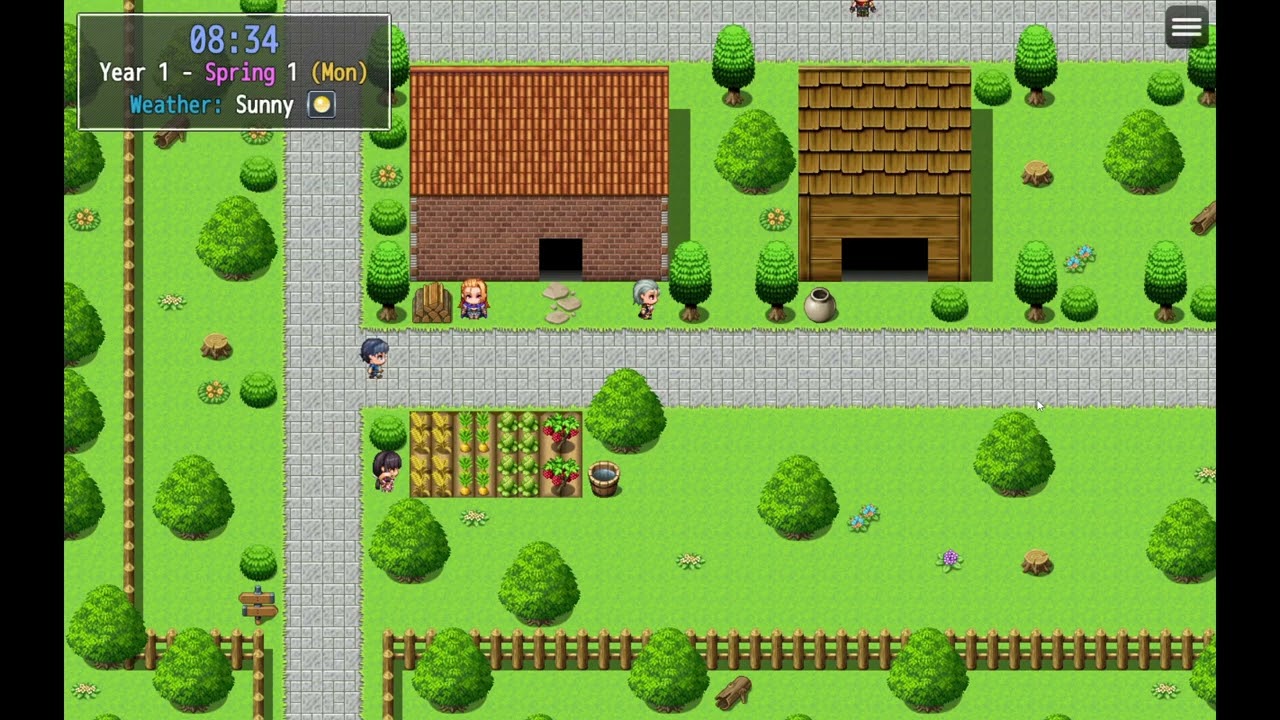
Quick Answer: What Is an NPC Schedule Generator?
An NPC schedule generator is an AI design tool that converts jobs, locations, and calendar rules into daily routines, occupancy maps, and interrupt conditions you can hand to engineering. It sits between “this villager feels alive” and a clock the engine can actually tick.
Key capabilities:
- Daily, weekly, and seasonal time slots tied to named locations
- Weather, festival, and relationship overrides that do not destroy the weekday template
- Occupancy and pathing notes so the 8 a.m. commute does not deadlock a village
- Shop hours, sleep windows, and quest-findability rules designers can test
- Engine-agnostic documentation you can map into Unreal, Unity, Godot, or custom time systems
Why NPC Daily Schedules Are Still Hard to Design
Players now treat a living world as a clock they can audit. Guides for Stardew-style schedule mechanics describe the expectation clearly: NPCs should follow daily, weekly, or seasonal routines that still bend when the player or the calendar intervenes. Lists of games with full-day casts still point to Skyrim’s Radiant AI scheduling and Kingdom Come’s work-and-rest loops as the bar players silently compare you against.
That bar is a production problem, not a flavor problem. Research on open-world simulation treats daily life as a constraint system — who may occupy which “smart area,” when, and under which interrupt — not as a list of cute waypoints (AAAI work on large open virtual worlds). When the clock is wrong, immersion is not “a bit less magic.” The world looks fake.
Observable routines — An NPC’s daily routine can be watched by players, which strengthens the idea that the environment follows consistent rules whether or not the player is looking
Rigid scripts — Conventional NPCs built on finite state machines and behavior trees still tend toward predictable, rigid behaviors when every hour is hand-authored
Scale pressure — Procedural generation is now a cornerstone for diverse, scalable game content; schedules are one of the last layers teams still paint by hand
But authoring that clock is frustratingly difficult:
- A 40-NPC town times 7 weekdays times 4 seasons is thousands of slots before rain, festivals, or marriage
- Two characters cannot share one bed, one stall, or one anvil without a conflict rule
- Shop hours, gift windows, and quest NPCs must stay findable or support tickets explode
- Spreadsheets drift from navigation meshes, opening hours, and animation lengths
- A chatty generative agent with no calendar still idles in the square at midnight
Spreadsheets Do Not Encode Occupancy
A column that says “8:00 — walk to market” does not say what happens if the path is blocked, the stall is already taken, or a festival closed the square. Designers then patch exceptions: rain, Sunday, winter, heart events, after a crime. Each patch is another row. The character becomes a pile of times instead of a readable job with fallbacks.
Behavior Trees Need a Clock, Not Just a Tree
Behavior trees became a standard way to model NPC decision-making because they compose selectors, sequences, and conditions. Engine tutorials still pair trees with blackboards that store AI variables. That is the runtime. It does not invent the weekly calendar. Unreal even has dedicated routine-driven NPC frameworks for day/night tasks — which only helps after someone specifies those tasks.
Players Notice Empty Time
When a world moves bodies but never assigns sleep, work, shop, eat, or socialize as a schedule, communities call it out. Starfield players did exactly that in a public thread on missing NPC schedules. LLM-driven characters without a clock make the same mistake in a different costume: they talk, then stand still.
This is exactly what Game Designer Assistant was built for.
Why Game Designer Assistant for NPC Schedules
Game Designer Assistant treats the calendar as a design system, not a chat novelty. You describe the settlement, the jobs, the clock, and the hard constraints. It returns slot tables, occupancy rules, interrupt conditions, and implementation notes you can drop into a GDD or an engine ticket.
| Traditional Approach | Game Designer Assistant |
|---|---|
| One spreadsheet per character, copied until it rot | Shared job templates plus per-person modifiers |
| Weeks of designer–engineer translation | Time slots, locations, blackboard keys, and QA cases in one pass |
| Festival days that smash weekday logic | Override layers that restore the default week afterward |
| Two NPCs assigned to the same bed | Occupancy and capacity rules called out before implementation |
| Dialogue that ignores opening hours | Location- and time-gated lines that match the clock |
That split matters because a schedule is content and simulation. Generative agents can choose actions from memory and personality, but a shippable town still needs a clock: when the stall opens, when the forge is manned, when the innkeeper hides during a raid. The assistant authors that clock so language models and behavior trees have something legal to execute.
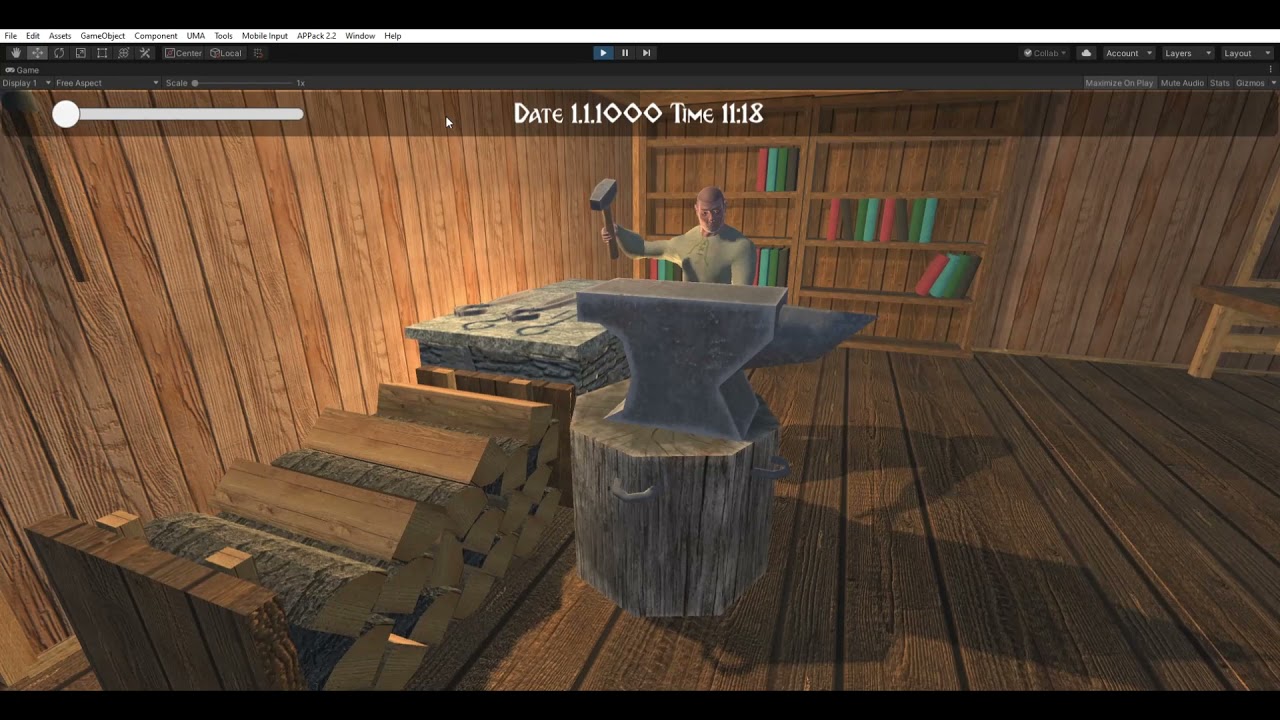
The workshop shot above is the artifact players actually test: a named worker, a workplace, and a visible clock. If time says late morning, the hammer should be in motion — or the schedule should explain the exception.
Jobs First, Flavor Second
Ask for occupation, home, workplace, and hard stops (sleep, meals, closing time). The generator returns a default week, then weekend, season, and weather variants. You can demand Unreal time-of-day names, Unity timeline markers, or a simple 24-hour integer clock in the same brief.
Occupancy as a First-Class Constraint
A living village fails when everyone pathfinds to the well at 7:00 or two spouses share one sleep marker. The output flags capacity: beds, stools, anvils, market stalls, and pews. That is cheaper than discovering the deadlock in QA.
Docs Engineers Can Implement
Output is not a vibe. It is slot lists, location IDs, interrupt priority (sleep < raid < quest force-move), animation length assumptions, and playtest cases (“player talks to the blacksmith at 21:10 after close”). Keep the calendar as source of truth; attach barks later.
Example briefs to run:
"Design a 7-day schedule for a frontier blacksmith: open forge 8:00–17:00, lunch at the inn, sleep upstairs, closed Sunday, indoor fallback when raining. Name locations and occupancy limits."
"Generate weekday vs festival calendars for 12 town NPCs. No two may sleep in the same bed. Mark who is findable for the main quest between 10:00 and 16:00."
"Write spring and winter variants for three rival merchants, including shop hours and how each reacts if the player arrives after close."
Related Agents You'll Also Find Useful
If you are also writing location-gated lines, prompting a runtime talker, or mocking the clock UI, these partners cover the rest of the schedule pipeline.
Writing Assistant
A schedule without lines still feels empty, and lines that ignore the clock feel broken. The Writing Assistant drafts barks and scene text that fire from slots: opening the stall, closing up, being found in the rain, refusing a gift after bedtime.
- Time- and location-conditional bark tables
- Festival and weather line sets that do not leak weekday jobs
- Quest dialogue that only exists while the NPC is on-shift
Prompt Generator
Runtime chat still needs a legal clock. Prompt Generator turns your slot table into model-ready instructions: current hour, current location, banned topics, and “you are closed” so the talking layer cannot sell iron at midnight.
- System prompts with time, place, inventory, and shop-state
- Few-shot refusals for after-hours and sleeping characters
- Refinement loops when a model wanders off the calendar
Graphic Designer
Schedules are easier to review on a map than in a grid. A visual pass produces town boards, clock widgets, and color-coded occupancy diagrams you can paste into the GDD before anyone builds markers.
- Location maps labeled with work, home, and social slots
- Calendar and HUD mockups for debug clocks
- Festival layout variants that match override days
Try Game Designer Assistant free — no credit card required.
How to Generate NPC Schedules Step by Step
Step 1: Brief the Settlement Like a Time Systems Designer
Open your game design partner and state the clock, the cast size, jobs, homes, workplaces, and hard stops. Name the engine’s time representation if you have one. Specificity is what turns “a cozy town” into slots.
"Farming town, 24-hour clock, 20-minute day slices. 8 NPCs. Jobs: farmer, carpenter, shopkeep, child. Must sleep 22:00–6:00. Unity."
Step 2: Demand a Default Week Before Variants
Ask for Monday–Sunday first, with named locations and occupancy. Require who is findable for quests during business hours. Do not start with winter festivals; they are overrides.
"Output a 7-day table: time, location ID, action, occupancy key, findable-for-quest true/false. Flag any double-booked beds or stalls."
Step 3: Layer Weather, Seasons, and Festivals
Once the week holds, request rain indoor fallbacks, seasonal workplace changes, and one festival that replaces jobs without deleting the template. Keep restore-on-next-day rules explicit.
"Add raining: all outdoor work moves inside. Winter: market closes at 15:00. Spring fair: everyone in the square 10:00–14:00, then resume default."
Step 4: Generate Content the Clock Can Fire
Request barks, animation tags, and player-memory hooks per slot. If line volume is high, hand the voice sheet to writing support and keep the calendar as source of truth. If you will use a talk model, generate a constrained prompt so closing time is law.
"For OpenShop, CloseShop, Sleep, HideFromRain — write 4 barks, an animation tag, and one flag if the player helped or robbed them on-shift."
Step 5: Add Playtest Cases Before Anyone Implements
Have the assistant enumerate exploits: talk after close, block the path to bed, start a fight at the stall, wait through a festival. Those cases become QA scripts and acceptance criteria on the engineering ticket.
"List 10 player actions that should interrupt this schedule, the correct fallback slot, and what happens if the target location is at capacity."
NPC Schedule Generator Results and Use Cases
📊 Farming-Sim Villages With Seasonal Work
-
Scenario: An indie life sim needs 30 town NPCs with jobs, meals, sleep, rain days, and a harvest festival in one district.
-
Traditional Approach: Designers hand-fill sheets for days; programmers copy time events; spring and winter desync after the first content patch.
-
Game Designer Assistant: One archetype (worker, vendor, child, elder) plus per-character homes and jobs yields shared sleep/meal interrupts and unique workplaces.
-
Reusable sleep, meal, and rain indoor branches
-
Festival overrides that restore the default week
-
QA cases for missing markers and full occupancy
💼 Work Shifts for Crafters and Shopkeepers
-
Scenario: A survival-crafting project needs a blacksmith on the clock: forge hours, lunch, closed evenings, indoor work in storms.
-
Traditional Approach: A single “work” state plays whenever the player is nearby; the anvil is magically staffed at midnight.
-
The schedule generator: Shift tables with open/close, meal, sleep, and weather fallbacks, plus occupancy on the anvil so a second smith cannot overlap.
-
Visible clock that matches animation and UI
-
After-hours refusal barks drafted with a writing partner
-
Implementation notes a programmer can hang on a time-of-day subsystem
📱 Live-Ops Event Vendors on Mobile
-
Scenario: A live-ops designer is on a train with a phone, and a weekend event needs a limited-time vendor who only appears 18:00–21:00 if the player finished a qualifying quest.
-
Traditional Approach: Wait for office hours, then a full engineering ticket for one time gate and a handful of lines.
-
The NPC schedule generator: On web or mobile, the designer generates the appearance window, stock table, rejection barks, and teardown so the vendor vanishes cleanly.
-
Quest-flag plus time-window gates spelled out before code
-
Short bark sets that fit mobile UI
-
Event teardown rules so the slot does not leak into Monday
🎯 Companions and Romance Casts With Gift Windows
-
Scenario: A story-driven sim needs gift-giving and heart events that only fire when the NPC is free, not at work or asleep.
-
Traditional Approach: Writers add more scripted scenes; an unconstrained chat model accepts a gift in the temple at 2 a.m.
-
Game Designer Assistant: Free/busy calendars plus a prompt pack. Prompt Generator locks “not now” rules to the current slot so romance cannot override the job.
-
Free, work, sleep, and scene-lock as explicit slot types
-
Gift windows bound to location and relationship flags
-
Failure lines when the player interrupts a shift
NPC Schedule Generator FAQ
What is an NPC schedule generator in game development?
An NPC schedule generator is a design tool that produces the calendar of a non-player character — time slots, locations, occupancy, and interrupts — rather than only writing personality or combat AI. Used well, it outputs weekly tables, seasonal variants, and playtest cases that match how engines tick time in Unreal, Unity, and custom clocks. Game Designer Assistant focuses on that systems layer so towns stay consistent when players follow someone across a full day.
Is Game Designer Assistant free to use?
Yes. You can use this AI game design partner on a free plan with core features and limited usage, without a credit card. Paid tiers raise usage limits if you are generating full districts, seasonal variants, or live-ops casts. Start with one job template, lock sleep and occupancy, then scale to the rest of the roster.
How is an AI NPC schedule generator different from a behavior tree?
A behavior tree decides what to do next given conditions. A schedule decides where the character is supposed to be given the clock. Unreal tutorials still center on trees and blackboards; this assistant drafts the calendar those trees consume so you are not authoring every civilian’s Sunday from a blank graph. You still implement and tune in-engine.
Can it handle seasons, weather, and festivals?
Yes. The useful pattern is a default week, then override layers: rain indoor fallbacks, winter closing hours, festival force-moves, and a restore rule for the next day. Combat, sleep, and quest force-move still outrank flavor slots. For large bark counts, keep the calendar as source of truth and use writing support for voice.
Does this work on mobile for designers on the go?
Yes. The same design flow runs on web, iOS, and Android, which is why live-ops and narrative designers can iterate event vendors from a phone. Speech-to-text helps when you are walking a paper map and want to capture a shopkeep’s hours before you forget them. Implementation still happens in the engine; the mobile session is for specs, not shipping binaries.
Is a generated NPC schedule production-ready?
Treat output as a high-quality first implementation spec, not an unchecked drop-in. Review occupancy, navmesh distances, and animation lengths with design and engineering. That review is still far cheaper than discovering two spouses assigned to one bed in QA. Structured calendars beat unsupervised chat that ignores the clock.
Ship Living Worlds With an NPC Schedule Generator
Scripted statues fail when players watch the clock. Raw chat models fail when they sell iron at midnight. An NPC schedule generator closes that gap by turning jobs, locations, and calendar rules into slot tables, occupancy constraints, and test cases you can implement.
Game Designer Assistant gives you that time layer: shops that actually close, forges that match the HUD clock, festivals that do not destroy next Monday, and documentation engineers can code. Pair it with writing, prompts, and visuals when you need the full living-town pipeline.
Try this AI game design partner on your next villager, vendor, or shift worker. Explore more at Jenova.
For Developers: Game Designer Assistant is available programmatically via the Jenova API — integrate NPC schedule generation into your tools or live-ops pipeline with a single API call. Full documentation →