Multiplayer AI Group Chat: Play, Plan & Work With One Agent
2026-09-30
Multiplayer AI group chat on Jenova lets several people talk to the same AI agent in the same live conversation. Everyone sees the same history, files, and answers, so no one has to copy responses from their own chat into another app. As of September 2026, most AI assistants are still built for one person, one screen, and one task at a time. Jenova's group chats let friends, partners, families, and coworkers invite each other into one thread with one specialist agent. That agent might run a campaign, coordinate a project, or help draft emails as new information arrives.
- ✅ One live thread: everyone talks to the same agent with the same context
- ✅ Invited members see the full history and files, so nobody needs a recap
- ✅ Works with specialist agents, from game masters to project coordinators
- ✅ Full feature parity across web, iOS, and Android
Group chat is useful because of what it replaces. Most people who use AI with someone else today are running a workaround: forwarding screenshots, pasting outputs into messaging apps, or passing a single phone around. To see why a shared thread matters, it helps to look at how single-player AI breaks down once a second person gets involved.
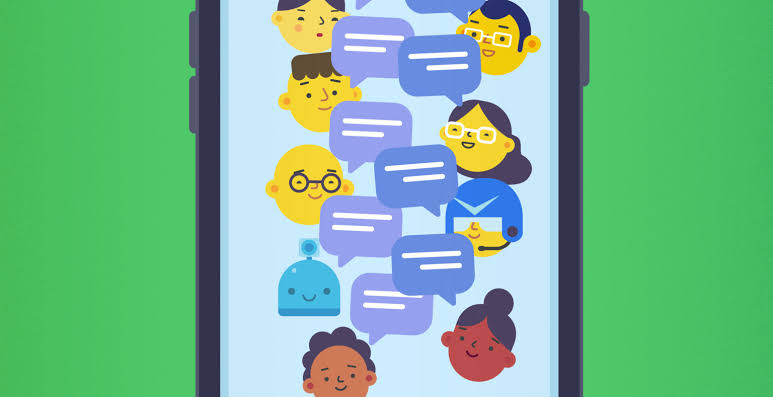
Quick Answer: What Is Multiplayer AI Group Chat?
Multiplayer AI group chat is a shared conversation where several people talk with the same AI agent in one live thread, so everyone works from the same history, files, and responses instead of relaying answers between separate chats.
Key capabilities:
- Invite people into a live session. They join the conversation itself, not a read-only copy of it.
- Keep the same context. New members see the full history and attached files as soon as they join.
- Use any specialist agent. Run a campaign with the Roleplay Game Master or align a team with the Project Coordinator.
- Share settings. The chat model, image model, and voice apply to everyone, so the whole group gets the same experience.
The Problem: AI Is Still a Single-Player Tool
AI use has grown quickly, but mostly one person at a time. Collaboration, where much of real work and play actually happens, has barely changed.
Using AI together with other people is frustratingly clumsy:
- AI lives on one person's screen. Everyone else only sees what that person chooses to forward.
- Someone becomes the relay. One person copies AI output into a messaging app and pastes replies back in.
- Context is scattered. Each person's chat knows a different slice of the situation.
- People share accounts as a workaround. Friends take turns on one login and label who is speaking.
- Teams still need a translator. Product, engineering, and domain experts describe the same problem in different terms.
AI Adoption Stops at the Individual
Capgemini's researchers describe a telling moment at a town hall of 200 senior managers. Every hand went up when they were asked whether they use AI several times a day. Nearly every hand went down when they were asked whether they use it with their teams. Recent academic work points the same way: studies find that generative AI can concentrate effort on individual tasks while shifting work away from collaborative activity.
The Copy-Paste Relay
When two people want the same AI's help, one of them usually becomes the middleman. They ask the question, screenshot the answer, send it to the group, collect everyone's reactions, and type them back in. Each round loses nuance, and the AI never hears the other person's actual words.
Fragmented Context
The Salesforce/YouGov survey found that 76% of workers say their preferred AI tools lack access to company data or work context. Among workers using both embedded and standalone tools, 62% say better access would reduce time spent searching for information. Splitting one situation across several people's private chats makes the gap wider, because no single conversation holds the whole picture.
The One-Account Workaround
Before shared sessions existed, groups improvised. Two friends running a story together would share one login, take turns typing, and prefix every message with a character name. This works, but only one person can hold the keyboard. Neither person gets their own voice in the conversation.
Cross-Team Translation
Remote and hybrid work already makes collaboration across groups harder. Early pandemic-era research found that remote work caused workers to spend about 25% less of their time collaborating across groups. When a product manager, an engineer, and a domain specialist each brief their own AI separately, the misunderstandings multiply instead of shrinking.
This is exactly the problem Jenova's multiplayer group chat was built to solve.
The Jenova Solution: One Agent, One Thread, Everyone In
Jenova turns any conversation into a multiplayer session. The chat owner invites the people who need to take part. Those members join the live thread, see everything that came before, and talk to the same agent in their own voice.
| Traditional Approach | Jenova Multiplayer Group Chat |
|---|---|
| One person relays AI answers into a messaging app | Everyone reads and replies to the agent directly |
| Each person's chat holds a different slice of context | One shared history, including attached files |
| Friends share one account and take turns typing | Each person posts from their own account |
| Newcomers need a long recap | Invited members see the full history on joining |
| Generic chatbot for every task | Specialist agents for play, work, and family logistics |
How a Group Chat Differs From a Share Link
These two features are easy to confuse, so it's worth being precise:
| Solo Chat | Public Share Link | Multiplayer Group Chat | |
|---|---|---|---|
| Who can post | Only you | No one (read-only) | Owner and invited members |
| Updates | Live | Frozen snapshot | Live |
| What newcomers see | N/A | The snapshot | Full history and files |
| Best for | Private work | "Take a look at this" | Doing something together |
If you only want someone to read what you've made, such as a finished story chapter or a worldbuilding document, a share link is usually the better fit. Group chat is for when the other person needs to act inside the conversation.
Who Controls What
- Owner only: custom instructions and the chat's profile and background art.
- Shared by everyone: the chat model, image model, and text-to-speech voice. A change made here applies to the whole group.
- Connected apps: tools like Gmail or Google Calendar need an explicit "Allow Everyone in This Chat" grant. Your credentials stay private, but anything the agent reads or writes in the thread is visible to every member.
- Persistence: messages and files remain after someone leaves, and public share snapshots you created earlier stay viewable.
🎲 Play: Co-Op Stories and Campaigns
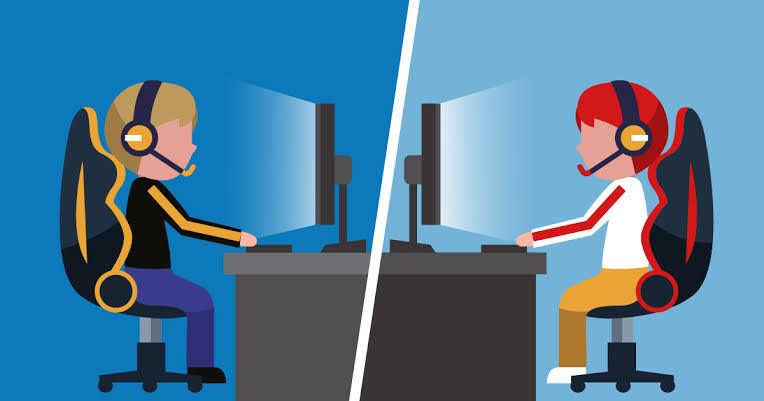
Shared storytelling is one of the most natural fits for multiplayer AI. With the Roleplay Game Master, each player controls their own character. Players react to each other's moves in the story, and the chat owner can step in as co-game-master with rules and lore. For ready-made adventures, The Mansion drops everyone into a mystery with rooms full of secrets. Character Creator helps each player build a character before the first scene.
✍️ Create: Writing and Worldbuilding Together
Co-writers can work in the same thread with Creative Fiction Writer, which offers editorial feedback and drafting help from first draft to final manuscript. Visual storytellers developing a series can bring a collaborator into Comic Creator, keeping story notes, layouts, and revisions in one place.
💼 Work: Alignment Without the Telephone Game
The Project Coordinator is built to manage multiple team members in one chat. It tracks tasks, deadlines, dependencies, and blockers. It also acts as a translator between functions: product describes the goal, engineering describes the constraint, and the agent restates each side in terms the other can act on. For owners running a small company with a partner, Business Co-Pilot covers planning, financial modeling, and operations in a thread both founders can see.
🏡 Life: Family Logistics and Shared Decisions
Couples and families can plan together with the Travel Planning Advisor, the Wedding Planner, or the Meal Planner. When one person is helping a relative handle paperwork or correspondence, Email Writer can draft replies while both people watch the thread.
Platform Capabilities Behind Every Group Chat
- Multi-model access to models from OpenAI, Anthropic, Google, DeepSeek, xAI, and more
- Unlimited chat history and persistent memory, so long campaigns and projects keep their context
- MCP tool integration with Gmail, Google Calendar, Drive, Maps, Flights, Hotels, Notion, and any MCP-compliant server
- Custom agents with your own instructions, preferred models, and knowledge base
- Privacy: data is never used to train public AI models and is encrypted in transit and at rest
Specialized AI Agents for Multiplayer Group Chats
Since launch, group chats have tended to form around two kinds of activity: playing something together and getting something done together. Nearly always, the people involved already know each other: friends, partners, family members, or coworkers. These agents fit those patterns best.
Roleplay Game Master
The Roleplay Game Master runs immersive, open-ended campaigns with long memory and consistent characters. In a group chat it becomes a shared table: each player posts their own actions, and the story responds to everyone.
- Separate player characters whose storylines can diverge and converge
- Round-based play, where the agent resolves a round once every player has posted
- Owner-as-co-GM control over rules, lore, and pacing
Project Coordinator
The Project Coordinator is designed specifically for many people in one chat. It keeps a running picture of who owns what and what's blocked, so the thread becomes the team's single source of truth.
- Task, deadline, and dependency tracking across team members
- Plain-language translation between product, engineering, and domain teams
- Blocker surfacing before small gaps turn into missed deadlines
Travel Planning Advisor
Group trips often fall apart in a scattered group text. The Travel Planning Advisor brings everyone's preferences into one conversation and turns them into a real plan.
- Destination research and local recommendations
- Flights and hotel logistics
- One itinerary that everyone can see and adjust
Study Buddy
Study groups get more out of a session when everyone hears the same explanation. Study Buddy explains concepts, quizzes recall, and builds study plans for any subject.
- Concept explanations the whole group can question
- Recall quizzes that expose each person's weak spots
- Shared study plans with clear next steps
Wedding Planner
Wedding planning involves partners, parents, and sometimes a planner, each with different priorities. The Wedding Planner keeps budget, vendors, and timelines in one place that everyone can see.
- Budget tracking all decision-makers can see
- Vendor research and comparison
- Cultural guidance and timeline management
Try Jenova free — no credit card required.
How Multiplayer AI Group Chat Works
Step 1: Start the Conversation With the Right Agent
Open the agent that fits the job, or start a general chat. Many owners build up context on their own first, such as setting up a campaign world or summarizing a situation, before bringing anyone in.
"We're planning a 5-day trip to Kyoto in April for four people. Two of us love food, two want temples and hiking. Start a draft itinerary."
Step 2: Invite the People Who Need to Take Part
Send invites to the friends, family members, or teammates who will actually participate. Members see the full history and files when they join, so remove anything you don't want shared before you invite. Pending invites count toward the chat's capacity even if they're never accepted.
Step 3: Grant Tools Only if the Group Needs Them
If the agent needs a connected app, such as a calendar for scheduling, grant it with "Allow Everyone in This Chat." Your login credentials stay private, but anything the agent reads or writes in the thread is visible to all members.
"Check my calendar and suggest three times next week when both of us are free for the kickoff call."
Step 4: Make It Clear Who Is Speaking and What Kind of Message It Is
Shared threads work best with a few simple conventions. In a story, name your character so the agent doesn't fall back to your account username, and mark out-of-character questions clearly. In practical tasks, label pasted material such as "incoming email from the school" versus "my draft reply." If you need replies in a specific language, say so.
"(OOC) Quick rules question: does my ranger get a bonus in forests? In-character: Kaela draws her bow and waits at the tree line."
Step 5: Keep Working in the Same Thread
Come back hours or days later, and everyone picks up where the conversation left off. Note that forking is unavailable while anyone else is in the chat, including pending invites. If you want a private branch, fork before inviting people or after the group has left.
Results & Use Cases
📱 A Co-Op Campaign Across Two Cities (Mobile)
Scenario: Two friends who live in different cities want to run a dark-fantasy campaign together on their phones.
Traditional Approach: One friend narrates in a messaging app while pasting AI output back and forth. Alternatively, both share one account and take turns.
Jenova: Both players join a Roleplay Game Master session from their own accounts. They agree on a simple round system: each posts one action, and the agent resolves the round once both have posted.
- Play stays in sync over long sessions, even when players post at different times
- Each player has their own voice in the story
- The chat owner can step in as co-GM for rules and lore corrections
🏫 Helping a Family Member With School Paperwork
Scenario: A friend is helping a parent push a school to provide agreed accommodations for their child.
Traditional Approach: The friend drafts emails in their own AI chat, texts them to the parent, and waits for the school's replies to be forwarded back.
Jenova: The friend gathers context and a summary first, then invites the parent. The parent pastes the school's emails into the thread as they arrive and asks what to do next. The agent drafts replies both people can review, and Email Writer can help match the parent's voice.
- One timeline of every email and decision
- No lag between a message arriving and advice being drafted
- The parent stays in control while the friend guides
💼 Product and Engineering Alignment
Scenario: A product manager wants a new onboarding flow. Engineering flags API constraints, and a domain expert has compliance requirements.
Traditional Approach: Three meetings and a long document thread, each side restating the problem in its own vocabulary.
Jenova: The team works in one group chat with the Project Coordinator. The agent restates requirements across roles, records decisions, and tracks owners and blockers.
- Requirements are written once and understood across functions
- Dependencies are visible before they block a sprint
- New teammates join and see every decision so far
✈️ Planning a Group Trip
Scenario: Four friends plan a trip with competing priorities: food, hiking, budget, and dates.
Traditional Approach: A group text full of links and conflicting opinions, with one person stuck doing all the research.
Jenova: Everyone joins a Travel Planning Advisor chat and states their preferences directly. The agent balances them into one itinerary that anyone can adjust.
- Everyone's preferences are heard in their own words
- One shared itinerary instead of scattered links
- Easy to adjust from any device
📚 A Study Group Before Finals
Scenario: Three classmates prepare for an organic chemistry exam together.
Traditional Approach: Each student asks their own AI the same questions and gets slightly different explanations.
Jenova: The group works with Study Buddy in one thread. They take turns answering quiz questions, and the agent diagnoses each person's mistakes in front of the others.
- Shared explanations reduce confusion
- Peer learning happens alongside AI tutoring
- The study plan stays visible to the whole group
Frequently Asked Questions
What is multiplayer AI group chat?
Multiplayer AI group chat is a live conversation where several people talk to the same AI agent in one thread. Everyone sees the same history, files, and responses and posts from their own account. On Jenova, the chat owner invites members, and the agent responds to the whole group. That makes it useful for co-op stories, shared projects, family logistics, and team alignment.
Is Jenova's AI group chat free?
You can start on Jenova's Free plan, which includes all core features with limited usage. Paid plans raise usage limits, starting with Plus at $20/month (30× the Free plan's usage) and scaling up to Enterprise. Usage resets monthly on your billing date with no daily caps. You can explore group chats at jenova.ai before choosing a plan.
What can invited members see in a group chat?
Invited members see the full conversation history and attached files, not just the messages sent after they join. If the owner grants a connected app to everyone, members can see whatever the agent reads or writes in the thread, but the owner's credentials remain private. Messages and files stay in the chat after someone leaves, so review the history before inviting anyone.
How is a group chat different from a share link?
A share link creates a read-only snapshot of a conversation. Viewers can look but can't post, and the snapshot doesn't update. A group chat adds people to the live conversation, where they can talk to the agent directly and see new messages as they arrive. Use a share link to show someone finished work, and a group chat to do something together.
Can players keep secrets from each other in a multiplayer AI roleplay?
Not currently. Everything posted in a group chat is visible to every member, so hidden information such as a secret role or private character sheet can't be kept from other players in the same thread. Groups that want surprise elements can let the chat owner act as co-game-master and plan twists with the Roleplay Game Master before inviting other players.
Does multiplayer AI group chat work on mobile?
Yes. Jenova has full feature parity across web, iOS, and Android, and settings sync across devices. One person can join a campaign from their phone on a commute while another posts from a laptop. Speech-to-text also makes it easy to reply quickly on mobile, so asynchronous group chats stay active throughout the day.
Conclusion: AI Is Better With Other People
Most AI use still happens in isolation. Research shows only a small minority of leaders use AI in team settings, even as individual adoption climbs. Researchers are now running field experiments on how generative AI reshapes teamwork, and the question is shifting from whether people use AI to whether they can use it together.
Multiplayer AI group chat answers that question with one shared thread. Friends can run a co-op campaign with the Roleplay Game Master. Teams can align with the Project Coordinator. Families can plan with the Wedding Planner or Travel Planning Advisor. Everyone works from the same context in their own voice, with an agent built for the job.
Invite the people you already work, plan, and play with. Explore the full agent library at Jenova.
For Developers: Every agent in this article is available programmatically via the Jenova API — build AI-powered features into your application with a single integration. Full documentation →