Model Context Protocol (MCP): The Universal Standard Connecting AI to Real-World Tools
2025-07-15

Model Context Protocol (MCP) enables AI systems to securely connect with external data sources and tools through a standardized interface. While today's AI assistants can answer questions based on their training data, they cannot access your calendar, check real-time stock prices, or book appointments—until now. MCP solves this fundamental limitation by creating a universal language that allows any AI to communicate with any digital tool.
For everyday users, this means AI assistants that can finally execute complete workflows:
✅ Access real-time information from your email, calendar, and databases
✅ Take meaningful actions like booking meetings, creating tasks, and updating records
✅ Connect seamlessly across all your tools without custom integrations
✅ Maintain security through standardized authentication protocols
To understand why this breakthrough matters, let's examine the fundamental challenges facing AI systems today.
Quick Answer: What Is Model Context Protocol (MCP)?
Model Context Protocol (MCP) is an open standard that enables AI systems to securely connect with external data sources and tools through a universal interface. Introduced by Anthropic, MCP eliminates the need for custom integrations by providing a standardized communication protocol between AI models and digital services.
Key capabilities:
- Enables AI to access real-time data from databases, APIs, and cloud services
- Allows AI to execute actions across tools (scheduling, file management, messaging)
- Provides standardized security and authentication protocols
- Eliminates the need for one-off custom integrations between AI and tools
The Problem: AI Operating in Isolation
Despite remarkable advances in natural language understanding, AI systems face a critical limitation: they operate in isolation from the digital tools and real-time information that define modern work.
The core challenges:
- Static knowledge cutoffs – AI models are trained on historical data with no access to current information
- No tool access – AI cannot interact with calendars, databases, project management systems, or communication platforms
- Custom integration burden – Each AI-to-tool connection requires expensive, time-consuming custom development
- Fragmented ecosystems – No standardized approach means every integration is built from scratch
- Security complexity – Managing authentication and permissions across multiple custom connections creates vulnerabilities
The Static Knowledge Problem
AI models are trained on data snapshots, typically with knowledge cutoffs months or years in the past. According to Anthropic's MCP announcement, this creates a fundamental disconnect between AI capabilities and user needs.
Months-old training data – Most AI models cannot access information published after their training cutoff date
When you ask an AI about recent events, current stock prices, or your latest emails, it simply cannot help. The information exists outside its training data, and without a standardized way to access external sources, the AI remains blind to real-time context.
The Action Gap
Beyond information access, AI systems face an even more significant limitation: they cannot take action. An AI can explain how to schedule a meeting, but it cannot actually check your calendar availability, send invitations, or create the event.
This "action gap" means users must:
- Manually execute every step the AI recommends
- Switch between multiple applications to complete workflows
- Copy and paste information between systems
- Verify that actions were completed correctly
The result is AI that serves as an advisor rather than an agent—helpful for guidance but unable to execute on your behalf.
The Integration Nightmare
Traditionally, connecting an AI system to external tools required custom development for each integration. Building a Slack connection was entirely different from building a Google Calendar connection, which was different from a Salesforce integration.
According to Vercel's MCP analysis, this approach creates several problems:
- Development bottleneck – Each integration requires significant engineering resources
- Maintenance burden – Custom integrations break when APIs change, requiring ongoing updates
- Limited scalability – The cost of building and maintaining integrations limits which tools can be supported
- Fragmented user experience – Different AI systems support different tools with no consistency
Thousands of hours – Custom integrations can require extensive development time per tool
This fragmentation means that even the most advanced AI systems support only a handful of integrations, leaving users to manually bridge the gaps.
The Solution: Model Context Protocol as Universal Standard
Model Context Protocol (MCP) addresses these challenges by establishing a universal standard for AI-to-tool communication. Rather than building custom integrations for each AI-tool combination, MCP provides a single protocol that any AI can use to connect with any compatible service.
| Traditional Approach | Model Context Protocol |
|---|---|
| Custom integration per AI-tool pair | Universal standard protocol |
| Months of development time | Plug-and-play connectivity |
| Limited tool support | Unlimited compatible tools |
| Fragmented security models | Standardized authentication |
| High maintenance burden | Centralized updates |
How MCP Creates Universal Connectivity
MCP works through a client-server architecture that separates concerns and enables scalability:
MCP Servers act as standardized interfaces to specific tools or data sources. A developer creates an MCP server for their application once, and any MCP-compatible AI can immediately use it. For example:
- A Google Calendar MCP server handles all calendar operations
- A Slack MCP server manages messaging and channel access
- A database MCP server provides secure query capabilities
MCP Clients are integrated into AI applications and know how to communicate with MCP servers using the standardized protocol. When you make a request, the client identifies which servers are needed and orchestrates the necessary operations.
The Protocol defines the standardized communication format, authentication methods, and security protocols that enable reliable, secure connections.
According to Descope's MCP guide, this architecture provides several critical advantages:
- Immediate compatibility – New tools become available to all MCP-compatible AI systems instantly
- Reduced development costs – Build once, use everywhere
- Consistent security – Standardized authentication and permission models
- Reliable maintenance – Updates to the protocol benefit all implementations
Real-Time Context and Action
With MCP, AI systems gain two transformative capabilities:
Access to Real-Time Information
The tool enables AI to query current data from:
- Email and messaging platforms for recent communications
- Calendars for availability and upcoming events
- Databases for the latest records and analytics
- File storage systems for current documents
- APIs for real-time data (weather, stock prices, news)
Ability to Execute Actions
Beyond information retrieval, MCP allows AI to:
- Schedule meetings and send calendar invitations
- Create tasks in project management systems
- Update records in databases
- Send messages through communication platforms
- Generate and save documents to cloud storage
This combination transforms AI from a knowledge base into an active agent capable of completing entire workflows.
Security and Authentication
MCP includes standardized security protocols that address the authentication and permission challenges of AI-tool integration:
- OAuth 2.0 support – Industry-standard authentication for secure access
- Granular permissions – Control exactly what data and actions the AI can access
- Audit trails – Track all AI-initiated actions for compliance and security
- Encrypted communication – Protect data in transit between AI and tools
These security features ensure that expanding AI capabilities doesn't compromise data protection or user privacy.
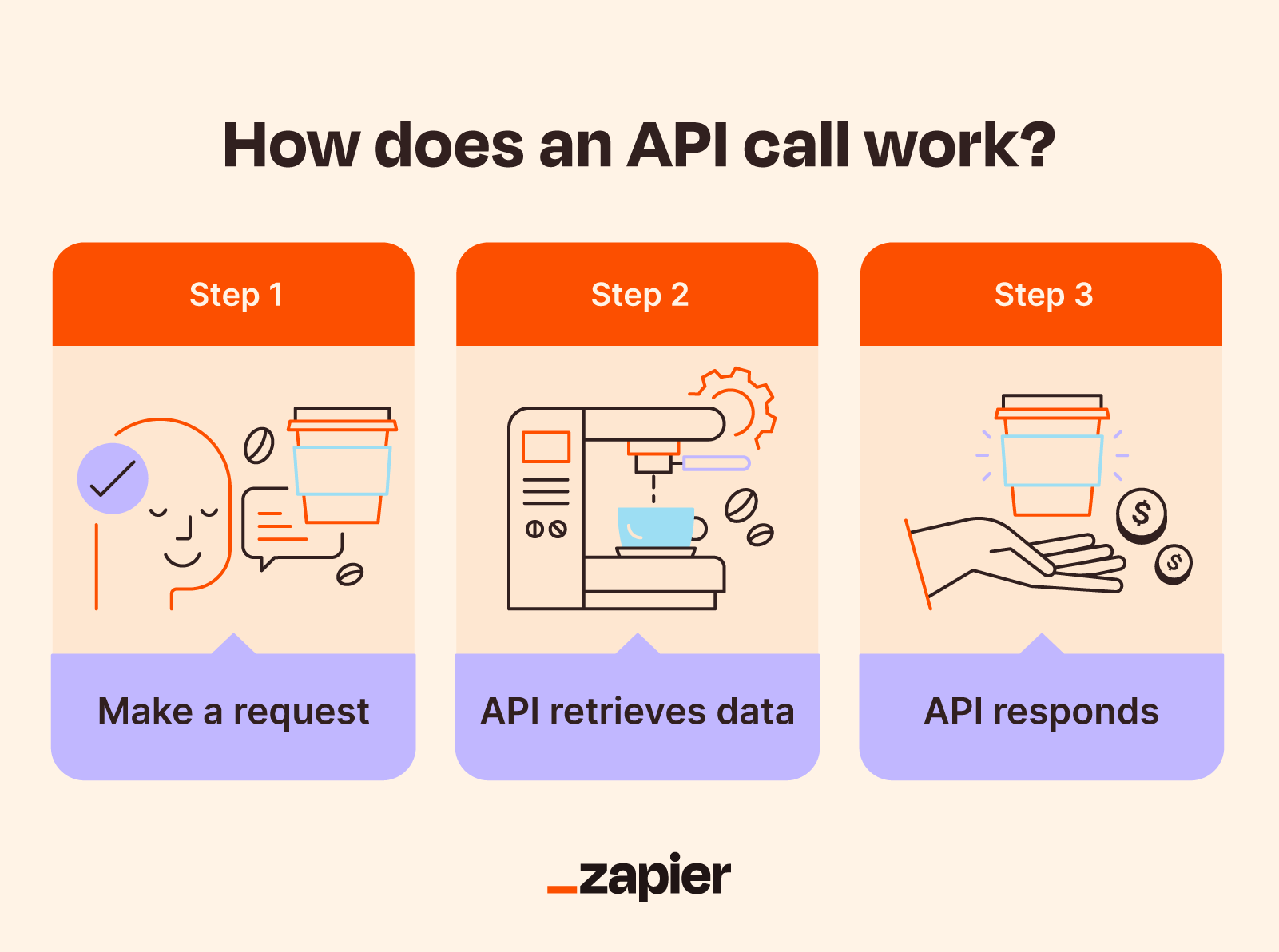
How It Works: Step-by-Step Workflow
To understand how Model Context Protocol operates in practice, let's walk through a real-world scenario: asking an AI to "Summarize my unread Slack messages from the marketing channel and create a to-do list."
Step 1: Request Interpretation
The AI client receives your natural language request and breaks it down into discrete tasks:
- Retrieve unread messages from a specific Slack channel
- Analyze and summarize the content
- Generate a structured to-do list
- Optionally, save the list to a task management tool
Step 2: Server Identification
The MCP client identifies which servers are needed to complete the workflow. In this case:
- Slack MCP server (for message retrieval)
- Task management MCP server (for creating the to-do list)
The client verifies that it has the necessary authentication and permissions for each server.
Step 3: Data Retrieval
The client sends a standardized request to the Slack MCP server:
- Specifies the marketing channel
- Requests unread messages only
- Includes authentication credentials
The Slack server processes the request, retrieves the messages, and returns them in a standardized format that the AI can process.
Step 4: AI Processing
With the raw message data now available, the AI model:
- Analyzes the content of each message
- Identifies key themes, action items, and priorities
- Generates a coherent summary
- Structures action items into a to-do list format
Step 5: Action Execution
The client sends the structured to-do list to the task management MCP server with instructions to create new tasks. The server:
- Creates individual tasks in your task management system
- Sets appropriate priorities and due dates
- Returns confirmation of successful creation
Step 6: Response Delivery
The AI presents you with:
- The summary of Slack messages
- Confirmation that tasks were created
- Links to view the tasks in your task management system
This entire workflow happens in seconds, with the AI orchestrating multiple tool interactions through the standardized MCP protocol.
Real-World Applications and Use Cases
Model Context Protocol enables practical workflows that were previously impossible or required extensive manual effort. Here are concrete examples across different domains:
📊 Business Intelligence and Reporting
Query: "Analyze our Q3 sales data, identify the top-performing products, and create a presentation for tomorrow's executive meeting."
Traditional Approach:
- Log into database system
- Write and execute SQL queries
- Export data to spreadsheet
- Create charts and analysis
- Build presentation slides
- Save and share presentation
- Time required: 2-3 hours
With MCP:
- AI accesses database through MCP server
- Performs analysis and generates insights
- Creates formatted presentation
- Saves to shared drive and sends calendar invite
- Time required: 2-3 minutes
Key benefits:
- Eliminates manual data extraction and formatting
- Ensures analysis uses the most current data
- Reduces errors from manual data handling
- Frees analysts to focus on strategic interpretation
💼 Project Management and Coordination
Query: "What's blocking the Alpha Project, and what actions do we need to take this week?"
Traditional Approach:
- Open project management tool
- Review task status across multiple boards
- Check team member assignments
- Identify blockers manually
- Create follow-up tasks
- Send status update to stakeholders
- Time required: 30-45 minutes
With MCP:
- AI queries project management system
- Identifies tasks marked as blocked
- Analyzes dependencies and assignments
- Generates action plan with specific next steps
- Creates follow-up tasks and assigns owners
- Sends summary to relevant stakeholders
- Time required: 1-2 minutes
Key benefits:
- Real-time project visibility without manual status checks
- Proactive identification of blockers and risks
- Automated task creation and assignment
- Consistent stakeholder communication
📱 Personal Productivity and Scheduling
Query: "Find a time for me to meet with Sarah and John next week to discuss the marketing campaign, and send them an invite."
Traditional Approach:
- Check your calendar for availability
- Email Sarah and John to request their availability
- Wait for responses
- Find overlapping free time
- Create calendar event
- Send invitations
- Time required: Multiple hours across several days
With MCP:
- AI checks all three calendars simultaneously
- Identifies optimal meeting time based on preferences
- Creates calendar event with agenda
- Sends invitations with one-click acceptance
- Time required: 30 seconds
Key benefits:
- Eliminates back-and-forth scheduling emails
- Respects time zone differences automatically
- Considers meeting preferences and working hours
- Reduces scheduling friction for all participants
🎯 Customer Support and Service
Query: "Pull up the customer history for account #12345, identify their recent issues, and draft a personalized response addressing their concerns."
Traditional Approach:
- Log into CRM system
- Search for customer account
- Review interaction history across multiple systems
- Check order status and support tickets
- Draft response manually
- Time required: 10-15 minutes per customer
With MCP:
- AI retrieves complete customer history from CRM
- Analyzes past interactions and current issues
- Generates personalized, context-aware response
- Suggests proactive solutions based on patterns
- Time required: 1-2 minutes per customer
Key benefits:
- Faster response times improve customer satisfaction
- Consistent quality across all support interactions
- Proactive issue resolution based on historical patterns
- Support agents handle more complex cases requiring human judgment
Bringing MCP to Life: The Role of AI Agents
While Model Context Protocol provides the standardized infrastructure for AI-tool communication, you need an intelligent agent to orchestrate these capabilities effectively. The protocol defines how AI can connect to tools, but the agent determines which tools to use, when to use them, and how to combine them to achieve your goals.
This is where agentic AI platforms become essential. An effective MCP-compatible agent must:
- Understand complex, multi-step goals – Parse natural language requests into actionable workflows
- Select appropriate tools – Identify which MCP servers are needed for each task
- Orchestrate sequences – Execute operations in the correct order with proper error handling
- Maintain context – Remember previous interactions and user preferences
- Provide transparency – Explain what actions it's taking and why
Jenova is built specifically to serve as this intelligent orchestration layer for MCP. Rather than simply connecting to tools, Jenova acts as a sophisticated agent that can:
- Execute complex workflows – Handle multi-step tasks that require coordinating multiple tools in sequence
- Scale reliably – Support extensive tool integrations without performance degradation
- Work with any AI model – Compatible with GPT, Claude, Gemini, and other leading models
- Maintain security – Implement proper authentication and permission management across all connections
For example, when you ask Jenova to "Analyze our Q3 sales data from the database, generate a report, and share it in the #sales Slack channel," it:
- Identifies the three required operations (database query, report generation, Slack posting)
- Executes them in the correct sequence
- Handles authentication for each service
- Manages data flow between steps
- Provides confirmation and error handling
This level of orchestration transforms MCP from a technical protocol into a practical tool that delivers real value for everyday users.
Frequently Asked Questions
Is Model Context Protocol free to use?
Yes, MCP is an open standard released by Anthropic. Developers can implement MCP servers and clients without licensing fees. However, the AI platforms and tools that use MCP may have their own pricing models. For example, Jenova offers both free and paid tiers, with the free tier providing full access to MCP-enabled features with daily usage limits.
How is MCP different from traditional API integrations?
Traditional API integrations require custom development for each AI-tool combination. If you want to connect three AI systems to five tools, you need 15 separate integrations. MCP provides a universal standard—build one MCP server for your tool, and any MCP-compatible AI can use it immediately. This dramatically reduces development time and maintenance burden.
Can MCP access my private data securely?
Yes, MCP includes standardized security protocols including OAuth 2.0 authentication, granular permissions, and encrypted communication. You control exactly what data and actions the AI can access. All MCP connections require explicit user authorization, and you can revoke access at any time through standard permission management.
Do I need technical knowledge to use MCP-enabled AI?
No, MCP operates behind the scenes. As an end user, you simply interact with your AI assistant using natural language. The AI handles all the technical details of connecting to tools and executing actions. You'll experience the benefits (real-time data access, automated workflows) without needing to understand the underlying protocol.
Does MCP work on mobile devices?
Yes, MCP is a protocol standard that works across all platforms. MCP-enabled AI assistants function on mobile devices, desktops, and web browsers. The protocol handles communication between the AI and tools regardless of what device you're using to interact with the AI.
How does MCP compare to other AI integration approaches?
MCP is the first open, standardized protocol specifically designed for AI-tool communication. Previous approaches relied on custom integrations (expensive and limited), function calling (model-specific and not standardized), or plugins (platform-locked). MCP's open standard approach means any developer can build compatible tools, and any AI can use them—creating a true ecosystem rather than a walled garden.
The Future of Connected AI
Model Context Protocol represents a fundamental shift in how AI systems interact with the digital world. By establishing a universal standard for AI-tool communication, MCP eliminates the fragmentation and limitations that have constrained AI capabilities.
The implications extend far beyond technical convenience. MCP enables AI to evolve from isolated knowledge bases into active agents that can:
- Access real-time information from any connected source
- Execute complete workflows across multiple tools
- Maintain context across complex, multi-step tasks
- Operate securely with standardized authentication
- Scale to support unlimited tool integrations
As more developers build MCP servers for their applications and more AI platforms adopt the protocol, users will experience AI assistants that finally deliver on the promise of intelligent automation. The tedious work of switching between applications, copying data, and manually executing steps will fade away, replaced by natural language requests that trigger complete, automated workflows.
The next time your AI assistant seamlessly pulls information from your database, generates a report, and shares it with your team—all from a single request—you'll be experiencing the transformative power of the Model Context Protocol.