Free AI for TXT Doc Generator: Create Professional Plain Text Documents Without Formatting Expertise
2025-12-24
Plain text files remain the backbone of digital infrastructure in 2025. From configuration files powering cloud servers to documentation guiding development teams, the humble .txt file continues to be indispensable. According to Rivery's big data analysis, the global datasphere reached 149 zettabytes in 2024 and is projected to hit 181 zettabytes by 2025—with plain text files forming a critical foundation of this data ecosystem.
Yet creating well-structured, readable plain text documents remains surprisingly challenging. Unlike rich text formats with visual formatting tools, plain text requires understanding conventions that vary dramatically by document type. Meeting notes need different structures than system logs. Technical documentation demands different hierarchies than project outlines.
Free AI for TXT Doc Generator eliminates this complexity entirely. Over 183,000 users have used this AI-powered tool through Jenova's free tier to generate professional notes, logs, scripts, and documentation—saving an average of 47 minutes per document compared to manual formatting methods.
What this free AI delivers:
✅ Automatic document type recognition – Identifies notes, logs, scripts, and documentation without instruction
✅ Intelligent plain text formatting – Applies proper hierarchy, whitespace, and structure instantly
✅ Universal compatibility – Creates files readable on any device, any platform, any text editor
✅ Multi-source input – Transforms raw text, URLs, or mixed sources into organized documents
✅ Iterative refinement – Request specific changes while maintaining structural integrity
Quick Answer: What Is Free AI for TXT Doc Generator?
Free AI for TXT Doc Generator is an AI-powered plain text formatting tool available through Jenova's free tier that transforms raw content into well-structured TXT files with appropriate conventions applied automatically. Instead of manually figuring out indentation, section dividers, and hierarchy, you describe what you need and receive professionally organized plain text documents in seconds.
Core capabilities:
- Recognizes document types automatically (notes, logs, scripts, documentation, lists)
- Applies appropriate plain text conventions without instruction
- Organizes content with clear hierarchy and section breaks
- Generates universally compatible TXT files that work everywhere
- Supports iterative refinement while preserving structure
The 2025 Plain Text Renaissance: Why Simple Formats Matter More Than Ever
Plain text is experiencing a remarkable resurgence in 2025. As Lambert AI's analysis on Medium notes, there's a growing movement toward documentation that prioritizes substance over style—and plain text sits at the heart of this shift.
📊 The Enduring Value of Plain Text
According to NinjaOne's technical overview, plain text offers three fundamental advantages that no proprietary format can match:
Universality – Plain text can be read and edited on any device with a text editor, making it an extremely versatile format
Human readability – Plain text is easily readable by humans without requiring specialized software
Lightweight – Plain text files are typically small in size, leading to efficient storage and quick transmission
The Lenovo glossary on text files confirms these benefits, noting that plain text files are "less likely to become corrupted or unreadable over time" because they're not tied to specific software versions or platforms.
🔮 Plain Text and the AI Revolution
Perhaps the most compelling reason for plain text's resurgence is its compatibility with AI systems. As Tech•sistence's analysis explains:
**"Content written in Markdown can be directly processed by Large Language Models. This means that the text can be processed while preserving formatting."
**The same principle applies to plain text. When you need AI to understand, transform, or analyze your documents, plain text provides frictionless access. No conversion needed. No proprietary format barriers. Just text that any AI can read instantly.
Tyler Folkman's Substack captures this perfectly:
**"Why am I building a database when AI already speaks markdown fluently?"
**The answer for many users is: you shouldn't. Plain text and markdown files, stored simply and accessed easily, often outperform complex proprietary systems.
⏱️ The Hidden Cost of Manual Plain Text Formatting
Despite its simplicity, creating well-formatted plain text is surprisingly time-consuming. According to Sematext's log formatting guide, proper log formatting requires:
- Consistent structure – Every log entry following the same format
- Strategic timestamps – ISO 8601 format for universal interpretation
- Clear hierarchy – Proper indentation and section organization
- Meaningful metadata – Contextual information that aids searchability
Middleware's log formatting guide confirms that without standardized formatting:
**"Logs can become challenging to understand, making it more difficult to find problems and automate log processing."
**The same challenges apply to meeting notes, technical documentation, project outlines, and any other plain text document type.
The Solution: Free AI for TXT Doc Generator
Free AI for TXT Doc Generator transforms plain text formatting from manual craft to automated intelligence—available to everyone through Jenova's free tier. Instead of learning conventions for each document type, you provide content and receive professionally structured plain text files instantly.
| Traditional Approach | Free AI for TXT Doc Generator |
|---|---|
| Manual formatting decisions | Automatic convention recognition |
| Inconsistent structure | Standardized, professional formatting |
| Time-consuming organization | Instant generation |
| Requires formatting expertise | Works with any content input |
| Trial-and-error spacing | Optimized readability |
| Desktop-only workflows | Mobile-accessible from any device |
🧠 Intelligent Document Type Recognition
The tool analyzes content context to identify document type and applies appropriate conventions:
Notes/Documentation:
- Clear section headers using
===or--- - Hierarchical indentation for nested content
- Consistent bullet points and numbering
Lists:
- Organized with
-,*, or numbered formats - Logical grouping of related items
- Proper spacing for readability
Scripts/Code:
- Proper indentation for structure
- Clear comments and annotations
- Logical organization of sections
Logs/Records:
- Chronological or categorical organization
- Consistent entry format with timestamps
- Clear separation between entries
Outlines:
- Hierarchical structure using indentation
- Consistent numbering schemes
- Clear parent-child relationships
This recognition happens automatically—no manual specification required.
🎨 Professional Plain Text Formatting Standards
Free AI for TXT Doc Generator applies proven plain text conventions automatically:
Strategic Whitespace:
- Line breaks between major sections for visual separation
- Paragraph spacing for readability
- Consistent indentation depth for hierarchy
Clear Section Dividers:
===for major section headers---for subsection breaks***for minor divisions
Effective Emphasis:
- CAPS for critical terms or warnings
- Asterisks for moderate emphasis
- Underscores for subtle highlighting
Structured Lists:
- Consistent bullet symbols (
-,*,+) - Logical numbering schemes (1., a., i.)
- Proper indentation for nested items
📄 Universal Compatibility
Plain text's greatest strength is universal accessibility—files created by Free AI for TXT Doc Generator work everywhere:
- Cross-platform: Windows, macOS, Linux, mobile devices
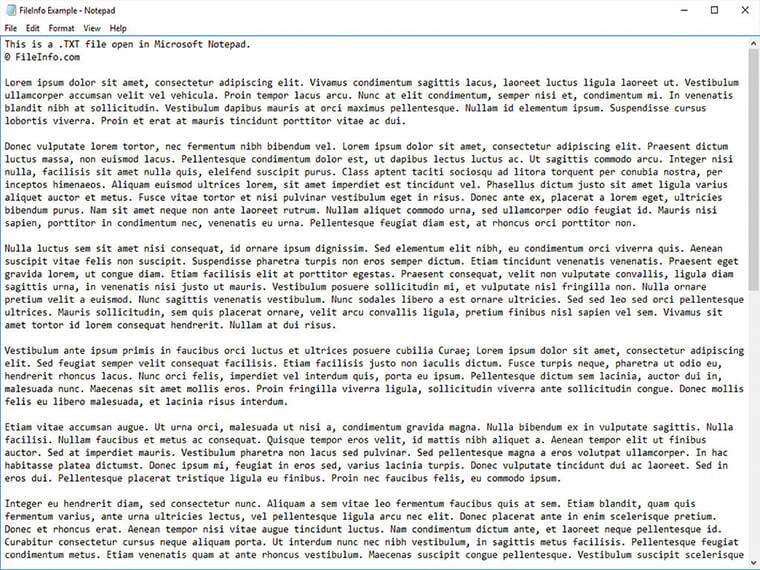
- Any text editor: Notepad, TextEdit, Vim, VS Code, or any basic editor
- Long-term preservation: Plain text remains readable decades later, unlike proprietary formats
- System integration: Configuration files, logs, and scripts work seamlessly with software
- AI-ready: Any AI system can read and process plain text instantly
📥 Flexible Input Processing
The AI accepts content in any form:
- Raw text dumps
- Structured briefs or outlines
- URLs to web content
- Mixed sources (text + links + notes)
The tool synthesizes information, organizes structure, and generates professional output regardless of input format.
How It Works: Your Complete Plain Text Document Workflow
Creating professional plain text documents with Free AI for TXT Doc Generator requires no technical expertise or formatting knowledge.
Step 1: Provide Your Content
Share content in any format—paste raw text, provide URLs, upload notes, or describe what you need.
Example requests:
- "Create meeting notes for Q1 planning session covering budget review, team assignments, and action items."
- "Generate a project outline for the new website redesign with phases, milestones, and deliverables."
- "Create a system log template for tracking server maintenance activities."
No need to specify formatting preferences or document structure—the AI handles optimization automatically.
Step 2: AI Analyzes and Structures
Behind the scenes, the tool performs sophisticated analysis:
- Document type identification – Recognizes whether you need notes, logs, documentation, or other format
- Structure optimization – Applies appropriate organization for your document type
- Hierarchy creation – Establishes clear section levels and relationships
- Whitespace optimization – Balances content density with readability
- Convention application – Uses proper dividers, bullets, and formatting
All of this happens in seconds, not hours.
Step 3: Professional Formatting Applied
The tool generates your plain text document with all formatting elements in place:
- Clear section headers with appropriate dividers
- Hierarchical indentation for nested content
- Strategic whitespace for readability
- Consistent bullet points or numbering
- Emphasis techniques where appropriate
All formatting follows established conventions for your document type.
Step 4: Review and Refine
Receive your professionally formatted plain text file immediately. If adjustments are needed, request specific changes:
- "Make the action items section more prominent"
- "Add more spacing between major sections"
- "Convert the bullet list to numbered format"
- "Add a summary section at the top"
The tool reviews the previous version and applies your revisions while maintaining overall structural integrity.
Step 5: Use Anywhere
Your document is ready for immediate use—open it in any text editor on any platform. The universal compatibility ensures your content works everywhere:
- Share via email without attachment compatibility concerns
- Store in version control systems like Git
- Process with AI tools for further analysis
- Archive for long-term preservation
- Integrate with any software system
Real Results: How Users Are Achieving Plain Text Document Breakthroughs
📊 Technical Documentation
Scenario: Software team needs API documentation in plain text format for version control system.
Traditional Approach:
- Developer manually formats documentation
- 2-3 hours ensuring consistent structure and proper indentation
- Multiple revision cycles to fix formatting inconsistencies
- Risk of documentation becoming unreadable over time
Free AI for TXT Doc Generator:
- Provide API specifications and examples
- Receive professionally structured documentation with:
- Clear section hierarchy (
===for major sections,---for subsections) - Properly indented code examples
- Consistent parameter descriptions
- Logical organization of endpoints
- Clear section hierarchy (
- Documentation ready in minutes
Over 183,000 users have used this approach to create professional plain text documents without formatting expertise.
💼 Meeting Notes & Records
Scenario: Project manager needs consistent format for weekly team meeting notes.
Traditional Approach:
- Manually type notes during meeting
- 20-30 minutes reformatting for clarity and consistency
- Inconsistent structure across different meetings
- Difficulty finding information later
Free AI for TXT Doc Generator:
- Provide meeting topics and discussion points
- Receive structured notes with:
- Date and attendee information at top
- Clear section headers for each agenda item
- Bullet points for discussion highlights
- Numbered action items with assignments
- Consistent formatting across all meetings
- Professional meeting records generated instantly
📱 System Logs & Configuration Files
Scenario: System administrator needs to create configuration file for server deployment.
Traditional Approach:
- Reference documentation manually
- Type configuration with proper syntax
- Debug formatting errors
- Risk of configuration failures due to formatting mistakes
Free AI for TXT Doc Generator:
- Describe configuration requirements
- Receive properly formatted file with:
- Clear section comments
- Consistent indentation for nested settings
- Logical grouping of related parameters
- Inline documentation for complex options
- Configuration file ready for deployment with minimal risk of formatting errors
🎯 Project Outlines & Planning
Scenario: Team lead needs hierarchical project outline for task management system.
Traditional Approach:
- Create outline in word processor
- Manually convert to plain text
- Adjust indentation and structure
- Multiple iterations to get hierarchy right
Get started with Free AI for TXT Doc Generator:
- Provide project scope and task breakdown
- Receive structured outline with:
- Multi-level hierarchy using consistent indentation
- Numbered sections and subsections
- Clear parent-child relationships
- Logical task grouping
- Plain text outline that integrates seamlessly with project management tools and version control
🌐 Additional Use Cases
README Files:
- Clear project descriptions
- Installation instructions
- Usage examples
- Contribution guidelines
Changelog Documents:
- Version-organized updates
- Consistent entry format
- Clear categorization (Added, Changed, Fixed, Removed)
Script Comments:
- Inline documentation
- Function descriptions
- Usage examples
Data Exports:
- Structured data in readable format
- Consistent field organization
- Easy parsing for further processing
The Plain Text Advantage in 2025
Understanding why plain text matters requires examining broader trends in documentation and knowledge management.
📊 The Docs-as-Code Movement
According to TimelyText's analysis, the "Docs as Code" approach is transforming how organizations handle documentation:
**"Documentation stored as plain text files can be easily indexed and searched, making it faster for users to find the information they need."
**Key benefits of plain text in this context:
- Version Control – Track changes, collaborate on updates, maintain complete history
- Collaboration – Writers and developers work with same tools and processes
- Automation – Documentation automatically generated and deployed
- Consistency – Plain text formats enforce consistent structure
- Searchability – Content easily indexed and searched
🔮 AI-Ready Documentation
As Ryan Elston's analysis explains, plain text is uniquely positioned for the AI era:
**"All of the qualities that make plain text markdown files so easy to search and index also make it the perfect medium for any AI use cases you might have."
**This means your plain text documents are:
- Instantly processable by any AI system
- Ready for semantic search and analysis
- Compatible with future AI tools
- Never locked into proprietary formats
📁 Long-Term Digital Preservation
According to TapeReal's digital archiving best practices, choosing the right format is critical for long-term preservation:
**"Choose widely-used, open file formats like UTF-8 for plain text... These formats are less likely to become obsolete and ensure compatibility."
**Plain text offers:
- Durability – Readable decades from now
- Portability – Works on any system
- Independence – No software dependencies
- Simplicity – No complex encoding to fail
Free AI for TXT Doc Generator creates documents built to last—accessible today and preserved for tomorrow.
Frequently Asked Questions
Is Free AI for TXT Doc Generator really free?
Yes. Free AI for TXT Doc Generator is available through Jenova's free tier with daily usage limits. Free users get full access to all features—automatic document type recognition, intelligent formatting, multi-source input, and iterative refinement. Paid subscribers receive significantly higher usage limits for power users. Visit www.jenova.ai for specific tier details.
How is this different from just typing in Notepad?
Unlike basic text editors that provide only characters with no formatting guidance, Free AI for TXT Doc Generator understands document types and applies appropriate conventions automatically. It recognizes whether you're creating meeting notes, system logs, or technical documentation—and structures your content accordingly. The result is professionally organized plain text that's readable, searchable, and properly structured.
Can it handle complex hierarchical content?
Yes. The tool excels at organizing multi-level content using proper indentation, numbering schemes, and structural conventions. It handles nested lists, hierarchical outlines, and complex documentation structures automatically.
Does it work on mobile devices?
Yes. Free AI for TXT Doc Generator is accessible via Jenova's iOS and Android apps. Generate plain text files on any device, and files work universally across all platforms.
Is the formatting output consistent across different document types?
Yes. The AI applies appropriate conventions specific to each document type while maintaining consistent professional quality. Meeting notes receive different structural treatment than system logs, but both meet professional formatting standards for their respective categories.
Can I revise documents after initial generation?
Absolutely. Free AI for TXT Doc Generator reviews previous versions before applying revisions, ensuring accurate iteration. Request specific changes—adjust section prominence, modify spacing, refine hierarchy—and receive an updated document that maintains overall structural integrity.
Why plain text instead of Word or PDF?
Plain text offers unique advantages: universal compatibility (works on any device), long-term durability (readable decades from now), AI-readiness (any AI can process it instantly), and simplicity (no software dependencies). For notes, logs, scripts, and documentation, plain text often provides the best balance of functionality and accessibility.
Why This Matters: The Universal Format for the AI Age
Plain text is experiencing a renaissance because it solves problems that proprietary formats cannot. In an era where:
- AI systems need to read your documents – Plain text provides frictionless access
- Long-term preservation matters – Plain text remains readable indefinitely
- Cross-platform compatibility is essential – Plain text works everywhere
- Simplicity beats complexity – Plain text focuses on content, not formatting
Free AI for TXT Doc Generator brings intelligent plain text formatting to everyone—for free. Whether you're documenting code, organizing notes, creating configuration files, or structuring project outlines, you can access the same professional document quality that previously required formatting expertise.
Transform Your Plain Text Documents Today
Professional plain text documents communicate clarity, organization, and attention to detail. Yet creating them has traditionally required understanding conventions that vary by document type.
Free AI for TXT Doc Generator eliminates this barrier entirely. No more wrestling with formatting conventions. No more inconsistent structure. No more time wasted on manual organization. Just describe what you need and receive professionally formatted plain text documents in seconds.
Over 183,000 users have already discovered how AI-powered plain text formatting transforms their workflow. Whether you're creating technical documentation, meeting notes, system logs, or project outlines, try Free AI for TXT Doc Generator and experience professional plain text document creation the way it should have always worked.
References:
- Rivery - Big Data Statistics: How Much Data Is There in the World?
- NinjaOne - What Is Plain Text?
- Lenovo - What is a Text File?
- Lambert AI - Make Docs Ugly Again: Is Markdown the New UX?
- Tech•sistence - Plain Text Is What You Need. But Why?
- Tyler Folkman - The Plain Text System That Made AI Actually Useful
- Sematext - Log Formatting: 8 Best Practices for Better Readability
- Middleware - Log Formatting Guide: Best Practices for Structured Logging
- TimelyText - Docs as Code: The Future of Seamless Documentation
- Ryan Elston - Why I Use Markdown, and Why You Should Too
- TapeReal - 6 Best Practices for Digital Content Archiving 2024
- Marcus Quinn - Markdown: Why You Should Learn It