Free AI for Graphic Design: Create Professional Logos, Social Content & Brand Assets Without Hiring a Designer
2026-03-18
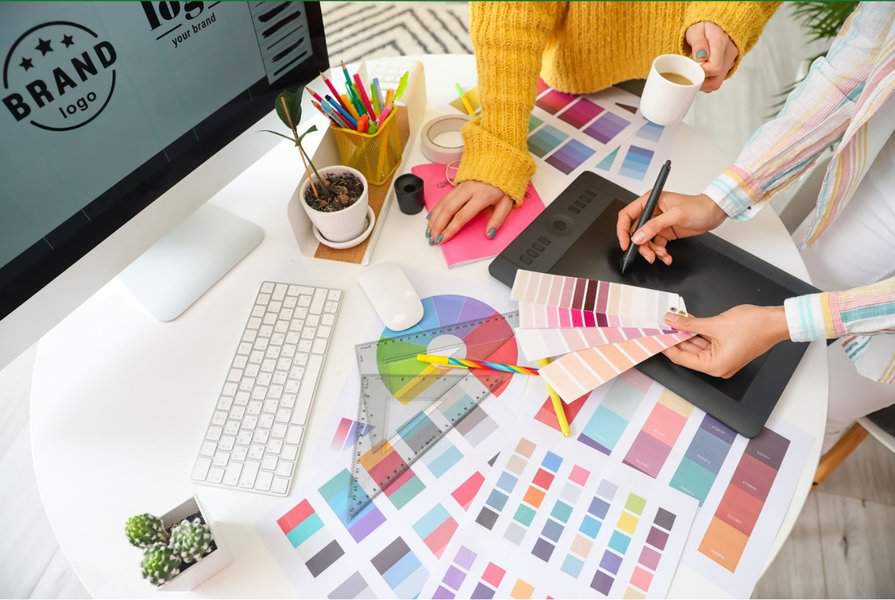
Need a free AI for graphic design that thinks like a creative director, not a template engine? AI Graphic Designer creates professional logos, marketing materials, social media content, infographics, and complete brand identity systems through natural conversation — no Photoshop skills, no freelancer invoices, no week-long turnaround times. While 88% of businesses now use AI design tools in some capacity, most produce generic, template-driven output that looks identical to everything else. This AI understands composition, typography, color theory, and platform-specific conventions to deliver work that actually converts.
Why over 19,000 businesses and creators rely on it:
- ✅ Free to start — create logos, social graphics, and marketing assets at no cost
- ✅ Design intelligence — understands visual hierarchy, brand positioning, and audience psychology
- ✅ Brand memory — remembers your colors, fonts, and style across every project
- ✅ Expert critique — upload existing designs and get actionable, specific feedback
The graphic design industry is worth nearly $60 billion in 2026 — but accessing professional design remains prohibitively expensive for most businesses. Here's why that's changing.
Quick Answer: What Is AI Graphic Designer?
AI Graphic Designer is a free, expert AI design partner that creates professional visual content — logos, social media graphics, marketing materials, infographics, and brand systems — through natural conversation. Unlike template tools, it applies design principles like a senior creative director.
Key capabilities:
- Creates complete brand identities from scratch (logos, color palettes, typography systems, usage guidelines)
- Generates platform-optimized social media content (Instagram, LinkedIn, YouTube, Pinterest)
- Designs marketing materials (posters, flyers, digital ads, pitch decks, presentations)
- Builds clear data visualizations and infographics
- Provides expert-level critique with specific, actionable improvement suggestions
The Design Accessibility Crisis: A $59 Billion Industry Most Businesses Can't Afford
Visual content has never been more critical to business success. Adobe's research found that 95.2% of content leaders consider visual content critical in their business, with content needs growing 5×–20× year over year. Yet the cost of producing that content remains a significant barrier.
**$59.29 billion** — [Global graphic design market size in 2026](https://www.mordorintelligence.com/industry-reports/graphic-design-market), growing at 7.6% CAGR to reach $85.53 billion by 2031
The demand is real. But so is the gap between what businesses need and what they can afford.
What Professional Design Actually Costs in 2026
According to ManyPixels' 2026 pricing analysis and GoodFirms' cost guide, here's the reality:
| Design Type | Freelancer Cost | Agency Cost |
|---|---|---|
| Logo Design | $200–$800 | $800–$2,500+ |
| Visual Identity System | $100–$3,000 | $5,000–$15,000+ |
| Social Media Graphics | $50–$650/batch | Higher |
| Landing Page Design | $600–$3,000 | $3,000+ |
| Pitch Deck | $500–$1,500 | $3,000–$10,000 |
| Web Design | $5,000–$30,000+ | Higher |
Freelance designers charge $25–$150 per hour, while agencies routinely bill **$3,000+ per project** before a single concept is presented. For a startup needing a logo, social templates, and a pitch deck, the minimum investment easily exceeds $5,000.
The Collaboration Problem Is Just as Expensive as the Design
Even when budget isn't the constraint, working with designers introduces friction that costs time and productivity. Clutch's March 2026 survey of 403 U.S. businesses identified the most common pain points:
- Brand misalignment — 19% of businesses cite this as their top challenge
- Unclear communication — 17% struggle to translate vision into designer-speak
- Slow turnaround times — 17% report delays that stall campaigns
- Inconsistent quality — 15% experience variable results between projects
- Missed deadlines — 14% deal with delivery failures
As Miša Vučković, Head of Growth at Flow Ninja, explained to Clutch: "Every design decision should serve a purpose and drive toward a specific result. When aesthetics become the priority over strategy, that's where the disconnect happens between what's designed and what actually works."
The Social Content Treadmill
The fastest-growing design need in 2026 is social media content, with 50% of businesses reporting increased demand over the past year. Marketing assets (flyers, ads, banners) follow at 42%. Modern marketing demands constant visual output — but traditional design workflows weren't built for this pace.
A free AI for graphic design that produces brand-consistent, platform-optimized content in seconds — not days — fundamentally changes who can compete visually.
How AI Graphic Designer Eliminates These Barriers
AI Graphic Designer isn't a filter app or a template library. It's a genuine creative partner that understands design principles and applies them to your specific needs — through conversation, not complex software.
| Traditional Design Workflow | AI Graphic Designer |
|---|---|
| $200–$800 per logo, days for first draft | Unlimited concepts in seconds, free to start |
| Separate briefing for each project | Remembers your brand across every session |
| 2–3 revision rounds (each adds cost) | Unlimited iterations through natural conversation |
| Designer availability constraints | Available 24/7, instant response |
| Quality varies between providers | Consistent expert-level output |
| Brand misalignment requires re-briefing | Learns your positioning and applies it automatically |
Design Intelligence, Not Template Filling
Unlike basic AI image generators that produce generic outputs, AI Graphic Designer activates category-specific expertise for each request:
Brand Identity Projects: When you ask for a logo, it explores your industry, values, target audience, and competitive landscape before generating concepts. It understands that a luxury brand demands restraint and whitespace, while a children's education startup needs warmth and approachability.
Social Media Content: It knows that a YouTube thumbnail needs high contrast and readable text at small sizes, that Instagram carousels follow specific aspect ratios, and that LinkedIn posts perform differently with certain visual styles.
Data Visualization: For infographics and reports, it switches to information design thinking — ensuring your data communicates clearly rather than just looking attractive.
Adaptive to Your Experience Level
Whether you're a complete beginner or an experienced designer, this AI adapts:
- Beginners: Plain-language guidance, strong defaults, and explanations of why certain design decisions work
- Marketing teams: Fast iteration, brand-consistent output, platform-specific formatting
- Experienced designers: Technical shorthand, peer-level collaboration, and rapid concept exploration
Step-by-Step: Using the Free AI for Graphic Design
Using AI Graphic Designer is as simple as having a conversation. Here's how different workflows unfold:
Step 1: Describe What You Need
Start with natural language — no design jargon required. The AI asks smart follow-up questions to understand what makes your project unique.
"I'm launching a plant-based meal delivery service called 'Verdant.' We want to feel fresh and modern — not hippie or preachy. Target audience is busy professionals aged 25–40."
Step 2: Explore Creative Directions
The AI presents 2–3 distinct conceptual directions verbally — describing the mood, style, and concept of each — before generating anything. You select, combine, or redirect.
"Direction A: Clean geometric leaf mark with a sans-serif wordmark — minimal, premium feel. Direction B: Hand-drawn botanical illustration with organic typography — warm, artisanal. Direction C: Abstract 'V' monogram with gradient greens — tech-forward, modern."
Step 3: Generate and Iterate
Once you've chosen a direction, the AI generates concepts. Refine through conversation:
"Make the leaf icon more geometric and try it with a warmer green palette" "Can we see it on a dark background?" "Add a tagline: 'Eat well. Live better.'"
Step 4: Extend to a Full Brand System
After finalizing the logo, the tool naturally extends to color palettes, typography recommendations, and usage guidelines — building a complete visual identity.
Step 5: Create Ongoing Content
With your brand established, generate on-brand content for any platform through quick requests:
"Create an Instagram post announcing our spring menu launch" "Design a LinkedIn banner for our company page" "Make a flyer for our pop-up event this Saturday"
Real-World Use Cases
🚀 Startup Founder: Complete Brand Launch in One Afternoon
Scenario: A founder is launching a direct-to-consumer skincare brand and needs a complete visual identity — logo, color palette, social media templates, and packaging concepts — before a pitch meeting in 48 hours.
Traditional approach: 2–3 weeks with a freelancer, $2,000–$5,000 minimum, multiple revision rounds. Rush fees would double the cost.
With AI Graphic Designer:
- Complete logo exploration and finalization in one session
- Color palette and typography system generated automatically
- Social media templates created for Instagram, LinkedIn, and Pinterest
- Packaging concepts ready for discussion with a manufacturer
- Total time: 3–4 hours of conversation
📱 Content Creator: Consistent Visual Identity Across Platforms
Scenario: A YouTube creator with 50K subscribers needs to maintain a cohesive visual identity across thumbnails, Instagram posts, Twitter graphics, and channel art — without spending hours in Canva every day.
Traditional approach: Template fatigue, inconsistent results, 1–2 hours daily on graphics alone.
With this AI-powered solution:
- Establish visual style once — colors, fonts, layout preferences
- Generate on-brand thumbnails and social content through quick requests
- Maintain consistency without manual effort
- Reclaim 8–10 hours per week for actual content creation
💼 Marketing Team: Campaign Asset Production at Scale
Scenario: A 3-person marketing team needs 25+ variations of campaign assets across platforms — Instagram stories, LinkedIn posts, email headers, web banners, event signage — all brand-consistent and delivered this week.
Traditional approach: Overwhelm the in-house designer (if you have one) or pay rush fees to an agency. Budget: $3,000–$8,000.
With AI Graphic Designer:
- Generate all variations through conversation
- Maintain perfect brand consistency (the AI remembers your brand system)
- Iterate on underperforming assets in real-time based on campaign data
- Scale up or down instantly as campaign needs change
🎯 Small Business Owner: Professional Presence on Zero Budget
Scenario: A local bakery owner needs a professional logo, menu design, Instagram presence, and signage — but has no design budget and no design skills.
Traditional approach: DIY with free templates that look generic, or spend $1,500+ they can't afford.
With the assistant:
- Professional logo that reflects the bakery's personality and neighborhood character
- Menu layout optimized for readability and appetite appeal
- Instagram post templates that maintain brand consistency
- Print-ready signage designs
- Total cost: Free to start
Frequently Asked Questions
Is this AI for graphic design really free?
Yes. Jenova's free tier gives you access to AI Graphic Designer's core capabilities — logo creation, social media graphics, marketing materials, brand identity development, and design critique — with monthly usage limits. Paid plans starting at $20/month provide 30× more usage, custom model selection, and document export without watermarks.
How does AI Graphic Designer compare to Canva or Adobe Express?
Template-based tools like Canva require you to start from existing layouts and modify them manually. AI Graphic Designer generates original designs from your description, understands design principles at a deeper level, and iterates through natural conversation. It's the difference between filling in a template and working with a designer who creates custom work for your specific needs. It also provides expert critique — something no template tool offers.
Can it create logos I can use commercially?
Yes. Designs generated through the platform are yours to use commercially. The AI creates original work based on your specifications — not modified templates or stock assets.
Does it remember my brand across sessions?
Yes. Once you establish brand elements (colors, fonts, logo, style preferences), the AI remembers them and applies them automatically to future designs. This ensures consistency across all your visual content without re-explaining your brand every time.
What if I already have designs and just want feedback?
Upload any existing design and request critique. The AI provides specific, actionable feedback prioritized by impact — not vague comments like "feels cluttered," but concrete guidance: "The headline competes with the image because they're similar in visual weight — try increasing headline size by 30% or adding a semi-transparent overlay behind the text." It can then generate an improved version incorporating its recommendations.
What are its limitations?
The AI is transparent about what it handles well and what falls outside its strengths. For highly complex data visualizations with dense numerical tables, or for video and motion graphics, it will acknowledge these constraints and suggest appropriate alternatives.
Professional Design Is No Longer a Budget Question
The graphic design industry is undergoing a structural shift. Clutch's 2026 research found that while 88% of businesses now use AI design tools, only 18% say those tools have reduced their need for designers — because most AI tools handle only production-level tasks like background removal and ad variations. Strategic, brand-defining creative work still demands expertise.
AI Graphic Designer bridges that gap. It brings strategic design thinking — composition, typography, color theory, audience psychology — to anyone who needs it, regardless of budget or design experience. As Envato's 2026 State of AI in Creative Work report noted, nearly half of all creative professionals now use AI daily. The question isn't whether to use AI for design — it's whether the AI you're using actually thinks like a designer.
Over 19,000 businesses and creators have already used this free AI for graphic design to launch brands, scale content production, and maintain visual consistency — from solo entrepreneurs building their first logo to marketing teams producing dozens of campaign assets per week.
Start creating with AI Graphic Designer →
Ready to stop choosing between expensive designers and generic templates? Try AI Graphic Designer for free and create professional visual content through simple conversation.