Free AI for Grading Assistance: Rubric-Based Scoring, Actionable Feedback & Batch Assessment for Educators
2026-03-10
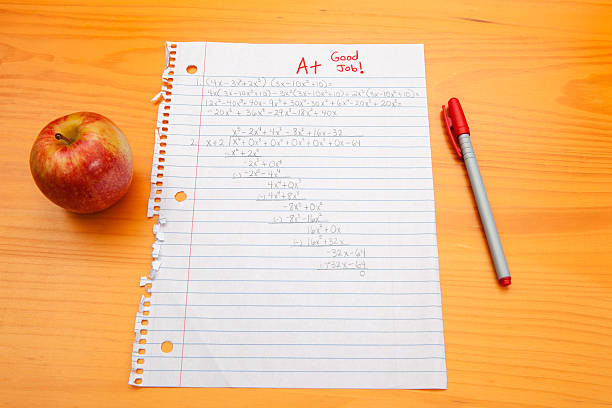
If you're searching for a free AI for grading assistance, AI Grading Assistant is built to help educators evaluate student work with rubric-anchored precision—without the price tag of traditional grading software. Over 8,500 educators have already used this tool to reclaim their evenings, produce higher-quality feedback, and maintain scoring consistency across hundreds of submissions. With teachers spending an average of 9.9 hours per week on grading alone, a free, accessible AI solution isn't a luxury—it's a necessity.
✅ Free tier available—start grading immediately with no credit card
✅ Rubric-first workflow that ties every score to defined criteria
✅ Evidence-cited feedback quoting exact student work
✅ Batch grading with automatic consistency checks
✅ One-click CSV gradebook export
To appreciate why thousands of educators are turning to free AI grading tools, it helps to look at the structural pressures driving this shift.
Quick Answer: What Is AI Grading Assistant?
AI Grading Assistant is a free AI-powered assessment tool that helps teachers and professors grade student work fairly and efficiently through rubric-based evaluation and growth-oriented, evidence-cited feedback.
Key capabilities:
- Collaboratively builds analytic, holistic, single-point, or standards-based rubrics
- Evaluates essays, math problem sets, code assignments, and creative projects against your criteria
- Generates specific feedback that cites exact phrases, problem numbers, and code sections
- Exports complete gradebooks as CSV files with scores and summary comments
- Flags scoring inconsistencies across student batches automatically
Why Educators Need a Free AI for Grading in 2026
The assessment workload crisis has intensified. According to PowerSchool's 2026 K-12 EdTech Pulse report, teacher workload and staff recruitment remain the most significant challenges facing schools—ranking above even financial concerns for classroom educators. Meanwhile, RAND's 2025 State of the American Teacher survey found that 53% of K-12 teachers report burnout, with workload consistently cited as a primary driver.
- Grading consumes over a full workday weekly — 9.9 hours per week on average
- 95% of teachers take grading home — blurring professional and personal boundaries
- 32% have considered leaving teaching — specifically because of grading demands
- Feedback quality degrades under time pressure — generic comments replace actionable guidance
📉 The Burnout-Feedback Spiral
When educators are exhausted, the first casualty is feedback quality. Research from Youngstown State University's 2025 survey of 336 educators found that 52% of teachers say AI tools have reduced their burnout, while the same percentage report that AI has made their teaching workload easier. Yet only 15% currently use AI grading or feedback tools—a massive gap between need and adoption.
62% of teachers identify grading as one of the worst aspects of their job
Source: Learnosity Teacher Survey, 2025
🏫 The Scale Problem in Higher Education
The challenge compounds at scale. University TAs managing 200+ midterm essays face a mathematically impossible task: providing personalized, rubric-aligned feedback to every student before the next assignment cycle begins. A 2026 Coursera report found that 78% of educators and students feel positive about AI's impact on higher education, yet only 20% of educators report their university has a formal AI policy in place. The demand exists; the infrastructure is catching up.
💰 Cost Barriers Block Access
Most AI grading platforms charge $15–$50/month per user, putting them out of reach for individual teachers, adjuncts, and educators in under-resourced districts. This is precisely why a free AI for grading assistance matters: it democratizes access to consistent, rubric-based assessment regardless of budget.
How AI Grading Assistant Solves These Problems—For Free
AI Grading Assistant addresses the core pain points through a rubric-first, teacher-controlled approach that's accessible on Jenova's free tier.
| Manual Grading | AI Grading Assistant (Free Tier) |
|---|---|
| 10+ hours weekly on assessment | Collaborative grading in minutes |
| Inconsistent criteria across papers | Every score traces to rubric criteria |
| Generic feedback ("good job," "needs work") | Specific citations from student submissions |
| Fatigue degrades late-stack grading | Consistent evaluation from first to last paper |
| Manual spreadsheet entry | One-click CSV gradebook export |
| No calibration mechanism | Automatic distribution analysis and consistency flags |
Rubric-First Design
This AI never evaluates work without defined criteria. Before grading begins, it either materializes a rubric you provide or collaboratively builds one through targeted questions: "What should students demonstrate? What distinguishes excellent from adequate work? Are all dimensions weighted equally?"
Supported rubric types:
- Analytic rubrics — Dimension × level matrix with cell-level descriptors
- Holistic rubrics — Single scale with comprehensive level descriptions
- Single-point rubrics — Criteria with space for strengths and growth areas
- Standards-based rubrics — Meets / Approaching / Not Yet per standard
Evidence-Based, Growth-Oriented Feedback
Every comment ties directly to student work—no vague generalizations:
❌ Vague: "Your argument needs more support."
✅ Specific: "Your claim in paragraph 3 ('Social media harms teens') relies on a single anecdotal example. Consider adding data from a peer-reviewed source to strengthen this point—your paragraph 1 citation technique would work well here."
The feedback defaults to student-facing language focused on:
- What to do differently (not just what's wrong)
- Genuine acknowledgment of demonstrated strengths
- Actionable next steps tied to specific rubric dimensions
- Tone calibrated to educational level (elementary through graduate)
Step-by-Step: How to Grade with AI Grading Assistant
Step 1: Set Up Your Rubric
Share your existing rubric by pasting text, uploading a PDF, or describing your criteria verbally. Alternatively, build one collaboratively—the AI asks clarifying questions to ensure your learning objectives are captured accurately.
"I'm grading 10th-grade persuasive essays. Students should demonstrate a clear thesis, use at least three pieces of evidence, address a counterargument, and maintain formal academic tone."
Step 2: Submit Student Work
Paste text directly, upload documents (PDF, Word, images of handwritten work), or describe student submissions verbally. AI Grading Assistant adapts to both single-student and batch workflows.
Step 3: Review Rubric-Grounded Assessment
For each submission, receive:
- Score with justification — Numerical or letter grade plus rubric-referenced rationale
- Inline feedback — Comments tied to specific sections of the student's work
- Summary comments — Overall assessment highlighting key strengths and growth areas
Step 4: Check Batch Consistency
When grading multiple students, the AI tracks score distribution and surfaces potential issues:
- "All 15 essays scored between 82-86—is the rubric differentiating enough at the top end?"
- "Maria and James made similar thesis errors but received different deductions—was this intentional?"
- "Scores dropped in the final third of submissions—worth a consistency review?"
Step 5: Export and Deliver
Generate gradebook CSVs with student names, assignment scores, and summary comments. Create shareable feedback documents or save reusable comment templates for recurring issues.
Real Results: How Educators Use This Free AI for Grading
📊 Time Reclaimed at Scale
A 2025 Gallup/Walton Family Foundation survey found that teachers who use AI tools weekly save an average of 5.9 hours per week—equivalent to six extra weeks each school year. Among the 8,500+ educators who have used AI Grading Assistant, users consistently report cutting grading time by 60-75% while producing more detailed feedback than they could manage manually.
Scenario: A middle school science teacher with 120 students assigns weekly lab reports.
Without AI: 8-10 hours weekly grading, often extending into weekends. Feedback limited to brief margin notes.
With AI Grading Assistant: 2-3 hours reviewing and refining AI-generated feedback. Each student receives paragraph-length, rubric-referenced comments citing specific sections of their report.
💼 Consistency Across Large University Courses
Query: "I'm a TA grading 180 final essays for an intro philosophy course. How do I keep scoring consistent across a week of grading?"
Traditional Approach: Grade in marathon sessions, re-read the rubric repeatedly, accept that papers graded on Tuesday may receive different treatment than those graded on Friday.
With AI Grading Assistant: Upload the rubric once, grade systematically with distribution tracking. The AI flags: "This essay presents a stronger objection-response structure than the previous A- paper but scored lower on the 'argumentation' dimension—should we revisit?"
📱 Grading Between Classes and During Commutes
Scenario: Grading short-answer quizzes during a 15-minute break between classes.
Traditional Approach: Impractical—requires answer keys, quiet focus, and sustained attention.
With AI Grading Assistant: Paste or voice-describe student responses, receive structured scoring against your answer key, review and approve. A 10-minute session can process 8-10 short-answer submissions.
🎯 Measurable Feedback Quality Gains
Research on AI-generated feedback continues to validate its pedagogical alignment. A 2024 study published in Assessment & Evaluation in Higher Education found that AI-generated feedback generally adhered to Nicol and Macfarlane-Dick's seven principles of effective feedback, including facilitating self-assessment, delivering high-quality information, and encouraging positive motivational beliefs.
Additionally, 57% of teachers using AI report improved quality of grading and student feedback, according to the Gallup/Walton Family Foundation survey. The improvement comes not from replacing teacher judgment, but from eliminating the blank-page problem—teachers refine AI-generated feedback rather than writing every comment from scratch under time pressure.
Frequently Asked Questions
Is AI Grading Assistant really free?
Yes. You can access AI Grading Assistant through Jenova's free tier with no credit card required. The free plan includes limited monthly usage suitable for individual grading sessions. Paid plans ($20–$200/month) offer significantly higher usage limits for educators who need batch grading across multiple classes daily.
How does this free AI for grading compare to paid alternatives?
Unlike most paid AI grading platforms that lock rubric customization or batch grading behind premium tiers, AI Grading Assistant provides full rubric-building, evidence-cited feedback, and CSV export capabilities on the free tier. The primary difference with paid plans is usage volume—not feature access.
Can AI Grading Assistant handle math, code, and creative assignments?
Yes. For math problems, the assistant evaluates both process and final answer, identifying where errors occurred in multi-step solutions. For code assignments, it reviews logic, syntax, efficiency, and documentation against your rubric. Creative projects—art critiques, presentations, lab reports—work with any assignment type where you can define success criteria.
Does the AI replace my judgment as a teacher?
No. AI Grading Assistant suggests scores and feedback with clear justification, but defers to your authority. After a single pushback, it accepts your decision. The goal is collaboration—you maintain final control over every grade. As a 2026 analysis from the Brookings Institution emphasizes, AI in education should "enhance educators, not replace them."
How does it handle potential plagiarism?
The assistant flags unusual phrasing patterns—for example, "this section seems stylistically different from the rest of the submission"—but never accuses students directly. Investigation remains the teacher's responsibility, preserving appropriate professional boundaries.
Does it work on mobile devices?
Yes. AI Grading Assistant works across web, iOS, and Android with full feature parity. Voice-describe student work or paste text during commutes, between classes, or wherever you have a few minutes to grade.
Conclusion: Better Feedback Shouldn't Require a Bigger Budget
The data is clear: 75% of teachers would use an AI tool that cuts their grading workload in half, and over 60% of educators are expected to adopt AI for grading by 2026. The barrier shouldn't be cost.
A free AI for grading assistance means every teacher—whether a first-year elementary educator, an overloaded high school English teacher with 150 students, or a graduate TA managing 200 midterm essays—can access rubric-grounded scoring, evidence-based feedback, and batch consistency checks without spending a dollar.
Over 8,500 educators have already used this tool to transform grading from a 10-hour weekly burden into focused, high-quality evaluation sessions. The feedback is better. The scoring is more consistent. And the time saved goes back where it belongs: into lesson planning, student engagement, and personal well-being.