Free AI for CSV Generation: Transform Messy Data into Import-Ready Files Without the Headache
2025-12-26
Data formatting errors are silently draining businesses of millions. According to Gartner research, poor data quality costs organizations an average of $12.9 million per year—and much of that stems from something as seemingly simple as creating properly structured CSV files. MIT Sloan Management Review research adds that companies lose 15-25% of revenue annually due to poor data quality.
The problem isn't that CSV files are complicated. The problem is that manual CSV creation is riddled with hidden pitfalls: inconsistent date formats that break imports, unescaped commas that shift entire columns, encoding issues that corrupt special characters, and platform-specific requirements that vary wildly between Shopify, Salesforce, and every other system you need to feed data into.
According to Alteryx's 2025 State of Data Analysts report, 45% of data professionals still spend over six hours per week on data cleansing and preparation tasks—and a staggering 76% still rely on spreadsheets for data preparation, introducing inefficiencies and inaccuracies that compound through every downstream process.
Free AI for CSV Generation eliminates these problems entirely. Over 156,000 users have used this AI-powered tool through Jenova's free tier to transform messy, unstructured data into clean, import-ready CSV files—saving an average of 3.2 hours per data project compared to manual formatting methods.
What this free AI delivers:
✅ Automatic schema detection – Identifies contact lists, product catalogs, financial records without instruction
✅ Platform-specific formatting – Applies exact requirements for Shopify, Salesforce, WooCommerce, and more
✅ Instant data cleaning – Standardizes dates, removes duplicates, fixes encoding issues automatically
✅ Zero formatting errors – Eliminates the trial-and-error import failures that waste hours
✅ Universal compatibility – UTF-8 encoding and proper delimiter handling for any system
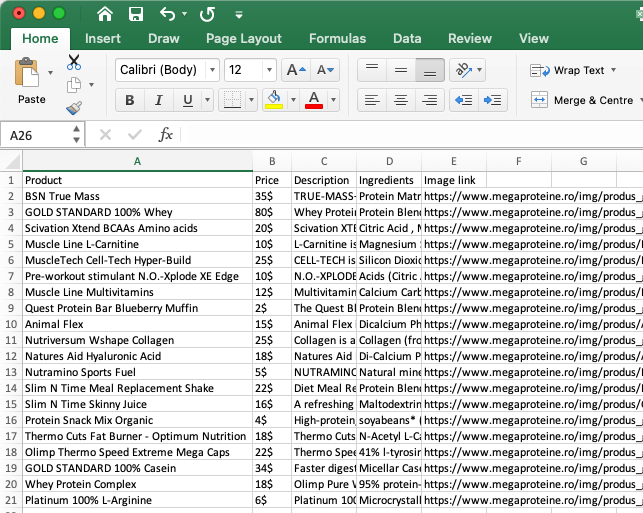
Quick Answer: What Is Free AI for CSV Generation?
Free AI for CSV Generation is an AI-powered data structuring tool available through Jenova's free tier that converts raw, unstructured data into properly formatted CSV files with automatic schema detection and platform-specific formatting applied instantly. Instead of manually organizing columns, fixing formatting errors, and troubleshooting import failures, you provide your data in any format and receive clean, import-ready CSV files in seconds.
Core capabilities:
- Automatic column structure detection for contact lists, product catalogs, financial records, and more
- Platform-specific formatting (Shopify, WooCommerce, Salesforce, QuickBooks)
- Instant data cleaning (standardized dates, consistent formatting, duplicate removal)
- UTF-8 encoding and proper delimiter handling for universal compatibility
- Iterative refinement to add columns, reorder fields, or adjust formatting
The 2025 Data Quality Crisis: Why CSV Files Keep Breaking Your Imports
Creating CSV files manually seems straightforward—until you try to import them into another system. The reality is that CSV formatting errors represent one of the most persistent and costly data quality challenges facing businesses today.
📊 The Staggering Cost of Data Quality Issues
According to Integrate.io's comprehensive 2025 data quality research, the financial impact of poor data quality is severe:
$12.9 million – Average annual cost per organization due to poor data quality (Gartner)
15-25% of revenue – Annual losses due to poor data quality (MIT Sloan Management Review)
$3.1 trillion – Historical annual cost to the U.S. economy from bad data (IBM)
Monte Carlo Data's analysis reveals that data teams spend 30-40% of their time handling data quality issues instead of working on revenue-generating activities. One CDO reported that his 500-person team spends an astounding 1,200 cumulative hours per week tackling data quality issues.
⏱️ The Time Drain of Manual Data Preparation
The time cost of manual CSV creation extends far beyond the initial formatting work. According to Adlib Software's AI deployment research:
80% of time spent on AI projects is devoted to data preparation tasks, such as cleaning, organizing, and labeling
96% of AI and ML projects encounter problems related to data quality, data labeling, and data preparation
DocuClipper's human error statistics paint an even starker picture:
4% error rate – Manual data entry without verification (4 mistakes per 100 entries)
100x more errors – Human data entry compared to automated systems for 10,000 entries
27% of employee time – Spent correcting bad data instead of higher-value work
🔴 The Top 11 CSV Import Errors Killing Your Data Projects
DataFlowMapper's quantitative analysis of hundreds of professional community discussions identified the most common CSV import failures:
1. Leading Zero Truncation & Scientific Notation When Excel opens a CSV, it automatically interprets numeric identifiers as mathematical numbers—truncating leading zeros from ZIP codes and converting long numbers to scientific notation. Once saved, this data loss is permanent and irreversible.
2. Date Format Ambiguity
An import system expecting YYYY-MM-DD that receives MM/DD/YYYY or DD/MM/YYYY will either fail or silently misinterpret the data. The date 05/04/2024 could be May 4th or April 5th—and you won't know until your reports are wrong.
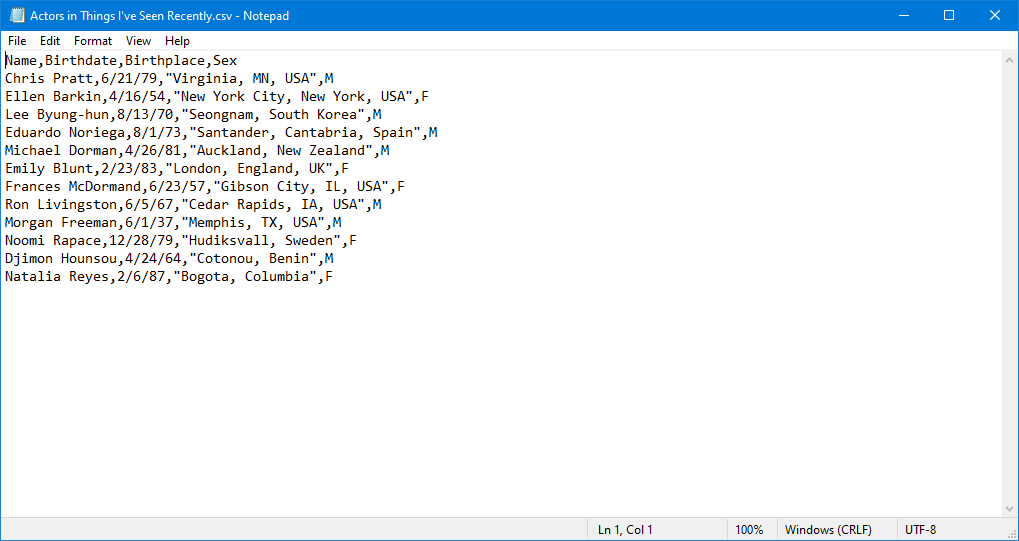
3. Unescaped Commas and Quotes When a data field contains a comma (e.g., "Boston, MA"), it must be enclosed in double quotes. If not, the parser sees an extra delimiter and shifts all subsequent data into wrong columns.
4. Inconsistent or Incorrect Delimiters Files can be delimited by semicolons (common in Europe), tabs, or pipes. A tool hard-coded for commas will collapse all data into a single, unusable column.
5. Missing or Inconsistent Data (Nulls)
Empty cells may be converted to 0, NULL, or empty strings depending on the system—breaking downstream calculations and business logic.
💸 Platform-Specific Requirements Add Complexity
Every platform has its own CSV requirements:
- Shopify needs specific column names like "Handle," "Variant SKU," and "Variant Inventory Tracker"
- Salesforce requires exact field names matching your custom objects
- QuickBooks expects particular date and currency formats
- WooCommerce has different product import specifications than Shopify
Learning and remembering these requirements for each platform wastes time. A single incorrect column name or missing required field causes the entire import to fail—forcing you to start over.
The Solution: Free AI for CSV Generation
Free AI for CSV Generation eliminates manual formatting work by automatically detecting your data type and applying the appropriate structure—available to everyone through Jenova's free tier. The tool handles everything from schema design to encoding, delivering import-ready files that work the first time.
| Traditional Approach | Free AI for CSV Generation |
|---|---|
| Manual column organization | Automatic schema detection |
| Platform research for required fields | Built-in platform-specific templates |
| Manual data cleaning and standardization | Instant formatting and duplicate removal |
| Trial-and-error import troubleshooting | Import-ready files with proper encoding |
| Hours of formatting work | Seconds to generate clean CSV |
| 4% error rate on manual entry | Zero formatting errors |
🧠 Automatic Schema Detection
The tool analyzes your data and automatically identifies the appropriate structure:
Contact Lists:
- Standard CRM fields (First Name, Last Name, Email, Phone, Company)
- Consistent phone number formatting
- Email validation and standardization
Product Catalogs:
- E-commerce columns (SKU, Title, Price, Inventory)
- Variant organization and pricing format
- Category and tag structuring
Financial Records:
- Transaction fields with proper date formatting
- Currency notation standardization
- Account and category organization
Survey Data:
- Consistent categorical value formatting
- Proper timestamp structure for time-series analysis
- Clean column naming for database import
You don't need to specify column names or data types—the AI recognizes patterns in your data and applies the right structure automatically.
🎯 Platform-Specific Formatting
Need a Shopify product import? Free AI for CSV Generation applies Shopify's exact column requirements. Salesforce CRM export? It uses proper field naming conventions. The tool maintains templates for major platforms, ensuring your CSV will import without errors.
This eliminates the research phase where you hunt through platform documentation trying to figure out required column names and formats. The AI already knows what each platform expects.
🧹 Instant Data Cleaning
The AI standardizes formats across your entire dataset:
- Dates become consistent (ISO 8601 or your preferred format)
- Currency values follow the same notation
- Phone numbers use uniform separators
- Duplicate entries are identified and removed
- Encoding issues are resolved automatically
This cleaning happens automatically as part of the generation process—no separate cleaning step required.
🔧 Proper Technical Handling
Free AI for CSV Generation handles technical details most users never think about:
- UTF-8 encoding for special characters
- Appropriate delimiter selection (comma vs. semicolon for international compatibility)
- Proper line break handling for multi-line fields
- Correct empty cell notation (blank vs. NULL vs. N/A based on context)
- Quote escaping for fields containing commas or quotes
These technical decisions happen behind the scenes, ensuring your CSV file will import correctly regardless of the target system.
How It Works: Your Complete CSV Generation Workflow
Creating import-ready CSV files with Free AI for CSV Generation requires no technical expertise or data formatting knowledge.
Step 1: Provide Your Data
Share your data in any format—paste a text list, upload a spreadsheet screenshot, describe what you need verbally, or provide raw data dumps from other systems.
Example requests:
- "Create a CSV for 50 customer contacts with names, emails, phone numbers, and companies."
- "Generate a Shopify product import file from this product list [paste text]."
- "Convert this survey data into a CSV ready for analysis [paste responses]."
No need to specify column names or formatting preferences—the AI handles optimization automatically based on your content and context.
Step 2: AI Analyzes and Structures
Behind the scenes, the tool performs sophisticated analysis:
- Data type identification – Recognizes whether you have contacts, products, transactions, or other data types
- Schema optimization – Applies appropriate column structure for your data type
- Platform detection – If you mention a target platform, applies that platform's exact requirements
- Format standardization – Ensures consistent date, currency, and text formatting
- Data cleaning – Removes duplicates, fixes encoding issues, standardizes values
All of this happens in seconds, not hours.
Step 3: Download Your CSV
Receive a properly formatted, import-ready CSV file immediately. The file includes:
- Consistent data formatting throughout
- Proper UTF-8 encoding
- Appropriate delimiters
- Platform-compatible structure
- Clean, validated data
Import it directly into your target system without additional formatting work.
Step 4: Review and Refine
Need changes? Free AI for CSV Generation reviews the previous file structure and applies your requested modifications:
- "Add a 'Notes' column"
- "Reorder fields to put email first"
- "Change date format to DD/MM/YYYY"
- "Split the address into separate columns"
The tool regenerates the complete file with your changes applied consistently across all rows.
Real Results: How Users Are Achieving Data Transformation Breakthroughs
📊 E-Commerce Product Imports
Scenario: Launching 200 products on Shopify with variants, pricing tiers, and inventory tracking.
Traditional Approach:
- 4-6 hours manually creating and formatting a Shopify-compatible CSV
- Multiple failed import attempts due to incorrect column names
- Hours troubleshooting variant organization errors
- Risk of data corruption from Excel auto-formatting
- Provide product details in any format
- Receive Shopify-ready CSV in under 2 minutes
- Automatic Shopify column structure (Handle, Variant SKU, Variant Inventory Tracker)
- Proper variant organization and pricing format
- Zero import errors on first attempt
Over 156,000 users have used this approach to create import-ready CSV files without formatting expertise.
💼 CRM Data Migration
Scenario: Migrating 1,000 contacts from spreadsheets to Salesforce CRM.
Traditional Approach:
- Hours mapping fields to Salesforce requirements
- Manual standardization of phone and email formats
- Tedious duplicate identification and removal
- Multiple import failures requiring troubleshooting
- Risk of data loss from format conversion errors
- Upload existing contact data in any format
- Receive Salesforce-compatible CSV with standardized formatting
- Automatic Salesforce field mapping
- Consistent phone/email formatting
- Duplicate detection and removal
- Successful import on first attempt
📱 Survey Data Export
Scenario: Converting 500 survey responses into structured data for analysis.
Traditional Approach:
- Manual organization of free-text responses
- Categorical data standardization requiring hours of cleanup
- Timestamp formatting for time-series analysis
- Risk of inconsistent values breaking analysis
- Provide raw survey data in any format
- Receive analysis-ready CSV with proper categorical structure
- Consistent categorical value formatting
- Proper timestamp structure for time-series analysis
- Clean column naming for database import
🎯 Financial Record Processing
Scenario: Preparing transaction data for QuickBooks import.
Traditional Approach:
- Manual date format conversion to QuickBooks requirements
- Currency notation standardization
- Account and category mapping
- Multiple import failures from format mismatches
Get started with Free AI for CSV Generation:
- Provide transaction data from any source
- Receive QuickBooks-compatible CSV instantly
- Proper date formatting for QuickBooks
- Consistent currency notation
- Correct account and category structure
🌐 Additional Use Cases
Inventory Management:
- SKU standardization across systems
- Warehouse location mapping
- Stock level synchronization
Marketing Lists:
- Email list cleaning and deduplication
- Segmentation field organization
- Campaign tracking field structure
HR Data:
- Employee record standardization
- Payroll system compatibility
- Benefits enrollment formatting
Research Data:
- Variable naming standardization
- Missing value handling
- Statistical software compatibility (SPSS, R, Python)
The 2025 Data Automation Revolution
Understanding why intelligent CSV generation matters requires examining broader trends in data management and automation.
📊 AI-Driven Data Automation Is Transforming Business
According to McKinsey's 2025 AI in the Workplace report:
92% of executives expect to boost spending on AI in the next three years
55% expect investments to increase by at least 10% from current levels
13% of employees are already using gen AI for more than 30% of their daily tasks
WhereScape's 2025 data automation trends analysis confirms the shift:
65% of organizations plan to increase AI investments in data processes by 2025
75% of new applications will use low-code/no-code platforms by 2025 (Gartner)
20-30% boost in analytics team productivity for companies implementing DataOps
🚀 The DataOps Revolution
Monte Carlo Data's future of data management analysis identifies key trends reshaping data operations:
Self-service analytics are eliminating specialist bottlenecks
Real-time processing is becoming table stakes for competitive businesses
Data products are being treated as managed business assets
Adaptive governance is replacing rigid rules with intelligent automation
💡 Why Automated CSV Generation Matters Now
The convergence of these trends makes intelligent CSV generation more valuable than ever:
- AI systems need clean data – Garbage in, garbage out applies exponentially to AI/ML models
- Self-service is the expectation – Business users shouldn't need technical expertise for basic data tasks
- Speed is competitive advantage – Hours spent on formatting is hours not spent on analysis
- Quality compounds – Clean data at the source prevents cascading errors downstream
Free AI for CSV Generation brings this AI-powered data transformation capability to everyone—for free. You spend time on analysis and decisions, not formatting and troubleshooting.
Frequently Asked Questions
Is Free AI for CSV Generation really free?
Yes. Free AI for CSV Generation is available through Jenova's free tier with daily usage limits. Free users get full access to all features—automatic schema detection, platform-specific formatting, data cleaning, and iterative refinement. Paid subscribers receive significantly higher usage limits for power users. Visit www.jenova.ai for specific tier details.
How is this different from spreadsheet software like Excel?
Spreadsheet software requires you to manually organize data, format columns, and troubleshoot import issues. Worse, Excel actively corrupts data by auto-formatting—truncating leading zeros from ZIP codes and converting long numbers to scientific notation. Free AI for CSV Generation automatically detects your data type, applies appropriate structure, handles platform-specific requirements, and delivers import-ready files—eliminating the manual formatting phase entirely while protecting your data from corruption.
Can it handle large datasets?
Yes. The tool efficiently processes datasets with thousands of rows. For extremely large datasets, the system confirms processing before generation to ensure optimal performance.
Does it work with specific platforms like Shopify or Salesforce?
Yes. Free AI for CSV Generation includes built-in templates for major platforms including Shopify, WooCommerce, Amazon, Salesforce, QuickBooks, and other CRM systems. Simply mention your target platform, and the tool applies that platform's exact column requirements and formatting standards.
What data formats can it accept as input?
Free AI for CSV Generation accepts virtually any input format: text lists, spreadsheet screenshots, PDF tables, JSON data, raw data dumps, or verbal descriptions. The AI extracts relevant information and structures it appropriately regardless of input format.
Is the generated CSV compatible with international data?
Yes. The tool handles UTF-8 encoding for special characters and can use semicolon delimiters for international compatibility when needed. Date formats, currency notation, and other regional formatting standards are applied based on your requirements.
Can I revise CSV files after initial generation?
Absolutely. Free AI for CSV Generation reviews previous file structures before applying revisions, ensuring accurate iteration. Request specific changes—add columns, reorder fields, change formatting standards, adjust data types—and receive an updated file with your changes applied consistently across all rows.
Why This Matters: Democratizing Data Quality
The ability to create clean, properly formatted CSV files shouldn't require hours of manual work or deep technical expertise. According to Datalere's 2024 Customer Insight Report, 65% of companies still rely on manual methods like Excel to scrub their data—painstakingly going through rows and columns to identify duplicates, errors, and inconsistencies.
This dependence on manual processes introduces inefficiencies and highlights the gap between modern data challenges and available tools. Free AI for CSV Generation bridges this gap by making intelligent data structuring accessible to everyone—for free.
Whether you're a small business owner importing products to Shopify, a marketing professional migrating CRM data, a researcher preparing survey results for analysis, or an operations manager synchronizing inventory systems, you can access the same professional data quality that previously required technical expertise or expensive tools.
Stop Fighting with CSV Formatting
Manual CSV creation wastes hours on mechanical formatting work that should take seconds. Inconsistent data types break imports. Platform-specific requirements add unnecessary complexity. Excel actively corrupts your data through auto-formatting.
Free AI for CSV Generation eliminates these problems by automatically structuring your data with the right column organization, formatting standards, and platform compatibility.
Over 156,000 users have already discovered how AI-powered CSV generation transforms their data workflows. Whether you're preparing e-commerce product imports, migrating CRM contacts, processing survey data, or synchronizing financial records, try Free AI for CSV Generation and experience import-ready CSV files the way they should have always worked.
No more formatting errors. No more failed imports. No more wasted time troubleshooting technical issues. Just clean, structured data ready for immediate use.
References:
- Integrate.io - Data Quality Improvement Stats from ETL: 50+ Key Facts
- Monte Carlo Data - The Alarming Cost of Poor Data Quality
- Acceldata - The Hidden Cost of Poor Data Quality & Governance
- Alteryx - The 2025 State of Data Analysts in the Age of AI
- Adlib Software - Leading AI Experts Advice on Data Preparation for AI Deployment
- DataFlowMapper - Failed Data Imports: A Quantitative Analysis of the Top 11 CSV & Excel Errors
- DocuClipper - 7 Human Error Statistics For 2025
- McKinsey - Superagency in the Workplace: Empowering People to Unlock AI's Full Potential
- WhereScape - 2025 Data Automation Trends
- Monte Carlo Data - 9 Trends Shaping the Future of Data Management in 2026
- Datalere - Poor Data Quality is a Full-Blown Crisis: A 2024 Customer Insight Report
- IT Convergence - The Business Impact of Poor Data Quality Consequences