Free AI for Children's Book Creation: Illustrate, Write & Publish Stories Spread by Spread
2026-05-26
What if you could turn a bedtime story idea into a fully illustrated children's book — without hiring an artist, studying publishing conventions, or spending a single dollar to get started? Children's Book Creator is a free AI for children's book creation that takes you from a blank page to a polished, export-ready book with consistent character art, age-calibrated text, and professional page-turn pacing. Parents, teachers, indie authors, and young storytellers are using it to produce board books, picture books, early readers, and chapter books — one spread at a time — with the kind of craft that used to require a team of specialists.
✅ Free to start — no credit card, no subscription required for core features
✅ Spread-by-spread generation with consistent character design across every page
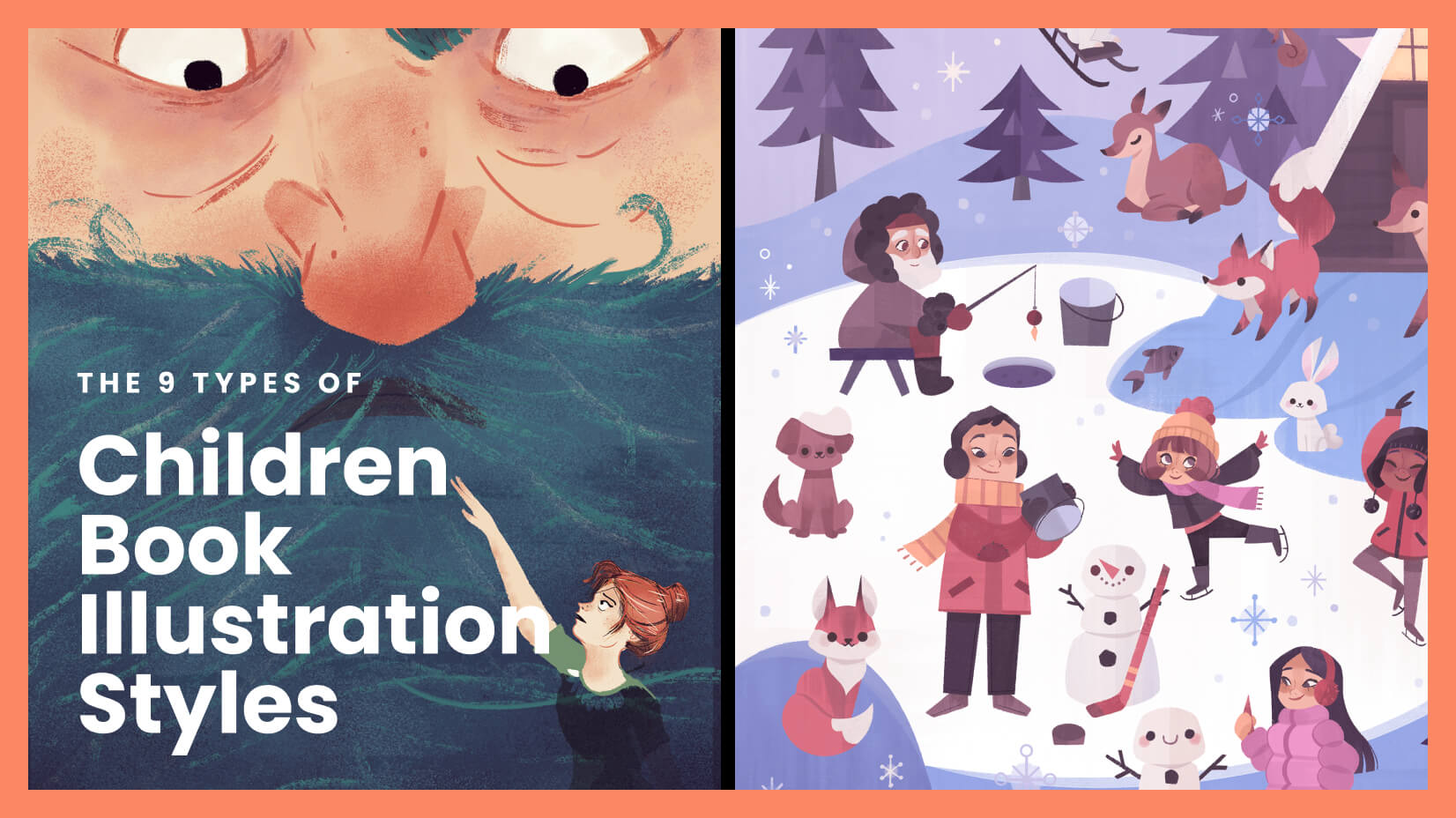
✅ Six curated illustration styles (Warm Watercolor, Bold & Graphic, and more)
✅ Read-aloud text engineered for rhythm, breath points, and phonetic delight
✅ Age-band intelligence from board books (0–3) through chapter books (7–10)
More than 9,200 parents, educators, and aspiring authors have already used Children's Book Creator to bring their stories to life — producing over 27,000 illustrated spreads and turning ideas that had been sitting in notebooks for years into finished books their families and classrooms actually use.
Below, we'll walk through why creating children's books has traditionally been so difficult, how free AI tools are changing the equation, and exactly how to build your first book from scratch.
Quick Answer: What Is Children's Book Creator?
Children's Book Creator is a free AI-powered book studio that generates fully illustrated children's books spread by spread, with consistent character art, developmental text guidance, and professional pacing — at no cost to begin. It handles story structure, illustration, read-aloud optimization, and age-band calibration in a single workflow.
Key capabilities:
- Produces double-page spreads and board book pages with character consistency anchored by reference sheets
- Engineers text-image synergy so words and illustrations tell complementary — not redundant — story layers
- Maps a full emotional arc before generating any spreads, preventing structural problems mid-project
- Supports illustrated story mode and wordless book mode for maximum creative flexibility
Why Making a Children's Book Is Still Painfully Difficult in 2026
The appetite for original, diverse children's books has never been stronger. According to market research, the global children's book market was valued at approximately $13.11 billion in 2024 and continues to expand as parents and educators seek stories reflecting broader identities, environmental consciousness, and emotional literacy. Industry observers note that 2025 trends include diverse representation, eco-friendly themes, interactive formats, and mental health topics — creating enormous demand for fresh, original content.
But turning an idea into a book that actually works for children? That's where most creators hit a wall:
- Illustration costs are prohibitive — A professional illustrator for a 32-page picture book routinely charges $2,000–$10,000+
- Age-appropriate writing is a specialized skill — What engages a 2-year-old fails completely for a 7-year-old
- Text-image interplay is counterintuitive to master — The best picture books require words and art to tell different parts of the story
- Visual consistency across 15+ spreads is demanding — Characters must look recognizably the same on every page
- Read-aloud quality is invisible until it fails — Text that reads fine silently can stumble and drag when spoken to a child
💰 The Financial Barrier Stops Most Projects Before They Start
For a parent who wants to create a personalized story featuring their child, or a first-time author testing whether a concept has legs, the upfront cost of professional illustration is a deal-breaker. Even budget-friendly freelance illustrators charge per spread, and a complete picture book with polished art can cost more than many independent creators are willing to risk on an untested idea.
The result? Countless stories never get made. Notebooks full of concepts sit unfinished. The financial barrier doesn't just limit professional publishing — it kills personal, educational, and experimental projects that would have genuine value for the children they're intended for.
🧠 Age-Band Expertise Isn't Intuitive
A board book for toddlers allows roughly 100 words across 10–14 thick pages. A picture book for ages 3–7 follows the industry-standard 32-page format dictated by printing signatures. An early reader stretches to 2,000 words with supportive illustrations. These conventions aren't arbitrary — they reflect decades of research into how children at different developmental stages process narrative, build vocabulary, and physically interact with books.
1.5 million words — A 2019 Ohio State University study found that children read to five times daily hear nearly 1.5 million more words by age five than children who are never read to
This research makes the stakes clear: vocabulary development through read-aloud experiences is a crucial predictor of reading comprehension and academic success. A poorly paced book with awkward text doesn't just disappoint — it squanders a developmental opportunity.
🎨 The Invisible Craft of Text-Image Synergy
What separates a forgettable children's book from one a child demands to hear every night? In the strongest picture books, text and illustration operate on different narrative channels. The words might say "Oliver was having a perfectly normal day" while the illustration shows a dinosaur climbing through the kitchen window. This productive gap between word and image is where children learn inference, humor, and emotional complexity.
Most creators — even talented writers and skilled artists — struggle with this interplay. It's a specific craft that takes years to develop, and without intentional planning, text and images default to saying the same thing. The result is a book that looks right but feels flat.
How Free AI Transforms Children's Book Creation
Children's Book Creator eliminates the barriers that have historically kept quality children's book creation locked behind expensive professionals and specialized knowledge. It packages illustration, developmental expertise, and narrative craft into a free, conversational workflow accessible to anyone with a story to tell.
| What You'd Normally Need | What Children's Book Creator Provides |
|---|---|
| Professional illustrator ($2,000–$10,000+) | Instant illustration generation with consistent character art |
| Publisher or editor for age-band guidance | Built-in developmental calibration for ages 0–10 |
| Writing collaborator for text-image interplay | Automated text-image synergy checks on every spread |
| Structural planning expertise | Full emotional arc mapping before generation begins |
| Multiple revision cycles over weeks/months | Iterative spread-by-spread workflow in a single session |
| Expensive export/formatting tools | One-click PDF export for print or digital distribution |
📚 Deep Age-Band Intelligence — Built In, Not Bolted On
When you start a project with Children's Book Creator, the first decision is your target age band. That single choice cascades into every subsequent creative parameter:
- Board Book (0–3): 10–14 pages, 0–100 words total, one concept per page, bold and simple compositions, square format
- Picture Book (3–7): 32 pages (industry standard), 200–800 words, art carries 50%+ of narrative meaning, landscape double-page spreads
- Early Reader (5–8): 32–64 pages, 200–2,000 words, art supports and reinforces text
- Chapter Book (7–10): 60–100 pages, 4,000–15,000 words, spot illustrations at key narrative moments
You don't need to research these conventions yourself. The AI applies them automatically — adjusting word count targets, sentence complexity, illustration density, emotional register, and even physical page format based on your selected age band.
🎨 Six Professional Illustration Styles — Locked for Consistency
Rather than generating generic AI images, this AI-powered studio locks in a specific illustration style at the start of each project and maintains it faithfully across every spread:
| Style | Best For |
|---|---|
| Warm Watercolor | Bedtime stories, emotional narratives, nature themes |
| Bold & Graphic | Concept books, energetic stories, board books |
| Whimsical Line | Comedy, adventure, character-driven stories |
| Collage/Mixed Media | Artistic picture books, sensory-rich narratives |
| Soft Digital | Contemporary picture books, commercial appeal |
| Realistic Painterly | Older readers, nature/historical themes, emotional depth |
The AI recommends a style based on your story's tone and target age band — but the final choice is always yours. You can also upload your own reference images to guide a custom visual direction.
✍️ Text Engineered for Reading Aloud
Research from PBS confirms that reading aloud strengthens cognitive, social, emotional, and character development in children. Children's Book Creator treats read-aloud quality as a core engineering requirement, not an afterthought:
- Rhythm and cadence calibrated to the target age band
- Natural breath points so readers don't run out of air mid-sentence
- Repetition patterns that let young listeners anticipate and participate
- Phonetically engaging words that make storytime genuinely fun to speak
Every five spreads, the tool performs a cumulative text review — reading all story text as a single continuous piece to catch rhythm drift, repetition fatigue, or tonal inconsistency before they compound across the book.
How to Create Your First Children's Book for Free
Here's the exact workflow — from story idea to finished, exportable book — using Children's Book Creator.
Step 1: Describe Your Story and Audience
Tell the AI who the book is for and what it's about. You don't need publishing terminology — a natural description works perfectly:
"I want to make a picture book for my 5-year-old daughter about a little rabbit who builds a spaceship out of cardboard boxes."
The AI identifies the right format (picture book, 32 pages, 200–800 words), suggests an emotional arc, and sets all technical parameters automatically based on the age band.
Step 2: Build Your Characters and Choose an Art Style
Describe your characters — appearance, personality, quirks, relationships. The AI handles humans, animals, anthropomorphized objects, and fantasy creatures equally well.
Then select from six illustration styles. The AI recommends options based on your story's mood and audience — Warm Watercolor for a gentle bedtime narrative, Bold & Graphic for a high-energy board book adventure.
Step 3: Generate Character Reference Sheets
Before any story pages are created, the AI generates dedicated reference sheets for each character — neutral poses from multiple angles, showing key visual identifiers (colors, proportions, distinguishing features). These sheets become the consistency anchors for the entire project.
A Style Exemplar is also generated, locking in the visual language (palette, line quality, texture, composition approach) for every subsequent spread.
Step 4: Review the Full-Book Pacing Map
The AI plans the entire book's structure before generating a single spread. For a 32-page picture book, this means:
- Each spread's narrative purpose defined
- Emotional peaks and valleys mapped
- Page-turn reveals planned for maximum impact
- Resolution point confirmed
You review and approve this pacing map — or adjust it — before generation begins. This prevents the expensive problem of discovering structural issues halfway through a project.
Step 5: Generate Spreads One at a Time
This is where the book comes alive. For each spread, the AI:
- Scripts the narrative purpose and what the page turn will reveal
- Drafts the text, checking vocabulary and sentence complexity against the age band
- Plans the illustration composition
- Verifies text-image synergy — confirming words and art aren't redundantly saying the same thing
- Generates the spread as a unified image
- Runs a quality gate checking character consistency, style adherence, text readability, and developmental appropriateness
You review each spread, request adjustments if needed, then move to the next. The process is collaborative and iterative — not a black box.
Step 6: Export Your Finished Book
Once all spreads are complete, compile the full book into a PDF ready for home printing, professional printing services, sharing with family, or digital distribution.
What Creators Are Building with Free AI Book Creation
🌙 Personalized Bedtime Books
Scenario: A father wants a bedtime story featuring his daughter's name, her stuffed penguin, and a gentle narrative about overcoming fear of thunderstorms.
Traditional path: Commission a custom illustrator (weeks of turnaround, $3,000+ for quality work) or buy a generic fill-in-the-name template that feels impersonal.
With Children's Book Creator: Generate a complete 32-page picture book in Warm Watercolor style — with his daughter's character appearing consistently across every spread, read-aloud text with soothing rhythm and natural breath points, and a circular story structure that ends with comfort and sleep. One parent described the experience: "My daughter asks for 'her book' every single night now. She points at the character and says 'that's me.'"
- Developmentally calibrated for the specific target age
- Page-turn pacing that gently builds toward rest
- Fully personalized — not a template with a name swapped in
📖 Wordless Books for Early Childhood Classrooms
Scenario: A preschool teacher wants a wordless board book teaching basic emotions through animal faces — something she can use during circle time with non-verbal and multilingual toddlers.
Traditional path: Source clip art (inconsistent quality), or hire an illustrator for simple high-contrast images (expensive for a classroom resource).
With this free AI tool: Generate 12 square-format pages in Bold & Graphic style, each featuring one clear emotion expressed through a consistent animal character. No text — pure visual storytelling with one concept per page, matching how toddlers actually interact with board books by flipping to random pages.
- Bold shapes and high contrast optimized for developing vision
- Single focal point per page — no visual clutter
- Consistent character design maintained automatically across all pages
💡 Rapid Concept Testing for Indie Authors
Scenario: An aspiring children's book author has three different story concepts and wants to test which one has the strongest visual and narrative potential before investing months of work.
Traditional path: Pick one concept, hope it works, commit to an illustrator, and discover problems only after significant time and money have been spent.
With Children's Book Creator: Generate 3–4 demo spreads for each concept in a single session. Compare visual directions, test whether the story's emotional arc translates to the spread-by-spread format, and identify which concept has the strongest page-turn mechanics — all before committing to a full project.
- Full pacing map reveals structural strengths and weaknesses before full investment
- Multiple art styles can be tested against the same story
- Exportable demo spreads for feedback from editors, agents, or focus readers
📱 Story Ideas Captured on the Go
Scenario: A creator has a flash of inspiration during a morning commute — a concept about a cloud who collects lost kites.
With Children's Book Creator: Open the app on iOS or Android, describe the concept in a quick message, and generate 1–2 demo spreads to evaluate the visual direction. Save the session and continue building the full book later from any device. The AI remembers your characters, style, and pacing choices across sessions.
🎁 Grandparent-to-Grandchild Gift Books
Scenario: A grandmother wants to create a book based on a story she's told her grandchildren for years — about a brave little snail who crossed the garden to deliver a message.
Traditional path: Write the story down, struggle with formatting, have no illustrations, end up with a typed document that doesn't feel like a "real book."
With try Children's Book Creator: Transform the oral story into a professionally illustrated 32-page book with Whimsical Line art, export it as a PDF, and print it as a physical book through any online print service. A keepsake that feels genuinely published — because it is.
- Oral storytelling traditions preserved in lasting, shareable format
- Professional quality without professional cost
- Printable PDF compatible with standard book printing services
Frequently Asked Questions
Is Children's Book Creator really free?
Yes. Children's Book Creator is fully accessible on Jenova's free tier — you get the same illustration generation, age-band intelligence, read-aloud optimization, and spread-by-spread workflow available on paid plans. Free-tier usage is limited; paid plans starting at $20/month provide significantly more usage capacity, custom model selection, and watermark-free exports.
How is this different from other AI image generators?
General-purpose AI image generators (like Midjourney or DALL-E) can create individual illustrations, but they have no concept of children's book structure — age-band conventions, page counts, text-image synergy, character consistency across 15+ spreads, or read-aloud text quality. Children's Book Creator is purpose-built for the specific craft of children's book creation, handling the full workflow from story architecture to export-ready spreads.
Can I create wordless books as well as text-based ones?
Absolutely. During project setup, you choose either Illustrated Story mode (text and art working synergistically) or Wordless mode (art carries the entire narrative). The AI adapts its entire workflow — including quality checks, composition approach, and pacing — based on your selection.
How does the AI keep characters looking the same on every page?
Before generating any story spreads, the AI creates dedicated character reference sheets — neutral poses showing key visual identifiers from multiple angles. These sheets are included as references in every subsequent spread generation, serving as consistency anchors throughout the project. It's the same approach professional illustrators use, automated and applied systematically.
What age groups does it support?
Four age bands: board books (0–3), picture books (3–7), early readers (5–8), and chapter books (7–10). Each band has distinct specifications for word count, page count, sentence complexity, illustration density, and emotional register — all applied automatically once you select your target audience.
Can I upload my own art references or use a custom style?
Yes. While the AI offers six curated style templates, you can upload your own reference images — inspiration from other books, personal sketches, Pinterest boards — and the AI will use them as project references to guide the visual direction. This gives you full creative control over the aesthetic while still benefiting from the automated workflow.
Start Creating Your Children's Book Today — For Free
Every parent has a story they tell their child. Every teacher has a lesson that would work better as a picture book. Every aspiring author has a concept that deserves to see what it looks like on a page. The barrier has always been the same: illustration costs, publishing knowledge, and the specialized craft of making a book that actually works for young readers.
Free AI for children's book creation removes those barriers entirely. With Children's Book Creator, you get age-band intelligence, consistent character art, read-aloud text engineering, and full emotional arc planning — in a workflow that costs nothing to begin. The 32-page conventions, the text-image synergy, the developmental calibration — the AI handles the craft knowledge so you can focus on the story only you can tell.