Continue Roleplay in New Chat: Keep AI Character Memory & Lore
2026-10-19
Roleplay Game Master lets you continue a roleplay in a new chat without rebuilding your world. It keeps unlimited conversation history and remembers your characters, lore, and plot threads across sessions.
Most chat apps quietly drop older messages once a thread grows long. Others make you start fresh and paste a recap. This AI game master treats continuity as the default instead.
As of October 2026, many roleplayers still export chat logs, write summaries, and re-import character cards just to keep a story going. Roleplay Game Master removes that routine. You open a session, and the campaign is where you left it.
- ✅ Unlimited chat history and memory that carries across sessions, with no rolling cutoff
- ✅ Consistent characters: names, relationships, injuries, grudges, and promises stay in place
- ✅ A one-time handoff for an existing story, with no recaps after that
- ✅ The same campaign on web, iOS, and Android
Asking how to continue a roleplay in a new chat usually means something has already gone wrong. Maybe the thread got too long. Maybe the character started forgetting things, or the app hit a limit. To fix it properly, you need to know why AI roleplay loses its memory in the first place. Then you can choose between patching the problem by hand and removing it entirely.
Quick Answer: What Is the Easiest Way to Continue Roleplay in a New Chat?
Roleplay Game Master is an AI roleplay agent that keeps unlimited chat history and persistent memory of characters, lore, and plot. You can resume any story in a new session without recaps, re-imports, or resets.
Key capabilities:
- Memory that lasts across sessions, so closing a chat doesn't erase canon
- Consistent characters over long campaigns, not just the last few dozen messages
- Complete creative freedom across genres: fantasy, horror, romance, sci-fi, slice-of-life
- A one-time import of your existing story through a handoff summary or lore document
Why Roleplay Breaks When You Start a New Chat
Language models don't remember conversations on their own. Each reply is generated from the "context," which SillyTavern's documentation defines as "the information that gets sent to the AI each time you ask it to generate a response." Every model has a hard limit on how much context it can process. Once a roleplay grows past that limit, the oldest messages silently fall out.
~8,000–9,000 tokens: Estimated fixed context window behind Character AI and many companion apps
About 3 exchanges: How much chat history fits when a 2,048-token model carries a 1,000-token character definition and 200–300-token replies
8,192 vs. 200,000 tokens: Documented context limits for LLaMA 3 finetunes versus Anthropic's Claude 3
Starting a new chat doesn't solve this. It resets everything except what the platform automatically re-sends. Carrying a roleplay into a new chat is harder than it looks:
- New chats only inherit the character definition. SillyTavern lists the name, description, personality, and scenario as "permanent tokens." The first message is "only sent once at the start of the chat". Everything that happened in your story lives only in the old transcript.
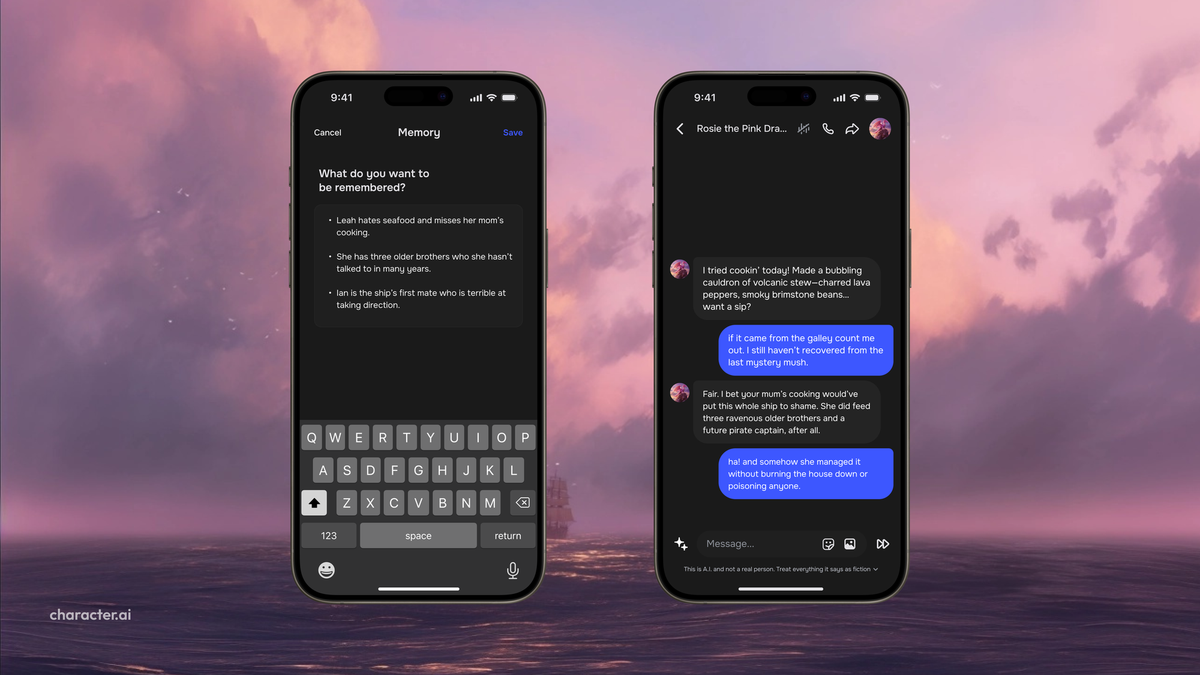
- Built-in memory features are partial. On ChatGPT, OpenAI warns that its memory summary "will not include everything that ChatGPT remembers". Pinned memory fields, like the panel shown above, hold a handful of facts, not a whole campaign.
- Exports lose information. SillyTavern's JSONL chat export excludes images and file attachments, and its plain-text export can't be re-imported at all.
- Long stories need more than a transcript. One analysis of AI RPGs argues that persistent play requires durable world state, selective character memory, and relationship continuity. A raw log alone doesn't provide those.
The Manual Workaround: Character Card + Summary Handoff
If you're staying on a context-limited tool, the standard fix has two parts: carry the character over, then carry the story over.
Carrying the character over. In SillyTavern, the Characters panel offers Import Character (from file) and External Import (from URL). Your character definition can come with you this way.
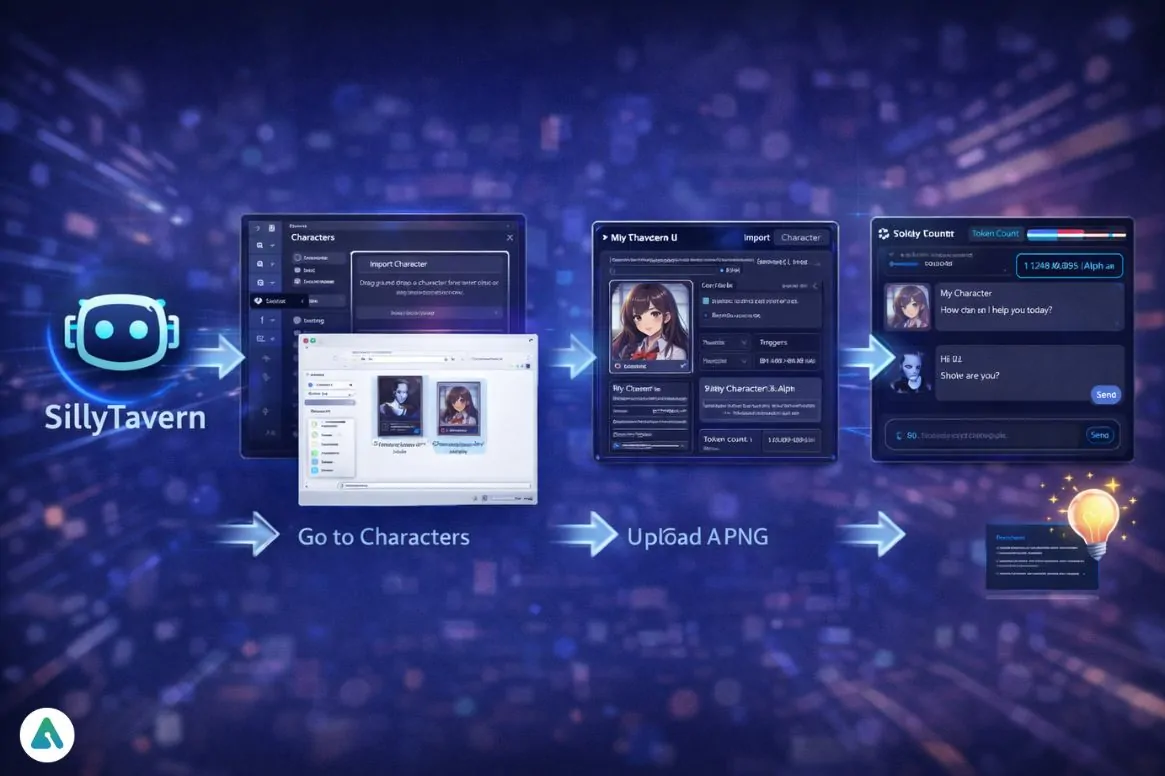
Carrying the story over. The character card won't contain your plot. Before leaving the old thread, ask the AI to write a concise, reusable conversation summary, then paste it at the top of the new chat:
"Before we end this chat, write a handoff summary for continuing this roleplay in a new chat. Include: main characters and their current relationships, key plot events in order, unresolved threads, the current scene and location, established rules of the world, and my character's name and personality. Keep it under 500 words."
This works, but it has costs. The summary takes up context in every new chat. Details get compressed or dropped. You also have to repeat the process each time the thread fills up.
This is the problem a persistent AI game master is built to solve.
Why Roleplay Game Master Removes the Restart Problem
Roleplay Game Master is built around one idea: a story you start should still be there when you come back. You don't manage context windows, rotate threads, or write a recap every few hundred messages. The agent keeps the full history of your campaign and a persistent memory of what matters in it.
That changes how you plan a long roleplay. Instead of breaking the story to fit a token budget, you just keep playing.
| Traditional Approach | Roleplay Game Master |
|---|---|
| Older messages drop out as the thread grows | Unlimited chat history; early chapters stay accessible |
| Write and paste a handoff summary for every new chat | One optional handoff when you first arrive, then none |
| Character cards carry personality but not plot | Remembers events, relationships, and promises made in the story |
| Pinned memory holds a few facts | Persistent memory across sessions for the whole campaign |
| Exports drop images and metadata | Nothing to export; the campaign stays where it is |
Unlimited History, No Rolling Cutoff
The usual failure in long roleplay is gradual. The character forgets a name, then a betrayal, then its own backstory. Unlimited history means early scenes stay available to the story. The tavern brawl in session two can still matter in session forty.
Memory That Persists Across Sessions
Close the app, come back days later, and continue mid-scene. The agent remembers your character, your companions, and how the world has changed.
"Pick up where we left off. Kael is still bleeding from the ambush, and we never found out who sent the assassins."
Lore Bibles You Attach Once
If your world comes with a map, faction list, or character sheet, attach it as a document. The game master can then draw on the material you wrote instead of improvising around it. This is especially useful when moving a long-running world over from another app.
Creative Freedom With Consistent Characters
Fantasy war campaigns, slow-burn romance, survival horror, political intrigue: you set the genre and tone, and the agent keeps characters consistent. A stoic mercenary stays stoic. A rival you humiliated keeps resenting you.
"Run a low-magic political thriller in a port city. I play a disgraced customs officer. Keep NPC loyalties consistent and track who owes me favors."
Same Campaign on Every Device
Start a scene on your laptop and finish it on your phone. Web, iOS, and Android run the same campaign, so there's no second thread to reconcile later.
One honest caveat: persistent memory doesn't read minds. If you retcon something, like a character surviving or a timeline shifting, say so explicitly. That way the new version becomes canon.
"Canon update: Mira survived the fall. Treat everything from now on as if she's alive and hiding in the northern district."
Related Agents You'll Also Find Useful
If you're putting serious time into a long-running roleplay, these agents fit naturally alongside it.
Before you start or migrate a campaign, Character Creator can turn a rough idea or an old character card into a fully developed profile. You can then hand that profile to your game master.
- Quick-generate or guided character builds for roleplay, fiction, and original characters
- Research into existing media for fan-world accuracy
- Character portraits across genres
If your roleplay has grown into something you'd like to turn into prose, Creative Fiction Writer can help you shape it into an actual story.
- Original fiction in any genre
- Research for believable worlds
- Editorial feedback from first draft to polished manuscript
If you want a ready-made world instead of building your own, Vesper Court drops you into a hidden vampire court with no memory of how you arrived.
- Dark romance and blood intrigue
- Each night's choices reshape what follows
- A pre-built setting you can start right away
Try Roleplay Game Master free, with no credit card required.
How to Continue Your Roleplay in a New Chat With Roleplay Game Master
These steps cover moving an existing story over from another app and keeping it going afterward.
Step 1: Generate a Handoff Summary From Your Old Chat
In your current app, ask the AI to summarize the roleplay before you leave. Ask for characters, relationships, key events, unresolved threads, and the current scene. If you have a character card or lore document, keep it ready too.
"Write a complete handoff summary of this roleplay: every named character, their relationship to my character, major plot events in order, open mysteries, and exactly where the current scene ends."
Step 2: Open the Game Master and Paste Your Story
Start a session with Roleplay Game Master and paste the summary. Attach any lore files as well. You only do this once; after this step, the agent's own memory takes over.
"I'm continuing an existing roleplay. Here's the full summary and my world document. Absorb it, confirm the key facts back to me, then resume from the last scene."
Step 3: Set Your Ground Rules
Tell the agent how you want to play: point of view, reply length, pacing, tone, and whether it should narrate other characters' actions. Rules you set here carry forward like the rest of the story.
"Third-person narration, two to four paragraphs per reply. Never act or speak for my character. Keep the tone grim but with dry humor."
Step 4: Play, Leave, and Come Back
Keep playing as long as you like. When you return in a later session, on any device, just continue. You don't need a recap prompt or a new thread.
"Back again. Let's see what the informant has to say."
Real Roleplay Scenarios Where Continuity Matters
📜 Rescuing a 500-Message Saga
Scenario: Your fantasy campaign on a companion app has grown huge. The character now mixes up who betrayed whom and has forgotten your party's healer exists.
Traditional Approach: Every few days, you export, summarize, and restart, losing nuance each time and spending part of every session re-explaining the world.
Roleplay Game Master: One handoff summary and a lore document bring the saga over. From then on, the campaign builds on itself instead of resetting.
- Ends the summarize-and-restart cycle
- Side characters keep their place in the story
- Old choices keep affecting later scenes
🧛 A Slow-Burn Romance Over Weeks
Scenario: You're running a slow-burn romance where small moments matter: a borrowed coat, an unfinished confession, a nickname used once.
Traditional Approach: Those details are the first to fall out of a limited context window. The emotional build-up collapses when the love interest forgets the coat.
Roleplay Game Master: Small details stay in canon, so a callback in week three still lands. Players who want a pre-built romance setting can start in Vesper Court instead.
- Small details carry forward
- Relationship progress builds across sessions
- No recap needed before reconnecting
📱 Continuing a Scene on the Commute
Scenario: You left a tense negotiation scene unfinished on your laptop last night. Now you're on a crowded train with only your phone.
Traditional Approach: Desktop-only threads, or starting a separate mobile chat that knows nothing about the negotiation.
Roleplay Game Master: Open the app on your phone, and the negotiation picks up mid-sentence. You can ask for shorter replies while commuting, and canon stays intact.
- Same campaign across web, iOS, and Android
- No duplicate threads to merge later
- Shorter replies without losing story context
✍️ Turning a Campaign Into a Manuscript
Scenario: Your roleplay has produced a world and a cast you'd like to turn into a novella.
Traditional Approach: Digging through months of scattered chat logs to rebuild timelines and character arcs by hand.
Roleplay Game Master: Ask the game master to produce a chronological recap of the campaign. Then hand that recap to Creative Fiction Writer to start drafting.
- One continuous record of your story
- Timelines and arcs pulled from your actual play
- An easy path from roleplay to prose
Frequently Asked Questions
How do I continue a roleplay in a new chat without losing context?
On a tool with limited context, ask the AI for a detailed handoff summary before leaving. Include characters, relationships, key events, open threads, and the current scene, then paste it into the new chat with your character definition. To stop doing this entirely, use an agent with persistent memory, such as Roleplay Game Master. You make one handoff, and later sessions continue without recaps.
Why does my AI forget the roleplay in a new chat?
Most chatbots only send the model a limited window of recent context. A new chat typically inherits only the character definition, such as name, description, personality, and scenario. Plot events from previous chats aren't included. Unless the platform stores and resurfaces past events, the AI has no record of what happened before.
Is Roleplay Game Master free?
Yes, there's a free tier with all core features and limited monthly usage. Paid plans start at $20 per month and increase usage for long daily sessions. Usage resets on your billing date, with no daily caps. Memory isn't sold separately as an upgrade.
Can I bring a SillyTavern or Character.AI character into Roleplay Game Master?
Yes. Copy the text from your character's description, personality, and scenario fields, or attach an exported text document. Add a handoff summary of the story so far. If you want to expand or clean up the character first, Character Creator can help you build a fuller profile before you import it.
Does continuing a roleplay work on mobile?
Yes. Web, iOS, and Android have full feature parity, with synced settings and speech-to-text. A campaign started on desktop continues on your phone without opening a separate thread.
Keep the Story, Skip the Recap
Continuing a roleplay in a new chat shouldn't feel like moving house. On context-limited apps, it often does: you export logs, compress summaries, re-import character cards, and watch details disappear each time. The manual handoff method works as a stopgap. A persistent AI game master is the more lasting fix, because the story never has to leave its thread.
If you're tired of characters forgetting your story, bring your campaign over once and keep playing. Try Roleplay Game Master now and pick up where your story left off.
Explore more at Jenova.
For Developers: Roleplay Game Master is available programmatically via the Jenova API. You can add persistent-memory roleplay to your application with a single API call. Full documentation →