Character Card Import: Load PNG & JSON Cards Into AI Chat Apps
2026-10-19
Character Creator helps you build roleplay-ready characters that import cleanly into SillyTavern and similar frontends. It writes the personality, scenario, greetings, and example dialogue, and it can also produce a matching portrait. As of October 2026, character cards still travel mostly as PNG images with JSON data hidden inside. A re-saved file or a spec mismatch can leave you with a blank or broken character.
Most guides stop at "click Import." This AI focuses on the part that determines quality: what goes into the card before it reaches your frontend.
- ✅ Builds characters field by field to match the widely used Character Card V2 structure
- ✅ Offers quick-gen drafts or guided, in-depth builds for original characters (OCs)
- ✅ Researches existing media so fan characters stay true to canon
- ✅ Generates portraits you can use as the card's avatar image
Importing a card takes a few seconds. Getting a character that actually performs well after import takes more planning. To see why, it helps to look at how cards are structured and where the process usually breaks.
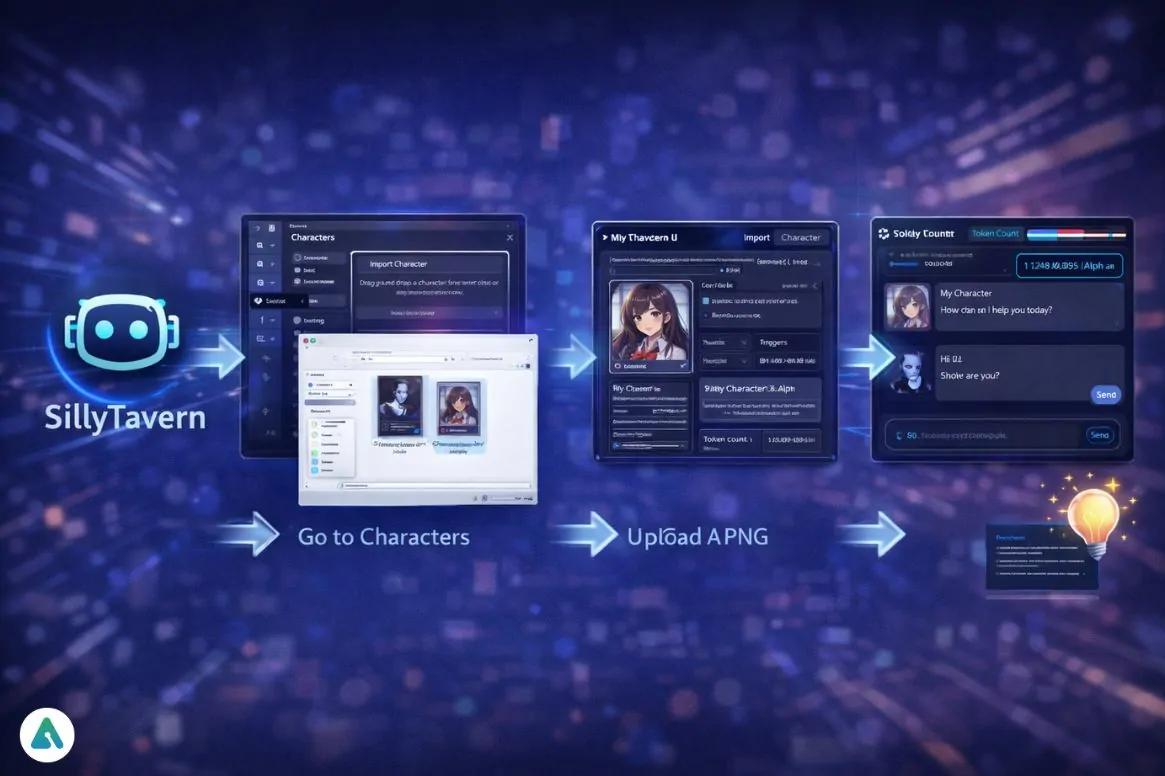
Quick Answer: What Is Character Card Import?
Character card import means loading a shareable AI character file into a chat frontend. The file is usually a PNG with embedded JSON, or a plain JSON file. Importing it restores the character's personality, greetings, and lore automatically.
Key capabilities:
- Reads PNG cards, which are the standard format for sharing AI characters across platforms
- Restores core fields such as description, personality, scenario, first message, and example messages, as defined in the Character Card V2 specification
- Supports both file uploads and URL imports through SillyTavern's Import Character and External Import options
- Carries optional V2 extras, including alternate greetings, an embedded lorebook, creator notes, and tags
Why Character Card Imports Go Wrong
AI roleplay and companion chat have grown into a large, mainstream category. Character cards are how that community shares its work across apps.
$36.8 billion — Global AI companion market value in 2025, per Grand View Research
220 million — Cumulative companion-app downloads by July 2025
33% — Share of teens surveyed who use AI companions for social interaction, including role-playing
But moving a character from one app to another is often inconsistent. Common problems include:
- Competing formats. Cards exist in V1, V2, and newer V3 variants. Tools like LettuceAI's converter exist mainly to translate between card formats and other formats such as UEC.
- Hidden data. V2 cards store character data inside the PNG's metadata chunks. The image looks normal even when that data has been stripped out.
- Token bloat. Overloaded descriptions use up the context window your chat history needs.
- Partial imports. Some details do not come across automatically. For example, embedded tags are not imported by default in SillyTavern.
What a Character Card Actually Contains
The V2 spec keeps the six original V1 fields and nests them inside a data object with the identifier chara_card_v2 (spec reference). Each field affects how the character behaves after import:
| Field | What It Does | Sent With Every Message? |
|---|---|---|
| name, description, personality, scenario | Core identity and context | Yes (permanent tokens) |
| first_mes | Opening message that sets tone and length | Only at chat start |
| mes_example | Example dialogue showing the writing style | Until context fills up |
| alternate_greetings | Extra opening messages you can swipe between | Only at chat start |
| system_prompt, post_history_instructions | Card-level prompt overrides | Yes, when enabled |
| character_book | Embedded lorebook triggered by keywords | Only when triggered |
| tags, creator, creator_notes, character_version | Metadata for sorting and display | No |
| extensions | Data specific to a particular app | No |
The spec requires that editors never destroy unknown extension data during import or export. Even so, it is good practice to check the result after moving a card between tools.
The Token Budget Problem
A long, detailed card is not automatically a better one. SillyTavern's own documentation explains the trade-off:
Half the memory — A 1,000-token character definition on a 2,048-token context model cuts the AI's working memory in half
SillyTavern turns the token counter red when a card's definitions take up more than half of the model's context. The card still works, but the AI has less room to remember your conversation.
The problem is rarely the import button. It is usually the card itself, and that is exactly what Character Creator was built for.
Why Character Creator Builds Better Cards
Character Creator is an expert character designer for roleplay, fiction, and OCs. Instead of facing a blank form, you describe the character you have in mind. It then helps you shape that idea into clear, well-structured fields that map directly onto a character card.
| Traditional Approach | Character Creator |
|---|---|
| Write every field from scratch in a frontend editor | Get a quick-gen draft or a guided build through conversation |
| Guess at canon details for fan characters | Ground the character in research on the source material |
| Search for avatar art separately | Generate a matching portrait in the same session |
| Overload the description and hit token limits | Ask for lean permanent fields, with situational lore moved into lorebook entries |
Quick-Gen or Guided Builds
Choose the approach that fits your project. A quick-gen build produces a usable character in a single exchange, which works well for side characters or one-off scenarios. A guided build asks questions about motivation, voice, relationships, and boundaries before writing anything. That approach suits OCs you plan to use for months.
"Quick-gen a cynical airship mechanic for a steampunk roleplay — give me description, personality, scenario, and a first message under 150 words."
Canon-Accurate Fan Characters
Fan characters often fail on small details, such as a catchphrase used in the wrong situation or an ability they never had. Character Creator's media research helps keep personality, history, and speech patterns consistent with the source.
"Build a card for a stoic, centuries-old elf mage from a fantasy anime. Research the canon, keep her speech sparse, and write three alternate greetings."
Portraits for Your Card Avatar
A PNG card is, literally, an image. The portrait is the first thing other users see in a character list. Character Creator generates portraits across genres, so the avatar matches the character you wrote.
Writing That Fits the Token Budget
You can ask it to keep permanent fields compact and to move rarely needed lore into keyword-triggered entries. This reflects how lorebook entries are triggered by keys rather than being sent with every message.
"Trim this description to under 400 tokens, and turn the faction history into separate lorebook entries with trigger keywords."
What It Doesn't Do
Character Creator writes the character content and creates the portrait. It does not write data directly into PNG metadata. That final step happens in your frontend's export feature or a dedicated card editor, as covered in the steps below.
Related Agents You'll Also Find Useful
JSON Generator
If you prefer importing JSON files over PNG cards, JSON Generator can turn your finished character text into a structured file that follows the V2 layout.
- Designs the schema intelligently and handles data types strictly
- Converts between formats when your source is a spreadsheet or plain notes
- Produces clean, valid JSON ready to import
Name Generator
Stuck on what to call your OC or a fictional kingdom? Name Generator brings strong cultural and linguistic knowledge to naming characters.
- Creates names that fit the setting and culture you describe
- Covers characters, places, factions, and pets
- Explains the meaning and origin behind each suggestion
Manga Creator
If you want to see your character beyond chat, Manga Creator turns them into illustrated stories.
- Handles visual storytelling and panel flow
- Keeps the art style consistent across pages
- Scales from one-shots to long serialized stories
Each of these agents is free to try, with no credit card required.
How to Build and Import a Character Card, Step by Step
Step 1: Describe Your Character
Open Character Creator and share your concept. A few lines about the setting, personality, and tone is enough to begin, and you can ask for a guided build if you want more depth.
"I want a guided build for a former royal guard turned tavern keeper who hides a cursed sword. Medieval fantasy, slow-burn mystery tone."
Step 2: Request Card-Ready Fields
Ask for output organized under each card field: description, personality, scenario, first message, alternate greetings, and example dialogue. In SillyTavern, example dialogue blocks start with a <START> marker and use the {{char}}: and {{user}}: prefixes, per the documentation.
"Format everything as separate card fields. Write example dialogue using START markers and {{char}}/{{user}} prefixes."
Step 3: Generate the Portrait
Request an avatar portrait in the style you want, such as anime, painterly, or realistic. Save the image to use as the card's picture.
"Create a portrait of her behind the tavern bar, warm lantern light, anime style."
Step 4: Assemble the Card
You have two options:
- PNG route: In SillyTavern, click Create New Character, paste in each field, upload the portrait as the avatar, and use Export character. This saves a PNG card with the data embedded.
- JSON route: Use JSON Generator to produce a V2-structured JSON file. Many frontends accept plain JSON alongside PNG cards.
Step 5: Import and Verify
Open the Characters panel from the navbar. Choose Import Character to load a file, or External Import to load from a URL (SillyTavern docs). Then check four things:
- Is the token counter red?
- Do the alternate greetings appear as swipes?
- Are the tags missing? If so, merge them using Import Tags from the "More..." menu.
- Did the embedded lorebook come through?
Character Card Import in Practice
🎭 Rebuilding a Card That Imports Blank
- Scenario: You download a favorite character from a forum, but it imports with an empty description. The image host re-compressed the PNG and removed its metadata.
- Traditional Approach: Hunt for the original file or rewrite everything from memory. This often means an evening of trial and error.
- Character Creator: Describe what you remember about the character and rebuild clean fields in one session, then export a fresh card.
- Recovers the character's voice even without the original file
- Gives you a chance to trim token bloat from the old version
- Produces a new portrait if the original art is gone
📱 Drafting an OC on Your Phone
- Scenario: A character idea comes to you during your commute, far from the desktop that runs SillyTavern.
- Traditional Approach: Type messy notes, then reformat them later at your computer.
- Character Creator: Run a guided build on Jenova's iOS or Android app, which offers the same features as the web version. Your session syncs, so the finished fields are waiting when you sit down to export.
- Speech-to-text makes brainstorming out loud easy
- Your chat history keeps every draft available for later
- Pairs well with Name Generator when the character still needs a name
🎲 Stocking a Multiplayer Discord Campaign
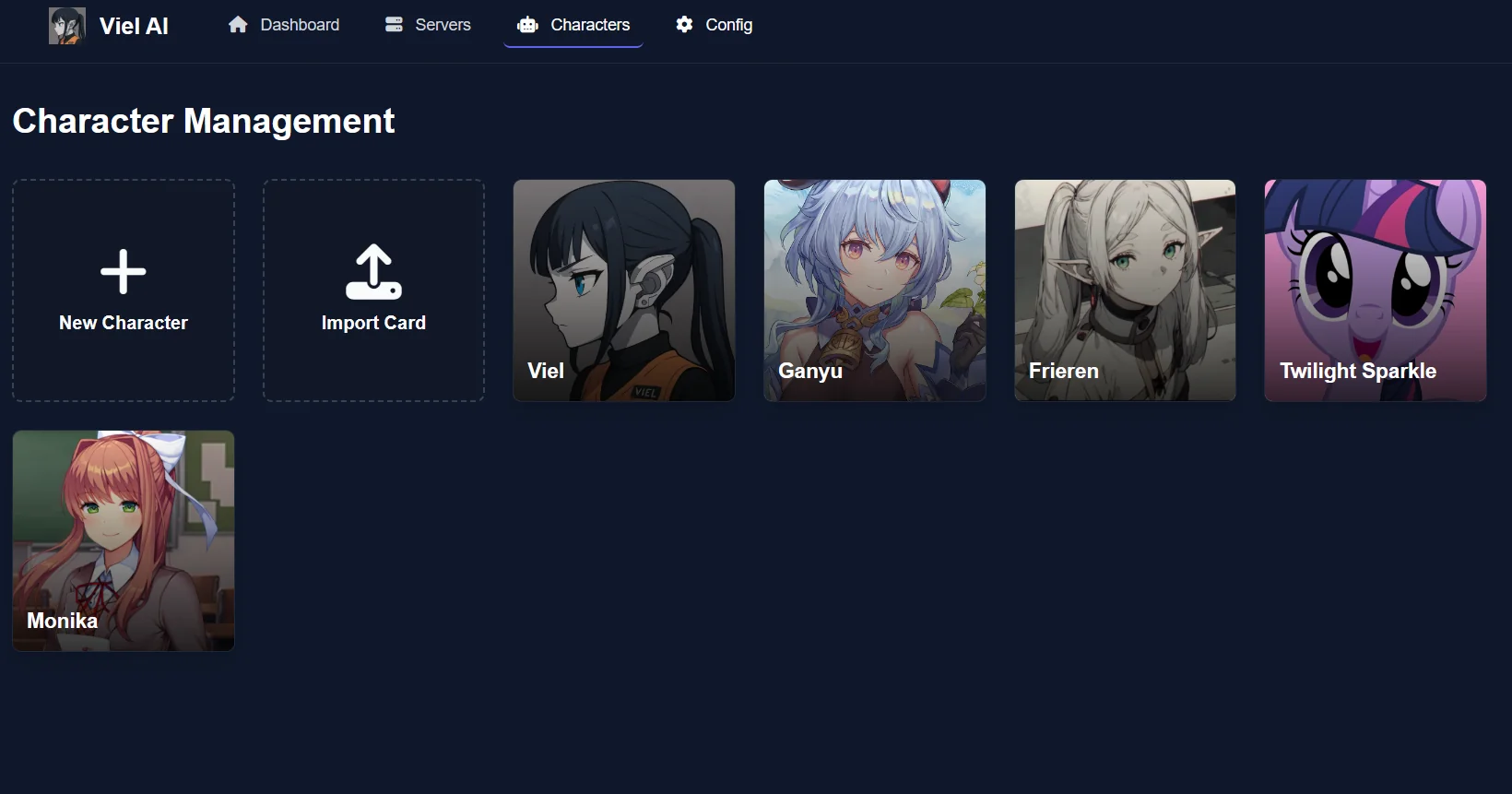
- Scenario: You run a self-hosted roleplay bot for your server and need several NPCs with distinct voices, all importable as cards.
- Traditional Approach: Write each NPC by hand and hope their personalities don't blend together.
- Character Creator: Quick-gen a full cast with contrasting speech patterns, then import each one through your dashboard's card import feature.
- Distinct example dialogue keeps NPC voices separate in group scenes
- Setting talkativeness controls how often each character speaks in group chats, so quiet characters don't get drowned out
- Shared lore can live in lorebook entries instead of repeating in every card
📚 Getting a Fan Character's Voice Right
- Scenario: Your card for a well-known anime character reads as generic, and the community notices.
- Traditional Approach: Rewatch episodes and take notes for hours.
- Character Creator: Use its media research to ground personality, history, and speech in the source material, then write alternate greetings drawn from memorable story moments.
- Fewer details that contradict canon
- A first message that captures the character's actual voice
- Creator notes that tell other users which point in the story the card is based on
Frequently Asked Questions
What file formats work for character card import?
Most frontends accept PNG cards with embedded JSON, as well as plain JSON files. V2 cards are typically PNG portraits with JSON stored inside, and that format is supported by SillyTavern and most similar tools. Newer V3 cards and other formats may need conversion first. A browser-based converter, or JSON Generator for restructuring the data, can handle that step.
Why does my imported character card show up blank?
The most common cause is missing metadata. Character data lives inside the PNG's metadata chunks, and image hosts or editors that re-encode the file can discard it. The picture still looks fine, but the data is gone. Try downloading the original file directly from the creator's page. If that isn't possible, rebuild the fields and export a new card.
How do I import a character card from a URL in SillyTavern?
Open the Characters panel from the top navigation bar and select External Import, then paste the card's URL. To load a file saved on your device, use Import Character instead. Both options appear in the character list controls, according to the official SillyTavern documentation.
Is Character Creator free to use?
Yes. Character Creator is available on Jenova's free tier, which includes all core features with limited usage. Paid plans start at $20 per month for Plus, which adds 30× more usage and custom model selection. Usage resets monthly, and there are no daily caps.
Do tags and lorebooks survive character card import?
Lorebooks embedded under the V2 character_book field should be used by default by compliant frontends. Tags are a different story: SillyTavern does not import embedded tags automatically. You can add them by choosing Import Tags from the "More..." menu on the character's page.
Conclusion: Better Cards Make Every Import Smoother
A successful character card import depends on what is inside the file. That means using the correct spec structure, keeping permanent fields lean, keeping lore triggered by keywords, and using a portrait that has not been stripped of its metadata. Once the card is built well, importing a PNG or JSON file into SillyTavern or a self-hosted Discord bot takes only seconds.
Build your next roleplay character, from a quick NPC to a carefully researched fan character, with Character Creator. Explore more at Jenova.
For Developers: Character Creator is available programmatically through the Jenova API. You can integrate structured roleplay character generation into your application with a single API call. Full documentation →