Best AI for Writing Assistance: Preserve Your Voice, Eliminate Blank-Page Paralysis & Ship Polished Content 40% Faster
2026-03-03

Looking for the best AI for writing assistance that actually sounds like you? AI Writing Assistant learns your voice from a single writing sample, tracks your preferences across an entire session, and produces polished drafts in any format — emails, reports, essays, scripts, blog posts, or creative fiction — without the robotic sameness that plagues generic AI tools. In a market where 78% of organizations now use AI in at least one business function and 90% of content marketers rely on AI writing tools daily, the real challenge isn't access to AI — it's finding one that preserves what makes your writing yours.
Why over 84,000 professionals have made it their default writing partner:
- ✅ Voice matching from samples — paste your writing and the AI mirrors your tone, rhythm, and vocabulary
- ✅ Persistent session memory — tracks style, instructions, and draft progress across 50+ messages without drift
- ✅ Integrated research & export — pull data via Google Search and Scholar, generate PDFs, and email drafts from one conversation
- ✅ Format-aware intelligence — adapts structure, register, and conventions for each document type automatically
The writing landscape in 2026 is defined by a paradox: AI content volume is exploding, but audiences are rejecting it. Only 26% of consumers now prefer AI-generated creator content — down from 60% in 2023, and 52% of consumers say they're less engaged when they suspect content is AI-generated. The best AI for writing isn't the one that writes for you — it's the one that writes like you. Here's why this tool stands apart.
Quick Answer: What Is AI Writing Assistant?
AI Writing Assistant is a bespoke AI writing partner that adapts to your voice, format, and audience to produce polished drafts across any domain in seconds. It learns your style from samples or descriptions and maintains your preferences throughout the session.
Key capabilities:
- Analyzes writing samples to reproduce your tone, sentence structure, and vocabulary
- Switches fluidly between collaborative planning and polished output modes
- Accumulates standing preferences from your feedback across the session
- Integrates research, document export, email, and image generation tools
The Authenticity Crisis: Why Generic AI Writing Is Failing in 2026
The AI writing assistant market is booming — valued at $2.3 billion in 2024 and projected to reach $8.3 billion by 2030. But that growth masks a deepening trust problem. The more AI-generated content floods the internet, the more audiences crave proof that a human actually cared.
Only 26% of consumers prefer AI-generated creator content — down from 60% in 2023 — Billion Dollar Boy, via Digiday
52% of consumers say they're less engaged when they suspect content is AI-generated — WordStream Content Marketing Trends 2026
This isn't a minor sentiment shift. It's a structural reckoning with five distinct failure modes that generic AI writing tools create:
The Sameness Problem
As Renu Upadhyay, CMO at Omnissa, noted in a Tendo Communications roundup: "Competing products often sound alike when reduced to features and data points. As the volume of AI-driven content grows, so does this sense of sameness." When every company uses the same generic AI to produce the same generic output, differentiation disappears.
Context Amnesia Kills Productivity
A writing session can easily run 50+ messages. By message 30, most AI tools have forgotten your preferences — "concise, slightly irreverent, no Oxford comma" becomes "verbose, corporate, Oxford comma everywhere." You end up re-explaining, re-pasting samples, and re-correcting the same mistakes. The productivity tool becomes a productivity drain.
The Research-Writing Gap
Workers using generative AI save 5.4% of their work hours per week — roughly 2.2 hours in a standard 40-hour week, according to the Federal Reserve Bank of St. Louis. But those gains evaporate when you're context-switching between a research tool in one tab, a writing tool in another, and an export tool in a third. Research from Forrester, commissioned by Writer, found that organizations deploying integrated AI writing platforms achieved a 90% reduction in editing time and 25% increase in content production.
The Anti-AI Backlash Is Real
Digiday reports that brands are now actively avoiding AI in creator partnerships. "Consumer sentiment is roaring [against AI]. They hate it. We're in this massive reset," said Becky Owen, CMO of Billion Dollar Boy. 57% of consumers want visible labeling when companies involve AI in content creation. The implication is clear: AI that produces recognizably AI-sounding output is now a liability.
The Volume Trap
90% of content marketers use AI writing tools, and publishing frequency has increased 2.5× on average. But as WordStream's 2026 analysis notes, "information gain" — original data and first-hand experiences — has become the single biggest content differentiator. Volume without voice is noise.
How AI Writing Assistant Solves the Authenticity Problem
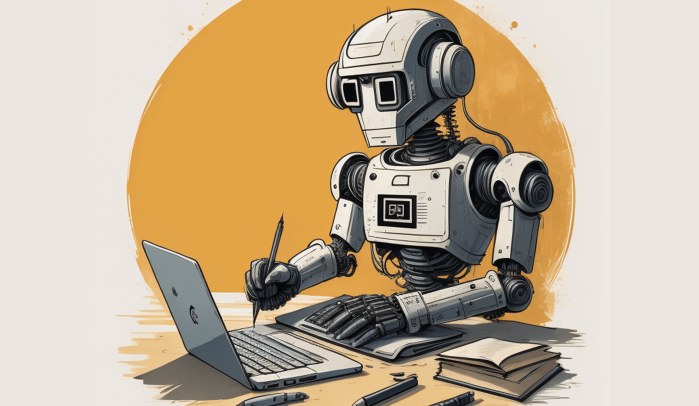
AI Writing Assistant takes a fundamentally different approach: it treats writing as a relationship, not a transaction. Instead of generating text from a single prompt, it builds a persistent understanding of who you are as a writer and what you need.
| Generic AI Writing Tools | AI Writing Assistant |
|---|---|
| Same tone regardless of user | Learns your voice from samples or descriptions |
| Forgets preferences between messages | Persistent session tracker for style, tone, and instructions |
| Single mode: generate text | Fluid planning ↔ writing modes |
| Text output only | Integrated research, export, email, and image tools |
| Same approach for every format | Adapts to emails, essays, scripts, reports, fiction, and more |
| Requires re-explaining context | Accumulates standing preferences from feedback |
Voice Matching That Survives a 50-Message Session
Paste a writing sample — yours or someone else's — and this AI analyzes it for tone, sentence structure, vocabulary level, paragraph density, distinctive patterns, and voice markers. It stores the result as a compact profile:
"Conversational, medium-length sentences, first person, light humor, avoids jargon, favors analogies, short paragraphs"
Every subsequent draft follows that profile until you change it. At message 50, the output is just as aligned with your voice as it was at message 5 — without you repeating anything.
Dual-Mode Intelligence
The assistant operates in two fluid modes, inferred from context — no manual switching required:
- Planning mode: Collaborative — asks questions, proposes structures, discusses trade-offs, surfaces considerations you might miss. The session tracker is visible so you can see exactly what the AI knows about your preferences.
- Writing mode: Produces polished output following your established parameters. Minimal meta-commentary. The tracker stays hidden to keep the output clean.
The Writing Session Tracker
This persistent layer captures and displays:
- Writing Profile — your tone, style, and voice attributes
- Length / Verbosity — your preference for output density
- Special Instructions — accumulated standing preferences from your feedback
- Draft Progress — section-by-section status for multi-part documents
- References — uploaded files, URLs, and generated reference docs
This means the tool at message 50 is just as aligned with your preferences as it was at message 5 — without you repeating anything.
Step-by-Step: How Professionals Use It Daily
Step 1: Jump In or Plan First
Start with a direct request like "Write me an intro for a blog post about remote team management" — the assistant writes first using sensible defaults, then offers to dial in your preferences. Or start with "Help me plan a whitepaper on supply chain resilience" and the assistant enters collaborative planning mode.
Step 2: Establish Your Voice
Share your preferences verbally ("Keep it formal but not stiff, short paragraphs, no jargon") or paste a writing sample. The assistant analyzes the sample and stores your voice profile. You can review it anytime — it appears in the session footer during planning mode.
"I write for a B2B SaaS audience. Here's a sample from our last blog post..."
Step 3: Collaborate and Refine Through Natural Feedback
Give feedback naturally. Say "This is too wordy" and the assistant shortens the current piece and asks whether conciseness should be a standing preference. Say "Never use bullet points in my reports" and it's added to Special Instructions immediately.
AI Writing Assistant learns from patterns too. If you consistently shorten what it writes, it adjusts its default length and updates your profile — silently, without announcing it.
Step 4: Build Multi-Section Documents with Progress Tracking
Working on a long report or multi-part article? The assistant tracks progress:
Draft: Executive Summary ✅ | Market Analysis ✅ | Recommendations 🔄 | Conclusion ⬜
Each section follows your established voice and preferences. You can jump between sections without losing context.
Step 5: Research, Export, and Send — Without Leaving the Conversation
When you need current data, this AI-powered solution can pull information from Google Search, Google Scholar, Reddit, and YouTube. When you're done, export as PDF, Word, or plain text — or email the draft directly to a collaborator. Need a header image? It can generate one or find reference images.
Real-World Results Across Industries
📧 Sales Communication: Voice-Consistent Outreach at Scale
Scenario: A sales director needs to draft a 7-email follow-up sequence for enterprise prospects — each email matching the company's established voice while varying the angle.
Traditional approach: Write from scratch each time, manually referencing brand guidelines, hope for consistency across the sequence.
With AI Writing Assistant: Paste one sample email, establish the voice profile, then generate the entire sequence with consistent tone. Add standing instructions like "Always include a specific next step" and "Keep under 150 words." Export the full sequence as a Word doc when done.
- Consistent voice across all touchpoints
- Standing preferences persist throughout the session
- 7-email sequence completed in under 20 minutes vs. 3+ hours manually
📝 Content Marketing: Research-Backed Long-Form at Speed
Scenario: A content marketer needs to produce a 3,000-word industry report with cited statistics, structured sections, and a specific editorial voice.
Traditional approach: Research in one tool, outline in another, write in a third. Re-explain tone preferences for each section. Manually track which sections are complete.
With the tool: Plan the structure collaboratively, pull current data via integrated search, write section by section with draft progress tracking, and export the finished report — all in one conversation.
- Draft progress tracker shows completion status at a glance
- Integrated research grounds claims in current data with citations
- Voice profile ensures consistent tone across 3,000+ words
📱 Mobile Drafting: Polished Output on the Go
Scenario: A founder needs to draft a LinkedIn post and a press quote while commuting — both in their established voice.
Traditional approach: Type something on mobile, hope it sounds right, edit extensively later.
With AI Writing Assistant: Voice profile is already established from previous messages. Dictate the request via voice input, get a polished draft that matches your style, copy and post.
- Works across web, iOS, and Android with full feature parity
- Voice-to-text input for hands-free drafting
- Established preferences carry through the entire session
💼 Academic Writing: Scholarly Conventions from the First Draft
Scenario: A graduate student needs to draft a literature review section — formal academic tone, proper citation conventions, concise paragraphs.
Traditional approach: Fight the AI's tendency toward casual, conversational output. Manually reformat citations. Re-explain academic conventions repeatedly.
With this AI: Establish an academic voice profile, set standing instructions for citation style and paragraph length, and produce output that follows scholarly conventions from the first draft. Research via Google Scholar integration adds credible sources directly.
A 2023 MIT study found that AI writing tools boosted writing speed by 40% on average — and less experienced writers saw the biggest quality improvements, with third-party reviewers rating AI-assisted content 20–25% higher.
🎯 Legal & Compliance: Precision Without the Drift
Scenario: A compliance officer needs to draft policy updates across 12 documents, maintaining exact terminology and formal register throughout.
Traditional approach: Manually ensure consistency across documents, re-check terminology, fight AI's tendency to paraphrase legal language.
With AI Writing Assistant: Set standing instructions for specific terminology requirements ("Always use 'shall' not 'will' in obligations"), establish a formal voice profile, and generate drafts that maintain precision across all 12 documents without drift.
The Productivity Math: Why Integrated Writing Matters
The data on AI-assisted writing productivity is compelling — but only when the tools are integrated rather than fragmented:
Workers using generative AI saved 5.4% of their work hours per week — roughly 2.2 hours — Federal Reserve Bank of St. Louis
AI assistance increases worker productivity by 15% on average, with the largest gains among less experienced workers — Brynjolfsson et al., The Quarterly Journal of Economics
Organizations deploying integrated AI writing platforms achieved 90% reduction in editing time and 25% increase in content production — Forrester, commissioned by Writer
But there's an important nuance. Harvard Business Review research from UC Berkeley found that AI tools don't always reduce work — they can intensify it when poorly implemented. The difference between productivity gain and productivity drain comes down to whether the AI maintains context, preserves your voice, and eliminates tool-switching — exactly what AI Writing Assistant is designed to do.
Frequently Asked Questions
What makes this the best AI for writing assistance compared to ChatGPT?
General AI tools treat every message as a standalone prompt. AI Writing Assistant builds a persistent writing profile across your session — tracking your voice, tone, special instructions, and draft progress. It also integrates research, export, and email tools directly into the writing workflow, eliminating the need to switch between multiple apps. The result is output that sounds like you, not like a chatbot.
Can AI Writing Assistant actually match my specific writing style?
Yes. Paste a writing sample and the AI analyzes it for tone, sentence structure, vocabulary level, paragraph density, distinctive patterns, and voice markers. It stores these as a compact profile and applies them to every subsequent draft. You can also describe your style verbally, and the AI adapts accordingly. The profile persists across the entire session — no re-explaining at message 30.
Is AI Writing Assistant free to use?
Yes — you can access AI Writing Assistant for free with core features and limited usage. Paid plans starting at $20/month offer significantly more usage, custom model selection, and additional features like document export without watermarks.
What formats can it handle?
Virtually any written format: emails, essays, blog posts, reports, proposals, scripts, social media copy, product descriptions, landing pages, speeches, creative fiction, academic papers, technical documentation, and more. The AI adapts its approach — structure, register, conventions — to match each format.
Does it work on mobile?
Fully. It runs on web, iOS, and Android with complete feature parity. Voice-to-text input lets you dictate requests, and all your session preferences sync across devices.
Is my writing data private?
Conversations and data are never used to train public AI models. Data is encrypted in transit and at rest, and is not sold or shared with advertisers.
Conclusion: The Best AI for Writing Is the One That Sounds Like You
The gap between generic AI output and writing that carries your voice is where 45% of employees now using AI at work are hitting a wall. In a market where consumer sentiment is roaring against AI-generated content and information gain has become the single biggest content differentiator, the writing tools that win aren't the ones that produce the most words — they're the ones that preserve what makes your words yours.
AI Writing Assistant bridges that gap by building a persistent understanding of your voice, tracking your preferences across every message, and integrating research, export, and collaboration tools into a single conversation. Whether you're drafting a single email or building a 30-page report, the AI adapts to your format, audience, and domain — producing work that reads as if you wrote it yourself.
Ready to stop fighting AI to sound like yourself? Get started with AI Writing Assistant and see the difference a bespoke writing partner makes.