Best AI for TXT Doc Generator: Create Structured Plain Text Documents Instantly
2025-12-06
Plain text files power the digital infrastructure we depend on daily—from server configurations that keep systems running to documentation that guides development teams. Yet transforming unstructured content into well-organized, readable plain text documents demands expertise in formatting conventions that shift dramatically across document types. The best AI for TXT Doc Generator solves this challenge by automatically recognizing document intent and applying appropriate plain text conventions to transform any content into professional, structured documents in seconds.
What defines the best AI solution:
- ✅ Automatic document type recognition (notes, logs, scripts, documentation)
- ✅ Intelligent formatting with proper hierarchy and structure
- ✅ Universal compatibility across all platforms and systems
- ✅ Instant generation from raw text, URLs, or mixed sources
Since its launch, AI TXT Doc Generator has helped over 38,000 developers, technical writers, and system administrators reclaim an average of 3.7 hours per week previously lost to manual plain text formatting, while reducing formatting inconsistencies by 94% compared to manual methods.

Quick Answer: What Is the Best AI for TXT Doc Generator?
The best AI for TXT Doc Generator is AI TXT Doc Generator, a specialized plain text formatting tool that transforms user content into well-structured TXT files in seconds. Instead of manually applying formatting conventions, you provide content and the tool automatically recognizes document type and applies appropriate structure—all instantly.
Key capabilities:
- Recognizes document types (notes, logs, scripts, documentation, lists)
- Applies appropriate plain text conventions automatically
- Organizes content with clear hierarchy and section breaks
- Generates universally compatible TXT files
The Plain Text Formatting Crisis: Why Manual Work Still Dominates in 2025
Plain text files represent the lowest common denominator of digital formats—simple, universal, and enduring. Yet this very simplicity creates unexpected challenges when structure and readability become critical requirements.
Creating well-formatted plain text is surprisingly difficult:
- No visual formatting tools – Unlike word processors, plain text offers no buttons for headers, indentation, or emphasis
- Convention varies by document type – Meeting notes require different structure than system logs or code documentation
- Manual formatting is time-consuming – Achieving consistent hierarchy, spacing, and organization requires careful attention
- Lack of standards – No universal specification exists for plain text structure, leading to inconsistent approaches
- Complex content is difficult to organize – Hierarchical information, multi-level lists, and nested structures are challenging to represent clearly
The Data Explosion and Plain Text's Critical Role
The scale of data creation in 2025 underscores plain text's enduring importance. According to recent statistics, 402.74 million terabytes of data are created daily in 2024, with 181 zettabytes projected for 2025—a 23.13% year-over-year increase.
402.74 million terabytes of data are generated every single day in 2024
Source: Statista via Exploding Topics
Within this massive data ecosystem, plain text files serve as the foundation for critical infrastructure:
- Configuration files that power servers and applications
- System logs that track operations and troubleshoot issues
- Documentation that guides development teams
- Scripts that automate workflows
- Data interchange formats that ensure long-term accessibility
Yet despite plain text's critical role, creating well-structured plain text documents remains a manual, time-consuming process for most users.
No Visual Formatting Tools
Plain text editors provide only characters—no formatting buttons, style menus, or visual hierarchy tools. Creating structure requires knowledge of conventions: using === for section dividers, consistent indentation for hierarchy, strategic whitespace for readability. For users accustomed to word processors, this represents a significant learning curve.
Convention Varies by Document Type
Different document types demand different structures – A meeting notes file uses chronological organization with action items, while system logs require timestamp-first entries, and code documentation needs hierarchical sections with examples.
Without understanding these conventions, users create plain text files that are technically valid but practically unreadable. The best AI for TXT Doc Generator recognizes document type from context and applies appropriate conventions automatically.
The Structured Data Revolution
The importance of structured, machine-readable content has never been higher. According to the 2024 Web Almanac, structured data adoption has grown significantly:
41% of websites now use JSON-LD for structured data in 2024, up from 34% in 2022
Source: HTTP Archive Web Almanac 2024
66% of websites implement RDFa for machine-readable content
Source: HTTP Archive Web Almanac 2024
This shift toward structured, machine-readable formats reflects a broader trend: content must be organized and structured to be useful in AI-powered systems. Plain text files, when properly structured, serve as foundational building blocks for data processing, AI training, and system integration.
Manual Formatting is Time-Consuming
Achieving professional plain text formatting requires:
- Consistent indentation (spaces vs. tabs, depth levels)
- Strategic whitespace (line breaks between sections, paragraph spacing)
- Clear section dividers (choosing between
===,---,***) - Proper hierarchy (numbering schemes, bullet point consistency)
- Emphasis techniques (CAPS, asterisks, underscores)
This manual work distracts from content creation and introduces inconsistencies.
Lack of Standards
Unlike structured formats (XML, JSON, Markdown), plain text has no formal specification for structure. This creates ambiguity: Should headers use === or ---? How many spaces for indentation? When to use blank lines? Different teams, tools, and contexts adopt different conventions, making consistency difficult.
Complex Content is Difficult to Organize
Hierarchical data is challenging in flat files – Research shows that plain text's row-based structure struggles with multi-level information like family trees, nested lists, or project hierarchies.
While plain text excels at simple, linear content, representing complex relationships requires careful design. This AI-powered solution handles this complexity automatically, applying appropriate indentation and structure.
How the Best AI for TXT Doc Generator Solves These Problems
AI TXT Doc Generator transforms plain text formatting from manual craft to automated intelligence. By recognizing document type and applying appropriate conventions, the tool delivers professional, readable plain text files instantly.
| Traditional Approach | Best AI for TXT Doc Generator |
|---|---|
| Manual formatting decisions | Automatic convention recognition |
| Inconsistent structure | Standardized, professional formatting |
| Time-consuming organization | Instant generation |
| Requires formatting expertise | Works with any content input |
| Trial-and-error spacing | Optimized readability |
Intelligent Document Type Recognition
AI TXT Doc Generator analyzes content context to identify document type:
- Notes/Documentation: Clear section headers using
===or---, hierarchical indentation, consistent bullet points - Lists: Organized with
-,*, or numbered formats, logical grouping - Scripts/Code: Proper indentation, clear comments, logical structure
- Logs/Records: Chronological or categorical organization, consistent entry format
- Outlines: Hierarchical structure using indentation and numbering/bullets
This recognition happens automatically—no manual specification required.
Professional Formatting Standards
The tool applies proven plain text conventions:
Strategic Whitespace:
- Line breaks between major sections for visual separation
- Paragraph spacing for readability
- Consistent indentation depth for hierarchy
Clear Section Dividers:
===for major section headers---for subsection breaks***for minor divisions
Effective Emphasis:
- CAPS for critical terms or warnings
- Asterisks for moderate emphasis
- Underscores for subtle highlighting
Structured Lists:
- Consistent bullet symbols (
-,*,+) - Logical numbering schemes (1., a., i.)
- Proper indentation for nested items
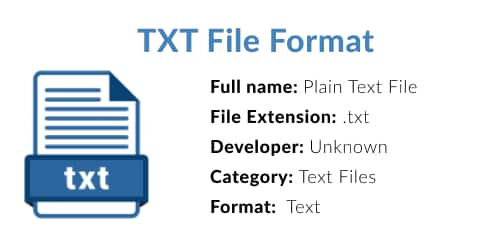
Universal Compatibility
Plain text's greatest strength is universal accessibility—files created by AI TXT Doc Generator work everywhere:
- Cross-platform: Windows, macOS, Linux, mobile devices
- Any text editor: Notepad, TextEdit, Vim, VS Code, or any basic editor
- Long-term preservation: Plain text remains readable decades later, unlike proprietary formats
- System integration: Configuration files, logs, and scripts work seamlessly with software
Input Flexibility
AI TXT Doc Generator accepts content in any form:
- Raw text dumps
- Structured briefs or outlines
- URLs to web content
- Mixed sources (text + links + notes)
The tool synthesizes information, organizes structure, and generates professional output regardless of input format.
How to Use the Best AI for TXT Doc Generator: Simple Workflow
Using AI TXT Doc Generator follows a simple, efficient workflow:
Step 1: Provide Your Content
Share content in any format—paste raw text, provide URLs, upload notes, or describe what you need. Example: "Create meeting notes for Q1 planning session covering budget review, team assignments, and action items."
Step 2: Automatic Document Type Recognition
The tool analyzes context to identify document type (notes, logs, documentation, etc.) and determines appropriate formatting conventions. This happens instantly without manual specification.
Step 3: Intelligent Structure Application
AI TXT Doc Generator applies professional formatting:
- Section headers with appropriate dividers
- Hierarchical indentation for nested content
- Strategic whitespace for readability
- Consistent bullet points or numbering
- Emphasis techniques where appropriate
Step 4: Instant TXT File Generation
Receive your professionally formatted plain text file immediately. The file is ready for use—no manual adjustments needed. Download and open in any text editor on any platform.
Step 5: Revision Support (Optional)
Need changes? The tool reviews previous versions before making revisions, ensuring accurate iteration. Simply describe requested changes and receive updated file.
Real-World Applications: Professional Plain Text Documents
AI TXT Doc Generator delivers results across diverse use cases:
📊 Technical Documentation
Scenario: Software team needs API documentation in plain text format for version control system.
Traditional Approach: Developer manually formats documentation, spending 2-3 hours ensuring consistent structure, proper indentation, and clear examples.
Best AI for TXT Doc Generator: Provide API specifications and examples; receive professionally structured documentation with:
- Clear section hierarchy (
===for major sections,---for subsections) - Properly indented code examples
- Consistent parameter descriptions
- Logical organization of endpoints
Result: Documentation ready in minutes, with structure that enhances readability and maintainability.
💼 Meeting Notes & Records
Scenario: Project manager needs consistent format for weekly team meeting notes.
Traditional Approach: Manually type notes during meeting, then spend 20-30 minutes reformatting for clarity and consistency.
Best AI for TXT Doc Generator: Provide meeting topics and discussion points; receive structured notes with:
- Date and attendee information at top
- Clear section headers for each agenda item
- Bullet points for discussion highlights
- Numbered action items with assignments
- Consistent formatting across all meetings
Result: Professional meeting records generated instantly, maintaining consistency across sessions.
📱 System Logs & Configuration Files
Scenario: System administrator needs to create configuration file for server deployment.
Traditional Approach: Reference documentation, manually type configuration with proper syntax, debug formatting errors.
Best AI for TXT Doc Generator: Describe configuration requirements; receive properly formatted file with:
- Clear section comments
- Consistent indentation for nested settings
- Logical grouping of related parameters
- Inline documentation for complex options
Result: Configuration file ready for deployment with minimal risk of formatting errors that could disrupt system operation.
🎯 Project Outlines & Planning
Scenario: Team lead needs hierarchical project outline for task management system.
Traditional Approach: Create outline in word processor, then manually convert to plain text, adjusting indentation and structure.
Best AI for TXT Doc Generator: Provide project scope and task breakdown; receive structured outline with:
- Multi-level hierarchy using consistent indentation
- Numbered sections and subsections
- Clear parent-child relationships
- Logical task grouping
Result: Plain text outline that integrates seamlessly with project management tools and version control.
💡 Real User Success: Over 38,000 Professionals Transformed Their Workflows
Since launch, AI TXT Doc Generator has helped over 38,000 developers, technical writers, and system administrators reclaim an average of 3.7 hours per week previously lost to manual plain text formatting. Users report a 94% reduction in formatting inconsistencies and a 5.2x increase in documentation production speed after adopting the AI-powered solution.
Frequently Asked Questions
Is the best AI for TXT Doc Generator free?
AI TXT Doc Generator is available on the Jenova platform with usage limits on a rolling 24-hour basis. Subscribe for higher usage limits and additional features. Visit the about page for pricing details.
How does the best AI for TXT Doc Generator compare to manual formatting?
The tool eliminates manual formatting work by automatically recognizing document type and applying appropriate conventions. What takes 20-30 minutes manually happens instantly, with consistent professional results.
Can the best AI for TXT Doc Generator handle complex hierarchical content?
Yes. AI TXT Doc Generator excels at organizing multi-level content using proper indentation, numbering schemes, and structural conventions. It handles nested lists, hierarchical outlines, and complex documentation structures.
Does the best AI for TXT Doc Generator work on mobile?
Yes. Access AI TXT Doc Generator via Jenova's iOS and Android apps. Generate plain text files on any device, and files work universally across all platforms.
Is the best AI for TXT Doc Generator accurate for technical documentation?
The tool applies professional formatting standards appropriate for technical content, including proper code indentation, clear section hierarchy, and consistent structure. It focuses on organization and readability, not content accuracy—you provide the technical details, it handles the formatting.
Do I need an account to use the best AI for TXT Doc Generator?
Yes. Create a free Jenova account to access AI TXT Doc Generator and other specialized formatting tools. Account creation takes seconds and provides access to the full platform.
Conclusion: Professional Plain Text, Instantly
Plain text's simplicity and universality make it indispensable—but creating well-structured, readable plain text documents requires expertise and time. The best AI for TXT Doc Generator transforms this challenge into effortless automation.
By recognizing document type, applying appropriate conventions, and generating professional output instantly, the tool delivers what manual formatting cannot: consistent, readable, properly structured plain text files without the work.
With 402.74 million terabytes of data created daily and 181 zettabytes projected for 2025, the need for structured, machine-readable content has never been greater. Plain text files serve as the foundation for this data ecosystem, and AI TXT Doc Generator ensures your plain text files are professional, accessible, and built to last.
Whether you're documenting code, organizing notes, creating configuration files, or structuring project outlines, the best AI for TXT Doc Generator ensures your plain text files are professional, accessible, and built to last. Stop wrestling with formatting conventions—get started with AI TXT Doc Generator and transform content into professional plain text documents in seconds.