Best AI for Poster Design: Create Professional Posters in Minutes Without Design Skills (June 2026)
2026-06-23

Poster Maker AI helps you create professional-quality posters for any occasion — events, promotions, wall art, infographics, research presentations — by combining deep design intelligence with AI image generation, so you get results that look like they came from a professional studio, not a template library. While the graphic design industry has been flooded with AI tools that generate generic layouts from text prompts, this AI brings something fundamentally different: expert-level design reasoning that understands visual hierarchy, typography pairing, color theory, and audience psychology — then applies that knowledge to your specific project.
✅ Expert design intelligence — understands visual hierarchy, typography, color psychology, and composition principles ✅ AI-powered image generation built in — custom illustrations, backgrounds, and visual elements created to match your poster's concept ✅ Any occasion, any format — event posters, marketing materials, wall art, infographics, research posters, promotional campaigns ✅ Industry-aware styling — adapts design language for music, corporate, academic, retail, nonprofit, and every other vertical ✅ Print-ready and digital-ready output with guidance on resolution, dimensions, and format selection
To understand why the right design tool changes outcomes, it helps to look at what individuals and businesses are actually up against when creating posters in 2026.
Quick Answer: What Is Poster Maker AI?
Poster Maker AI is an expert poster designer powered by deep design intelligence that creates professional event posters, wall art, infographics, research posters, and promotional materials — with built-in AI image generation.
Key capabilities:
- Creates complete poster designs with expert understanding of layout, typography, color harmony, and visual hierarchy
- Built-in AI image generation for custom illustrations, backgrounds, textures, and visual elements
- Adapts design language to your specific industry, audience, and occasion
- Guides you through print specifications, digital formatting, and production-ready output
The Problem: Why Creating Great Posters Is Still Frustratingly Difficult in 2026
The poster design landscape in 2026 is defined by a paradox: more AI tools exist than ever, yet the gap between a mediocre AI-generated poster and one that actually communicates effectively has never been wider.
88% of businesses report using AI design tools, often for image editing, social graphics, ad variations, and concept ideation — yet hiring impact has been limited, suggesting AI supplements rather than replaces design expertise — Graphic Design USA
Professional poster design costs $150–$2,000+ — entry-level designers charge $150–$300, mid-range professionals $300–$500, senior designers $500–$800, and agency rates climb to $800–$2,000+ per poster — Out the Box Inc.
**The generative AI in design market is expected to reach $16.9 billion by 2035**, growing at 32.75% CAGR from $993.9 million in 2025 — Precedence Research
2026 design trends are actively pushing back against AI-generated sameness — Adobe's Creative Trends Forecast emphasizes organic, analog, human-centered design with tactile textures, handwritten typography, and deliberate imperfection — Adobe 2026 Creative Trends
But accessing quality poster design is frustratingly difficult:
-
AI poster generators produce layouts, not designs — Most tools take a text prompt and output a template-based arrangement of stock elements. Testing by Krumzi across 8 AI poster makers found that "the gap between the best and worst was bigger than expected" — with some tools requiring 20 minutes of cleanup on outputs that should have been ready to use. The problem isn't generation speed. It's design intelligence.
-
Template-based tools produce template-looking results — Canva's 250,000+ poster templates and Adobe Express's library are enormous, but the results look like what they are: pre-made layouts with swapped text. When every coffee shop, yoga studio, and local band uses the same template library, visual distinctiveness — the entire point of a poster — disappears.
-
Most AI tools still struggle with typography — As Krumzi's 2026 review noted, "many AI tools still struggle with readable text in images." Typography is the single most important element in poster design — it determines whether someone reads your message or walks past it. Tools that can't handle type properly produce posters that fail at their core purpose.
-
Design knowledge is the actual bottleneck, not tool access — A non-designer using Canva, Adobe Express, or any AI generator still faces the same fundamental challenge: they don't know why certain layouts work, which font pairings create the right emotional response, or how to establish visual hierarchy that guides the viewer's eye. The tool gives them components. It doesn't give them design thinking.
The "Good Enough" Trap
The instinct to accept the first AI-generated output is understandable but costly. A poster for your business, event, or brand is a public-facing representation of your quality standards. A poster that looks obviously AI-generated — generic stock imagery, mismatched typography, no clear visual hierarchy — communicates that you didn't care enough to invest in how you present yourself. In a world where design trends are actively rebelling against AI sameness, "good enough" has become a competitive liability.
The Cost-Quality Paradox
At $150–$2,000+ per poster for professional design, most small businesses, event organizers, educators, and individuals can't afford to hire a designer for every poster they need. But the free and low-cost AI tools produce results that require significant refinement — and the person doing the refinement usually lacks the design knowledge to improve the output effectively. You end up spending time without improving quality.
Why Poster Maker AI Is the Best AI for Poster Design
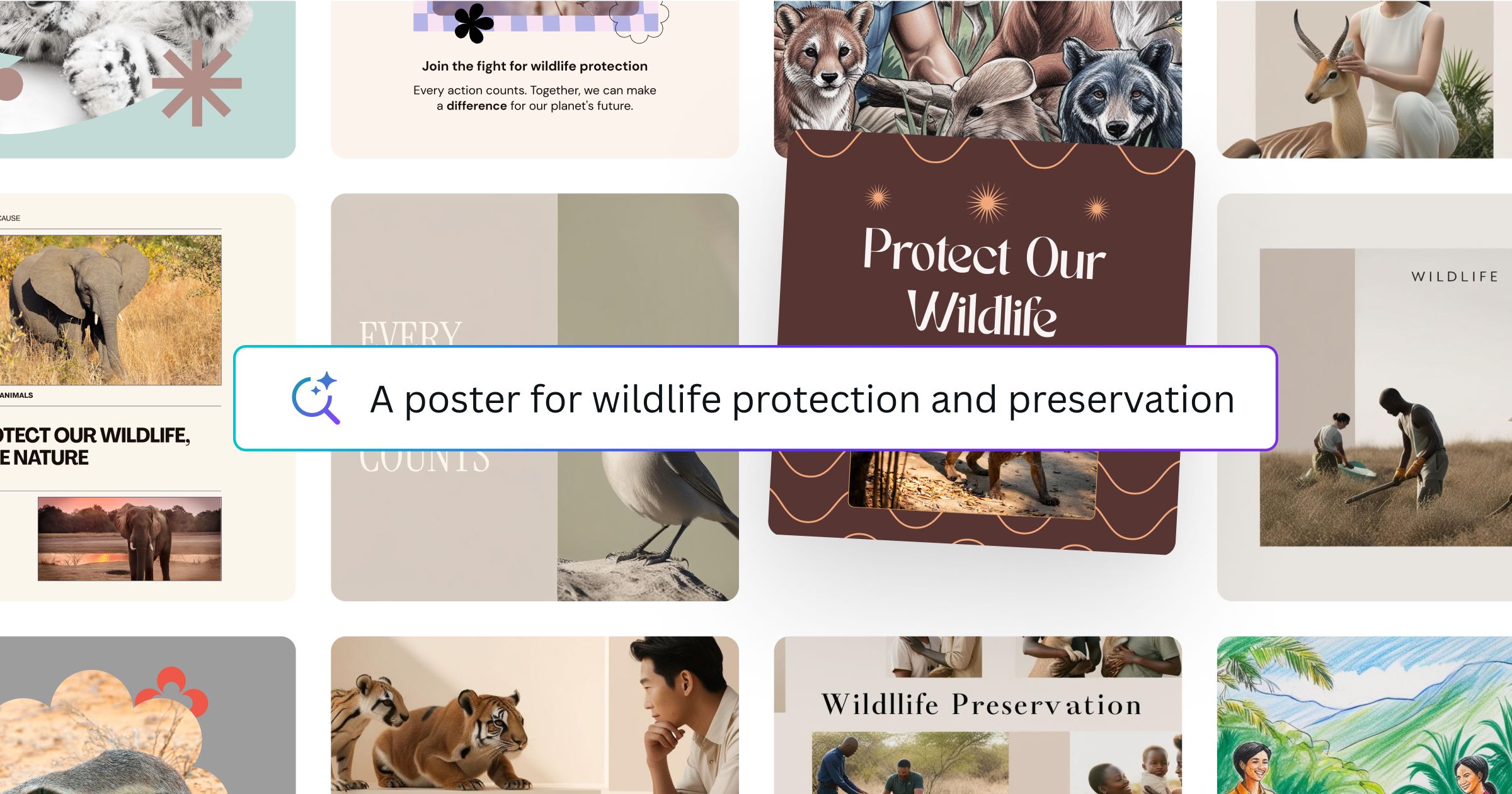
The difference between Poster Maker AI and every other poster creation tool comes down to one principle: design intelligence that understands why great posters work, not just how to arrange elements on a canvas.
| Template-Based AI Tools (Canva, Adobe Express, etc.) | Poster Maker AI |
|---|---|
| Generates layouts from template libraries | Creates designs from expert design reasoning |
| Limited to pre-made visual elements and stock imagery | Built-in AI image generation for custom visuals |
| No guidance on why design choices work | Explains design rationale — typography, hierarchy, color psychology |
| Same template library for every industry | Industry-aware styling adapted to your specific audience |
| Requires design knowledge to refine output | Handles refinement through conversation — describe what you want changed |
| $9–$14/month for premium features | Included with Jenova platform access |
| No print production guidance | Guides you through resolution, dimensions, bleed, and file format |
🎨 Design Intelligence, Not Template Matching
What makes Poster Maker AI the strongest option for poster creation is that it thinks like a designer. It understands:
- Visual hierarchy — what the viewer sees first, second, and third, and how to control that flow through scale, contrast, positioning, and whitespace
- Typography pairing — which font combinations create the emotional tone your poster needs (authoritative, playful, elegant, urgent) and why certain pairings clash
- Color psychology — how color choices influence perception, mood, and action — and how to select palettes that serve your specific purpose rather than just "looking nice"
- Composition principles — rule of thirds, golden ratio, symmetry versus asymmetry, and when to break rules deliberately for impact
- Audience awareness — a research poster for an academic conference requires fundamentally different design language than a concert flyer or a retail promotion
This means you don't need to know design terminology or have an eye for layout. You describe what you need, and the AI applies professional design reasoning to produce results that work — then explains why it made specific choices so you can make informed decisions about revisions.
"Design a poster for a jazz night at a downtown speakeasy. Saturday, August 9th. Doors at 8 PM. The vibe should be smoky, intimate, and a little retro — think 1960s Blue Note album covers."
🖼️ Built-In AI Image Generation
Unlike template tools that limit you to stock photos and pre-made graphics, Poster Maker AI generates custom visual elements directly within the design process:
- Custom illustrations matched to your poster's concept and style
- Backgrounds and textures that create atmosphere without relying on generic stock
- Typographic art — decorative lettering, hand-lettered style headlines, and text-as-art compositions
- Pattern and motif generation for brand-consistent visual systems
- Photo-realistic composites for product posters, event promotions, and marketing materials
This eliminates the need to source separate stock images, match them to your color palette, and integrate them into a cohesive layout. The AI creates visuals that are born as part of the design, not bolted on afterward.
🎯 Industry-Aware Design Language
The AI adapts its entire design approach based on your context:
- Music and entertainment — dynamic compositions, bold typography, atmospheric imagery, ticket info hierarchy
- Corporate and professional — clean layouts, structured grids, brand-consistent palettes, data visualization
- Academic and research — information density, section organization, citation formatting, institutional branding
- Retail and e-commerce — product focus, promotional urgency, price hierarchy, call-to-action clarity
- Nonprofit and cause-based — emotional imagery, storytelling layouts, donation CTAs, impact statistics
- Art and gallery — minimal interference with artwork, elegant typography, curatorial tone
"Create a research poster for a neuroscience conference. Title: 'Neural Correlates of Decision-Making Under Uncertainty.' I need sections for Abstract, Methods, Results, and Discussion, with space for two data visualizations."
📐 Print and Digital Production Guidance
The AI doesn't just design your poster — it guides you through production:
- Print specifications — resolution requirements (300 DPI minimum), bleed areas, safe margins, CMYK color considerations
- Digital formatting — optimal dimensions for Instagram, Facebook, LinkedIn, digital signage, and web display
- File format selection — when to use PDF (print), PNG (digital with transparency), JPG (web and email), and SVG (scalable)
- Large-format considerations — viewing distance calculations, font size recommendations, and visual clarity at scale
Related Agents You'll Also Find Useful
If you're creating posters regularly, the design itself is one step in a broader creative and marketing workflow. These agents cover the complementary skills that turn a great poster into effective communication.
Graphic Designer
While Poster Maker focuses specifically on poster design, Graphic Designer covers the full spectrum of visual communication — branding, social media assets, marketing materials, print design, infographics, and illustrations. If your poster is part of a broader design system or brand campaign, this agent ensures visual consistency across all touchpoints.
- Full branding and identity design across all formats
- Social media asset creation with platform-specific optimization
- Marketing collateral from business cards to presentation decks
Marketing Visual Designer
If your posters are part of a marketing campaign, Marketing Visual Designer specializes in creating visuals that drive specific business outcomes — logos, campaign imagery, social media assets, and digital ads with conversion-focused composition.
- Campaign imagery aligned to marketing objectives
- Digital ad creative optimized for platform-specific formats
- Brand-consistent visual systems across channels
Product Copywriter
The text on your poster matters as much as the design. Product Copywriter crafts headlines, taglines, and body copy that communicate your message with precision — whether it's an event promotion, product launch, or brand awareness campaign.
- Headlines and taglines engineered for impact and memorability
- Promotional copy calibrated to your audience and occasion
- Call-to-action language that drives the specific response you need
How It Works: From Concept to Finished Poster
Step 1: Describe Your Poster
Open Poster Maker AI and describe what you need in natural language. Include the occasion, key information, target audience, and any style preferences. The more context you provide, the more targeted the design will be — but even a brief description produces strong results because the AI fills gaps with professional design judgment.
"I need a poster for a charity 5K run on September 14th in Central Park. It should feel energetic and inclusive — bright colors, dynamic movement. Include registration info and the charity name: Steps for Change."
Step 2: Review the Design Concept
The AI creates your poster with custom imagery, typography, layout, and color palette — then explains the design rationale behind key choices. This transparency lets you make informed decisions about revisions rather than guessing what to change.
Step 3: Refine Through Conversation
Want a different color palette? A bolder headline? More whitespace? Describe the change and the AI adjusts — no design software skills required. You can iterate as many times as needed, and the AI maintains design coherence through each revision rather than degrading quality with each change.
"Love the layout, but can you make the headline larger and switch to a warmer color palette — think sunset oranges and deep reds instead of the blues?"
Step 4: Generate Custom Visual Elements
If the poster needs custom imagery — an illustration, a stylized background, a decorative element — the AI generates it directly within the design context. The visuals are created to match the poster's existing style, color palette, and mood, ensuring cohesion that stock imagery rarely achieves.
"Add an illustration of runners crossing a finish line with confetti — stylized and energetic, matching the poster's color scheme."
Step 5: Export Production-Ready Files
Once you're satisfied, the AI guides you through export — recommending the right file format, resolution, and dimensions for your specific use case. Print posters get high-resolution PDF guidance. Social media posters get platform-specific dimension recommendations. Digital signage gets appropriate resolution and aspect ratio advice.
Results & Use Cases
📊 The Small Business Owner Who Can't Afford a Designer
Scenario: A bakery owner needs promotional posters for a seasonal menu launch, a holiday sale, and a catering services announcement — three posters in the same week. Professional design at $150–$300 per poster would cost $450–$900 minimum.
Traditional Approach: Use Canva with a free template. The results look like every other small business poster in the neighborhood — same layouts, same stock photos, same generic feel. Or skip the poster entirely and rely on social media posts alone, missing the foot traffic that physical signage drives.
With Poster Maker AI: The bakery owner describes each poster's purpose, audience, and key information. The AI creates three distinct designs — each with custom imagery that matches the bakery's brand personality, typography that balances warmth with readability, and layouts that guide the viewer from headline to call-to-action. All three completed in a single afternoon.
- ✅ Three professional posters for a fraction of a single designer's fee
- ✅ Custom imagery that matches the brand — not generic stock photos
- ✅ Design consistency across all three while maintaining visual variety
- ✅ Print-ready output with resolution and format guidance
💼 The Event Organizer Under a 24-Hour Deadline
Scenario: A conference organizer learns at 4 PM that the keynote speaker has changed and the event poster — already printed and distributed digitally — needs to be redesigned overnight for the new speaker, updated schedule, and revised sponsorship logos.
Traditional Approach: Call the designer in a panic. If they're available, pay rush fees (often 50–100% premium). If they're not available, attempt to modify the design in Canva or PowerPoint, producing results that don't match the original poster's quality.
With Poster Maker AI: Describe the changes needed, provide the new speaker's information, and the AI generates a redesigned poster that maintains the event's visual brand while incorporating the updated content. Done in 30 minutes, not overnight. Export in both print-ready and digital formats immediately.
- ✅ No rush fees, no designer availability constraints
- ✅ Maintains visual consistency with the original event branding
- ✅ Simultaneous print and digital format output
- ✅ Available at 4 PM, midnight, or 3 AM — whenever the crisis hits
📱 The Student Creating a Research Poster the Night Before
Scenario: A graduate student presenting at a neuroscience conference needs a research poster that organizes their abstract, methodology, results, and discussion into a visually coherent layout — with two data visualizations, institutional branding, and proper citation formatting. It's due tomorrow morning.
Traditional Approach: Open PowerPoint, struggle with layout for three hours, end up with a text-heavy poster that looks like a Word document stretched to 48×36 inches. Or pay $40+/month for BioRender, which is great for scientific illustrations but expensive for a single poster.
With Poster Maker AI: The student describes their research, sections, and data — the AI creates a professionally structured research poster with clear information hierarchy, appropriate font sizes for conference viewing distances, designated spaces for data visualizations, and institutional branding. The AI understands academic poster conventions — section flow, citation placement, author/affiliation formatting — so the result looks like it came from someone who's designed dozens of conference posters.
- ✅ Academic poster conventions built into the design intelligence
- ✅ Information hierarchy optimized for conference viewing (3–5 foot reading distance)
- ✅ Section organization that follows standard research poster flow
- ✅ Works on mobile for last-minute edits between sessions
🎵 The Independent Musician Promoting a Tour
Scenario: An independent artist is booking a 12-city tour and needs a poster for each venue — each reflecting the local vibe while maintaining a cohesive tour identity. Professional design for 12 unique posters at $300–$500 each would cost $3,600–$6,000.
Traditional Approach: Create one generic poster and swap the venue/date text for each city. Every poster looks identical, losing the opportunity to create city-specific buzz and collectible designs that fans share on social media.
With Poster Maker AI: The musician establishes a visual identity for the tour — color palette, typography, core graphic elements — then creates 12 variations, each incorporating local references, venue personality, and city-specific imagery. The AI maintains brand cohesion while producing genuinely distinct designs for each stop.
- ✅ 12 unique posters with cohesive tour branding for a fraction of agency cost
- ✅ City-specific design elements that create local engagement
- ✅ Custom AI-generated artwork — no licensing issues with stock imagery
- ✅ Both print-ready and social-media-optimized formats for each city
🎨 The Nonprofit Volunteer with Zero Design Experience
Scenario: A volunteer coordinator at a community nonprofit needs a poster for an upcoming fundraiser gala. They have no design experience, no brand guidelines, and a budget of exactly zero dollars for design work.
Traditional Approach: Spend two hours fighting with Canva's free tier, accept a template that looks like every other nonprofit poster, and print it on standard paper at the office. The result communicates "we didn't invest in this" — which is exactly the wrong message for a fundraiser asking people to invest in the cause.
With the AI poster maker: Describe the event, the cause, and the emotional tone. The AI creates a poster with professional quality — elegant typography, emotionally resonant imagery, clear event details, and a visual hierarchy that guides viewers from emotional hook to event information to call-to-action. The volunteer doesn't need design skills because the AI provides them.
- ✅ Professional quality with zero design experience required
- ✅ Emotionally resonant design that matches the cause's gravity
- ✅ Accessible on the free tier — no budget required
- ✅ Iterative refinement through conversation, not software controls
Frequently Asked Questions
Is Poster Maker AI free to use?
Yes. Poster Maker AI is available on Jenova's free tier with limited usage. For users who create posters regularly — event organizers, small business owners, marketers, educators — paid plans starting at $20/month provide significantly more usage. Compared to [professional poster design at $150–$2,000+ per poster](https://outtheboxinc.com/how-much-do-graphic-designers-charge-per-poster/), even a single poster justifies the cost difference.
What makes this better than Canva or Adobe Express for poster design?
Canva and Adobe Express are template-based tools with AI features layered on top. They give you layouts, stock elements, and drag-and-drop interfaces — but they don't provide design intelligence. Poster Maker AI understands visual hierarchy, typography pairing, color psychology, and audience-specific design language. It creates posters from expert reasoning, not template matching, and generates custom imagery instead of relying on stock libraries. The result looks designed, not assembled.
Can it create posters for print?
Yes. The AI guides you through print production specifications — resolution requirements (300 DPI minimum), appropriate dimensions for standard print sizes, bleed areas, safe margins, and CMYK color considerations. It recommends the right file format for your specific print method and provides sizing guidance for everything from standard 11×17 prints to large-format conference posters.
What types of posters can it create?
Any type. Event posters, concert flyers, movie-style promotional posters, research and academic posters, infographic posters, wall art, retail promotions, nonprofit campaigns, social media announcement graphics, digital signage, trade show displays, and more. The AI adapts its design approach based on the type, audience, and intended use.
Does it generate images, or just layouts?
Both. Unlike template tools that rely on stock photography and pre-made graphics, Poster Maker AI includes built-in AI image generation. It creates custom illustrations, backgrounds, textures, and visual elements designed specifically for your poster — matched to the color palette, style, and mood of the overall design.
Does Poster Maker AI work on mobile?
Yes. It runs with full feature parity across web, iOS, and Android. Describe your poster, review the design, and iterate through conversation from any device. All progress syncs across devices automatically — start on your laptop and refine on your phone between meetings.
Great Design Isn't About Tools — It's About Thinking Like a Designer
The poster design landscape in 2026 is flooded with tools that generate layouts in seconds. Eight AI poster makers tested with the same brief produced results ranging from "ship as-is" to "needs 20 minutes of cleanup." The difference wasn't speed or template count — it was design intelligence. The tools that understood why certain layouts work produced better results than those that simply arranged elements on a canvas.
That's exactly the gap Poster Maker AI fills. It doesn't give you 250,000 templates and leave you to figure out which one works. It applies professional design reasoning — visual hierarchy, typography pairing, color psychology, audience awareness — to your specific project, then creates custom imagery that belongs in the design rather than bolted onto a template. Whether you're a small business owner creating seasonal promotions, a student presenting research, a musician promoting a tour, or a nonprofit volunteer with zero budget and zero design experience, the result is the same: a poster that looks like it came from a professional studio. Try it free and see the difference design intelligence makes. Explore more AI agents at Jenova.