Best AI for Invoice Generator: Professional Invoicing for Any Client, Currency & Industry (July 2026)
2026-07-01

Invoice Generator lets freelancers, consultants, and business owners create professional, compliant invoices for any client, industry, currency, or geography in seconds — eliminating the hours spent wrestling with templates, tax calculations, and formatting requirements. While AI invoicing tools have flooded the market in 2026, most are either glorified form-fillers with an "AI" label or full accounting suites that force you into rigid ecosystems. This agent takes a fundamentally different approach: set up your business once, then generate polished, ready-to-send invoices through natural conversation — no forms, no dropdowns, no learning curve.
✅ Natural language invoice creation — describe the work, get a formatted invoice ✅ 180+ currencies and jurisdiction-aware tax compliance ✅ Persistent business memory — clients, rates, and preferences saved across sessions ✅ Professional PDF output with custom branding, line items, and payment terms
The invoicing landscape in 2026 reveals a painful irony: the tools designed to save freelancers time are often the ones consuming it. To understand why a conversational AI invoice generator matters more than another SaaS dashboard, let's look at where the real money gets lost.
Quick Answer: What Is AI Invoice Generator?
Invoice Generator is an AI-powered invoicing assistant that creates professional, tax-compliant invoices for any client, industry, currency, or geography through natural language conversation — no templates, no forms, no manual data entry.
Key capabilities:
- Natural language invoice creation from a simple description of the work performed
- Persistent memory of your business details, client information, and billing preferences
- Jurisdiction-aware tax calculations and compliance formatting
- Professional PDF generation with custom branding and flexible line item structures
The Problem: Invoicing Is Where Freelancers Lose Money
The economics of invoicing for freelancers and small businesses are brutal — not because invoicing itself is expensive, but because the friction around it creates a cascade of delays that directly cost revenue. 56% of small businesses are currently owed money from unpaid invoices, with the average amount at $17,500.
59% of SMBs experience late payments — and 28% have $5K+ tied up in overdue invoices — Bluevine, 2026
45% of small firms are seeing more late payments than a year ago — GoCardless/FSB Survey via Enterprise Nation
But the root cause isn't clients refusing to pay — it's invoices not going out fast enough:
- Invoicing gets deprioritized behind billable work. Freelancers and consultants are so busy executing client work that invoicing becomes a "whenever I find time" task. That delay compounds — every day an invoice sits unsent is a day the payment clock hasn't started.
- Tool fragmentation kills the time savings. The average freelancer bounces between a time tracker, a template tool, a PDF generator, a payment processor, and an email client just to send one invoice. Most AI invoicing tools are the same automated tools from a decade ago with a chatbot tacked on.
- Generic tools don't understand billing contexts. A design consultant billing hourly, a SaaS agency billing per project milestone, and a contractor billing per unit all need fundamentally different invoice structures — different line items, different tax treatments, different payment terms. Template-based tools force everyone into the same rigid format.
- International billing adds painful complexity. Currency conversion, VAT/GST requirements, regional compliance formatting, and multi-jurisdiction tax rules turn a five-minute task into a research project.
The Hidden Cost of Invoice Friction
$17,500 — average amount owed to small businesses from unpaid invoices — Every.ai, 2026
The math is straightforward: freelancers using automated invoicing tools reduce bookkeeping time by an average of 62%, reclaiming 3–5 hours weekly. At a billing rate of $100–$200/hour, that's $400–$1,000 per week in recovered productive time — before counting the revenue acceleration from invoices going out faster.
The "AI" Label Problem
Most tools marketing themselves as "AI invoice generators" in 2026 offer basic automation — auto-filling client details from a dropdown, recurring invoice scheduling, and template-based creation. That's not AI. That's a database with a form. Real AI invoicing means you describe the work in natural language — "Invoice Acme Corp for 20 hours of consulting at $150/hour, net 30" — and the tool builds the complete invoice with correct line items, calculations, tax treatment, and formatting, without you touching a single field.
This is exactly what Invoice Generator was built for.
Why Invoice Generator
Most invoicing tools — even the "AI-powered" ones — require you to navigate dashboards, fill forms, select from dropdowns, and manually configure every invoice element. Invoice Generator eliminates the entire form-filling paradigm. You have a conversation. You describe what you did, for whom, and how you want to bill it. The AI builds the invoice.
| Traditional Approach | Invoice Generator |
|---|---|
| Navigate a dashboard, fill out forms, select from dropdowns | Describe the work in plain English — invoice is generated |
| Re-enter client details for every new invoice | Persistent memory — clients, rates, and terms saved across sessions |
| Manually calculate taxes, discounts, and totals | Automatic tax calculations based on jurisdiction and client location |
| One template format for every business type | Adaptive formatting for consulting, creative, SaaS, construction, and more |
| Separate tool for each currency and region | 180+ currencies with region-appropriate compliance formatting |
| Export PDF, then open email, then attach, then send | Ready-to-send professional PDFs generated in the conversation |
💬 Natural Language Invoice Creation
Stop filling out forms. Tell the AI what you did, and it creates the invoice:
"Create an invoice for Meridian Design Co. — 40 hours of brand strategy at $175/hour, plus $2,500 for the brand guidelines deliverable. Net 30, 2% early payment discount if paid within 10 days."
The AI generates a complete, formatted invoice with correct line items, subtotals, discount terms, tax calculations, and payment instructions — all from a single message.
"Invoice my three retainer clients for June — Sarah at $3,000/month, David at $5,000/month, and Pinnacle Group at $8,500/month. All net 15."
Batch invoicing through conversation — no clicking through three separate invoice forms.
🧠 Persistent Business Memory
Set up your business details once — company name, logo, address, tax ID, payment methods, bank details, default terms — and the AI remembers everything across every session. Add a new client once, and their details are stored permanently. Your tenth invoice takes seconds because the AI already knows your rates, your clients, and your preferences.
"Invoice David Chen at the usual rate for 12 hours of frontend development this week"
No re-entering. No lookups. The AI knows David's company, billing address, your hourly rate for development work, and your standard payment terms.
🌍 Multi-Currency and Tax Compliance
Whether you're billing in USD, EUR, GBP, JPY, or Philippine pesos, the AI handles currency formatting, symbol placement, and decimal conventions correctly. Specify the jurisdiction, and it applies the appropriate tax treatment — VAT for EU clients, GST for Australian clients, sales tax for US clients, or tax-exempt formatting for B2B cross-border transactions.
"Create an invoice in euros for my Berlin client — include 19% VAT, reverse charge mechanism noted since they're B2B within the EU"
📄 Professional Output Quality
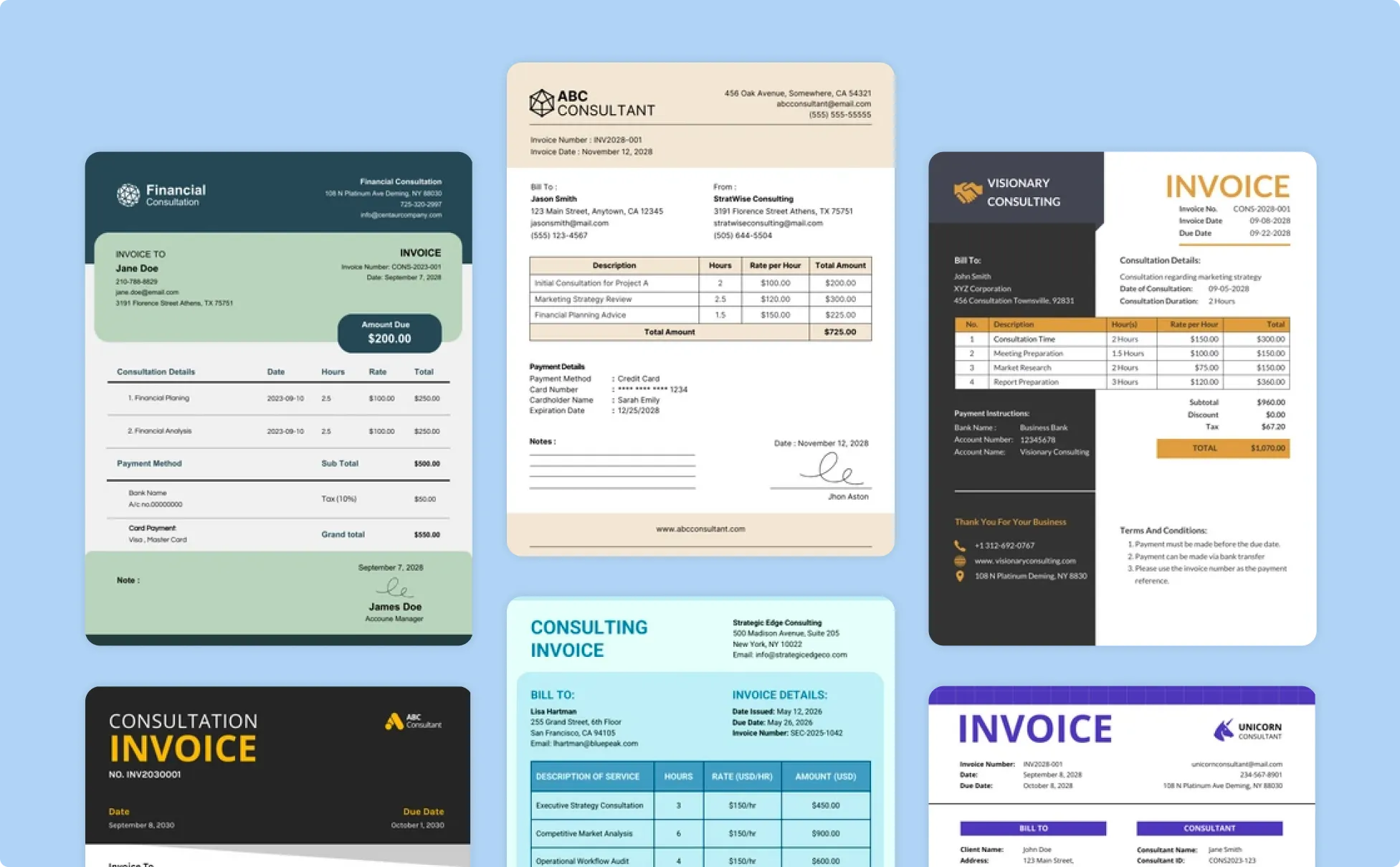
Every invoice is generated as a clean, professionally formatted PDF — not a rough draft you need to fix. Line items are properly aligned, totals are calculated, payment terms are clearly stated, and your branding is consistently applied. The output is ready to attach to an email or upload to a client portal immediately.
Related Agents You'll Also Find Useful
If you're streamlining your entire billing and financial workflow, these complementary agents handle the tasks that surround invoicing:
Expense & Receipt Tracker
Invoicing is only half the financial picture. This agent turns uploaded receipts, bank statements, and expense records into categorized, export-ready financial data — so you can track what you're spending alongside what you're earning.
- Upload receipts and statements → auto-categorized expense records
- Export-ready formats for accountants and tax preparation
- Running expense totals by category, client, or project
PDF Doc Generator
When you need professional documents beyond invoices — proposals, contracts, project briefs, or service agreements — this agent produces polished PDFs with adaptive formatting that matches industry conventions.
- Professional proposals and service agreements with custom branding
- Adaptive design that matches the document type automatically
- Consistent visual identity across all your business documents
Personal Financial Advisor
For freelancers and business owners who need strategic guidance on the money flowing through their invoices — budgeting, tax planning, retirement contributions, and financial decision-making beyond the billing cycle.
- Cash flow management and budgeting based on invoice patterns
- Tax planning for self-employed and freelance income
- Financial strategy for business growth and personal goals
Try Invoice Generator free — no credit card required.
How It Works: From Description to Professional Invoice
Step 1: Set Up Your Business (Once)
Tell the AI your business details — company name, address, tax ID, logo description, default payment terms, preferred currency, and bank or payment information. This is a one-time setup. The AI stores everything in persistent memory and applies it to every future invoice automatically.
"My business is Albatana Consulting, registered in the Philippines. Tax ID: 123-456-789. Default terms: Net 15. Payment via WISE to my USD account. Default currency: USD."
Step 2: Add Your Client
Describe your client the first time you invoice them. The AI saves their details for all future invoices — company name, contact person, billing address, preferred currency, applicable tax treatment.
"New client: Sarah Kim at Brightline Studios, 450 West 33rd St, New York, NY 10001. USD billing, standard US invoicing."
Step 3: Describe the Work
Tell the AI what you did, how much to charge, and any special terms. Use natural language — no forms, no fields, no dropdowns. The AI builds the complete invoice with calculated totals, proper formatting, and your saved business details.
"Invoice Sarah for June — 24 hours of UX research at $125/hour, plus a $1,500 flat fee for the usability report. Add a 5% discount on the hourly portion as a repeat client courtesy. Net 15."
Step 4: Review, Adjust, and Generate
The AI presents the invoice details for your review. Request any changes — adjust line items, modify terms, add notes, change formatting — and iterate until it's exactly right. Then generate the final professional PDF.
"Add a note at the bottom: 'Thank you for your continued partnership.' And move the discount to a separate line item so it's visible."
Step 5: Reuse and Scale
For your next invoice, just describe the new work. The AI already knows your business, your client, and your preferences. Recurring invoices become a single sentence.
"Invoice Sarah for July — same structure as June, but 30 hours instead of 24 and no discount this time."
Results & Use Cases
💼 Freelance Consultant: From 45 Minutes to 2 Minutes Per Invoice
Scenario: A management consultant bills 6–8 clients monthly, each with different rates, project structures, and payment terms. Currently spends 30–45 minutes per invoice navigating QuickBooks, looking up client details, formatting line items, and exporting PDFs.
Traditional Approach: Open accounting software, search for client, create new invoice, manually enter each line item, double-check tax calculations, format, export PDF, compose email, attach, send. Total: ~40 minutes per invoice × 7 clients = nearly 5 hours per month on invoicing alone.
Invoice Generator: The consultant describes each client's billable work in one message. The AI knows every client's details, rates, and terms from previous sessions. A complete, formatted invoice is generated in under 2 minutes — including line items, tax calculations, and payment terms.
- 5 hours/month reduced to under 15 minutes
- Zero data re-entry — persistent client and rate memory
- Consistent professional formatting across all clients
📊 Creative Agency: Multi-Currency International Billing
Scenario: A small design agency in London works with clients in the US, EU, and Asia-Pacific. Each region requires different currencies, tax treatments (VAT, GST, sales tax), and compliance formatting. The agency currently maintains three separate invoice templates and manually converts currencies.
Traditional Approach: Maintain separate templates for each region. Manually look up current exchange rates. Research tax requirements for each jurisdiction. Format compliance notes differently for EU reverse charge, Australian GST, and US sales tax. Time per international invoice: 30–60 minutes.
Invoice Generator: The agency specifies the client's jurisdiction, and the AI applies the correct currency formatting, tax treatment, and compliance language automatically. EUR invoices include proper VAT formatting. AUD invoices apply GST. USD invoices handle state-specific sales tax.
- One conversation replaces three template systems
- Jurisdiction-aware tax compliance without manual research
- Currency formatting correct for every region automatically
📱 Contractor: Invoicing from the Job Site
Scenario: An independent contractor finishes a residential renovation job and needs to send the final invoice before leaving the site. The client is expecting the invoice today. The contractor's laptop is at home.
Traditional Approach: Wait until evening to get home, open the laptop, find the template, fill in the details from memory (or notes scribbled on paper), format, export, email. The invoice goes out the next day — or later.
Invoice Generator: From their phone, the contractor opens a conversation and describes the completed work. The AI generates the invoice with previously saved business details and client information. Professional PDF ready to send before leaving the property.
- Invoice sent same day, from the job site
- Full feature parity on iOS and Android — no laptop required
- Speech-to-text for hands-free invoice dictation
🎯 Startup Founder: Batch Invoicing for Recurring Clients
Scenario: A SaaS startup founder manually creates 15 invoices on the first of every month for retainer clients. Each client has a different monthly amount, and the process takes an entire morning.
Traditional Approach: Open invoicing tool, create 15 separate invoices one by one, enter each client's details and amount, export PDFs, attach to individual emails. Total time: 3–4 hours.
Invoice Generator: The founder describes all 15 clients and their recurring amounts in a single conversation. The AI generates each invoice sequentially with stored client details, correct amounts, and consistent formatting — the entire monthly billing cycle completed in minutes.
- 15 invoices generated in a single conversation
- Persistent memory eliminates all repetitive data entry
- Consistent professional formatting across every client
FAQ
Is AI Invoice Generator free to use?
Yes. Invoice Generator is available on Jenova's free tier with all core features. For higher volume invoicing, custom model selection, and no watermarks on generated PDFs, paid plans start at $20/month.
How is this different from QuickBooks or FreshBooks invoicing?
QuickBooks and FreshBooks are full accounting suites that include invoicing as one feature within a larger ecosystem. Invoice Generator is a conversational AI that creates invoices from natural language — no dashboards, no form fields, no learning curve. You describe the work, and the AI builds the invoice. It's designed to be the fastest path from "I finished the work" to "the invoice is sent," without requiring you to adopt an entire accounting platform.
Can it handle international clients and multiple currencies?
Absolutely. Invoice Generator supports 180+ currencies with proper formatting conventions, jurisdiction-aware tax calculations (VAT, GST, sales tax), and compliance language for international B2B transactions including EU reverse charge mechanisms. Specify the client's location and currency, and the AI handles the rest.
Does it remember my clients and business details?
Yes. Jenova's persistent cross-session memory means you set up your business details once and add each client once. Every future invoice draws from stored information — your company name, branding, tax ID, payment details, client addresses, rates, and preferred terms are all remembered automatically.
Does it work on mobile?
Yes. Invoice Generator works across web, iOS, and Android with full feature parity and state-of-the-art speech-to-text. You can dictate invoice details from your phone and receive a professional PDF without ever touching a laptop — essential for freelancers and contractors who need to invoice from anywhere.
Can it generate invoices for different industries?
Yes. The AI adapts invoice formatting to match industry conventions — consulting (hourly + project fees), creative services (milestone billing), construction (materials + labor), SaaS (subscription billing), and more. Describe your billing structure in natural language, and the AI formats the invoice appropriately for your industry context.
Conclusion
The gap between completing billable work and getting paid shouldn't require 30–60 minutes of form-filling, template-hunting, and manual calculations. With 56% of small businesses currently owed money from unpaid invoices and the average outstanding amount sitting at $17,500, every hour an invoice sits unsent is revenue stuck in limbo. Most "AI" invoicing tools in 2026 are just the same automated forms from a decade ago with a chatbot label — they digitize the manual process without eliminating it. Invoice Generator replaces the entire paradigm: set up your business once, describe your work in plain language, and receive professional, tax-compliant, multi-currency invoices ready to send — in seconds, not hours, from any device. Whether you're a solo freelancer billing five clients or an agency managing international accounts across multiple currencies, the fastest invoice is the one that actually gets sent. Try Invoice Generator now. Explore the full agent library at Jenova.