Best AI for Graphic Designers: Tools to Speed Up Every Creative Workflow (June 2026)
2026-06-22
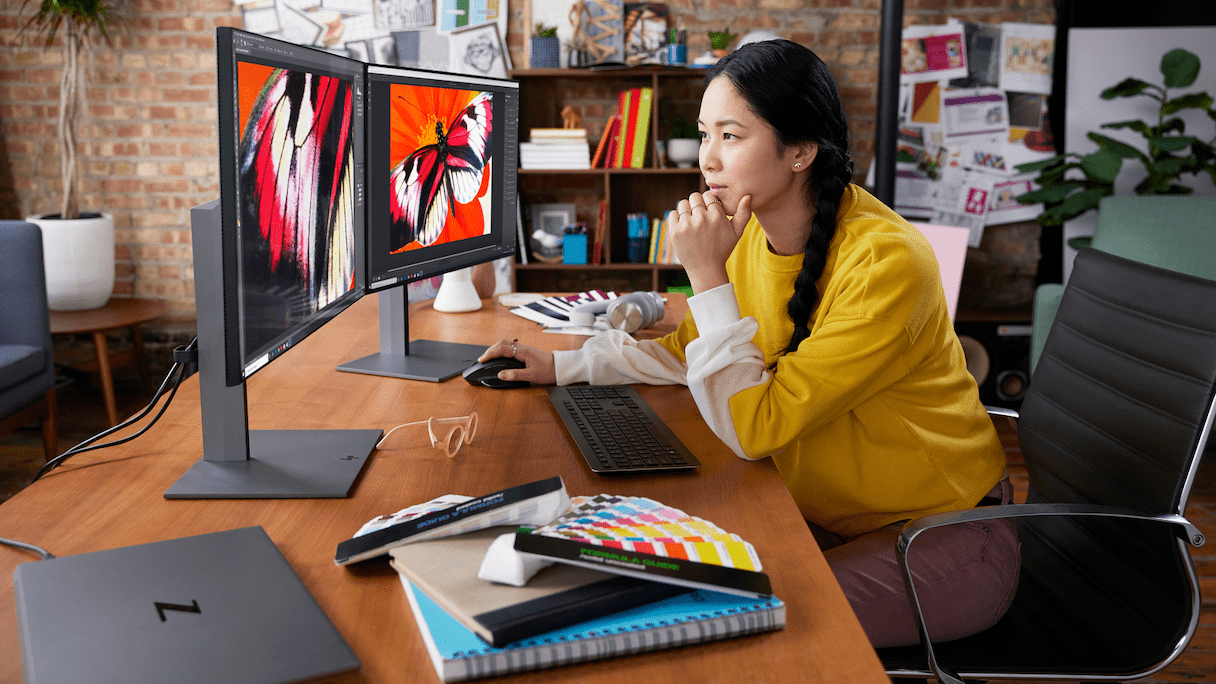
The graphic design industry in 2026 isn't shrinking — it's accelerating. Jenova gives designers a full library of specialized AI agents that handle branding, photo editing, marketing visuals, UI prototyping, and content generation, so you can focus on the strategic creative work that actually moves projects forward.
✅ Dedicated agents for logos, social graphics, photo retouching, UI mockups, and product visuals ✅ Multi-model access — OpenAI, Anthropic, Google, and more from one platform ✅ Works across web, iOS, and Android with full feature parity ✅ Free to start, no credit card required
With AI adoption among design professionals accelerating faster than ever, understanding which tools actually fit your workflow — and which ones create more friction — is the difference between shipping faster and spinning your wheels. Here's what's happening in the industry and how the right AI agents solve the biggest pain points.
Quick Answer: What Are the Best AI Tools for Graphic Designers?
The best AI for graphic designers in 2026 is a specialized agent platform like Jenova, which provides dedicated AI agents for every design task — from logo creation and photo editing to UI prototyping and marketing visuals.
Key capabilities:
- Graphic Designer agent for branding, social media, print, infographics, and illustrations
- Logo Generator for brand identity with intelligent style matching
- Photo Editor for professional retouching across portraits, products, and landscapes
- UI/UX Prototype Generator for polished screen prototypes on iOS, Android, and web
The Problem: Why Graphic Designers Are Struggling in 2026
The demand for visual content has never been higher. 50% of businesses report increased demand for social media content in the past year alone, making it the fastest-growing design need. Meanwhile, marketing assets (42%) and brand identity work (41%) continue to pile up.
But meeting that demand is getting harder, not easier:
- Volume expectations are unsustainable. Clients expect more deliverables in less time. Social-first creative, ad variations, and cross-platform assets multiply the workload exponentially.
- AI tool fragmentation creates chaos. 75% of designers now use AI tools, up from 35% in 2023, but designers are juggling multiple disconnected platforms — one for image generation, another for editing, another for mockups — each with its own learning curve.
- Strategic work gets squeezed by production tasks. 88% of businesses use AI design tools in some capacity, yet most of that usage focuses on production-level tasks like image editing and background removal (45%), social media graphics (36%), and ad creative variations (35%). The result? Designers spend their time on tactical output instead of the creative strategy clients actually value most.
- Brand alignment remains the top pain point. Brand misalignment ranks as the #1 frustration (19%) businesses have with designers, followed by unclear communication (17%) and slow turnaround times (17%). More tools haven't solved the collaboration problem.
The Core Tension
39% of businesses rank creativity as the most important trait when hiring designers — far above speed (7%) or affordability (7%).
Designers are being hired for creative and strategic value, but spending most of their hours on repetitive production. The industry needs AI that handles execution so designers can focus on the thinking that clients pay premium rates for.
Why Jenova's AI Agents Work for Designers
Rather than forcing you into one monolithic tool, Jenova gives you access to specialized agents — each built with deep domain knowledge for a specific design workflow. You get a dedicated AI partner for each type of creative work, not a generic chatbot trying to do everything.
| Traditional AI Tools | Jenova's Specialized Agents |
|---|---|
| One generic tool for all tasks | Dedicated agents for logos, photos, UI, marketing, and more |
| Switch between 5-6 disconnected platforms | All agents in one unified platform |
| Outputs lack brand context | Persistent memory remembers your preferences and style |
| Limited to one AI model | Multi-model access: OpenAI, Anthropic, Google, DeepSeek, xAI |
| Start from scratch every session | Cross-session memory retains past projects and brand guidelines |
Design-Specific Agents That Handle Real Workflows
Each agent is purpose-built, not a prompt template layered on top of a general model.
Branding & Identity
The Graphic Designer agent handles branding, social media assets, marketing materials, print design, infographics, and illustrations. Describe what you need, upload reference materials, and get production-ready concepts with specific design rationale — not just pretty pictures.
"Create a modern brand identity system for an artisanal coffee roastery — include primary logo, secondary mark, color palette with hex codes, and typography recommendations"
Logo Design
The Logo Generator uses intelligent style matching to create logos that fit your industry context. Whether you need luxury minimalism, tech-forward geometry, or artisan warmth, it adapts its design approach to your brand positioning.
"Design a wordmark logo for a sustainable fashion brand called 'Eterna' — clean, modern, with subtle organic elements that suggest sustainability without being cliché"
Photo Editing & Retouching
The Photo Editor handles professional retouching across portraits, products, and landscapes — color correction, lighting adjustments, background modifications, and detail enhancement.
"Enhance this product photo: correct the white balance, remove the shadow on the left side, and make the colors pop for an e-commerce listing"

Specialized AI Agents You'll Also Find Useful
Beyond the core design agents, Jenova offers specialized tools that cover the full spectrum of a graphic designer's workflow:
Marketing Visual Designer
Built specifically for campaign imagery, social media assets, digital ads, and branded marketing collateral. When the Clutch survey shows social media content as the #1 growing design need, having a dedicated marketing visual agent means you can produce platform-native assets at the pace clients demand.
- Campaign imagery and digital ad variations
- Social media templates optimized for each platform
- Brand-consistent marketing collateral
Product Photo Editor
Purpose-built for e-commerce workflows — background editing, color correction, and retouching specifically optimized for marketplace listings. With packaging design ranking among the top 5 most-hired project types, product photography is a constant demand.
- Background replacement and studio-quality enhancement
- Color accuracy for online retail standards
- Batch-style consistency across product lines
UI/UX Prototype Generator
Produces polished screen prototypes for iOS, Android, and web. With website and UI design at 33% of all design projects businesses hire for, having an agent that generates interactive prototypes from descriptions eliminates hours of wireframing.
- High-fidelity screen mockups from text descriptions
- Platform-specific design patterns (iOS HIG, Material Design)
- Rapid iteration without rebuilding layouts from scratch
Poster Maker
Event posters, wall art, infographics, research posters, and promotional materials. Handles typography, layout, and visual hierarchy with design-aware intelligence.
- Event and promotional poster design
- Infographic creation with data visualization
- Print-ready output with proper bleed and margins
How It Works: From Blank Canvas to Finished Asset
Step 1: Choose the Right Agent for Your Task
Open Jenova and select the agent that matches your workflow. Need a logo? Go to Logo Generator. Retouching product shots? Open Product Photo Editor. Each agent brings domain-specific design knowledge, so you're working with a specialist from the first message.
Step 2: Describe Your Vision or Upload References
Give the agent your brief — the more specific you are about style, audience, and purpose, the stronger the output. Upload mood boards, brand guidelines, or existing assets for context.
"I need a set of Instagram carousel graphics for a fitness brand launch. Style: bold, high-energy, dark background with neon accent colors. Include headline text space and a CTA on the final slide."
Step 3: Iterate and Refine
Review the agent's output and request adjustments. The agent remembers your preferences across the conversation — and across sessions if you keep Global Memory on — so you don't repeat yourself.
"Love the color palette but make the typography bolder. Use a condensed sans-serif for the headlines and increase the contrast between the background and text."
Step 4: Export and Deliver
Download your finished assets directly. Generate PDFs with the PDF Doc Generator for client presentations, or use the Graphic Designer agent to create final specifications documents with exact color codes, dimensions, and usage guidelines.
Results & Use Cases
📱 Freelance Designer Scaling Social Media Output
Scenario: A freelance graphic designer has three clients who each need 15-20 social media posts per week across Instagram, LinkedIn, and TikTok.
Traditional Approach: 2-3 hours per client creating variations, resizing for each platform, and maintaining brand consistency manually — roughly 6-9 hours weekly on production alone.
With Jenova's Marketing Visual Designer: Generate platform-specific templates and visual concepts in minutes, iterate on brand-aligned variations, and focus remaining hours on creative strategy and client relationships. The persistent memory ensures each client's brand guidelines carry forward without re-uploading every session.
- Cut production time by focusing on strategic direction instead of manual execution
- Maintain consistent brand identity across platforms without template fatigue
- Scale to more clients without proportionally increasing hours
💼 Agency Handling a Full Rebrand
Scenario: A small design agency wins a rebranding project for a mid-sized company — new logo, brand identity system, marketing collateral, and website UI.
Traditional Approach: 4-6 weeks of concepting, internal reviews, and iterative rounds across logo design, brand guidelines, marketing materials, and web design — often with separate teams or tools for each phase.
With Jenova: Use the Logo Generator for rapid logo exploration, the Graphic Designer for brand system development, the Marketing Visual Designer for collateral, and the UI/UX Prototype Generator for website mockups — all from one platform where brand context carries across agents.
- Explore significantly more logo directions in the concepting phase
- Generate brand guidelines with exact specifications
- Produce collateral samples alongside the identity work, accelerating client approval
📊 E-Commerce Store Launching a Product Line
Scenario: An e-commerce business launching 50 new products needs professional listing photos, social media launch assets, and promotional banners.
Traditional Approach: Hiring a product photographer ($500-2,000 per shoot), a graphic designer for social assets ($50-150/hour), and managing multiple rounds of revisions — potentially $5,000-15,000+ and 2-3 weeks.
With Jenova's Product Photo Editor: Enhance raw product photos to marketplace standards — background replacement, color correction, and consistency across the entire catalog. Then use Marketing Visual Designer for launch graphics and promotional banners.
- Process product photos for marketplace standards efficiently
- Generate matching social media launch assets from the same creative direction
- Maintain visual consistency across 50+ product listings
🎯 In-House Designer Creating Presentation Decks (Mobile Workflow)
Scenario: A marketing team's in-house designer gets a last-minute request on a Friday afternoon — the CEO needs a polished investor presentation deck by Monday morning.
Traditional Approach: Weekend work in PowerPoint or Keynote, hunting for stock imagery, manually formatting 25+ slides.
With Jenova on mobile: Open the Graphic Designer agent on iOS or Android, describe the deck structure and content, and generate slide concepts with proper visual hierarchy. Refine on the go, then export to PDF with the PDF Doc Generator.
- Create deck concepts from your phone or tablet, anywhere
- No weekend-long production sessions for urgent requests
- Professional visual hierarchy without manual formatting
FAQ
Is Jenova free for graphic designers?
Yes. Jenova offers a free tier with access to all core features and agents, including the Graphic Designer, Logo Generator, and Photo Editor. Paid plans starting at $20/month provide increased usage, custom model selection, and watermark-free outputs — important for client-facing deliverables.
How is Jenova different from Canva AI or Adobe Firefly?
Canva and Adobe embed AI features into their existing platforms as add-ons. Jenova takes a fundamentally different approach: each design task has its own specialized agent with deep domain knowledge. A Logo Generator agent understands brand identity principles. A Product Photo Editor agent knows e-commerce listing standards. You also get multi-model access — switching between OpenAI, Anthropic, Google, and more — instead of being locked into one AI provider.
Can Jenova's AI agents handle professional-quality design work?
Jenova's agents are built for production-level output, not just concept sketches. The Graphic Designer agent produces work with specific design rationale — color codes, typography selections, layout principles — that you can use directly or refine further. That said, AI works best as an accelerator for skilled designers. As industry data shows, creativity and strategic thinking remain the top traits businesses value, and Jenova amplifies those strengths rather than replacing them.
Does Jenova work on mobile?
Full feature parity across web, iOS, and Android. All settings, memory, and conversation history sync across devices. You can start a design brief on your desktop and refine it from your phone, or review and iterate on client work during your commute.
Will AI replace graphic designers?
Data consistently says no. According to a 2026 Clutch survey, 88% of businesses use AI design tools, yet only 18% say those tools have reduced their need for designers. In fact, 25% report that AI has actually increased their design output needs. AI handles production-level tasks; strategic brand work and creative problem-solving remain human-led.
What types of design projects work best with Jenova?
Jenova covers the full spectrum: marketing assets, social media content, brand identity, website/UI design, product photography, posters, and presentation materials. The agents that see the heaviest use map directly to the most in-demand design project types — social media content, marketing collateral, and brand identity work.
Conclusion
The graphic design industry in 2026 is defined by a clear reality: demand for creative work is growing, budgets are increasing, and 53% of businesses plan to invest even more in design over the next year. What's changing is how that work gets done. Production tasks are shifting to AI, while strategic creativity becomes the premium skill.
Jenova's specialized AI agents — from the Graphic Designer for branding and social media to the Logo Generator for brand identity and the Photo Editor for professional retouching — give you the production speed to meet volume demands while preserving your time for the creative strategy that clients value most.
Try Jenova free and see how specialized AI agents transform your design workflow from the first project.