Best AI for Graphic Design: Create Professional Logos, Brand Systems & Marketing Visuals Without Design Experience
2026-03-03
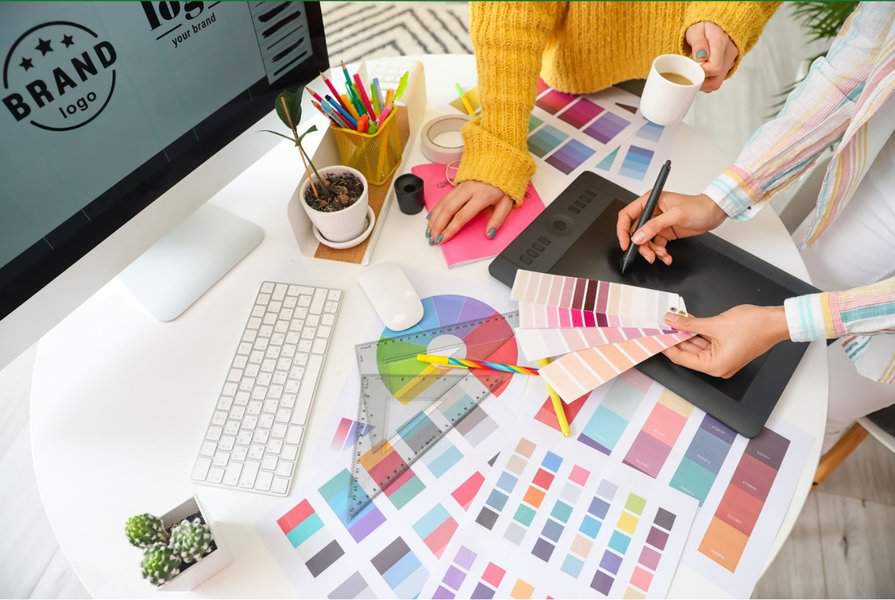
Looking for the best AI for graphic design that thinks like a senior creative director? AI Graphic Designer creates professional logos, social media graphics, infographics, and complete brand identity systems through natural conversation — no Photoshop skills, no design degree, no freelancer negotiations required. In a $59.29 billion global graphic design market growing at 7.6% annually, the demand for visual content has never been higher. Yet for the 57% of SMEs that drive the majority of design spending, accessing quality creative work remains prohibitively expensive and painfully slow.
Why over 71,000 businesses and creators have made it their go-to design partner:
- ✅ Category-aware expertise — activates branding, data visualization, or marketing design thinking based on your request
- ✅ Brand memory — remembers your colors, fonts, and style preferences across projects
- ✅ Expert-level critique — provides actionable feedback on existing designs, not vague "looks good"
- ✅ Unlimited iteration — refine through conversation until every detail is right
The creative landscape in 2026 is defined by a paradox: content needs are growing 5×–20× according to Adobe's research, while design job postings surged roughly 60% across portfolio companies tracked by Designer Fund. Businesses need more visual content than ever, but qualified designers are scarce and expensive. Here's why this tool is the best AI for graphic design available today.
Quick Answer: What Is AI Graphic Designer?
AI Graphic Designer is an expert AI design partner that creates professional logos, marketing materials, social media graphics, infographics, and brand assets through natural conversation. It understands composition, typography, color theory, and platform conventions — delivering work that actually converts, not just looks pretty.
Key capabilities:
- Create complete brand identities from scratch (logos, color palettes, typography systems, usage guidelines)
- Generate platform-optimized social media content (Instagram, LinkedIn, YouTube, Pinterest)
- Design marketing materials (posters, flyers, digital ads, pitch decks, presentations)
- Build data visualizations and infographics that communicate complex information clearly
- Provide expert critique with specific, actionable feedback on existing designs
The Visual Content Demand Crisis: Why Businesses Can't Keep Up
Every business in 2026 is a media company — whether they planned to be or not. Social media algorithms reward consistency. E-commerce conversion depends on visual quality. Brand recognition requires cohesive design across every touchpoint. Yet the gap between what businesses need and what they can afford has never been wider.
**$59.29 billion** — Global graphic design market size in 2026, projected to reach $85.53 billion by 2031 — Mordor Intelligence
95.2% of content leaders consider visual content critical in their business — Adobe 2026 Creative Trends Report
More than 70% of businesses have incorporated AI into their web design and branding strategies — Forbes, via Mad Mind Studios
Five distinct barriers prevent most businesses from getting the design work they need:
- Prohibitive costs — Professional design services price out the majority of small businesses
- Talent scarcity — The best designers are already employed or command premium rates
- Slow turnaround — Days or weeks for projects that need to ship today
- Communication friction — Translating a visual idea in your head into designer-speak is difficult
- Scaling impossibility — Need 20 campaign variations? Multiply your costs and delays by 20
What Professional Design Actually Costs in 2026
According to ManyPixels' comprehensive 2026 pricing analysis and GoodFirms' cost guide, here's the reality:
| Design Type | Freelancer Cost | Agency Cost |
|---|---|---|
| Logo Design | $200–$800 | $2,000–$10,000 |
| Social Media Graphics | $50–$650/batch | Higher |
| Landing Page Design | $600–$3,000 | $3,000+ |
| Brand Identity System | $100–$3,000 | $5,000–$15,000+ |
| Pitch Deck | $500–$1,500 | $3,000–$10,000 |
| Web Design | $5,000–$30,000+ | Higher |
Freelance graphic designers charge $25–$150 per hour, while agencies often bill [$3,000+ per project](https://www.goodfirms.co/blog/how-much-graphic-design-services-cost) before you've seen a first draft. For a startup that needs a logo, social media templates, and a pitch deck, the minimum investment is $2,000–$5,000 — and that's before a single revision.
The Hiring Challenge Nobody Talks About
Even when budget isn't the constraint, finding the right designer is its own obstacle course. According to NUMI's analysis of startup design hiring:
- Budget constraints — Startups can't compete with established companies for top talent
- Versatility requirements — Most businesses need designers who handle everything from logos to UI to marketing materials, but specialists rarely cover that range
- Vision alignment — Finding someone who truly understands your brand takes time and trial-and-error
- Onboarding overhead — Each new freelancer needs briefing on your brand guidelines, objectives, and expectations — a process that's exceedingly time-consuming and repetitive
The Speed Mismatch
Modern marketing demands constant visual content. Social media algorithms reward daily posting. Campaign windows are measured in hours, not weeks. But traditional design workflows weren't built for this pace:
- Briefing cycles — Days spent explaining what you want
- Revision rounds — Each change adds time and cost
- Availability gaps — Your designer has other clients
- Inconsistency — Different freelancers bring different styles, creating a fragmented brand image
How AI Graphic Designer Eliminates Every Barrier
AI Graphic Designer isn't a template tool or a filter app. It's a genuine creative partner that understands design principles — composition, typography, color theory, visual hierarchy, and platform-specific conventions — and applies them to your specific needs through natural conversation.
| Traditional Design Workflow | AI Graphic Designer |
|---|---|
| $200–$800 per logo, $3,000+ at agencies | Unlimited designs, one subscription |
| Days or weeks for first draft | Seconds to first concept |
| Separate briefing for each new project | Remembers your brand across sessions |
| Limited revision rounds (each costs more) | Unlimited iterations through conversation |
| Designer availability constraints | Available 24/7, any timezone |
| Quality varies wildly between providers | Consistent expert-level output |
| Onboarding new freelancers repeatedly | Zero onboarding — describe once, design forever |
Design Intelligence, Not Generic Image Generation
Unlike basic AI image generators that produce generic outputs, AI Graphic Designer is built with deep design knowledge that adapts to context:
Category-Aware Thinking When you ask for a logo, it activates branding expertise — exploring your industry, values, target audience, and competitive landscape before generating concepts. When you need an infographic, it switches to data visualization thinking — ensuring your information communicates clearly and accurately. When you request a social media post, it applies platform-specific knowledge — understanding that a YouTube thumbnail needs high contrast and readable text at small sizes, while a luxury brand Instagram post demands restraint and generous whitespace.
Adaptive Collaboration Whether you're a complete beginner or an experienced designer, this AI adapts. Beginners get plain-language guidance, strong defaults, and educational context. Professionals get technical shorthand and peer-level collaboration.
Honest About Limitations The AI is transparent about what it can and can't do well. For highly complex data visualizations with dense numerical tables, or for video/motion graphics, it acknowledges these constraints and suggests appropriate alternatives rather than producing subpar work.
Step-by-Step: How Different Design Workflows Unfold
Using AI Graphic Designer is as simple as having a conversation. Here's how it works across common design scenarios:
Building a Brand Identity from Scratch
Step 1: Share Your Vision
Describe your business, industry, values, and any aesthetic preferences. The AI asks smart follow-up questions to understand what makes your brand unique.
"I'm launching a sustainable coffee roastery called 'Morning Ritual.' We source directly from small farms in Colombia and Ethiopia. We want to feel premium but approachable — not corporate. Our customers are urban professionals who care about origin stories."
Step 2: Explore Conceptual Directions
The AI presents 2–3 distinct conceptual directions verbally — describing the mood, style, and concept of each — before generating anything. You select, combine, or redirect.
Step 3: Generate and Iterate
Once you've chosen a direction, the AI generates logo concepts. Iterate through natural conversation:
"Make the icon more geometric" "Try it with a warmer color palette — think terracotta and sage" "Can we see a version without the tagline?"
Step 4: Extend to a Complete Brand System
After finalizing the logo, the tool naturally extends to color palettes, typography recommendations, and usage guidelines — building a complete brand identity you can apply across every touchpoint.
Designing Social Media Content
Step 1: Describe Your Need
"I need an Instagram carousel announcing our new product line — five slides, each highlighting a different feature. Brand colors are navy and gold."
Step 2: Instant Generation
For straightforward requests, the AI generates immediately — inferring platform specs, applying your brand colors (if established), and creating thumb-stopping visuals optimized for engagement.
Step 3: Refine Through Conversation
"Make the CTA on the last slide more prominent and add our website URL"
The AI refines based on your feedback, preserving what works while adjusting what you've mentioned.
Getting Expert Design Critique
Step 1: Upload Your Design
Share any existing design — your current logo, a marketing flyer, a presentation slide, a social media graphic.
Step 2: Receive Specific, Actionable Feedback
This AI-powered solution leads with what's working, then identifies specific issues with concrete fixes. Not vague "feels cluttered" but precise guidance:
"The headline competes with the image because they're similar in visual weight — try increasing headline size by 30% or adding a semi-transparent overlay behind the text."
Step 3: Generate an Improved Version
After critique, the AI can generate an improved version incorporating its recommendations — so you see the difference immediately.
Real-World Scenarios and Outcomes
📊 E-Commerce Founder: Complete Brand Launch in One Afternoon
Scenario: Marcus is launching a direct-to-consumer skincare brand and needs a complete brand identity — logo, colors, social media templates, packaging mockups, and product listing graphics.
Traditional approach: 2–3 weeks with a freelancer, $2,500–$5,000 minimum, multiple revision rounds, separate briefings for each deliverable.
With AI Graphic Designer:
- Complete logo exploration and finalization in one session
- Color palette and typography system generated automatically
- Social media templates created for Instagram, TikTok, and Pinterest
- Product listing graphics optimized for Amazon and Shopify
- Total time: 3–4 hours of conversation
💼 Marketing Team: 30+ Campaign Variations in a Day
Scenario: A marketing team needs campaign assets across platforms — Instagram stories, LinkedIn posts, email headers, web banners, and YouTube thumbnails — all brand-consistent and delivered before a Monday launch.
Traditional approach: Overwhelm the in-house designer (who's already backlogged) or pay rush fees to an agency ($5,000+ for a weekend sprint).
With AI Graphic Designer:
- Generate all variations through conversation
- Maintain perfect brand consistency (the AI remembers your brand system)
- Iterate on underperforming assets in real-time based on campaign data
- Scale up or down instantly as campaign needs change
🎯 Startup Founder: Investor Pitch Deck Under Pressure
Scenario: A founder has an investor meeting in 48 hours and needs a compelling pitch deck that communicates traction, market opportunity, and team credibility through clear data visualization.
Traditional approach: Agency rush fees of $3,000–$10,000 or DIY with templates that look generic and undermine credibility.
With the tool:
- Professional slide layouts that communicate data clearly
- Charts and visualizations that tell your story persuasively
- Consistent visual language throughout
- Rapid iteration as you refine your narrative
📱 Content Creator: Consistent Visual Identity Across Platforms
Scenario: A content creator needs to maintain a cohesive visual identity across YouTube thumbnails, Instagram posts, Twitter graphics, and newsletter headers — without spending hours in design tools every day.
Traditional approach: Template fatigue, inconsistent results, time drain that takes away from actual content creation.
With AI Graphic Designer:
- Establish your visual style once
- Generate on-brand content for any platform through quick requests
- Maintain consistency without manual effort
- Focus on content creation, not graphic production
🔒 Nonprofit: Professional Materials on a Zero-Budget Timeline
Scenario: A nonprofit needs a fundraising gala invitation, event signage, social media countdown graphics, and a thank-you card — all matching their brand, all needed by Friday.
Traditional approach: Ask a board member's nephew who "knows Canva," or spend limited funds on a freelancer who may not deliver on time.
With this AI:
- Professional-quality materials that match the organization's established brand
- Complete suite of event graphics generated in a single session
- Print-ready files exported directly
- Budget preserved for the mission, not the marketing
The 2026 Design Landscape: Why AI-Assisted Design Is the New Standard
The graphic design industry is undergoing a structural shift. According to Mordor Intelligence, subscription design services are the fastest-growing segment at 13.20% CAGR — driven by AI automation that permits unlimited-request packages at fixed fees. Meanwhile, Adobe's Firefly platform alone generated $125 million in annualized recurring revenue during 2025, confirming massive appetite for AI-powered creative tools.
But the shift goes deeper than cost savings. Adobe's 2026 Creative Trends forecast identifies four dominant visual directions — multisensory engagement ("All the Feels"), emotional connection ("Connectioneering"), playful experimentation ("Surreal Silliness"), and cultural authenticity ("Local Flavors") — all of which require rapid creative iteration that traditional workflows can't support.
As Tor Myhren, Vice President of Marketing Communications at Apple, noted in the report: "[While AI is] the most exciting creative tool we have seen in our lifetime, the human touch is our superpower and the path to long-term brand love."
AI Graphic Designer embodies this philosophy. It handles the execution — generating concepts, applying design principles, maintaining brand consistency — while you provide the human judgment, creative direction, and strategic intent that make design meaningful.
Frequently Asked Questions
What makes this the best AI for graphic design compared to Canva or Adobe Express?
Template-based tools like Canva require you to start from existing layouts and modify them manually. AI Graphic Designer generates original designs from your description, understands design principles deeply, and iterates through natural conversation. It's the difference between filling in a template and working with a designer who creates custom work for your specific needs — while remembering your brand across every project.
Can AI Graphic Designer create logos for commercial use?
Yes. Designs generated through the platform are yours to use commercially. The AI creates original work based on your specifications — not modified templates or stock assets.
Does it remember my brand across sessions?
Yes. Once you establish brand elements (colors, fonts, logo, style preferences), the AI remembers them and applies them automatically to future designs. This ensures consistency across all your visual content without re-explaining your brand every time.
Is AI Graphic Designer free to use?
Jenova offers a free tier with limited usage to explore the platform's capabilities. For ongoing design needs, paid plans starting at $20/month provide significantly more usage — up to 300× more than free — with additional features like custom model selection and no watermarks on generated content. Explore current options to find the right fit.
How does it handle design formats I need for print?
The AI understands the difference between digital and print requirements — including resolution, color space considerations, bleed areas, and safe zones. When you specify a print deliverable, it adjusts accordingly and can export in appropriate formats.
What if I need something the AI can't generate well?
The AI is transparent about its limitations. For highly complex data visualizations with dense numerical tables, or for video/motion graphics, it acknowledges these constraints and suggests appropriate alternatives. It won't attempt work it can't execute well — honesty over hype.
Conclusion: The Businesses That Win in 2026 Won't Have the Biggest Design Budgets
They'll be the ones that produce more, iterate faster, and maintain brand consistency at scale — without burning through cash on agency retainers or freelancer invoices. In a market where content needs are growing 5×–20×, design job postings are surging 60%, and SMEs account for $31.41 billion in annual design spending, the gap between what businesses need and what traditional design workflows can deliver is only widening.
AI Graphic Designer closes that gap. It's not about replacing human creativity — it's about making professional-quality design accessible to every business that needs it, at the speed the market demands. Whether you're a solo entrepreneur launching your first brand, a marketing team scaling campaign production, or a designer who wants to accelerate ideation, this is the best AI for graphic design available today.
Ready to create professional design work without the professional price tag? Get started with AI Graphic Designer and see what's possible when design expertise meets AI speed.