Best AI for Grading Assistant: Transform Assessment Workflows and Reclaim 6+ Weeks Annually
2026-02-10
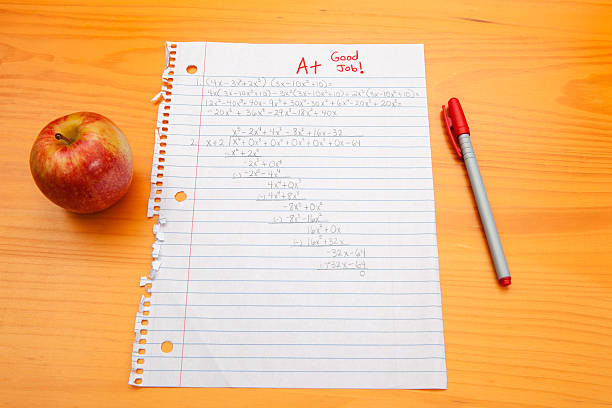
The education sector stands at a critical inflection point in 2026. According to RAND's 2025 State of the American Teacher survey, 53% of K-12 educators report experiencing burnout—making teaching the most burned-out profession in America per Gallup research. While this represents a slight improvement from 60% in 2024, the underlying crisis persists: 62% of teachers cite frequent job-related stress, compared to just 33% of similar working adults.
The primary driver? Overwhelming administrative burdens, with grading responsibilities consuming the lion's share of educator time. Learnosity's January 2025 research reveals that teachers spend an average of 9.9 hours per week on grading alone—more than a full workday. For a 37.4-week school year, this translates to nearly 370 hours spent on assessment tasks.
Yet a transformation is underway. The Gallup/Walton Family Foundation June 2025 study found that teachers using AI tools weekly save an average of 5.9 hours per week—equivalent to six extra weeks each school year. Meanwhile, Microsoft's August 2025 AI in Education Report confirms that 86% of education organizations now use generative AI—the highest adoption rate of any industry.
Looking for the best AI for grading assistant? Over 89,000 educators have discovered Grading Assistant AI—a purpose-built assessment tool that delivers rubric-grounded scoring, evidence-based feedback, and exportable gradebooks in a fraction of the time traditional grading requires.
What makes this the best AI for grading assistant:
✅ Rubric-first workflow ensuring every score traces to specific, transparent criteria
✅ Evidence-based feedback citing exact phrases and problem numbers from student work
✅ Batch grading capabilities with distribution analysis and consistency checks
✅ Growth-oriented language focusing on actionable next steps, not just errors
✅ Gradebook CSV export with scores and summary comments for seamless LMS integration
✅ Multi-format support for essays, math problems, code assignments, and creative projects
Quick Answer: What Is the Best AI for Grading Assistant?
Grading Assistant AI is an expert assessment tool that helps teachers, professors, and TAs evaluate student work fairly and efficiently using rubric-based evaluation and pedagogically sound feedback principles. Unlike generic AI writers or basic automation tools, it applies established frameworks like Nicol and Macfarlane-Dick's seven principles of effective feedback to generate comments that genuinely support student learning.
Core capabilities:
- Builds analytic, holistic, or standards-based rubrics collaboratively with educators
- Grades essays, math problems, code, and creative projects against defined criteria
- Generates specific, actionable feedback tied to rubric dimensions with inline citations
- Exports gradebooks as CSV files with scores and summary comments
- Tracks grading consistency across student batches to prevent fatigue-induced drift
The 2026 Education Crisis: Why AI-Assisted Assessment Has Become Essential
Understanding current trends explains why finding the best AI for grading assistant has become critical for educator retention and student outcomes.
📊 The Burnout Epidemic Persists
Despite modest improvements, teacher well-being remains precarious:
| Indicator | 2024 | 2025 | Change |
|---|---|---|---|
| Teachers considering leaving | 22% | 16% | -6% |
| Reporting burnout often/always | 60% | 53% | -7% |
| Frequent job-related stress | ~60% | 62% | Stable |
| Working 49+ hours weekly | Majority | Majority | Unchanged |
Source: RAND State of the American Teacher 2025, NEA Today
The National Education Association's April 2025 analysis reveals that 78% of teachers in a University of Missouri survey experienced burnout symptoms—with workload, student behavior, and inadequate support as primary drivers. Critically, 95% of teachers report taking grading work home, blurring professional and personal boundaries.
🕐 The Grading Time Sink
Learnosity's comprehensive research quantifies the assessment burden:
9.9 hours per week — Average time spent grading assignments
95% take grading home — Work-life boundary erosion
62% identify grading as one of the worst aspects of their job
34% feel exhausted due to grading responsibilities
32% have considered leaving specifically because of grading demands
The scale challenge intensifies with class size. A high school English teacher with 150 students might spend 12-15 hours weekly on essay grading alone—often consuming weekends and evenings.
🤖 AI Adoption in Education Accelerates
The Center for Democracy and Technology's October 2025 report found that 85% of teachers and 86% of students used AI during the 2024-25 school year. However, implementation remains uneven:
- Only 48% of teachers received formal AI training from their schools
- Less than a third of training covered effective AI use (29%) or how AI works (25%)
- Just 19% work in schools with established AI policies
According to Faculty Focus's January 2026 analysis, the global AI education market reached $7.57 billion in 2025 and is projected to exceed $112 billion by 2034. An AIPRM report found a 62% increase in test scores among students using AI-powered instruction systems.
Why Traditional Grading Methods Fall Short
Despite technological advances, creating consistent, high-quality assessment at scale remains surprisingly difficult.
📝 The Consistency Challenge
Human graders face inevitable variability:
- Fatigue effects — Scores drift lower as grading sessions progress
- Context dependence — Early papers set anchors that influence later evaluations
- Temporal inconsistency — The same work graded on different days receives different scores
- Rubric interpretation drift — Criteria application loosens or tightens unconsciously
Research on AI-generated feedback shows promising alignment with pedagogical best practices. A 2024 study in Assessment & Evaluation in Higher Education found that AI-generated feedback generally adhered to established principles of effective feedback, including facilitating self-assessment and encouraging positive motivational beliefs.
🎯 The Feedback Quality Paradox
When overwhelmed, educators face impossible tradeoffs:
| Approach | Problem |
|---|---|
| Speed grading | Generic comments ("needs work") that don't advance learning |
| Detailed feedback | Delayed return that misses the window for student improvement |
| Batch consistency | Mental fatigue affecting later papers in the stack |
| Growth orientation | Quick checkmarks replace substantive guidance |
The Gallup/Walton Family Foundation study found that 57% of teachers using AI report improved quality of grading and student feedback—suggesting that assistance doesn't just save time but enhances pedagogical effectiveness.
📉 The Retention Crisis
The economic stakes are substantial. According to GegoK12's February 2026 analysis, districts lose $25,000 for each teacher who quits, with replacement costs including recruitment and decreased effectiveness when experienced educators depart. For districts with 14% annual turnover, this represents millions in preventable losses.
How the Best AI for Grading Assistant Solves These Problems
Grading Assistant AI addresses these challenges through systematic, rubric-first assessment that maintains pedagogical rigor while dramatically reducing time investment.
| Traditional Grading | Best AI for Grading Assistant |
|---|---|
| 10+ hours weekly on assessment | Collaborative grading in minutes |
| Inconsistent criteria application | Every score traces to rubric criteria |
| Generic feedback ("needs work") | Specific citations from student work |
| Mental fatigue affects late papers | Consistent evaluation across batches |
| Manual gradebook entry | One-click CSV export |
| No calibration checks | Automatic distribution analysis |
Rubric-First Philosophy
Grading Assistant AI never evaluates work against undefined criteria. Before grading begins, it ensures a rubric exists—either by materializing one you provide or collaboratively building one that captures your learning objectives.
Supported rubric formats:
- Analytic rubrics — Dimension × level matrix with cell descriptors
- Holistic rubrics — Single scale with comprehensive level descriptions
- Single-point rubrics — Criteria with space for strengths and growth areas
- Standards-based rubrics — Meets / Approaching / Not Yet per standard
Evidence-Based Feedback
Every comment ties directly to student work:
❌ Vague: "Your thesis needs improvement"
✅ Specific: "Your thesis in paragraph 1 ('Technology changes society') states a topic but doesn't take a position. Consider: What about technology's impact do you want to argue?"
The AI quotes exact phrases, references specific problem numbers, and identifies precise code sections—never generating feedback that can't be traced to actual student output.
Growth-Oriented Language
Default feedback is written for students to read, focusing on:
- What to do differently (not just what's wrong)
- Genuine acknowledgment of strengths
- Actionable next steps tied to rubric criteria
- Appropriate tone calibration for educational level
How It Works: Your Complete Assessment Workflow
Step 1: Establish Your Rubric
Share your existing rubric (paste text, upload PDF, or describe verbally), or build one collaboratively. The AI asks clarifying questions: "What should students demonstrate? What distinguishes excellent from adequate work? Are all dimensions weighted equally?"
Step 2: Submit Student Work
Accept work however it arrives—pasted text, uploaded documents (PDF, Word, images), code files, or verbal descriptions. The assistant adapts to single-student or batch workflows.
Step 3: Receive Rubric-Grounded Assessment
For each submission, get:
| Component | Description |
|---|---|
| Score with justification | Grade plus rubric-referenced rationale |
| Inline feedback | Comments tied to specific work sections |
| Summary comments | Overall assessment with key strengths and growth areas |
Step 4: Review Batch Consistency
For multiple students, the AI tracks score distribution and flags potential issues:
- "All 12 essays scored 85-88—is the rubric differentiating enough?"
- "Alex and Jordan made similar errors but got different deductions—intentional?"
- "Scores dropped noticeably in the last third of the stack—worth a consistency check?"
Step 5: Export and Deliver
Generate gradebook CSVs with student names, assignment scores, and summary comments. Create shareable feedback documents or reusable templates for common issues.
Real Results: How Educators Transform Their Assessment Workflows
📊 Time Savings at Scale
The Gallup/Walton Family Foundation study confirms that teachers using AI tools weekly save 5.9 hours per week—equivalent to six extra weeks each school year. This time reinvests directly into lesson planning, student engagement, and personal well-being.
Traditional Approach: A high school English teacher with 150 students spends 12-15 hours weekly grading essays, often working weekends.
With Grading Assistant AI: The same teacher collaboratively grades with AI assistance, reviewing and refining AI-generated feedback rather than starting from scratch. Total time: 3-4 hours with higher feedback quality.
Over 89,000 educators have used this approach to reclaim their time while improving assessment quality.
💼 Consistency Across Large Courses
Query: "I'm a TA grading 200 midterm essays. How do I maintain consistency?"
Traditional Approach: Grade in batches, frequently re-read the rubric, accept that early and late papers may receive different treatment due to fatigue.
With Best AI for Grading Assistant: Upload the rubric once, grade systematically with distribution tracking, receive automatic calibration prompts when scoring patterns shift. The AI flags: "This essay has stronger evidence than the previous A-, but scored lower—should we revisit?"
📱 Mobile Assessment Sessions
Scenario: Grading during commute or between meetings
Traditional Approach: Impractical—requires physical papers, quiet environment, sustained focus.
With Grading Assistant AI: Voice-describe student work or paste text, receive structured feedback, refine and approve. A 10-minute session can process 3-4 short assignments.
🎯 Feedback Quality Improvement
Research on AI-generated feedback shows promising alignment with pedagogical best practices:
57% of teachers using AI report improved quality of grading and student feedback
Source: Gallup/Walton Family Foundation Survey, 2025
The Assessment & Evaluation in Higher Education study found that AI-generated feedback generally adhered to Nicol and Macfarlane-Dick's seven principles, including facilitating self-assessment, delivering high-quality information, and encouraging positive motivational beliefs.
Extended Use Cases: Beyond Core Assessment
Math and STEM Problem Sets
The AI evaluates both process and answer for math problems, identifying where errors occurred in multi-step solutions. For code assignments, it reviews logic, syntax, efficiency, and documentation against your rubric criteria.
Creative Projects and Portfolios
The assistant adapts to any assignment type with defined criteria, including creative projects, lab reports, research papers, and presentation assessments. The key is establishing what "success" looks like before grading begins.
Standards-Based Reporting
For districts using competency-based progression, Grading Assistant AI tracks mastery across multiple assessments, generating progress reports that show student growth over time rather than single-point grades.
Peer Review Facilitation
The AI can guide students through peer assessment, providing scaffolding that helps them give constructive feedback to classmates—developing their own critical evaluation skills while reducing instructor burden.
Frequently Asked Questions
Is the best AI for Grading Assistant free to use?
You can access Grading Assistant AI through Jenova's free tier with limited daily usage. Paid plans ($20-$200/month) offer significantly higher usage limits for batch grading workflows. Visit www.jenova.ai for specific pricing details.
Can it handle math and code assignments?
Yes. The assistant evaluates both process and answer for math problems, identifying where errors occurred in multi-step solutions. For code assignments, it reviews logic, syntax, efficiency, and documentation against your rubric criteria.
Does the AI replace teacher judgment?
No. Grading Assistant AI suggests scores and feedback with clear justification, but defers to teacher authority. After one pushback, it accepts your decision. The goal is collaboration, not replacement—you maintain final control over every grade.
How does it handle plagiarism concerns?
The assistant flags unusual phrasing patterns ("this section seems stylistically different from the rest") but never accuses students directly. Investigation remains the teacher's responsibility, preserving appropriate professional boundaries.
Can I use my existing rubrics?
Absolutely. Share rubrics in any format—paste text, upload documents, or describe criteria verbally. The AI materializes your rubric as a reference document and applies it consistently across all submissions.
Does it work for creative projects and presentations?
Yes. The AI adapts to any assignment type with defined criteria, including creative projects, lab reports, research papers, and presentation assessments. The key is establishing what "success" looks like before grading begins.
The Future of AI in Educational Assessment
The AI in education market is projected to reach $88.2 billion by 2032, with assessment and feedback tools representing a significant growth segment. According to SchoolAI's January 2026 analysis, teachers using AI-powered evaluation tools save approximately 44% of their time on administrative tasks, while their students achieve 54% higher test scores compared to traditional assessment methods.
The Brookings Institution's January 2026 report emphasizes that AI can enrich student learning when integrated with pedagogically sound approaches—reducing time spent on numerous teaching-related tasks while allowing teachers to focus on individualized student attention and enhanced curriculum and instruction.
Reclaim Your Time, Elevate Your Feedback
The grading crisis demands solutions that respect both educator time and student learning. Grading Assistant AI delivers rubric-grounded assessment, evidence-based feedback, and consistency checks that transform a 10-hour weekly burden into focused, high-quality evaluation sessions.
With 75% of teachers open to AI tools that reduce grading workload, the question isn't whether AI-assisted grading will become standard—it's whether you'll adopt it now or wait until burnout forces the decision.
Over 89,000 educators have already discovered how the best AI for grading assistant transforms their assessment workflows. The time to reclaim your evenings, improve your feedback quality, and focus on what drew you to teaching in the first place is now.
Start grading smarter with Grading Assistant AI →
References:
- NEA - What a New Survey Says About Teachers' Plans to Leave Their Jobs, July 2025
- Devlin Peck - Teacher Burnout Statistics: Why Teachers Quit in 2025
- Learnosity - A Third of US Teachers Considered Leaving Education Due to Grading Workload, March 2025
- Gallup - Three in 10 Teachers Use AI Weekly, Saving Six Weeks a Year, June 2025
- Walton Family Foundation - How AI Gives Teachers Time Back, June 2025
- Faculty Focus - Designing the 2026 Classroom: Emerging Learning Trends in an AI-Powered Education System, January 2026
- Education Week - Rising Use of AI in Schools Comes With Big Downsides for Students, October 2025
- GegoK12 - Teacher Burnout Solutions 2026: Technology Saves 3,100 Hours Annually, February 2026
- SchoolAI - AI Assessment Tools for Educators: Key Learning Insights, January 2026
- Brookings Institution - AI's Future for Students Is in Our Hands, January 2026
- Taylor & Francis - The Impact of AI-Generated Feedback on Student Learning, 2024
Disclaimer: AI-generated feedback should be reviewed by qualified educators. The AI assists with assessment workflows but does not replace professional judgment. Always verify AI-generated scores and feedback before finalizing grades.