Best AI for Expense & Receipt Tracker: Auto-Categorize, Extract & Export Financial Records (June 2026)
2026-06-24
Expense & Receipt Tracker turns the shoebox of crumpled receipts, scattered bank statements, and half-finished spreadsheets into clean, categorized, export-ready financial records — instantly. Upload a photo of a receipt, paste a bank statement, or describe an expense in plain language, and the AI extracts every detail, assigns the right category, and maintains a running ledger you can export as CSV, PDF, or plain text whenever you need it. While expense tracking remains one of the most universally dreaded personal and business tasks, this AI eliminates the friction that causes most people to abandon the habit within two weeks.
✅ Receipt scanning with automatic extraction of merchant, date, line items, tax, and total ✅ Intelligent categorization that learns your spending patterns over time ✅ Bank and credit card statement processing — upload and get structured records back ✅ Export-ready CSV, PDF, and TXT financial documents for accountants, tax prep, or personal records
To understand why an AI-powered approach matters, let's look at the scale of the problem — and why most tracking methods still fail in 2026.
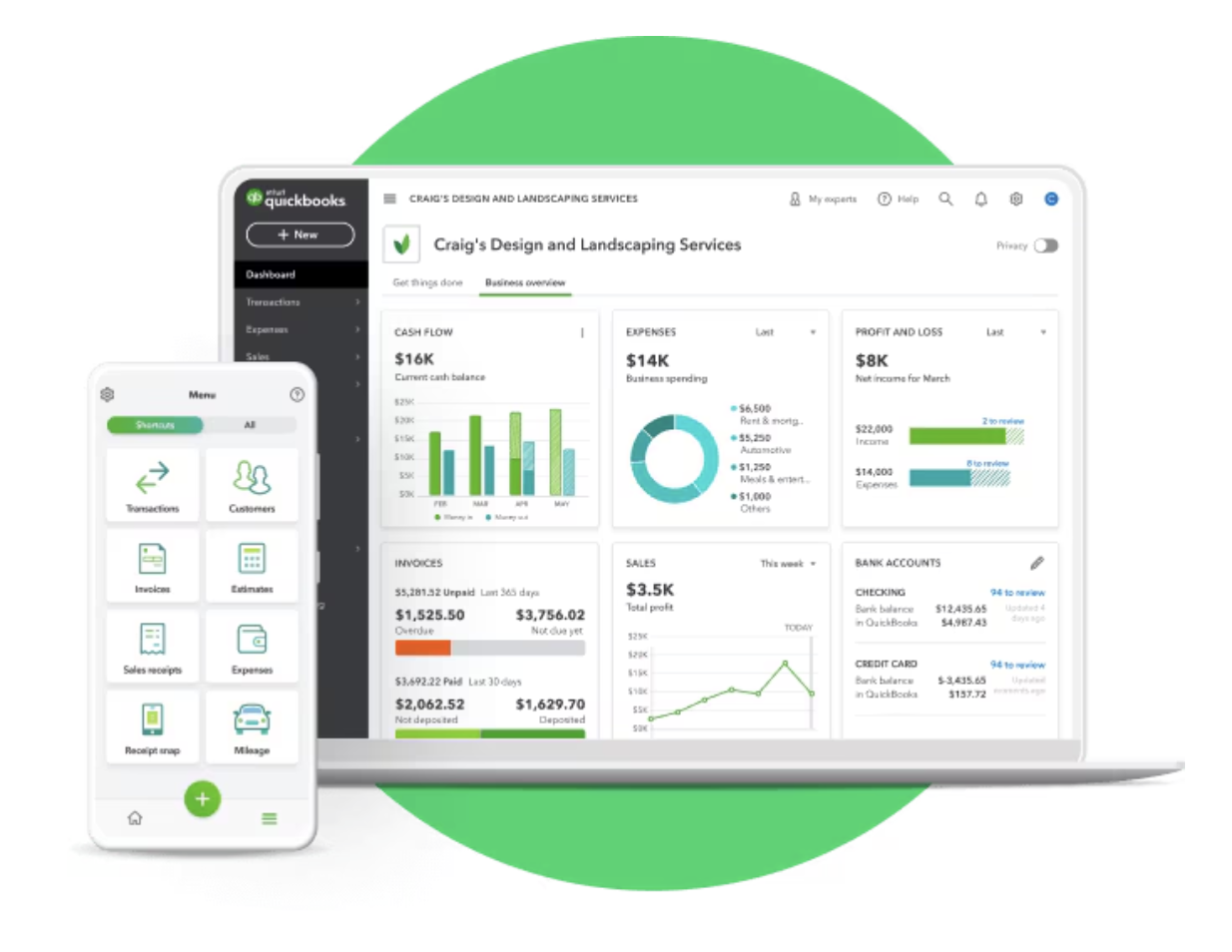
Quick Answer: What Is the Expense & Receipt Tracker?
Expense & Receipt Tracker is an AI-powered financial record manager that extracts, categorizes, and organizes expenses from receipts, statements, and manual entries into clean, export-ready documents.
Key capabilities:
- Upload receipts (photos or scans) and get instant extraction of every line item, tax amount, and total
- Paste or upload bank and credit card statements for automatic categorization
- Natural language expense logging — describe purchases conversationally and the AI structures the data
- Export organized records as CSV spreadsheets, PDF reports, or TXT files for tax prep, bookkeeping, or personal budgeting
The Problem: Why Expense Tracking Fails for Almost Everyone
Expense tracking has a consistency problem — and it's not a matter of willpower. The tools themselves create too much friction, and the consequences of abandoning the habit compound silently until tax season, an audit, or a budget crisis forces a painful reckoning.
The global expense tracker apps market reached USD 10.0 billion in 2025 and is projected to hit USD 28.7 billion by 2036, growing at a 10.1% CAGR — reflecting massive and growing demand for better tracking solutions. — Future Market Insights, 2026
AI expense tracking can cut processing time by 25% and reduce error rates by 30% compared to manual methods. — TC Advisors CPA, 2025
The average user stops logging expenses within 14 days when the process requires structured data entry for every purchase. — Finny, 2026
68.5% of expense tracker app usage happens on mobile, reflecting how people actually spend — on the go, not at a desk. — Future Market Insights, 2026
The demand is enormous, the tools keep multiplying, and yet most people still fail at the habit. Here's why:
Manual Entry Is Too Slow for Real Life
Traditional expense tracking asks you to open an app, tap "add expense," fill in the amount, select a category from a dropdown, optionally add a note, and save. That's 15–30 seconds per transaction — which sounds trivial until you're doing it 10–15 times a day across coffee runs, groceries, rideshares, subscriptions, and business lunches. The friction compounds, the habit breaks, and two weeks later the app sits unopened.
Receipts Pile Up and Get Lost
Paper receipts fade, crumple, and disappear. Digital receipts scatter across email inboxes. The longer you wait to process them, the harder it becomes to remember the context — was that $47.50 at Target groceries or office supplies? By tax season, you're reconstructing months of spending from memory and credit card statements, missing legitimate deductions and making errors that cost real money.
Categorization Is Tedious and Error-Prone
Manually assigning categories to every transaction is the part of expense tracking that feels most like homework. Get it wrong, and your budget reports are misleading. Get it right, and it still took you minutes of cognitive effort for something a machine should handle. AI-powered categorization replaces this manual effort while improving accuracy over time as the system learns your patterns.
Existing Apps Force You to Choose Between Privacy and Automation
Most popular expense apps — Copilot Money ($14.99/month), Monarch Money ($14.99/month), Cleo — require bank connections for their core AI features. That means sharing your banking credentials with a third party just to get automated categorization. For people who prefer not to link accounts, the alternative has been tedious manual entry — until now.
This is exactly what Expense & Receipt Tracker was built for.
Why Expense & Receipt Tracker
The gap between wanting organized financial records and actually having them comes down to input friction. Expense & Receipt Tracker eliminates that friction by accepting expenses in whatever format you have them — photos, statements, plain language — and doing the structuring, categorizing, and organizing for you.
| Traditional Approach | Expense & Receipt Tracker |
|---|---|
| 15–30 seconds per transaction in form-based apps | Seconds per entry via photo, paste, or natural language |
| Manual category assignment for every purchase | Intelligent auto-categorization that learns your patterns |
| Receipts scattered across pockets, emails, and drawers | Upload once, extracted and organized permanently |
| Separate spreadsheets for personal and business expenses | Unified tracking with flexible export options |
| Requires bank connections for automation | No bank linking required — upload what you have |
| $14.99/month+ for premium tracking apps | Included with your Jenova subscription |
Receipt Scanning That Captures Everything
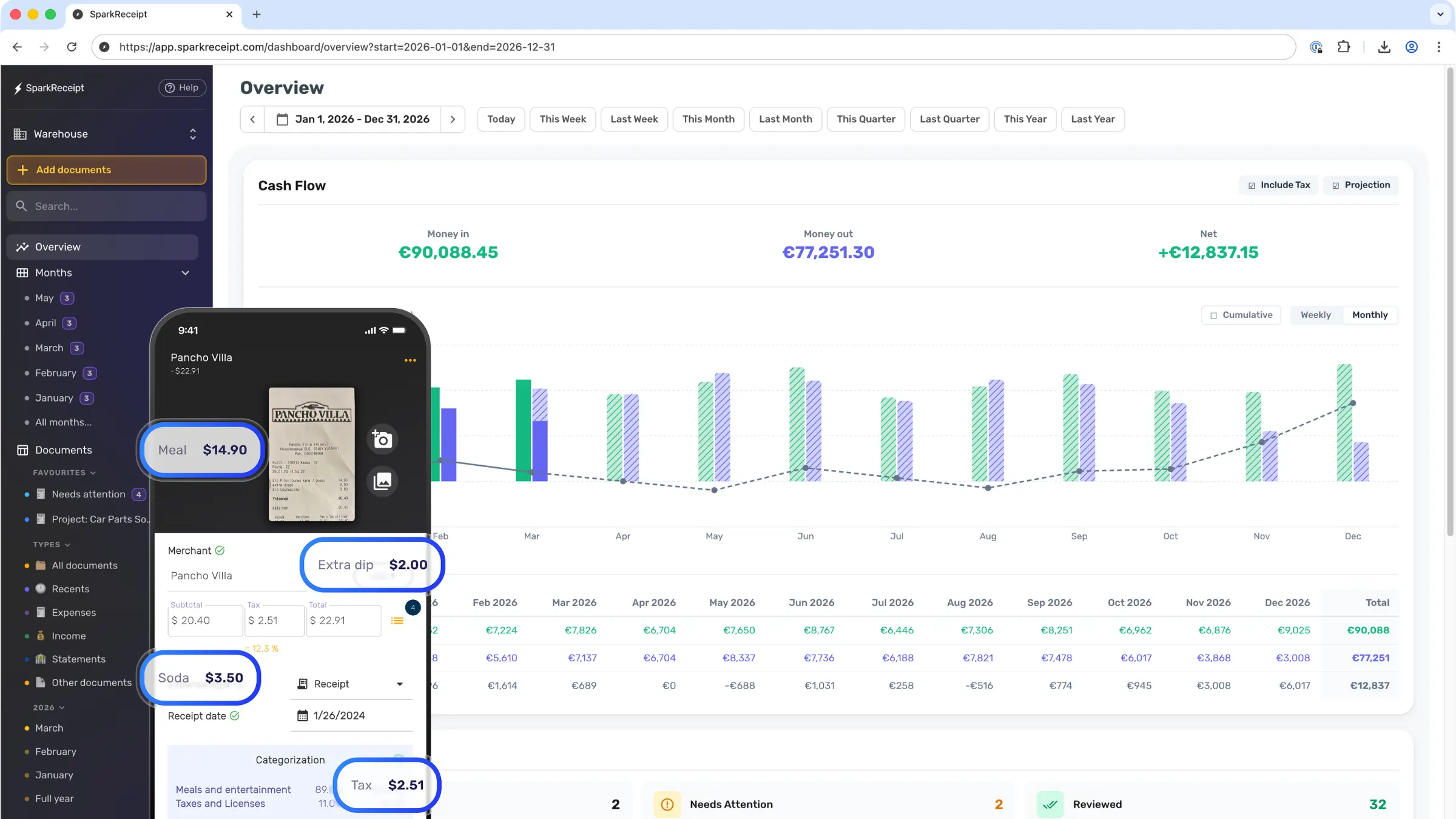
Snap a photo of any receipt — restaurant, gas station, retail, online order confirmation — and the AI extracts the merchant name, date, individual line items, subtotal, tax, tip, and total. It doesn't just grab the bottom-line number; it captures the granular detail that matters for expense reports, tax deductions, and reimbursement claims.
"Here's a receipt from Home Depot. Extract everything — I need the individual items broken out because some are for a client project and some are personal."
Statement Processing at Scale
Instead of entering transactions one by one, paste or upload an entire bank or credit card statement. The AI parses every transaction, assigns categories, flags potential duplicates, and produces a structured record you can review and export. Process a month of spending in minutes instead of hours.
"Here's my Chase credit card statement for May 2026. Categorize everything, flag any subscriptions I might have forgotten about, and separate business meals from personal dining."
Natural Language Expense Entry
When you don't have a receipt, just describe the expense naturally. The AI extracts the amount, assigns a date (defaulting to today if unspecified), identifies the merchant or context, and categorizes it — all from a single conversational sentence.
"Grabbed lunch with a client at Panera today, $34.50 including tip. Also paid $12 for parking at the garage on 5th Street."
Expense & Receipt Tracker Remembers Your Patterns
With persistent cross-session memory, the AI learns your recurring expenses, preferred categories, business-vs-personal splits, and common merchants. Over time, categorization accuracy increases because it understands your specific financial context — not just generic merchant names.
"You know my spending patterns by now. Here are this week's receipts — categorize them using the same structure we've been using, and flag anything that looks unusual compared to my typical weekly spend."
Related Agents You'll Also Find Useful
Financial record-keeping doesn't exist in isolation. These agents handle the workflows that surround and depend on organized expense data:
Personal Financial Advisor
Once your expenses are tracked and categorized, Personal Financial Advisor helps you make sense of the numbers — identifying savings opportunities, building budgets, planning for major purchases, and optimizing your overall financial strategy.
- Budget creation based on your actual spending patterns
- Savings and investment strategy tailored to your goals
- Debt management and payoff planning
Personal Tax Advisor
Clean, categorized expense records are the foundation of accurate tax filing. Personal Tax Advisor uses your organized data to identify deductible expenses, estimate tax liability, and guide you through filing — whether you're a salaried employee, freelancer, or small business owner.
- Deduction identification from categorized expense records
- Self-employment tax estimation and quarterly payment planning
- Cross-border tax considerations for international income
Accounting & Audit Assistant
For small business owners and freelancers who need more than personal tracking, Accounting & Audit Assistant handles journal entries, financial statement analysis, audit preparation, and compliance — building on the clean data your Expense & Receipt Tracker produces.
- Journal entry creation from categorized expense data
- Financial statement preparation and analysis
- Audit readiness assessment and documentation
Invoice Generator
If you're tracking expenses for client projects, Invoice Generator turns your documented costs into professional invoices — matching reimbursable expenses to specific clients and projects with accurate line items.
- Professional invoices for any client, industry, or currency
- Expense-to-invoice matching for project billing
- Recurring invoice setup for retainer clients
How It Works
Step 1: Upload Your Receipts or Expenses
Start by giving the Expense & Receipt Tracker something to work with — a photo of a receipt, a pasted bank statement, or a plain-language description of what you spent. There's no specific format required; the AI adapts to whatever you provide.
"Here are four receipts from this week — two restaurant meals, a gas station fill-up, and an office supplies order from Amazon. Extract and categorize everything."
Step 2: Review the Extracted Data
The AI presents the extracted information in a clear, structured format — merchant, date, items, amounts, tax, category. Review it for accuracy, make any corrections, and confirm. This "AI suggests, human confirms" approach keeps accuracy high while minimizing your effort.
"The Amazon receipt — those items should be split between 'Office Supplies' and 'Technology.' The keyboard is tech, the paper and pens are office supplies."
Step 3: Build Your Running Ledger
As you add expenses over time, the Expense & Receipt Tracker maintains a running ledger — organized by date, category, and merchant. Ask for summaries, category breakdowns, or spending comparisons at any time. Persistent memory means your financial history grows more complete and more useful with every session.
"Show me a summary of everything I've logged this month, broken down by category. How does my dining spending compare to last month?"
Step 4: Export Clean Records
When you need your data outside the conversation — for your accountant, for tax filing, for a reimbursement claim, or for your own records — export as CSV (for spreadsheets), PDF (for reports), or TXT (for plain records). The AI formats the output for your specific use case.
"Export my Q2 2026 business expenses as a CSV with columns for date, merchant, category, amount, and tax. I need to send this to my accountant."
Step 5: Maintain and Refine Over Time
The more you use the tracker, the smarter it gets. It learns your categories, recognizes your regular merchants, and flags anomalies. Come back weekly with a batch of receipts or daily with individual expenses — the system adapts to your rhythm.
"I'm switching to weekly batches. Every Sunday I'll upload the week's receipts. Remind me of the categories we've established and flag anything that doesn't fit the usual pattern."
Results & Use Cases
💼 Freelancer Managing Tax Deductions
Scenario: A freelance graphic designer with 15–20 client projects per year needs to track business expenses — software subscriptions, client meals, home office costs, equipment purchases — for quarterly estimated taxes and annual filing.
Traditional Approach: Stuff receipts in an envelope, forget about them for three months, spend an entire weekend before quarterly tax payments trying to reconstruct spending from bank statements and memory, miss legitimate deductions, overpay taxes.
Expense & Receipt Tracker: Every receipt gets photographed and uploaded as it happens — 5 seconds at the point of purchase. The AI extracts, categorizes (separating business from personal automatically based on learned patterns), and maintains a running ledger. At quarterly tax time, the designer exports a clean CSV with all business expenses categorized and ready for their accountant. Over the course of a year, with AI reducing processing time by 25% and error rates by 30%, the savings in time and recovered deductions far exceed the subscription cost.
- Receipts processed in seconds, not minutes
- Business vs. personal expenses separated automatically
- Quarterly CSV exports ready for tax filing
- Running category totals available at any time for estimated tax calculations
📊 Small Business Owner Tracking Operations Costs
Scenario: A restaurant owner needs to track daily purchases across multiple vendors — produce suppliers, beverage distributors, cleaning supplies, equipment maintenance — for cost analysis, P&L reporting, and tax preparation.
Traditional Approach: Hand receipts to a bookkeeper weekly ($200–$500/month), wait days for categorized records, discover errors or missing receipts after the fact, lack real-time visibility into spending patterns.
Expense & Receipt Tracker: The owner photographs vendor invoices and receipts daily — from the kitchen, from the loading dock, from the POS system. The AI extracts line items (not just totals), categorizes by cost center (food cost, beverage cost, supplies, maintenance), and maintains a running ledger that shows real-time category totals. Weekly exports feed directly into the accountant's workflow. The owner spots that beverage costs jumped 18% last month and investigates before it becomes a quarterly problem.
- Vendor invoices processed with line-item extraction
- Real-time visibility into cost categories without waiting for bookkeeper reports
- Weekly or monthly exports formatted for accounting software import
- Spending anomalies flagged before they compound
📱 Business Traveler Processing Expenses on the Go
Scenario: A sales manager on a three-day client trip accumulates hotel bills, restaurant receipts, rideshare charges, parking stubs, and conference registration fees — all of which need to be submitted as a categorized expense report by Friday.
Traditional Approach: Collect paper receipts in a hotel room, photograph them all on the last night, manually enter each into the company expense system over 45 minutes, misplace the parking stub, and submit an incomplete report.
Expense & Receipt Tracker: Each receipt is photographed and uploaded in real time — at the restaurant table, in the rideshare, at the hotel checkout. By the time the trip ends, every expense is already extracted, categorized, and organized. The manager exports a formatted PDF expense report on the flight home and submits it before landing.
- Receipts processed in real time during the trip, not after
- Formatted expense report exported as PDF in minutes
- No paper receipts to lose or reconstruct
- Categorization consistent with company reimbursement categories
🎯 Household Budget Tracking for a Couple
Scenario: A couple wants to track joint household spending — groceries, utilities, dining, subscriptions, childcare — to find where they're overspending and build a realistic budget, but neither wants to spend 20 minutes a day on data entry.
Traditional Approach: Try a budgeting app, link bank accounts (privacy concerns), get overwhelmed by the volume of transactions, stop using it within the typical 14-day abandonment window.
Expense & Receipt Tracker: Both partners photograph receipts as they shop — groceries at checkout, restaurant bills at dinner, utility bills when they arrive. Once a week, they review the running ledger together, spot that their takeout spending tripled last month, and adjust. No bank linking required, no form fields, and the weekly habit takes 10 minutes instead of the daily grind that causes abandonment.
- Low-friction habit that survives beyond the two-week dropout window
- Joint spending visibility without sharing bank credentials
- Weekly review sessions with category breakdowns and trend comparisons
- Monthly or quarterly exports for financial planning conversations
FAQ
Is the Expense & Receipt Tracker free to use?
Yes — Expense & Receipt Tracker is available on Jenova's free tier with core features and limited usage. Paid plans starting at $20/month provide significantly more usage, custom model selection, and no watermarks on exported financial documents like CSV spreadsheets and PDF expense reports.
How is this different from apps like Expensify or Monarch Money?
Most expense tracking apps either require bank connections for their AI features or rely on tedious form-based manual entry. Expense & Receipt Tracker works through conversation — upload a receipt photo, paste a statement, or describe an expense in natural language. It extracts, categorizes, and organizes without requiring you to link bank accounts, fill out forms, or pay $14.99/month for premium features. Persistent memory means it learns your categories and patterns over time.
Can it handle business and personal expenses separately?
Absolutely. Tell the tracker which expenses are business and which are personal, and it maintains separate categorization. Over time, it learns which merchants and expense types belong to which category and suggests the correct split automatically — useful for freelancers, self-employed professionals, and anyone who needs clean business deduction records.
What export formats are available?
The AI generates CSV files (for spreadsheet and accounting software import), PDF documents (for formatted expense reports and records), and TXT files (for plain-text records). Each export is structured for the specific use case you describe — whether that's a quarterly tax filing, a client reimbursement request, or a monthly budget summary.
Does it work on mobile?
Full feature parity across web, iOS, and Android. Photograph receipts at the point of purchase, paste expenses from your phone, or describe spending using voice-to-text — all from the same conversation. Given that 68.5% of expense tracker usage happens on mobile, the mobile experience is designed for real-world, on-the-go use.
Does it remember my expense history across sessions?
It does. With persistent cross-session memory, the tracker remembers your categories, merchants, spending patterns, and financial history across every conversation. Whether you upload receipts daily or in weekly batches, it builds a continuous, organized record that grows more accurate and useful over time.
Conclusion
The expense tracking market is exploding — projected to grow from $11 billion in 2026 to $28.7 billion by 2036 — because everyone knows they should track their spending and almost no one can sustain the habit. The reason isn't laziness; it's friction. When the average user abandons expense tracking within 14 days and AI can cut processing time by 25% while reducing errors by 30%, the solution isn't more discipline — it's less friction. Expense & Receipt Tracker removes the barriers that kill the habit: snap a receipt, paste a statement, or describe an expense in plain language, and the AI handles extraction, categorization, and organization. No bank linking, no form fields, no 20-minute data entry sessions. Whether you're a freelancer chasing deductions, a small business owner tracking vendor costs, or a couple trying to understand where the money goes, start tracking now. Explore more agents at Jenova.