AI Wallpaper Designer: Wall Patterns, Colorways & Phone Backgrounds
2026-10-06
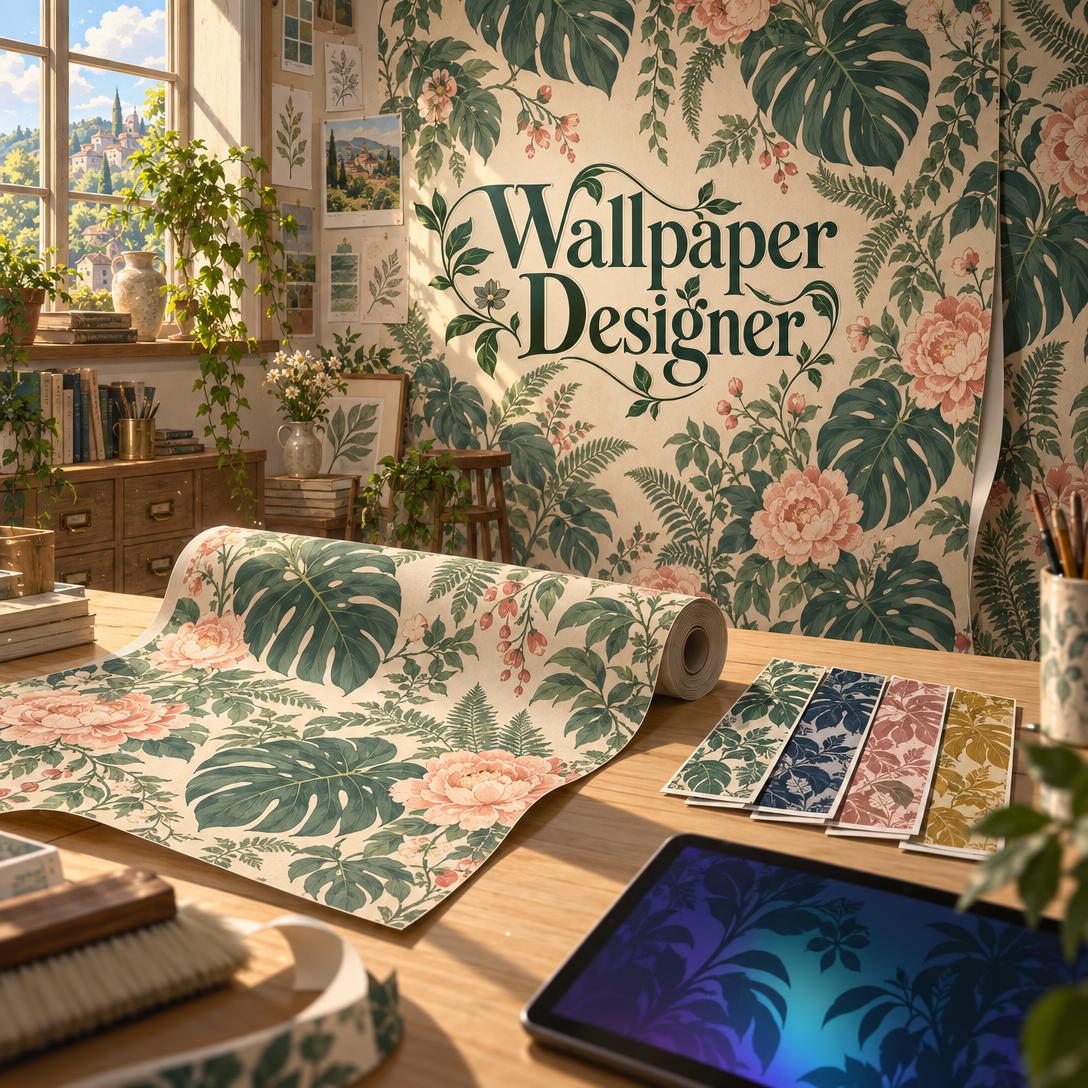
Wallpaper Designer helps you create custom wallpaper by turning a plain-language brief into pattern concepts, colorways, and room or device mockups. It can handle a half-drop botanical repeat for a dining room accent wall or a dark, OLED-friendly lock screen. Most people choose wallpaper by flipping through sample books or settling for stock phone backgrounds. This AI wallpaper designer works like a surface pattern designer who also understands interiors and screen layouts. Describe the room, its light, and the mood you want. It makes strong design choices, explains them in plain language, and iterates until the pattern fits your space.
- ✅ Designs for walls and screens. It creates physical wallcoverings plus phone, tablet, desktop, and ultrawide backgrounds.
- ✅ Knows repeat systems. It works with straight match, half-drop, brick, mirror, ogee, and non-repeating mural layouts.
- ✅ Builds colorways on demand. You can see one approved pattern in warm, cool, neutral, or moody palettes.
- ✅ Accounts for rooms and screens. It considers light direction, wall scale, seams, clocks, app icons, and widgets.
Wallpaper is having a real moment. Homeowners are pushing past all-white rooms, and phone and desktop screens have become a canvas people care about. Turning a vague mood into a pattern that works on an actual wall or display is still harder than it looks. To see why, let's look at what designers, homeowners, and screen customizers are running into right now.
Quick Answer: What Is Wallpaper Designer?
Wallpaper Designer is an AI design studio that turns a short brief into custom wall pattern concepts, colorways, room mockups, and device-ready screen wallpapers in a single conversation. It explains every scale, repeat, and palette choice along the way.
Key capabilities:
- Pattern concepts using professional repeat structures, from formal damask-style mirrors to flowing ogee lattices
- Colorway development that shows one design in multiple palettes for different rooms and moods
- Wall mockups that show a pattern at room scale before you commit to rolls or a printer
- Screen wallpapers composed around lock screen clocks, icon grids, docks, and OLED displays
The Creative Challenges of Designing Wallpaper Today
Walls have moved from backdrop to focal point. In Shopify's 2026 home décor trend report, designer Andrea Pierre of &Pierre says walls and ceilings "are now taking center stage." She describes a shift toward "layered patterning, so mixing different scales." Search data shows the same trend:
104% — Year-over-year rise in "linen wallpaper" searches on Houzz, January–March 2026
94% — Increase in "seagrass wallpaper" searches over the same period
112% — Growth in "biophilic design" searches, alongside a 139% jump in "calming" as a design keyword
Pattern is booming too. A retailer reporting from Heimtextil 2026 in Frankfurt noted that florals were "everywhere" at the show. Trend roundups point to palettes like blush pinks and sage greens in reimagined Morris-style botanicals, warm terracottas, and deep navy with gold.
But getting from inspiration to a wallpaper that actually works is frustratingly difficult:
- Scale is hard to judge from a swatch. A pattern that looks charming on a 10-inch sample can read as fuzzy texture across a 12-foot wall. A large repeat in a small powder room can feel cut off.
- Light changes everything. North-facing rooms mute warm tones and south-facing rooms can oversaturate them, so the palette you loved in the showroom may look different at home.
- Colorway decisions stall projects. Choosing between three versions of the same print usually means ordering samples and waiting.
- Production realities add friction. Repeat height affects waste. Substrate affects color, and European specifications grade finished wallcoverings on washability and colourfastness to light. Manufacturers such as Wolf-Gordon note that installations must conform to current hanging instructions.
Screens Have Their Own Rules
Digital wallpaper looks simpler but has its own constraints. A central focal point disappears behind the lock screen clock. Busy detail in the icon grid makes apps hard to read. OLED owners regularly ask communities like Reddit's r/OLED_Gaming
, because those panels are sensitive to static images.General-purpose image generators can produce pretty pictures. They rarely think about repeat structure, room light, or where your clock sits. This is exactly what Wallpaper Designer was built for.
How It Works: From Brief to Finished Wallpaper
Working with the AI wallpaper studio feels like a conversation with a designer who generates first and asks questions later. Here's the typical flow from your first message to a finished design.
Step 1: Say Whether It's for a Wall or a Screen
Describe where the design will live and anything you know about the space or device. For walls, that means the room type, light direction, wall size, and existing furniture. For screens, it means the device and whether you use dark mode. If you only say "I need wallpaper," the AI asks one clarifying question and then starts designing.
"Botanical wallpaper for a north-facing dining room with dark walnut furniture — accent wall only, about 11 feet wide"
Step 2: Review the First Concept and the Design Rationale
You'll get a pattern preview right away, with a 1:1 square for wall patterns and 16:9 for desktop screens by default. The preview comes with a short explanation of the key choices. For the dining room above, that might be a warm ground to offset cool northern light, plus a half-drop repeat so the motifs flow diagonally and hide seams.
"Love the leaves, but make the peonies a little larger and give the pattern more breathing room"
Step 3: Explore Colorways
Once you like a direction, ask to see the same pattern in different palettes. A ground color change alone can transform a design. A sage-and-blush botanical on cream becomes a dramatic dining room piece on deep navy, or a nursery-soft option on pale linen.
"Show me this in three colorways — warm terracotta, cool slate, and a moody midnight version"
Step 4: See It in Context
Ask for a wall mockup in landscape format to see how the repeat reads at room scale next to furniture and windows. On the digital side, you can request a matching lock screen and home screen pair, or extend one design across phone, tablet, and desktop.
"Put the midnight colorway on the accent wall of a dining room with a walnut table and brass pendant lights"
Step 5: Refine Without Starting Over
Give feedback on scale, density, color, or individual motifs, and the AI changes only what you asked for. If your feedback is ambiguous, such as "make it calmer," it will check whether you mean softer color, less density, or both. You can also switch image generation models with the "App" button beneath the chat input to compare different rendering styles.
"Keep everything the same, but shift the ground from navy to a deep forest green"
You can try it free on the free tier, which includes all core features with limited usage.
Creative Showcase: What You Can Design
🌿 A Botanical Accent Wall for a Tricky Room
Scenario: A homeowner wants a statement wall in a narrow, north-facing dining room. They're drawn to the lush botanical prints trending in 2026 but worry about the room feeling dark.
Traditional approach: Order several sample rolls, tape them up, and wait days for each round. This often happens with no guidance on scale or light.
Wallpaper Designer: The AI proposes a mid-scale half-drop botanical on a warm cream ground. It then offers a darker "cocooning" colorway for comparison and renders both on a wall mockup.
- Light-aware palette choices that compensate for cool northern light
- Scale calibrated to the wall width so repeats don't feel cut off
- Advice on pairing the accent wall with a coordinating solid on the other three walls
If you're also planning paint, trim, or a contractor budget for the room, Home Renovation Advisor can help you scope materials, permits, and costs around the wallpaper you design.
🎨 A Surface Pattern Collection with Colorways
Scenario: An independent surface pattern designer is building a four-design collection. It needs a shared motif vocabulary, consistent palettes, and room-specific colorways.
Traditional approach: Weeks of sketching, digitizing, and recoloring before you can tell whether the collection hangs together.
Wallpaper Designer: The AI starts by exploring concept direction, covering motifs, target market, and colorway strategy. It then generates each design and its palette variants as a coherent system.
- Palette discipline of 3–6 colors per colorway to avoid muddiness
- Concepts that serve as a creative brief for final production files in Photoshop, Illustrator, or dedicated repeat software
- Fast visual testing of directions before committing studio time
For designers who sell patterns, prints, or peel-and-stick panels online, Etsy Business Advisor can help with listing optimization, pricing, and competitor research once your collection is ready.
📱 An OLED-Friendly Lock Screen and Matching Desktop
Scenario: A user wants a moody lock screen for their OLED phone that matches their laptop wallpaper. They also need the clock and widgets to stay readable.
Traditional approach: Hunt through wallpaper apps, crop images that weren't made for your screen, and hope nothing important ends up behind the clock.
Wallpaper Designer: The AI composes a dark-dominant 9:16 phone wallpaper with visual interest pushed to the edges and lower corners. It then adapts the same design language to a 16:9 desktop version.
- Deep, dark grounds with subtle variation for OLED displays
- Clean, low-contrast zones where the clock and icon grid sit
- A shared look across phone, tablet, and desktop, with each composition adapted to its aspect ratio
🏡 A Renter-Friendly Textured Look
Scenario: A renter wants the tactile, natural-fiber feel of grasscloth or linen without committing to paste.
Traditional approach: Browse peel-and-stick options with limited design control, or skip the idea entirely.
Wallpaper Designer: The AI designs textural, seam-forgiving patterns inspired by woven materials. These suit the growing peel-and-stick market, which now includes products like the first self-adhesive textured wallpaper for the European market, a Rasch and Tesa collaboration unveiled at Heimtextil 2026.
- Random-match textural designs that hide seams naturally
- Earthy palettes in line with nature-inspired murals and rich earthy tones forecast for living rooms
- Design concepts you can take to a custom print service
Frequently Asked Questions
Is Wallpaper Designer free to use?
Yes. You can use Wallpaper Designer on the free tier, which includes all core features with limited usage. Paid plans start with Plus at $20 per month. Plus adds 30× the free usage and custom model selection, and it removes watermarks from generated images. Higher tiers offer more usage for heavy design work. Usage resets monthly on your billing date, with no daily caps.
Can an AI wallpaper designer create print-ready seamless patterns?
AI-generated wall patterns are design concepts, not print-ready production tiles. They show the aesthetic, motifs, palette, density, and repeat intent. For physical wallpaper that needs a mathematically seamless tile, treat the concept as a creative brief and finalize it in Photoshop, Illustrator, or dedicated repeat software. Digital screen wallpapers are a different case: they're complete standalone compositions and ready to use as generated.
Can it design phone wallpapers that work with OLED screens?
Yes. For OLED phones, it favors dark-dominant compositions with subtle variation rather than bright, static elements, which reduces burn-in risk and can save battery. It also places visual interest away from the clock, notification bar, and icon grid so your home screen stays readable. You can request a matching lock and home screen pair or extend the design to a tablet or desktop.
How is Wallpaper Designer different from a general AI image generator?
A general image generator produces a single picture. This AI wallpaper designer thinks like a surface pattern designer. It chooses repeat systems such as half-drop or ogee, calibrates scale to wall size, adjusts palettes for room lighting, and develops colorways from one approved pattern. For screens, it composes around device interfaces. It also explains its design choices, so you understand why a pattern works and can direct the next revision.
Can I upload a photo of my room or an existing wallpaper?
Yes. Upload a room photo, and the AI uses your existing colors, furniture, and lighting to guide a new design. Upload a wallpaper or pattern you like, and it identifies the repeat type, style, and palette, then creates something similar, complementary, or contrasting. Mood board images also work as style references for palette and density.
Does Wallpaper Designer work on mobile?
Yes. You get the same features on web, iOS, and Android, and your settings sync across devices. That's handy for designing a phone wallpaper on the phone itself. You can also snap a room photo during a renovation walkthrough and start a wall concept on the spot. Speech-to-text lets you describe a design brief out loud instead of typing.
Conclusion: Design Wallpaper That Fits Your Space
Choosing wallpaper used to mean guessing at scale from a small swatch, waiting on sample rolls, and hoping the colors survived your room's light. Digital wallpaper had its own problems with clocks, icons, and OLED panels. With walls back at the center of interior design in 2026 and screens getting the same attention, a dedicated AI wallpaper designer closes that gap. You get pattern concepts, colorways, room mockups, and device-ready backgrounds in one conversation, each with clear reasoning.
Whether you're planning a botanical accent wall, building a surface pattern collection, or making a custom lock screen, the path from mood to finished design is now much shorter. Try Wallpaper Designer now. Explore more at Jenova.
For Developers: Wallpaper Designer is available programmatically via the Jenova API. Integrate custom wall pattern and screen wallpaper generation into your application with a single API call. Full documentation →