AI UI Generator: Build Production-Ready Interfaces from Text Prompts (April 2026)
2026-04-27
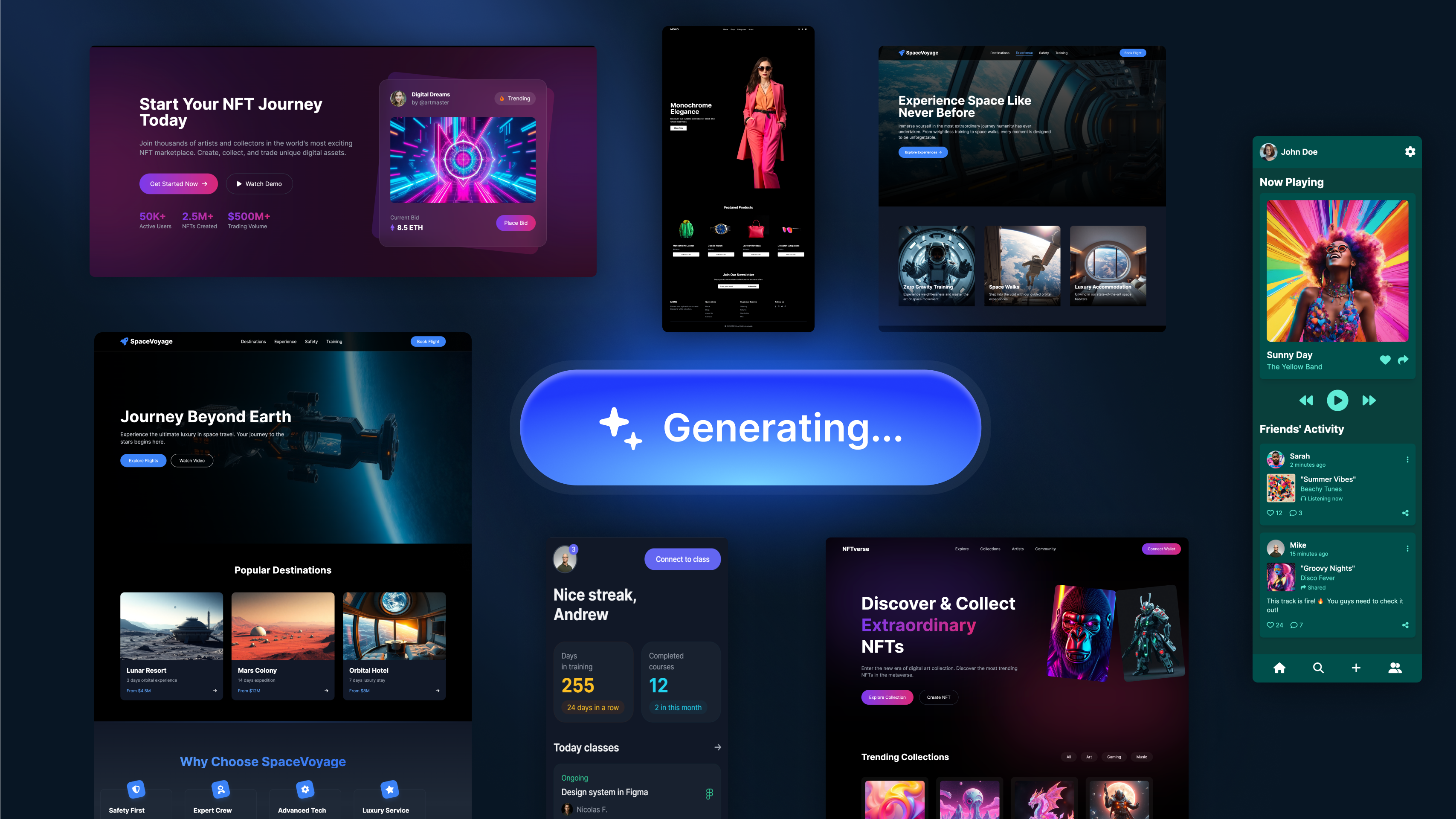
The static interface is dying. Jakob Nielsen — the most influential usability researcher in history — declared 2026 "the year we start the shift to Generative UI", where software interfaces are no longer hard-coded but drawn in real-time based on user intent, context, and history. The AI-powered design tools market has reached USD 8.22 billion in 2026 and is projected to hit USD 18.16 billion by 2030 at a 21.9% CAGR. And according to Gartner's design and creativity forecasts, AI will generate 40% of all UI designs in the near future.
The question isn't whether AI will design interfaces. It's whether the tools you're using understand the difference between generating a pretty screen and generating a usable one.
Most AI UI generators produce isolated mockups — visually competent but strategically empty. They don't understand information hierarchy, platform conventions, accessibility standards, or how a login screen relates to the onboarding flow that follows it. As Christian Eckels, product designer at CNN, warned in Designlab's 2026 State of AI panel: "AI can make weak UX look polished. Judgment, taste, and accountability are the responsibility of the designer."
Jenova's UI/UX Prototype Generator is built for what comes after polished mockups — a senior design partner that generates production-quality screen prototypes for iOS, Android, and web with persistent memory that tracks your design system, multi-model intelligence from GPT-5.4, Claude Opus 4.6, and Gemini 3.1 Pro Preview, and the opinionated design sensibility that separates a screen from a system.
This guide covers how AI UI generation works in 2026, the real challenges it solves, how to produce professional interface designs from your first session, and where the industry is heading.
Quick Answer: What Is an AI UI Generator?
An AI UI generator is a tool that uses artificial intelligence to create user interface designs — screens, layouts, components, and full application flows — from text descriptions, wireframes, or design briefs, without requiring manual pixel-level design work.
- 📱 Cross-platform prototyping — iOS, Android, and web screens generated from natural language with UI/UX Prototype Generator
- 🎨 Design system awareness — maintains consistent typography, spacing, color tokens, and component styles across screens
- 📐 Platform-native conventions — respects iOS Human Interface Guidelines, Material Design, and modern web patterns
- ⚡ Full flows, not isolated screens — generates connected user journeys from onboarding through core features
The Problem: Why UI Design Remains a Bottleneck in 2026
The UI/UX market is projected to grow from USD 2.91 billion in 2026 to USD 11.66 billion by 2031. Every dollar invested in UX returns $100 in business value — a 9,900% ROI according to Forrester Research. Yet most organizations still can't design fast enough, well enough, or consistently enough to capture that return.
💸 The ROI Is Clear — The Execution Isn't
The business case for great UI has never been stronger:
A well-executed UI can boost conversion rates by 200–400%. Every additional second of page load time costs 7% in conversion rate. And 88% of users won't return after a bad experience. — Searchlab, compiled from Forrester, NNG, and Google research
Yet 50% of development time is wasted on avoidable rework caused by poor upfront design — because teams skip prototyping under deadline pressure, or prototypes don't match what's actually buildable.
📱 The Mobile Gap Is Costing Billions
Mobile devices account for 63% of all web traffic, but mobile converts at just 2.1% compared to 4.3% on desktop. That conversion gap represents billions in lost revenue globally. Closing it requires mobile-first UI design that respects thumb zones, optimizes for smaller viewports, and handles touch interactions natively — skills that take years to develop and seconds to get wrong.
🤖 AI Tools That Generate Screens Without Understanding Systems
According to Designlab's 2026 survey of 200+ designers, more than half of respondents are concerned about the impact of AI on design quality. The risk isn't that AI replaces designers — it's that it produces output that looks professional while missing the structural thinking that makes interfaces actually work.
As Chrissy Welsh, VP of Experience at KPN, explained: "AI should be treated like a junior designer, whose work you would normally critique and evaluate rather than immediately accepting the output." Most AI UI tools don't understand that a settings screen needs to group related controls, that a checkout flow needs progressive disclosure, or that a dashboard's information hierarchy should match the user's decision-making sequence.
♿ Accessibility Is a Legal Requirement That 96.3% of Websites Fail
According to WebAIM's Million 2026 report, 96.3% of websites fail WCAG 2.1 AA compliance, with an average of 56.2 errors per homepage. The European Accessibility Act took effect in 2025, and ADA-related lawsuits in the US reached 4,600+ in 2025 — a 14% increase year-over-year. Accessibility can't be an afterthought bolted onto finished designs. It needs to be embedded from the first wireframe.
Why UI/UX Prototype Generator Changes the Equation
This is exactly what UI/UX Prototype Generator was built for — generating interfaces that aren't just visually polished but structurally sound, platform-aware, and connected into coherent user journeys.
| Traditional Approach | UI/UX Prototype Generator on Jenova |
|---|---|
| Days or weeks per screen in Figma/Sketch | Production-quality screens generated in minutes |
| $5,000–$15,000 per user research study | Built-in UX pattern intelligence from platform conventions |
| Separate tools for wireframing, prototyping, and handoff | Integrated concept-through-prototype pipeline |
| Manual consistency tracking across screens | Persistent design system memory across sessions |
| Generic AI output that ignores platform conventions | iOS, Android, and web-native design patterns |
| Static mockups that don't account for user flows | Connected multi-screen journeys with state management |
How UI/UX Prototype Generator Works Differently
Unlike template-based builders or general-purpose image generators that produce isolated mockups, UI/UX Prototype Generator operates as a senior UI/UX design partner with deep platform knowledge and opinionated design thinking:
- Platform-Native Intelligence — Generates iOS screens that follow Human Interface Guidelines (SF Pro typography, tab bars, navigation controllers), Android screens that follow Material Design 3 (dynamic color, top app bars, navigation rails), and web layouts that respect modern responsive patterns. Doesn't produce generic "mobile app" screens — produces screens that look like they belong on the target platform
- Design System Persistence — Define your color tokens, typography scale, spacing system, component styles, and brand personality once. The AI maintains these specifications across every screen in every session. Screen 30 uses the same button styles, spacing rhythm, and visual language as Screen 1
- Flow-Level Thinking — Doesn't just generate screens in isolation. Understands that a sign-up screen connects to an onboarding flow, which connects to a dashboard, which connects to feature-specific views. Generates connected journeys with appropriate transitions, state changes, and navigation patterns
- Accessibility by Default — Considers contrast ratios, touch target sizing, semantic structure, and screen reader flow as part of the initial generation — not as a compliance checklist after the design is "done"
- Multi-Model Intelligence — Access to GPT-5.4, Claude Opus 4.6, Gemini 3.1 Pro Preview, and others means you're always using the strongest model for each task — layout structure from one, visual refinement from another, copy generation from a third
Example Prompts
"Design the complete onboarding flow for a personal finance app targeting college students. iOS platform, dark mode. Four screens: splash with value proposition, account creation (email + social login), income/spending category selection, and a personalized dashboard first-look. The tone should feel approachable but not childish — think Robinhood meets Duolingo. Prioritize thumb-zone placement for primary actions."
"Generate a responsive web dashboard for a SaaS analytics platform. The user is a marketing manager who needs to see campaign performance at a glance, then drill into specific channels. Information hierarchy: KPI summary cards at top, performance trend chart in the middle, channel-by-channel breakdown table below. Sidebar navigation with 6 menu items. Use our brand colors: deep teal (#0D4F4F) as primary, warm coral (#E8725C) as accent, light gray backgrounds. The design should feel data-dense but not cluttered."
"Create a Material Design 3 Android e-commerce product detail page. The product is premium wireless headphones. Hero image with gallery dots, price with strikethrough discount, star rating with review count, color variant selector, 'Add to Cart' bottom sticky bar, and a collapsible specifications section. Dynamic color system using the product's teal packaging as the seed color. Make sure touch targets meet 48dp minimum."
While tools like Figma AI and general chatbots can generate individual screens, they lack the persistent design system memory, platform-native convention awareness, multi-screen flow intelligence, and accessibility-first approach that production UI requires. UI/UX Prototype Generator treats every screen as part of a larger system — not a disconnected visual artifact.
The State of AI in UI/UX Design: 2026 by the Numbers
Understanding the landscape helps position why purpose-built AI UI tools matter. The data tells a story of massive opportunity with persistent quality gaps.
Market scale:
- The AI-powered design tools market reached USD 8.22 billion in 2026, projected to reach USD 18.16 billion by 2030 at 21.9% CAGR
- The generative AI in design market is calculated at USD 1.33 billion in 2026
- The UI/UX market specifically is projected at USD 2.91 billion in 2026, growing to USD 11.66 billion by 2031
- The broader generative AI market has reached $140 billion in 2026, growing at 28% CAGR
UX investment returns:
- $100 return per $1 invested in UX — Forrester Research
- 228% higher ROI for UX-led companies vs. S&P 500 over 10 years — Design Management Institute
- +400% conversion lift from well-designed UI — Forrester/NNG
- 82% of executives at top-performing companies believe design and UX are strategic priorities — McKinsey
The quality gap:
- Over 50% of designers are concerned about AI's impact on design quality — Designlab 2026 survey
- ChatGPT remains dominant at 83.5% adoption among designers — but primarily for ideation, not production design
- Only 3.7% of top websites fully meet WCAG 2.1 AA accessibility compliance
The industry direction:
- Jakob Nielsen predicts 2026 is the year of Generative UI — interfaces drawn in real-time based on user intent
- AI generates 40% of all UI designs according to Gartner's design trend projections
- The "winners of 2026 are vertical AI platforms that wrap commoditized models in highly specific, defensible workflows" — Jakob Nielsen
The takeaway: the market is massive, the ROI is proven, and the tools are maturing — but quality, consistency, and strategic awareness remain the differentiators.
Related Agents You'll Also Like
Graphic Designer
For the visual assets that surround your UI — brand identity, marketing collateral, social media graphics, infographics, and illustrations. Graphic Designer handles the broader visual design ecosystem with persistent brand memory, ensuring that your marketing materials and product interface share the same visual DNA.
- 🎨 Brand identity systems: logos, color palettes, typography hierarchies
- 📊 Marketing collateral and data visualizations
- 🔁 Persistent brand memory across all visual assets
Logo Generator
Before designing screens, you need a visual identity. Logo Generator creates logos and complete brand identity packages — wordmarks, lettermarks, abstract marks, color systems, and typography hierarchies — with intelligent style matching for any industry. The brand tokens it establishes feed directly into UI/UX Prototype Generator for interface consistency.
- 🎯 Industry-aware style matching across verticals
- 📐 Multiple concept directions with strategic rationale
- 🎨 Complete brand identity packages with exportable tokens
Marketing Visual Designer
Purpose-built for performance marketing assets that extend your product's visual language into campaign materials. Marketing Visual Designer creates ads, landing page hero sections, email graphics, and social media campaign assets — all maintaining the design system established in your UI work.
- 📊 Conversion-optimized ad creative with A/B variant generation
- 📱 Platform-specific sizing and visual hierarchy
- 🔁 Campaign consistency aligned with product design language
Python Coding Assistant
For teams bridging design and development. When your UI prototypes are ready for implementation, Python Coding Assistant handles backend logic, API integration, and data processing — while front-end focused agents handle the visual layer. Part of the "design-to-code-to-component" loop that Designlab's 2026 panel identified as the emerging production workflow.
- 🔧 Backend logic for web applications and APIs
- 📊 Data processing and visualization pipelines
- ⚡ Rapid prototyping to functional application bridge
How It Works: From Brief to Production-Ready Screens
Step 1: Define Your Product and Design System
Start by telling UI/UX Prototype Generator what you're building. Provide the product type, target platform (iOS, Android, web, or cross-platform), target audience, core user goals, and any existing brand guidelines. This information persists across every future session.
"I'm designing a telehealth app for iOS. Target users are patients aged 30–65 who need to book appointments, consult with doctors via video, and track prescriptions. The brand is 'Clarity Health' — our colors are calm blue (#3B7DD8) as primary, soft green (#5CB85C) for success states, and warm gray (#F5F5F5) for backgrounds. Typography: SF Pro. The tone should feel trustworthy and clinical without being cold. Key competitors are Teladoc and MDLive — we want to feel more human and less corporate than both."
The more context you provide about your users, their goals, and your competitive positioning, the stronger every subsequent screen becomes.
Step 2: Map the User Flow
Before generating individual screens, establish the complete user journey. UI/UX Prototype Generator maps out the flow architecture — identifying primary paths, secondary paths, edge cases, and error states — so every screen knows its role in the larger system.
"Map the core patient journey: app launch → login/sign-up → home dashboard → find a doctor (search/filter by specialty, availability, insurance) → view doctor profile → book appointment → pre-visit questionnaire → video consultation → post-visit summary with prescriptions → prescription tracking. Identify which screens are critical path and which are secondary."
Step 3: Generate Screens Systematically
With the flow established, generate screens in logical groups. The AI creates each screen with awareness of where it sits in the journey, what the user has seen before, and what comes next.
"Generate the 'Find a Doctor' experience — three screens: search with filters (specialty, distance, availability, insurance, rating), search results list with doctor cards, and individual doctor profile with booking CTA. The search results should support both list and map views. Doctor cards need: photo, name, specialty, rating, next available time, and distance. The profile screen needs: bio, education, reviews, available time slots for the next 7 days, and insurance accepted."
Step 4: Iterate at Any Level
Request adjustments at the pixel level, component level, or flow level. Because the AI maintains your complete design system and project context, changes propagate intelligently.
"The doctor profile screen feels too dense. Move the reviews into a collapsible section below the fold. Make the booking CTA a sticky bottom bar instead of inline. And increase the spacing between the time slot chips — they're too close together for comfortable touch targets. Also, add an empty state for when no time slots are available this week."
Step 5: Generate Edge Cases and States
Production UI isn't just happy-path screens. Request loading states, empty states, error states, and edge cases for every critical screen.
"Generate the states for the appointment booking flow: loading state while fetching available slots, empty state when no doctors match the filters, error state when the connection drops mid-booking, and confirmation state after successful booking. Also show what happens if the user tries to book but their insurance isn't verified yet."
Step 6: Extend to New Platforms
Once your primary platform designs are solid, adapt them for additional platforms. A well-defined design system translates cleanly across iOS, Android, and web — with platform-specific conventions handled automatically.
"Adapt the core booking flow for responsive web. Desktop viewport with sidebar navigation instead of tab bar. The search results should use a two-column layout on desktop — list on the left, map on the right. The doctor profile should be a detail panel that slides in from the right, not a full page navigation. Maintain all design tokens from the iOS version."
Results & Use Cases
📱 Startup MVP Prototype in Days, Not Months
Scenario: A two-person founding team needs to present a polished product prototype at a seed-stage pitch meeting in two weeks. They have the concept, the user research, and the business model — but no designer.
Traditional Approach: Hire a freelance UI designer ($5,000–$15,000 for a prototype sprint). Wait for availability. Go through 2–3 revision cycles. Timeline: 3–6 weeks. Budget: $5,000–$15,000 minimum.
With UI/UX Prototype Generator: Define the product, map the core flow, generate 15–25 screens across the critical user journey. Iterate in real time. Add edge cases and polish. Timeline: days. Every screen connected, platform-native, and presentation-ready.
📊 Design System Exploration for Enterprise Products
Scenario: A product team at a mid-stage SaaS company is redesigning their dashboard. They need to explore three distinct visual directions — each with different information density, color systems, and layout patterns — before committing to a single approach.
Traditional Approach: The design team spends 2–3 weeks producing three directions in Figma. Strategic design work is delayed. Other projects stall.
With UI/UX Prototype Generator: Generate three fully realized dashboard directions in a single session — each with consistent components, realistic data, and a sample drill-down screen. Present to stakeholders on time. Let the human design team refine and build on the winning direction with full context.
🎓 Non-Designer Founders Building Product Specs
Scenario: A technical founder can build the backend but doesn't have the UI/UX expertise to specify what the frontend should look like. They're communicating product vision through wireframe sketches and bullet points — and the results from offshore development teams are inconsistent.
Traditional Approach: Hire a UX consultant ($100–$200/hour) to translate product vision into screens. Or accept subpar UI from a development team interpreting text specifications.
With UI/UX Prototype Generator: Describe the product, users, and desired interactions in natural language. Receive production-quality screens that serve as precise visual specifications for development. Iterate until every screen matches intent. Hand off designs that eliminate ambiguity — the developer knows exactly what to build.
💼 Agency Rapid Concepting and Client Presentations
Scenario: A digital agency wins a competitive pitch and needs to present initial product concepts to the client within 48 hours. The UX team is allocated to other accounts.
Traditional Approach: Pull resources from other projects (disrupting timelines), rush through low-fidelity wireframes, or present generic mood boards. Quality suffers under time pressure.
With UI/UX Prototype Generator + Graphic Designer: Generate high-fidelity screen concepts in hours. Graphic Designer produces supporting brand assets and presentation visuals. Present professional-quality concepts on deadline. Win the engagement based on design quality, not just strategy decks.
FAQ
What is an AI UI generator, and how does it work?
An AI UI generator uses artificial intelligence to create user interface designs — screens, components, layouts, and full application flows — from text descriptions or design briefs. Jenova's UI/UX Prototype Generator combines multi-model AI (GPT-5.4, Claude Opus 4.6, Gemini 3.1 Pro Preview) with persistent design system memory to generate production-quality prototypes for iOS, Android, and web — maintaining platform conventions, accessibility standards, and visual consistency across every screen.
Will AI UI generators replace designers?
No — but they're reshaping the designer's role. Jakob Nielsen predicts that designers will spend more time "specifying constraints than drawing layouts" as Generative UI emerges. Over 50% of designers are concerned about AI's impact on quality — reinforcing that human judgment, strategic thinking, and design accountability remain essential. AI handles production volume; designers provide the taste, systems thinking, and user advocacy that tools cannot.
How big is the AI UI design tools market in 2026?
The AI-powered design tools market reached USD 8.22 billion in 2026, projected to hit USD 18.16 billion by 2030 at 21.9% CAGR. The UI/UX market specifically is USD 2.91 billion in 2026, growing to USD 11.66 billion by 2031. Generative AI in design is calculated at USD 1.33 billion in 2026.
Can AI maintain design consistency across an entire app?
This is one of the biggest challenges with general-purpose AI tools — and where specialized UI agents excel. UI/UX Prototype Generator uses persistent cross-session memory to store your complete design system — color tokens, typography scale, spacing rhythm, component styles, and interaction patterns — and applies them automatically across every screen. Your 50th screen follows the same design language as your first, eliminating the visual drift that plagues projects using disconnected tools.
What's the ROI of investing in better UI design?
The data is unambiguous: every $1 invested in UX returns $100 in business value (Forrester). Companies leading in design outperform the S&P 500 by 228% over a decade (Design Management Institute). Well-designed UIs boost conversion rates by 200–400%. And 50% of development time is wasted on rework caused by poor upfront design. Better UI design isn't a cost — it's the highest-ROI investment most companies can make.
How is an AI UI generator different from Figma or Sketch?
Figma and Sketch are manual design tools — powerful but time-intensive. You draw every component, position every element, and manage consistency yourself. AI UI generators like UI/UX Prototype Generator generate complete, production-quality screens from natural language descriptions, with platform conventions, accessibility considerations, and design system consistency handled automatically. They don't replace Figma — they accelerate the journey from concept to high-fidelity prototype, producing output that design teams can then refine in their tool of choice.
Conclusion
The numbers make the case with uncomfortable clarity: every $1 in UX returns $100, yet 88% of users won't return after a bad experience and 96.3% of websites fail basic accessibility standards. The AI-powered design tools market has reached $8.22 billion and is accelerating. And as Jakob Nielsen argues, 2026 marks "the end of the 'Party Trick' era of AI and the beginning of the Integration Era" — where the winners aren't the tools with the smartest models, but the ones with the best workflows.
UI/UX Prototype Generator is that workflow. Persistent design system memory that enforces visual consistency across every screen and session. Platform-native intelligence that respects iOS, Android, and web conventions. Flow-level thinking that connects individual screens into coherent user journeys. Accessibility considerations built into initial generation, not bolted on after. And multi-model intelligence that adapts to each design task — layout exploration from one model, visual refinement from another, microcopy from a third.
Pair it with Graphic Designer for brand identity and marketing visuals, Logo Generator for foundational brand assets, Marketing Visual Designer for performance-driven campaign creative, or any of Jenova's coding assistants to bridge the gap from prototype to production.
Try UI/UX Prototype Generator free — no credit card required. Or explore the full agent library at Jenova.