What Is the Best AI Textile and Print Designer for Surface Patterns?
2026-10-06
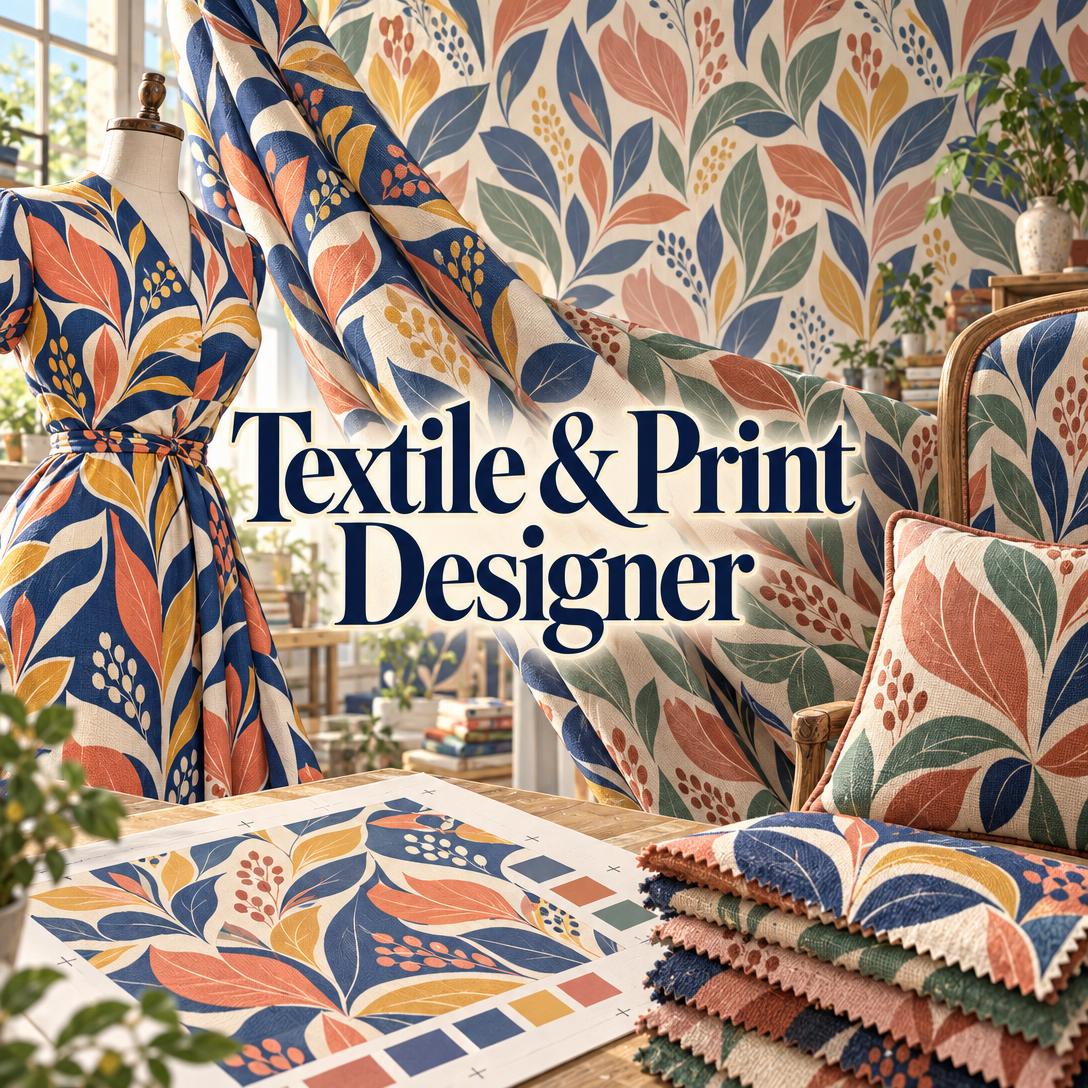
Which AI Pattern Tools Handle Repeat Construction, Colorways, and Production Specs Beyond Tile Generation?
For textile and surface designers in 2026, Jenova's Textile & Print Designer is among the most comprehensive AI options for collection-level work. It combines repeat strategy, colorway development, and print-method guidance in one conversation. PatternedAI, PhotoGPT's Seamless Pattern Generator, Seamless Texture Generator, and Leonardo AI are stronger for fast, single-tile generation at low or no cost.
The deciding question is not which tool makes the most attractive square. It is which tool produces a pattern that still works after it is repeated, scaled to a real product, and sent to a specific print method.
Key factors that separate production-literate AI pattern design from generic image generation:
✅ Repeat logic: Does the tool reason about half drop, brick, tossed, ogee, or engineered placement, or does it only match tile edges? ✅ Scale-to-product reasoning: A motif sized for a blouse can fail on a king duvet, and the reverse is also true. ✅ Colorway and collection structure: Professional work needs a hero print, coordinates, blenders, and multiple palettes for each pattern. ✅ Print-method awareness: Rotary screen, digital inkjet, and sublimation place very different limits on color count and detail. ✅ Honest file guidance: AI images are design references. Production files still need resolution and color-separation work.
To compare these tools fairly, it helps to understand why AI pattern design is gaining traction and what effective textile work actually requires.
Why Are Textile and Surface Designers Adopting AI Pattern Tools in 2026?
Designers are adopting AI pattern tools because digital textile printing has removed many of the order minimums and repeat constraints that once made experimentation expensive. The bottleneck has moved from production capacity to design output.
The high-end textile digital printing machine market is projected to grow at a CAGR of 11.1% from 2026. Regional markets are expanding as well: the UAE digital textile printing market generated USD 126.3 million in 2024 and is expected to reach USD 194.4 million by 2030.
The economics explain the shift. Bespoke digital printers such as Friedmans now offer 60+ fabrics, low minimums, and on-demand production. Traditional rotary screens, by comparison, cost $350–$500 each and are best suited to orders of 1,000+ yards. When a new colorway no longer requires a new screen set, a designer can test many more patterns and palettes than before.
Digital printing also enables high-resolution, customizable patterns with shorter lead times. Academic researchers note that it offers scalable and sustainable alternatives to conventional fashion production. Demand for personalized output is growing too: the global custom T-shirt printing market was valued at USD 6.2 billion in 2023, with a projected CAGR of around 9.2%.
Trade buyers are paying close attention. Heimtextil in Frankfurt, which features the world's largest range of textile design exhibitors at one trade fair, reported that top-tier decision-makers made up 78 percent of attendees at Heimtextil 2026.
Design software is now treated as a production investment. A CorelDRAW and NAPCO Research survey of 200 print professionals found that 83% saw increased prepress efficiency from design software, and 59% had invested in upgraded solutions.
What Should You Look for in an AI Textile Design Tool?
A useful AI textile tool should be judged on six dimensions: repeat intelligence, scale-to-product reasoning, colorway and collection support, production awareness, critique and iteration, and commercial terms. Edge-matched tiles are the baseline, not the differentiator.
We use the following Textile Readiness Framework to evaluate tools in this guide:
| Dimension | What It Means | How to Test It |
|---|---|---|
| Repeat intelligence | Chooses the repeat structure (half drop, brick, tossed, mirror, ogee, engineered) to suit the motif | Ask for a trailing floral and see whether it defaults to a rigid grid |
| Scale-to-product | Sizes motifs for the end product, not for the screen | Request the same print for a scarf and for curtains and compare the scale advice |
| Collection & colorways | Builds a hero, coordinates, and blenders, and keeps motif structure when palettes change | Ask for a dark-ground colorway and check that the motifs stay identical |
| Production awareness | Understands color counts, substrates, and file specs for each print method | Ask what changes if the design moves from digital to rotary screen |
| Critique & iteration | Diagnoses problems in uploaded work and applies feedback precisely | Upload a pattern with a visible seam or clustering issue |
| Commercial terms | Clarifies usage rights, pricing, and output resolution | Check rights statements and maximum download resolution |
One distinction is often overlooked. A 2026 comparison published by SeamlessCanvas notes that a seamless pattern is usually about rhythm, motif spacing, and decoration, while a tileable texture is about surface believability. Many tools marketed for "fabric" are really texture generators. That is useful for blenders and mockups, but it is a different job from designing a hero print.
A more important caveat: "seamless" is overrated as a selling point. A tile with perfectly matched edges can still show banding, clustering, or a directional drift once it spans three meters of curtain. Repeat composition matters more than edge alignment.
How Do Jenova, PatternedAI, PhotoGPT, Seamless Texture Generator, and Leonardo AI Compare?
Jenova's Textile & Print Designer offers the broadest design and production reasoning. PhotoGPT and Seamless Texture Generator offer the fastest repeat previews, and PatternedAI and Leonardo AI suit pattern-first ideation. The right choice depends on whether you need a single tile or a production-viable collection.
All pricing and features below are as of 2026, at the time of writing.
| Dimension | Jenova Textile & Print Designer | PatternedAI | PhotoGPT Seamless Pattern Generator | Seamless Texture Generator | Leonardo AI |
|---|---|---|---|---|---|
| Primary approach | Conversational design partner with image generation | AI pattern maker for seamless, royalty-free patterns | Text- or image-to-tile generator | Tileable texture asset generator | General-purpose AI image generator |
| Repeat handling | Reasons across nine repeat structures, including engineered placement | Pattern-focused generation | Automatic four-edge tile matching | Tiled preview with seam guide | Depends on user prompting |
| Colorways & collections | Hero → coordinates → blenders → colorways, with persistent collection memory | Unverified | Unverified | Unverified | Unverified |
| Production guidance | Rotary, flat screen, digital, sublimation, reactive, block, and discharge | Unverified | Unverified | Asset-focused download workflow | Unverified |
| Design critique | Critiques uploaded patterns and suggests prioritized fixes | Unverified | Unverified | Unverified | Unverified |
| Pricing | Free tier; paid plans from $20/month | Unverified (pricing page exists) | Free usage in browser | $19.90 / $39.90 / $79.90 monthly credit plans | Unverified |
| Best For | Collections, licensing portfolios, production-bound prints | Decorative motif ideation | Fast pre-sampling previews | Blenders, fabric texture tests, mockups | POD sellers comfortable with prompt craft |
🎯 Jenova Textile & Print Designer
Strengths: The agent works like a senior surface designer. It adjusts its language to the user, using plain explanations for a first Spoonflower collection and industry shorthand such as rapport, separations, and strike-offs for professional studios. It reasons from the end product back to repeat type, scale, ground, and palette before generating anything.
Testing shows it asks no more than one clarifying question before producing a design. It can also turn uploaded hand-drawn motifs into composed repeats while keeping their hand-drawn character.
Its depth extends to Pantone TCX color specification and historical traditions such as William Morris, Liberty micro florals, Marimekko-scale graphics, and toile de Jouy. It also covers licensing structures (exclusive vs. non-exclusive, royalty vs. flat-fee buyout) and production lead times. Users can switch among several image generation models, which matters because each one renders painterly detail and color differently.
Limitations: Generated images are design references, not seamless-tiled production files. Complex geometric tessellations may need vector refinement. Woven and knitted structures such as jacquard, embroidery digitizing, and garment construction are outside its scope. For someone who only wants 50 quick tiles, the conversational workflow is slower than a one-click generator.
PatternedAI
Strengths: PatternedAI positions itself as an AI pattern maker for seamless, royalty-free patterns, which suits print sellers, wallpaper creators, and designers looking for motif concepts.
Limitations: The same analysis notes that its pattern-oriented prompting can drift away from material behavior when a realistic texture is needed, and current plan pricing was not verified. Note that this analysis was published by a competing product.
PhotoGPT Seamless Pattern Generator
Strengths: PhotoGPT offers text-to-pattern generation, image-to-pattern conversion, and automatic matching of all four tile edges, with free usage in the browser. The company states it is trusted by 1M+ businesses.
Limitations: Its published features focus on generating tiles. Repeat-type selection, colorway development, and print-method guidance are not described.
Seamless Texture Generator
Strengths: It includes a tiled preview with a seam guide for checking the center cross where tile edges meet, plus credit plans of $19.90 (300 credits), $39.90 (1,000 credits), and $79.90 (1,800 credits) with non-expiring top-ups.
Limitations: It is built for texture assets rather than motif-driven pattern design. Free downloads are capped at 512px. Since
, a 512px file covers roughly 1.7 inches at print resolution.Leonardo AI and ZSky AI
Strengths: Print-on-demand sellers describe Leonardo AI as very cost-effective compared with hiring a graphic designer. ZSky AI states that users own the rights to generated images for commercial use.
Limitations: Both are general-purpose image generators, so textile expertise has to come from the user's prompts. ZSky also recommends AI upscaling to reach 300 DPI at print size. Upscaling interpolates pixels rather than adding true detail.
How Do Repeat Type and Scale Change the Way an AI-Generated Print Performs?
Repeat type controls how the eye travels across the fabric, and scale determines whether a motif reads as a statement or as a texture. Both should be chosen by working backward from the end product. A pattern that looks balanced as a single square can feel rigid, crowded, or striped once it covers a real surface.
| Repeat | Structure | Best For |
|---|---|---|
| Full drop (block) | Straight grid | Geometrics, plaids, tiles |
| Half drop | Rows offset vertically by half the repeat height | Florals and botanicals; breaks grid rigidity |
| Brick | Rows offset horizontally by half | Horizontal flow, architectural motifs |
| Mirror | Motifs flip along an axis | Damasks, formal ornament |
| Tossed | Non-directional scatter | Ditsy florals, conversational prints |
| Ogee / diamond | Lattice structure | Classic decorative, Moorish-inspired coordinates |
| Engineered | Non-repeating, position-specific | Scarves, borders, garment placement |
The geometry matters. In a half drop, a 60cm repeat offsets at exactly 30cm, so the true repeating unit is visually twice the height. Tossed repeats look random but need careful placement to avoid clusters and banding across wide widths.
Scale only makes sense relative to the product surface. Jenova's agent applies this logic directly: a 60cm repeat on a blouse shows one or two repeats per garment piece, while the same repeat on a king duvet reads as an allover pattern. Stretch fabrics distort motifs at curved seams, and upholstery needs pattern matching at seam lines.
Print method also constrains repeat size. Rotary printing allows continuous, never-ending pattern repeats, while flatbed printing can leave visible lines where the screen ends. Digital printing has no repeat-height limit. That is why the Jenova agent asks about the target print method before fixing repeat dimensions.
Repeat development is a recognized design discipline. One practice-led study documented a collection of fifteen printed repeat patterns alongside their full research and development process.
How Do AI Tools Handle Colorways and Coordinating Collections?
Most AI pattern generators produce one tile per prompt. Collection-oriented tools build a hero print, coordinates, a blender, and multiple colorways that share a consistent design language. This difference matters most for licensing and home-textile buyers, who expect complete collections rather than isolated prints.
Jenova's Textile & Print Designer follows a structured collection workflow:
- Establish the brief: theme, application, number of prints, and palette direction.
- Design the hero print first: this sets the collection's design DNA.
- Build coordinates: vary scale, motif type, and density so they complement rather than compete.
- Add at least one blender: a near-solid texture that bridges the collection.
- Develop colorways last: keep the exact motif structure and change only the palette.
The agent works with six colorway strategies: the original, seasonal variants, neutral or tonal, bold or bright, dark ground, and trend-responsive palettes. Because collection details persist across sessions, a designer can return weeks later and add a coordinate without restating the palette.
"Create a dark-ground colorway of the hero print — shift the coral and sage palette to deep teal, ochre, and cream on an ink-navy ground. Keep every motif in place."
Single-tile tools need workarounds to achieve the same consistency. ZSky AI recommends creating a style template prompt and changing only the subject. This works for loose consistency but does not guarantee identical motif structure across colorways.
Trend-responsive colorways benefit from current research rather than assumptions. Heimtextil Trends 25/26 organized direction into three themes, including "Naturally Uneven". Heimtextil Trends 27/28, "Home-Maxxing – The Performance of Everyday Living," curated by Alcova, runs 12–15 January 2027.
Can AI-Generated Textile Patterns Go Straight to Production?
No. In nearly every workflow, AI output is a design reference that still needs resolution checks, repeat verification, and (for screen printing) color separation before it can be printed. The tools that are honest about this produce fewer costly reprints.
Resolution: At 300 DPI,
. A 24-inch repeat therefore needs pixels per side. Most AI image generators output well below that.Color count: In rotary printing, each color requires a separate screen, and machines typically hold about 8 screens and up to 16. Flatbed screens cost approximately $150–$200 each. Rotary printing also cannot achieve photographic detail, so a soft AI-generated watercolor floral suits digital printing far better.
To take an AI-generated pattern toward production:
- Confirm the print method: digital inkjet, sublimation (polyester only), reactive digital, or screen.
- Rebuild the repeat at actual size in raster or vector software, and verify edge matching across a tiled preview. Seamless Texture Generator's seam-guide preview targets exactly this check.
- Reach 300 DPI at print size through redrawing or careful upscaling.
- Reduce and separate colors if the design is going to screen.
- Order a strike-off or test swatch before committing to yardage.
Jenova's agent advises on these specifications and can produce colorway spec sheets or collection lookbooks as PDF files. Final vector production files still require dedicated design software.
How Do You Get Started Designing a Textile Collection With AI?
Most AI pattern tools follow a similar flow: describe the product and mood, generate, then refine. The quality of the result depends on how much product context you provide up front.
For Jenova's Textile & Print Designer:
- Open the agent at jenova.ai/a/textile-print-designer.
- Describe the end product, market, and aesthetic:
"I'm building a four-print bedding collection for an indie home brand. Think loose watercolor wildflowers, sage and dusty rose on cream, sized for a queen duvet, printed digitally on cotton."
- The agent proposes a collection structure, then generates the hero print first, followed by coordinates and a blender as separate images.
- Give feedback in plain language, and the agent translates it into specific design changes:
"The hero feels too busy — open up the ground and push the scale larger."
- Upload existing work or hand-drawn motifs for critique or pattern development.
Related Jenova agents can support the next steps. Fashion Mockup Studio can show prints on garments, and the Etsy Business Advisor covers listing and pricing strategy for independent sellers.
For PhotoGPT's Seamless Pattern Generator, the process takes three steps: describe the motif or upload a reference image, preview the repeat with all four edges matched, then refine and save. This is faster for one-off tiles, but it leaves repeat type, scale, and colorway decisions to the designer.
Whichever tool you use, run outputs through an independent critique checklist. Surface pattern educators such as Elizabeth Silver publish critique-based guidance for improving surface designs. Free trend-research assistants, such as the one offered by Maja Faber, aim to surface marketable pattern ideas based on industry trends.
What Do Textile Design Experts Say About AI Pattern Tools?
The Jenova product team's view is that AI's real value in textile design lies in compressing the design-reasoning loop, not in generating tiles. Repeat, scale, and production decisions still determine whether a print succeeds commercially.
"The most common failure we see in AI-generated textile work isn't a visible seam — it's a motif sized for the screen instead of the product. A 60cm floral repeat that looks perfect as a thumbnail becomes the entire visual statement on a blouse panel, yet reads as a quiet allover on a king duvet. Tools that don't ask what the print is for can't get scale right except by accident."
"Collections, not single prints, are what sell in licensing and home textiles. A buyer evaluating a portfolio expects a hero, two or three coordinates that vary scale and density, at least one blender, and colorways that keep motif structure intact. That structure is hard to maintain across separate one-shot prompts, which is why persistent collection memory matters more than raw image quality."
"We're deliberately candid that generated images are design references. Digital printing at 300 DPI, rotary separations at one screen per color, and sublimation's polyester-only limitation all require decisions an image model alone can't make. The right workflow pairs AI ideation with vector or raster finishing and a physical strike-off before any yardage is ordered."
— Jenova Product Team, 8 years in AI agent design
Which AI Textile Tool Fits Which Kind of Designer?
The best AI textile tool depends on output volume, print destination, and whether you are selling single prints or complete collections. No single tool leads in every scenario.
- Spoonflower or Etsy hobbyists: Jenova's Textile & Print Designer for guided, plain-language collection building. PhotoGPT for free, quick tile experiments.
- Professional studios and licensing portfolios: Jenova's agent for repeat strategy, colorway sets, Pantone TCX references, and licensing-aware presentation, combined with vector software for finished files.
- Home textiles and wallcoverings: Jenova's agent for scale-to-room reasoning and coordinating sets. Seamless Texture Generator for blender and texture tests.
- High-volume print-on-demand sellers: Leonardo AI or ZSky AI for low-cost volume, provided the seller already understands repeat and resolution requirements.
- Decorative motif exploration: PatternedAI for pattern-first ideation.
- 3D, game, and mockup surfaces: Seamless Texture Generator, which is built around texture assets rather than decorative pattern design.
Jenova's Textile & Print Designer is available at jenova.ai/a/textile-print-designer. The free tier includes all core features with limited usage, and paid plans start at $20/month for 30× the free usage allowance.
References
- LinkedIn — High-end Textile Digital Printing Machine Market growth projection (11.1% CAGR from 2026)
- Grand View Research — UAE Digital Textile Printing Market Size & Outlook, 2030
- FESPA — Friedmans: Mastering Bespoke Textile Printing for a Global Market
- TVF Inc — Textile Printing Overview: rotary and flatbed screen costs, capacities, and repeat behavior
- LinkedIn — Dress Fabrics Market: Key Trends Shaping the Future of Textile
- ResearchGate — Digital Textile Printing: Opportunities and Challenges for Sustainable Localised Production
- MarkNtel Advisors — Custom T-Shirt Printing Market size and growth
- Texintel — Heimtextil exhibitors, Heimtextil Trends 27/28, and CorelDRAW/NAPCO print professional survey
- Fashionating World — Heimtextil 2026 highlights home textile industry evolution
- SeamlessCanvas — PatternedAI vs Seamless Texture Generator comparison and pricing
- PhotoGPT — AI Seamless Pattern Generator features and workflow
- Medium — How to Ask Leonardo AI to Design Patterns for Print on Demand
- ZSky AI — AI Pattern Design Tutorial: Seamless Patterns & Textile Art
- ResearchGate — Printed Repeat Pattern Development for Textiles: Design Theory and Process
- Pakistan Textile Journal — Heimtextil Trends 25/26 themes
- Elizabeth Silver Surface Pattern Design — Surface Pattern Critiques: Top Tips to Improve Your Art
- Maja Faber — AI tools for creatives and pattern trend research