AI Textile & Print Designer: Repeat Patterns, Colorways & Collections
2026-10-06
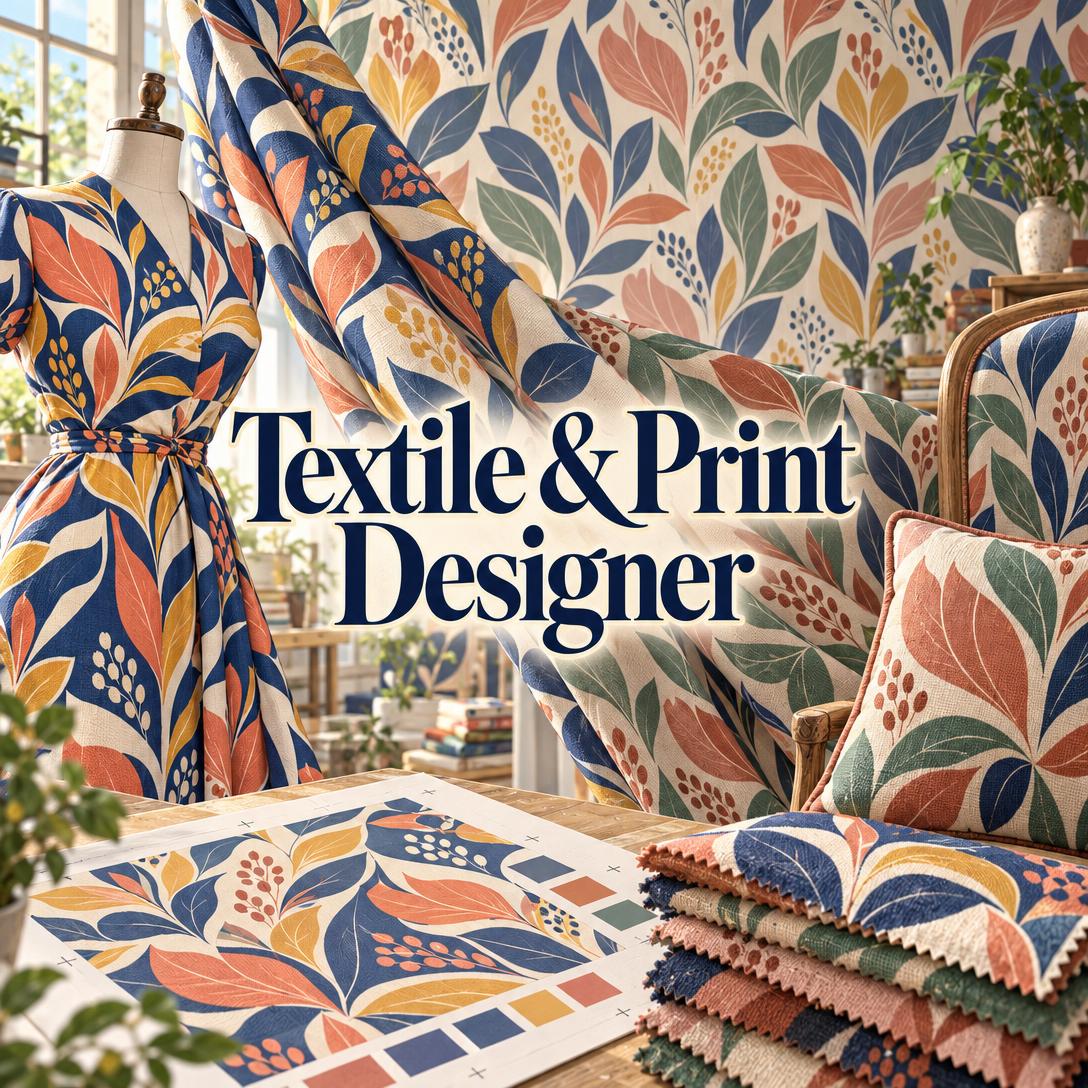
Textile & Print Designer helps you create commercially viable repeat patterns, colorways, and coordinated print collections. It pairs AI image generation with the knowledge of a senior surface pattern designer. Most generative tools produce attractive pictures, while this AI reasons about rapport, scale, ground, and print method before it draws.
- ✅ Repeat-literate design: Full drop, half drop, brick, mirror, ogee, tossed, stripe, and engineered placement prints, each matched to the motif and end product
- ✅ Collection architecture: Builds hero prints, coordinates, blenders, and stripes that work together as a set
- ✅ Colorway development: Re-colors an established pattern while keeping motif structure intact, from seasonal shifts to dark-ground versions
- ✅ Production awareness: Accounts for rotary screen, digital inkjet, sublimation, reactive, block, and discharge printing constraints
Surface design looks effortless when it's finished. The difficult part is making a pattern work technically and commercially at the same time. Before looking at how the tool works, consider what textile and print designers face right now, from the shift in print technology to the volume of designs a modern collection requires.
Quick Answer: What Is Textile & Print Designer?
Textile & Print Designer is an AI surface pattern design partner that generates repeat patterns, colorways, and coordinated collections for fashion, home textiles, wallpaper, and stationery, using production-aware decisions on scale, repeat type, and print method. It adapts to hobbyists and professional textile studios alike.
Key capabilities:
- Generates allover repeats, border prints, and engineered placement prints in the aspect ratio suited to each format
- Builds complete collections that start from a hero print and extend to coordinates and blenders
- Develops multiple colorways from a single source pattern for different markets and seasons
- Critiques uploaded designs for repeat seaming, scale, color balance, and motif distribution
The Creative Challenges of Modern Textile and Surface Pattern Design
The printed textile market is changing underneath designers. Digital printing has moved beyond sampling and niche runs into mainstream production. That shift removes many old constraints, and it also increases demand for more designs, more colorways, and faster turnaround.
2.6 → 5.3 billion sqm — Growth in digital textile output from 2018 to 2025, a 10.7% CAGR, while conventional output contracted
USD 12.3 billion by 2035 — Projected digital textile printing market size, growing at a 12.5% CAGR
Fashion remains the dominant destination for this work. The fashion segment held 72.7% of textile market revenue in 2025, according to Grand View Research. Meanwhile, global fiber production hit a record 132 million tonnes in 2024, up from 125 million the year before. Every one of those tonnes that gets printed needs surface design behind it.
But producing professional-grade print work is often difficult:
- Repeat construction is unforgiving. A motif that fails to re-enter the opposite edge at exactly the right position breaks the tile. Tossed repeats can still band or cluster across a full bolt even when each motif looks well placed.
- Scale decisions depend on the product. A 60 cm repeat reads as one bold statement on a blouse and as an allover texture on a king duvet. Designers have to reason backward from the end product every time.
- Collections take far more effort than single prints. Buyers and licensors respond to cohesive families of prints, so a single hero print is rarely enough. Each family needs coordinates, blenders, and several colorways.
- Trend cycles keep shortening. Forecasts are already pointing to Summer 2027 palettes for fashion and surface pattern. At the same time, Spring 2026 textiles lean toward muted, earthy colors and linen-cotton blends, which means designers must pivot palettes constantly.
Why General AI Image Tools Fall Short
Mainstream fashion brands already use AI for this kind of work. An ASOS designer described to the BBC how AI makes recolouring and exploring new fabric options much more efficient, and industry software providers now list print creation and design variants among AI's core fashion applications.
General image generators, however, have no concept of rapport, half-drop math, or color separations. A beautiful image that cannot be put into repeat or printed with six screens is not a textile design.
This is exactly the gap Textile & Print Designer was built to close.
| Typical Workflow | With an AI Textile Designer |
|---|---|
| Days spent roughing out motifs and testing repeat layouts | Repeat type and scale chosen from the brief, then visualized immediately |
| Each colorway re-rendered by hand | Colorways generated from the source pattern with motif structure preserved |
| Coordinates designed in isolation, which risks mismatches | Coordinates and blenders built in reference to the hero print |
| Production constraints discovered at the strike-off stage | Print method, color count, and file specifications considered from the start |
How Textile & Print Designer Works: From Brief to Collection
Textile & Print Designer works through conversation. It infers your experience level from the way you describe things. A first-time Spoonflower seller gets plain-language guidance and strong defaults, while a studio designer talking about strike-offs and separations gets peer-level technical depth.
Step 1: Describe the End Product and Mood
Start with what the print is for and how it should feel. The end product drives scale, density, repeat type, and color count, so "a curtain fabric" leads to a very different design than "a silk scarf."
"Design a hero print for a resort womenswear capsule: oversized tropical florals on a deep navy ground, bold and graphic, printed by sublimation on polyester."
Step 2: Generate and Refine the Hero Print
The agent reasons through rendering style, cultural or historical register, and repeat construction. It then generates the hero print and explains its key choices, for example why a half drop suits a trailing botanical better than a straight grid. You can then give feedback, including loose feedback like "make it more interesting," which the agent translates into specific design moves such as varying motif scale or opening up the ground.
"Love the palette, but the motifs feel crowded. Open up the cream ground and add some trailing vine to create movement."
Step 3: Build Coordinates and Blenders
After the hero print sets the collection's look, the agent designs coordinates that complement it without competing. It varies scale, motif type, and density. Every collection gets at least one blender, a near-solid texture that bridges the prints together.
"Now create a small-scale coordinate and a linen-texture blender that work with the hero for a bedding set."
Step 4: Develop Colorways
The agent changes only the palette and keeps the motifs and composition exactly as they were. Typical colorway variations include seasonal warmth, a neutral or tonal version for broad commercial appeal, a bold version, and a dark-ground inversion. This mirrors a common surface-designer practice of recoloring existing artwork to match a new trend palette.
"Give me a fall/winter colorway: shift the coral and mustard toward rust and ochre on a charcoal ground."
Step 5: Prepare for Production
Generated images are design references, not seamless production files, and the agent is upfront about that. It advises on specifications, including 150–300 DPI at actual print size for digital printing, color-separated artwork for screen printing, and repeat heights set to standard rotary screen circumferences. It also recommends finishing final tiles in vector software. This guidance matters because polyester digital printing alone is forecast to grow at a 13.5% CAGR through 2030, and that substrate rewards designers who understand sublimation.
You can start a collection on the free plan and see how the agent handles your next brief.
Creative Showcase: What You Can Design
🌿 A First Spoonflower Collection
Scenario: A hobbyist illustrator wants to launch a cohesive botanical collection on Spoonflower and Etsy but has never built a repeat.
Traditional Approach: Weeks of video tutorials, trial-and-error tiling in design software, and isolated prints that don't sell as a set.
With the AI textile designer: In one conversation, the illustrator ends up with a watercolor hero print in half drop, a tossed ditsy coordinate, a tone-on-tone blender, and two colorways.
- The agent explains repeat choices in plain language
- Each piece is generated as a separate image that references the earlier ones, which keeps the collection cohesive
- A ditsy-scale blender gives buyers a near-solid companion fabric
When it's time to list the collection, Etsy Business Advisor can help with listing SEO, pricing, and competitor research for pattern and fabric shops.
👗 A Resort Swimwear Print
Scenario: A contemporary swimwear label needs an oversized tropical hero print plus a geometric coordinate for a sublimation run.
Traditional Approach: Freelance print development across multiple rounds, followed by discovering at sampling that motifs distort at curved seams.
Textile & Print Designer: The agent produces a flat-vector tropical print on navy at a scale chosen to allow for 15–25% swimwear stretch, plus a palm-leaf tessellation coordinate.
- Scale is chosen for curved, stretching garment surfaces
- Neon accents are suggested because sublimation on polyester can achieve them
- A soft "drift" colorway is created for a second retail channel
To see the print on a garment before sampling, Fashion Mockup Studio can place it on models with studio-grade lighting and styling.
🛋️ A Coordinated Bedding Set
Scenario: A home textiles brand wants a heritage-inspired bedding collection influenced by Arts & Crafts design.
Traditional Approach: Researching archival references, designing each piece separately, and then re-scaling the duvet print after realizing it reads too busy on a full bed.
Textile & Print Designer: The agent delivers a densely layered naturalistic hero print sized for a duvet, a smaller-scale sheet coordinate, a ticking stripe, and a solid recommendation.
- The collection follows the bedding convention of hero, coordinate, stripe, and solid
- The agent adapts the design tradition rather than copying archival prints
- The palette is checked against current muted, earthy trend directions
📱 A Flea-Market Find on Mobile
Scenario: A designer photographs a faded vintage block-print tablecloth at a market and wants to develop a contemporary interpretation on the spot.
Traditional Approach: Saving the photo, then hours of reconstruction at a desk days later.
Textile & Print Designer: From a phone, the designer uploads the photo and asks for a modern reinterpretation. The agent reads the motif structure, suggests an updated palette, and generates a fresh repeat in minutes.
- Full feature parity across iOS, Android, and web
- Speech-to-text makes it possible to describe the brief hands-free
- The collection context carries over when the designer returns to a desktop
If the original photo needs cleanup for a mood board, Product Photo Editor can correct color and lighting.
Frequently Asked Questions
Is Textile & Print Designer free to use?
Yes. You can start on Jenova's free plan, which includes all core features with limited usage. Designers who generate many patterns and colorways can upgrade to Plus at $20/month for 30× the usage, custom model selection, and no watermarks. Higher tiers are available for heavier studio workloads. Usage resets monthly on your billing date, with no daily caps.
Can the AI create production-ready seamless repeat files?
Not directly. Generated images are design references, not pixel-perfect production tiles. The agent advises on the specifications printers expect: 150–300 DPI at actual size for digital printing, color-separated artwork for screen printing, and repeat heights that match rotary screen circumferences. Complex geometric tessellations in particular benefit from final refinement in vector software before you send files to a mill or print-on-demand platform.
How is an AI textile designer different from a general image generator?
A general image generator renders pictures. A textile-focused AI reasons about rapport, repeat type, scale relative to the product, ground and figure balance, and print method before generating anything. It also builds collections with coordinates and blenders, keeps motif structure intact when creating colorways, and critiques uploaded patterns for seaming, color balance, and distribution problems that a general tool would not notice.
Can it create colorways from a pattern I've already designed?
Yes. Upload your existing pattern and describe the color direction, for example "shift the warm coral palette to cool blue-green." The agent preserves the motifs, composition, and layout and changes only the palette. Each colorway is generated as a separate image so you can compare options side by side. It also uses Pantone TCX terminology when you need precise color communication with a mill.
Does it work on mobile?
Yes. Jenova offers full feature parity across web, iOS, and Android, and settings and history sync across devices. You can upload sketches or photos of textiles from your phone, describe briefs with speech-to-text, and pick up the same collection later on a desktop. To present finished prints on garments, Fashion Mockup Studio also works on mobile.
Can it help me sell or license my designs?
The agent understands the textile business side. It can explain exclusive versus non-exclusive licensing, royalty versus flat-fee buyouts, portfolio presentation, and design lead times for fashion and home markets. For running an online fabric or pattern shop, Etsy Business Advisor covers listings, pricing, and shop growth.
Conclusion: Design Prints That Repeat, Coordinate, and Sell
Digital printing has removed many of textile design's old limits, and in their place it has raised expectations: more prints, more colorways, faster seasons, and complete collections instead of one-off designs. An AI surface pattern designer that understands repeat construction, scale, and print production helps you meet those expectations without giving up originality.
Whether you're building your first Spoonflower collection, developing a resort hero print, or planning a coordinated bedding line, this AI print design partner handles the technical groundwork so you can focus on creative direction. Bring a brief, a sketch, or a single motif and turn it into a complete, production-aware textile collection.
Try Textile & Print Designer now. Explore more at Jenova.
For Developers: Textile & Print Designer is available programmatically via the Jenova API, so you can integrate repeat pattern generation and colorway development into your design or print-on-demand application with a single API call. Full documentation →