AI Speech Bubble Generator: Lettering That Reads on the Page
2026-08-11
An AI speech bubble generator places dialogue into your panels the way a professional letterer would — balloon shape, tail direction, reading order, and text sizing that fits the art instead of covering it. Most AI image tools produce garbled or misspelled text inside bubbles, or none at all. A purpose-built generator treats lettering as part of the panel composition, because in comics that's exactly what it is.
✅ Generate speech balloons, thought bubbles, captions, and sound effects in-panel ✅ Control tail direction so readers always know who's speaking ✅ Order balloons to follow the natural reading path across the page ✅ Match balloon style to tone — jagged for shouting, wavy for whispers, boxed for narration
To understand why this matters, it's worth looking at what speech bubbles actually do — because they were never just containers for words.
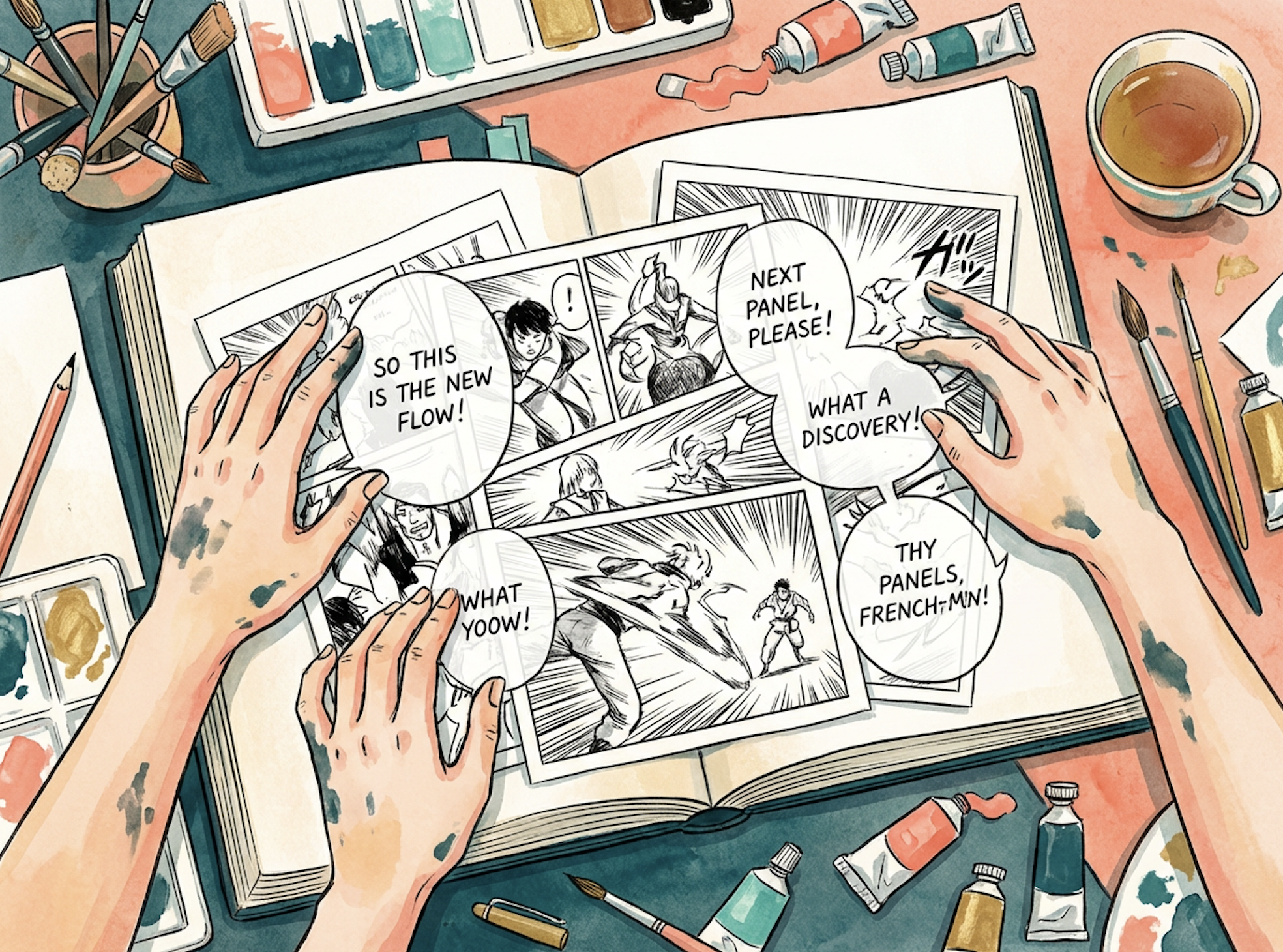
Quick Answer: What Is an AI Speech Bubble Generator?
An AI speech bubble generator is a tool that places dialogue, narration, and sound effects into comic panels — handling balloon shape, tail placement, text sizing, and reading order so the lettering integrates with the artwork rather than obscuring it.
Key capabilities:
- Speech balloons, thought bubbles, caption boxes, and burst balloons generated in-panel
- Tail direction and placement that identifies the speaker unambiguously
- Reading-order sequencing so multi-balloon panels flow correctly
- Tone-matched balloon styling — jagged, wavy, boxed, borderless
- Integrated onomatopoeia and sound effects composed into the art, not pasted over it
The Problem: Lettering Is Where AI Comics Fall Apart
Comics are a growing medium. The AI comic generator market is projected to reach an estimated $7 billion by 2031, at a CAGR of 18.3% from 2025, and graphic novel sales in the UK tripled between 2019 and 2024. Interest isn't the constraint.
The constraint is that dialogue is doing far more work than most creators — and most tools — account for. Speech and thought bubbles, together with sound effects, "create a multimodal effect, with sensory qualities that cannot be communicated purely visually." A panel without lettering is half a panel.
Producing that lettering well is frustratingly difficult:
- General AI image models render text badly — misspellings, invented glyphs, and unreadable characters inside otherwise clean balloons
- Tail placement is a real skill — a tail pointing at the wrong character silently breaks the scene
- Reading order in multi-balloon panels has to be composed, not assumed
- Balloons compete with the art for the same finite panel space
- Tone lives in the balloon, not just the words — and most tools render every balloon identically
- Lettering is unpaid labor on top of an income structure that already doesn't work
The Economics Make Every Extra Step Costly
The last comprehensive UK survey found the average comics creator income was £10,299, with 66% earning less than £5,000, and only 13% of creators earning a living through comics alone. The two most-cited obstacles were structural:
"Main challenges were cited as 'Lack of financial income, or expectation of it in the future' (55%) and 'Lack of time to create' (51%)." — National Survey of Comic Creators, The Society of Authors
Lettering is hours. For a creator already working a day job, it's the step that gets rushed.
Balloons Carry Tone, Not Just Text
The visual treatment of dialogue communicates affect before a single word is read. Creators convey "tone and affect through visual cues such as typefaces and the colours and borders of speech balloons" — usually so transparently that readers don't consciously notice, like bold text signaling urgency. Some push it further: in The Sandman, letterer Todd Klein signals the protagonist's otherworldliness by inverting the usual word balloon, with white text on a black background. A generator that renders every balloon the same way throws all of that away.
Caption Placement Controls Pacing
Balloons and boxes are timing devices. Captions "control the pace the reader uses to read the story" — placing each word in its own box, for instance, forces a staccato rhythm that mirrors a character's internal state. Dumping a paragraph into one balloon flattens the beat.
Generic AI Tools Solve the Picture, Not the Page
Research on AI-driven comic generation has identified this gap explicitly: narrative idioms and visual storytelling grammar are widely discussed in analysis but "rarely incorporated into AI-driven comic generation." Most models optimize for a single striking image. Lettering is a sequential, compositional problem — which is why single-image models produce panels with beautiful art and nonsense text.
The Symbol Layer Gets Ignored Entirely
Sound effects and abstract symbols are part of the same system as dialogue. Comics use symbols to "visualize ideas such as atmosphere, motion, and emotions" — speed lines for movement, explosion shapes for collision, emoji-like marks for emotion. Critically, these symbols "can't appear on their own; they must attach to something else in the panel." Bolting them on afterward doesn't work. They have to be composed in.
This is exactly the gap a purpose-built lettering generator was designed to close.
Why an AI Speech Bubble Generator Changes the Math
The difference between an image generator and a speech bubble generator is whether lettering is treated as an afterthought or as part of the panel's composition from the start.
| Manual Lettering Workflow | AI Speech Bubble Generator |
|---|---|
| Draw art, export, letter in a separate app, re-export | Dialogue composed into the panel in one pass |
| Balloon placement fights the finished artwork | Art and balloons composed together, with space reserved |
| Tail direction manually adjusted per balloon | Speaker identification specified in plain language |
| Every balloon rendered in one default style | Shape and border matched to tone — shout, whisper, narration |
| Sound effects pasted over the art | Onomatopoeia integrated into the composition |
| Rewriting a line means re-lettering the page | Dialogue changes cost a sentence |
Dialogue as Part of the Composition
The Comic Creator composes balloons alongside the artwork, so figures aren't cropped by text and balloons aren't crammed into corners. That's the difference between lettering and covering.
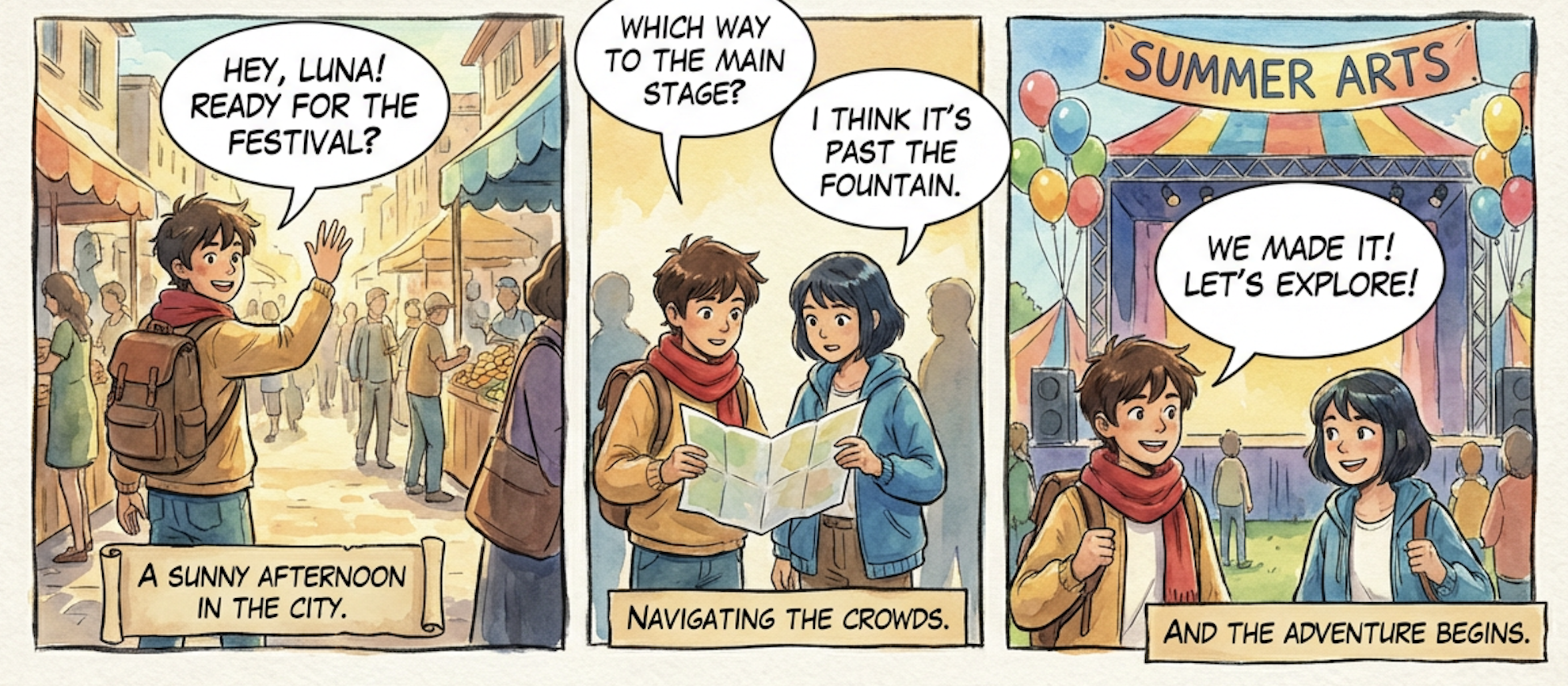
"Three panels. Panel 1: he waves down the street — balloon top-left, tail pointing right at him. Panel 2: they consult a map, two balloons, hers second and lower so the eye reads his line first. Panel 3: one wide balloon at the top, both of them looking up at the stage."
Tails That Actually Identify the Speaker
A speech bubble is defined by its tail — the graphic element that displays what a character is saying, with the tail pointing to indicate who's speaking. In a two-hander, ambiguous tails make readers backtrack. You specify the speaker; the tail follows.
"The second balloon is hers — tail should curve down-left toward her, not toward the guy in the background."
Reading Order Composed, Not Hoped For
Western comics run upper-left to lower-right, with East Asian comics running top-right to lower-left. Multi-balloon panels need their balloons stacked along that path. Specify your reading direction and the sequencing follows it.
Balloon Style as an Emotional Dial
Jagged burst balloons for a shout. Wavy borders for a whisper or a broadcast. Cloud bubbles for thought. Rectangular boxes for narration. Borderless text for voiceover. You name the emotional register; the balloon renders to match.
Captions, Sound Effects, and Symbols in One Pass
Narration boxes, onomatopoeia, and emotion symbols are generated as part of the panel rather than layered on. Because these symbols must attach to something in the frame to read correctly, composing them with the art is the only way they land.
Related Agents You'll Also Find Useful
Lettering sits inside a larger production chain. These agents cover what's around it.
Manga Creator
Manga lettering follows entirely different conventions — right-to-left balloon order, vertical text traditions, katakana sound effects integrated into the linework, and a distinct symbol vocabulary. If you're producing a manga chapter, this handles that grammar natively across one-shots to 200+ page serialized epics.
- Right-to-left balloon sequencing and panel flow
- Integrated katakana sound effects and speed lines
- Consistent art and lettering style across a serialized run
Webtoon Creator
Vertical scroll changes lettering completely. There's no page boundary, balloons are revealed by scroll position rather than by panel, and dialogue timing depends on how fast a thumb moves. Different problem, different solution.
- Scroll-triggered dialogue reveals and pacing
- Full-color balloon and text consistency across long series
- Episode hook placement built around the final balloon
Creative Fiction Writer
A perfectly placed balloon can't rescue a flat line. If the dialogue itself needs work — voice differentiation, subtext, rhythm — sharpen the script before you letter it.
- Character voice differentiation across a full cast
- Dialogue rhythm and subtext
- Editorial feedback from first draft to final manuscript
Graphic Designer
Once pages are lettered, the book needs packaging — cover typography, title treatment, logo work, and promotional assets that carry the same typographic voice.
- Cover and title typography
- Series branding and trade dress
- Launch and social assets
Try any of these free — no credit card required.
How It Works: Script to Lettered Panel in Four Steps
Step 1: Bring Your Dialogue
Paste the script exactly as written — character names, lines, and any narration. Keeping speaker attribution attached to each line is what lets tails point correctly.
"MILO: Hey, Luna! Ready for the festival? / LUNA: I think it's past the fountain. / CAPTION: A sunny afternoon in the city."
Step 2: Describe the Panel and Speaker Positions
Where characters stand in frame determines where balloons can go. State who's on which side so the lettering has somewhere sensible to sit.
"Milo on the left waving, Luna approaching from the right foreground. Leave headroom at the top of the frame for two balloons."
Step 3: Direct the Balloons
Call the balloon types, the reading order, and the emotional register. This is where lettering becomes direction rather than decoration.
"Milo's line first, top-left, standard round balloon. Luna's answer second, top-right, slightly smaller. Narration in a caption box along the bottom edge. Keep both tails short and pointed clearly at the speaker."
Step 4: Iterate on Placement and Tone
Adjust exactly as you would with a letterer. Move a balloon, shorten a line, swap a round balloon for a jagged burst, resize the text. Because nothing has to be re-lettered by hand, you can test the beat three ways.
"Panel 3's balloon is covering the banner — move it down-left. And make the exclamation a burst balloon with bigger, bolder text."
Results & Use Cases
💬 Indie Creators Lettering a Full Issue
Scenario: A solo creator has 24 finished pages of art and weeks of lettering ahead.
Traditional Approach: Export every page, letter in a separate application, discover balloons obscure key artwork, and revise both — while lack of time to create ranks among creators' top obstacles.
AI Speech Bubble Generator: Use the Comic Creator to compose art and lettering together, so balloons and figures are planned in the same pass.
- No separate lettering stage or second application
- Balloons never crop the artwork, because space is reserved from the start
- Script revisions re-letter instantly instead of triggering a manual redo
✍️ Writers Who Can't Letter
Scenario: A screenwriter has a dialogue-heavy comic script and no design skills.
Traditional Approach: Hire a letterer, or attempt it in a general design tool and produce pages that look amateur regardless of how good the writing is.
AI Speech Bubble Generator: Feed the script directly, with speaker attribution intact. Sharpen the voices first with the Creative Fiction Writer, then letter the finished draft.
- No typography or layout skill required
- Balloon placement follows explicit direction rather than guesswork
- Dialogue-heavy scenes stay readable instead of becoming walls of text
📱 Creators Testing Dialogue on Mobile
Scenario: A creator isn't sure whether a punchline lands better as one long balloon or three short ones.
Traditional Approach: Letter both versions manually, compare, and lose an afternoon to a two-second reading decision.
AI Speech Bubble Generator: Generate both and read them side by side. Jenova runs with full feature parity across web, iOS, and Android with settings synced — so you can test dialogue rhythm on a phone during a commute and finish on a laptop that night.
- Timing experiments cost minutes, not hours
- Staccato versus single-balloon pacing validated before final art
- Whole workflow runs from a phone
🎨 Artists Handing Off the Lettering Pass
Scenario: A skilled illustrator wants to keep drawing and stop spending days on balloon placement and kerning.
Traditional Approach: Absorb the lettering workload personally, or pay a letterer the book's margin can't support.
AI Speech Bubble Generator: Generate the lettering pass, then adjust manually where a specific beat needs a human touch. Research on comic generation systems supports exactly this hybrid model, emphasizing "balancing automation with user control for customization" rather than end-to-end automation.
- Hours redirected from typography back to drawing
- Multiple balloon arrangements previewed before committing
- Authorship preserved where craft judgment matters
FAQ
Is an AI speech bubble generator free to use?
Jenova offers all core features on a free tier, including access to the agent library and comic panel generation with limited monthly usage. Paid plans start at $20/month for 30× the free usage, custom model selection, and watermark-free output. Usage resets monthly on your billing date, with the full limit available from day one and no daily caps. Check "Usage Limit" in the menu for current details.
Why do most AI tools produce garbled text in speech bubbles?
Because general image models treat text as visual texture rather than language — they render letter-like shapes without spelling them. Lettering is a compositional and sequential problem: balloon placement, tail direction, and reading order all depend on the panel around them. Research has flagged this exact gap, noting visual storytelling grammar is "rarely incorporated into AI-driven comic generation." The Comic Creator composes lettering with the panel instead.
Can it control which character a balloon points to?
Yes — and this is the part that determines whether a scene reads. A speech bubble's tail is what attributes the line to a speaker, so in any multi-character panel it has to point unambiguously. You specify who's speaking and where they stand, and the tail is placed accordingly.
Does it handle thought bubbles, captions, and sound effects?
Yes. Cloud-shaped thought bubbles, rectangular narration boxes, jagged burst balloons for shouting, wavy borders for whispers or broadcasts, and integrated onomatopoeia are all standard requests. Sound effects and emotion symbols are composed into the panel rather than pasted over it, because these symbols must attach to something else in the frame to read correctly.
Should I use this for comics, manga, or webtoon?
Depends on your format, and lettering conventions differ meaningfully between them. Western comics read left-to-right on a page — use the Comic Creator. Manga reads right-to-left with integrated katakana sound effects — use the Manga Creator. Webtoon is vertical-scroll with balloons revealed by scroll position — use the Webtoon Creator.
Will readers accept AI-assisted lettering?
Worth being honest: this is contested. UK industry bodies note that generative AI "impacts on authors' livelihoods", and the latest national creator survey explicitly measures AI's effect on the profession. Many creators use AI for the lettering pass — a technical, repetitive stage — while keeping writing and character art human, and disclose their process. Check platform and publisher policies before submitting.
Conclusion
Speech bubbles look like the easy part. They're not. Tail direction attributes every line, balloon shape carries tone before a word is read, caption placement sets the rhythm of a scene, and reading order determines whether a panel makes sense at all — none of which readers notice until it goes wrong. Layered on top of an industry where two-thirds of creators earn under £5,000 from comics work, lettering becomes the stage that gets rushed by the people who can least afford to rush it.
An AI speech bubble generator shifts that. When dialogue composes into the panel in the same pass as the art, the writer who can't letter can publish. The solo creator gets the hours back. The working illustrator hands off the typography pass and spends the recovered time drawing. The judgment — which balloon, what shape, where the tail points — is still the job. What's gone is the manual labor between the script and the finished page.
Start with one page of dialogue. Letter one panel. See whether it reads.
Try the Comic Creator now, or pair it with the Manga Creator and Webtoon Creator depending on your format. Explore the full agent library at Jenova.
For Developers: Speech bubble placement and in-panel lettering is available programmatically via the Jenova API — integrate dialogue-aware panel composition into your creative or publishing application with a single API call. Full documentation →