AI Source Finder: Locate, Verify & Cite Credible Sources Fast
2026-08-17
An AI source finder helps you locate credible, citable sources for any claim, essay, or report by searching academic databases and the open web, then surfacing the material that actually supports your argument. Finding trustworthy sources has always been the slowest part of research — an AI source finder collapses hours of database hunting into a focused search you can run in seconds. On Jenova, the Academic Research Assistant does exactly this, with real-time literature discovery across major academic databases and repositories.
✅ Real-time literature discovery across major academic databases and repositories ✅ Cross-platform search covering Google, Reddit, YouTube, GitHub, and more ✅ Expert manuscript preparation and citation management built in ✅ Works on web, iOS, and Android with full feature parity
Before looking at how these tools work, it's worth understanding why source-finding has become so difficult. The volume of published research keeps climbing, credibility signals online are increasingly unreliable, and most people are worse at spotting bad information than they think. That gap is precisely what an AI source finder is designed to close.

Quick Answer: What Is an AI Source Finder?
An AI source finder is a research tool that uses semantic search and language models to locate relevant, credible sources for a claim or topic, then returns them with citations you can verify and use directly. It replaces manual keyword hunting across databases with a single natural-language query.
Key capabilities:
- Semantic search that finds relevant papers even when you don't know the exact keywords
- Real-time discovery across academic databases, repositories, and the open web via the Academic Research Assistant
- Cross-platform search of forums, video, code, and news through Real-Time Search
- Citation formatting and reference management for finished manuscripts
The Problem: Finding Credible Sources Is Harder Than It Looks
Research has never been more accessible — and never harder to do well. Anyone can publish, search engines optimize for engagement rather than accuracy, and the sheer volume of material means the right source is buried under thousands of near-misses.
The credibility problem is measurable. According to OECD research spanning 21 countries and more than 40,000 respondents:
60% — Average accuracy when identifying true and false content online
Perceived ability to identify false content is uncorrelated with measured ability — OECD Truth Quest Survey findings
57% — Share of people who do not trust social media as a reliable news source
But finding usable, citable sources is frustratingly difficult for reasons beyond misinformation:
- Keyword search fails when you don't already know the field's terminology
- Paywalls and fragmented databases scatter relevant work across incompatible platforms
- Evaluating each candidate source takes time you don't have
- General-purpose AI chatbots frequently produce plausible-looking citations that don't exist
- Cross-disciplinary topics require searching multiple literatures at once
Keyword Search Punishes Newcomers
Traditional database search assumes you already know the right vocabulary. If a field calls something "allostatic load" and you search "chronic stress effects," you miss the core literature entirely. This is why semantic search matters — tools like Elicit note that semantic search means you don't have to know all the right keywords to get relevant results, which is exactly the barrier that blocks students and cross-disciplinary researchers.
Evaluation Is Slow and Skill-Dependent
Harvard's research guidance is explicit that web sources "can be created by anyone and therefore are riskier in terms of their credibility and authority," and should always be evaluated according to specific criteria. Georgetown's library guidance adds a similar frame, asking whether information is fact, opinion, or propaganda, and whether the author's point of view is objective and impartial. Applying that rigor to every candidate source is correct practice — and completely impractical at volume without help.
Generic AI Tools Are Not Built for Sourcing
Georgetown's guide on AI research tools flags this directly: when using general chatbots for research, you should always look up claims and sources to verify their credibility. A general assistant optimizes for a fluent answer. A source finder optimizes for a real, retrievable, attributable document. Those are different objectives, and confusing them is how fabricated citations end up in submitted work.
No Single Tool Covers Everything
Georgetown's librarians make the point plainly: it's important not to rely on one tool for all of your research, as you will risk missing important information on your topic of interest. Peer-reviewed literature lives in academic indexes. Practitioner insight lives on forums. Technical evidence lives in code repositories. Most source finders only cover one of these.
This is exactly what Jenova's research agents were built for.
The Solution: Purpose-Built Research Agents
Jenova approaches source finding differently from single-database tools. Instead of one search box pointed at one index, you get specialized agents — each built with deep domain knowledge for a specific research workflow — that you can combine depending on what kind of evidence you need.
| Traditional Approach | Jenova Research Agents |
|---|---|
| Manual keyword search across separate databases | Natural-language queries with real-time literature discovery |
| Evaluate every result by hand against CRAAP-style criteria | Agents surface and contextualize source quality up front |
| Academic and non-academic evidence searched separately | Academic databases plus Google, Reddit, YouTube, and GitHub |
| Copy-paste citation formatting at the end | Citation management handled inside the same workflow |
| Chatbot answers with unverifiable references | Agents that retrieve and cite real, retrievable material |
Real-Time Literature Discovery
The Academic Research Assistant is an elite research partner for academics and PhD students, with real-time literature discovery across major academic databases and repositories. It handles the discovery-to-manuscript pipeline end to end: finding the relevant literature, helping you position your argument within it, and managing citations as you write.
"Find peer-reviewed studies from the last five years on the relationship between sleep fragmentation and working memory in adults over 60."
"I'm arguing that remote work reduces junior employee mentorship quality. Find sources that support this and sources that contradict it."
Evidence Beyond the Academy
Not every claim needs a journal article. Market trends, product behavior, developer consensus, and lived experience live elsewhere. Real-Time Search is a real-time, cross-platform research engine that searches Google, Reddit, YouTube, GitHub, Amazon, and more for comprehensive, up-to-date answers — useful when your topic is too current or too practical for the published literature to have caught up.
"What are practitioners actually saying about this framework's production reliability? Pull from developer forums and recent discussion."
Citations That Survive Scrutiny
Because the agents retrieve real documents rather than generating plausible-sounding references, what you get back is checkable. That matters enormously — a fabricated citation in a submitted paper is a credibility failure that no amount of good writing recovers from.
Grounding in Your Own Documents
You can attach your own documents and knowledge bases to any Jenova agent, so responses stay grounded in the material you've already gathered. This turns source-finding into a two-way process: the agent both discovers new material and works against the corpus you've built.
Related Agents You'll Also Find Useful
Source finding is one step in a longer workflow. These agents handle the steps immediately before and after.
Real-Time Search
If your topic moves faster than academic publishing cycles — emerging technology, market shifts, breaking developments — Real-Time Search covers the gap between "what's published" and "what's happening."
- Cross-platform coverage: Google, Reddit, YouTube, GitHub, Amazon, and more
- Natural language queries instead of platform-specific search syntax
- Up-to-date answers for topics with no established literature
Patent, Trademark, Copyright & IP Researcher
When your sources need to be legal filings rather than journal articles, the Patent, Trademark, Copyright & IP Researcher handles prior art search, trademark screening, copyright lookup, and landscape analysis across jurisdictions.
- Prior art and landscape analysis for technical claims
- Multi-jurisdiction coverage for international questions
- Strategic insight alongside raw document retrieval
Professional Background Investigator
Sometimes the source you need to verify is a person — an author's credentials, an expert's actual track record, an institution's reputation. The Professional Background Investigator conducts deep professional background research across web and public sources to assess credentials and surface red flags.
- Credential verification across public sources
- Reputation assessment for cited experts and organizations
- Useful for due diligence on unfamiliar authors or institutions
PDF Doc Generator
Once your sources are gathered and your argument is written, the PDF Doc Generator transforms your content into professionally formatted documents, automatically applying industry-standard conventions for research papers, proposals, and reports.
- Research paper and proposal formatting conventions applied automatically
- Clean export for submission or distribution
- Adaptive design that matches document type
Try the Academic Research Assistant free — no credit card required.
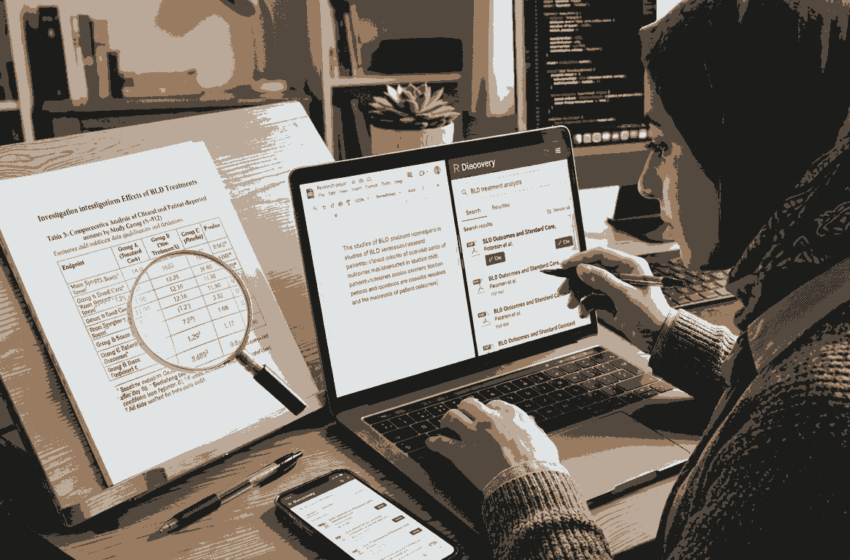
How an AI Source Finder Works: Step by Step
Step 1: State Your Claim or Question in Plain Language
Skip the keyword guessing. Describe what you're trying to establish, including the discipline, timeframe, and population if relevant. The more context you give, the more precisely the agent can target the literature.
"I need sources on whether four-day work weeks affect productivity in knowledge work specifically — not manufacturing."
Step 2: Review the Sources Returned
The Academic Research Assistant returns discovered literature with enough context to judge relevance quickly. Scan for fit, recency, and methodology before committing to a full read.
"For each of these, tell me the sample size, study design, and whether the finding was statistically significant."
Step 3: Pressure-Test the Evidence
Ask for the counter-evidence explicitly. A source set that only supports your thesis is a warning sign, not a win. Georgetown's evaluation criteria emphasize checking whether an author's point of view is objective and impartial — the same standard applies to your own source selection.
"What's the strongest published criticism of the studies you just gave me?"
Step 4: Broaden Beyond the Literature Where Needed
If your topic has a practical or current dimension, bring in Real-Time Search for forum discussion, technical documentation, and recent reporting that academic indexes won't have.
"Find recent practitioner discussion and reporting on four-day work week pilots at tech companies."
Step 5: Format and Manage Your Citations
Hand the final source set back for citation management in your required style, then export. The agent's persistent memory means it retains your project context across sessions — you don't re-explain your thesis every time you return.
"Format all sources I've selected in APA 7th edition and flag any that are missing DOIs."
Results & Use Cases
📚 Literature Review for a Dissertation Chapter
Scenario: A PhD candidate needs a comprehensive source base for a chapter on an interdisciplinary topic spanning psychology and organizational behavior.
Traditional Approach: Weeks of database-by-database searching, manual deduplication, and repeated keyword refinement across incompatible search interfaces.
Academic Research Assistant: Real-time literature discovery across major academic databases and repositories in a single natural-language workflow, with citation management handled alongside discovery. Start here.
- Cross-disciplinary coverage without switching platforms
- Semantic matching finds work you'd miss with the wrong keywords
- Conflicting findings surfaced rather than filtered out
📝 Backing Claims in a Business Report
Scenario: An analyst needs authoritative sources to support three market claims in a client-facing deliverable due tomorrow.
Traditional Approach: Hours of Google searching, sifting through vendor marketing content masquerading as research, with no clear signal of what's authoritative.
Real-Time Search: Cross-platform search across Google, Reddit, YouTube, GitHub, and more surfaces both formal reporting and practitioner signal, so claims rest on something real. Try Real-Time Search.
- Distinguishes primary reporting from recycled content
- Covers current developments the literature hasn't reached
- Fast enough for same-day deliverables
🎓 Undergraduate Essay With a Source Minimum
Scenario: A student needs eight credible sources for a term paper and keeps landing on blog posts and content farms.
Traditional Approach: Library database navigation the student was never properly taught, ending in either weak sources or panic-cited Wikipedia.
Academic Research Assistant: Natural-language queries return genuinely citable material, with the agent explaining why each source qualifies — building evaluation skill alongside the deliverable.
- No database-specific syntax required
- Source quality reasoning made explicit
- Citation formatting handled at the end
📱 Verifying a Claim on Mobile
Scenario: Someone encounters a striking statistic during a commute and wants to know whether it holds up before repeating it.
Traditional Approach: Mobile search returns aggregator sites citing each other in a circle, with no path back to the original data.
Jenova on mobile: Full feature parity across web, iOS, and Android means the same Real-Time Search capability is available on your phone, with settings and history synced.
- Trace a claim back to its primary source in minutes
- Same agent capability as desktop, no degraded mobile version
- Chat history persists across devices
Frequently Asked Questions
Is an AI source finder free to use?
Jenova's Free tier includes all core features with limited usage, so you can test the Academic Research Assistant and Real-Time Search without a credit card. Paid tiers start at $20/month and scale usage from there, with custom model selection and no watermarks on generated documents. Usage resets monthly on your billing date, with the full limit available from day one and no daily caps.
How is this different from asking ChatGPT for sources?
General-purpose chatbots optimize for a fluent answer, which is why library guidance advises always verifying any claims and sources they produce. A dedicated source finder is built around retrieval — the goal is a real, retrievable document rather than a convincing-sounding reference. Jenova also gives you access to models from OpenAI, Anthropic, Google, xAI, and others through one interface, so you're not locked to a single provider.
Can an AI source finder replace evaluating sources myself?
No, and it shouldn't. Harvard's guidance is that web sources should always be evaluated against credibility criteria, and Georgetown's librarians warn against relying on any single tool. An AI source finder handles discovery and initial filtering at a speed you can't match manually — your judgment on fit, methodology, and argumentative use remains essential.
Does it work for non-academic research?
Yes. Real-Time Search covers Google, Reddit, YouTube, GitHub, Amazon, and more, which matters for market research, technical evaluation, and any topic moving faster than publication cycles. For legal and IP sources specifically, the Patent, Trademark, Copyright & IP Researcher covers prior art and trademark screening across jurisdictions.
Will it remember my project between sessions?
Yes. Jenova agents have unlimited chat history and persistent cross-session memory, so an agent retains your thesis, prior source decisions, and preferences across a long-running project. You can also attach documents and knowledge bases so responses stay grounded in material you've already collected.
Conclusion
The hard part of research was never writing — it was finding material worth citing and confirming it holds up. With published output growing and online credibility signals eroding, doing that by hand is a losing proposition. An AI source finder shifts the work from hunting to judging, which is where your expertise actually adds value.
Jenova's Academic Research Assistant delivers real-time literature discovery and citation management for academic work, while Real-Time Search covers everything the journals haven't reached yet. Together they handle credible source discovery across both worlds — and with persistent memory, they get better at supporting your specific project the longer you use them.
Try the Academic Research Assistant now. Explore more at Jenova.
For Developers: Real-time literature discovery and cross-platform source search are available programmatically via the Jenova API — integrate credible source retrieval and citation management into your research or edtech application with a single API call. Full documentation →