What Is the Best AI Sneaker Designer for Concepts and Colorways?
2026-10-06
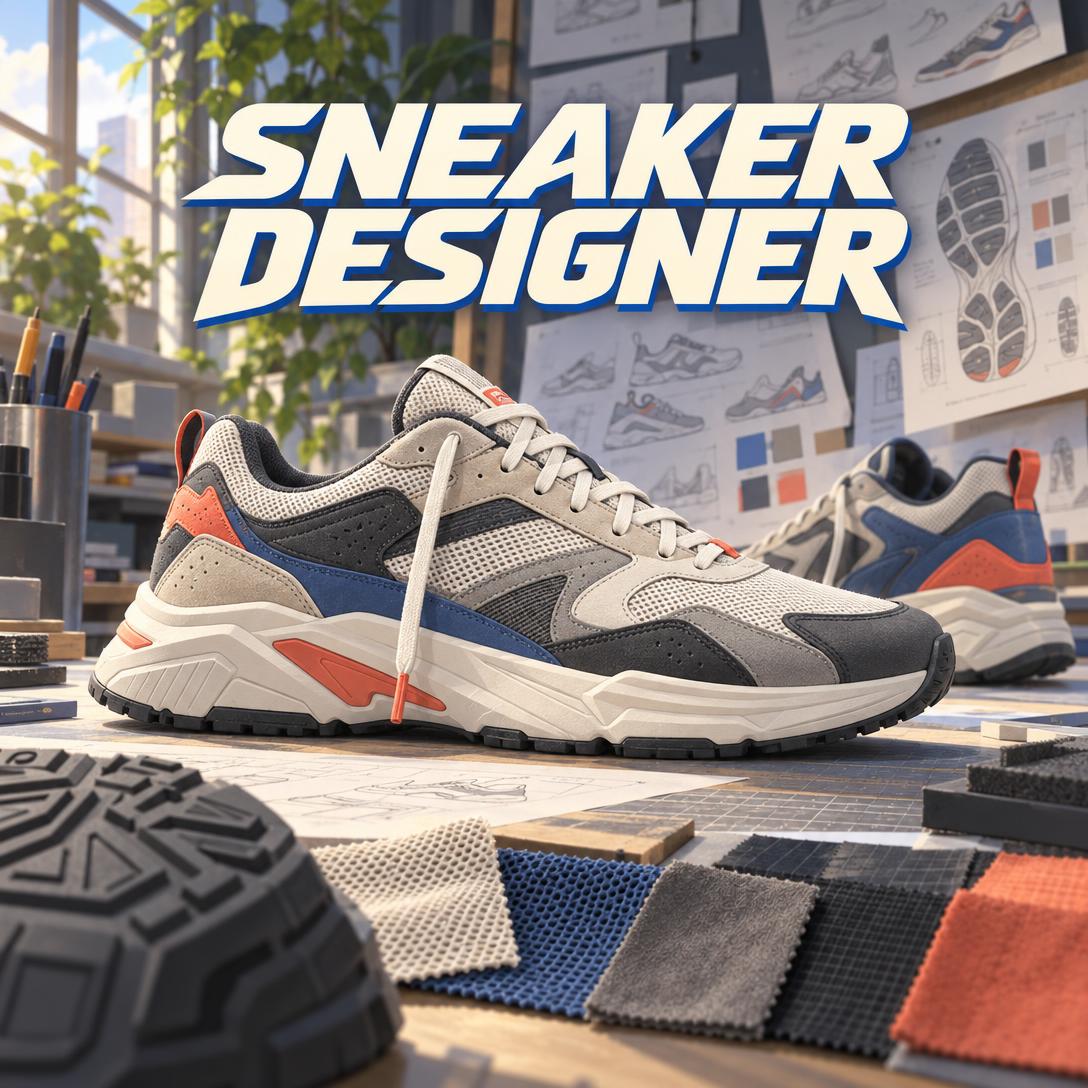
Which AI Sneaker Design Tools Balance Visual Concepts With Production Reality?
The right AI sneaker design tool in 2026 depends on how you start a design. Jenova's Sneaker Designer is best suited to designing through conversation, building colorway stories, and critiquing designs using construction logic. Vizcom is strongest at turning hand sketches into photorealistic renders. Gravity Sketch suits designers who shape forms in 3D space. Footwear CAD such as ICad3D+ and general CAD such as Shapr3D are still needed for precise, production-grade geometry.
No single tool covers the full path from first idea to factory. The useful question is which tool best fits each stage of your workflow.
Key factors that separate effective AI sneaker design from generic image generation:
✅ Silhouette fidelity. The side profile carries a sneaker's identity, so a tool must keep proportions intact rather than "fixing" them. ✅ Panel-aware color blocking. Colors should follow construction seams. Color that ignores the seams reads as visual noise and complicates manufacturing. ✅ Material literacy. The tool should know that suede signals heritage, knit signals modernity, and Gore-Tex signals function, and that the same color looks different on each. ✅ Production awareness. The tool should recognize when panel count, material compatibility, or custom tooling would make a design too expensive or impossible to build. ✅ A clean handoff to the next stage. Concepts eventually need to become 3D models, tech packs, or CAD files.
To compare these tools meaningfully, it helps to first establish what AI-assisted sneaker design actually requires.
Why Are Footwear Designers Adopting AI Sneaker Design Tools in 2026?
Footwear designers are adopting AI mainly because it removes the slowest step in early ideation: turning a rough idea into a visual that others can evaluate. The category has matured from novelty to studio workflow. Vizcom alone holds a consensus score of 8.17/10 across 2,700 verified reviews, according to Tooliverse's 2026 review.
One verified G2 reviewer reported that their studio "cut our visualization time by at least 70%" after adding Vizcom to early-stage design, citing real-time material iteration as essential.
AI design is also moving closer to physical production. In March 2026, Vizcom and Zellerfeld ran an open mule design challenge. Entrants designed inside Vizcom using a provided last and template, and the top three entries were 3D printed and launched on Zellerfeld's on-demand platform. Brands are experimenting on the consumer side too: industry commentary on LinkedIn reported that adidas launched an AI-driven platform letting customers design personalized sneakers.
Broader industry pressures add urgency:
- Faster product cycles. Trend analysis from Doing Footwear describes a footwear market evolving rapidly, driven by innovation and sustainability.
- Sustainability expectations. The sustainable footwear segment is projected to grow at a CAGR of roughly 6% from 2025 to 2032, which raises the value of exploring materials early.
- Demand from enthusiasts. In a , users asked for custom patterns per panel, logo and decal uploads, and multi-angle PDF export. That shows demand well beyond professional studios.
What Should You Look for in an AI Sneaker Design Tool?
Look for a tool that respects design structure, not just one that produces attractive images. This article uses a six-dimension framework, with the weighting shifting by user type:
| Criterion | What to Test | Weight: Enthusiast | Weight: Professional |
|---|---|---|---|
| Silhouette fidelity | Does the output keep the intended profile, toe spring, and collar height? | High | High |
| Panel-aware color blocking | Do color changes land on plausible seam lines? | Medium | High |
| Material literacy | Can you request tumbled leather, ripstop, or a translucent TPU heel clip and get believable results? | Medium | High |
| Production awareness | Does the tool flag excessive panel counts or incompatible materials? | Low | High |
| Iteration control | Can you change one element without regenerating the entire shoe? | High | High |
| Output handoff | Can you export 3D files, high-res renders, or tech-pack documents? | Low | High |
Two criteria are often overlooked:
- Iteration control. Many image generators re-imagine the whole shoe when you ask to change only the outsole color. Tools that can edit a specific element save hours over a project.
- Output handoff. A concept that cannot move into CAD, 3D printing, or a tech pack stays an illustration. Know your next destination before choosing a tool.
How Do Jenova's Sneaker Designer, Vizcom, Gravity Sketch, and Footwear CAD Compare?
These tools sit at different points in the design pipeline:
- Jenova's Sneaker Designer is a conversational design partner that generates concepts.
- Vizcom renders sketches.
- Gravity Sketch is a spatial 3D modeling environment.
- ICad3D+ and Shapr3D are precision CAD tools.
As of 2026, here is how they compare on verified capabilities:
| Dimension | Jenova's Sneaker Designer | Vizcom | Gravity Sketch | ICad3D+ | Shapr3D |
|---|---|---|---|---|---|
| Primary input | Natural-language briefs, reference images, design feedback | Hand sketches (strong iPad/Apple Pencil support) | 3D spatial sketching (VR-based workflow) | 2D and 3D CAD drafting | Precise 3D modeling |
| AI concept generation | Yes, from text or references | Yes, sketch-to-render | Unverified | Unverified | Unverified |
| Colorway and material exploration | Story-driven colorway families with separate images per colorway | Real-time material swapping | Unverified | Unverified | Unverified |
| Production awareness | Flags panel count, material compatibility, tooling cost | Unverified | Used in VR-to-production workflows | Footwear-specific CAD | General engineering-grade modeling |
| 3D output | No native 3D model export | 3D model generation and export | Native 3D | Native 3D | Native 3D |
| Pricing | Free tier; paid from $20/mo | Free (2,250 credits); Professional $49/user/mo | Unverified | Unverified | Free version listed |
| Best For | Ideation, colorway storytelling, design critique, briefs | Sketch-first designers, client presentations | 3D form exploration | Pattern-level footwear development | Precise modeling on mobile/desktop |
👟 Jenova's Sneaker Designer
Jenova's Sneaker Designer works like a conversation with a senior footwear designer who also generates images. Describe a "retro trail runner in earth tones," upload a mood board, or name a reference model, and it produces product-photography-style concepts. Each concept comes with a short explanation of its silhouette, color story, and material choices.
The agent reads your expertise level from how you write. Enthusiasts get plain-language explanations and strong default choices. Professionals who mention Strobel construction, lasts, or tech packs get peer-level discussion of how buildable a design is.
It also critiques designs in a set order: silhouette, then proportions, then color and material, then details. This reflects how experienced designers review work.
Strengths:
- Explains why a design works, not just what it looks like.
- Proposes colorways that reference a city, season, or cultural moment rather than generic "blue versions."
- Remembers your project across sessions, including the locked style direction, accepted designs, and colorway family.
- Lets you switch between image generation models to compare product realism against more stylized results.
Limitations:
- Outputs images and documents, not native 3D or CAD files.
- Image generation cannot reliably produce orthographic turnarounds, dense callout sheets, or perfectly consistent multiple views. The agent says so openly rather than presenting flawed outputs.
- Does not cover performance testing, resale strategy, or customizing physical shoes.
🎨 Vizcom
Vizcom turns rough sketches into photorealistic renders in seconds while preserving the original geometry. Reviewers credit this feature in 198 reports. It also offers Live Render (real-time rendering as you sketch), batch generation of multiple variations, 3D model export, and custom AI models trained on brand styles for Enterprise customers.
Tooliverse notes three limitations:
- Occasional difficulty interpreting complex 3D perspectives from 2D line work (89 reports).
- High-resolution exports restricted to paid tiers (74 reports).
- Mobile performance lag on older hardware (62 reports).
Professional costs $49/user/month, or $34.30/month billed annually. For a side-by-side look at output quality, Design with Viktor's free-vs-pro comparison shows how the two tiers differ in practice.
🥽 Gravity Sketch
Gravity Sketch is a 3D design platform used in professional and academic footwear work. De Montfort University Leicester footwear students completed a live project with adidas using Gravity Sketch. The Khamis Studio collaboration walkthrough covers the path from VR modeling to 3D printing.
That same walkthrough includes a segment on working with a pattern engineer. This shows that 3D sketches still need specialist pattern work before production. Expect a VR hardware investment and a spatial-modeling learning curve. Pricing could not be verified.
📐 ICad3D+ and Shapr3D
Traditional CAD remains the precision layer. ICad3D+ supports both 2D and 3D footwear design work, suited to pattern-level development. Shapr3D is described as a mobile CAD app built on the same geometric modeling engine as SolidWorks, with a free version listed.
Neither tool generates concepts, and Shapr3D is not footwear-specific. Both serve designers who already know what they want to build.
Other enterprise options exist as well. The VALI Footwear AI Design Platform, for example, positions itself around industrial-grade parametric design for enterprises.
How Does AI Handle Sneaker Colorway Development and Color Blocking?
AI handles colorways well when it treats color as part of the shoe's structure rather than surface decoration. The most important principle is that color follows construction panels. A colorway that cuts across a seam line forces extra panels, raises cost, and reads as visual noise. One that respects panel logic looks coherent.
Effective colorway development also uses contrast to direct attention. The eye lands on the highest-contrast panel first, so one dominant tone anchors the shoe while accents create interest. Material changes the result too: the same burgundy looks richer on suede than on mesh.
Common colorway archetypes and their effect:
| Archetype | Description | Effect |
|---|---|---|
| Monochrome | One color, tonal variation through material | Sophisticated, premium |
| Sport pop | Neutral base with one vivid accent | Athletic, readable |
| Earth tone | Browns, tans, olives, cream | Organic, versatile |
| Heritage / OG | Classic team colors or original release colors | Nostalgic, collectible |
| Deconstructed | Exposed foam, raw edges, mismatched panels | Avant-garde, experimental |
How the tools differ in practice:
- Jenova's Sneaker Designer first locks the silhouette, then generates each colorway as a separate image of that same shape. Each colorway gets a story, such as "warm tan and burnt orange inspired by desert trails," and the agent considers how the colorways work together as a collection.
- Vizcom excels at fast material swapping. Reviewers praise switching textures instantly during real-time material iteration, though colorway storytelling is left to the designer.
- CAD tools give exact color callouts but no creative direction.
Can an AI Sneaker Designer Account for Materials and Manufacturing Constraints?
Yes, partially. A well-designed AI sneaker designer can flag designs that would be too expensive or impossible to build, but it cannot replace a tech pack, pattern engineer, or factory sampling. The main value is catching problems at the sketch stage, when fixes cost the least.
Manufacturing logic an AI tool should understand:
- More panels mean higher cost and longer assembly time. Restraint makes a design easier to read and cheaper to build.
- Material compatibility. Not all materials bond or sew together.
- Tooling economics. Custom midsole and outsole molds are expensive. Designs that modify existing tooling, or that work across colorways without retooling, deliver better return on investment.
- Construction method. Common methods include Strobel (flexible, standard athletic), board lasting (structured), cup sole (skate and casual), vulcanized (thin heritage profile, as seen on Vans and Converse), and cemented (most mass production).
The Vizcom–Zellerfeld challenge shows how production constraints shape a design. Entries had to be 3D printable, use no multi-material builds, and have minimal cutouts, because each shoe had to print as a single piece.
🌱 Why Material Decisions Carry Environmental Weight
Choosing materials early also has sustainability consequences.
Research on eco-conscious trainer brands notes that the footwear industry accounts for 1.4% of global carbon emissions, with trainers among the most popular footwear types.
Grand View Research estimates that one shoe produces 30 pounds of carbon dioxide and that 25 billion shoes are produced each year. The Footwear Distributors and Retailers of America (FDRA) ran its 2023 survey specifically to set an industry sustainability benchmark.
Jenova's Sneaker Designer can explore sustainable directions as part of a concept. Options include recycled PET, cork, hemp, mushroom leather, single-material construction that is easier to recycle, and designs that can be taken apart at end of life. Final environmental claims still require supplier documentation and lifecycle data that no image-based tool can provide.
How Do You Get Started Designing a Sneaker With AI?
Most AI sneaker tools follow the same flow: define the category and mood, generate a first concept, then refine one variable at a time. The main difference is whether you start from words or from a sketch.
For Jenova's Sneaker Designer:
- Open the agent at jenova.ai/a/sneaker-designer.
- Describe the category, mood, and any reference:
"Design a lifestyle runner inspired by 1990s trail shoes: suede mudguard, ripstop quarters, earth-tone colorway with a gum outsole."
- Review the side-profile concept and design notes, then refine a single element:
"Keep everything, but lower the stack height and change the heel clip to translucent TPU."
- Once you approve a direction, ask for a colorway family or a tech pack document.
If you give a bare request like "design me a sneaker," the agent asks at most two questions, about category and vibe, before generating.
For Vizcom:
- Create a free Starter account, which includes 2,250 monthly credits according to Tooliverse.
- Sketch a side profile, ideally on iPad with Apple Pencil, or upload an existing drawing.
- Apply materials and lighting, then use batch generation to compare variations.
- Upgrade to Professional for 4K exports and Live Render if you present to clients.
Tips that apply across tools:
- Lock the silhouette before exploring colorways. Changing both at once makes feedback impossible to read.
- Name real references. "AJ4 proportions" or "Salomon XT-6 lugs" gives a model far more to work with than "cool and sporty."
- Use photography language. "Studio product photograph" tends to produce more believable sneaker imagery than "concept art" or "3D render."
What Do Footwear Design Experts Say About AI-Assisted Sneaker Design?
Footwear practitioners generally see AI as an accelerator for ideation and visualization, not a replacement for pattern engineering or production expertise. Designer Elisa Payer told Gravity Sketch that the tool "opened up some blockades of creating abstract concepts." That captures what digital tools offer at the concept stage.
"The most common failure in AI sneaker imagery is not rendering quality. It is design logic. A model will gladly put a color change in the middle of a quarter panel or stack five materials on one upper. The image looks impressive, but a developer would reject it immediately. Tools that reason about panel structure before generating an image produce concepts that hold up under professional review."
"Silhouette should be evaluated before anything else. If the side profile doesn't communicate the shoe's intent, whether speed, heritage, or statement, no colorway will save it. We built critique to follow that order: silhouette, proportions, color and material, then branding details. Reversing it wastes iteration cycles on details that may not survive."
"Be realistic about where image generation ends. Consistent multi-view orthographics and precise callout sheets remain unreliable. When you need those, move into a 3D environment like Vizcom's 3D export, Gravity Sketch, or CAD. The best workflows combine tools: AI for direction and colorways, 3D for geometry, and a pattern engineer for production."
— Jenova Product Team, builders of specialized AI agents for creative and product design workflows
Which AI Sneaker Design Tool Fits Your Skill Level and Goals?
The best fit depends on whether you need direction, visualization, or precision. Matching tool to profile:
| Your Profile | Recommended Starting Point | Why |
|---|---|---|
| Enthusiast with no drawing skills | Jenova's Sneaker Designer | Text-based briefs, plain-language explanations, strong defaults |
| Sketch-fluent industrial designer | Vizcom | Preserves your own line work and adds photorealism |
| Student or studio exploring 3D form | Gravity Sketch | Spatial modeling with a track record in academic and brand projects |
| Developer preparing production files | ICad3D+ or Shapr3D | Precise geometry for pattern and manufacturing work |
| Emerging sneaker brand founder | Jenova's Sneaker Designer, then 3D/CAD | Builds brand design DNA and colorway collections before investing in tooling |
🧩 Complementary Agents for Sneaker Projects
Sneaker projects often extend beyond the shoe itself:
- Market and heritage research. Sneaker Expert adds market intelligence and context on heritage models when you are studying what makes a reference silhouette resonate.
- Brand identity. Founders launching a label can develop logos, palettes, and guidelines with Brand Kit Generator.
- Presentation documents. PDF Generator formats design briefs and presentation documents.
All of these run on Jenova. The free tier includes all core features with limited usage, and the Plus plan costs $20/month with 30× the free usage allowance.
References
- Tooliverse — Vizcom Review 2026: features, pricing, user reviews, and limitations
- Gravity Sketch — Interview with footwear and industrial designer Elisa Payer
- Footwear Magazine — Vizcom and Zellerfeld open a live design challenge with top entries physically printed
- LinkedIn — Commentary on adidas launching an AI-powered sneaker design platform
- Doing Footwear — Key trends transforming the shoe manufacturing industry in 2025
- TT Consultants — Global sustainable footwear market forecast to 2032
- YouTube, Design with Viktor — Vizcom + Zellerfeld mule design challenge, free vs. pro comparison
- De Montfort University Leicester — Footwear design students' live project with adidas and Gravity Sketch
- YouTube, Gravity Sketch — Joey Khamis x Gravity Sketch collab: VR to production
- RainX — Shoe design software roundup including ICad3D+
- GoodFirms — 3D CAD software reviews, including Shapr3D
- Valicreaty — VALI Footwear AI Design Platform and parametric shoe design
- ResearchGate — Sustainability and performance indicators in eco-conscious trainer brands
- Grand View Research — Footwear industry ESG outlook
- FDRA — 2023 Shoe Sustainability Benchmark Progress Report