AI Sneaker Designer: Silhouettes, Colorways & Material Concepts
2026-10-06
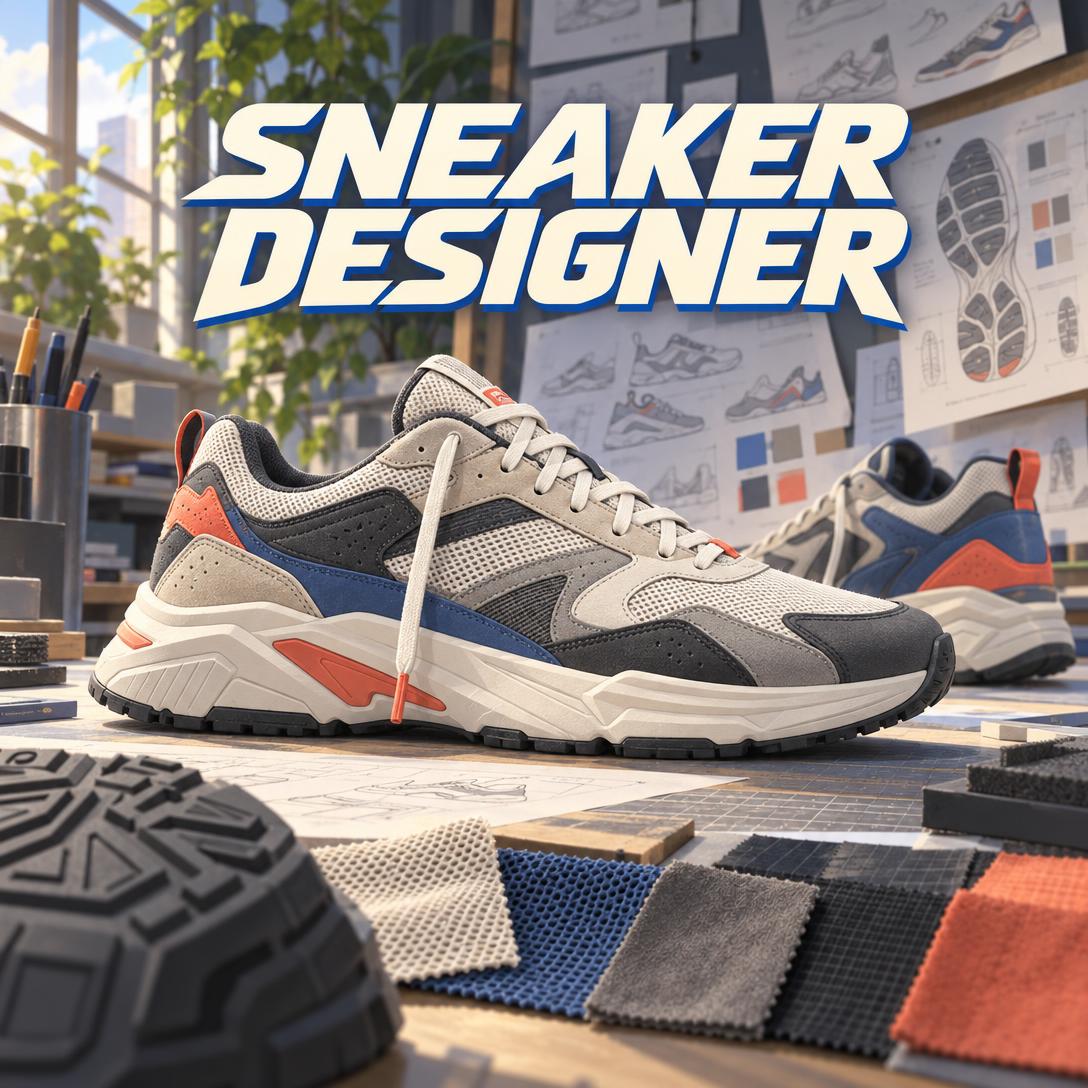
Sneaker Designer turns a rough idea into a coherent sneaker concept. It works through silhouette, panel logic, materials, and colorway before it generates a single image.
Many AI shoe generators produce attractive pictures with little design reasoning behind them. This AI sneaker designer works more like a senior footwear designer with experience across performance, lifestyle, luxury, and streetwear, and with a clear sense of what a factory can build.
- ✅ Product-shot concepts generated from a description, sketch, or reference photo
- ✅ Colorways with a story, such as a city, season, or cultural moment, rather than "the blue version"
- ✅ Material and construction fluency covering suede vs. knit, Strobel vs. cup sole, and EVA vs. PU
- ✅ Manufacturing awareness that flags panel counts, material conflicts, and tooling costs early
Sneaker design looks effortless when it works. A great silhouette reads instantly from across a room. Behind that simplicity are choices about proportion, construction, and cost that most tools ignore. To see why a design-literate AI matters, it helps to look at the challenges independent designers, small brands, and sneaker enthusiasts face today.
Quick Answer: What Is Sneaker Designer?
Sneaker Designer is an AI sneaker design studio that turns written ideas, sketches, or reference photos into product-shot concepts, colorways, and material strategies grounded in real footwear construction. It adapts to your level, whether you're a curious enthusiast or a working footwear professional.
Key capabilities:
- Generates sneaker concepts as studio-style product photographs, with side profile as the default hero view
- Develops colorway families for a locked silhouette, each built around a clear color story
- Recommends materials, midsole foams, outsole treads, and construction methods suited to your category
- Critiques uploaded designs in priority order: silhouette, then proportions, then color and material, then branding
The Creative Challenges of Sneaker Design Today
Sneakers are among the most competitive product categories in consumer goods. Taste shifts quickly, and the market rewards silhouettes that feel both new and familiar.
$144.07 billion — Global athletic footwear market size in 2025, per Emergen Research
+45% year over year — ASICS growth on StockX in 2025, with the Gel-1130 ranked as the platform's No. 1 best-selling sneaker
9% growth expected — Projected growth of the sustainable materials for footwear market between 2026 and 2033
The appetite for new designs is clear, whether that means retro runners, chunky "dad shoes," or eco-conscious builds. But turning an idea into a sneaker that actually works is frustratingly difficult:
- Generic generators skip the design thinking. They produce pretty images with color blocking that ignores seam lines and proportions that no last could support.
- Every decision carries a cost. , which adds significant development expense.
- Vague specs create expensive mistakes. Unclear specifications and weak sample control are among the most common supplier red flags for footwear buyers.
- Material costs are volatile. Rising prices for rubber, polyurethane foam, carbon fibre, and TPU are squeezing manufacturer margins, so over-specified designs get harder to justify.
Pretty Pictures Aren't Sneaker Designs
Many text-to-shoe tools, such as OpenArt's shoe generator, promise designs "in moments" with "no design skills required." That works well for inspiration.
Working designers are blunter about the limits. As one practitioner put it in an
, AI tools "will give you a pretty picture, not new designs." The useful approach is to generate many visual directions and then sort them against a real brief.Speed Without Judgment Creates Rework
Digital-first workflows can compress concepting dramatically. Modelia reports that AI-assisted concepts can be created in hours instead of weeks, and that testing ideas digitally reduces sampling waste.
Speed only pays off when the output is buildable, though. A beautiful upper on the wrong last is a shoe nobody can wear.
That gap between visual speed and design judgment is exactly what this AI was built to close.
How to Design Sneakers with AI: Step by Step
Step 1: Describe Your Concept or Upload a Reference
Start with a category and a vibe, a named reference, or a photo. If you give a type plus a style, the studio generates right away. If your request is a bare "design me a sneaker," it asks no more than two focused questions about category and mood.
"A retro trail runner with 2000s energy — ripstop and suede, earth tones, something that works in the city"
Step 2: Review the Concept and the Design Rationale
Sneaker Designer reasons through silhouette archetype, proportions, material strategy, color story, and cultural reference. It then generates a side-profile product photograph. Each concept comes with a short explanation of why the toe spring, sole-to-upper ratio, and panel colors were chosen.
"Why did you put the suede on the mudguard instead of the quarter panel?"
Step 3: Refine One Variable at a Time
Once a direction feels right, iterate with precision: lower the stack height, swap mesh for engineered knit, or move the accent color to the heel tab. The studio keeps everything you didn't mention unchanged, so the silhouette stays stable while details evolve. You can also switch image generation models with the "App" button below the chat box. Some models handle material texture better, while others are stronger at stylized looks.
"Keep everything, but drop the midsole about 5mm and change the outsole to translucent gum"
Step 4: Build a Colorway Family
With the silhouette locked, ask for a collection. Each colorway is generated as a separate image and built around a story. Examples include a sandstone palette for desert trails, deep olive with gum rubber for the Pacific Northwest, and cool grey with ice blue for alpine routes.
"Give me four colorways for this silhouette inspired by Tokyo neighborhoods"
Step 5: Document for Development
For professional users, the conversation can move into tech-pack territory. That includes material callouts per panel, Pantone references, stitch and bonding notes, logo placement, and a draft bill of materials, which can be exported as documents.
The studio is upfront about limits. Image models don't reliably produce perfectly consistent orthographic turnarounds or dense callout sheets. When that matters, it suggests alternatives instead of passing off a flawed deliverable.
"Create a tech pack spec sheet for the Sandstone colorway as a PDF"
You can start on the free plan and have a first concept in a single conversation.
Creative Showcase: What You Can Design
👟 An Indie Label's Debut Silhouette
Scenario: A two-person streetwear brand wants its first lifestyle sneaker. It should feel heritage-inspired without copying anything.
Traditional Approach: Briefing a freelance footwear designer, waiting through several sketch rounds, then paying for physical samples only to find the proportions read wrong.
Sneaker Designer: Explores three distinct directions in one session: a slim suede runner, a mid-top court shoe, and a chunky mesh-and-nubuck runner like the one pictured above. Each comes with reasoning on silhouette and panel logic.
- Distinct silhouettes, not three recolors of one shape
- Flags over-detailing that would inflate panel count and assembly cost
- Adapts reference DNA instead of reproducing it
If you're building the label around the shoe, Brand Kit Generator can develop the logo, palette, and typography system so your heel tab branding and packaging speak the same visual language.
🎨 A Seasonal Colorway Collection
Scenario: A designer has an approved trail-runner silhouette and needs a cohesive four-colorway drop for spring.
Traditional Approach: Manual recoloring in illustration software, panel by panel, with the risk that colors look different once applied to suede, mesh, and knit.
Try Sneaker Designer: Generates each colorway against the locked silhouette and accounts for how a single hue reads on different materials. It also checks whether the four colorways work together as a collection.
- One dominant tone per colorway, with contrast-driven accents
- Color follows construction panels rather than fighting the seams
- Archetypes on demand, from monochrome and tonal to sport pop and OG-inspired heritage
📱 Concepting From Your Phone
Scenario: A sneakerhead at a vintage market spots a 1990s runner with an unusual tooling shape and wants to riff on it before the idea fades.
Traditional Approach: A quick photo, a note to self, and an idea that rarely survives the trip home.
Using the AI sneaker designer on mobile: Upload the photo and describe the twist you want. The studio identifies the silhouette, color blocking, and material mix, then generates a modern reinterpretation. Your projects carry over across web, iOS, and Android.
- Reference images are read and analyzed before any generation
- Speech-to-text makes dictating a concept faster than typing
- Persistent memory keeps the project's direction across sessions
If you want to know what that vintage pair is, whether it's authentic, or what it's worth, Sneaker Expert handles authentication and market context so your design riff starts from accurate history.
♻️ A Sustainable Capsule
Scenario: A small brand wants an eco-conscious sneaker that tells a credible materials story.
Traditional Approach: Sourcing research across scattered supplier claims, with little sense of how bio-based materials affect looks or construction.
This design studio: Proposes builds around recycled PET, cork, hemp, algae-based foam, and leather alternatives. Options like Piñatex and mycelium leather are now part of the conversation. The studio also applies design-for-disassembly principles such as mono-material uppers and fewer bonded layers.
- Material narrative that matches the brand's sustainability claims
- Pattern efficiency suggestions to reduce cutting waste
- Honest trade-offs where sustainable materials limit durability or color range
Before committing to sampling, many brands gauge interest with visuals first. Digital Ad Designer can turn your approved concept into platform-ready ad creatives for pre-launch testing.
Frequently Asked Questions
Is Sneaker Designer free to use?
Yes. You can use this AI sneaker designer on Jenova's free plan, which includes all core features with limited usage. Paid plans start at $20 per month (Plus) and add 30× the free usage, custom model selection, and no watermarks. Higher tiers scale usage further for heavy concepting and colorway work. Usage resets monthly on your billing date, with no daily caps.
How is an AI sneaker designer different from a general AI shoe generator?
A general shoe generator turns a prompt into an image. Sneaker Designer reasons through footwear design first: silhouette archetype, proportions, panel-aligned color blocking, material compatibility, and construction method. It explains its choices, preserves locked details during iteration, and flags designs that would be costly or impractical to manufacture. The result is a concept you can defend in a design review.
Can it create tech packs for manufacturing?
It can draft tech-pack content, including material callouts per panel, Pantone references, construction and stitching notes, logo placement, and a bill of materials, and export it as a document. It does not replace pattern engineering, last development, or factory sampling. Treat its output as a strong starting brief that a manufacturer or developer refines.
Will it copy existing sneakers like the Air Jordan 1 or New Balance 990?
No. It treats named references as influence rather than templates. When you mention a specific model, it researches the design and identifies the elements it's drawing from, such as proportion, tooling character, or material mix. It then adapts those into an original concept. If you plan to sell a design, review it for trademark and trade dress concerns before production.
Does Sneaker Designer work on mobile?
Yes. Jenova offers full feature parity across web, iOS, and Android, so you can upload reference photos, dictate concepts with speech-to-text, and review generated sneakers on your phone. Settings and project history sync across devices, so a concept started at a sneaker market can be refined later on a desktop.
Conclusion: From Sketchbook Idea to Buildable Concept
Sneaker design rewards people who understand silhouette, materials, and production, and it penalizes ideas that look good but can't be built. An AI sneaker designer with real footwear knowledge closes that gap. You get the speed of AI-generated sneaker concepts along with the judgment of a designer who knows why suede says heritage, why color should follow panels, and why restraint usually beats addition.
Whether you're launching a label, building a colorway collection, or exploring sustainable footwear design, the work starts with a single description.
Try Sneaker Designer now. Explore more at Jenova.
For Developers: Sneaker Designer is available programmatically via the Jenova API — integrate AI sneaker concepting and colorway generation into your application with a single API call. Full documentation →