AI Photo Correction: Fix Lighting, Color & Quality Instantly (April 2026)
2026-04-07
The global photo editing software market is valued at USD 2.50 billion in 2026, and AI photo correction sits at the center of its growth. AI image editing recorded 441% year-over-year growth in 2024 — the fastest-growing software category tracked by G2 — and 87% of retailers adopting AI report annual revenue uplifts directly tied to improved visual content. In April 2026, AI photo correction isn't experimental. It's how professionals and everyday users rescue underexposed shots, fix white balance errors, and transform mediocre photos into publishable images.
But the dominant approach — one-click auto-fix buttons that apply the same correction algorithm to every image — consistently produces results that feel generic, over-processed, or tonally inconsistent with the photographer's intent. The defining trend of 2026 is unmistakable: authenticity over perfection, and AI as a collaborative tool rather than an automated replacement for human judgment.
Jenova's Photo Editor takes a fundamentally different approach to photo correction. Instead of applying a universal auto-fix, it corrects photos through natural language conversation — you describe exactly what's wrong, what to fix, and how far to push each adjustment. Backed by the Graphic Designer for broader visual refinement and the Real Estate Image Editor for property-specific corrections like sky replacement and lighting normalization, it's a complete correction ecosystem that adapts to every use case.
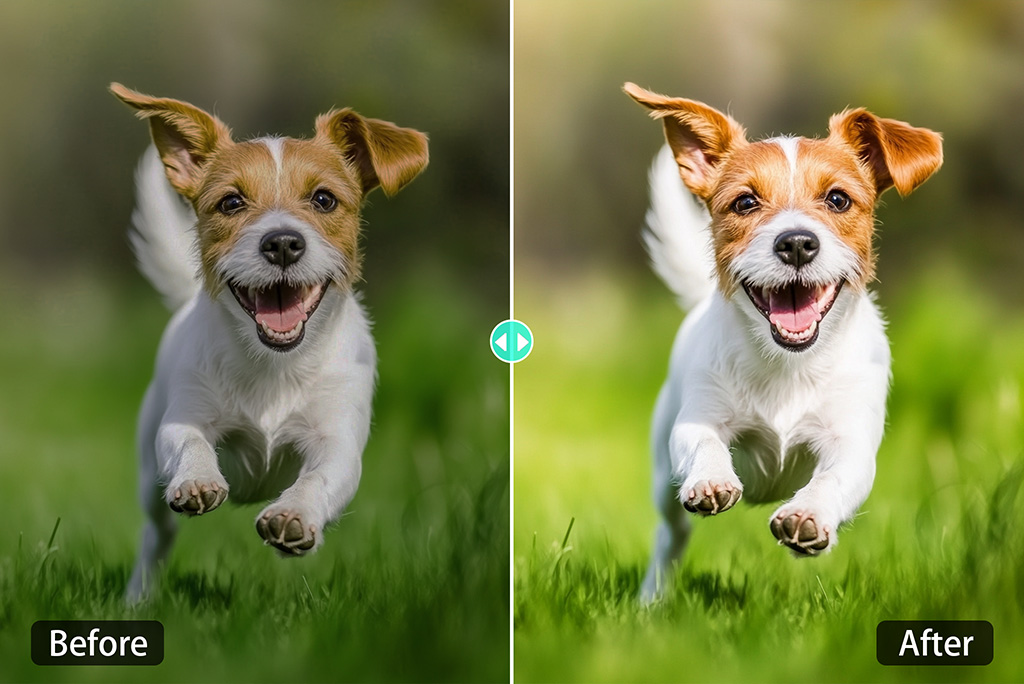
Quick Answer: What Is AI Photo Correction?
AI photo correction uses deep learning to automatically identify and fix technical flaws in photographs — including exposure errors, white balance shifts, color cast, noise, blur, lens distortion, and tonal imbalance — while preserving the natural character of the original image. In 2026, the best AI photo correction tools go beyond automated fixes to offer conversational, context-aware adjustments.
- Professional retouching and correction — Photo Editor handles exposure, white balance, color grading, noise reduction, and sharpening through natural language instructions
- Property-specific correction — Real Estate Image Editor normalizes interior lighting, replaces overcast skies, and corrects perspective distortion for MLS-ready output
- Visual design correction — Graphic Designer refines color harmony, composition balance, and brand consistency across marketing assets
- Multi-model flexibility — Access GPT-5.4, Claude Opus 4.6, Gemini 3.1 Pro Preview, and more — never locked into one model's correction biases
The Problem With One-Click AI Photo Correction
The AI photo editors market reached $2.1 billion in 2024 and is expected to grow to $8.9 billion by 2034 at a 15.7% CAGR. The computational photography market is projected to grow from USD 19.99 billion in 2026 to USD 60.66 billion by 2034. But explosive growth has created a landscape where photo correction tools optimize for speed over accuracy — and the consequences are measurable.
Generic Corrections Destroy Intent
One-click auto-fix tools apply the same correction logic to every image. A moody, intentionally underexposed portrait gets brightened to match the algorithm's idea of "correct" exposure. A warm golden-hour landscape gets its color temperature neutralized. As Digital Camera World reported in April 2026: "AI editing tools have shifted photography so far into post-production that taking the photo matters a lot less than it used to." The problem isn't that AI can correct photos — it's that generic correction erases the photographer's creative decisions.
The Consistency Problem
22% of product returns happen because items look different than in photos, directly connecting image quality to revenue. — Business Dasher via Autophoto
For businesses processing hundreds or thousands of images, inconsistent correction is worse than no correction at all. 68% of brands exceed their photoshoot budgets, and when AI correction produces tonally inconsistent results across a product catalog, the rework costs compound. As Breaking AC documented: "The more meaningful difference in 2026 is how well a platform connects editing depth, workflow efficiency, output consistency, and real-world usability."
The Authenticity Backlash
The 2026 photography trend is clear: "Audiences have developed sharp AI detection instincts — spotting synthetic skin textures, impossible lighting, and overly symmetrical compositions instantly." Over-corrected photos — with artificially boosted saturation, HDR-style tone mapping, and plastic-smooth surfaces — perform worse across every engagement metric than photos that look authentically captured.
This is exactly what Photo Editor was built for.
Why Photo Editor Is the Best AI Photo Correction Tool in 2026
While standalone correction tools like Lightroom's Auto, Luminar Neo's AI Enhance, and Topaz Photo AI offer powerful one-click fixes, they approach correction as a single automated operation. Jenova's Photo Editor treats photo correction as a conversation — you describe what's wrong, what to preserve, and how the corrected result should feel.
| Challenge | Generic Auto-Fix Tools | Photo Editor Approach |
|---|---|---|
| Exposure correction | Applies uniform brightness/contrast curve | You specify: "Brighten shadows without blowing highlights" |
| White balance | Neutralizes to algorithm's default | You specify: "Warm slightly — this is golden hour, keep the warmth" |
| Color accuracy | Applies generic color profile | You specify: "The reds are oversaturated — pull them back 20%" |
| Noise reduction | Smooths uniformly, often destroying texture | You specify: "Reduce grain in the sky but keep skin texture sharp" |
| Batch consistency | Each image corrected independently | Persistent memory retains your correction preferences across sessions |
| Model flexibility | Locked to one processing engine | Multiple frontier models (GPT-5.4, Claude Opus 4.6, Gemini 3.1 Pro Preview) |
Conversational Correction, Not Automated Guessing
The core advantage of Photo Editor over every standalone correction tool is natural language control. Instead of adjusting 15 sliders hoping to find the right combination, you describe the problem and the desired outcome:
"The white balance is too blue — this was shot indoors under warm tungsten lighting. Correct the color temperature to match the actual scene, and bring up the shadows in the background without affecting the subject's skin tones."
"This product photo has a slight green color cast from the fluorescent lighting. Remove the cast, normalize the white balance, and increase contrast slightly to make the product pop against the white background."
"Fix the exposure on this landscape — the sky is blown out and the foreground is too dark. Recover highlight detail in the sky and open up the shadows in the trees. Keep the overall mood natural."
This level of precision is impossible with one-click correction. You're not choosing between "auto-fixed" and "original" — you're directing a professional retoucher who understands the difference between a technical error and a creative choice.
Multi-Model Advantage for Photo Correction
Because Jenova provides access to multiple frontier models — GPT-5.4, Claude Opus 4.6, Gemini 3.1 Pro Preview, plus models from xAI and DeepSeek — you're never locked into one model's correction biases. Different models interpret "natural skin tones" or "accurate white balance" differently. Having the ability to switch models means you can find the one that best matches your correction standards for each specific type of image.
Persistent Memory for Consistent Correction
Unlike standalone tools where every correction starts from scratch, the Photo Editor remembers your correction preferences across sessions. If you always want warm tones preserved, noise reduction applied conservatively, and shadows opened without crushing blacks, those standards carry forward automatically. Your correction workflow becomes faster and more consistent over time — critical for photographers and brands processing large volumes.
Related Agents You'll Also Like
🏠 Real Estate Image Editor
The Real Estate Image Editor specializes in property-specific photo correction — the kind of targeted fixes that generic tools handle poorly. Interior photos shot with mixed lighting (daylight through windows, warm overhead fixtures, cool LED accents) require correction that balances multiple color temperatures within a single frame.
- Virtual staging across 8+ design styles with matched lighting and accurate shadows
- Sky replacement and twilight conversions for exterior shots
- Perspective correction and vertical line straightening for architectural accuracy
🎨 Graphic Designer
The Graphic Designer extends photo correction into broader visual refinement — ensuring corrected photos integrate seamlessly into marketing materials, social media graphics, and brand assets with consistent color harmony and composition.
- Color correction aligned to brand guidelines and style systems
- Composition refinement and visual hierarchy optimization
- Multi-format adaptation for print, web, and social platforms
📸 Marketing Visual Designer
For teams that need corrected photos transformed into campaign-ready assets, the Marketing Visual Designer handles the full pipeline from raw correction through to polished marketing visuals — logos, campaign imagery, social media assets, and digital ads.
- Campaign imagery with consistent correction standards
- Social media asset creation from corrected source photos
- Digital ad design with platform-specific optimization
How It Works: Correcting a Photo With Photo Editor
Step 1: Upload Your Photo
Open a chat with Photo Editor and upload the image that needs correction. The agent analyzes the photo — identifying exposure issues, white balance errors, color cast, noise levels, sharpness, and any areas that need targeted adjustment.
Step 2: Describe What Needs Fixing
Tell the agent exactly what to correct and what to preserve. Be as specific or as general as you like:
"This photo was shot in harsh midday sun. The shadows are too deep and the highlights are blown. Even out the dynamic range while keeping the natural sunlight feel — don't make it look like HDR."
Step 3: Review and Refine
The Photo Editor returns your corrected image. If you want adjustments — warmer tones, less noise reduction, more shadow detail — describe the changes in natural language:
"The correction is good, but the skin tones shifted slightly orange. Pull the warmth back just on the skin while keeping the background warm. And sharpen the eyes a bit more."
Step 4: Download or Continue
Once you're satisfied, download in your preferred format. Your correction preferences are saved automatically for future sessions — so next time, the agent already knows your standards.
Step 5: Extend to Specialized Correction (Optional)
For property photos, bring in the Real Estate Image Editor using the @mention feature for sky replacement and interior lighting normalization. For marketing assets, bring in the Graphic Designer for brand-consistent color grading.
Results & Use Cases
📸 Professional Photography Correction
Scenario: You shot a wedding reception in mixed lighting — warm tungsten overhead, cool blue window light, and green-tinted fluorescent from the venue's kitchen. Every frame has a different color cast.
Traditional Approach: Open Lightroom, manually adjust white balance on each image, try to match tones across 400 photos, spend 3-4 hours on color correction alone.
Jenova Solution: Upload a batch to Photo Editor, describe "correct the mixed lighting color cast — neutralize the green from fluorescents, warm the overall tone to match tungsten ambiance, keep skin tones natural." The agent's persistent memory ensures consistent correction across the entire set.
🛍️ E-Commerce Product Correction
Scenario: Your product photos were shot on a phone with auto white balance, and every image has a slightly different color temperature. Your product catalog looks inconsistent.
Traditional Approach: Manually color-correct each image in Photoshop, trying to match a reference swatch, spending 10-15 minutes per image across a 200-product catalog.
Jenova Solution: Upload to Photo Editor, describe "normalize white balance to neutral daylight (5500K), ensure product colors are accurate to the physical items, increase contrast slightly for web display." The agent remembers your catalog standards for every future upload. Pair with the Marketing Visual Designer for marketplace-ready formatting.
🏠 Real Estate Photo Correction
Scenario: Your listing photos have blown-out windows, dark interiors, and an overcast sky that makes the exterior look uninviting.
Traditional Approach: Bracket-merge HDR in Lightroom, manually mask windows, replace sky in Photoshop — 30-45 minutes per image.
Jenova Solution: Upload to the Real Estate Image Editor, describe "balance interior exposure with window views, replace the overcast sky with a clear blue sky, correct the interior color temperature to warm and inviting." MLS-ready output with matched lighting and accurate shadows.
📱 Social Media Content Correction
Scenario: You're a content creator posting daily, and your phone photos from different locations have wildly inconsistent color and exposure.
Traditional Approach: Apply the same VSCO preset to everything, accept that some photos look great and others look terrible with the same filter.
Jenova Solution: Upload to Photo Editor, describe "correct exposure and color to match my warm, natural aesthetic — consistent across all uploads." The agent remembers your brand aesthetic and applies it consistently. Pair with the Social Media Content Generator for platform-native captions.
FAQ
What does AI photo correction actually fix?
AI photo correction addresses technical flaws in photographs: exposure errors (over/underexposure), white balance shifts (color temperature), color cast (unwanted tints from lighting), noise (grain from high ISO), blur (motion or focus), lens distortion, and tonal imbalance (crushed shadows, blown highlights). Jenova's Photo Editor adds conversational control — you describe exactly what to fix and what to preserve, with iterative refinement until the result matches your vision.
How is AI photo correction different from AI photo editing?
Photo correction fixes technical errors to make an image accurately represent what the camera captured — exposure, white balance, color accuracy, noise, sharpness. Photo editing goes further — changing backgrounds, removing objects, altering composition, applying creative effects. The Photo Editor handles both, but the distinction matters: correction preserves truth, editing transforms it.
Can AI photo correction handle RAW files?
Jenova's Photo Editor works with uploaded image files. For RAW-specific workflows that require demosaicing and sensor-level processing, tools like Lightroom or Capture One remain the standard first step. However, once you export to JPEG, TIFF, or PNG, the Photo Editor excels at conversational correction that goes far beyond what automated RAW processors offer — especially for nuanced adjustments like selective color correction and context-aware exposure balancing.
What's the difference between Jenova and Lightroom or Photoshop for correction?
Adobe Lightroom and Photoshop offer powerful correction through sliders, curves, and masks — but require you to learn the interface and manually adjust each parameter. Jenova's Photo Editor lets you describe corrections in natural language ("fix the blue color cast but keep the warm highlights"), offers multi-model access (GPT-5.4, Claude Opus 4.6, Gemini 3.1 Pro Preview), and remembers your preferences across sessions. It's the difference between operating a control panel and directing a professional retoucher.
How much does Jenova cost for photo correction?
Jenova offers a free tier with all core features and limited usage. Paid plans start at $20/month (Plus) with 30× the usage of the free tier and custom model selection. Premium ($50/mo), Pro ($100/mo), and higher tiers scale usage further. Every visual agent — from the Photo Editor to the Real Estate Image Editor — is accessible on every plan. No credit card required to start.
How big is the AI photo correction market?
The broader photo editing software market is valued at USD 2.50 billion in 2026 and is expected to reach USD 3.50 billion by 2033. The AI photo editors market reached $2.1 billion in 2024 and is expected to grow to $8.9 billion by 2034 at a 15.7% CAGR. The computational photography market is projected to reach USD 60.66 billion by 2034 at a 14.90% CAGR, with AI-enhanced image correction as a core driver.
Conclusion
AI photo correction in 2026 is a foundational capability in a multi-billion-dollar market — every photographer, e-commerce brand, real estate agent, and content creator needs it. But the industry's dominant approach — one-click auto-fix buttons that apply the same correction to every image — consistently destroys creative intent, produces inconsistent results across catalogs, and triggers the authenticity backlash that defines 2026's visual landscape.
Jenova's Photo Editor eliminates the guessing game with conversational correction — you describe what's wrong and how to fix it, with iterative refinement until the result looks right. The Real Estate Image Editor adds property-specific correction for interior lighting, sky replacement, and perspective distortion. And the Graphic Designer extends correction into brand-consistent visual refinement across marketing assets.
Try Photo Editor free — no credit card required. Explore more at Jenova.