AI NPC Generator: Build Deeper Game Characters Faster
2026-08-07
An AI NPC generator helps you create non-player characters with real personalities, believable dialogue, and coherent motivations — in minutes instead of weeks. Most games are populated by characters who say the same three lines forever. The Game Designer Assistant on Jenova works as a full NPC generation partner: it builds character bibles, writes branching dialogue, designs behavior logic, and generates concept art for every named face in your world.
✅ Generate complete NPC profiles — personality, backstory, voice, motivation, and secrets ✅ Write branching dialogue trees and barks that match each character's speech pattern ✅ Design behavior states, faction relationships, and quest hooks around your systems ✅ Produce concept art and visual references directly in the same conversation
To understand why NPC generation has become one of the most-discussed problems in game development, it helps to look at what studios are actually spending on characters — and what players increasingly expect from them.

Quick Answer: What Is an AI NPC Generator?
An AI NPC generator is a tool that creates non-player character personalities, dialogue, backstories, and behavior logic from a short design brief, producing usable character content in minutes rather than weeks of manual writing.
Key capabilities:
- Generate full character profiles — traits, history, goals, fears, and speech patterns
- Write branching dialogue, ambient barks, and quest-relevant conversation
- Define behavior states, schedules, and faction relationships tied to game systems
- Produce visual concept art and reference sheets for each character
The Problem: NPCs Are Expensive, and Players Notice When They're Cheap
Every game world needs population. Shopkeepers, guards, questgivers, faction lieutenants, background villagers — the count climbs fast, and each one needs a name, a voice, a reason to exist. Most studios simply don't have the writing bandwidth, so the majority of characters get reduced to a single repeated line and a generic model swap.
The market has noticed the gap. The NPC generation AI segment grew from $1.86 billion in 2025 to $2.44 billion in 2026, driven by rising demand for immersive gameplay and the increasing cost of manual content creation.
But actually building distinctive NPCs at scale is genuinely difficult:
- Writing bandwidth is the hard ceiling — every named character competes for the same narrative team's hours
- Consistency breaks down across large casts, especially when multiple writers are involved
- Dialogue trees balloon exponentially as branching depth increases
- Behavior design, narrative design, and art direction happen in separate tools and separate conversations
- Small teams and solo developers have no realistic path to a densely populated world
Manual Character Writing Doesn't Scale
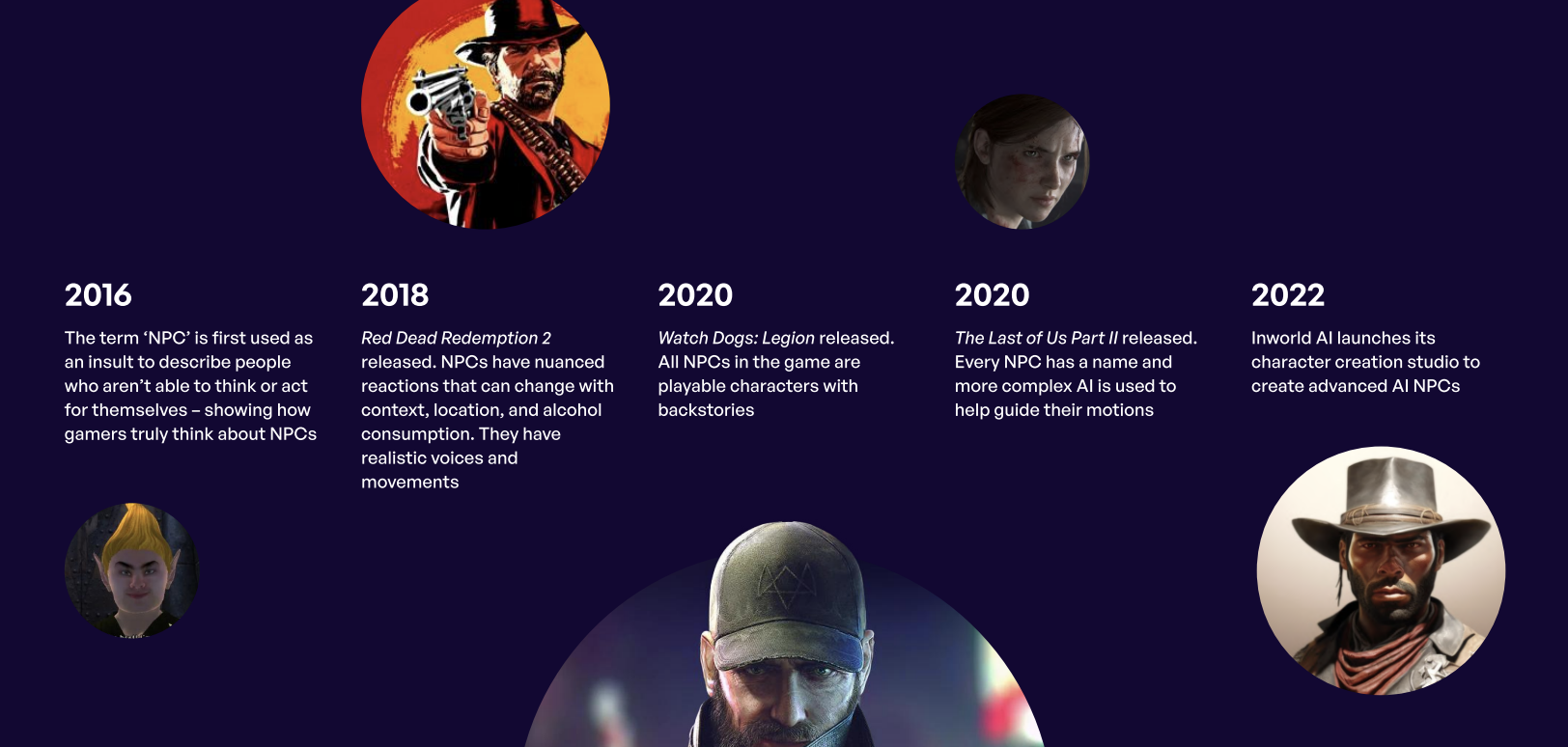
An open-world game can contain hundreds or thousands of interactive characters. A narrative team of six cannot give each one a coherent inner life. The practical result is a tiered system: a handful of deeply written major characters, and everyone else reduced to functional wallpaper. Players feel this immediately — it's precisely why "NPC" became an insult for people who can't think for themselves.
Consistency Collapses Across Large Casts
A character established as terse and suspicious in Act One drifts into chatty exposition by Act Three because a different writer handled that region. Without a persistent reference for every character's voice, motivations, and prior appearances, continuity errors accumulate quietly and surface in reviews.
Creative Fixation Slows Ideation
Research on generative AI in game design found that over 90% of surveyed participants used generative AI for ideation and brainstorming, with designers describing its main value as breaking habitual thinking patterns. The same study found narrative and dialogue generation was cited by 66.7% of participants — the second most common use case overall. The bottleneck isn't just volume. It's getting unstuck on the tenth village elder in a row.
Tooling Is Fragmented
Character concept lives in a doc. Dialogue lives in a spreadsheet or a node editor. Behavior lives in the engine. Art lives with a separate contractor. Every handoff loses context, and iterating on a character means touching four systems.
Adoption Is Uneven and Cautious
The industry's relationship with these tools is genuinely mixed. The 2026 State of the Game Industry survey found 36% of game industry professionals use generative AI tools, while 52% believe the technology is having a negative impact on the industry. Notably, usage skews heavily toward research and brainstorming (81%) rather than shipped player-facing features (5%). This distinction matters: the strongest current use case is AI as a design collaborator upstream, not as an unsupervised content pipeline.
This is exactly what the Game Designer Assistant was built for.
Why Game Designer Assistant Works as an NPC Generator
The Game Designer Assistant approaches NPC creation the way an experienced narrative designer would — starting from your game's tone, systems, and constraints rather than producing generic fantasy archetypes. It holds your world's rules in memory across the entire project, so the blacksmith you designed in session one still speaks the same way when you revisit him three weeks later.
Critically, it treats character generation as a design conversation, not a vending machine. You push back, refine, and redirect. Research on AI-assisted design consistently frames the best outcomes as collaborative human-AI workflows that maintain human oversight — the tool proposes, you curate.
| Traditional NPC Creation | Game Designer Assistant |
|---|---|
| Weeks of writer hours per named character | Full character profile in a single conversation |
| Voice drifts across writers and regions | Persistent memory keeps every character consistent |
| Dialogue trees built line-by-line in a spreadsheet | Branching dialogue generated with your tone and constraints |
| Concept art requires a separate brief and contractor | Visual references generated in the same thread |
| Background characters get one repeated line | Every villager can have a name, history, and reason to be there |
Complete Character Profiles, Not Name Generators
Ask for a character and you get a usable design document: core personality traits, formative backstory, present-day motivation, what they want versus what they need, speech patterns and verbal tics, relationships to factions and other NPCs, and the secret they're hiding. These aren't decorative — they're the inputs that make dialogue write itself later.
"Create five NPCs for a decaying canal district in my noir detective RPG. Each needs a reason to lie to the player, and at least two should have conflicting accounts of the same event."
Dialogue That Sounds Like the Character
Once a character's voice is established, the assistant writes dialogue in that voice — main conversation branches, ambient barks, reactive lines for player choices, and shop or service interactions. Because the character profile persists, you can request additional dialogue weeks later and get output that still matches.
"Write Vera's dialogue for the moment the player accuses her of the theft. Three branches: player has evidence, player is bluffing, player offers her a deal. Keep her clipped and defensive — she never uses more words than necessary."
Behavior and Systems Integration
Characters need to exist inside your mechanics, not floating beside them. The assistant designs daily schedules, aggro and disposition states, faction reputation effects, and quest trigger conditions — mapped to how your game actually works, whether that's a stealth sim, a survival crafting loop, or a turn-based tactics campaign.
"Design a disposition system for my faction NPCs. Four states, clear triggers for moving between them, and specific dialogue and behavior changes at each level."
Concept Art in the Same Conversation
Describe the character and get visual references — portraits, silhouettes, costume variations, and expression sheets. Keeping art generation in the same thread as the written profile means the visual and the personality stay aligned instead of diverging across separate briefs.
Genre and Market Fluency
The assistant carries working knowledge across genres, platforms, and regional markets. An NPC cast for a Japanese-market gacha RPG follows different conventions than one for a Western immersive sim, and the tool designs to those conventions rather than defaulting to a single template.
Related Agents You'll Also Find Useful
NPC generation rarely happens in isolation. These agents handle the adjacent work that character design tends to pull in.
Creative Fiction Writer
When an NPC's backstory outgrows a profile entry and becomes actual prose — in-world journals, letters found in a desk drawer, or lore documents that flesh out a faction's history — the Creative Fiction Writer takes it from outline to polished text.
- Deep research for authentic historical, cultural, and technical detail
- Editorial feedback on pacing and voice across long-form narrative
- Handles everything from a single found-note to a full companion novella
Character Creator
If you need volume — a roster of twenty side characters, or fast iteration on visual identity — the Character Creator is built for quick-generation and guided character builds with portraits across genres.
- Quick-gen mode for rapid roster population
- Guided builds for characters that need more depth
- Portrait generation with consistent style across a cast
Roleplay Game Master
The fastest way to test whether an NPC actually works is to talk to them. Load your character into the Roleplay Game Master and play the scene — you'll find the flat lines and the missing motivations within a few exchanges.
- Unlimited memory keeps character consistency across long test sessions
- Perfect for pressure-testing dialogue before committing to implementation
- Complete creative freedom to explore any scenario or edge case
Try Jenova free — no credit card required.
How It Works
Step 1: Establish Your World
Start by giving the Game Designer Assistant your game's context — genre, tone, setting, core mechanics, and target platform. This becomes the constraint set every character is designed against, so you don't get high-fantasy dialogue in a cyberpunk game.
"I'm building a survival horror game set in a flooded 1970s oil rig. Tone is claustrophobic and paranoid. Player has no combat — only hiding and negotiation. Six survivors on board."
Step 2: Generate the Character Roster
Request your NPCs individually or as a cast. Specify relationships, conflicts, and functional roles so the group works as an ensemble rather than a list of unrelated people.
"Give me all six survivors. Each should be hiding something about the night the rig flooded, and at least two accounts should directly contradict. One of them is responsible."
Step 3: Refine and Push Back
Read the output critically. Tell the assistant what's too familiar, what's inconsistent with your world, and where a character needs more edge. This iteration loop is where the actual design work happens — the first draft is a starting point.
"The engineer is too sympathetic. Make her genuinely unpleasant to talk to, but the only person with information the player needs."
Step 4: Build Dialogue and Behavior
With profiles locked, generate dialogue trees, ambient lines, and behavior logic for each character. Because the assistant retains every profile, you can return to any character later and get output that stays in voice.
"Write the engineer's first conversation. Player has no leverage yet. She should refuse to help but leave one thread the player can pull later."
Step 5: Visualize and Export
Generate concept art for each character, then export the complete character bible as a document for your team or your engine implementation.
Results & Use Cases
🎮 Solo Developer Populating an Open World
Scenario: A one-person team building a 15-hour exploration RPG needs roughly 40 named NPCs across five settlements.
Traditional Approach: Realistically impossible. Either the scope gets cut to five settlements with three characters each, or the developer ships forty variations of "Hello, traveler."
Game Designer Assistant: Full profiles for all 40 characters, organized by settlement with cross-settlement relationships and rumors that reference each other, developed across a handful of working sessions.
- Every settlement gets a distinct social texture rather than a reskinned template
- Cross-references between characters create the illusion of a living region
- Character bible exports as a single document for implementation
📖 Narrative Team Breaking a Creative Block
Scenario: A five-person narrative team is three weeks behind on a faction's supporting cast and every pitch is coming out as a variation of the same archetype.
Traditional Approach: More meetings, more whiteboard sessions, and eventually shipping the archetype anyway.
Game Designer Assistant: Rapid generation of twelve divergent takes on the faction's structure, giving the team unfamiliar starting points to react against rather than a blank page — the exact use case the research identifies as generative AI's strongest contribution to game design.
- Breaks cognitive fixation by introducing options the team wouldn't have reached
- Team retains full authorship — the AI output is a provocation, not a deliverable
- Faction cast unblocked in a single afternoon session
🎲 Tabletop GM Building a Campaign Cast
Scenario: A game master needs a city's worth of NPCs for a long-running tabletop campaign, with enough depth to improvise from when players go off-script.
Traditional Approach: Weeks of prep, or improvising names and personalities at the table and forgetting them by the next session.
Game Designer Assistant: A structured roster with motivations and secrets specific enough to improvise from confidently, plus faction relationships that make player choices ripple outward.
- Every NPC has a want, a fear, and a secret — enough to run any unscripted scene
- Faction webs turn individual NPCs into a political system
- Works on mobile at the table when a player asks about someone you invented last week
📱 Mobile Game Studio Localizing a Cast
Scenario: A mid-size studio is adapting an existing character roster for a new regional market where the original archetypes don't land.
Traditional Approach: Hire regional consultants, run a lengthy cultural review pass, and rewrite from scratch.
Game Designer Assistant: Regional market fluency built in — the assistant reworks character archetypes, naming conventions, and relationship dynamics to fit the target market's genre expectations while preserving each character's narrative function.
- Genre and regional convention awareness across major gaming markets
- Preserves plot structure while adapting character presentation
- Full parity on mobile, so producers can review adaptations from anywhere
FAQ
Is the Game Designer Assistant free to use?
Yes. Jenova's free tier includes access to the Game Designer Assistant with all core features and limited monthly usage. Paid plans starting at $20/month increase usage limits substantially and add custom model selection. Check "Usage Limit" and "Subscribe" in the menu for current details on your account.
Can an AI NPC generator replace a narrative designer?
No, and the industry data suggests it shouldn't. The 2026 State of the Game Industry survey found only 5% of professionals using generative AI apply it to player-facing features, while 81% use it for research and brainstorming. The Game Designer Assistant is most effective as a collaborator that accelerates ideation and drafting — final creative judgment stays with you.
Does it remember my characters between sessions?
Yes. Jenova provides unlimited chat history and persistent cross-session memory, so character profiles, world rules, and tone decisions carry forward. You can return weeks later and request additional dialogue for a character without re-establishing who they are.
How is this different from in-engine AI NPC platforms?
Runtime platforms like those profiled in Naavik's analysis of AI NPCs generate character responses live during gameplay, billed per interaction. The Game Designer Assistant works upstream at the design stage — it produces authored content you own, review, and ship. There's no per-player inference cost and no risk of a character improvising something off-brand mid-session.
Can it generate concept art for my NPCs?
Yes. Image generation runs in the same conversation as the written character work, so portraits, costume variations, and expression sheets stay aligned with the personality you've defined rather than drifting through a separate brief.
Does it work for tabletop RPGs, not just video games?
Yes. Character profiles, faction structures, and improvisation-ready motivations translate directly to tabletop prep. Pair it with the Roleplay Game Master to test-drive an NPC before bringing them to the table.
Conclusion
Every game world is only as convincing as the people in it — and for most teams, the gap between the cast you designed and the cast you shipped comes down to writing hours you didn't have. An AI NPC generator closes that gap by turning character creation from a serial bottleneck into a parallel conversation.
The Game Designer Assistant handles the full pipeline: personality and backstory, branching dialogue, behavior and faction logic, and concept art — all in one thread, with persistent memory that keeps every character consistent from first draft to ship. You stay the author. The tool just removes the reason to settle for wallpaper.
Start building your cast with the Game Designer Assistant, or explore more at Jenova.
For Developers: The Game Designer Assistant is available programmatically via the Jenova API — integrate NPC and character generation directly into your studio's content pipeline or authoring tools with a single API call. Full documentation →