What Is the Best AI Nail Art Generator for Planning Your Next Set?
2026-10-06
Which AI Nail Art Tools Check Whether a Design Will Work on Real Nails?
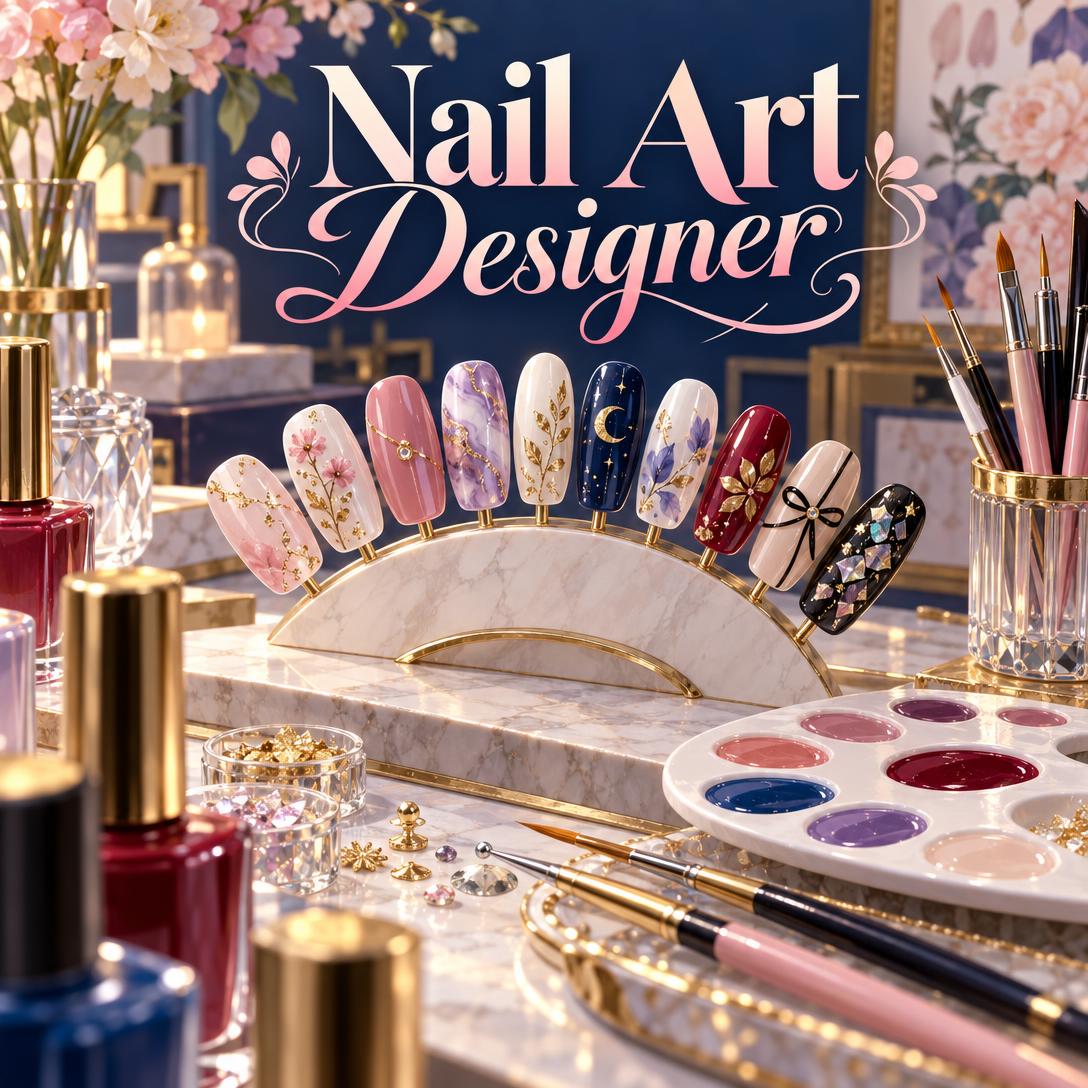
Jenova's Nail Art Designer is the strongest option in this comparison for designs that need to work on real nails. It pairs concept images with guidance on nail shape, product system, technique compatibility, and how the design works across all 10 nails. Other tools lead in different areas:
- AI Nail Art: Style Generator is stronger for previewing a look on your own hand through a phone camera.
- Nail Art Design Planner suits people who prefer tap-based customization without writing prompts.
- Kling AI fits creators who want nail visuals as part of broader image and video work.
As of October 2026, most AI nail tools focus on producing a single attractive image. Far fewer address whether that image can be built in a salon or at home.
Key factors that separate useful AI nail art design from generic image generation:
✅ Feasibility checking: The tool confirms the design matches the product system. Water marble only works with regular polish, for example, and chrome powder requires a no-wipe gel top coat. ✅ Set-level composition: The tool plans accent nails, gradients, mirrored hands, or statement thumbs instead of rendering one isolated nail. ✅ Shape-aware scaling: Coffin and almond shapes hold far more detail than short round nails. Fine line art that looks good on a phone screen can disappear at real nail scale. ✅ Technician-ready output: The tool produces exportable images or written briefs that a nail technician can follow. ✅ Honest framing: AI renders are concepts. Hands remain difficult for image models, so results need to be treated as inspiration, not exact replicas.
The sections below set out the evaluation criteria, then compare each tool against them.
Why Are More People Designing Their Manicures With AI in 2026?
More people are designing manicures with AI because nail art spending is rising, at-home manicures are growing, and trends now move at social-media speed. Previewing a design before booking saves both salon time and money.
The global nail care products market is projected to grow at a 7.0% CAGR from 2025 to 2033. Growth drivers cited in the same report include demand for at-home manicure solutions, social media trends, and nail art culture.
On the service side, the global nail salon market was estimated at $14.2 billion in 2025 and forecast to reach $25.5 billion at a 6.7% CAGR. More salon spending means more people want to arrive at appointments with a clear design in mind.
Consumers are asking for planning tools directly. A recurring r/Nails thread asks whether there is
. The original poster describes having "lots of ideas" they want to try out first.App developers have responded. New AI nail generators such as Nail Art: AI Studio, updated in September 2026, let users describe a style, color, mood, or occasion and receive generated nail art.
Trend speed adds pressure. NAILS Magazine is covering looks such as the 2026 "Vamp Romantic" trend while also marking 50 years of the French manicure. That mix of new and classic styles makes it hard for clients to describe exactly what they want without a visual reference.
What Should You Look for in an AI Nail Art Designer?
A useful AI nail art designer should produce realistic visuals, plan the full set, check technique feasibility, and give you something you can take to a technician or follow at home. This guide uses a six-part Screen-to-Nail Framework to evaluate each tool.
| Dimension | What to Test | Why It Matters |
|---|---|---|
| 1. Visual realism | Do nails look like real gel, chrome, or matte finishes? Are hands anatomically plausible? | Unrealistic renders set false expectations |
| 2. Personalization | Skin tone, nail shape, length, and your own hand | Colors look different on warm and cool undertones |
| 3. Set composition | Can it design 10 related nails, not one? | Cohesion is what makes nail art look intentional |
| 4. Technique feasibility | Does it flag product system conflicts? | Prevents designs that can't be built |
| 5. Execution support | Steps, products, difficulty, time estimate | Bridges inspiration and application |
| 6. Communication and cost | Exports, written briefs, pricing model | Determines real-world usefulness |
Weighting differs by user type:
- Enthusiasts should weight personalization and execution support most heavily. A beautiful design you can't recreate at home has limited value.
- Nail technicians should weight feasibility and communication. A strong concept still has to fit into a 90-minute appointment slot and a client's budget.
A common blind spot in reviews: most app roundups evaluate only visual quality, which is dimension one. In practice, dimensions three and four decide whether a design survives contact with a nail brush.
How Do Jenova's Nail Art Designer, Kling AI, NailLoft, and Nail Design Apps Compare?
Each tool fits a different job:
- Jenova's Nail Art Designer covers conversational design and feasibility guidance.
- AI Nail Art: Style Generator covers on-hand camera previews.
- NailLoft AI Nail Art Generator focuses on 3D, acrylic, and gel concepts.
- Kling AI offers general-purpose image and video generation.
- Nail Art Design Planner offers manual, preset-based customization.
Pricing and features below reflect listings at the time of writing (October 2026).
| Dimension | Jenova's Nail Art Designer | AI Nail Art: Style Generator | NailLoft | Kling AI | Nail Art Design Planner |
|---|---|---|---|---|---|
| Input method | Conversation and text prompts, with reference image uploads | Camera plus text description | AI generation | Text or image prompts | Manual taps on a hand model |
| Preview on your own hand | No (concept images) | Yes, via camera | Virtual try-on (per listing) | Photo editing available | No (stock hand model, multiple skin tones) |
| Technique and material feasibility | Yes: shape, system, and compatibility guidance | Not mentioned in listing | Unverified | Not nail-specific | No |
| Full 10-nail set planning | Yes: accent, gradient, mirrored, statement thumb | Not mentioned in listing | Unverified | Prompt-dependent | Edit one nail or apply to all |
| Professional and business support | Yes: pricing tiers, portfolio critique, timing | No | Unverified | No | Salon visit diary |
| Pricing | Free tier; paid from $20/mo | Free with in-app purchases; Pro $3.99, Pro Yearly $29.99 | Unverified | Unverified | Ad-supported |
| Best For | Planning buildable sets; nail techs | Seeing a look on your own hand | 3D and acrylic concept exploration | Creators producing nail video content | Quick, no-prompt mockups |
💅 Jenova's Nail Art Designer
Nail Art Designer works like a design consultation with an experienced nail artist. It first works out your occasion, mood, and wearability needs. It then recommends a shape, length, and system such as gel polish, hard gel, acrylic, polygel, or press-ons, and generates concept images once the direction is clear.
It also adjusts to the user without asking for an experience level:
- Casual requests like "pretty nails for a wedding" get plain-language defaults and quick visuals.
- Technicians using terms like apex and C-curve get peer-level technical detail.
Testing shows its clearest advantage is feasibility honesty. If a reference photo won't translate to your nail shape, skin tone, or skill level, it proposes alternatives rather than producing a faithful copy that will disappoint.
It can also compile a structured nail set brief for your technician. The brief covers shape, length, system, palette, layout, finish, embellishments, and budget range.
Because it runs on Jenova, it remembers your preferences and past designs across sessions. You can also switch between image generation models to compare rendering styles.
Limitations:
- It doesn't overlay designs on your own hand through a camera.
- Generated hands can show anatomical artifacts, so images are concepts rather than exact previews.
- It requires describing what you want rather than tapping presets.
- It can't send rebooking reminders.
- It doesn't cover makeup or skincare. For coordinating a full beauty look, the separate Beauty Consultant agent covers those areas.
📱 AI Nail Art: Style Generator
AI Nail Art: Style Generator lets you point your camera at your hand, describe a style such as "chrome coffin" or "glitter French," and see AI-generated nail art on your real hand. Designs save to your camera roll and can be shared with your nail technician.
Strengths: On-hand previewing directly addresses the question of how a design will look on you.
Limitations:
- The listing describes no shape, product system, or technique guidance.
- It contains advertising.
- At the time of writing, it had not received enough ratings to display a review overview.
- Unlimited generations require the Pro upgrade, listed at USD $3.99 or $29.99 per year.
🎨 NailLoft AI Nail Art Generator
NailLoft AI Nail Art Generator ("NailLoft") describes itself as a personal AI nail artist. It generates 3D, acrylic, and gel designs and offers virtual try-on.
Strengths: Its stated focus on textured and acrylic designs makes it worth testing for maximalist concepts.
Limitations: Details on pricing, feasibility guidance, and set planning could not be verified from available listing information.
🎬 Kling AI
Kling AI is a general-purpose image and video platform with a nail art showcase. Example concepts include 3D donut French-tip designs and Japanese-inspired nail art. Its Video 3.0 model supports up to 15 seconds of continuous output with camera motion control.
Strengths: Video suits finishes like chrome and cat eye, whose light bands shift with angle. A single still image can't capture those effects.
Limitations: Kling AI is not nail-specific. Its page offers no guidance on nail shapes, product systems, or wearability.
🖐️ Nail Art Design Planner
Nail Art Design Planner is a manual design studio on a realistic hand model. It offers:
- Six shapes: square, squoval, almond, oval, stiletto, and coffin
- More than 70 polish colors
- Finishes including chrome, cat-eye, holo, and glitter
- Accents such as French tips, ombré, and half-moon
- Multiple skin tones, PNG export, and a salon visit diary
Strengths: Fully predictable output with no AI artifacts. You can edit a single nail or apply a look to all fingers.
Limitations:
- Accents are preset, so freehand art, 3D sculpture, and encapsulation aren't possible.
- The app is ad-supported.
- It showed only 100+ downloads at the time of writing.
- Designs stay on the device unless exported.
For browsing rather than designing, gallery apps such as Nail Art Design Ideas offer thousands of curated manicure designs across French, glitter, chrome, and floral categories.
Why Does Designing Across All 10 Nails Matter More Than One Perfect Nail?
Designing across all 10 nails matters because nail art is seen as a set, both on the hand in motion and in photos. Ten unrelated "perfect" nails read as chaotic rather than intentional. Set coherence is what separates nail art from decorated nails.
Common set layouts that a capable AI designer should handle:
| Layout | How It Works | Best For |
|---|---|---|
| Uniform | Same design on all nails | Clean, office-friendly looks |
| Accent nail | Feature art on 1–2 nails, rest complementary | Interest without overload |
| Gradient progression | Color or complexity shifts finger to finger | Ombre sets, storytelling |
| Mix-and-match | Related but varied designs | Playful, maximalist looks |
| Mirrored | Left and right hands complement each other | Editorial balance |
| Statement thumb | Thumbs featured, fingers simpler | Social media nail photography |
Visibility shapes placement:
- Everyday wear: Index, middle, and ring fingers are the most visible.
- Posed photos: All 10 nails show.
- Accent choice: The ring finger is the traditional accent nail, though index and middle accents are increasingly common.
Jenova's Nail Art Designer plans visual weight across the full set by default, so focal points don't compete. Nail Art Design Planner supports set thinking manually through its "apply to all" and single-nail editing. Camera-preview apps typically generate whatever the prompt describes, which puts set planning on the user.
Can an AI Nail Art Generator Tell You Whether a Design Is Actually Achievable?
Most AI nail art generators can't tell you whether a design is achievable. They render whatever you describe, whether or not the materials support it. Jenova's Nail Art Designer is the exception in this comparison because it checks technique and product compatibility before and after generating a concept.
Feasibility mismatches are the most common reason a saved inspiration photo disappoints at the salon. Examples the Nail Art Designer flags:
| Desired Look | What It Requires | Common Mismatch |
|---|---|---|
| Water marble | Regular polish only | Requesting it in gel or dip powder |
| Mirror chrome | No-wipe gel top coat as the base | Using regular polish or a standard gel top coat |
| 3D sculpted elements | Acrylic or hard gel | Expecting it from gel polish alone |
| Encapsulated flowers or foil | Hard gel, acrylic, or polygel | Requesting it with gel polish |
| Stiletto shape | Hard gel or acrylic for strength | Natural nails, which are prone to breakage |
| Cat eye light band | Magnetic gel plus a magnet | Non-magnetic polish |
Shape matters just as much as product. Short round nails limit detail, while coffin and almond shapes offer the largest canvas. Nail curvature also bends straight lines, so geometric designs need adjusting to wrap naturally.
For DIY users, the agent gives a difficulty rating with every design:
- Stamping and foil transfer: beginner-friendly
- Freehand painting and 3D sculpting: advanced
When a design needs professional equipment, it says so and offers a simpler version.
Are AI-Designed Nail Sets Safe for Your Nail Health?
AI designs are images and carry no health risk, but the products used to build them can. Gel and acrylic systems carry a documented risk of acrylate allergy, so any tool that recommends a system should address safety.
The British Association of Dermatologists has warned that methacrylate chemicals found in gel and acrylic nails can cause allergic reactions.
A 2026 report notes that dermatologists describe acrylate allergies from gel nails as permanent. The same report says the sensitivity can extend to dental fillings and lash glue. Industry educators at NailKnowledge stress that nail coating products must not touch the skin. Users on
describe developing allergies after repeatedly flooding their cuticles during at-home gel application.Jenova's Nail Art Designer builds this into its guidance:
- Keep uncured product off the skin.
- Cure each layer fully according to the manufacturer's instructions.
- Consider HEMA-free systems if you have a history of sensitivity.
- Avoid peeling or prying off enhancements. Improper removal is the most common cause of nail damage, so soak with acetone instead.
The agent describes visible concerns but never diagnoses. Discoloration under an enhancement, thickened nails, or redness around the cuticle are referred to a healthcare professional. For follow-up questions on skin and nail conditions, Jenova's Dermatology Advisor handles image-based skin, hair, and nail assessment.
None of the other tools reviewed mention allergy or nail health guidance in their listings.
How Do Nail Technicians Use AI for Client Consultations and Portfolios?
Nail technicians mainly use AI to turn vague client requests into clear visual briefs before the appointment. Agreeing on the design up front reduces mid-service redesigns and helps quote time and price accurately.
Jenova's Nail Art Designer supports professionals in several practical areas:
- Reference photo translation: If a client's inspiration image depends on a shape or length they don't have, it proposes adapted alternatives.
- Time estimation: Typical benchmarks are 45–60 minutes for basic gel, 90–150 minutes for a full art set, and 2–3+ hours for elaborate 3D or character work.
- Pricing structure: It helps build tiers by complexity, add-on pricing per technique, removal fees, and deposits. It specifically addresses underestimating time, the most common pricing mistake.
- Portfolio critique: It reviews photo quality first, then technical execution, design composition, and marketability.
- Nail photography: It recommends ring lights for even illumination and a three-quarter angle with slightly curved fingers. It also recommends video for chrome and cat eye finishes, since a still image can't capture their light shift.
A nuanced take: Some salons now market handcrafted work as a counterpoint to AI. One salon promotes custom gel extensions and intricate 3D art that "looks better than any AI generator".
That positioning and AI consultation tools aren't in conflict. AI concepts are most useful as a communication layer before the service, while the craft itself remains manual. For technicians turning finished sets into posts, Jenova's Social Media Content Generator handles platform-specific captions and content.
How Do You Get a Usable Nail Art Design From an AI Tool?
To get a usable design from an AI tool, specify shape, length, colors, finish, and occasion upfront, then refine before bringing the result to your technician. The more concrete the input, the fewer generation rounds you'll need.
Using Jenova's Nail Art Designer
- Open the agent at jenova.ai/a/nail-art-designer. It's available on web, iOS, and Android.
- Describe your vision with as much detail as you have:
"I need nails for a fall wedding. Almond shape, medium length, gel polish. I like deep burgundy and gold but don't want anything too loud."
- If your request is vague, expect one or two clarifying questions about vibe or color at most. Detailed requests get a concept image right away.
- Refine with specific changes:
"Keep the burgundy, but make the ring finger an accent with gold foil and switch the rest to a matte finish."
- Request execution details, such as steps, products, difficulty, and time, or ask for a nail set brief to share with your technician.
The free tier includes limited usage across all core features. The Plus plan costs $20/month and includes 30× the free usage allowance.
Using AI Nail Art: Style Generator
- Install the app from the App Store. It requires iOS 15.1 or later.
- Point your camera at your hand and type a style, such as "glitter French."
- Save designs to your camera roll and share them with your nail technician.
Using Nail Art Design Planner
- Choose a shape and length, then select from more than 70 colors and a finish.
- Add preset accents such as French tips, ombré, or dots, either per nail or across all nails.
- Export a PNG to show your nail technician.
Practical tip for any tool: Check colors in daylight as well as indoor lighting before committing. Shades shift noticeably between salon lighting and natural light, especially on warm versus cool skin undertones.
What Do Nail Art Experts Say About AI-Generated Nail Designs?
Nail art experts generally see AI-generated designs as valuable planning and communication tools, provided they are treated as concepts rather than exact previews. Their main concern is designs that ignore materials and technique.
"The single biggest failure mode in AI nail art is the gap between what renders and what can be built. A model will happily produce water-marbled gel or chrome on regular polish because it has no concept of material chemistry. When we designed Nail Art Designer, feasibility checks came before visual polish. A slightly less striking concept that a technician can execute in 90 minutes is worth more than a viral image nobody can recreate."
"Set composition is the second blind spot. Most generators treat nails as one image, but clients wear 10 small curved surfaces that are seen together and in motion. Planning accent placement and visual weight across the whole hand is where a design either looks intentional or just looks busy, and that's something users rarely ask for explicitly."
"For professionals, the value is less about inspiration and more about consultation. A structured brief that captures shape, length, system, palette, layout, and budget before the client sits down removes most of the ambiguity that leads to redos. We'd encourage technicians to use AI concepts to align expectations, then let their own craft take over at the table."
— Jenova Product Team, 8 years in AI agent design and domain-specific assistant development
References
- GlobeNewswire — Global Nail Care Products Market forecast, 7.0% CAGR and at-home manicure drivers (October 2026)
- USD Analytics — Nail Salon Market Size, $14.2 billion in 2025 with 6.7% CAGR forecast
- Apple App Store — Nail Art: AI Studio listing
- NAILS Magazine — 2026 Vamp Romantic trend and ORLY's 50 years of the French manicure
- Apple App Store — AI Nail Art: Style Generator features and pricing
- Apple App Store — NailLoft AI Nail Art Generator listing
- Kling AI — AI nail art generator showcase and Video 3.0 capabilities
- Google Play — Nail Art Design Planner features
- Google Play — Nail Art Design Ideas gallery app
- London Evening Standard — British Association of Dermatologists warning on methacrylate allergies in gel and acrylic nails
- Mirelle Inspo — Gel manicures and lifelong acrylate allergy (August 2026)
- NailKnowledge — Nail products, allergies, and health issues
- Instagram — Miso Nails salon on handcrafted 3D art versus AI generators