AI Nail Art Designer: Custom Nail Designs & Salon-Ready Briefs
2026-10-06
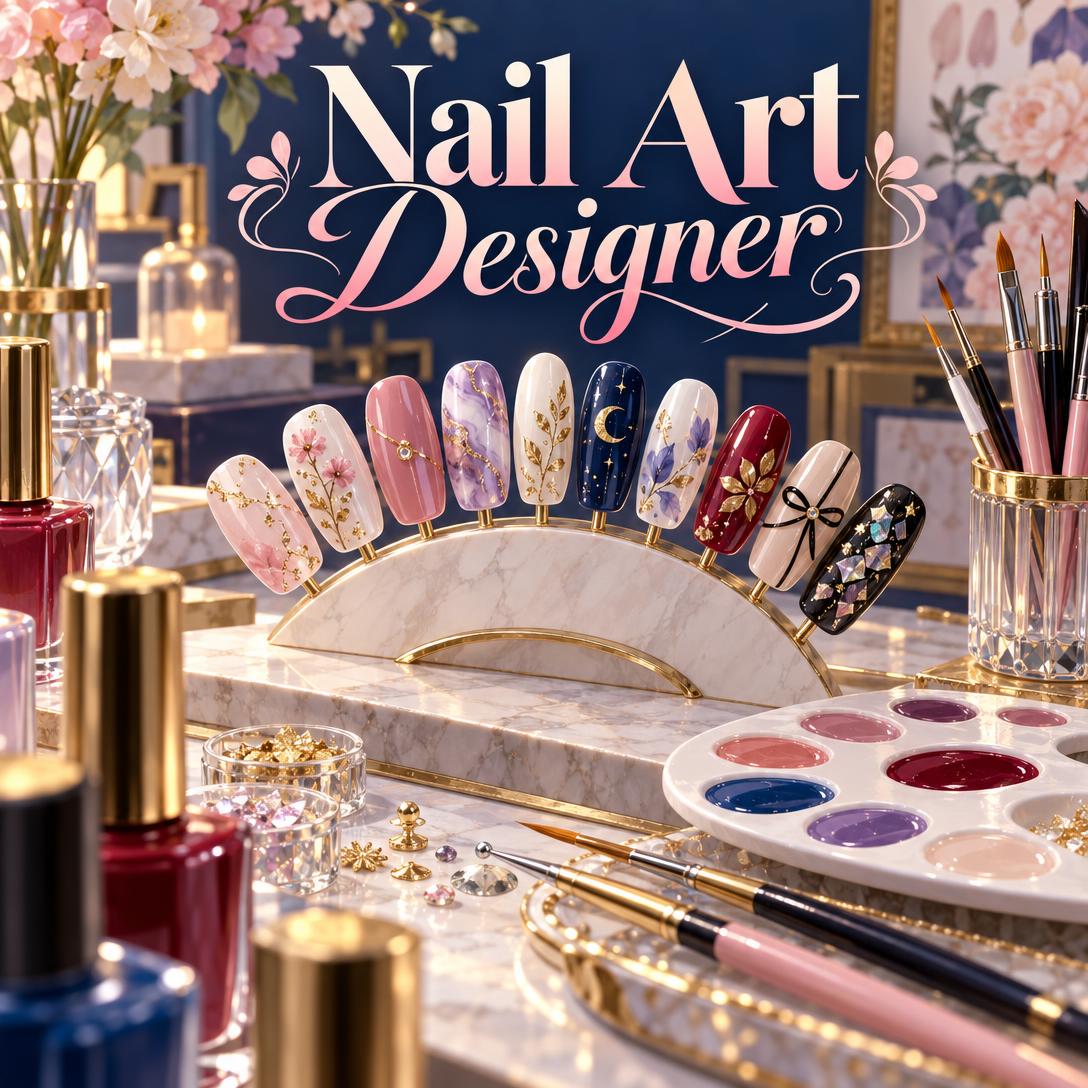
Nail Art Designer helps you plan, visualize, and execute nail sets you'll love. It pairs visual concept generation with a working nail artist's knowledge of shapes, product systems, and technique. Most inspiration feeds show you finished photos with no path to recreating them. This AI turns your idea into a cohesive 10-nail design and explains how to get it onto real nails.
- ✅ Generates visual nail art concepts from a description, an occasion, or a reference photo
- ✅ Recommends shape, length, and system, including gel polish, BIAB, acrylic, polygel, or press-ons, based on your design and lifestyle
- ✅ Flags material conflicts before you waste product, such as chrome powder needing a no-wipe top coat
- ✅ Adapts to both DIY enthusiasts and working nail technicians, from plain-language tips to peer-level technical notes
A nail set looks simple when it's finished. Behind it are dozens of decisions about shape, base color, set layout, finish, and technique, and any one of them can make a design fall flat. To understand why AI-assisted nail design is worth trying, let's look at what makes great nail art hard to plan, whether you're booking a salon appointment or working at your own desk.
Quick Answer: What Is Nail Art Designer?
Nail Art Designer is an AI nail art studio that generates custom nail design concepts and expert execution guidance, so you can plan a complete, wearable set before you pick up a brush or book an appointment. It works for at-home enthusiasts and professional nail techs.
Key capabilities:
- Visual nail art concepts rendered as close-up, photo-style manicure images
- Set composition planning across all 10 nails (accent, gradient, mirrored, statement thumb)
- Technique, product, and material compatibility guidance for gel, acrylic, dip, polygel, and regular polish
- Structured design briefs that bridge the gap between what a client imagines and what a technician creates
The Creative Challenges Behind a Great Nail Set
Nail art is now a mainstream form of self-expression, and the market reflects it. Spending is rising in both salons and at-home kits:
**$14.2 billion**: [Estimated global nail salon market size in 2025, forecast to reach $25.5 billion](https://www.usdanalytics.com/industry-reports/nail-salon-market)
7.0% CAGR: Projected growth of the global nail care products market from 2025 to 2033
That same 2026 market report identifies social media trends, nail art culture, and demand for at-home manicure solutions as key growth drivers. It also notes that gel polish, polygel, and press-ons are attracting consumers who want professional results at home.
But turning "I saw this on my feed" into a finished set is harder than it looks:
- Reference photos rarely translate directly. A design photographed on long coffin extensions won't read the same on short squoval natural nails.
- Ten nails need to work as one composition. Too many competing focal points look chaotic, and too few look unfinished.
- Materials have hard rules. Some techniques simply don't work with certain systems.
- Nail health and safety are part of the design. The wrong product, poor curing, or improper removal can cause lasting problems.
Trends Move Faster Than Most Planning Does
Nail trends shift every season. Spring 2026 favored sheer, milky "your nails but better" finishes, jelly nails, and micro nail art like micro French tips. By summer, ELLE was highlighting micro nail art with dainty florals, cherry accents, and tiny polka dots. One manicurist quoted there noted that "sheer bases and micro details grow out nicely," which makes them practical as well as pretty.
Color direction changes just as quickly. Dusty rose, soft mauve, and cool-toned blush were flagged as major 2026 picks, while fall coverage pointed toward deep wine shades. Knowing a trend exists is the easy part. Adapting it to your nail shape, skin tone, and skill level is where most people get stuck.
The Material Rules Nobody Tells You
Analysis of common DIY failures shows the same issues again and again:
- Water marble only works with regular polish, so gel won't behave.
- Chrome powder needs a no-wipe gel top coat to burnish properly.
- Stamping needs stamping-specific polish, because ordinary polish is too thin to pick up cleanly.
- Encapsulating pressed flowers needs hard gel, acrylic, or polygel. Gel polish alone won't hold them.
None of these details shows up in a pretty photo.
Nail Health Is Part of the Design
Acrylate sensitivity is a real and growing concern. UK dermatologists told the BBC they were treating allergic reactions to acrylic and gel nails "most weeks". Clinical literature notes that once contact allergy is identified, patients must avoid all methacrylates because of substantial cross-reactivity. Acrylates appear in gel, dip, and shellac polishes, among others.
For professionals, hygiene standards matter just as much. Infection control guidance recommends soaking tools in an EPA-registered disinfectant for 10 to 30 minutes, according to manufacturer directions. The EPA has also published shop practices to help nail salon workers minimize chemical exposures.
A good nail designer considers all of this. A mood board doesn't.
How Nail Art Designer Works: From Idea to Finished Set
This is exactly what Nail Art Designer was built for. It asks the questions an experienced nail artist would ask, shows you the concept, and then gives you a realistic plan for executing it.
Step 1: Describe Your Vision
Start with whatever you have: an occasion, a mood, a color you love, or an uploaded reference photo. Vague is fine. If you're unsure, the AI asks at most a couple of focused questions about vibe and color before it generates anything.
"I need nails for a fall wedding. I'm wearing a deep wine dress and want something elegant but not too matchy."
Step 2: Get Shape and System Recommendations
Next, you'll get a recommended shape, length, and product system based on your natural nails, lifestyle, and design goals. For example, almond extensions in hard gel suit a detailed hand-painted floral set. Short squoval nails in gel polish suit someone who types all day.
"I have short, wide nail beds and work with my hands a lot. What shape should I go with?"
Step 3: Review the Visual Concept
The AI generates a close-up, photo-style concept image of the full set. It plans the composition across all ten nails, deciding which ones carry the accent, how the colors progress, and where embellishments sit so the set has visual logic rather than random sparkle.
"Show me a mauve chrome set on medium almond nails with gold foil accents on the ring fingers."
Step 4: Refine Until It's Right
Iterate in plain language. You can swap colors, simplify the art, change the shape, or add and remove embellishments. Each round builds on the last version, so you don't start over every time.
"Love it, but make the accent nails pressed flowers instead of foil and keep everything else the same."
Step 5: Get Your Execution Guide or Salon Brief
DIY users get a step-by-step guide with a tool list, product notes, difficulty level, and common mistakes to avoid. Clients get a structured brief to show their technician, covering shape, length, system, palette, set layout, finish, and embellishments. Professionals get technique notes and timing estimates.
"Turn this into a brief I can show my nail tech."
Try Nail Art Designer free, with no credit card required.
Creative Showcase: What You Can Design
💍 The Wedding Guest Set
Scenario: You're attending an October wedding in a deep wine dress and want nails that feel elevated without matching your outfit too literally.
Traditional Approach: Scrolling through hundreds of saved pins, screenshotting five different sets, and hoping your technician can merge them into something cohesive.
With Nail Art Designer: You describe the dress and the occasion. You get a nude-base almond set with soft mauve, deep wine micro French tips, and a single gold-leaf accent on each ring finger, rendered as a visual concept.
- Color pairing chosen to complement the dress rather than copy it
- Accent placement balanced across both hands
- A brief you can bring straight to your appointment
If you're still finalizing the full look, Fashion Consultant can help you coordinate accessories, shoes, and jewelry so everything works together.
🏠 Your First At-Home Gel Set
Scenario: You bought a gel kit and an LED lamp, and you want to try the summer micro-cherry trend without it looking homemade.
Traditional Approach: Watching several tutorials that each use different products, then finding out mid-manicure that your polish won't stamp or your top coat smears the art.
With the AI: You get a beginner-appropriate version of the design, with larger cherries, a simple striping-brush tip, and a dotting tool instead of freehand detail. The guide includes curing reminders between layers.
- Feasibility advice that matches your actual skill level
- A tool and product list built around what you already own
- Warnings about common errors, like flooding the cuticle or undercuring
💼 The Nail Tech's Flash Menu
Scenario: You're a nail technician building a seasonal "flash" menu of six pre-designed fall sets that clients can book at fixed prices.
Traditional Approach: Painting physical sample tips for every concept, which can mean hours of unpaid studio time before a single booking.
With the AI: You generate concept images for six cohesive sets across difficulty tiers, from a simple chocolate-brown cat eye to an elaborate 3D sweater-texture set. Each comes with a time estimate and technique notes to help structure tiered pricing.
- Faster creative direction without wasted product
- Clear complexity tiers that support add-on pricing
- Shareable concepts for testing client interest before you commit
Once your menu is set, Social Media Content Generator can turn each design into platform-native captions and posts for promoting it.
📱 The Mid-Appointment Pivot
Scenario: You're in the salon chair, and your technician says the reference you brought won't work on your short natural nails.
Traditional Approach: Settling for a generic design you didn't plan, or rescheduling.
With the AI on your phone: You upload the reference photo and explain the constraint. Within minutes you have an adapted concept that keeps the spirit of the original but is redesigned for a shorter, rounder canvas.
- Full functionality on iOS, Android, and web
- Speech-to-text makes it easy to describe changes hands-free
- Your technician sees a clear visual target instead of guessing
Frequently Asked Questions
Is Nail Art Designer free to use?
Yes. You can start on Jenova's free tier, which includes all core features with limited monthly usage, so you can explore designs and generate concepts at no cost. Heavy users, such as nail techs building seasonal menus, can upgrade to paid plans starting at $20/month for 30× the free usage. Usage resets monthly, with no daily caps.
Can an AI nail art designer help me do my own nails at home?
Yes. Nail Art Designer adapts designs to your skill level and the products you have. It explains which techniques are beginner-friendly, such as foil transfer and chrome powder, and which usually need professional skill, such as freehand 3D sculpting. You'll get step-by-step guidance, tool lists, and warnings about common mistakes, so DIY results look intentional.
How is AI nail design different from browsing Pinterest or Instagram?
Pinterest and Instagram show finished sets on other people's hands, shapes, and skin tones. An AI nail art designer creates concepts for your specific situation: your nail length, lifestyle, occasion, and skill level. It also explains how to execute the design and which products are compatible. A saved photo can't flag that water marble won't work with gel.
Can Nail Art Designer tell me if my nails are healthy enough for gel or acrylics?
The AI can describe visible signs worth paying attention to, such as discoloration, thickening, or redness around the cuticle. It can also suggest HEMA-free options for sensitive users. It never diagnoses conditions. For concerns about infection, allergy, or nail damage, see a healthcare professional. For an image-based skin and nail assessment, Dermatology Advisor offers more detailed guidance.
Does the AI nail art designer work on mobile?
Yes. It works identically on web, iOS, and Android, and your conversations and design history sync across devices. That makes it practical to plan a set at home on your laptop and pull up the concept on your phone at your appointment. You can also upload reference photos directly from your camera roll.
Can professional nail technicians use it for pricing and portfolio work?
Yes. Professionals get peer-level support, including technique troubleshooting for issues like lifting, guidance on structuring pricing tiers by complexity, time estimates for different set types, and portfolio critiques covering photography, execution, and composition. Professionals can use this AI nail design partner to translate client references into realistic plans and to develop seasonal flash collections.
Conclusion: Design the Set Before You Commit to It
Great nail art depends on more than inspiration. It takes the right shape, compatible materials, a balanced 10-nail composition, and an honest read on what's achievable. Trends shift every season, references rarely translate directly, and nail health has to be part of the plan. Nail Art Designer brings these decisions together in one conversation. It gives you a visual concept first, then a practical execution plan or a salon-ready brief.
Whether you're a first-time DIY gel user, a regular salon client tired of miscommunicated designs, or a nail technician building your next seasonal menu, AI-assisted nail design helps you start with a clearer vision and finish with a set you're proud of.
Try Nail Art Designer now and design your next manicure. Explore more at Jenova.
For Developers: Nail Art Designer is available programmatically via the Jenova API. You can integrate AI nail design concepts and technique guidance into your beauty, salon booking, or e-commerce application with a single API call. Full documentation →