AI Meeting Minutes: How to Automate Notes, Action Items & Follow-Ups (May 2026)
2026-05-20
Three out of four professionals now use an AI note-taker in their work meetings. That's not a projection — it's the current state of meeting documentation in 2026. The shift happened faster than anyone predicted, and for good reason: employees forget 50% of meeting content within one hour and 75% within a week, according to Sonix's adoption research.
AI meeting minutes don't just record what was said. They extract decisions, assign action items, and turn hours of conversation into a searchable knowledge base your team can actually use. Platforms like Jenova take this further with specialized AI agents — a Writing Assistant that transforms raw transcripts into polished, structured minutes, a Personal Secretary that manages follow-ups and calendar actions, and an Email Writer that drafts recap emails before you've even closed your laptop.
Whether you're running a daily standup, a board meeting, or a client discovery call, AI meeting minutes are now the baseline — not the advantage.
Quick Answer: What Are AI Meeting Minutes?
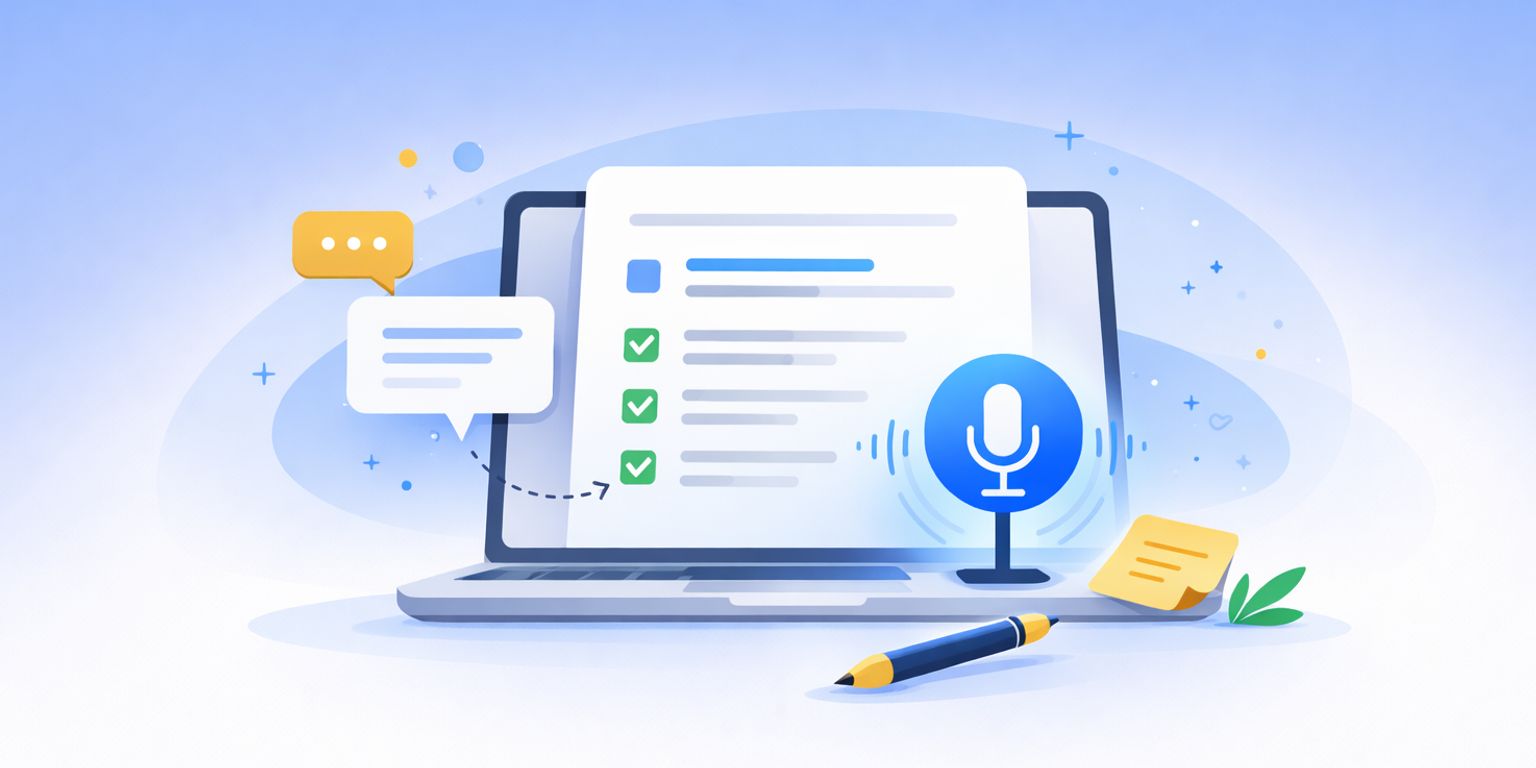
AI meeting minutes are automatically generated records of a meeting — including transcription, key discussion points, decisions made, and action items — produced by artificial intelligence rather than a human note-taker. You speak; AI listens, structures, and delivers.
- Automatic transcription & summarization — Capture every word, surface only what matters
- Action item extraction — Decisions and to-dos identified and assigned (Writing Assistant)
- Post-meeting follow-up — Recap emails and next-step communications drafted instantly (Email Writer)
- Searchable meeting history — Find any decision or discussion across weeks of meetings (Real-Time Search)
The Problem: Why Manual Meeting Minutes Are Failing Teams
The [AI meeting minutes app market was valued at $2.8 billion in 2025](https://dataintelo.com/report/ai-meeting-minutes-app-market) and is projected to reach $14.6 billion by 2034, growing at a 20.1% CAGR. That growth tells a clear story: manual note-taking is broken, and organizations are paying to fix it.
The Forgetting Curve Is Brutal
Nearly 60% of remote workers struggle to retain information from virtual meetings. Employees forget 50% of meeting content within one hour and 75% within a week. — Sonix, Meeting Transcription Adoption Statistics
When the person taking notes is also trying to contribute to the discussion, both suffer. Critical details slip through — a pricing commitment gets recorded as a "maybe," an action item loses its owner, a deadline disappears entirely.
The Time Drain Is Measurable
Manual transcription requires 4–6 hours to process a single hour of audio, according to industry benchmarks compiled by Sonix. Even informal note-taking — the kind most teams rely on — eats 15–30 minutes of post-meeting cleanup per session. Multiply that by the 15–20 meetings a typical knowledge worker attends weekly, and you've lost an entire workday to documentation.
Follow-Through Collapses Without Structure
Decisions made in meetings only matter if they're tracked. Without structured minutes, action items live in scattered personal notes, Slack threads, and half-remembered commitments. The result: organizations report 30% lower productivity when meeting documentation is inconsistent or missing.
Privacy and Security Concerns Add Friction
73% of businesses cite privacy concerns as their primary barrier to adopting AI meeting tools. — Sonix, Meeting Transcription Adoption Statistics
Sensitive discussions — personnel reviews, M&A strategy, client negotiations — require documentation tools that don't compromise confidentiality. Many teams avoid AI solutions entirely because they can't verify where their data goes.
Why AI Changes Meeting Documentation
The leap in 2026 isn't just about transcription accuracy — leading platforms now achieve up to 99% accuracy under good recording conditions. The real shift is what happens after the transcript: AI now structures, summarizes, and operationalizes meeting content automatically.
This is exactly what Jenova was built for — not a single-purpose transcription tool, but an ecosystem of specialized AI agents that handle every stage of the meeting documentation workflow.
| Traditional Meeting Minutes | AI-Powered Minutes with Jenova |
|---|---|
| One person takes notes while missing discussion | Full participation — AI captures everything |
| 15-30 min post-meeting cleanup per session | Structured minutes generated in seconds |
| Action items buried in paragraph notes | Action items extracted, assigned, and trackable |
| Follow-up emails written manually hours later | Email Writer drafts recaps immediately |
| No searchable archive across meetings | Persistent memory retains context across sessions |
| Privacy depends on who has the doc | Encrypted data, never used for training |
From Transcript to Intelligence
As TicNote's 2026 analysis documents, the strongest meeting tools in 2026 go beyond text conversion: "They help capture context, organize decisions, surface follow-ups, and reduce the chaos that usually starts after the call ends." Jenova's Writing Assistant does exactly this — turning raw conversation notes or transcripts into structured, professional minutes with decisions highlighted and action items itemized.
The Productivity Math
The numbers are concrete. According to Sonix's compiled research:
62% of professionals save over four hours weekly with automated meeting documentation — equivalent to nearly a month of reclaimed working time annually.
Organizations using AI transcription report 25% shorter meetings and 30% higher productivity measured by action item completion rates.
While dedicated transcription tools like Otter.ai and Fireflies.ai handle the recording-to-text pipeline effectively, they stop at transcription and basic summaries. Jenova's agent approach extends the workflow further — the Writing Assistant restructures raw content into any minutes format, the Personal Secretary tracks follow-ups, and the Email Writer handles stakeholder communications.
Cost Reduction at Scale
Automated transcription costs $0.10–$0.30 per minute versus $1.50–$4.00 for manual transcription. Organizations switching to automated solutions report cost reductions up to 70%. — Sonix, Meeting Transcription Adoption Statistics
For organizations processing thousands of meeting hours annually, the savings aren't incremental — they're transformational. And poor data quality from inaccurate transcripts costs organizations $12.9 million annually, making accuracy a financial imperative, not a nice-to-have.
Specialized AI Agents for Meeting Minutes
Writing Assistant
Your primary agent for transforming raw meeting content into polished, professional minutes. Whether you paste in a transcript, dictate key points, or upload an audio summary, the Writing Assistant structures it into a format your team can immediately act on.
- Converts unstructured notes or transcripts into formatted minutes with headers, decisions, and action items
- Adapts output to any meeting type — standup, board meeting, client call, project review
- Maintains consistent formatting across recurring meetings for easy comparison
Personal Secretary
The operational layer after the minutes are written. The Personal Secretary manages the logistics that flow from meeting decisions — scheduling follow-ups, tracking deadlines, and coordinating next steps.
- Tracks action items and deadlines from meeting outputs
- Schedules follow-up meetings and sends calendar invites
- Manages cross-meeting task continuity so nothing falls through the cracks
Email Writer
The meeting doesn't end when the call drops. The Email Writer drafts post-meeting communications — recap emails, stakeholder updates, and next-step requests — using the meeting's key decisions and action items.
- Post-meeting recap emails tailored to different audiences (attendees vs. stakeholders)
- Action item summary emails with owners and deadlines
- Follow-up sequences for unresolved decisions
Real-Time Search
When meetings reference external data — market figures, competitor updates, regulatory changes — the Real-Time Search agent pulls current information with citations so your minutes are grounded in verified facts, not approximations.
- Fact-checks claims made during meetings with current sources
- Finds supporting data for decisions documented in minutes
- Pulls competitor or market intelligence referenced in discussions
How It Works: From Meeting to Actionable Minutes
Here's the step-by-step workflow for generating AI meeting minutes with Jenova's agents:
Step 1: Capture the Raw Content
Start with whatever you have — a transcript from your video conferencing platform, handwritten notes, voice dictation, or even memory. Paste it into the Writing Assistant with context:
"Here are my notes from today's product roadmap meeting. Attendees: Sarah (PM), David (Engineering Lead), and Lisa (Design). Format these into professional minutes with a decisions section and action items table."
Step 2: Structure and Format
The Writing Assistant produces organized minutes with:
- Meeting metadata (date, attendees, agenda)
- Discussion summary organized by agenda item
- Decisions made, with rationale
- Action items table: task, owner, deadline, status
- Open questions or parking lot items for future meetings
Step 3: Verify Any External Claims
If the meeting referenced specific data — "Our market share grew 12%" or "The competitor launched last week" — use Real-Time Search to verify:
"Find current market share data for [your industry] and verify whether [competitor] launched [product] in May 2026."
Step 4: Draft Follow-Up Communications
Before distributing the minutes, use the Email Writer to create audience-specific communications:
"Draft a recap email for the full team summarizing today's roadmap decisions. Separately, draft a shorter update for the VP of Product highlighting the three priority changes and the resource request."
Step 5: Set Up Tracking and Follow-Ups
Hand the action items to the Personal Secretary to schedule reminders, block time for deliverables, and set up the next meeting:
"Schedule a follow-up meeting for next Thursday at 2 PM with Sarah, David, and Lisa to review the API integration timeline. Send me a reminder on Wednesday to check David's progress on the database migration estimate."
Step 6: Build Institutional Memory
Over time, your meeting minutes become a searchable knowledge base. Jenova's persistent memory retains context across sessions, so you can reference decisions from weeks ago without digging through documents.
Results & Use Cases
📊 Weekly Team Standups
Scenario: An engineering manager runs five 15-minute standups per week across two squads.
Traditional Approach: Scribble notes during the call, spend 10 minutes per meeting cleaning them up, post to Slack. Blockers get mentioned but not tracked. By Friday, nobody remembers Monday's commitments.
AI Approach: Dictate or paste raw standup notes into the Writing Assistant. Get structured minutes with blockers flagged, action items assigned, and progress tracked against previous standup commitments. The Personal Secretary sends automated reminders for unresolved blockers. Total post-meeting time: under 2 minutes per standup.
💼 Board Meeting Documentation
Scenario: A startup COO needs to produce formal board minutes within 24 hours of a quarterly board meeting.
Traditional Approach: Review a two-hour recording, manually transcribe key discussions, format into legal-grade minutes, circulate for review — a full-day task.
AI Approach: Feed the transcript into the Writing Assistant with the instruction: "Format as formal board minutes with resolution numbers, voting records, and fiduciary disclosures." Use Real-Time Search to verify the financial benchmarks referenced during the meeting. The Email Writer drafts the distribution email to board members with the minutes attached. Total time: under one hour.
📱 Client Discovery Calls on the Go
Scenario: A sales consultant conducts three client discovery calls per day from her phone between site visits.
Traditional Approach: Take fragmented notes on the phone between calls, reconstruct them at the end of the day, miss key requirements, forget to follow up on a pricing question.
AI Approach: After each call, voice-dictate the key points into Jenova on mobile. The Writing Assistant structures each set of notes into a client-specific summary with requirements, concerns, and next steps. The Email Writer drafts a personalized follow-up email to each client within minutes of hanging up — while the conversation is still fresh.
🏥 Clinical Team Huddles
Scenario: A charge nurse leads a 10-minute shift handoff huddle covering patient status updates for 15 beds.
Traditional Approach: Handwritten notes on a clipboard, verbal handoffs that get lost in translation, critical medication changes communicated but not documented.
AI Approach: Dictate the huddle notes into the Writing Assistant: "Format as a shift handoff report with patient ID, status change, medication updates, and escalation flags." The structured output ensures continuity across shifts. For clinical documentation needs, Jenova's Clinical Scribe can further transform huddle notes into SOAP-formatted records.
🎓 Research Lab Meetings
Scenario: A PhD advisor meets with four graduate students weekly to discuss experiment results and literature findings.
Traditional Approach: Each student takes their own notes. Three weeks later, nobody agrees on what was decided about the experimental protocol change.
AI Approach: One consolidated set of minutes via the Writing Assistant captures decisions, literature references, and next experiments for each student. Use Real-Time Search to pull the papers referenced during discussion. The Academic Research Assistant can verify citations and find related work mentioned in passing.
FAQ
How accurate are AI meeting minutes compared to human note-takers?
Leading AI transcription platforms now achieve up to 99% accuracy under clear recording conditions, approaching or exceeding human transcription performance. The advantage over human note-takers isn't just accuracy — it's completeness. A human note-taker captures selectively; AI captures everything and then structures the output. Jenova's Writing Assistant adds another layer by organizing raw transcripts into professionally formatted minutes.
Can AI extract action items automatically from meeting notes?
Yes. Modern AI meeting tools identify decisions, commitments, and tasks embedded in conversation and surface them as discrete action items with owners and deadlines. With Jenova, you can paste any meeting transcript or raw notes into the Writing Assistant and receive a structured action items table — then hand those items to the Personal Secretary for calendar tracking and reminders.
What about privacy and security for sensitive meeting content?
73% of businesses cite privacy as their primary barrier to adopting AI meeting tools. Jenova addresses this directly: your data is encrypted in transit and at rest, never used for AI model training, and never sold to advertisers. Unlike meeting bots that join your call and record through third-party servers, Jenova processes the content you provide — you control what goes in.
How much time does AI meeting documentation actually save?
Research shows 62% of professionals save over four hours weekly with automated meeting documentation. Organizations also report 25% shorter meetings when participants know content will be captured and searchable — reducing repetition and clarification loops.
Can I use AI meeting minutes for formal or legal documentation?
AI-generated minutes can serve as formal records when reviewed and approved by an authorized attendee, just like traditionally drafted minutes. The Writing Assistant can format output as formal board minutes with resolution numbers, voting records, and compliance disclosures. Always have a designated approver review AI-generated minutes before filing as official records.
How much does it cost to get started?
Jenova offers a free tier that includes all core features — you can generate your first set of AI meeting minutes immediately without a credit card. Paid plans start at $20/month for expanded usage and model selection across GPT-5.4, Claude Opus 4.6, and Gemini 3.1 Pro Preview.
Conclusion
Meeting documentation has been a tax on productivity for decades — consuming hours, losing critical details, and letting action items dissolve into forgotten commitments. In 2026, with 75% of professionals already using AI note-takers, the question isn't whether to automate meeting minutes — it's how comprehensively.
The Writing Assistant turns raw meeting content into structured, professional minutes in seconds. The Email Writer ensures follow-through with immediate recap communications. The Personal Secretary tracks every action item to completion. And the Real-Time Search agent verifies the facts that underpin your decisions.
Try the Writing Assistant free — no credit card required — and turn your next meeting into minutes that actually drive results. Explore the full agent library at Jenova.