What Is the Best AI Designer for Marketing Campaign Visuals?
2026-08-28
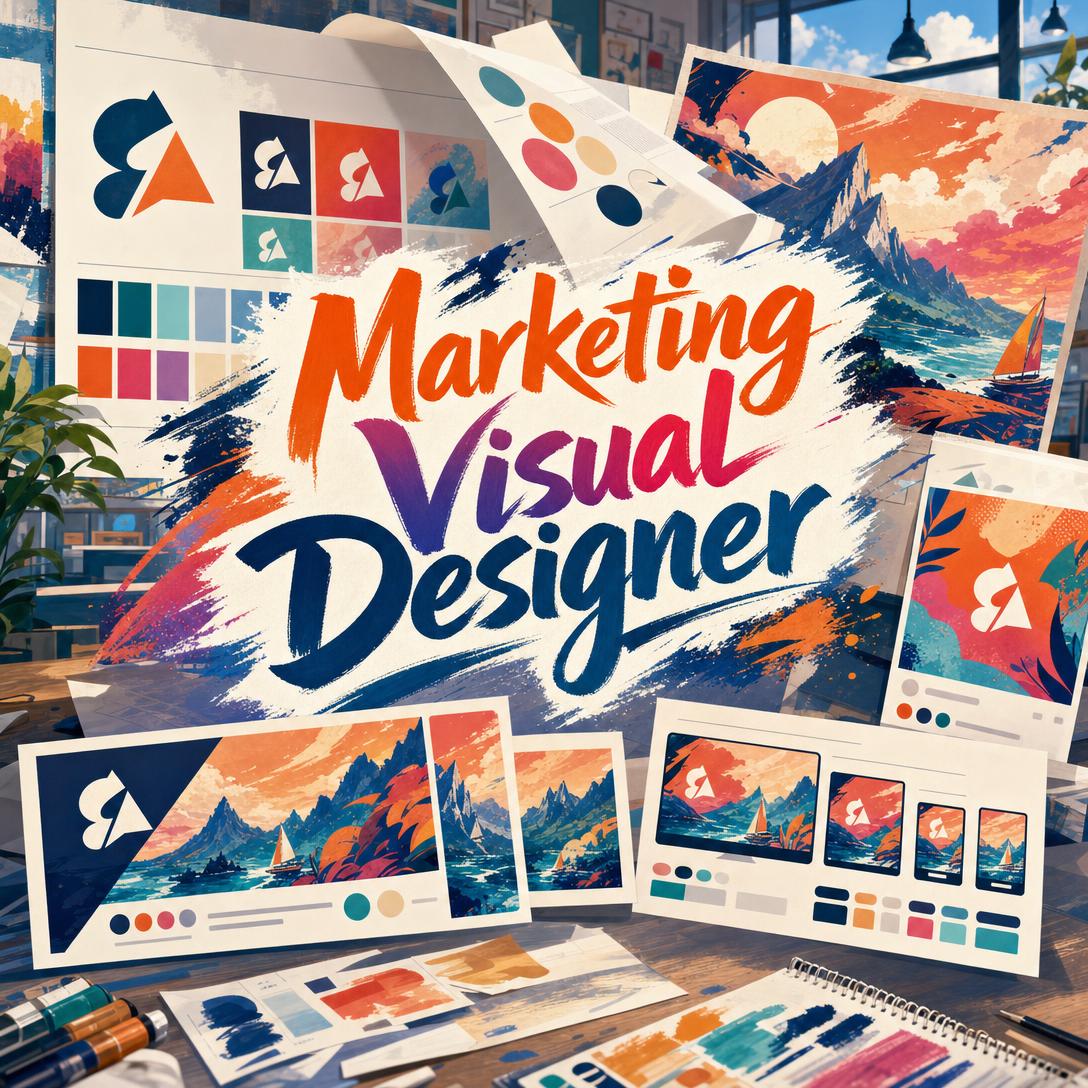
How Do Brand Lock-In and Campaign Architecture Separate Marketing Visual AIs From Image Generators?
The tools that hold up in 2026 are the ones that treat a campaign as a visual system, not a pile of one-off generations. Marketing Visual Designer is strongest when you need a hero image, on-brand derivatives, and funnel-aware variants from one conversation, while Canva is stronger as an editable layout studio, Adobe Firefly as a commercially licensed creative suite, and Midjourney as an art-direction engine.
That distinction matters because most “AI design” products still optimize for a single pretty frame. Marketing work fails when the Instagram crop, the website banner, and the paid ad look like they came from three different brands.
Key factors that separate campaign-ready visual AI from generic image generation:
✅ Brand lock-in — palette, motifs, and typography personality extracted from real assets, then reused ✅ Hero-to-derivative architecture — one anchor visual adapted across ratios instead of regenerating from scratch ✅ Platform-native framing — 4:5 feed, 9:16 stories, 1.91:1 link previews, and safe zones for UI chrome ✅ Funnel-stage intent — awareness imagery is not the same as consideration or conversion creative ✅ Strategic pushback — a useful designer challenges off-brand requests instead of executing them literally
To compare these products fairly, it helps to score them on campaign coherence, not on who can produce the most dramatic sample image.
Why Are Marketing Teams Shifting Budget Toward AI Visual Production in 2026?
Marketing teams are moving visual production into AI because speed, personalization, and cross-channel consistency are now the bottleneck, not access to a single hero photograph. Twenty-two percent of marketers named a shift from text into visual and audio content as their most effective diversification move in 2025, and that pressure has carried into 2026 planning.
Demand on the production side is rising just as fast. iStock’s VisualGPS data found that 44% of people were already using generative AI more often than a year earlier, largely because polished images are now cheap to produce. The catch is quality of system, not quality of pixels.
Cross-channel ideas are 2.5 times more important to campaign success than they were a decade ago, according to Kantar’s LIFT+ analysis. At the same time, only 27% of creator content ties strongly to the brand. That gap — more channels, weaker brand glue — is exactly where generic image generators break down.
Personalization raises the asset count further. Seventy-five percent of consumers are more likely to buy from brands that deliver personalized experiences, which means variants for segments, seasons, and funnel stages rather than one master visual. AI that cannot remember a palette or a hero quickly becomes an expensive mood board.
A net 61% of marketers also plan to increase investment in creator content in 2026. That does not replace designed campaign systems. It makes brand-consistent owned assets more important, because creator work still needs a visual platform to lock to.
What Should You Look for in an AI Marketing Visual Designer?
You should evaluate an AI marketing visual designer on campaign coherence, not on isolated image quality. A useful working model is the Campaign Coherence Stack: six dimensions that predict whether outputs will survive a real launch, not just a screenshot.
1. Brand extraction. Can the system read existing logos, site screenshots, or guidelines and lock a palette, motif set, and positioning before it generates? Tools that skip this step default to category clichés — dark neon for SaaS, marble-and-gold for luxury, lifestyle film grain for CPG.
2. Hero-to-derivative logic. Strong systems establish one anchor visual, then adapt it. Weak systems regenerate a new concept for every size, which is how campaigns fracture.
3. Platform fluency. Instagram still rewards 1080-pixel-wide assets, with 4:5 and 9:16 outperforming square on most mobile feeds. LinkedIn link posts still live near 1.91:1. If the designer cannot hold safe zones for interface chrome, headlines get cropped.
4. Funnel and category judgment. Awareness creative can be atmospheric. Conversion creative needs a clearer product read, less decorative noise, and a hierarchy that survives a two-second scroll.
5. Iteration with rationale. A designer that explains why a crop, color temperature, or composition changed is more usable than one that only returns a new file.
6. Cost per campaign-ready set. Price per image is the wrong unit. Price per coherent set — hero, three ratios, two variants — is the unit that matches how marketers actually ship work.
Examining products through this stack explains a pattern that review roundups often miss. Midjourney can win a beauty contest and still lose a product launch. Canva can win a layout contest and still produce off-strategy imagery. The right question is which layer of the stack you actually need.
How Do Jenova, Canva, Adobe Firefly, Midjourney, and Ideogram Compare for Campaign Work?
Jenova’s Marketing Visual Designer is the most campaign-system-oriented of the conversational options, while Canva leads as an editable template studio, Adobe Firefly as a commercially licensed production suite, Midjourney as a concept-art engine, and Ideogram as a text-in-image specialist. None of them is universally stronger; they win different layers of the Campaign Coherence Stack.
| Feature / Dimension | Canva | Jenova Marketing Visual Designer | Adobe Firefly | Midjourney | Ideogram |
|---|---|---|---|---|---|
| Campaign architecture (hero → derivatives) | Strong on resize and brand kits; weaker as a creative-director workflow | Designed around hero, format derivatives, A/B variants, and support assets | Strong ideation via Boards, then handoff into Photoshop/Express | Excellent exploration; campaign systems are mostly manual | Image-first; limited campaign structure |
| Brand lock-in | Automatic Brand Kit for fonts, colors, and rules | Extracts palette, motifs, and positioning from uploaded materials and keeps them in conversation | Brand and commercial workflows inside Adobe’s suite | Style is prompt-driven; less persistent brand memory | Prompt- and credit-driven; less brand system |
| Platform-native sizing | Excellent templates and resize | Applies feed, story, LinkedIn, YouTube, display, email, and poster ratios in-flow | Strong export into Adobe apps; not a social CMS | User must specify ratios | User must specify ratios |
| Text in image | Mixed; editor can overlay type after generation | Capable, but complex type often needs iteration | Stronger when type is finished in Express/Photoshop | Historically weaker than Ideogram for clean lettering | Stands out for readable text |
| Commercial posture | Allowed, but Canva does not guarantee outputs are cleared for use | Suitable for original campaign imagery; no stock-license wrapper | Adobe positions Firefly models as commercially safe, with Content Credentials | Subscription product; stealth/privacy sits on higher plans | Private generation available on paid tiers |
| Layout / editing canvas | Full editor plus 100 million-plus assets | Image generation and direction, not a drag-and-drop template library | Firefly plus Photoshop, Express, and Premiere | Generation-first | Generation-first |
| Pricing (as of 2026) | Free tier; Pro commonly reported near $144/year](https://www.eesel.ai/blog/canva-ai-pricing) or ~[$15/month | Free with limited usage; paid plans from $20/month | [**Standard $9.99**](https://www.adobe.com/products/firefly/plans.html) / Pro $19.99 / Pro Plus $49.99 per month | Plans are subscriptions; published annual price of $96; stealth often tied to higher tiers | **Free to about $42/month**](https://checkthat.ai/brands/ideogram/pricing); private images cited at [$16/month |
| Best for | Teams that need editable layouts, brand kits, and volume across social | Marketers who want a creative director that keeps a campaign visually coherent | Teams already in Adobe, or who need licensed generative production | Art direction, mood, and stylized concept development | Creatives whose main pain is clean type inside the image |
Canva
Canva’s advantage is the editor, not the prompt. Canva AI 2.0 can start from conversation, apply brand fonts and colors, and keep the user inside a layout they can still click-edit. Magic Design remains a fast path from a brief to a template-shaped draft, and OpenAI has reported that Canva’s Magic Studio has been used 5 billion times.
The limitation is strategic depth and rights clarity. Canva states that users may not have exclusive rights to AI-generated designs and that it does not guarantee outputs are cleared for commercial use where they resemble existing works. It is an outstanding production surface. It is not a campaign creative director.
Jenova Marketing Visual Designer
Examining the agent’s workflow shows a different job to be done: raise the quality of the brief, lock a visual language, then generate a system. It proposes directions when the brief is vague, reads uploaded brand materials before inventing a look, and treats later assets as derivatives of an approved hero rather than unrelated one-offs.
That is a genuine limitation as well as a strength. It does not replace Canva’s template library, does not export video, animation, or vectors, and it will not match Adobe’s licensed-model plus Photoshop pipeline. Complex typography and strict character consistency across large sets still need iteration. Usage is also capped on the free tier, with Plus starting at $20/month for 30× free usage.
Adobe Firefly
Firefly is the production-suite answer. Adobe’s own models are positioned as commercially safer than open image models, outputs can carry Content Credentials, and the same workspace can reach partner models from Google, OpenAI, Kling, and others. Firefly Pro at $19.99/month bundles 4,000 credits with Photoshop on web and mobile plus Express Premium.
The trade-off is weight and credit math. Firefly is strongest for teams already living in Creative Cloud. Non-designers who only need a coherent social set may be paying for a pipeline they will not use. Credit consumption also makes “just generate 40 variants” more expensive than it looks on the sticker price.
Midjourney
Midjourney remains the tool people open when they want taste, atmosphere, and unexpected direction. Practitioners still describe it as the better choice when visual exploration and art direction are the main job. Subscription billing is straightforward; Midjourney’s plan comparison lists an annual price of $96 on at least one published tier.
It is a weaker marketing operating system. Platform specs, funnel logic, and brand extraction are not the product. Privacy also costs more: one 2026 comparison notes that stealth-style private generation is associated with Midjourney’s $60/month Pro plan, which is a steep jump if all you needed was a product-launch set.
Ideogram
Ideogram is the specialist you reach for when the headline has to live in the image. Independent tests repeatedly flag clear, readable text as the product’s edge. Pricing is comparatively approachable: a 2026 review lists a free plan at 10 slow credits per day with public outputs, a Basic plan at $8/month for 400 priority credits, and private generation cited at [$16/month](https://pxz.ai/blog/ideogram-vs-midjourney-2026).
The limitation is the same as most generators: it will not run brand discovery, argue about funnel fit, or keep a six-asset campaign on one visual language unless you do that work in the prompt every time.
How Does a Hero-to-Derivative Asset System Improve Multi-Channel Campaigns?
A hero-to-derivative system improves multi-channel campaigns by making consistency the default and regeneration the exception. Instead of prompting “Instagram post,” then “story,” then “LinkedIn banner” as unrelated jobs, you lock one anchor image that defines light, palette, motif, and composition, then adapt it.
The hierarchy that holds up in practice looks like this:
- Hero — the campaign’s visual thesis. This is the image that would still make sense as a homepage billboard.
- Format derivatives — the same concept cropped or recomposed for 1:1, 4:5, 9:16, 1.91:1, 16:9, 21:9, and print ratios.
- Variants — A/B swaps of headline emphasis, audience cue, or seasonal prop, not a new art direction.
- Support assets — patterns, textures, icons, and background fields that extend the system without competing with the hero.
Kantar’s finding that coherent, cross-channel ideas are 2.5× more important than a decade ago is the research version of this workflow. The expensive failure mode is not an ugly image. It is four handsome images that do not recognize each other in a media mix.
Jenova’s Marketing Visual Designer is built around that sequence. In practice, it will often ask to establish the hero before grinding out sizes, then reuse the locked palette and motifs so a story crop does not quietly drift into a different color world. Canva reaches a similar end-state through Brand Kit plus resize, which is faster when the layout is the product. Midjourney and Ideogram can imitate the hierarchy only if a human enforces it.
The honest limit: derivatives are not a substitute for channel strategy. A 9:16 adaptation of a cinematic hero can still be the wrong asset if the channel needs UGC-style proof. Architecture keeps the family together. It does not choose the family.
Which Aspect Ratios and Safe Zones Matter Most for Instagram, LinkedIn, and YouTube?
The ratios that matter most in 2026 are 4:5 and 9:16 for mobile feeds and stories, 1.91:1 for Facebook and LinkedIn link posts, and 16:9 for YouTube thumbnails and X landscape posts. Getting this wrong is still one of the fastest ways to waste a strong image.
Hootsuite’s 2026 size guide is blunt: most networks still want a 1080-pixel width, and vertical 4:5 and 9:16 now outperform square on mobile-first platforms. Practical working sizes:
- Instagram feed: 1080×1080 (1:1) for grid safety; 1080×1350 (4:5) for maximum feed height
- Instagram Stories and Reels: 1080×1920 (9:16), with roughly 14% of the top and 20% of the bottom kept clear of logos and headlines
- Facebook feed: 1080×566 (1.91:1) landscape or 1080×1350-class vertical
- LinkedIn: about 1200×627 for link previews and 1200×1200 for square feed images
- YouTube thumbnail / X landscape: 16:9, with high contrast and large type
- Website hero / email header: 21:9 or 3:1, because above-the-fold banners punish square compositions
A marketing visual designer earns its keep here by applying those constraints before generation, not after a failed export. Jenova bakes common marketing ratios into the request. Canva does it with templates. Firefly typically finishes the last mile in Express or Photoshop. Midjourney and Ideogram will produce whatever ratio you remember to ask for.
Safe zones are the unglamorous half of the problem. Story UI, profile badges, and CTA bars crop the very places amateurs put logos. If your designer cannot leave those bands quiet, you will rebuild the asset in another tool anyway.
How Do You Brief an AI Visual Designer So Campaign Assets Stay On-Brand?
You get on-brand campaign assets by briefing the system the way you would brief an agency: goal, audience, channels, brand evidence, and constraints — then approving a direction before volume production. Prompting “make it pop” is how campaigns drift.
For Jenova’s Marketing Visual Designer, a tight setup looks like this:
- Open the agent at jenova.ai/a/marketing-visual-designer.
- Upload existing brand materials (site screenshot, packaging, prior ads, or a one-page guideline).
- State the business job, not just the format:
"Launch campaign for a mid-market B2B analytics product aimed at CTOs. Channels: LinkedIn feed, website hero, and Google Display. We need to look precise and trustworthy, not dark-mode neon. Please propose two visual directions before generating, then lock a hero."
- Approve palette, mood, and hero.
- Only then request derivatives: 1.91:1, 1:1, 9:16, plus one more conservative variant for retargeting.
If the user is a founder rather than a designer, a more guided brief still works:
"We’re a small skincare brand. Audience is women 25–40. Instagram plus a site banner. Warm, natural, no clinical lab. Here’s our current product photo and our site. Extract the brand, then give me a hero and the crops we actually need."
For Canva, the equivalent path is Brand Kit first, then Magic Design or Canva AI, then manual type cleanup in the editor. That is the better sequence when the deliverable is a multi-element layout (event flyer, carousel with eight text frames, sales one-pager) rather than a photographic campaign system.
Two briefing rules transfer across every tool. First, specify what you refuse: “no stock handshake, no lens flare, no fake UI.” Second, separate art direction from copy hierarchy. If the headline must be readable at thumbnail size, say so, or the model will spend its detail budget on background texture.
Upstream of any of this, a Marketing Strategist is the better place to settle channel mix and funnel stage so the visual brief is not guessing at the job. If the brand still has no palette or type system, a Brand Kit Generator is the more logical first stop than jumping straight into campaign imagery.
What Do Creative Directors Say About Using AI for Marketing Visuals?
Creative directors who use AI well treat it as a system for locking taste under time pressure, not as a slot machine for novelty. The teams that get burned are usually the ones generating faster than they can remember what they already approved.
"The failure mode in 2026 is not ugly images. It is campaign drift. A team generates one excellent hero, then spends the next week producing derivatives that quietly change the light, the crop logic, and the color temperature until the media mix looks like four vendors. Tools that cannot extract a brand and keep a hero as the consistency anchor recreate the old agency problem of 'too many cooks,' just faster."
"Kantar’s point that only about a quarter of creator content ties strongly to brand is the same problem in a different costume. If owned campaign assets are also loosely related, you have no platform for creators to lock to. That is why we designed around brand discovery and hero-to-derivative production rather than around a single spectacular render."
"The other thing practitioners underestimate is anti-default taste. Category-matching is how you become invisible: every fintech in dark mode, every wellness brand in beige linen, every SaaS product as flat vector people. A useful AI designer should argue for at least one direction the brief did not already imagine, then still be disciplined enough to stay there once you pick it."
— Jenova Product Team, visual-systems design for marketing agents, 8 years in AI agent design
That view lines up with the broader 2026 brief from research firms: 74% of AI-assistant users already seek AI-driven recommendations, which means brand assets have to be coherent enough to be recognized by people and by machines summarizing the brand. Pretty and inconsistent loses both audiences.
When Is a Specialized Ad Creative Tool a Better Fit Than a Campaign Visual Designer?
A specialized ad creative tool is the better fit when the job is performance variation on a known product, not the invention of a campaign’s visual language. If you already have a hero, a brand kit, and a media plan, you may need format templates, copy-in-frame compositions, and batch variants more than another round of art direction.
That is the lane of a Digital Ad Designer, which is built to turn a product into scroll-stopping, conversion-oriented creatives across major ad platforms. Meta-specific work — catalog-style product shots into feed and story ads with rigid template logic — is even narrower. A campaign visual designer that wants to debate photography style first will feel slow in that context.
Use a campaign visual designer when any of these are true:
- You do not yet have a hero or a locked visual language
- Assets must feel like one family across organic, web, email, and paid
- The brief is strategic (“we need to look more premium without looking cold”) rather than operational (“make 15 SKU ads at 1:1 and 4:5”)
- Someone needs to challenge a request that would damage the brand
Use a specialized ad tool, Canva’s editor, or Firefly-plus-Express when any of these are true:
- The brand system is already approved
- The bottleneck is layout, type overlay, or volume resizing
- You need video, animation, or licensed generative production Adobe already wraps
- Legal wants Content Credentials and a commercially positioned model card
Midjourney still has a role at the far front of that funnel: taste exploration before anything is locked. Ideogram still has a role when the frame is the headline. The mistake is asking one of those generators to be the campaign’s memory.
Jenova’s own ceiling should be part of that decision. It will not schedule weekly social sets, monitor competitor visuals, or export motion. It also will not match Canva’s collaborative editing canvas. For marketers who need a senior visual partner that keeps a launch coherent — and who are willing to finish complex type or layout in an editor when needed — that is a fair trade. For teams whose real problem is “resize this approved master 40 times,” it is the wrong layer of the stack.
References
- HubSpot — 2026 Marketing Statistics, including 2025 visual/audio diversification data
- Yahoo Finance / iStock — VisualGPS generative AI usage findings
- Kantar — Marketing Trends 2026 on creator content, cross-channel ideas, and AI recommendations
- IE University — 2026 digital marketing trends and personalization purchase intent
- Canva — Canva AI 2.0 product capabilities, brand controls, and commercial-use caveats
- OpenAI — Canva Magic Studio usage and template library scale
- eesel AI — Canva Pro pricing reported for 2026
- AI Worth It — Canva AI review with monthly and annual Pro price points
- Adobe Firefly — Generative AI studio features, commercially safe models, and Content Credentials
- Adobe Firefly — Official plan comparison and generative credit pricing
- Midjourney — Official plan comparison and subscription pricing
- PXZ AI — Ideogram vs Midjourney 2026 on private generation pricing
- Cabina.AI — Ideogram vs Midjourney comparison on in-image text quality
- CheckThat.ai — Ideogram pricing range and plan structure
- The Texture Queen — Ideogram subscription review, free-tier credits, and Basic plan
- Raquel Hunter — ChatGPT vs Midjourney vs Ideogram on art-direction use cases
- Hootsuite — 2026 social media image sizes, aspect ratios, and safe-zone guidance