AI Map Maker: Fantasy World Maps, Dungeons, City Plans & More
2026-10-06
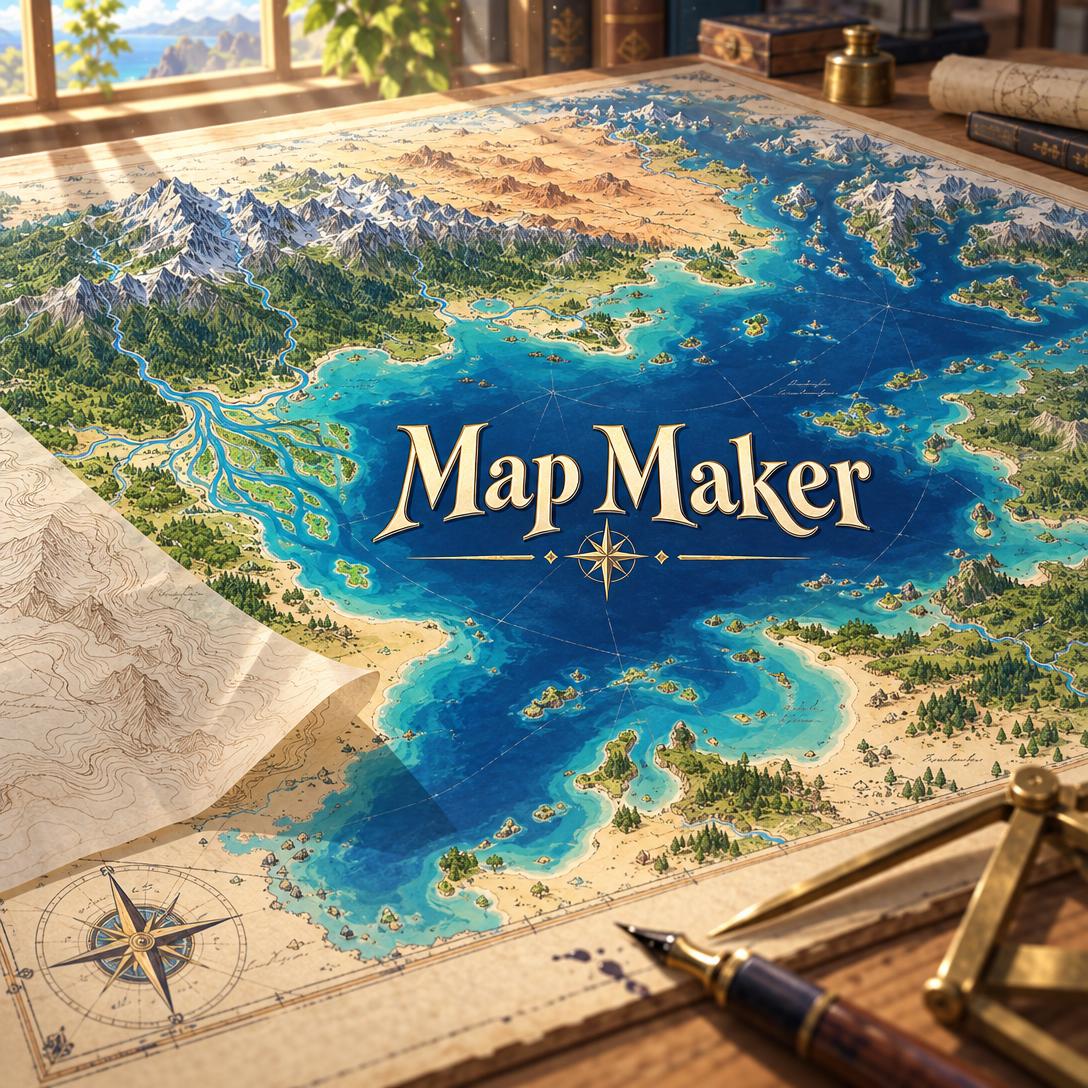
Map Maker helps you create finished, usable maps by combining an expert cartographer's geographic reasoning with AI illustration. It covers world maps, kingdom maps, dungeons, city plans, and nautical charts. Most map tools leave you to work out terrain logic yourself. This AI applies it by default: rivers flow downhill, mountain ranges form believable belts, and settlements sit near water. The result is a map that holds up when players or readers look closely.
- ✅ Every scale and style: Continents, regions, towns, dungeons, transit diagrams, treasure maps, sci-fi planets, and floor plans
- ✅ Geography that makes sense: Hydrology, rain shadows, biome transitions, and settlement logic applied automatically
- ✅ Consistent across scales: A city shown on your world map stays in the same place on your regional map
- ✅ Fast from first prompt: A map type and a subject are enough to start generating
A good fantasy or reference map does two jobs. It has to look right, and it has to be internally consistent. Most people who need maps are not trained cartographers. They include game masters, novelists, game designers, teachers, and hobbyist worldbuilders. To see why that gap matters, it helps to look at what actually makes mapmaking hard.
Quick Answer: What Is Map Maker?
Map Maker is an AI cartographer that designs geographically plausible maps at any scale, from fantasy continents to dungeon layouts, so worldbuilders get functional and attractive maps in minutes. It works like a senior cartographer who is also a worldbuilder. Every terrain choice, label, and style decision supports the map's purpose.
Key capabilities:
- Generates world, regional, city, dungeon, nautical, historical, treasure, transit, sci-fi, and floor-plan maps
- Applies real geographic logic to rivers, coastlines, climate, mountains, and settlements
- Matches visual styles such as classic ink fantasy, antique engraving, watercolor, isometric, minimalist, and pixel art
- Critiques your own maps and iterates on generated ones without disturbing approved geography
The Creative Challenges of Making a Map That Works
Demand for maps keeps growing. Tabletop games, interactive fiction, and novel worldbuilding all depend on them, and the hobby market around these games is large and expanding.
**$16.4 billion**: [Estimated global board games market size in 2025, forecast to reach $39.3 billion](https://www.usdanalytics.com/industry-reports/board-games-market)
Maps are also central to how we understand real places. Professional cartography is an established discipline with its own design canon.
$19.1 billion: Estimated size of the digital map market in 2021
Many writers start worldbuilding by sketching a map. Forums such as Mythic Scribes regularly discuss whether to draw the map first. Communities like
are full of creators asking for feedback on clutter and readability.But producing a map that is both attractive and coherent is harder than it looks:
- Design principles are easy to break. The British Cartographic Society's principles include "Hierarchy with Harmony" and "Simplicity from Sacrifice." As summarized in this cartographic design guide, important features must stand out while less important ones fade back. Most amateur maps either crowd everything together or leave awkward empty space.
- Geographic errors undermine immersion. Rivers that fork inland, deserts next to rainforests, and mountains scattered at random are all common. They stand out to anyone who knows how landscapes form.
- Dedicated tools take time to learn. Many creators recommend editors like Inkarnate, Wonderdraft, and DungeonDraft for precise results, with general chatbots used mainly as a creative sounding board. These editors are capable, but you still have to supply all the geographic reasoning yourself.
- General AI image tools struggle with map text. Research on TextDiffuser notes that diffusion models "currently struggle with rendering accurate and coherent text." They fail most often with small characters and long text, which is exactly what dense map labels require.
AI has begun to influence mapping practice among working artists. Researchers are also formally assessing large models' capabilities in cartographic design. However, a general-purpose image generator does not know that lakes should have only one outflow. This is the gap Map Maker was built to fill.
How Map Maker Works
Map Maker aims to get you a usable map quickly. It adds the geographic reasoning a professional would bring. Here is the path from first message to finished map.
Step 1: Describe the Map and Its Purpose
Tell it what kind of map you need and what it is for. A map type and a subject are enough to start. If you only say "I need a map," it will ask one question about type and purpose, then begin.
"Fantasy kingdom map with three cities along a river, mountains to the north, and a coastline to the south, for a D&D campaign"
Step 2: Let It Fill the Gaps With Plausible Geography
Map Maker treats missing details as design opportunities. In the example above, it would start the river in the northern highlands and run it south to the sea, ending in a delta. It would place the cities at confluences or natural harbors. It would also use the mountains' rain shadow to vary the biomes. If you don't specify a style, it chooses one that fits your genre, audience, and use, and it defaults to a 4:3 landscape format you can change.
"A weathered treasure map of a jungle island, with a hidden cove and a ruined temple"
Step 3: Review the Map and the Reasoning Behind It
Each map comes with brief design notes explaining its key choices. These might cover why the capital sits where it does, why the western plains turn to scrubland, or why the main road follows the river valley rather than crossing the ridge. The notes help you build worldbuilding knowledge and give you clear options for revision.
Step 4: Refine Without Starting Over
Once you approve a direction, iteration is targeted. Ask for a forest and you get a forest; the continent is not reorganized. If you need many precise labels, Map Maker can produce a label-free version. You can then add text in Canva, Figma, or a dedicated map editor. You can also switch between image generation models using the "App" button beneath the chat input. Some models handle linework and fine detail better than others.
"Add a dense forest between the two eastern cities and make the border with the southern kingdom follow the river"
Step 5: Expand Into a Connected World
For larger projects, Map Maker establishes style direction, naming conventions, and geographic rules early. It then produces related maps at different scales, such as a continent, a region, and a capital city, and keeps them consistent with each other. If you are also writing the story that takes place in this world, Creative Fiction Writer can help develop the cultures and histories your map implies.
Map Maker is free to try on Jenova's free tier, so you can test it on your next project before committing.
Creative Showcase: What You Can Build
🐉 A Session Zero Continent for a New Campaign
Scenario: A game master needs a continent map before the first session. It should include a volcanic archipelago, a frozen north, and three rival civilizations.
Traditional Approach: An evening or more placing mountain and forest stamps in a dedicated editor, or commissioning a freelance cartographer and waiting for delivery.
Map Maker: This AI cartographer produces a continent with a tectonically plausible mountain spine and rain-shadow deserts. Trade routes link resource regions to coastal markets.
- Fortress placement suggests where conflicts happen
- Uncharted blank areas leave room for exploration hooks
- The same world can later be shown at regional and city scale
🏰 A Grid-Ready Dungeon Battle Map
Scenario: A three-level crypt beneath a ruined abbey, with a flooded lower chamber and a collapsed bell tower entrance.
Traditional Approach: Graph paper sketches for planning, then a separate pass in a battle-map tool to make something presentable for players.
Map Maker: Produces a 1:1 dungeon layout focused on tactical clarity. It shows rooms, corridors, doors, elevation changes, and a square grid for combat.
- Clear room and corridor layout for planning encounters
- Optional label-free output for VTT-style annotation
- Style can match your campaign, such as gothic, parchment, or clean schematic
To keep the crypt in play once the session starts, Roleplay Game Master can run the adventure with persistent memory of its rooms and characters.
📖 A Frontispiece Map for a Fantasy Novel
Scenario: An author needs a black-and-white interior map in 3:4 portrait for the front of a manuscript.
Traditional Approach: Hiring an illustrator, often after drafts are already locked, and finding plot problems when distances on the map don't match the story.
Map Maker: Produces a classic pen-and-ink map with side-profile mountains, clustered tree symbols, and calligraphic labels.
- Short place names render more reliably
- Geographic logic exposes travel-time contradictions early
- Easy to revise as the manuscript changes
📱 Fixing a Hand-Drawn Sketch on Your Phone
Scenario: Between classes, a worldbuilder photographs a notebook sketch and uploads it from their phone.
Traditional Approach: Posting to a forum and waiting days for feedback, then redrawing by hand.
Map Maker: Reviews the sketch in priority order: geographic plausibility first, then visual hierarchy, style consistency, and polish. It explains what works and which issues to fix, then offers a cleaned-up version.
- Works on iOS, Android, and web with full feature parity
- Feedback leads with strengths before pointing out issues
- Settings and history sync across devices
⚓ A Historical or Nautical Chart
Scenario: A teacher wants a period-style chart of a historic harbor for a lesson on maritime trade.
Traditional Approach: Searching archives for a usable public-domain image that rarely fits the lesson's focus.
Map Maker: Researches the real geography and the relevant cartographic tradition first. It then produces a chart with suitable conventions, such as compass roses, rhumb lines, depth markings, and engraved line work.
- Real-world maps are based on research rather than guesswork
- Antique, portolan, or Age-of-Exploration styling on request
Frequently Asked Questions
Is Map Maker free to use?
Yes. Map Maker is available on Jenova's Free tier, which includes all core features with limited usage. Paid plans start at $20 per month for Plus, with 30× the free usage, custom model selection, and no watermarks. Higher tiers raise limits further. Usage resets monthly on your billing date, and there are no daily caps, so you can do a full worldbuilding session in one sitting.
Can an AI map maker render accurate place names?
Partially. Image models are most reliable with short, bold labels of one to four words. Research on diffusion-based text rendering documents failures with small characters and long text. Map Maker works around this by keeping place names short. For maps that need many precise labels, it offers label-free versions you can annotate in Canva, Figma, or a dedicated map editor.
How is Map Maker different from a general AI image generator?
A general image generator produces images that look like maps. Map Maker produces maps that follow geographic logic. Rivers merge downstream rather than splitting inland, mountains form belts, biomes change gradually, and settlements cluster near water. It also handles multi-scale consistency, critiques your own maps, and makes targeted edits without regenerating features you have already approved.
Can Map Maker create real-world and historical maps?
Yes. For real places, it researches the actual geography and historical context before generating, and it uses suitable cartographic conventions. These are illustrated maps, not navigation data. Real-world location data changes constantly; one mapping industry leader estimates about 25% of places data changes every year. Use dedicated GIS or GPS tools for navigation or spatial analysis.
Does Map Maker work on mobile?
Yes. Map Maker has full feature parity across web, iOS, and Android, and settings sync across devices. You can photograph a hand-drawn sketch on your phone for critique and then continue refining the map on desktop. Built-in speech-to-text also lets you describe terrain, cities, and coastlines out loud instead of typing.
Can Map Maker help design maps for a video game?
Yes. It can produce world, regional, and dungeon maps in styles from isometric to pixel art, useful for pitch documents and early level planning. For the systems behind the map, such as progression, economy, and level flow, Game Designer Assistant complements it well. When you're ready to visualize your world, try Map Maker for the cartography itself.
Conclusion: Maps Your Players and Readers Can Believe
Making a good map used to mean learning a specialized editor, studying cartographic principles, or paying for a commission. It also meant catching geographic mistakes yourself. Map Maker combines design skill with geographic reasoning in one AI map maker. It gives game masters, novelists, designers, and educators fantasy world maps, dungeon layouts, city plans, and historical charts that look polished and stay internally consistent.
Whether you're preparing a campaign, illustrating a manuscript, or building a world across a dozen connected maps, you can now start with the geography and focus on the story. Start mapping with Map Maker now. Explore more at Jenova.
For Developers: Map Maker is available programmatically via the Jenova API. You can integrate geographically consistent map design into your game, publishing, or worldbuilding application with a single API call. Full documentation →