AI Image Enhancer: Best AI Tools to Enhance Photo Quality (April 2026)
2026-04-05
AI image enhancement in April 2026 is a **$2.83 billion market**, growing at a 15.7% CAGR from $2.45 billion in 2025 and projected to reach $5.03 billion by 2030** ([Research and Markets](https://www.researchandmarkets.com/reports/6226384/ai-image-enhancer-market-report)). The broader AI image upscaler market is even larger — estimated at **$6.32 billion in 2025 and projected to reach $44.7 billion by 2033 at a 27.8% CAGR (Grand View Research). From upscaling low-resolution smartphone photos to restoring faded family portraits, reducing noise in low-light shots, and sharpening product images for eCommerce, AI image enhancers have become essential infrastructure for anyone producing visual content at scale.
But the market's explosive growth has created its own problem: too many tools, too little control. Most AI image enhancers offer a single "enhance" button that applies the same algorithm to every image — a portrait gets the same treatment as a product shot, a landscape gets the same noise reduction as a nighttime cityscape. The result is often images that are technically "enhanced" but perceptually wrong.
Jenova's Photo Editor takes a fundamentally different approach: a specialized AI agent that understands what kind of image you're enhancing and applies domain-specific intelligence — not generic filters — through natural language conversation, powered by models from OpenAI, Anthropic, Google, and more.
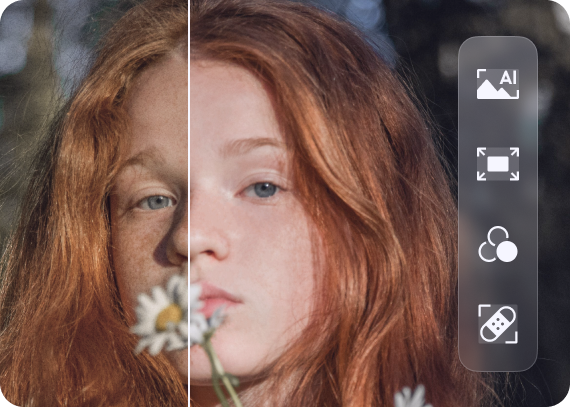
Quick Answer: What Is an AI Image Enhancer?
An AI image enhancer is software that uses machine learning to automatically improve image quality — increasing resolution, reducing noise, correcting color, restoring detail, and optimizing lighting — while preserving the natural look of the original photograph.
- Resolution upscaling: Enlarge photos 2x–8x without pixelation — Photo Editor
- Noise reduction: Remove grain from low-light and high-ISO photos while preserving detail
- Color & lighting correction: Fix white balance, exposure, and dynamic range automatically
- Detail restoration: Recover texture, sharpness, and fine detail in compressed or degraded images
The Problem: Why Most AI Image Enhancers Fall Short in 2026
The AI image enhancer market is booming, but growth hasn't solved the core quality and workflow problems that users actually face.
🎭 The Hallucination vs. Fidelity Dilemma
The most critical distinction in AI image enhancement is hallucination vs. fidelity. Fidelity-first tools try to be faithful to the original pixels — essential for product photos, portraits, and text. Generative "hallucination" tools invent new details based on what the AI thinks should be there — great for creative art, but dangerous for photography where accuracy matters (LetsEnhance).
Most one-click enhancers don't let you choose. They apply a single approach to every image, which means a product photo that needs color accuracy gets the same generative treatment as an AI art piece that benefits from creative detail injection. The result: product photos with invented textures, portraits with altered facial features, and landscapes with flattened dynamic range.
⚙️ One-Click Tools Lack Meaningful Control
Noise reduction & image denoising was the largest functional segment of the AI image upscaler market in 2025, accounting for 36.6% of revenue (Grand View Research).
Yet most consumer-facing enhancers offer no control over how noise reduction is applied. A tool that aggressively denoises a portrait may destroy natural skin texture — the "plastic skin" effect that professional photographers universally reject. A tool that conservatively denoises a product photo may leave visible grain that undermines perceived quality. Without the ability to specify intent, users are at the mercy of whatever the algorithm decides.
💸 Tool Sprawl and Hidden Costs Add Up
The AI image enhancer landscape in 2026 is fragmented across dozens of specialized tools: Topaz Gigapixel for desktop upscaling ($99 one-time), Remini for mobile face enhancement ($4.99/week), LetsEnhance for web-based processing ($9/month), Magnific AI for creative upscaling (~$39/month) (LetsEnhance; Curious Refuge). A professional workflow that needs upscaling, denoising, color correction, and face enhancement may require three or four separate subscriptions — plus the time cost of moving files between platforms and learning each interface.
🔄 Iterative Workflows Are Replacing One-Click Enhancement
In 2026, the winning approach is no longer "one prompt, one perfect image." It's iterative creation: generate base concepts, refine composition, edit specific regions, upscale and adapt for channels (AI Photo Generator).
Creators are using AI image tools more like design systems and less like slot machines. But most enhancers don't support iteration — you upload, click enhance, and either accept the result or start over. There's no way to say "the noise reduction is good but the skin looks too smooth" or "sharpen the foreground but leave the background soft."
This is exactly what Photo Editor was built for — a single specialized AI agent that handles every dimension of image enhancement through conversation, with the domain expertise to treat each image type appropriately and the iterative workflow that professionals demand.
Why Photo Editor
While tools like Adobe Photoshop offer deep manual controls and Topaz Gigapixel excels at desktop upscaling for photographers with technical expertise (Curious Refuge), both require you to be the expert — knowing which adjustment to make, which model to select, and how to evaluate the result. One-click enhancers go the opposite direction: they remove all control, applying the same algorithm to every image.
Jenova's Photo Editor occupies the space between these extremes: you direct the enhancement in plain language, and the agent applies domain-specific expertise automatically. It understands that portrait enhancement requires preserving natural skin texture variation, that product photos demand color accuracy above all else, and that landscape enhancement should maintain — not flatten — dynamic range.
| Challenge | One-Click Enhancers | Photo Editor |
|---|---|---|
| Portrait enhancement | Uniform sharpening → plastic skin | Region-specific enhancement preserving natural texture |
| Low-light noise reduction | Amplifies noise alongside detail | Distinguishes signal from noise using learned priors |
| Product photo color accuracy | Applies unwanted color shifts | Preserves brand colors while enhancing clarity |
| Resolution upscaling | Stretches pixels, adds blur | Reconstructs detail and texture intelligently |
| Creative control | None — take it or leave it | Conversational iteration until you're satisfied |
| Consistency across batches | Varies wildly by image | Persistent memory maintains your style preferences |
Conversational Enhancement
Instead of clicking a button and hoping for the best, you describe exactly what you want — and what you want preserved:
"Upscale this photo to 4K resolution. Preserve the natural film grain — it's a 35mm scan and I want to keep that aesthetic. Sharpen the subject but leave the background soft."
"Reduce the noise in this low-light restaurant photo. Keep the warm ambient lighting — don't flatten the shadows or make it look like daylight."
"Enhance this product photo — correct the slight blue cast from the fluorescent lighting, sharpen the texture of the fabric, and make the white background truly white for Amazon compliance."
Multi-Model Architecture
The Photo Editor can leverage GPT-5.4 (OpenAI), Claude Opus 4.6 (Anthropic), Gemini 3.1 Pro Preview (Google), plus models from xAI and DeepSeek — all from one interface. Different models produce different enhancement aesthetics. You can switch between them to find the optimal output for your specific image, rather than being locked into a single AI model's interpretation of "better."
Persistent Memory for Consistency
The most advanced AI enhancement tools in 2026 learn your specific style. Jenova's Photo Editor remembers your enhancement preferences — sharpening intensity, color grading approach, noise reduction level — across sessions. Your hundredth enhancement is faster and more consistent than your first. For brands processing thousands of images, this consistency is the difference between a cohesive visual identity and a patchwork of inconsistent edits.
Related Agents You'll Also Like
Real Estate Image Editor
For real estate professionals who need listing photos enhanced beyond basic correction — virtual staging, sky replacement, and twilight conversions.
- Virtual staging in 8+ design styles with matched lighting and accurate furniture scale
- Sky replacement that transforms overcast listing photos into golden-hour shots
- MLS-ready output meeting platform specifications for resolution and format
Fashion Mockup Studio
For eCommerce brands that need enhanced product photography at scale — photorealistic on-model shots from garment photos or descriptions.
- Market-specific model archetypes for Western, Korean, Japanese, Chinese, and Middle Eastern audiences
- Studio-grade output without the studio — consistent brand identity across entire catalogs
- Color accuracy that reduces the product returns caused by photos that don't match reality
Graphic Designer
For marketers who need enhanced visuals integrated into branded assets — social media graphics, infographics, and campaign imagery.
- Social media assets optimized for Instagram, LinkedIn, TikTok dimensions
- Brand-consistent design with persistent memory for colors, fonts, and style guidelines
- Print-ready materials including brochures, flyers, and presentation graphics
How It Works
Here's how to go from a mediocre photo to a professionally enhanced image using Jenova's Photo Editor:
1. Open the Photo Editor agent. Navigate to Photo Editor from Jenova's agent gallery or search for it using the search icon.
2. Upload your photo and describe the enhancement you need. Drag and drop your image into the chat. Be specific about what you want improved — and what you want preserved:
"This is a portrait from a wedding reception. The lighting is too warm and there's visible noise from the high ISO. Correct the white balance to neutral, reduce the noise while keeping skin texture natural, and brighten the eyes slightly."
3. Review and iterate through conversation. The agent delivers your enhanced image. Want adjustments? Just say so:
"The noise reduction is great, but the skin looks a bit too smooth on the forehead. Can you bring back some of the natural pore texture there? And the eyes could be just a touch brighter."
4. Try different AI models for different results. Switch between GPT-5.4, Claude Opus 4.6, Gemini 3.1 Pro Preview, or other available models using the model selector. Each model may produce a subtly different enhancement aesthetic — compare outputs to find your preferred result.
5. Download in your preferred format. Export your enhanced image directly — ready for social media, print, your website, or client delivery.
6. Let persistent memory learn your style. Over time, Jenova remembers your enhancement preferences. When you upload your next photo, the agent already understands your preferred noise reduction intensity, color temperature, sharpening approach, and overall aesthetic.
Results & Use Cases
📸 Wedding & Event Photography
Scenario: A wedding photographer shot 500 reception photos at ISO 6400 under mixed tungsten and LED lighting. Every image needs noise reduction, white balance correction, and exposure normalization — by Monday.
Traditional Approach: Batch process in Lightroom with a generic noise reduction preset (results vary wildly by image), then manually adjust the worst ones. Total: 8–15 hours.
Jenova Solution: Upload photos to the Photo Editor and describe your enhancement style once. The agent applies intelligent noise reduction that preserves skin texture, corrects mixed lighting per-image, and normalizes exposure — with consistent results across the entire gallery. Persistent memory ensures every photo matches your style.
💼 eCommerce Product Enhancement
Scenario: An online retailer needs 200 product photos enhanced for a new collection launch — color accuracy is critical because mismatched photos drive returns and erode customer trust.
Traditional Approach: Outsource to an enhancement service at $0.50–$3/image with 24–48 hour turnaround. At 200 images, that's $100–$600 per batch plus waiting time.
Jenova Solution: Upload product photos to the Photo Editor with instructions to preserve exact brand colors while enhancing sharpness and cleaning backgrounds. For on-model lifestyle shots, hand off to the Fashion Mockup Studio to generate studio-grade product photography without a physical shoot.
📱 Social Media Content at Scale
Scenario: A content creator posts daily across Instagram, TikTok, and LinkedIn — each platform requiring different dimensions, color profiles, and enhancement levels. Phone photos need to look professional without looking over-processed.
Traditional Approach: 15–30 minutes per image in a mobile editing app, with inconsistent results across platforms and the constant risk of the "too filtered" look audiences now reject.
Jenova Solution: Upload phone photos to the Photo Editor with instructions like "Enhance this for Instagram — subtle sharpening, slightly warmer tones, keep it looking natural and authentic. No plastic skin, no HDR look." The 2026 trend is clear: creators are using AI image tools more like design systems and less like slot machines — iterative, intentional, and measurable (AI Photo Generator).
🏠 Real Estate Listing Photos
Scenario: A real estate agent photographs properties with a smartphone and needs each listing photo enhanced — sky replacement on overcast days, lighting correction for dark interiors, and color accuracy for finishes and materials.
Traditional Approach: Outsource to a real estate photo editing service at $5–$15/image, 24-hour turnaround.
Jenova Solution: Use the Photo Editor for color correction, exposure balancing, and detail enhancement. For virtual staging and sky replacement, hand off to the Real Estate Image Editor for MLS-ready output with matched lighting and accurate furniture scale.
🖼️ Old Photo Restoration
Scenario: A family wants to restore 20 faded, scratched, and discolored photos from the 1960s — preserving the original subjects while removing damage and improving clarity.
Traditional Approach: Professional photo restoration services charge $25–$100+ per image, with 1–2 week turnaround.
Jenova Solution: Upload scanned photos to the Photo Editor with instructions like "Restore this 1960s family photo — remove the scratches and water damage, correct the faded colors, sharpen the faces, but keep the vintage feel. Don't make it look like a modern photo." Major trends in the AI image enhancer market include high-resolution image restoration and AI-based noise reduction (Research and Markets).
FAQ
What is the best AI image enhancer in 2026?
The best AI image enhancer depends on your use case. Topaz Gigapixel remains the desktop standard for photographers with technical expertise, offering powerful local processing and a one-time purchase model (Curious Refuge). LetsEnhance offers balanced web-based enhancement with multiple modes for different content types (LetsEnhance). For users who want professional-quality enhancement without learning complex software, Jenova's Photo Editor offers conversational AI enhancement with domain-specific intelligence, multi-model access, and persistent memory that learns your style.
Can AI really fix blurry or low-resolution photos?
AI can significantly improve low-resolution and moderately blurry photos through super-resolution upscaling and deblurring algorithms. Modern AI enhancers don't just stretch pixels — they predict and reconstruct plausible details based on patterns learned from millions of high-resolution images (WaveSpeed AI). However, AI cannot restore details that were never captured — extremely blurry or severely overexposed images have limited recovery potential. The broader AI image upscaler market reached $6.32 billion in 2025 and is growing at 27.8% CAGR (Grand View Research), reflecting massive demand for resolution enhancement.
What's the difference between upscaling and enhancing?
Upscaling increases the resolution of an image (e.g., from 1000px to 4000px). Enhancing improves quality at the current resolution by removing noise, correcting lighting, sharpening details, and fixing artifacts. The best AI image enhancers do both simultaneously — and Jenova's Photo Editor lets you specify exactly which operations to apply through natural language conversation (LetsEnhance).
How much does AI image enhancement cost?
Standalone tools range from free (Upscayl, open-source desktop) to $99 one-time (Topaz Gigapixel) to $39/month (Magnific AI). Web-based tools like LetsEnhance start at $9/month, and mobile apps like Remini charge $4.99/week (LetsEnhance). Jenova offers a free tier with all core features including the Photo Editor, with paid plans starting at $20/month for expanded usage across every agent on the platform — not just image enhancement.
Why do some AI enhancers make faces look plastic?
The "plastic skin" effect occurs when an AI model is over-smoothed — it removes noise but fails to generate natural skin texture (pores, wrinkles, fine lines), resulting in a wax-figure appearance. Modern generative models solve this by generating realistic skin texture layers on top of the upscaled geometry (LetsEnhance). Jenova's Photo Editor avoids this by letting you specify exactly how skin should be treated — you can instruct it to preserve pore texture, maintain freckles, or keep specific facial characteristics while only addressing targeted issues.
Is my data safe when using AI image enhancement tools?
Many cloud-based AI enhancers upload images to their servers with unclear retention policies — and some use uploaded photos to train their models. Jenova's data is never used for training, is encrypted in transit and at rest, and is not sold to advertisers — a critical differentiator for photographers handling client images or businesses processing proprietary product photography.
Conclusion
The AI image enhancer market is growing at 15.7% annually, and in 2026, the question isn't whether to use AI for image enhancement — it's how to use it without sacrificing the natural quality that makes a photo feel authentic. The fragmented landscape of one-click tools, desktop software, and mobile apps forces users to choose between control and convenience, between fidelity and speed, between professional quality and accessible pricing.
The solution isn't more tools — it's a smarter approach. Jenova's Photo Editor brings domain-specific enhancement intelligence to every image type: portraits that preserve natural skin texture, products that maintain color accuracy, landscapes that keep their dynamic range, and old photos that recover detail without losing their character. All through natural language conversation, with multi-model access across GPT-5.4, Claude Opus 4.6, and Gemini 3.1 Pro Preview, and persistent memory that learns your enhancement style over time.
Try Photo Editor free — no credit card required. Explore more specialized agents at Jenova.