AI Document Compare: Find Critical Changes Between Files Instantly (May 2026)
2026-05-23
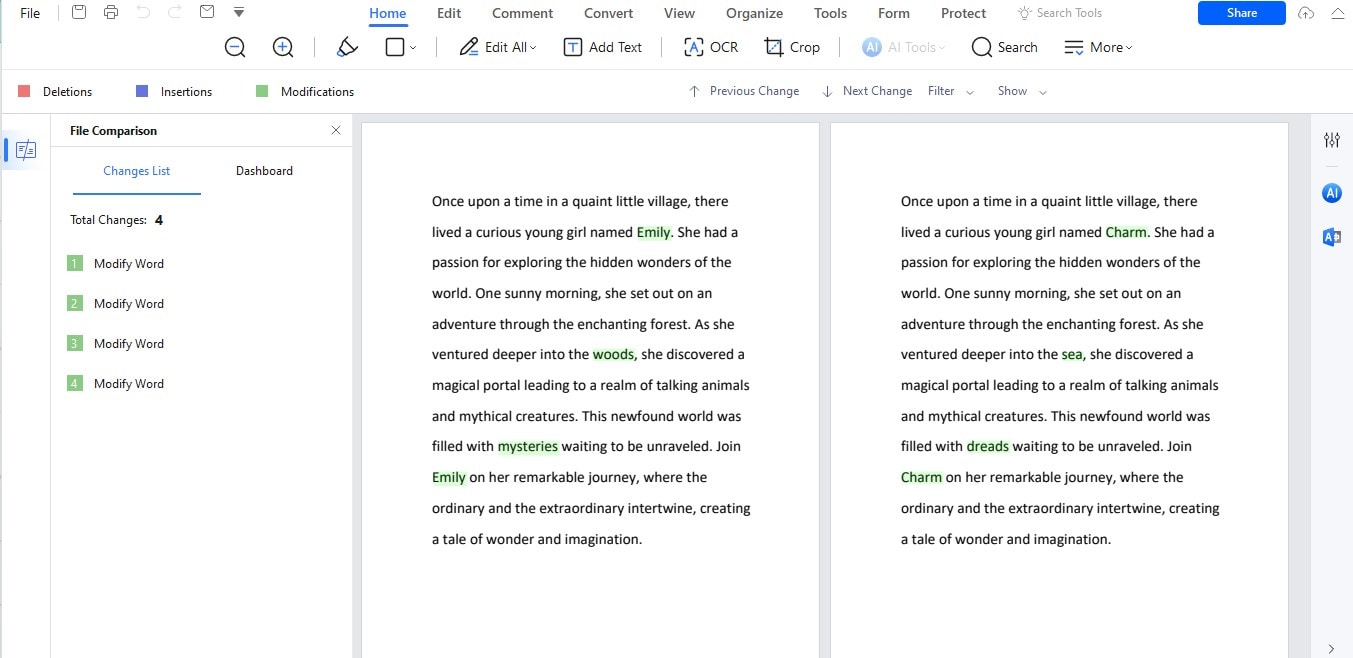
You're staring at version 12 of a vendor contract. Legal sent revisions. Procurement made edits. The counterparty's counsel returned a redline that looks almost identical to the last draft — almost. Somewhere in those 47 pages, a liability cap shifted, a termination clause lost a sentence, and an indemnification provision gained a qualifier that changes everything. You just don't know where.
An AI document compare tool solves this by analyzing two or more document versions and surfacing not just what changed, but why it matters — distinguishing a critical clause modification from a cosmetic comma fix in seconds rather than hours. The Document AI market was valued at [USD $14.66 billion in 2025](https://www.marketsandmarkets.com/Market-Reports/document-ai-market-195513136.html) and is projected to reach $27.62 billion by 2030 at a 13.5% CAGR, driven by demand for intelligent automation that goes beyond simple data extraction into semantic document understanding. Meanwhile, research shows that professionals in document-intensive environments spend 20–30% of their workday searching for information or verifying document versions — time that compounds into thousands of lost billable hours per year.
Jenova's Legal & Contract Advisor brings AI-powered document comparison into a conversational interface — analyzing contracts, policies, specifications, and any document pair with the contextual understanding of a senior attorney or analyst. Upload two versions, ask what changed, and receive a prioritized breakdown of every meaningful difference. Combined with the Writing Assistant for redlining and revision, the Academic Research Assistant for manuscript version tracking, and the PDF Doc Generator for producing clean comparison reports, the platform handles every stage of the document comparison workflow.
Quick Answer: What Is AI Document Compare?
AI document compare uses natural language processing to analyze two or more document versions and identify, classify, and explain differences — going beyond surface-level change detection to understand the semantic significance of each modification.
- ⚖️ Contract version analysis that flags critical clause changes and risk shifts with the Legal & Contract Advisor
- 📝 Semantic change classification that distinguishes substantive modifications from cosmetic edits
- 📊 Prioritized change reports that rank differences by significance with the Writing Assistant
- 📄 Formatted comparison output as professional PDFs or Word documents via the PDF Doc Generator
The Problem: Why Traditional Document Comparison Fails When It Matters Most
Document comparison isn't a convenience feature — it's a risk management function. Every undetected change in a contract, policy, or specification is a potential liability, compliance failure, or operational surprise. Yet the tools most professionals rely on treat all changes as equal, leaving humans to determine which ones matter.
Manual Review Is Accurate but Impossibly Slow
The most reliable document comparison method — having a human read both versions side by side — is also the least scalable. Lawyers waste as much as six hours a week on document management issues, costing firms an estimated $9,071 per lawyer per year in lost productivity. When a 50-page contract returns from opposing counsel with subtle modifications scattered across dozens of sections, manual comparison becomes a game of "spot the difference" where missing a single change can cost millions.
Professionals in document-intensive environments spend 20–30% of their workday searching for information or verifying document versions — a hidden productivity drain that compounds into thousands of lost hours annually. — Docsvault, Document Management Research
Basic Diff Tools Detect Changes but Don't Understand Them
Microsoft Word's Track Changes, file comparison utilities, and line-by-line diff tools show that something changed — but they don't tell you why it matters. As Docsie's 2026 analysis of document comparison tools explains: "You'll see that paragraph 3 on page 7 was modified, but you won't know if that's a critical legal change, a minor typo fix, or a formatting adjustment. These tools treat all changes equally." When you're comparing contract versions, treating a modified liability cap the same as a corrected typo isn't just unhelpful — it's dangerous.
Version Control Chaos Is the Default
The "Final_Final2" problem isn't a joke — it's the daily reality of document-intensive work. Law firms frequently encounter documents scattered across shared drives, email inboxes, and personal desktops, with version control handled through file naming conventions that produce chains like Contract_Draft_Final.docx, Contract_Draft_Final2.docx, and Contract_Draft_Final_ReallyFinal.docx. Without structured version tracking, teams accumulate multiple copies of the same document with no reliable way to determine which represents the current agreed-upon version.
The Stakes Are Higher Than Lost Time
Undetected document changes create measurable organizational risk. AI contract review research shows that manual review "relies on individual reviewers to catch problems, which means results vary based on experience, workload, and attention to detail" — and when those reviewers miss a modified payment term or a weakened indemnification clause, the consequences show up in compliance failures, unfavorable obligations, and legal disputes. Organizations managing hundreds or thousands of agreements annually simply cannot achieve consistent protection through manual comparison.
This is exactly what the Legal & Contract Advisor was built for.
Why the Legal & Contract Advisor
Traditional document comparison tools operate at the syntax level — they detect character-by-character differences and present them without context. Jenova's Legal & Contract Advisor operates at the semantic level — it understands what the document says, what changed, and what that change means for your obligations, risks, and negotiating position.
The distinction mirrors the difference between a spell checker and an attorney. One flags red squiggles. The other tells you that the sentence you just agreed to shifts $2 million in liability to your side.
| Traditional Diff/Redline Tools | Legal & Contract Advisor |
|---|---|
| Show character-level differences | Analyze semantic meaning of changes |
| Treat all changes equally | Prioritize changes by risk and significance |
| No explanation of implications | Explain why each change matters |
| Can't answer follow-up questions | Conversational — ask about any specific clause |
| Reset every session | Persistent memory tracks your contracts across sessions |
| Single document format | Handle PDFs, Word docs, pasted text, and images |
Semantic Change Analysis
Instead of a wall of highlighted differences, you get a structured assessment:
"Here are two versions of our vendor services agreement. Version 1 is what we sent. Version 2 is what they returned. What changed, and which changes affect our liability exposure?"
"Compare these two insurance policies. I need to know every coverage difference, especially anything related to water damage exclusions."
"My landlord sent a revised lease. Compare it to the original and flag anything that weakens my position as tenant."
The Legal & Contract Advisor returns a prioritized analysis — critical changes first, cosmetic changes last — with plain-language explanations of what each modification means in practice, not just what words were swapped.
Cross-Session Memory for Ongoing Negotiations
Contract negotiations don't happen in one sitting. Version 3 arrives on Monday, version 5 on Thursday, and version 7 the following week. Unlike stateless comparison tools that treat each analysis as independent, the Legal & Contract Advisor remembers every previous version you've discussed — tracking how the contract has evolved across the entire negotiation arc and alerting you when a clause that was resolved in version 4 gets quietly reopened in version 7.
Multi-Model Intelligence
Every analysis runs on your choice of frontier models — GPT-5.4, Claude Opus 4.6, or Gemini 3.1 Pro Preview — ensuring the highest quality for nuanced legal and technical language analysis. Different models bring different strengths to document comparison: switch models to find the one that handles your specific document type with the most precision.
Related Agents You'll Also Like
Writing Assistant
After the Legal & Contract Advisor identifies what changed, the Writing Assistant helps you respond — drafting counter-proposals, rewriting problematic clauses, or producing clean redlined versions that communicate your position clearly.
- Drafts revision memos summarizing changes and recommended responses
- Rewrites problematic clauses while preserving legal intent
- Produces clean, professional markup documents for counterparty review
- Adapts tone across contexts — firm legal pushback, diplomatic negotiation, or internal briefing
Academic Research Assistant
For researchers and academics comparing manuscript versions, literature review drafts, or grant application iterations. The Academic Research Assistant tracks how arguments evolve across revisions and ensures that citations, methodology descriptions, and data references remain consistent between versions.
- Compares manuscript drafts to identify content drift between revisions
- Verifies citation consistency across document versions
- Tracks argument evolution to ensure reviewer feedback was properly addressed
- Supports collaborative writing where multiple authors edit the same document
PDF Doc Generator
Transform your comparison analysis into professionally formatted reports. After the Legal & Contract Advisor identifies every significant change, the PDF Doc Generator produces a clean, shareable comparison report — ideal for board presentations, client briefings, or internal review meetings.
- Creates formatted comparison reports with change summaries and risk assessments
- Produces side-by-side layouts with color-coded change categories
- Generates executive summary documents for non-legal stakeholders
- Exports in PDF with professional typography and consistent formatting
Real-Time Search
When document comparison reveals unfamiliar terms, unusual clauses, or industry-specific language you need to verify, Real-Time Search provides immediate context — searching legal databases, regulatory sites, and industry resources to ground your analysis in current standards.
- Researches unfamiliar legal or technical terms surfaced during comparison
- Verifies whether clause language aligns with current regulatory requirements
- Finds industry benchmarks for contract terms you're evaluating
- Surfaces precedent and standard practices for ambiguous provisions
How It Works: From Two Documents to Prioritized Change Analysis
Step 1: Upload Both Document Versions
Open the Legal & Contract Advisor and upload the two documents you want to compare — as PDFs, Word files, pasted text, or even photographs of printed pages. The agent handles mixed formats seamlessly.
Step 2: Specify Your Comparison Focus
Context transforms a generic comparison into a targeted analysis. Tell the agent what you care about:
"Compare these two versions of our SaaS subscription agreement. Focus on changes to pricing, liability, data handling, and termination provisions. Flag anything that shifts risk to our side."
"Here's the original employee handbook and the updated version HR just circulated. What's new, what was removed, and what changed in the PTO and remote work sections?"
"Compare my thesis draft from last month with today's version. Make sure I didn't accidentally delete any citations or change any data figures during editing."
Step 3: Receive Prioritized Change Analysis
The Legal & Contract Advisor returns a structured breakdown:
- Critical changes — modifications that alter obligations, liabilities, pricing, or legal exposure
- Significant changes — substantive modifications to scope, timelines, deliverables, or responsibilities
- Minor changes — clarifications, formatting adjustments, and cosmetic edits
Each change includes the original language, the modified language, and a plain-English explanation of what the change means in practice.
Step 4: Ask Follow-Up Questions
This is where conversational AI outperforms every static comparison tool. Probe deeper into any identified change:
"The indemnification clause changed in section 8.2. Is the new version broader or narrower than what we had? What's our exposure?"
"They removed the 30-day cure period from the termination section. What does that mean for us practically?"
"Three changes affect data handling. Can you rank them by GDPR compliance risk?"
Step 5: Act on the Analysis
Use the comparison results to drive decisions. Draft a counter-proposal with the Writing Assistant. Generate a formal comparison report with the PDF Doc Generator. Research unfamiliar terms with Real-Time Search. Or simply approve the changes with confidence — because you know exactly what they are.
Results & Use Cases
⚖️ Contract Negotiation Across Multiple Rounds
Scenario: A procurement director managing a multi-round negotiation with a cloud infrastructure vendor. The master services agreement has been through seven versions over three weeks, with changes from legal, finance, and the vendor's counsel layered across every draft.
Traditional Approach: Each version gets compared to the previous one using Word's Track Changes — but Track Changes only shows accepted edits if someone forgot to leave tracking on. The procurement director reads both versions manually, flagging differences in a spreadsheet. Two hours per comparison round, seven rounds deep, and the team still isn't sure whether a liability clause from version 3 that was supposedly resolved got quietly reintroduced in version 6.
Jenova Solution: The Legal & Contract Advisor compares each new version against the previous one and against the original — tracking the contract's evolution across the entire negotiation. It flags that the vendor reintroduced a limitation of liability they agreed to remove in round 3, catches a new force majeure definition that's significantly broader than the original, and confirms that the pricing schedule matches the agreed terms. The procurement director walks into the next negotiation call knowing every change — and the vendor's pattern.
📋 Policy and Compliance Document Updates
Scenario: A compliance officer at a financial services firm receives updated regulatory guidance and needs to determine exactly how the new policy document differs from the previous version — and which differences require operational changes.
Traditional Approach: Print both versions, read them side by side with a highlighter, and spend half a day assembling a change summary for the compliance committee. Subtle wording changes in definitions or threshold amounts are easy to miss but can trigger significant compliance obligations.
Jenova Solution: Upload both policy versions to the Legal & Contract Advisor and ask: "What changed, and which changes require us to update our internal procedures?" The agent identifies modified definitions, new reporting thresholds, and altered timelines — ranked by operational impact. The PDF Doc Generator produces a formatted change summary for the compliance committee, ready for review.
📱 Real Estate Lease Comparison on Mobile
Scenario: A renter receives a renewal lease from their landlord that "hasn't changed much" — but the rent increase, new pet policy, and modified maintenance responsibility clauses tell a different story.
Traditional Approach: Read both leases on a phone screen, trying to remember what the original said. Miss the clause that now makes the tenant responsible for appliance repairs. Sign the lease and discover the change six months later when the dishwasher breaks.
Jenova Solution: Photograph both leases and upload them to the Legal & Contract Advisor on mobile: "Compare these two leases and flag everything that's worse for me as the tenant." The agent identifies the rent increase (expected), the new pet restriction (unexpected), and the shifted maintenance responsibility (critical) — all within minutes on a phone. The renter negotiates from an informed position instead of signing blind.
📚 Academic Manuscript Version Control
Scenario: A doctoral candidate receiving a thesis chapter back from their advisor with tracked changes — but the advisor edited a version from two weeks ago, not the most recent draft, creating a version conflict.
Traditional Approach: Manually merge the advisor's feedback with the newer draft, hoping not to lose any of the student's recent additions or accidentally introduce contradictions between the advisor's edits and the student's revisions.
Jenova Solution: The Academic Research Assistant compares all three versions — the advisor's edited draft, the student's latest draft, and the common ancestor — identifying which passages exist in one but not the other, which citations changed, and where conflicting edits need resolution. The student merges with confidence instead of anxiety.
💼 Competitive Intelligence and Pricing Analysis
Scenario: A product marketing manager tracking a competitor's terms of service for changes that signal pricing model shifts, new data practices, or feature deprecations.
Traditional Approach: Bookmark the competitor's ToS page and check it periodically — which means checking it once, forgetting for three months, and missing the change entirely.
Jenova Solution: Save the original version. When you suspect changes, paste the current version alongside the saved copy into the Writing Assistant: "Compare these two versions of [competitor]'s terms of service. Flag changes related to pricing, data usage, and service level commitments." The agent surfaces the two clauses that changed — a new arbitration requirement and a modified data retention policy — while confirming everything else remained the same. Use Real-Time Search to check whether industry press has covered these changes.
Frequently Asked Questions
How is AI document comparison different from Track Changes in Word?
Track Changes shows edits made during the editing process — but only if tracking was enabled while edits were made. If someone turns off tracking, edits become invisible. AI document comparison works differently: it compares two complete documents regardless of how they were edited, identifying every difference between the final versions. Jenova's Legal & Contract Advisor goes further by classifying changes by significance, explaining their implications, and answering follow-up questions — capabilities that Track Changes fundamentally cannot provide.
What types of documents can Jenova compare?
The Legal & Contract Advisor compares any text-based document pair — contracts, leases, policies, terms of service, employee handbooks, technical specifications, academic manuscripts, insurance policies, regulatory guidance, and more. Upload documents as PDFs, Word files, pasted text, or even photographed pages. The agent handles mixed formats and varying lengths.
How does Jenova compare to dedicated tools like Docsie or Draftable?
Dedicated comparison tools like Docsie offer automated change detection with scoring and ranking — valuable for teams managing high-volume document workflows. Jenova's advantage is conversational depth: instead of reading a static comparison report, you discuss the changes with the Legal & Contract Advisor. Ask "Why does this clause change matter?" or "Is this new indemnification language standard?" and receive expert-level analysis in real time. Persistent memory also tracks your documents across sessions — something no static comparison tool offers.
Can AI catch changes that humans miss in contract negotiations?
Yes — and this is one of the strongest use cases. AI contract review scans agreements in seconds, catching omissions, identifying risky language, and flagging deviations from standards every single time. Human reviewers miss things when they're tired, under deadline pressure, or working through high volume. AI doesn't have those limitations. That said, AI comparison works best as a first-pass filter — surface all changes automatically, then apply human judgment to the ones that matter most.
Does Jenova remember previous document versions across sessions?
Yes. Unlike stateless comparison tools that reset with every use, Jenova's persistent cross-session memory means the Legal & Contract Advisor remembers every document version you've discussed. If you compared versions 1-3 last week and version 4 arrives today, the agent already has context for the full negotiation history — and can tell you whether changes in version 4 reintroduce issues that were resolved earlier.
Is Jenova free to use for document comparison?
Jenova offers a free tier with access to all core features, including the Legal & Contract Advisor, Writing Assistant, and every other agent. For professionals managing high-volume contract workflows or ongoing negotiations — where persistent memory and repeated comparisons are essential — the Plus plan ($20/mo) provides 30× usage and custom model selection across GPT-5.4, Claude Opus 4.6, and Gemini 3.1 Pro Preview. No credit card required to start.
Conclusion
Document comparison isn't about detecting differences — it's about understanding them. With the Document AI market growing from $14.66 billion to $27.62 billion by 2030 and professionals losing 20–30% of their workdays to document management inefficiencies, the cost of manual comparison — in time, risk, and missed changes — is no longer acceptable.
The Legal & Contract Advisor analyzes document versions with semantic understanding, prioritizes changes by significance, explains implications in plain language, and tracks your documents across sessions. The Writing Assistant drafts counter-proposals and revision memos from the comparison results. The PDF Doc Generator produces formatted comparison reports for stakeholders. And Real-Time Search grounds unfamiliar terms in current legal and regulatory context.
Try the Legal & Contract Advisor now — no credit card required. Explore the full agent library at Jenova.