AI Comic Scene Generator: Create Complete Visual Narratives from Text (March 2026)
2026-03-26
In March 2026, the AI comic scene generator has matured from a single-image novelty into a complete visual storytelling engine — and the market reflects it. The AI-generated comic book market expanded from $1.52 billion in 2025 to $2.01 billion in 2026, a 32.1% CAGR, with projections reaching $4.6 billion by 2029 (Global Information, Inc.). Meanwhile, 57% of comic publishers now integrate AI automation for time-intensive tasks such as background rendering and coloring, and APAC studios report a 30% increase in weekly output using AI tools for webtoon and manga production (Precedence Research).
Jenova's Comic Creator represents the scene-first approach to AI comic production — a dedicated agent that generates complete comic scenes with characters naturally integrated into environments, atmospheric lighting, emotional tone, and proper panel composition. It's backed by format-specialized agents for manga and webtoons, covering every major visual storytelling format.
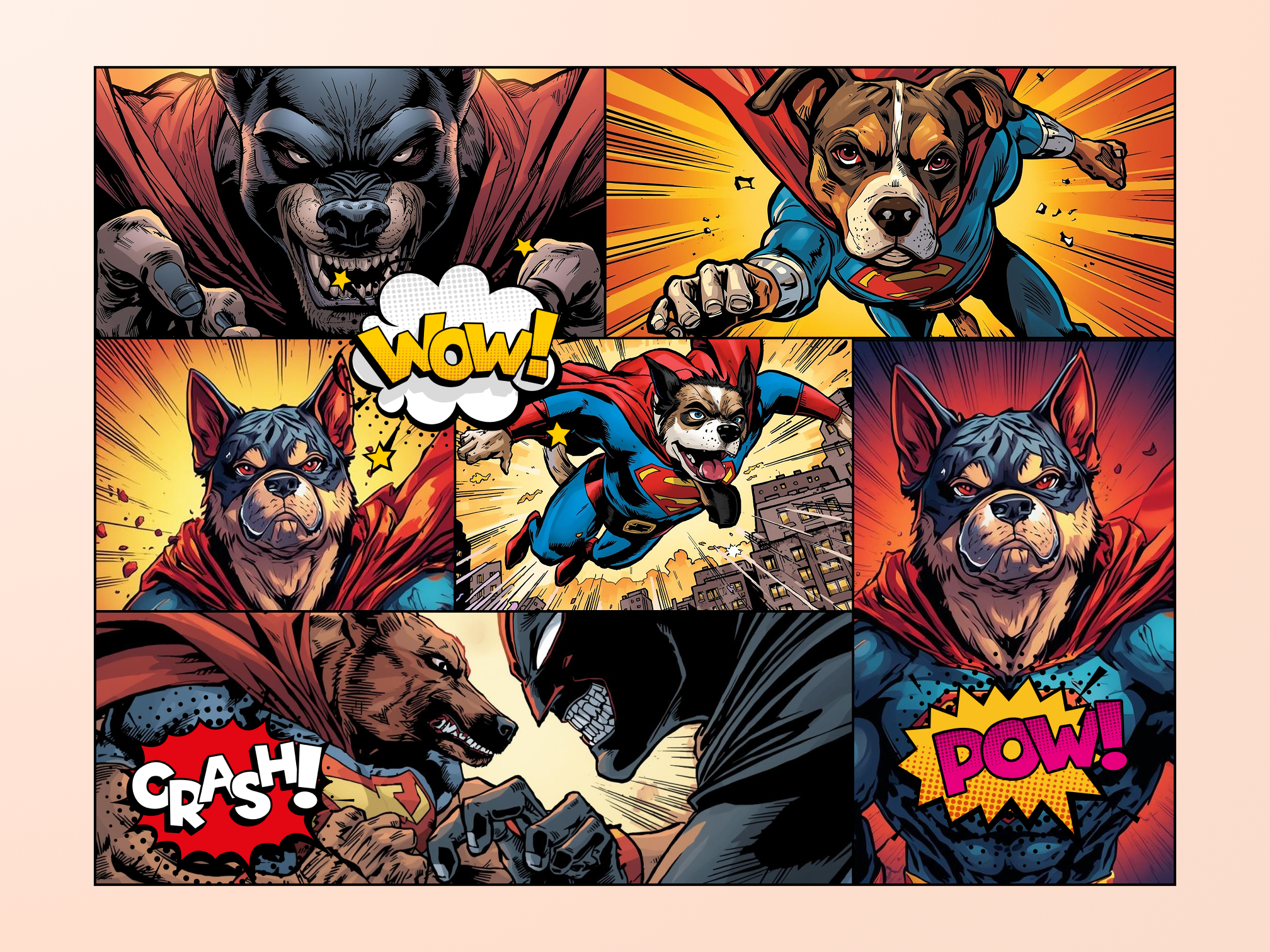
Quick Answer: What Is an AI Comic Scene Generator?
An AI comic scene generator is a specialized tool that creates complete comic scenes — including character placement, backgrounds, lighting, atmosphere, and emotional tone — from text descriptions, transforming narrative concepts into visual storytelling without requiring drawing skills.
- Integrated scene composition that places characters naturally within environments with proper shadows and perspective — the Comic Creator handles this automatically
- Atmospheric rendering capturing mood through lighting, weather, time of day, and visual effects
- Character consistency maintaining identical appearances across multiple scenes via reference sheet architecture
- Dynamic scene types including action sequences, conversation scenes, establishing shots, and emotional beats
The Problem: Why Comic Scene Creation Has Been So Difficult
Despite the booming market, aspiring creators face a fundamental challenge that goes beyond generating individual images: creating complete scenes where characters, environments, and emotional atmosphere work together as cohesive visual narratives.
🎬 The Scene Composition Challenge
A comic scene is not a character illustration plus a background. It requires simultaneous mastery of character positioning and body language, background and environment integration, lighting and atmospheric effects, panel composition and visual flow, and emotional tone through visual cues. According to Technavio's market analysis, the AI comic generator market is expected to grow by USD 275.77 million from 2025–2029 at a 34.3% CAGR — yet the multi-skill burden continues to exclude independent voices from this expanding industry (Technavio via Jenova Research).
💰 Prohibitive Cost of Professional Scene Illustration
Professional comic illustration costs $50–$300 per page for black-and-white work, with complex scenes requiring additional background artist fees. — Comics Beat, via Jenova Research
For a standard 22-page comic issue, professional illustration costs range from $1,100 to $6,600 in black-and-white alone. A complete 100+ page graphic novel translates to $5,000–$30,000 in illustration costs — prohibitive for creators testing story concepts or building audiences.
⏱️ The Time Investment Per Scene Type
Even experienced comic artists struggle with scene production timelines. Character-only panels take 1–2 hours, simple background scenes require 3–4 hours, complex action sequences demand 6–8+ hours, and establishing shots with detailed environments can consume 8–12+ hours per panel (AI Magicx). For independent creators working part-time, completing a single chapter with varied scene types can take weeks or months.
🎭 The Character-Environment Integration Problem
Perhaps the most challenging aspect of scene creation is seamlessly integrating characters into environments. Characters must interact naturally with their surroundings, cast appropriate shadows and reflections, maintain consistent scale and perspective, and express emotion through body language that fits the scene context. According to Technavio's user surveys, over 60% of professionals still require extensive manual edits when using general AI tools due to character consistency issues (Technavio via Jenova Research).
General-purpose image generators like Midjourney compound this problem. As Anifusion's 2026 comparison documented, Midjourney has "no built-in character consistency, no panel layout tools, no speech bubbles or text integration" (Anifusion). Every scene is a fresh generation with no memory of what came before — making sequential visual storytelling practically impossible.
This is exactly what the Comic Creator was built for.
Why Comic Creator Is the Best AI Comic Scene Generator
While general image generators produce individual images that you must manually assemble, and even dedicated comic tools often separate character generation from background rendering, the Comic Creator generates characters and environments together — ensuring natural integration where characters cast appropriate shadows, interact with scene elements, and maintain proper scale and perspective within their environments.
As Skywork's 2026 guide to AI comic generators noted, the industry has shifted from general-purpose tools to specialized workflows where "a dedicated comic tool (like Dashtoon or Jenova.ai) offers an end-to-end workflow" including "story generation, panel layouts, character management, and dialogue integration" (Skywork).
| Scene Challenge | Traditional Approach | Comic Creator Solution |
|---|---|---|
| Composition | 3–8 hours per complex scene | Minutes per scene |
| Cost | $50–$300 per page for professional art | Unlimited generation via subscription |
| Character + background | Separate skills, separate artists | Integrated scene composition |
| Consistency | Manual tracking across scenes | Automatic reference sheet system |
| Style flexibility | Locked to one artist's style | Six professional style templates |
| Atmosphere | Requires advanced rendering skill | Text-directed mood and lighting |
How Scene Generation Actually Works
The Comic Creator uses a unified scene generation architecture that treats every panel as a complete narrative moment — not a character pasted onto a background:
1. Character Reference System: Before generating story scenes, you create character reference sheets showing each character in neutral poses and key expressions. These references are loaded with every subsequent scene generation, ensuring visual consistency across your entire project — even across varied scene types and environments.
2. Scene Context Understanding: The AI comprehends narrative relationships between elements. When you describe a tense confrontation, it adjusts lighting, character body language, and environmental details to match the emotional tone. When you describe a warm reunion, the atmosphere shifts accordingly.
3. Multi-Subject Handling: Managing multiple consistent characters within complex scenes — each maintaining their unique appearance while interacting naturally with each other and the environment.
Six Professional Style Templates
| Template | Best For | Scene Signature |
|---|---|---|
| Superhero | Action-heavy, dynamic scenes | Bold colors, dramatic lighting, power effects |
| Noir | Mystery, crime, atmospheric drama | Heavy shadows, limited palette, rain-soaked environments |
| Indie | Character-driven, literary stories | Expressive linework, muted tones, intimate compositions |
| Franco-Belgian | Adventure, historical, detailed worlds | Rich environments, clear-line art, architectural detail |
| Cartoon | Comedy, all-ages, educational | Bright colors, exaggerated expressions, clean backgrounds |
| Realistic | Grounded drama, biographical | Detailed anatomy, photographic lighting, textured environments |
Example Scene Prompts
Here's what working with the Comic Creator for scene generation actually looks like:
"Generate an establishing shot in Noir style: A rain-drenched waterfront district at 2 AM. Warehouses line the dock, their windows dark except for one on the second floor casting amber light. A lone figure — Detective Vasquez — walks toward camera on the wet cobblestones, umbrella in one hand, case file in the other. Fog rolls in from the harbor. The scene conveys isolation and determination."
"Create a conversation scene: Vasquez and her informant sit across from each other in a dimly lit diner booth. The informant is nervous, glancing at the door every few seconds. Vasquez is calm, leaning forward with controlled intensity. A half-empty coffee cup sits between them. Neon light from outside casts blue and red across the table. The scene conveys a difficult truth being shared."
"Generate a 4-panel action sequence: Panel 1 — Wide shot of Vasquez kicking open a warehouse door, gun drawn, rain pouring behind her. Panel 2 — Her POV: three figures scrambling in the darkness, overturning crates. Panel 3 — Close-up of Vasquez's face, rain dripping from her jaw, eyes locked on a target. Panel 4 — Dynamic low-angle shot as she sprints forward, coat flaring, muzzle flash illuminating the scene."
Multi-Model Advantage
The Comic Creator runs on Jenova's unified AI infrastructure — access to GPT-5.4 (OpenAI), Claude Opus 4.6 (Anthropic), Gemini 3.1 Pro Preview (Google), plus models from xAI and DeepSeek. Different models excel at different aspects of scene generation: some produce more atmospherically nuanced environments, others handle multi-character compositions with more precision, and others iterate faster on lighting adjustments. No vendor lock-in means you can switch based on what your current scene demands.
Related Agents You'll Also Like
Manga Creator
For creators working in Japanese manga styles with different scene conventions. The Manga Creator applies the same integrated scene generation to right-to-left reading flow, screentone atmospheric effects, and the distinctive pacing that separates manga from Western comics.
- Five professional style templates: Shonen, Shoujo, Seinen, Slice-of-Life, Chibi
- Screentone integration for authentic manga atmosphere and depth
- Right-to-left panel flow with proper manga reading rhythm
- Serialized story tracking across 200+ page epics
Webtoon Creator
Built for mobile-first vertical scroll storytelling. The Webtoon Creator generates full-color scenes optimized for scroll rhythm — where environmental panels serve as visual breathing room between dialogue sequences, and establishing shots span the full width of the mobile screen.
- Vertical scroll rhythm optimization with environment pacing
- Full-color scene consistency across entire seasons
- Episode-based structure with atmospheric scene transitions
- Platform-specific presets for LINE Webtoon, Tapas, and Lezhin
Creative Fiction Writer
The ideal pre-production partner for developing the narrative foundation that drives your scene descriptions. Before you generate a single panel, use the Creative Fiction Writer to build your world, develop character arcs, write dialogue, and create scene-by-scene breakdowns that translate directly into structured visual prompts.
- Deep story research with genre conventions and cultural references
- Scene-by-scene breakdowns optimized for visual adaptation
- Character arc development and dialogue writing
- Persistent story state tracking across sessions
How It Works: From Scene Concept to Finished Comic
Step 1: Define Your Story and Key Scenes
Start by outlining your narrative and identifying the key scene types your story requires. The Comic Creator helps you map your story into scene categories — establishing shots, action sequences, conversation scenes, emotional beats, and transitions. For deeper narrative development, work with the Creative Fiction Writer first.
"I'm creating a 22-page noir detective comic set in a rain-soaked waterfront city. Key scenes include: a nighttime establishing shot of the docks, a tense diner conversation, a warehouse confrontation, a rooftop chase, and a quiet final scene in the detective's apartment at dawn. The tone should feel like Brubaker's Criminal meets Chinatown."
Step 2: Generate Character Reference Sheets
Before creating any story scenes, establish your visual anchors. Generate reference sheets for each major character showing multiple angles, expressions, and outfit details. These sheets become the AI's "character bible" — referenced automatically in every subsequent scene generation.
"Create a character reference sheet for Detective Elena Vasquez: Latina, early 40s, sharp features, silver-streaked black hair pulled back tight, rumpled charcoal overcoat, small scar on her left temple. Show front view, three-quarter view, profile, and expressions: controlled intensity, weary skepticism, rare vulnerability, cold fury."
Step 3: Generate Scenes by Type
Script your scenes with specific atmospheric direction. The AI generates each scene based on your descriptions, applying your character references automatically and adjusting environment, lighting, and mood to match your narrative intent.
"Generate a conversation scene in Noir style: Vasquez sits alone at her desk in a cluttered precinct office. Late night, desk lamp the only light source. Case files spread across the desk. She holds a photograph, studying it. A half-eaten sandwich and cold coffee beside her. The scene conveys obsessive dedication and loneliness."
Step 4: Iterate on Atmosphere and Composition
Review each scene for narrative pacing and visual clarity. Request targeted edits — adjust the lighting from harsh to soft, change the time of day from midnight to dusk, shift a character's expression from anger to resignation — without regenerating the entire scene. The AI's speed enables atmospheric experimentation that would be prohibitively expensive with traditional artists.
Step 5: Assemble and Export
Once your scenes are complete, assemble them into pages with appropriate panel layouts. The Comic Creator handles panel composition, dialogue placement, and page flow. Export in your target format — print-ready for Amazon KDP, optimized for web, or adapted for other formats using the Webtoon Creator for vertical scroll.
Results & Use Cases
📚 The Graphic Novel Creator
Scenario: Writer with a 150-page noir thriller planned but no artistic collaborator
Traditional Approach: Search for artist partners (months), negotiate revenue splits, risk project abandonment when collaborators leave. Commission illustration at $5,000–$30,000 for a complete graphic novel.
With the Comic Creator: Generate complete scenes with consistent characters and environments. Maintain visual continuity across your entire series. The persistent story state tracks scene context and character states — no dependency on external collaborators. The individuals segment held a dominant market position in 2024, capturing more than 42.6% of the AI comic generator market share (Market.us).
🎬 The Storyboard Artist
Scenario: Creating visual storyboards for film or animation pitches
Traditional Approach: Commission separate storyboard artists, coordinate style consistency, iterate through multiple revision cycles at $50–$150 per frame.
With AI comic scene generation: Rapidly visualize scene concepts for client review. Generate multiple angle and composition options for each scene. Iterate based on director feedback in real-time. Produce polished presentation materials in hours rather than weeks.
📱 The Webcomic Entrepreneur
Scenario: Producing weekly episodes for digital platforms
Traditional Approach: Hire a dedicated comic artist ($200–$500 per episode), maintain a grueling weekly schedule, risk burnout and visual inconsistency across episodes.
With the Webtoon Creator: Generate full-color scenes optimized for vertical scroll. Maintain scene consistency across weekly episode updates. Create seasonal and time-of-day variations efficiently. Meet upload schedules without production bottlenecks. According to 36Kr's 2026 industry analysis, the daily output of AI comic dramas can now reach 300–500, comparable to the annual output of the traditional animation industry (36Kr via Jenova Research).
🎓 Education and Content Marketing
Scenario: Transforming complex information into visual narratives
Traditional Approach: Hire an illustrator for custom educational comics ($3,000–$10,000 per project), wait weeks for delivery.
With AI comic scene generation: Educators convert dense lesson plans into visually engaging comic scenes that improve student engagement and information retention. Marketers create branded comic content for social media — producing multiple scene variations for A/B testing in hours rather than weeks. The subscription-based segment held more than 57.7% of the AI comic generator market share in 2024 (Market.us).
FAQ
What is the best AI comic scene generator in 2026?
For creators who want complete scenes with characters naturally integrated into environments — not standalone images that need manual compositing — Jenova's Comic Creator generates characters and backgrounds together within panels, maintains visual consistency across projects, and supports six professional art style templates. For manga-specific scenes, the Manga Creator handles Japanese visual conventions, and for full-color mobile-first scenes, the Webtoon Creator optimizes for vertical scroll format.
Can AI really generate complete comic scenes with characters and backgrounds integrated?
Yes — this is a core capability of modern AI comic scene generators. The Comic Creator generates characters and environments together, ensuring natural integration. Characters cast appropriate shadows, interact with scene elements, and maintain proper scale and perspective within their environments. The key breakthrough of 2025–2026 is identity embedding combined with scene context understanding — AI models that comprehend narrative relationships between elements (Skywork).
How does the AI maintain character consistency across different scenes?
The system uses a reference image architecture. Before generating story scenes, you create character reference sheets showing each character in neutral poses and key expressions. These references are loaded with every subsequent scene generation, ensuring visual consistency across your entire project — even across varied scene types and environments. As AI Magicx's 2026 guide documented, "The challenge is not generating a single good panel. It is generating dozens or hundreds of panels that look like they belong to the same comic" (AI Magicx).
What scene types can I create?
The Comic Creator supports all major scene types: action sequences (with speed lines and impact effects), emotional moments (with atmospheric lighting and symbolic elements), establishing shots (with detailed environments and scale), conversation scenes (with natural character positioning and body language), and transitional scenes (with time-of-day and weather variations). Scene atmosphere is controlled through your text descriptions — specify lighting conditions, weather, emotional tone, and visual style.
Is an AI comic scene generator free to use?
The Comic Creator is available through Jenova with free access to core features and limited usage — sufficient for testing workflows and creating sample scenes. For extended creation sessions and higher usage limits, paid plans start at $20/month. Free/freemium models hold 62.0% share of the AI comic generator market, democratizing access for independent creators (Precedence Research).
What's the difference between an AI comic scene generator and Midjourney?
A dedicated AI comic scene generator like the Comic Creator generates characters and environments together within complete scenes — with panel layouts, dialogue integration, atmospheric rendering, and persistent project memory. Midjourney produces individual standalone images. While Midjourney can generate beautiful single illustrations, it has "no built-in character consistency, no panel layout tools, no speech bubbles or text integration" (Anifusion) — meaning you must generate each element separately and manually composite them in Photoshop. As COMICPAD's March 2026 benchmark confirmed, character consistency is "the make-or-break criterion" for comic creation, and dedicated tools consistently outperform general image generators (COMICPAD).
Conclusion
The AI comic scene generator has solved the fundamental challenge that kept independent creators out of visual storytelling: producing complete scenes where characters, environments, and emotional atmosphere work together as cohesive visual narratives. What once required separate skills for character illustration, background art, and scene composition — costing $50–$300 per page and taking hours per complex scene — is now accessible to anyone with a story to tell.
The AI-generated comic book market's growth from $1.52 billion in 2025 to a projected $4.6 billion by 2029 (Global Information, Inc.) reflects a fundamental shift: the barriers of cost, skill, and time have been eroded. Character consistency across scenes is solved through reference sheet systems and identity embedding. Atmospheric rendering is controlled through text descriptions. Multi-character compositions with natural environment integration are generated in minutes.
The only remaining challenge is the creative one: What scenes do you want to bring to life?
Try the Comic Creator for Western comic scenes with six professional style templates. For manga-specific scenes, the Manga Creator handles Japanese visual conventions. For mobile-first vertical formats, the Webtoon Creator optimizes scroll rhythm and full-color scene consistency. Develop your narrative with the Creative Fiction Writer before visual production begins.
Explore the full agent library at Jenova.