AI Comic Editor: Edit, Refine & Perfect Your Comics with AI (March 2026)
2026-03-27
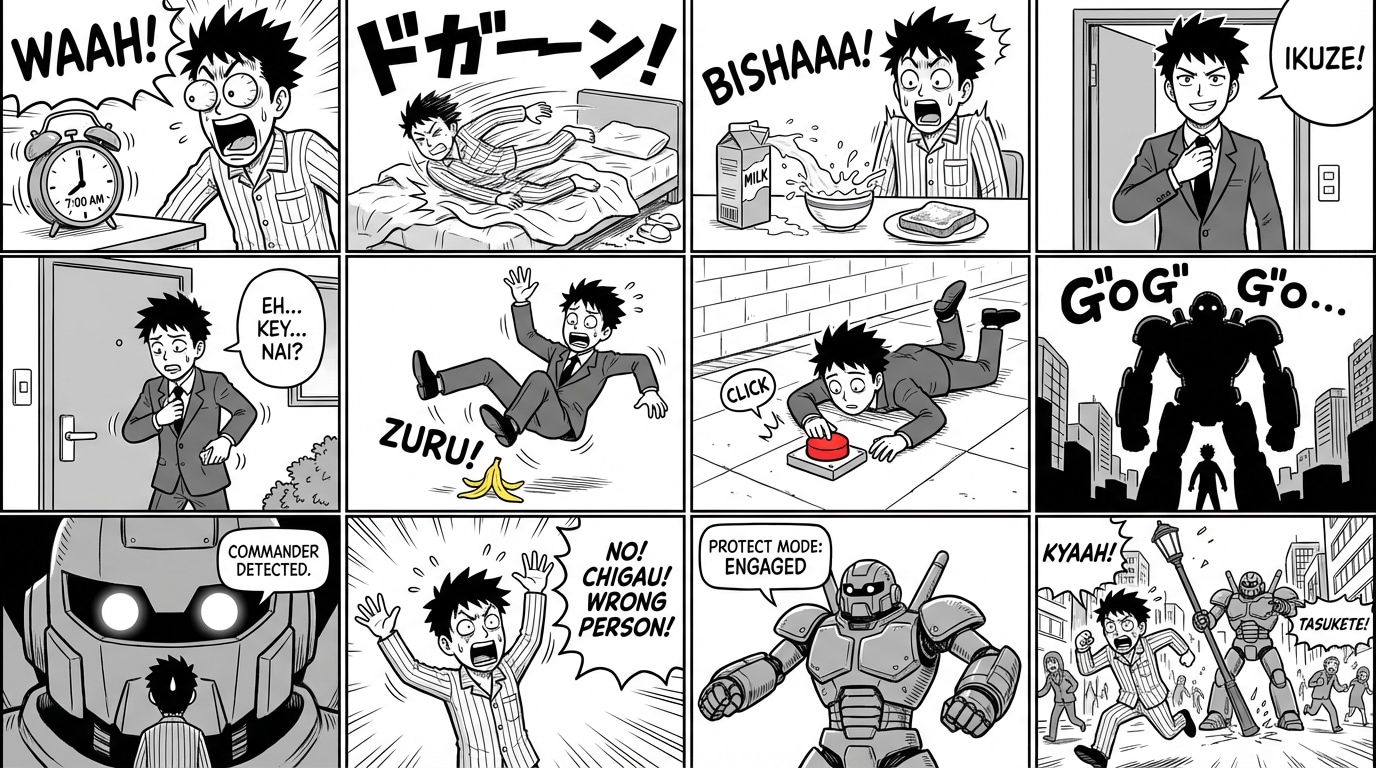
The AI comic editor has become the missing piece in the visual storytelling pipeline in 2026. The global AI comic generator market reached USD 33.00 billion in 2025 and is projected to hit USD 271.06 billion by 2035, expanding at a 23.44% CAGR — and approximately 61% of digital artists now use AI tools, while 57% of comic publishers employ AI for production tasks like background rendering, coloring, and panel refinement. The industry has evolved from basic text-to-image tools toward integrated storytelling suites capable of managing script-to-panel layout, maintaining character consistency, and automating speech bubble placement — but the real bottleneck isn't generation. It's editing.
Jenova's Comic Creator is the AI comic editor built for creators who need to refine, iterate, and perfect their visual stories — not just generate them. It handles the complete editing workflow: character consistency correction across hundreds of panels, panel composition refinement, dialogue placement adjustment, art style unification, pacing optimization, and persistent project state tracking that remembers every edit across sessions. Whether you're polishing a 22-page single issue or refining a 200+ page graphic novel, this guide covers how AI comic editing works, why editing is the most undervalued phase in comic production, and how to elevate your comics from rough drafts to publication-ready pages.
Quick Answer: What Is an AI Comic Editor?
An AI comic editor is a specialized tool that refines, corrects, and polishes comic pages after initial generation — fixing character inconsistencies, adjusting panel compositions, improving dialogue placement, and unifying art style across an entire project — through conversational iteration rather than manual pixel-level editing.
- 🎨 Character consistency correction across hundreds of panels — Comic Creator fixes drift, expression errors, and costume changes automatically
- 📐 Panel composition refinement adjusting camera angles, framing, and visual pacing for narrative impact
- 💬 Dialogue and lettering adjustment with speech bubble repositioning and text refinement
- 🔄 Iterative refinement with persistent project memory that tracks every edit across sessions
The Problem: Why Comic Editing Remains the Hidden Bottleneck
Most conversations about AI comics focus on generation — creating panels from text descriptions. But professional comic production has always been an editing-intensive process, and AI has made this gap even wider.
The "Good Enough" Trap
As AI Magicx's 2026 guide documented: "The quality difference between a comic made with the first generation of each panel versus one made by selecting the best of five generations is enormous."
Most AI comic tools generate panels and leave creators with raw output. The difference between an amateur AI comic and a professional one isn't the generation — it's the editing. Selecting the best variation, correcting inconsistencies, adjusting compositions, and refining dialogue placement are the steps that separate forgettable output from compelling visual storytelling.
The Character Consistency Editing Crisis
According to LlamaGen's 2025 industry analysis, inconsistent characters cause a 92% audience dropout rate, while consistent character designs drive 3.7× higher engagement.
Even with reference sheet systems, character drift occurs across long-form projects. Eye colors shift. Facial proportions change subtly between panels. Costume details disappear. As AI Storybook's 2026 breakthrough analysis documented, remaining challenges include "extreme pose changes can still cause drift," "very different lighting may affect appearance," and "fine details like jewelry or tattoos may vary." These aren't generation problems — they're editing problems that require panel-by-panel correction.
The Multi-Tool Editing Nightmare
As AI Magicx documented: "Even minimal Photoshop or GIMP skills (cropping, color adjustment, minor touch-ups) dramatically improve the polish of your final comic." But most creators using AI comic tools face a fragmented editing workflow — generating panels in one tool, assembling layouts in another, adding lettering in a third, and fixing inconsistencies in a fourth. Each handoff introduces errors and breaks continuity.
The Cost of Professional Editing
Professional comic editing — including art direction, consistency checking, lettering review, and production polish — adds $15–$50 per page on top of illustration costs. For a 200-page graphic novel, that's $3,000–$10,000 in editing alone. Meanwhile, approximately 48% of creators face copyright challenges and 43% encounter technical limitations in AI tools — with editing and refinement being the most time-consuming phase.
Why Comic Creator Is the Best AI Comic Editor
This is exactly what Comic Creator was built for. Unlike generic image generators that produce panels and walk away, or photo editing tools that don't understand sequential art, Comic Creator is a dedicated comic production agent that handles the complete editing workflow through conversational iteration.
| Feature | Generic Image Generator (e.g., Midjourney) | Photo Editor (e.g., Photoshop) | Comic Creator |
|---|---|---|---|
| Character consistency correction | ❌ No awareness of previous panels | ⚠️ Manual pixel-level fixes | ✅ Reference-aware automatic correction |
| Panel composition refinement | ❌ Regenerate from scratch | ⚠️ Manual cropping/adjustment | ✅ Conversational direction with context |
| Dialogue placement editing | ❌ None | ⚠️ Manual text layers | ✅ Integrated speech bubble adjustment |
| Art style unification | ❌ Style drift between panels | ⚠️ Manual color/tone matching | ✅ Six style templates with consistency enforcement |
| Project-wide edit propagation | ❌ None | ❌ None | ✅ Persistent project state across sessions |
| Story continuity awareness | ❌ None | ❌ None | ✅ Plot memory engine tracks narrative context |
| Cost | $10–$60/month + separate editing tools | $20–$55/month | Free to start |
While tools like Midjourney and ChatGPT can approximate comic-style artwork, the real challenge — as Skywork's 2026 analysis documented — is that "a dedicated comic tool offers an end-to-end workflow. It includes features for story generation, panel layouts, character management, and dialogue integration. A general image generator like Midjourney only creates individual images."
Reference-Aware Editing
When you ask the Comic Creator to fix a panel, it doesn't start from scratch. It loads your character reference sheets, understands the established art style, knows where you are in the story, and makes targeted corrections that maintain continuity with everything that came before. This is the critical difference between "regenerate" and "edit" — and it's what separates professional comic production from amateur output.
Six Professional Art Style Templates
Each style template serves as an editing anchor — ensuring that corrections and refinements stay within your established visual language:
- Superhero: Bold lines, dynamic action, impact frames — corrections maintain the kinetic energy
- Noir: Heavy shadows, dramatic lighting, atmospheric compositions — edits preserve the mood
- Indie: Clean lines, expressive characters, personal visual voice — refinements respect the aesthetic
- Franco-Belgian: Ligne claire precision, detailed backgrounds, European pacing — edits maintain the tradition
- Cartoon: Exaggerated proportions, bright colors, comedic timing — corrections preserve the energy
- Realistic: Detailed anatomy, cinematic composition, grounded visual language — refinements maintain the fidelity
Persistent Edit History
Unlike static tools that treat every session as a blank slate, the AI comic editor maintains persistent awareness of your project across sessions. Every edit is tracked. Character evolutions (new scars, costume changes, aging) are recorded with versioned reference sheets. When you return to refine page 47 after completing page 100, the editor knows exactly what your characters should look like at that point in the story.
Start editing with Comic Creator free — no credit card required.
Related Agents You'll Also Like
🎨 Manga Creator — Japanese Manga Editing
For creators editing manga-style comics with Japanese visual conventions — right-to-left reading flow, screentone refinement, and authentic visual storytelling. Handles five professional art style templates (Shonen, Shoujo, Seinen, Slice-of-Life, Chibi) with character consistency across 200+ page serialized epics.
- Screentone integration and refinement for authentic manga atmosphere
- Right-to-left reading flow optimization during editing
- Plot memory engine for long-form serialized production
📱 Webtoon Creator — Vertical Scroll Editing
Optimized for editing comics on platforms like LINE Webtoon, Tapas, and Lezhin where vertical scroll pacing requires different editing considerations. 50 million people worldwide read digital comics monthly, and webtoon-specific editing conventions are critical for mobile audiences.
- Scroll rhythm refinement and "thumb stop" optimization
- Full-color consistency correction across 100+ episodes
- Platform-ready export formatting
✍️ Creative Fiction Writer — Script Editing Before Visual Refinement
Refine your narrative foundation before or alongside visual editing. Dialogue polish, pacing adjustment, character voice consistency, and plot structure refinement that translates directly into better visual editing decisions.
- Dialogue refinement matching each character's established voice
- Pacing analysis for panel-by-panel narrative rhythm
- Editorial insight for story structure and emotional beats
How It Works: From Raw Panels to Publication-Ready Pages
Step 1: Import Your Project and Establish References
Begin by describing your existing project to the Comic Creator — your story concept, art style, and characters. If you're starting fresh, the agent generates character reference sheets first. If you're editing existing work, describe your characters and the agent locks in their visual parameters for consistency enforcement.
"I have a noir detective comic set in 1940s Los Angeles. My protagonist is Detective Maria Santos — mid-30s, sharp jawline, rumpled trench coat and fedora, small scar above her left eyebrow. I need to edit pages 3 through 8 for character consistency and improve the panel compositions for dramatic pacing."
For dialogue refinement, the Creative Fiction Writer can polish your script before visual editing begins.
Step 2: Identify and Fix Character Inconsistencies
The AI comic editor reviews your panels against established character references and identifies drift — subtle changes in facial structure, missing costume details, inconsistent proportions. You direct corrections conversationally:
"Maria's scar is missing in panels 3 and 7 of page 4. Her fedora angle is inconsistent — it should be tilted slightly left in all panels. And her trench coat collar is up in page 3 but down in page 5 — it should be up throughout this rain sequence."
The Comic Creator applies corrections while maintaining the established noir style, lighting conditions, and emotional register of each scene.
Step 3: Refine Panel Compositions
With characters locked, refine the visual storytelling — camera angles, framing, panel sizes, and visual pacing:
"Page 5, panel 3 needs a tighter close-up on Maria's face — I want to see the realization in her eyes. Panel 4 should be wider to show the full gallery interior. And the final panel on page 5 needs to be larger — it's the page-turn cliffhanger and it's currently too small to carry the dramatic weight."
The AI understands that larger panels signal importance, that close-ups convey emotion, and that page-turn positioning affects dramatic impact — applying these principles while maintaining your established visual language.
Step 4: Polish Dialogue and Lettering
Adjust speech bubble placement, refine dialogue, and ensure lettering doesn't obscure important visual elements:
"Move the speech bubble in page 6, panel 2 — it's covering Maria's expression. Change her dialogue from 'I knew it' to 'So that's where you've been hiding them' — it's more in character. Add a narration box at the top of page 7: 'The gallery held more secrets than paintings.'"
Step 5: Unify and Export
Final pass for art style consistency, color/tone unification, and export in your target format. The AI comic editor reviews the complete project against your style template and flags any remaining inconsistencies before export.
"Do a final consistency check across pages 3 through 8. Make sure the rain effect is consistent in all exterior panels, the noir lighting matches throughout, and Maria's expression progression makes emotional sense across the sequence."
Results & Use Cases
📚 The Writer Polishing Their First Comic
Scenario: You've generated a complete 22-page comic but the raw output needs refinement — character faces drift between panels, compositions feel flat, and dialogue placement is awkward.
Traditional Approach: Learn Photoshop, spend 2–4 hours per page on manual corrections, or hire a professional editor at $15–$50 per page ($330–$1,100 for the issue).
Jenova Solution: Comic Creator reviews your entire issue against character references, identifies inconsistencies, and applies corrections conversationally. As AI Magicx documented: "Edit and curate aggressively. Generate multiple options for every panel and select only the best." The AI comic editor makes this curation process conversational rather than manual.
📖 The Serialized Creator Maintaining Consistency
Scenario: You're 50 pages into a graphic novel and your protagonist's appearance has subtly drifted from the original design.
Traditional Approach: Manually compare every panel against reference sheets, identify drift, and correct each instance individually — a process that can take days for a long-form project.
Jenova Solution: The Comic Creator's persistent project state tracks your character references across sessions. Request a consistency audit, and the AI identifies every panel where drift has occurred — then corrects them while maintaining the narrative context of each scene. Character evolutions (intentional changes like new scars or costume updates) are tracked separately with versioned reference sheets.
📱 The Cross-Format Publisher
Scenario: You need to edit the same comic for three different formats — traditional Western comic pages, vertical scroll webtoon, and manga-style right-to-left reading.
Traditional Approach: Three separate editing passes with different tools, three separate production pipelines.
Jenova Solution: Edit your core story with Comic Creator for Western comic format, then @mention Webtoon Creator for vertical scroll adaptation and Manga Creator for right-to-left reformatting. All three agents share your character references and story context — one editing vision, three publication-ready formats.
💼 The Professional Streamlining Production
Scenario: You're a professional comic creator using AI to accelerate your workflow, and you need editing tools that understand comic-specific conventions.
Traditional Approach: As ICv2's 2026 industry analysis documented, professional creator Tim Fielder uses "an AI trained on his own work, developing visual concepts based on his own preliminary sketches, and finished in his own hand." The editing and finishing phase is where human creative direction matters most.
Jenova Solution: The Comic Creator functions as an AI-powered editorial assistant — you direct the visual output through detailed text descriptions and iterative refinement. As Skywork's 2026 guide confirmed: "AI comic generators are specifically designed for writers, marketers, educators, and storytellers who have ideas but lack traditional artistic training" — but the editing capabilities serve professionals equally well.
🎯 The Self-Publisher Preparing for Amazon KDP
Scenario: You're preparing a comic for Amazon KDP and need print-ready pages with consistent quality throughout.
Traditional Approach: Multiple editing passes, print formatting, resolution checks, and consistency verification — typically requiring professional production support.
Jenova Solution: Edit and refine your pages with the Comic Creator, then export in print-ready formats. The AI handles consistency verification across the entire project, ensuring your protagonist looks identical on page 1 and page 200. As Anifusion's 2026 analysis confirmed: "Print-optimized exports and character consistency tools are essential for creators building multi-page projects for commercial publishing."
FAQ
Do I need drawing skills to use an AI comic editor?
No. AI comic editors are designed for creators who direct visual output through detailed text descriptions and iterative refinement. Comic Creator is story-first — you describe what needs to change, and the AI handles the visual execution. As Skywork's 2026 guide confirmed: "AI comic generators are specifically designed for writers, marketers, educators, and storytellers who have ideas but lack traditional artistic training."
How does the AI maintain character consistency during editing?
The Comic Creator uses a reference sheet architecture. Before editing begins, you establish character reference sheets showing each character in neutral poses with labeled features. These references load with every subsequent edit, ensuring corrections maintain visual consistency. As AI Storybook's 2026 analysis documented, modern AI uses "identity embedding" to create mathematical "fingerprints" of characters that persist across unlimited generations and edits.
What's the difference between an AI comic editor and a general image editor like Photoshop?
Photoshop is a powerful pixel-level editing tool, but it doesn't understand comic conventions — panel flow, character consistency across pages, narrative pacing, or speech bubble placement. The Comic Creator understands sequential art as a storytelling medium. You describe edits in narrative terms ("make this panel more dramatic," "fix Maria's expression to show surprise"), and the AI applies changes that respect your established visual language, character references, and story context.
Can I edit comics I created with other tools?
Yes. While the Comic Creator works most seamlessly with comics generated within its own workflow, you can describe existing characters and art styles to establish reference parameters, then use the editing capabilities to refine and improve your work regardless of how it was originally created.
Is the AI comic editor free?
Yes — you can start using Comic Creator for free with no credit card required. Free accounts include all core features with limited usage — sufficient for testing editing workflows and refining sample pages. Paid plans starting at $20/month increase usage limits significantly for full-length projects. The free/freemium segment held approximately 62% share of the AI comic generator market in 2025, reflecting the industry's commitment to accessible entry points.
How is this different from using ChatGPT or Midjourney for comic editing?
ChatGPT can help with dialogue writing but has no visual editing capabilities. Midjourney produces stunning individual images but has no built-in character consistency, no panel layout tools, no speech bubbles or text integration, and no concept of editing — every request generates from scratch rather than refining existing work. The Comic Creator maintains persistent project state, character references, and story context across sessions — enabling true iterative editing rather than repeated generation.
Conclusion
The comic editing phase — the iterative refinement that transforms raw AI output into publication-ready visual storytelling — has been the most undervalued bottleneck in AI comic production. The AI comic generator market is growing at 23.44% CAGR toward USD 271.06 billion by 2035, 61% of digital artists now use AI tools, and AI adoption has enabled independent creators to reduce production costs and timelines by over 70%. But the quality gap between amateur AI comics and professional ones isn't about generation — it's about editing.
As AI Magicx's 2026 guide put it: "A great story with good-enough art is a comic people will read, share, and come back for." The editing phase is where "good-enough" becomes "professional" — and that's exactly what Comic Creator is built for.
What makes Comic Creator different isn't just that it generates comic-style images — it's that it handles the complete editing workflow that professional comic studios follow: character consistency correction with reference sheet enforcement, panel composition refinement with narrative awareness, dialogue and lettering adjustment, art style unification across six professional templates, and persistent project state tracking that remembers every character, every edit, and every creative decision across sessions.
The question is no longer "can I generate this panel?" It's "how do I make this comic the best it can be?"
Try Comic Creator now — refine your story and see the difference editing makes. No drawing skills required. No credit card required.
For creators working in different visual storytelling formats, Jenova also offers dedicated agents for manga, webtoons, and fiction writing. Explore the full agent library at Jenova.