AI Comic Cover Generator: Design Covers That Sell Your Issue
2026-08-11
The Comic Creator designs comic covers the way a working cover artist does — building a single dominant image that communicates genre, tone, and stakes in the half-second a reader spends deciding whether to pick it up. While most AI tools hand you a nice illustration that happens to be vertical, a cover is a specific commercial object with its own composition rules, and this agent treats it as one.
✅ Generate hero shots, ensemble covers, and variant sets with your cast held consistent ✅ Reserve dead space for logo, title, issue number, and trade dress before the art is finalized ✅ Match any cover tradition — golden-age bombast, modern painted, indie minimalism, manga volume art ✅ Produce full variant sets and series-consistent covers across an entire run
To understand why a cover is a fundamentally different problem from an interior panel, it helps to look at what a cover actually has to accomplish in a crowded rack — and where AI-generated covers routinely fail that job.
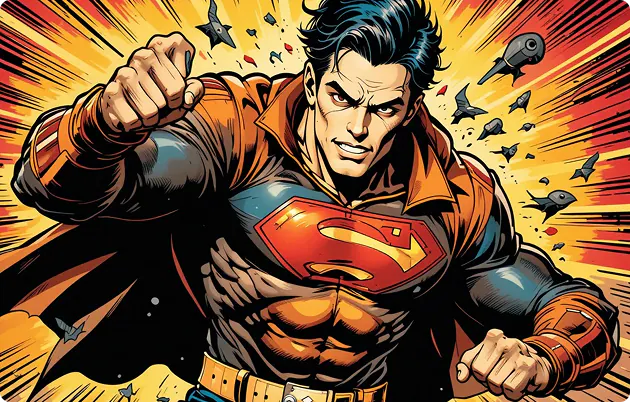
Quick Answer: What Is an AI Comic Cover Generator?
An AI comic cover generator is a tool that designs the front-cover artwork for a comic, graphic novel, or webcomic — composing a single dominant image with space reserved for title, logo, and trade dress, in a style matched to the book's genre.
Key capabilities:
- Generate hero shots, ensemble compositions, and dramatic action covers from a story premise
- Reserve compositional space for logo, title treatment, and issue numbering
- Keep characters consistent across an entire cover run with Comic Creator
- Produce variant cover sets from a single locked design
- Match established cover traditions across superhero, horror, indie, and manga formats
The Problem: Why AI-Generated Covers Don't Look Like Covers
The market rewards getting this right. The global comic book market was valued at $19.0 billion in 2025 and is projected to reach $37.2 billion by 2033, and direct-market growth has been sharp —
compared to the same period the prior year, per ICv2 data. More books on the rack means more competition for the same glance.Tooling has multiplied to meet demand. Adobe's Firefly lets you create comic panels and strips from text prompts, Canva offers a comic generator, and dedicated cover tools now exist for webcomic thumbnails, printed zines, and pitch decks.
But producing a cover that actually works is frustratingly difficult:
- Generators produce illustrations, not covers — no space left for the title or logo
- Composition treats the frame as a scene rather than a single dominant focal point
- Characters look different on issue #2 than they did on issue #1
- No understanding of trade dress, barcode zones, or bleed and safe areas
- Variant sets come out as unrelated images rather than a coherent family
- Style doesn't signal genre, so a horror book reads as generic fantasy
A Cover Has a Job, and It Isn't Decoration
The cover must, as one industry breakdown puts it, stand out amidst a sea of competitors while communicating key elements of the story, genre, and tone — and appeal to existing readers and new ones simultaneously. That's a commercial brief with hard constraints, not an open-ended art prompt. An image generator has no concept of any of it.
Composition and Eye Path Are Design Decisions
Cover design follows the same visual psychology as book cover design generally. Analysis of what makes covers work notes that a good rule of thumb is to mimic the eye movement of reading, because the cover is a static image designed to entice — the reader's eye needs a deliberate entry point and path. Empirical research on comics specifically has established that readers hold strong structural preferences that organize panels and page elements into hierarchic constituents, guiding how they navigate a page. Layout isn't arbitrary; readers arrive with expectations.
Nobody Leaves Room for the Logo
This is the single most common technical failure. A cover isn't just art — it's art plus a masthead, title treatment, issue number, creator credits, price, and barcode. Generate a beautifully centered composition and you've made it impossible to place the logo without covering your protagonist's face. Professional cover artists compose around trade dress from the first thumbnail.
Series Consistency Breaks Immediately
Covers are the most visible expression of a series' visual identity. If issue #4's protagonist doesn't match issue #1's, the shelf presence collapses. Adobe acknowledges the challenge directly, describing the need to keep characters on-model across multiple panels or an entire graphic novel — solved through reference images rather than independent generations. Most cover workflows don't even attempt it.
Ensemble Covers Are Their Own Discipline
Team books multiply every problem. A cover with six characters requires hierarchy — who's foreground, who's midground, whose face is fully visible, how silhouettes read against each other, and how color separates figures that would otherwise merge into visual noise. A prompt listing six characters produces a crowd, not a composition.
Authorship and Registration Deserve Attention
If you're publishing, the legal picture matters. The U.S. Copyright Office has been examining copyright law and policy issues raised by AI since 2023, publishing its Part 2 report on the copyrightability of generative AI outputs in January 2025. Reporting on the well-known Zarya of the Dawn determination noted that AI-generated imagery without human-authored elements cannot currently be copyrighted in the United States, and subsequent guidance has centered on protecting AI art only where there is meaningful human authorship.
The practical implication for cover work: your authorship lives in the concept, the composition direction, the title treatment, and the arrangement of elements. A workflow where you direct — rather than accept whatever appears — puts you on the strongest available footing.
This is exactly what Comic Creator was built for.
The Solution: Why Comic Creator Designs Covers Differently
Comic Creator treats a cover as a commercial design object with a specific job: stop a reader, communicate genre in under a second, and leave room for the words that have to sit on top of it. Composition, focal hierarchy, and negative space are handled as deliberate decisions rather than side effects.
The structural difference is persistence. Your cast, palette, and cover language live in memory, so issue #7 belongs to the same series as issue #1 — and a variant set reads as a family rather than six unrelated pictures.
| Generic AI Image Generator | Comic Creator |
|---|---|
| Centered illustration with no room for text | Composition built around logo and title placement |
| Every element competes for attention | Deliberate focal hierarchy and eye path |
| Character changes between issues | Locked cast held across the entire run |
| Ensemble prompts produce a crowd | Staged figure hierarchy with readable silhouettes |
| Variants are unrelated images | Variant sets designed as a coherent family |
| Style is a filter | Genre signaling through palette, line, and framing |
Covers Composed Around Trade Dress
You tell the agent where the masthead sits, whether you need a top banner, and how much vertical space the title treatment requires. It composes to those constraints — negative space where the logo lands, focal point positioned below it, and the barcode corner kept visually quiet.
"Vertical cover, masthead across the top third. Single hero figure in a low-angle power stance, dead center below the logo zone. Keep the top-left quiet for the issue number and the bottom-right corner clean for the barcode."
Ensemble Covers With Actual Hierarchy
Team covers require staging. The agent handles foreground/midground separation, silhouette readability, and color blocking so each character remains identifiable rather than dissolving into a mass of capes.
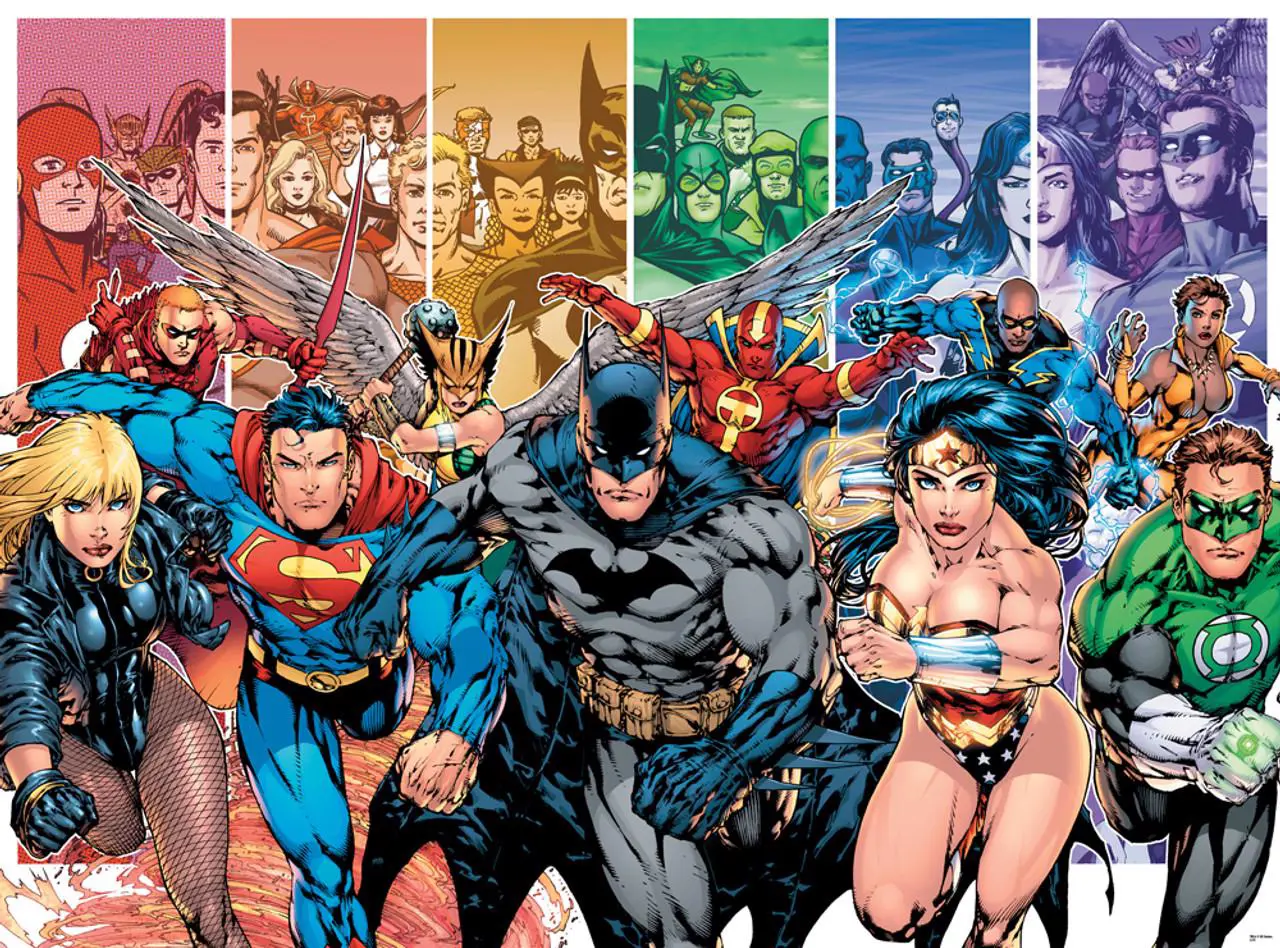
"Six-character ensemble charging toward the viewer. Four leads in the foreground with clear silhouette separation, secondary cast in vertical color-blocked panels behind them. Each panel a different hue so nobody merges into the background."
Genre Signaling Through Visual Language
A horror cover and a shonen volume cover use different palettes, line weights, lighting logic, and framing conventions — and readers decode those signals before they read a single word. The agent treats each cover tradition as a full visual vocabulary rather than a style toggle.
"Same protagonist, three treatments: golden-age superhero with flat bright primaries and a bold sky, then modern painted with heavy chiaroscuro and desaturated grit, then indie minimal with limited palette and a lot of negative space."
Series and Variant Consistency
Lock the cast and the cover language once, and every subsequent cover references it. That's what turns a set of issues into a shelf presence — and what makes a variant set feel intentional.
"Issue #4 cover, same cast and palette as the previous three. This time she's alone in the rain, back to the viewer. Keep the masthead placement identical."
Covers That Connect to the Book Inside
Because the same agent handles interior sequential art, your cover cast is the same cast that appears on page one. Cover and interior aren't two disconnected commissions that happen to share a character name.
Related Agents You'll Also Find Useful
Cover work sits at the intersection of illustration, typography, and marketing. These agents cover the adjacent tasks most creators hit immediately.
Graphic Designer
The cover art is half the job. Title lettering, masthead design, credit blocks, and print-ready layout are the other half.
- Expert across branding, print, marketing, and illustration
- Typographic treatment and logo lockup design
- Format adaptation for print specs and digital storefronts
Logo Generator
Your series masthead is a logo. It needs to work at thumbnail size, in one color, and across every issue for years.
- Intelligent style matching across any genre or industry
- Brand identity strategy, not just a wordmark
- Designs built to hold up at any scale
Manga Creator
If your book is manga rather than Western comics, volume cover conventions differ meaningfully — spine treatment, obi placement, and character framing all follow their own tradition.
- Genre fluency across shonen, shojo, seinen, and josei
- Consistent art style from one-shot to 200+ page series
- Panel flow and pacing built on manga storytelling conventions
Poster Maker
Once the cover exists, it usually needs to become a con banner, a print for the merch table, and a launch announcement graphic.
- Event promos, wall art, and promotional design
- Professional results across print and digital formats
- Deep design intelligence for layout and composition
Try Comic Creator free — no credit card required.
How It Works: From Premise to Print-Ready Cover
Step 1: Describe the Book, Not Just the Image
Give the agent the genre, tone, and what the issue is actually about. Cover design is a communication problem — it needs to know what it's communicating.
"Issue #1 of a supernatural noir set in 1970s Chicago. Grounded, grim, morally compromised protagonist. The cover should feel like a crime paperback that something's wrong with."
Step 2: Set Your Trade Dress Constraints
Specify where text has to go before any art gets generated. This is the step that separates a usable cover from a nice illustration you can't put a title on.
"Masthead across the top 20%. Issue number bottom-left. Creator credits bottom-center in a single line. Standard comic trim with bleed — keep critical detail out of the outer quarter-inch."
Step 3: Lock Your Cast and Cover Language
Establish character designs and the series' visual identity — palette, line quality, lighting logic — before producing the first cover. Everything after references this.
"Lock this protagonist design and this palette: bruised purples, sodium-vapor orange, deep black. That's the series language for the whole first arc."
Step 4: Generate and Iterate on Composition
Review the composition first, refine the focal hierarchy and eye path, then push toward final render. Fixing composition is cheap; fixing it after finishing is not.
"Push the figure lower in the frame and bring the camera down. I want him small against the building. More empty space above him for the logo to sit in."
Step 5: Extend Into Variants and the Rest of the Run
Produce your variant set from the locked design, then carry the same visual language forward through subsequent issues across sessions.
"Now three variants from this: a black-and-white inks version, a tight portrait crop, and a wraparound with the city skyline extending across the back."
Results & Use Cases
📚 Launching a Self-Published Issue #1
Scenario: An indie creator has a finished 24-page book and needs a cover strong enough to compete on a crowded comic-shop rack and a Kickstarter page.
Traditional Approach: Commission a cover artist at $300–$1,500, wait 4–8 weeks, and hope the single delivered concept works — with revisions billed separately.
Comic Creator: Multiple full cover concepts explored in one session, with trade dress space accounted for and unlimited compositional iteration.
- Test several concepts before committing instead of buying one
- Logo and title space designed in, not retrofitted
- Locked design carries directly into issue #2
🎨 Building a Variant Cover Set
Scenario: A creator running a crowdfunding campaign needs five variants — main, black-and-white, sketch, character-focus, and a retailer-exclusive — that feel like a deliberate set.
Traditional Approach: Five separate commissions from potentially five artists, with no guarantee they'll cohere as a family.
Comic Creator: All variants derived from a single locked design, so the set reads as intentional while each version has its own reason to exist.
- Consistent character identity across every variant
- Distinct treatments that still share a visual DNA
- Pairs naturally with Graphic Designer for the title lockups
📱 Webcomic Thumbnails and Series Banners
Scenario: A webcomic creator needs episode thumbnails that read clearly at phone size and a series banner that converts browsers into readers, updated weekly from their phone.
Traditional Approach: Rushed self-made thumbnails that lose all detail at small scale, or a weekly commission cost the series can't sustain.
Comic Creator: Thumbnail-first composition with bold silhouettes and high contrast, produced on mobile with full feature parity across web, iOS, and Android.
- Compositions built to survive aggressive downscaling
- Speech-to-text for describing concepts on the move
- Everything syncs between phone and desktop
💼 Ensemble Covers for a Team Book
Scenario: A team title needs a cover featuring six characters where every one of them is identifiable at rack distance — not a tangle of overlapping figures.
Traditional Approach: Ensemble covers command premium rates precisely because staging six characters legibly is genuinely hard, and revisions are expensive.
Comic Creator: Staged figure hierarchy with foreground leads, color-blocked secondary cast, and silhouette separation handled as a composition problem.
- Every character readable at thumbnail and rack distance
- Color logic used to separate figures rather than decorate them
- Same cast carries into interior pages without redesign
FAQ
Is the AI comic cover generator free?
Yes — you can start designing covers on Jenova's free tier, which includes all core features with limited monthly usage. Paid plans scale usage substantially and remove watermarks from generated output. Usage resets monthly on your billing date with no daily caps, so your full allowance is available from the first day of each cycle.
How is this different from a general AI image generator?
General generators produce centered illustrations with no awareness that a title, logo, issue number, and barcode have to sit on top of them. Comic Creator composes around trade dress, builds deliberate focal hierarchy, and treats genre conventions as a visual language — because a cover is a commercial object that must communicate story, genre, and tone amid heavy competition.
Can it keep my characters consistent across an entire series of covers?
That's a core function. Lock your cast and series palette once, and every subsequent cover references that specification — across issues and across sessions. Series consistency is what creates shelf presence, and it's the failure most visible to readers when it breaks.
Can it generate variant covers?
Yes. Variants are produced from a single locked design so the set reads as a deliberate family — black-and-white inks, sketch variants, character-focus crops, wraparounds, and retailer exclusives that share visual DNA while each offering something distinct.
What cover styles does it support?
Golden-age and silver-age superhero, modern painted, noir and crime, horror, indie minimalism, retro pulp, manga volume art, and hybrids. Style is treated as a full vocabulary — palette logic, line weight, lighting, and framing conventions — rather than a filter applied over a generic base.
Can I copyright an AI-assisted comic cover?
This is unsettled and worth taking seriously. The U.S. Copyright Office has published guidance on the copyrightability of generative AI outputs, and reporting on early determinations noted that AI imagery without human-authored elements isn't currently protected, with later guidance protecting work that reflects meaningful human authorship. Your concept, composition direction, title treatment, and arrangement are where your authorship is strongest. Consult a qualified attorney for your situation.
Does it work on mobile?
Yes, with full feature parity across web, iOS, and Android. Describe cover concepts with speech-to-text, review compositions on your phone, and finish on desktop — projects, character designs, and history sync across all devices.
Conclusion
The gap in AI comic cover generation was never rendering quality. It was that a cover is a commercial design object with hard constraints — a dominant focal point, a legible eye path, reserved space for the masthead and trade dress, genre signals a reader decodes in half a second, and a cast that has to look identical on issue #9 and issue #1. Image generators solve for none of that, which is why so much AI cover art looks like a nice illustration someone tried to put a logo on afterward.
Treating the cover as a design brief changes the output. Composition gets built around where the title goes. Ensemble staging becomes a hierarchy problem instead of a crowd. Variants become a family instead of six strangers. And your authorship stays where it belongs — in the concept and the direction.
Set your constraints, lock your cast, and design a cover that earns the pickup. Try Comic Creator now.
Explore more at Jenova.
For Developers: Comic Creator is available programmatically via the Jenova API — integrate comic cover and sequential art generation into your application with a single API call. Full documentation →