AI Comic Battle Scene Generator: Epic Fight Panels Instantly
2026-09-14
Comic Creator helps you generate cinematic comic battle scenes by turning a written fight into sequential art with readable poses, impact effects, and panel-ready composition. While splash pages and clash sequences usually mean long waits and expensive illustration rounds, this AI produces fight art you can revise in the same sitting.
✅ Build full-cast clash scenes from a single written brief ✅ Direct camera angle, impact FX, and art style in plain language ✅ Iterate choreography, lighting, and layout without a reshoot ✅ Export panel-ready images for issues, pitches, and social posts
In September 2026, more writers, indie publishers, and game masters need splash-page energy without a full art team on payroll. To understand why a dedicated comic battle scene generator matters, let's examine the production bottlenecks facing action-comics creators today.
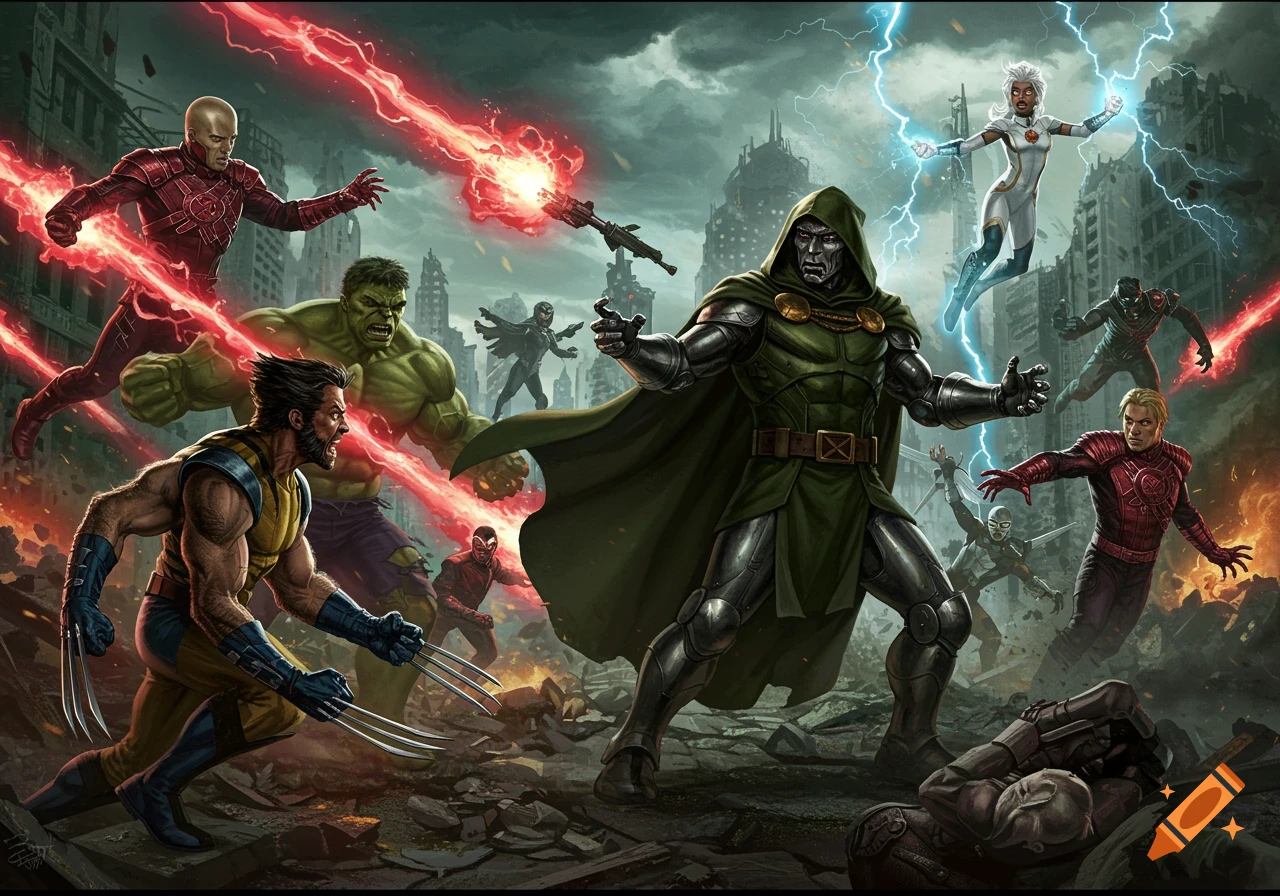
Quick Answer: What Is a Comic Battle Scene Generator?
Comic Creator is an AI comic battle scene generator that turns a written fight description into dynamic sequential art so you can stage clashes, knockbacks, and splash pages in minutes. It is built for action storytelling, not generic one-off illustrations.
Key capabilities:
- Multi-character clash compositions with readable silhouettes
- Camera control for splash pages, inset panels, and chase beats
- Style range across superhero, manga, noir, and indie comics
- Conversational revision of poses, costumes, debris, and lighting
Why Comic Battle Scenes Are So Hard to Produce
Demand for comics is not the problem. The global comic book market was valued at USD 17.69 billion in 2025, and other industry tallies put 2025 nearer USD 19.0 billion. In the UK, NielsenIQ BookScan figures cited by the Society of Authors show the comics market hitting a record £78.7 million in 2025, up 13.9% year over year.
But producing the pages that sell those books is still frustratingly slow:
- Action pages require anatomy, foreshortening, and camera craft most general image tools do not hold
- Character costumes and faces drift from panel to panel
- Freelancer queues and revision rounds stall a single splash for days or weeks
- Creators already juggle writing, lettering, marketing, and day jobs
That income gap is not a side note. The same Society of Authors research — also reported by The Bookseller — found creators under rising time pressure as they stack multiple jobs and admin on top of the pages themselves. A fight scene is often the most expensive page in the book, and it is the page readers remember.
Anatomy, Camera, and Impact Have to Read in One Glance
A comic battle scene is not a poster of people standing near each other. The eye has to parse who is hitting whom, where the camera sits, and what the next panel should feel like. Foreshortened punches, overlapping limbs, debris arcs, and speed lines all fail if the silhouette is muddy. General image models often deliver a crowded collage instead of a readable beat.
Generic AI Tools Break Costume Continuity Mid-Fight
Creators using general generators report the same failure mode: the hero's hairline, emblem, or armor changes every time the camera cuts. In the OpenAI developer community, builders described having to restate full character specs on every panel or watch similarity collapse.
flag the same issue with popular image models — faces and outfits will not hold across a sequence. A battle that lasts three pages becomes unusable if the antagonist's helmet redesigns itself between punches.Time Pressure Kills the Pages That Need the Most Craft
Finishing is the real craft test. As one studio write-up on the challenge of making comics puts it, the work is to stay committed through the last page rather than abandoning a project halfway. Fight scenes are where that commitment usually breaks: they take longer, cost more, and attract the harshest reader scrutiny. When the climax is the bottleneck, the issue does not ship.
This is exactly what Comic Creator was built for.
Why Comic Creator
Comic Creator is a dedicated comic-book artist for complete stories — sequential art, dynamic layouts, and bold visual styles, from a single issue to a graphic novel saga. For battle scenes, that means you brief the clash the way you would brief a collaborator: who is in frame, what the hit does, where the camera sits, and how the page should feel.
It is not a generic image box with a comics filter. You stay in the fight. You adjust the knockback, thicken the ink, clear a silhouette, or restage the same beat as a splash instead of a nine-panel grid.
| Traditional Approach | Comic Creator |
|---|---|
| Wait on a freelancer queue for one splash | Generate and revise fight art in the same session |
| Storyboard in one tool, finish in another | Describe camera, impact, and cast in one brief |
| Generic image models drift faces and costumes | Iterate until costumes, props, and faces match the scene |
| One hired style per issue | Superhero, manga, noir, and indie treatments on demand |
| Revisions billed by the round | Conversational restaging of the same clash |
Dynamic Layouts for Clash, Chase, and Knockback
Sequential art lives in the cut. Ask for a wide establishing shot of a collapsing bridge, then a close-up gauntlet strike, then a knockback through a neon sign. Because the tool is built for layouts rather than isolated pictures, you can keep the same fight grammar across those beats: camera height, reading direction, and where the impact lands in the frame.
"Splash page: a silver-armored sky knight clashes with a magma-fisted brawler on a collapsing bridge at dusk, debris in the air, speed lines, heavy inks with flat color, camera low and wide"
Style Control Without a Full Art Department
Need a 1990s superhero splash with bold primaries one day and a high-contrast noir alley fight the next? Specify line weight, palette, and era. The same cast can be restaged in a manga-speed-line treatment when you need a different market or a variant cover. You are directing style, not hoping a random seed lands on "comic-like."
Iterate Fight Choreography in Conversation
The highest-value move is not the first generate — it is the fifth. "Pull the camera higher." "Hide the extra bystanders." "Make the left fighter's cape read as a silhouette." "Same costumes, different angle." That revision loop is how professional action pages actually get made. You keep the brief in chat instead of rewriting a giant prompt from scratch every time a fist needs to travel farther across the frame.
Related Agents You'll Also Find Useful
If the battle scene is one beat in a larger book, these tools sit naturally next to a comic battle scene generator.
Manga Creator — When the fight needs screentone, speed lines, and right-to-left panel flow rather than a Western splash, this is the specialist. It is built for one-shots through long serials, with an emphasis on consistent visual storytelling.
- Panel rhythm and page-turn pacing for shonen-style exchanges
- Style control for inks, tone, and expression sheets
- Better fit for dojo duels, mecha clashes, and tournament arcs
Webtoon Creator — If the clash has to land on a phone, vertical scroll changes the choreography. Full-color episodes need taller beats, hook panels, and color continuity that a square splash does not provide.
- Mobile-first rhythm and episode cliffhangers
- Full-color consistency across long episode runs
- Fight beats staged for thumb-scrolling rather than print spreads
Prompt Generator — Action prompts fail when they bury the camera in costume trivia, or the reverse. This partner turns a messy fight idea into a tight brief for stills, comics, and motion — useful before you generate the page and when a panel needs a cleaner restage.
- Structured prompts for image, comics, and video models
- Collaborative refinement instead of one-shot wording
- Reusable fight-language you can paste into later issues
Try Comic Creator free — no credit card required.
How to Generate a Comic Battle Scene
Step 1: Brief the Cast, the Hit, and the Stakes Name the fighters, the environment, and the single action the panel must communicate. A good brief is a director's note, not a novel. If a reader cannot tell who won the exchange in one second, the page is not done.
"Two rivals on a rain-slick rooftop: the agile fighter in a crimson hood drives a knee into the armored tactician's chest, city lights behind them, debris and rain streaks, cinematic comic inks"
Step 2: Lock Camera, Style, and Format Decide splash versus grid, print versus vertical scroll, and the visual era. "Low-angle splash, American superhero coloring, heavy blacks" produces a different page than "tall webtoon panel, cel shading, neon night." Put format in the brief so the composition is not cropped later.
"Nine-panel page, left-to-right: establish the alley, mid punch, impact close-up, knockback through crates, opponent rising, both leaping, clash in midair, landing crater, silent stare. Bold 1980s newsstand coloring."
Step 3: Generate, Then Restage the Weak Beat Treat the first image as a layout pass. Fix the unreadable arm, the missing emblem, the extra onlooker, or the camera that is too high. Keep costume language identical across revisions so the sequence can sit on one page.
Step 4: Place the Panel in the Story Drop the finished beat into the issue, pitch deck, or episode draft. If you need the preceding quiet scene or the aftermath in a different tradition, hand the same cast notes to Manga Creator or keep iterating in the same chat until the chapter reads as one fight, not a pile of disconnected posters.
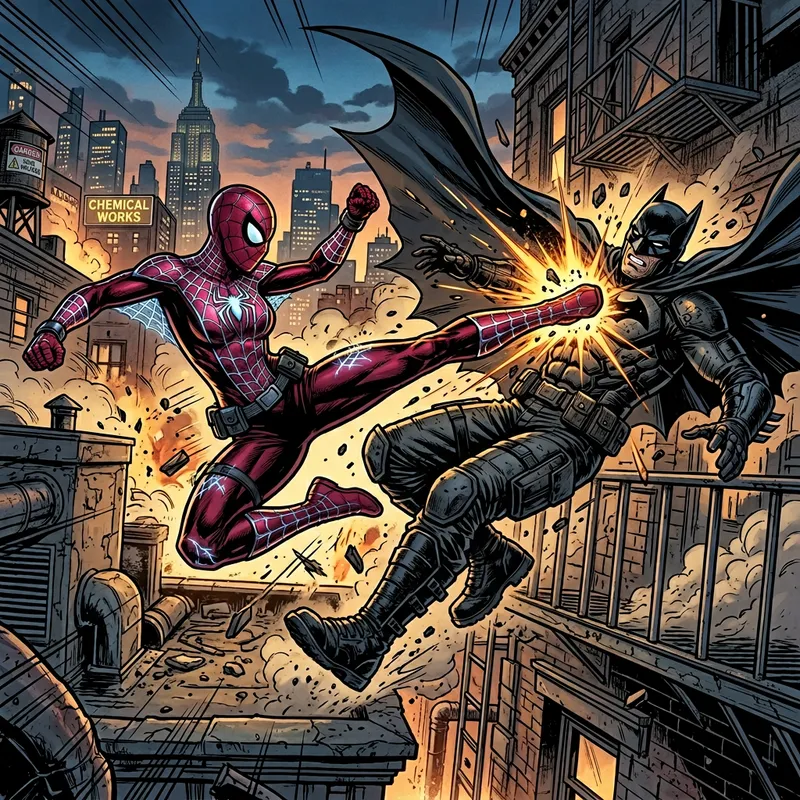
Results & Use Cases
📊 Indie Issue Climax Without a Full Art Roster
- Scenario: You are finishing issue one of an original superhero book. The climax is a four-character clash on a shattered plaza, and your collaborator cannot start the splash for three weeks.
- Traditional Approach: Pause the lettering pass, post in a collab group, and hope a freelancer can match your existing inks. Indie creators routinely cite production itself — not just plotting — as the hard part.
- Comic Creator: You generate the plaza splash, restage it as a double-page, then cut two insets from the same brief for the preceding page.
- Readable silhouettes for every fighter in one frame
- Same costume language across splash and insets
- A page you can take to lettering the same day
💼 Publisher Pitch and Kickstarter Preview Art
- Scenario: You need three action samples that prove the book has cinematic fights, not talking heads, before a pitch meeting or campaign launch.
- Traditional Approach: Commission samples you cannot afford to throw away if the plot changes, or show graylined sketches that fail to sell tone.
- Comic Creator: Produce a rooftop chase, a melee in a burning station, and a quiet aftermath, then restyle one as a variant cover.
- Fast visual proof of tone and choreography
- Easy restyle if the pitch shifts from noir to full color
- Assets you can crop for store banners and social ads
📱 Mobile Webtoon Teaser on a Commute
- Scenario: You have twenty minutes on the train and a Thursday episode to hook. The fight has to read at phone width, in color, with a cliffhanger panel.
- Traditional Approach: Desktop-only tools and print-shaped canvases that collapse when you crop to vertical.
- Comic Creator plus Webtoon Creator: Stage the clash as a tall color beat, then continue the episode in a vertical-scroll specialist so the hook panel is built for thumbs, not a floppy.
- Full-color action that survives a small screen
- Fast restage if the hook is not strong enough
- Continuity into the next episode instead of a one-off poster
🎯 Graphic Novel Duel Chapter in a Manga Register
- Scenario: Chapter eight is a two-person duel that should feel like a tournament final: reaction shots, speed lines, and a full-page finishing blow.
- Traditional Approach: Western-style generators that ignore gutter rhythm, or a mangaka waitlist you cannot pay.
- Manga Creator: Build the chapter's visual grammar — tone, pace, and finishing splash — while the script notes stay in the same project.
- Screentone and speed-line language that matches the rest of the book
- Panel flow designed for page-turns, not square crops
- A finishing blow you can test at full-page scale before inking a wasted layout
FAQ: Comic Battle Scene Generator
What is a comic battle scene generator?
A comic battle scene generator is a visual storytelling tool that turns a written fight into sequential art — splash pages, grids, and impact frames — with readable anatomy, camera direction, and comic-specific effects. Comic Creator is built for that job: you describe the clash, the cast, and the layout, then revise until the beat reads in one glance. It is aimed at issues, pitches, and episodes, not decorative character portraits.
Is Comic Creator free?
Yes. A free tier includes core features with limited monthly usage, so you can generate fight panels before paying. Paid plans start at $20 per month for substantially more usage, with higher tiers if you are producing full issues. Usage resets each billing cycle with no daily cap, which matters when you are iterating a single splash many times in one sitting.
How is a dedicated comic battle scene generator different from Midjourney or DALL·E?
General image models can produce a dramatic still, but creators report they
. A comics-first agent is briefed on layout, reading order, and fight grammar, then stays in conversation so you restage the same clash instead of rolling a new random poster. You still need to lock descriptions and review continuity — no model is magic — but the workflow is sequential art, not prompt lottery.Can it keep characters consistent across fight panels?
Consistency is the hard problem in AI comics, and builders using custom comic GPTs have documented how quickly likeness collapses without restated traits. The practical method is to lock costume, hair, and props in the brief, generate, then revise rather than regenerating from a blank prompt. Keep a short character sheet in the chat and paste it into every new angle. Treat likeness as an editorial pass, the same way a human inker would.
Does Comic Creator work on mobile?
Yes. You can brief a rooftop clash, generate, and restage from a phone or tablet with the same project context as desktop. That is the difference between a tool you open at the desk and one you can use to mock a webtoon hook on the commute. Pair vertical episodes with Webtoon Creator when the fight must be full-color and thumb-friendly.
Can I generate manga-style fight scenes as well as Western superhero splashes?
Yes. Specify line weight, speed lines, screentone, and panel flow, or move the same duel into Manga Creator when the chapter needs serial manga grammar rather than a single American-style splash. Original casts and original choreography are the right brief; do not use the generator to reproduce copyrighted heroes from existing publishers.
Put Cinematic Fight Scenes on the Page
Action pages are where comics either feel expensive or fall apart. The market for the medium is growing, but the people drawing the punches are still short on time, pay, and a pipeline that can hold a costume from panel one to the knockout. A focused comic battle scene generator closes that gap: you write the hit, direct the camera, and keep restaging until the clash reads.
Comic Creator gives you sequential fight art — splashes, grids, and knockbacks — without parking the issue in a freelancer queue. Brief the scene, lock the cast, and put the climax on the page.
Explore more at Jenova.
For Developers: Comic Creator is available programmatically via the Jenova API — integrate comic battle scene generation into your application with a single API call. Full documentation →