What Is the Best AI Coloring Book Creator for Custom and KDP Books?
2026-10-06
Which AI Coloring Book Tools Keep Line Art, Complexity, and Characters Consistent Across a Whole Book?
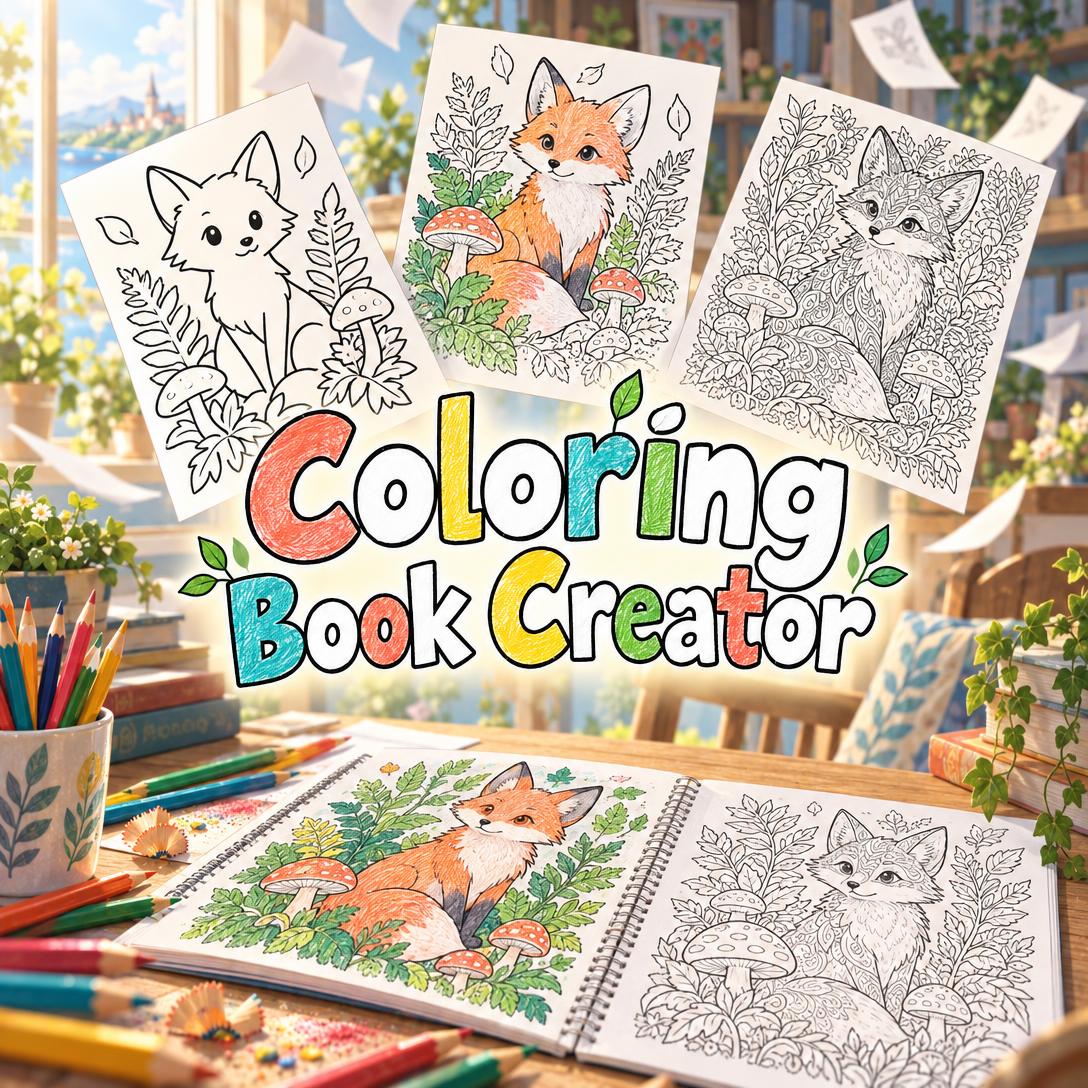
If you need a finished coloring book of 12 to 100 pages, Jenova's Coloring Book Creator is among the most complete options in 2026. It plans the whole book, locks an audience level and art style, and builds each page against dedicated style and character references.
The alternatives fit narrower jobs:
- ColorBliss and Colorify AI are stronger for fast single pages and personalized name pages.
- NightCafe suits prompt-savvy users who want a choice of AI models.
- Book Bolt and Canva handle Amazon KDP research, layout, and covers rather than coloring-specific line art.
Key factors that separate book-ready AI coloring tools from one-off page generators:
✅ Line-art purity: no gray shading, gradients, or color fills, which make a page frustrating to color with crayons or markers.
✅ Closed boundaries: every colorable area is fully enclosed, so colorists have clear edges to color up to.
✅ Audience calibration: line weight and detail density match the reader, from toddler pages with 1–3 large shapes to adult pages with 60–100+ elements.
✅ Cross-page consistency: the same line weight, style, and recurring characters appear on page 3 and page 43.
✅ Print readiness: pages match the trim size, keep binding-safe margins, and meet the 300 DPI resolution recommended for print (Books.by print-ready PDF guide).
To compare these tools fairly, it helps to first establish what a usable coloring book requires, beyond attractive individual images.
Why Are More Creators Using AI to Make Coloring Books in 2026?
AI has shortened the slowest part of coloring book production: drawing dozens of clean, closed-line illustrations by hand. Combined with print-on-demand publishing, this makes custom and commercial coloring books practical for parents, teachers, and independent sellers who lack illustration skills.
The manual route is substantial. A widely viewed HalieKStudio tutorial on drawing a 30+ page coloring book without AI follows six stages: brainstorming, composing pages, sketching, refining details, batching the workflow, and producing final black line art before export.
The economics of self-publishing also draw creators in. ScribeCount's July 2026 guide to Amazon KDP notes that KDP pays 60% of list price minus printing costs for print books.
Arkham House Publishers' guide to publishing coloring books on KDP reports that Kindle coloring books are growing 65% every year. Treat this as a publisher-reported figure rather than an audited market statistic.
Niche research has followed. BookCoversLab's September 2026 roundup of low-competition KDP coloring niches recommends a default production standard of 8.5 × 11 inches, at least 300 DPI, and thick closed shapes.
Demand also extends beyond commerce. Independent projects such as
, show that adult coloring has a dedicated audience.The trade-off many articles skip: generic coloring pages are abundant and free. Crayola's free printable coloring pages already cover common subjects for kids and adults. The value of AI therefore lies in cohesion and customization, such as a themed book built around a child's favorite animal, a classroom unit, or a distinctive commercial niche. Random volume adds little.
What Should You Look for in an AI Coloring Book Creator?
The most important qualities are line-art purity, enclosed coloring areas, audience-appropriate complexity, and consistency across every page. Print-ready output and clean licensing come next. A tool that produces one beautiful page but cannot repeat the style 40 times is a page generator, not a book creator.
🎯 The Six-Point Colorability Framework
This article evaluates every tool on six dimensions, weighted by who is making the book:
| Dimension | What It Means | How to Test It | Weight: Parent | Weight: Teacher | Weight: KDP Seller |
|---|---|---|---|---|---|
| Line-art purity | Black outlines on white, with no shading or fills | Zoom in on a generated page and look for gray tones | High | High | Critical |
| Enclosed areas | Every region has closed boundaries | Mentally "fill" a region and check whether it leaks | High | High | Critical |
| Audience calibration | Line weight and detail match the age or skill level | Generate a toddler page and an adult page, then compare | Critical | Critical | High |
| Cross-page consistency | Style and characters stay stable across the book | Generate pages 1, 10, and 20 and lay them side by side | Medium | Medium | Critical |
| Print readiness | Trim-matched ratio, safe margins, 300 DPI | Check the export dimensions against your trim size | Low | Medium | Critical |
| Output terms | Watermarks, file formats, commercial use | Read the plan terms before publishing | Low | Medium | Critical |
Testing reveals that line-art purity is the most common failure point for general AI image models. They tend to add soft shading or gray backgrounds because their training favors finished illustrations.
The second most common problem is complexity creep: page 25 of a preschool book quietly becomes as busy as a tween page. Purpose-built tools address this with explicit audience controls. General image generators leave it to your prompting discipline.
How Does Jenova's Coloring Book Creator Compare to ColorBliss, Colorify AI, NightCafe, Book Bolt, and Canva?
Jenova's Coloring Book Creator is strongest for whole-book planning and consistency. ColorBliss and Colorify AI are faster for individual or personalized pages, NightCafe offers the most model flexibility, and Book Bolt and Canva serve the publishing and layout side of a coloring book business.
As of 2026, the tools compare as follows:
| Dimension | Jenova Coloring Book Creator | ColorBliss | Colorify AI | NightCafe | Book Bolt | Canva |
|---|---|---|---|---|---|---|
| Built for coloring line art | Yes, with line-art-only rules and a per-page quality check | Yes, prompt-based coloring pages | Yes, template and prompt-based | No, general AI image platform | No, KDP research and low-content interiors | No, general design |
| Whole-book consistency | Style exemplar, character reference sheets, approved page plan | Unverified | Unverified | Unverified | Not applicable | Not applicable |
| Complexity control | 7 audience levels, toddler to adult complex | Unverified | Template-driven | Prompt-dependent | Puzzle difficulty settings | Manual |
| Print and KDP features | Trim-matched ratios, binding-safe margins, PDF compilation | Unverified | Unverified | Unverified | Bleed and trim options, cover designer | Not KDP-aware for spine-accurate covers |
| Output and watermark | Image pages plus PDF; watermark removed on paid plans | PNG, PDF, SVG; watermark on basic version | PNG; no watermark | PNG; watermarks may apply | Print-ready PDF interiors | Unverified |
| Pricing (at time of writing) | Free tier; Plus $20/mo | Limited free access; paid unverified | Free credits; paid unverified | Free credits; paid unverified | Reported $9.97–$49.99/mo depending on source and tier | Unverified |
| Best for | Complete themed books for kids, classrooms, or sale | SVG output, quick prompt pages | Personalized name pages | Experimenting with AI models | KDP niche research and puzzle books | Covers and general layout |
Sources: Colorify AI's August 2026 generator review, KDPBuilder's May 2026 tool comparison, Univers Studio's KDP tools comparison, and Vocal's Book Bolt overview.
Jenova's Coloring Book Creator
Jenova's Coloring Book Creator works like a design studio. Before generating any project pages, it helps you set four things:
- An audience level
- A trim size (8.5×11", 8×10", 6×9", or square)
- A page progression strategy (simple → complex, category grouping, uniform, or variety mix)
- An art style (Bold & Simple, Cartoon Fun, Detailed Realistic, Whimsical Fantasy, Intricate Pattern, Botanical & Nature, or a custom style such as stained glass or art nouveau)
It then produces two kinds of reference images. A style exemplar sets the line weight and detail density. Character reference sheets cover any recurring characters. You approve a full page plan before generation begins.
Each page is checked against the same standards: no fills or shading, closed boundaries, correct line weight, varied area sizes, and correct aspect ratio and margins. Failed pages are regenerated.
Limitations:
- Page-by-page creation is slower than bulk generators that produce dozens of images at once.
- Pages are AI-generated raster images, not vector SVG files.
- AI-rendered text (titles, labels) occasionally garbles and needs a retry.
- It does not offer KDP keyword or niche research.
- The free tier adds watermarks, which are removed on the $20/month Plus plan.
ColorBliss
ColorBliss stands out for SVG export and AI-assisted prompt refinement, which turns a rough idea into a detailed generation instruction (Colorify AI review). The same review notes a watermark on the basic version, restricted background customization, and image quality that trails some competitors.
Colorify AI
Colorify AI pairs a beginner-friendly workflow with templates and prompt-based backgrounds, and its outputs carry no watermark. Its limitations are no preview before generation and limited free generations. Note that this assessment comes from Colorify AI's own comparison, published on its blog and tested in August 2026 (Colorify AI review).
NightCafe
NightCafe is a broad AI image platform with access to multiple AI models and free credits. It is useful when a concept doesn't fit a template. However, its templates aren't focused on coloring, example images may not match results, and watermarks may apply depending on account settings (Colorify AI review).
Book Bolt
Book Bolt is best known for niche and keyword research and low-content interiors, with AI generation features added more recently (KDPBuilder comparison). Its PRO plan includes the PuzzleWiz puzzle generator for activity books (Book Bolt).
Reported pricing varies. A competitor's comparison page cites $9.97/month ([Univers Studio](https://univers.studio/compare/)), while another overview lists tiers of $19.99, $29.99, and $49.99 (Vocal).
Canva
Canva offers a fast design tool with a huge template library, well suited to covers and simple layouts. It is not KDP-aware, however: it won't calculate a spine-accurate full-wrap cover, so you set up and verify the technical details yourself (KDPBuilder comparison).
How Do You Match Coloring Page Complexity to a Child's or Adult's Skill Level?
Match complexity by controlling two variables together: line weight (thicker for younger colorists) and detail density (the number of distinct elements on the page). A toddler page should have one to three giant enclosed shapes. An adult complex page may contain more than 100 micro-areas.
Jenova's Coloring Book Creator applies a seven-tier calibration model:
| Audience | Age / Skill | Line Weight | Elements per Page | Design Priority |
|---|---|---|---|---|
| Toddler | 1–3 | Very thick, bold | 1–3 large shapes | Rounded forms, single focal point |
| Preschool | 3–5 | Thick | 3–8 objects | Recognizable objects, big areas |
| Children | 5–8 | Medium-thick | 8–15 elements | Scenes with context |
| Tween | 8–12 | Medium | 15–25 elements | Layered compositions |
| Teen/YA | 13+ | Medium-fine | 20–40 elements | Fine detail work |
| Adult Relaxation | Adults | Fine | 30–60+ elements | Meditative repetition |
| Adult Complex | Experienced | Very fine | 60–100+ elements | Full-page micro-detail |
Other tools handle complexity differently:
- MyColoring AI offers a "Coloring Detail" slider and multi-image generation (Colorify AI review).
- AIColoringPages.net offers adjustable complexity levels plus commercial-use licenses (Logicsofts roundup).
These controls work per image. The harder problem is keeping complexity locked, or deliberately ramping it, across an entire book.
A nuanced point: more detail is not automatically better. For children's books, a simple → complex progression builds confidence, because early pages give quick wins before denser scenes appear. For adult mandala books, uniform complexity is usually preferred, since buyers expect a consistent meditative experience on every page.
What Makes a Coloring Page Actually Enjoyable to Color?
An enjoyable coloring page is designed for the act of coloring, not simply drawn without color. It balances large "reward areas" that are satisfying to fill with smaller "challenge areas" that demand focus, and it surrounds every region with a clean, closed outline.
Design principles that separate professional pages from generic line art:
- Reward areas: big simple shapes, such as clouds, petals, and sky, that give a quick sense of progress.
- Challenge areas: stamens, feathers, and pattern fills that reward precision.
- Area size variety: pages made of same-size cells feel tedious, while mixed sizes create rhythm.
- Texture through contour: fur, bark, water, and fabric suggested with pattern lines, never tonal shading.
- Negative space: deliberate empty zones that prevent visual fatigue and guide the eye.
- Line weight hierarchy: heavier primary outlines and lighter interior details create depth without shading.
🧩 Activity and Educational Pages
Coloring books increasingly mix in activity pages. Jenova's Coloring Book Creator supports several types:
- Hidden-object scenes
- Connect-the-dots outlines
- Mazes with colorable walls
- Spot-the-difference pairs
- Counting challenges
It also produces educational layouts such as outlined letters and numbers and labeled anatomy, nature, or geography diagrams.
For puzzle-heavy activity books, Book Bolt's guidance suggests 25–50 different puzzles as a good starting length for a sellable book (Book Bolt). A practical hybrid is coloring pages from an AI coloring tool combined with puzzle pages from Book Bolt.
What Print Specifications Does a Coloring Book Need for Amazon KDP?
A KDP-ready coloring book needs four things:
- A print-ready PDF interior whose page size matches the trim
- Images at 300 DPI
- A wider inside (gutter) margin
- A separate full-wrap cover file whose spine width depends on page count
8.5 × 11 inches remains the most popular coloring book trim, with 8.5 × 8.5 inches common for square formats (Arkham House Publishers).
Print-ready PDFs should use 300 DPI images and a 0.125-inch bleed when art runs to the edge, and the PDF page size must match the trim (Books.by).
Gutter requirements grow with page count. Books.by notes that books over 400 pages need more gutter, and ScribeCount lists a 0.875-inch minimum gutter for 701+ page books (ScribeCount).
Most coloring books fall well under those page counts. Even so, a 0.5–0.75" inner safe area keeps artwork from disappearing into the binding, which is the margin Jenova's Coloring Book Creator builds into its page layouts.
Pre-Upload Checklist
- Lock trim size first. Changing trim after layout changes page count, spine width, and the cover template (Books.by).
- Print single-sided. Coloring books conventionally leave the back of each page blank to prevent marker bleed-through.
- Verify 300 DPI at final trim dimensions, not just at screen size.
- Recalculate the cover after any page-count change, since spine width depends on page count, paper, and binding.
- Check margins so that no critical line art sits inside the gutter.
- Confirm licensing and watermarks on every AI-generated page before publishing.
Canva users should note that spine-accurate full-wrap covers require manual setup (KDPBuilder). Book Bolt's puzzle generator, by contrast, offers bleed and trim settings at generation time (Book Bolt).
How Do You Create a Complete Coloring Book With AI, Step by Step?
Most AI coloring workflows follow the same arc:
- Define the audience and format.
- Establish a visual style.
- Plan every page.
- Generate and review pages one by one.
- Design a cover.
- Export a print-ready PDF.
The tools differ mainly in how much of this sequence they handle for you.
Using Jenova's Coloring Book Creator
- Open the agent at jenova.ai/a/coloring-book-creator and describe your project in one message:
"I want a 24-page dinosaur coloring book for my 4-year-old, 8.5×11, simple to slightly more detailed by the end. Include a friendly T-rex named Rexy on several pages."
- Confirm the suggested audience level (Preschool), the art style (Bold & Simple or Cartoon Fun), and the progression strategy (Simple → Complex).
- Review the style exemplar and Rexy's character reference sheet before any project pages are made.
- Approve the 24-page plan, including any maze or counting pages.
- Generate pages one at a time, giving composition direction where it matters:
"Page 7: Rexy splashing in a pond with three baby ducks, big simple water shapes."
- Request a full-color cover with the title, then compile the finished pages into a PDF.
If an image model's style doesn't suit your project, you can switch models from the App button beneath the chat input. If a child or co-author wants to join the session, Jenova's Group Chat lets the chat owner invite them through the Settings menu.
Using ColorBliss or Book Bolt
For ColorBliss, enter a short idea, let the AI-assisted prompt refinement expand it, and export as SVG if you need scalable files. You will need to keep style consistent across pages yourself (Colorify AI review).
For Book Bolt activity pages, the steps are:
- Choose a puzzle type.
- Select bleed, trim size (such as 6×9), single- or double-sided, page count, font, and difficulty.
- Download each puzzle.
- Merge the PDFs with Book Bolt's interior tools.
Book Bolt then offers its designer for cover creation (Book Bolt).
What Do Coloring Book Design Experts Say About AI-Generated Line Art?
Experts agree that AI has solved image generation speed but not book-level craft. The difference between a usable coloring book and a pile of pretty pictures comes down to enclosure, calibration, and consistency, which must be enforced deliberately on every page.
"The single most common failure in AI coloring pages isn't bad drawing. It's leakage: gray shading, soft gradients, or a shaded background that a general image model adds by habit. If you're evaluating any tool, print one page and color it. Open boundaries and tonal fills reveal themselves within five minutes of actual coloring, even when the page looked flawless on screen."
"Consistency is a reference problem, not a prompting problem. Generating a dedicated style sample and character sheets before page one, and never using finished project pages as references, is what keeps a recurring character recognizable on page 40. We also recommend a drift review every 15–20 pages, comparing recent pages against the original style sample, because detail density tends to creep upward over long projects."
"Creators underestimate how much audience calibration matters commercially. A preschool book with adult-level density gets frustrated reviews no matter how beautiful it is. Lock the audience level at setup, and treat complexity as a deliberate progression across the book rather than something each page decides on its own."
"On the production side, plan for single-sided printing and a binding margin of 0.5 to 0.75 inches from the start. If the book will be colored with markers, choose heavier paper in the 60–90 lb range wherever your print option allows it. These decisions are cheap at setup and expensive to retrofit after 50 pages."
— Jenova Product Team, AI agent design and image-generation workflow specialists
Which AI Coloring Book Tool Is Best for Parents, Teachers, and KDP Sellers?
The best tool depends on whether you are making one book for a child, recurring classroom materials, or a commercial product line. Each audience weights the six-point framework differently.
👨👩👧 Parents Making Custom Books
Best fit: Jenova's Coloring Book Creator for a complete personalized book featuring a child's interests or a recurring character. Colorify AI is a quick option for one-off name pages, and free libraries such as Crayola's printable pages cover generic subjects at no cost.
🏫 Teachers and Educators
Best fit: Jenova's Coloring Book Creator for outlined letters, labeled diagrams, and themed units at a calibrated grade level. Teachers can pair these pages with lesson materials from Lesson Plan Generator. AIColoringPages.net is a reasonable alternative for adjustable-complexity single pages (Logicsofts roundup).
💼 KDP and Etsy Sellers
Best fit: a combined stack.
- Use Book Bolt for niche and keyword research and puzzle pages.
- Use Jenova's Coloring Book Creator for cohesive, print-calibrated coloring interiors and a full-color cover concept.
- Use Canva for marketing graphics.
Sellers of printable coloring pages on Etsy can use Etsy Business Advisor for listing optimization and pricing. The
, where creators share and discuss coloring books and line art, is useful for gathering colorist feedback before launch.🎨 Artists and Prompt Experimenters
Best fit: NightCafe for model experimentation or ColorBliss for SVG output. Expect to manage consistency and print specifications manually. Jenova's platform also offers multi-model access from providers including OpenAI, Google, and others within a single workspace.
References
- Books.by — How to Prepare Print-Ready PDFs for KDP, IngramSpark, and Books.by
- HalieKStudio (YouTube) — How to Draw an Entire Coloring Book, Even If You're a Beginner
- ScribeCount — How to Publish Your Print Book on Amazon KDP (royalty and gutter requirements)
- Arkham House Publishers — Publish Coloring Books on Amazon KDP: Step-by-Step Guide
- BookCoversLab — Low-Competition KDP Coloring Niches 2026
- Crayola — Free Printable Coloring Pages, Sheets & Activities
- Colorify AI — Top 6 Name Coloring Page Generators: A Comprehensive Review (August 2026 testing)
- KDPBuilder — BookBolt vs Canva vs KDPBuilder: Which Tool Do You Need?
- Univers Studio — Compare KDP Tools: 2026 Alternatives (Book Bolt pricing claim)
- Vocal — Book Bolt Overview (plan tiers and pricing)
- Book Bolt — Pricing
- Book Bolt — How to Create Customized Puzzle Activity Books to Sell on KDP
- Logicsofts — 5 Best AI Coloring Page Generators for Creative Minds