AI Coloring Book Creator: Print-Ready Pages for Kids, Adults & KDP
2026-10-06
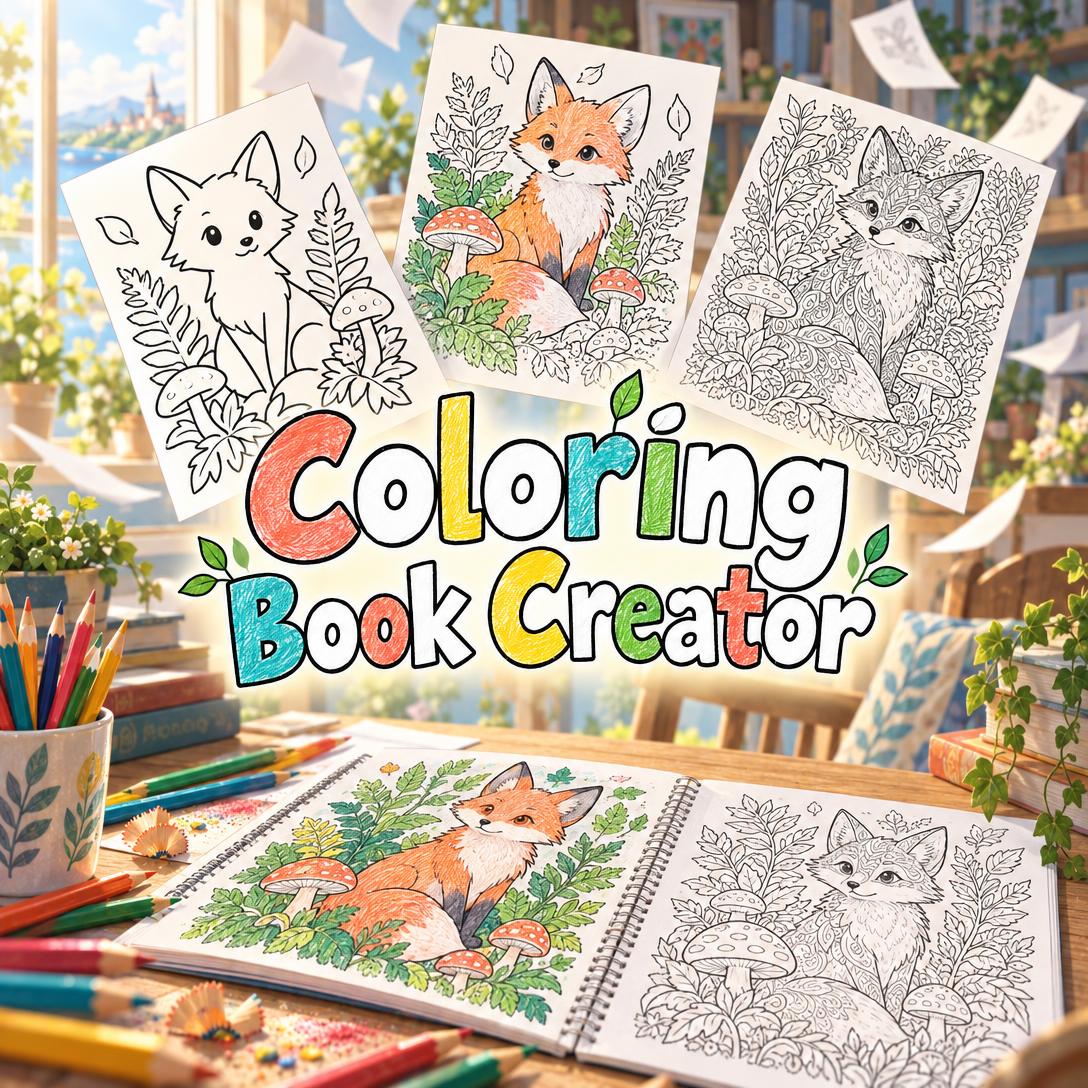
Coloring Book Creator helps you design complete coloring books by generating clean, enclosed line art one page at a time and matching each page to your audience. You might be a parent, a teacher, or a self-publisher. Most people can picture the book they want but lack the illustration skills or time to draw dozens of consistent pages. This AI acts as a design partner and handles composition, detail density, and print layout for you.
- ✅ Calibrates line weight and detail for seven audience levels, from toddlers to experienced adult colorists
- ✅ Keeps style, characters, and motifs consistent across a 12-page or 100-page project
- ✅ Builds in print basics such as trim-size aspect ratios and binding-safe margins
- ✅ Designs bonus activity pages, including mazes, hidden objects, and connect-the-dots
Coloring books look simple on the shelf. Behind every satisfying page is a set of design decisions most people never notice until something goes wrong. To see why a dedicated AI coloring book maker matters, start with what makes these books hard to produce well.
Quick Answer: What Is Coloring Book Creator?
Coloring Book Creator is an AI coloring book design studio that generates pure black-and-white line art pages, calibrated to a chosen audience and style, so creators can build a consistent, print-ready book page by page.
Key capabilities:
- Audience-matched line weight and complexity, from bold toddler shapes to micro-detailed adult patterns
- Reference sheets for style and recurring characters that keep every page visually consistent
- Full-book page planning with progression strategies such as simple-to-complex or category grouping
- Full-color cover design plus bonus activity pages for kids and educational books
The Creative Challenges Behind a Great Coloring Book
Coloring remains a large and active category. Publishers release new titles every month, and the cozy coloring trend continues to dominate new releases through 2026.
~$1 billion — Estimated coloring book market value, with a projected 13.15% CAGR from 2026 to 2033
30–60 illustrations — Typical page counts across recent releases, from the 30-illustration Fireside Christmas to the 60-illustration Wild & Whimsical Woodland
Demand alone doesn't make the work easier. Self-publishing creators say the bar has risen: in 2026, coloring books are not dead on Amazon KDP, but copy-paste books are. Readers can tell when a book was assembled without care.
But producing a coloring book that actually works is surprisingly difficult:
- Enclosed areas are non-negotiable. One gap in an outline turns a coloring space into a frustrating, unusable region. Generic AI image tools often leave these gaps.
- Complexity must match the audience. A page that suits a relaxed adult colorist overwhelms a four-year-old, and a toddler page bores a teen.
- Consistency across 30+ pages is hard. Line weight drifts, characters change shape, and the book stops feeling like one collection.
- Print requirements are unforgiving. On KDP, all odd-numbered pages print on the right and all even-numbered pages print on the left, so the binding edge changes from page to page.
Why Generic Image Generators Fall Short
Ask a general image model for "a fox coloring page" and you often get gray shading, color tints, or a photo of a coloring book on a table instead of the page itself. Coloring book line art needs strict constraints that most tools don't enforce: no tonal value, no fills, and closed boundaries everywhere.
This is the problem Coloring Book Creator was built to solve.
How Coloring Book Creator Works
The workflow follows the way professional coloring book designers work. You set the foundations first, then build pages one at a time with a quality check on each. Here is the process in Coloring Book Creator from first message to finished book.
Step 1: Define Your Audience and Format
Start by telling the AI who will color the book and what trim size you want. The standard is 8.5×11", with 8×10", 6×9", and square formats also available. Audience level determines line weight and detail density on every page.
"I want a 24-page coloring book for my 4-year-old who loves woodland animals, standard 8.5×11 size."
| Audience | Line Weight | Typical Detail |
|---|---|---|
| Toddler (1–3) | Very thick, bold | 1–3 large shapes |
| Preschool (3–5) | Thick | 3–8 simple objects |
| Children (5–8) | Medium-thick | 8–15 elements |
| Tween (8–12) | Medium | 15–25 elements |
| Teen/YA | Medium-fine | 20–40 elements |
| Adult Relaxation | Fine | 30–60+ elements |
| Adult Complex | Very fine | 60–100+ elements |
The header image above shows this calibration in practice: the same fox drawn at a bold, simple level, a moderate level, and a dense pattern level.
Step 2: Choose a Theme and Lock an Art Style
Pick a theme and an art style template: Bold & Simple, Cartoon Fun, Detailed Realistic, Whimsical Fantasy, Intricate Pattern, or Botanical & Nature. Custom styles such as stained glass, art nouveau, or zentangle are also supported.
The AI then generates a Style Exemplar, a dedicated sample page that sets the visual rules for the whole book. If your book has recurring characters, it also creates character reference sheets so a fox on page 3 looks like the same fox on page 21.
"Let's use Whimsical Fantasy with a recurring baby fox character who wears a leaf scarf."
Step 3: Approve a Full Page Plan
Before generating anything, the AI maps the entire book. The plan covers each page's subject, its relative complexity, and special pages like a title page or activity spreads.
You can also choose a progression strategy. Options include Simple → Complex for skill-building, Category Grouping for themed sections, Uniform Complexity for mandala books, or a Variety Mix for gift collections.
Step 4: Generate and Review Page by Page
Each page is designed with a deliberate balance of reward areas, large, satisfying shapes to fill, and challenge areas, small spaces that need focus. Every page then goes through a quality gate that checks line art purity, enclosed boundaries, line weight, and character consistency. Pages that fail are regenerated.
"Page 7: our fox exploring a mushroom grove, with a hidden snail somewhere in the scene."
Each approved page comes with metadata (page number, subject, complexity, and special notes) so you always know where you are in the project.
Step 5: Design the Cover and Export
When the interior is done, the AI creates a full-color cover with styled title text. It can then compile your pages into a PDF.
For KDP, keep in mind that publishing involves two separate files, an interior manuscript and a cover. Many self-publishers also use
to confirm trim and margin settings before uploading.You can start creating free, with no commitment needed to generate a demo page or two.
Creative Showcase: What You Can Make
🦊 A Personalized Book for a Preschooler
Scenario: A parent wants a 24-page book starring their child's favorite stuffed fox for a birthday gift.
Traditional Approach: Buy a generic animal book that doesn't feature the character, or commission an illustrator and coordinate revisions over weeks.
Coloring Book Creator: The parent builds a Bold & Simple book with a fox reference sheet. The fox appears in thick-outlined scenes such as a picnic, a bath, and a bedtime moon, using the AI coloring book studio.
- Large enclosed shapes sized for small hands and chunky crayons
- The same fox design on every page, anchored by the character sheet
- An outlined title page with the child's name, ready to color
If the family wants a read-aloud story to go with the coloring pages, Children's Book Creator can turn the fox's adventures into a fully illustrated picture book.
📚 Classroom Habitat Pages for Second Graders
Scenario: A teacher needs ten ocean-habitat coloring pages with outlined labels for coral, kelp, sea turtles, and tide pools.
Traditional Approach: Search for free printables that rarely match the lesson's vocabulary or grade level.
Coloring Book Creator: The teacher selects the Children level and the Detailed Realistic style, with Category Grouping by habitat zone. Labels are drawn as outlined text that students color in.
- Scene-based learning that pairs vocabulary with visuals
- A counting-challenge page ("color all 7 starfish") for math crossover
- Consistent difficulty across the set, so no student gets a page that's too hard
To build the full unit around these pages, Lesson Plan Generator can produce paced lesson plans with differentiation and assessments.
💼 A 40-Page Adult Collection for Self-Publishing
Scenario: An independent creator wants to publish a cozy autumn adult coloring book, a theme that fits the cozy releases dominating 2026 catalogs.
Traditional Approach: Draw every page by hand or license art, then wrestle with page orientation and margins in layout software.
Coloring Book Creator: The creator locks the Adult Relaxation level with fine botanical linework. They plan four sections (orchards, reading nooks, harvest markets, and forest walks) and generate pages with binding-safe inner margins.
- Uniform style that reads as a cohesive, intentional collection rather than a "copy-paste" book
- Health checks every 15–20 pages to catch line weight drift
- A full-color cover built to stand out at thumbnail size
Creators who also sell printable PDFs on Etsy can use Etsy Business Advisor for listing optimization, pricing, and competitor research.
📱 A Quick Demo Page on Your Phone
Scenario: A grandparent is waiting at the pediatrician's office and wants a dinosaur page to print for a grandchild that evening.
Traditional Approach: Scroll through ad-heavy printable sites hoping to find something suitable.
Coloring Book Creator: They dictate a request using speech-to-text on the mobile app, and a single demo page is ready to print at home.
- Quick generation with no full project setup required
- Full feature parity across web, iOS, and Android
- Projects sync across devices, so the page is waiting on the home computer
"Make one simple coloring page of a friendly T. rex eating a giant strawberry, for a 5-year-old."
Adults get something from this too: coloring is widely valued for cultivating mindfulness and providing a break from stress. A personalized page adds to that.
Frequently Asked Questions
Is Coloring Book Creator free to use?
Yes. You can use Coloring Book Creator on Jenova's Free tier, which includes all core features with limited usage. Larger projects such as a 100-page adult collection may need a paid plan for more generation capacity. Plus costs $20/month for 30× usage and removes watermarks. Usage resets monthly on your billing date, with no daily caps.
Can an AI coloring book generator make pages suitable for Amazon KDP?
Coloring Book Creator designs pages in standard trim-size aspect ratios with wider binding-side margins, and it can compile pages into a PDF. You remain responsible for final KDP compliance: confirm resolution, bleed, and margin settings against KDP's current guidelines and templates before uploading. Prototyping a few pages first is a good habit before committing to a full book.
How is this different from using a general AI image generator?
General image generators often add shading, gray tones, or color, and they frequently leave gaps in outlines. Coloring Book Creator enforces pure line art with closed boundaries. It calibrates complexity to an audience level and uses dedicated reference sheets so characters and style stay consistent across an entire book. Every page passes a quality check before you see it.
Can it create activity pages like mazes and connect-the-dots?
Yes. The AI designs hidden-object scenes, connect-the-dots outlines, mazes with colorable walls, spot-the-difference pairs, and counting challenges. These work well as bonus pages in kids' and educational books. Note that AI-generated text and numbers can occasionally render imperfectly. If that happens, the AI flags it and offers to regenerate or present the text separately.
Does Coloring Book Creator work on mobile?
Yes. It works on web, iOS, and Android with full feature parity, and projects sync across devices. You can start a book on your phone, using speech-to-text to describe pages, then review and export on a desktop. Your project details are remembered between sessions, so you can return to a long book without re-explaining your style or characters.
Who owns the coloring pages I create?
The pages are generated in your private sessions, and your data is never used to train public AI models. If you plan to sell your book commercially, review the terms of the platform and image models you use. Also avoid prompting for trademarked characters you don't have rights to.
Conclusion: From Idea to Finished Coloring Book
Making a good coloring book has always required skills most people don't have the time to learn. Those skills include enclosed line art, audience-appropriate complexity, consistency across dozens of pages, and print-aware layout. This AI coloring book maker handles that craft, so parents, teachers, and self-publishers can focus on the ideas that make their book worth coloring.
You might want a one-off dinosaur page for tonight, a classroom set aligned to a lesson, or a 40-page cozy collection ready for KDP. Either way, you get a structured, page-by-page process and pages designed for the act of coloring, not just drawings with the color removed.
Try Coloring Book Creator now and design your first page in minutes. Explore more at Jenova.
For Developers: Coloring Book Creator is available programmatically via the Jenova API. You can integrate audience-calibrated coloring page generation into your edtech, print-on-demand, or kids' app with a single API call. Full documentation →