AI Battle Map Generator: Grid-Ready Maps for Tabletop RPGs
2026-09-03
Game Designer Assistant helps you generate battle-ready tabletop maps by turning a short encounter brief into grid-aware layouts, terrain notes, and concept art. While most Game Masters still spend weeknights sketching dungeons or hunting marketplace packs that almost fit the scene, this AI battle map generator produces tactical geography you can drop into a virtual tabletop or print for the physical table. As of September 2026, that speed is the difference between a prepared session and a blank grid.
✅ Grid-aware dungeon, wilderness, interior, and urban layouts ✅ Cover, chokepoints, elevation, and lighting called out in plain language ✅ Concept art direction matched to D&D, Pathfinder, and other TTRPG systems ✅ Briefs you can use in Foundry VTT, Roll20, or at a physical table
To understand why this matters, look at how map prep actually fails at the table — not in theory, but on a Thursday night when the party kicks in the wrong door.
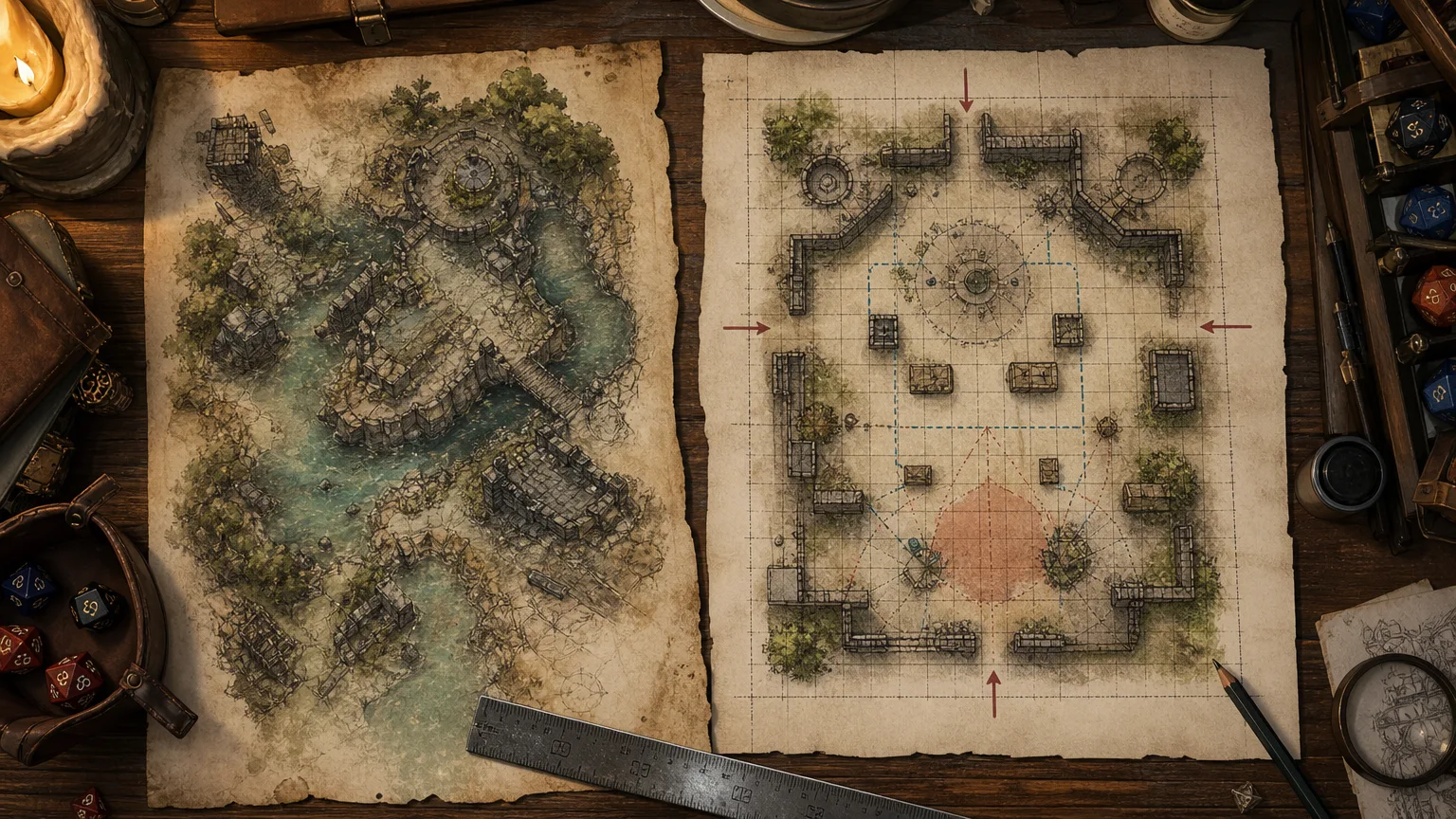
Quick Answer: What Is an AI Battle Map Generator?
An AI battle map generator is a design tool that turns encounter briefs into grid-ready layouts, terrain notes, and concept art so Game Masters can stage fights in minutes instead of hours. Game Designer Assistant is built for that job — maps that serve tactics, not just atmosphere.
Key capabilities:
- Encounter-specific dungeon, wilderness, and interior map layouts
- Grid size, scale, cover, and movement notes for VTT or print
- Visual concept art direction you can match across a campaign
- Rapid remixes when the party ignores the prepared dungeon
The Problem GMs Face With Battle Maps
Tabletop role-playing is not a niche side hobby anymore. The global TTRPG market is valued at USD 2.41 billion in 2026 and is projected to reach USD 6.59 billion by 2035. The U.S. National Endowment for the Arts reported that over 3.4 million adults played tabletop RPGs in 2023. Fantasy still dominates, holding about 52% of TTRPG share — which is why so many sessions live or die on a dungeon floor plan.
But getting a usable battle map in front of players is still frustratingly difficult:
- Hand-drawn maps eat the night before the session and rarely survive contact with player choices
- Purchased map packs look beautiful and fit the wrong encounter
- VTT setup — grids, walls, lights, doors — turns one image into an hour of clicking
- Off-script parties make last week's cathedral map useless in ten minutes
48% — Share of TTRPG play already touching digital platforms and virtual tabletops
USD 3.8 billion — Digital tabletop platforms market value in 2025
Generic map packs never match the fight you actually need
A marketplace map is drawn for a product page, not for your cult, your collapsing bridge, your 15-foot chasm. You either rewrite the encounter to fit the art or accept a table that looks wrong. GMs who run published adventures still spend extra time reskinning rooms because the boxed map does not match the house-ruled encounter.
Grid, scale, and VTT plumbing steal the remaining prep window
Foundry VTT's own usage data shows Dungeons & Dragons Fifth Edition installed by 64.28% of license owners, with a typical user sitting at a median 21 add-on modules. That stack is powerful — walls, lighting, animated doors, token measurement — and it assumes you already have a map with a clean grid and readable rooms. Aligning a pretty illustration to a 5-foot square is its own craft.
Improvisation still needs a floor plan
AI can already draft NPCs, encounters, and recaps, but a fight still needs geography: cover, sight lines, hazards, and a place for the ogre to stand. When the party barges into the kitchen instead of the throne room, theater of the mind collapses into arguments about who is in melee. You need a map in the next ninety seconds, not next week.
This is exactly what Game Designer Assistant was built for.
Why Game Designer Assistant
Game Designer Assistant treats battle maps as game design, not clip art. You describe the fight — party level, enemies, terrain, stakes — and it returns a layout a GM can actually run: room dimensions, grid size, elevation, cover, lighting, and visual direction for the scene. It does not lock you into one art marketplace or one VTT. It gives you the design document and concept art so the map serves the encounter.
| Traditional Approach | Game Designer Assistant |
|---|---|
| Sketch for hours or buy a pack that almost fits | Encounter-specific layout from a one-paragraph brief |
| Beautiful art with unusable sight lines | Cover, chokepoints, elevation, and hazards called out |
| Grid-alignment and lighting done by hand in the VTT | Scale, square count, and lighting notes ready to apply |
| Panic when the party leaves the prepared dungeon | A new map brief in the time it takes to roll initiative |
| Style drift across a 20-session campaign | Consistent briefing language and art direction |
Layouts built for tactics, not just mood
A battle map fails if players cannot read it from across the table. This AI specifies walkable floors, difficult terrain, furniture that actually blocks, and vertical elements (balconies, pits, rafters) that change the fight. You get a legend a player can parse in one glance: doors, stairs, water, rubble, and the objective.
Grid, scale, and VTT notes in the same pass
Ask for a 25×35 indoor map at 5 feet per square, or a 40×40 wilderness map with a 10-foot river. The output names the grid, the scale, and where walls and lights should go — the same concerns Foundry VTT documents as scene features (environment visualization, lighting, and tracking). You still place the image in your VTT; you stop guessing square count.
Concept art you can match across a campaign
Because the agent also handles concept art and documentation, you can keep a ruined-temple campaign in one visual register: wet stone, brass braziers, collapsed vaulting. Pair location names from Name Generator so the map legend, the handout, and the recap use the same proper nouns.
"Design a 30×40 grid battle map for a ruined riverside temple: collapsed nave, flooded crypt stairs, two sniper balconies, a 15-foot chasm with a fallen column as a bridge, and dim torchlight only along the south wall."
"Convert this tavern brawl into a 20×20 interior map: broken tables as half cover, a balcony with a 10-foot drop, a kitchen fire hazard, and a front door that opens onto rain-slick cobbles."
"Give me a Pathfinder 2e forest ambush map, 8×12 squares, with a game trail, two treant-sized trunks, a 10-foot sinkhole, and concealment for four archers."
Related Agents You'll Also Find Useful
If you are also writing the rooms around the fight, Comic Creator can storyboard the approach: the corridor the party sees first, the reveal shot of the idol, the collapse that changes the map mid-combat. Sequential layouts train you to think in readable spaces — the same skill a battle map needs.
- Panel-to-panel staging for dungeon reveals
- Clear silhouettes for terrain and set dressing
- Visual beats you can translate into map landmarks
When the map needs labels that do not sound like a spreadsheet, Name Generator produces place names, room titles, faction marks, and legend entries with cultural and linguistic consistency.
- Dungeon, district, and wilderness names that fit the setting
- Room labels players will actually say out loud
- Recurring naming patterns across a long campaign
If the table wants a sharper illustrated style — anime-influenced ruins, high-contrast ink, dramatic overhead shots — Manga Creator is the right art partner for keyframes and style frames you then convert into a top-down battle map brief.
- Consistent line language for walls, foliage, and props
- Overhead and isometric studies of the same room
- Style locks you can reuse for every map in the arc
Try Game Designer Assistant free — no credit card required.
How to Generate a Battle Map in Minutes
Step 1: Describe the encounter, not the pretty picture
State system, party size, enemy roster, and what the map must do. A good brief names the objective (hold the bridge, escape the fire, reach the dais) so the layout has a reason to exist.
"D&D 5e, four 5th-level PCs, fight a priest and six cultists in a sunken chapel. The party must stop a ritual on the altar in 6 rounds. I need a 24×24 grid, 5 feet per square."
Step 2: Lock grid, scale, and table format
Say whether this is Foundry VTT, Roll20, a printed one-inch grid, or theater-of-the-mind with a sketch. Ask for square count, north arrow, and a simple legend. The Foundry year-in-review data is a reminder that most online tables are running D&D or Pathfinder — write the brief in that language.
"Output a top-down legend, wall notes for VTT, dim light radius 20 feet from four braziers, and difficult terrain in the flooded aisle."
Step 3: Stress-test tactics before you draw
Ask where a rogue hides, where a fireball is a bad idea, and how a large creature moves. If the map has no cover, no elevation, and no hazard, it is a portrait, not a battle map. Iterate once.
"Show three tactics for the cultists, two escape routes for the PCs, and one environmental change at round 3 when the ceiling partially collapses."
Step 4: Carry the brief to the VTT or the printer
Use the layout as a tracing guide in your mapping tool, as a scene brief for a commissioned artist, or as a sketch you photograph onto the table. Keep the same prompt thread so the next room in the dungeon matches lighting, stone type, and grid scale.
Results & Use Cases
📊 Off-script dungeon in a single initiative count
Scenario: The party ignores the prepared gatehouse and kicks through a cemetery mausoleum you never drew.
Traditional Approach: 20–40 minutes of panicked sketching, or a recycled crypt map that does not match the lore.
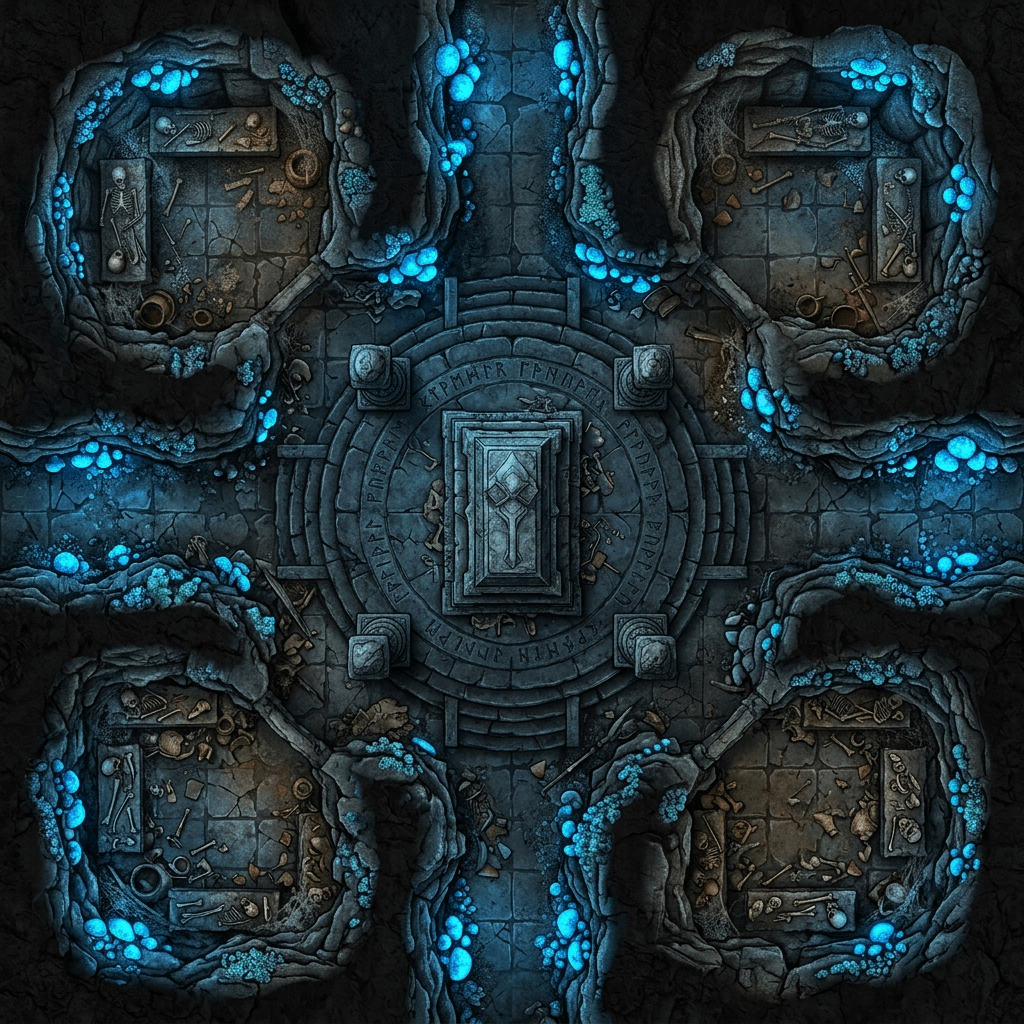
Game Designer Assistant: A four-chamber burial map with a central portal, sight-blocking pillars, and loot notes — ready before the second player finishes rolling perception.
- Radial rooms that create flanking instead of a hallway slog
- Lighting you can copy into Foundry (colored crystals, deep shadow)
- Room names you can generate in the same sitting with Name Generator
💼 Remixing a published module without buying a second map pack
Scenario: You are running a coastal adventure, but your table turned the smuggler cave into a flooded temple. The official map no longer describes the fight.
Traditional Approach: Buy another pack, crop badly, or run theater of the mind and argue about range.
This AI battle map generator: A revised 30×40 layout that keeps the module's encounter budget while changing geography, water, and elevation.
- Same CR, new terrain
- Notes for difficult terrain and swim speeds
- A visual brief Comic Creator can turn into a player-facing reveal handout
📱 Commute prep for tonight's tavern brawl
Scenario: You are on a train with a phone, session in four hours, and no map.
Traditional Approach: Open three marketplace tabs, none of which show a balcony over a kitchen fire.
The design partner, on mobile: A 20×20 interior with half cover, a 10-foot drop, and a door that matters. Full feature parity on web, iOS, and Android means the brief is waiting on your laptop when you sit down at the VTT.
- Voice or typed brief on the phone
- Grid and legend you can screenshot onto the table
- Enough structure to improvise without stalling combat
🎯 Wilderness ambush that is not a flat green square
Scenario: Four sessions of dungeon crawls have made the overland travel feel empty. You need a forest fight that uses trees as cover and a trail as a trap.
Traditional Approach: A generic forest battle map with no trail logic and no sinkhole.
Game Designer Assistant: An 8×12 (or larger) ambush map with concealment lanes, a choke on the game trail, and a hazard that punishes clustering — the kind of geography encounter-design workflows assume you already have.
- Archers who are not standing in the open
- A large-creature path that does not break the grid
- Style notes you can keep consistent with Manga Creator if the campaign is illustrated in that register
FAQ
What is an AI battle map generator?
An AI battle map generator is software that turns a text brief — system, grid size, enemies, terrain — into a runable map design: layout, scale, cover, lighting, and visual direction. Game Designer Assistant focuses on maps as tactics, so the output is something you can put on Foundry VTT, Roll20, or a printed grid, not just a mood illustration.
Is Game Designer Assistant free?
Yes. You can use it on the free tier with all core features and limited usage. Paid plans start at $20 per month for Plus, with higher tiers if you generate maps, briefs, and concept art every week. Usage resets monthly on your billing date, with no daily caps, so a Sunday prep binge is allowed.
Can this AI battle map generator make maps for Foundry VTT and Roll20?
Yes. Specify the VTT, square size, and whether you need wall, light, and door notes. Foundry remains a major online table — StartPlaying's VTT roundup still treats it as a first-class option alongside Roll20 and others — and the agent's job is the scene brief those tools consume. You import or redraw; you do not start from a blank square.
How is this different from Inkarnate, DungeonDraft, or buying map packs?
Drawing tools and marketplace packs produce images. This AI produces the design of the fight: dimensions, tactics, hazards, and art direction matched to this encounter. Use it before you open a drawing tool, or when a pack does not fit. It will not replace a painter's finished asset library; it replaces the blank page and the mismatched download.
Does an AI battle map generator work on mobile?
Yes. Sessions, settings, and history sync across web, iOS, and Android, so you can brief a map on a phone and finish VTT setup at a desk. Speech-to-text is available if you would rather talk through the room than type it while commuting.
Can it generate D&D 5e and Pathfinder battle maps?
Yes. Name the system, party level, and creature sizes so corridors, door widths, and Huge bases are honest. That matters on tables where D&D 5e and Pathfinder 2e dominate VTT installs. Ask for 5-foot squares, difficult terrain, and cover in the language your rules actually use.
Conclusion
Battle maps are the part of GM prep that still fails in public: wrong scale, wrong room, wrong night. An AI battle map generator will not roll dice for you, but it will put a readable, grid-ready fight on the table before initiative is done. Game Designer Assistant turns an encounter sentence into layout, tactics, and concept art you can run in a VTT or print for the group.
If tonight's dungeon does not exist yet, start with the brief, not the marketplace. Try the agent now, then explore more at Jenova.
For Developers: Game Designer Assistant is available programmatically via the Jenova API — integrate AI battle map briefs and encounter layouts into your VTT or campaign app with a single API call. Full documentation →